
This page is not an official page of the app or its developer, but an independent editorial publication created for informational and commentary purposes. Unless expressly stated otherwise, neither the app nor its developer is affiliated with, endorsed by, sponsored by, authorized by, or otherwise officially connected with MWM, Apple, Google Play, the app publisher, or the app's developer, and nothing on this page implies that the app was developed using MWM's services. Any trademarks, logos, screenshots, and other content remain the property of their respective owners.

Weekly Planner - Diary, Notes
Ditch the complex calendars and monthly subscription fees. Experience the ease of a traditional paper diary with the convenience of digital sync, designed for your busy life at home and work.
Downloads
6M+User Rating
Total Ratings
114K+Publisher
Category
ProductivityLocales
28Latest Version
1.4.30Size
1.3 GBFirst Released
Feb 2, 2017Master Your Schedule with Digital Simplicity
The elegance of a classic paper diary meets the convenience of your iPhone and iPad. Organize your life without the complexity of modern apps.
Your Week, All in One View
Stop digging through menus. See all your appointments and tasks in a familiar layout that lets you plan seven days at a single glance.
No Subscriptions, Ever
Beat subscription fatigue with a simple one-time purchase. Own your digital planner forever with no hidden monthly or annual fees.
Frequently Asked Questions
Everything you need to know about Weekly Planner - Diary, Notes
Is Weekly Planner - Diary, Notes available for free?
Yes, Weekly Planner - Diary, Notes offers a FREE version. Users can utilize the free version for an unlimited duration.
How much does the PRO version of Weekly Planner - Diary, Notes cost?
The PRO version of Weekly Planner - Diary, Notes costs $5.99. This is a one-time purchase, providing lifetime access without any monthly or annual subscription fees.
Can I sync Weekly Planner - Diary, Notes across multiple devices?
Yes, Weekly Planner PRO allows synchronization with iCloud, Google Cloud, and other devices. This feature helps keep your planner updated across all your platforms.
What are the main features of Weekly Planner - Diary, Notes?
Weekly Planner offers features like adding appointments, to-do lists, tasks, and recurring events. It allows users to instantly add items to their Calendar or Notes page.
Does Weekly Planner - Diary, Notes have a password lock feature?
Yes, Weekly Planner PRO includes an optional password lock protection. This feature enhances the privacy and security of your personal planning information.
Can I set up recurring events in Weekly Planner - Diary, Notes?
Yes, Weekly Planner PRO supports creating recurring events. Users can schedule events daily, weekly, monthly, or annually, and even for exact dates like birthdays or anniversaries.
Can I print my schedule from Weekly Planner - Diary, Notes?
Yes, Weekly Planner PRO allows users to save versions for printing in customizable PDF format. This enables physical copies of your organized schedules.
How can I customize the Weekly Planner - Diary, Notes app?
Weekly Planner offers customization options in PRO settings, including setting the first day of the week, selecting one-day to weekly views, choosing app icons, page designs, and adjusting font size and color.
Does Weekly Planner - Diary, Notes include a search function?
Yes, Weekly Planner - Diary, Notes allows searching for events and entries. This helps users quickly locate specific records within their planner.
Does Weekly Planner - Diary, Notes support widgets?
Yes, Weekly Planner - Diary, Notes provides widgets. These widgets allow users to quickly view and interact with their planner information directly from their device's home screen.
The following screenshots and description are sourced directly from the app's official store listing and are the property of the app developer.
App Store
Screenshots
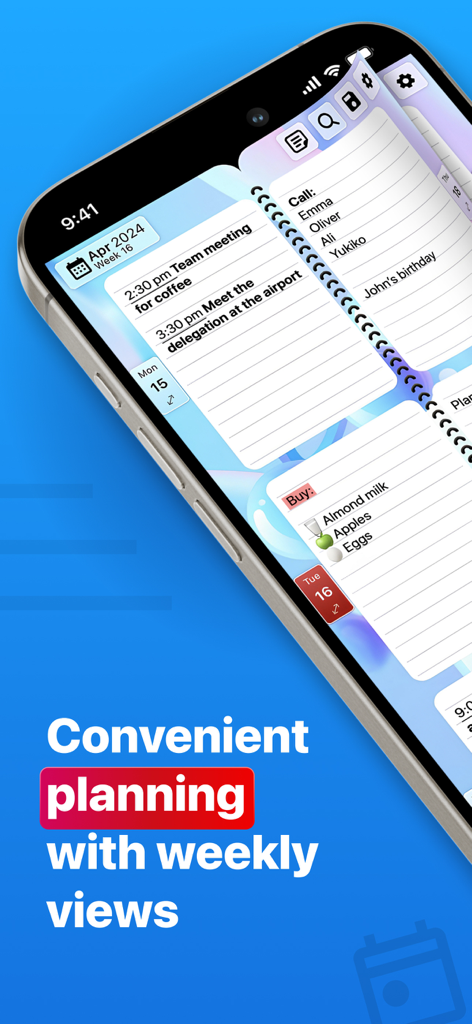
A smartphone displaying a digital weekly planner with a spiral notebook design and daily task lists.
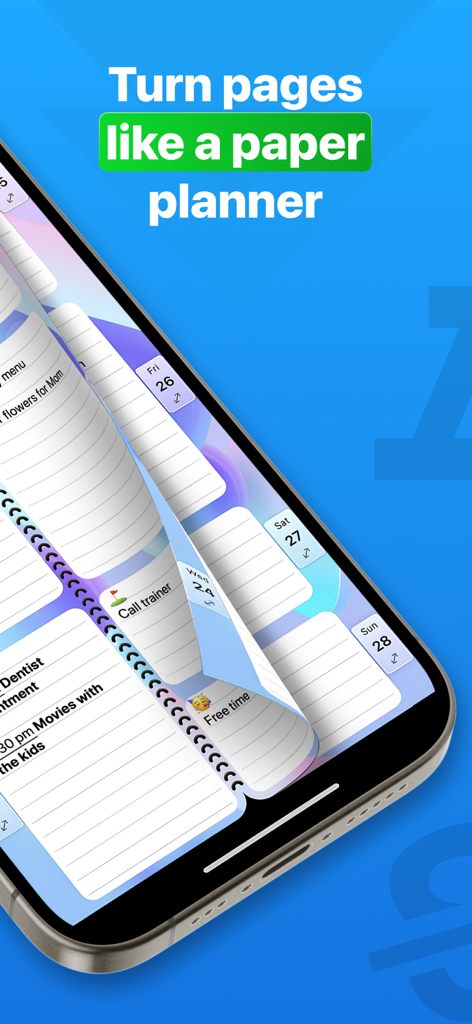
Weekly Planner app interface showing a digital page turning animation like a physical paper diary
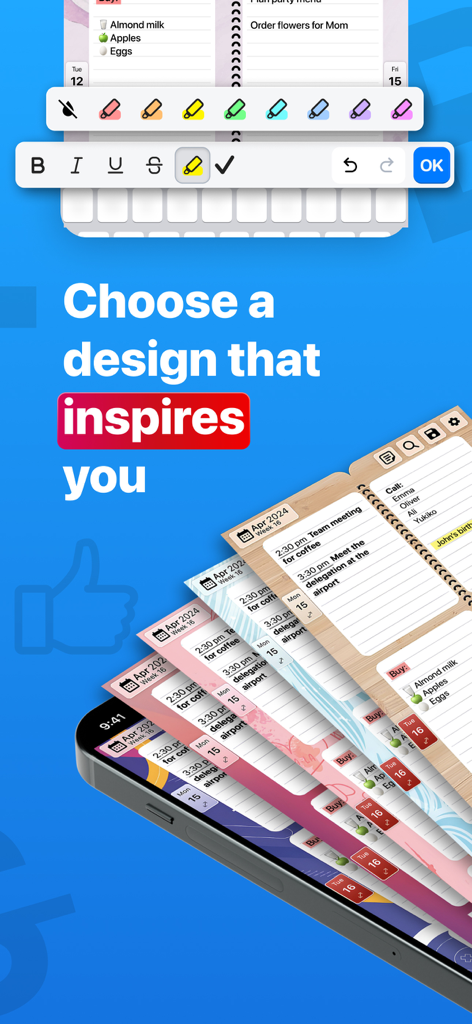
Various colorful themes and design options for the weekly planner mobile application
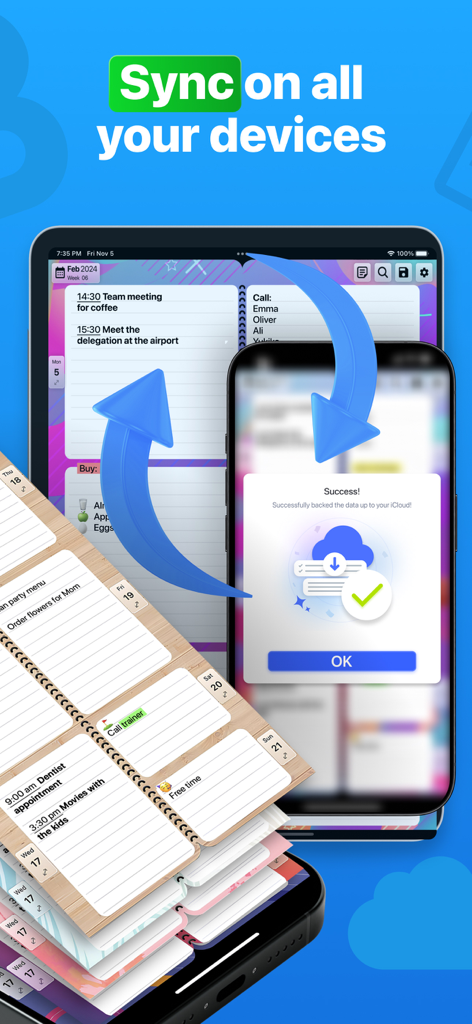
Weekly Planner app interface showing automatic synchronization across iPad and iPhone via iCloud
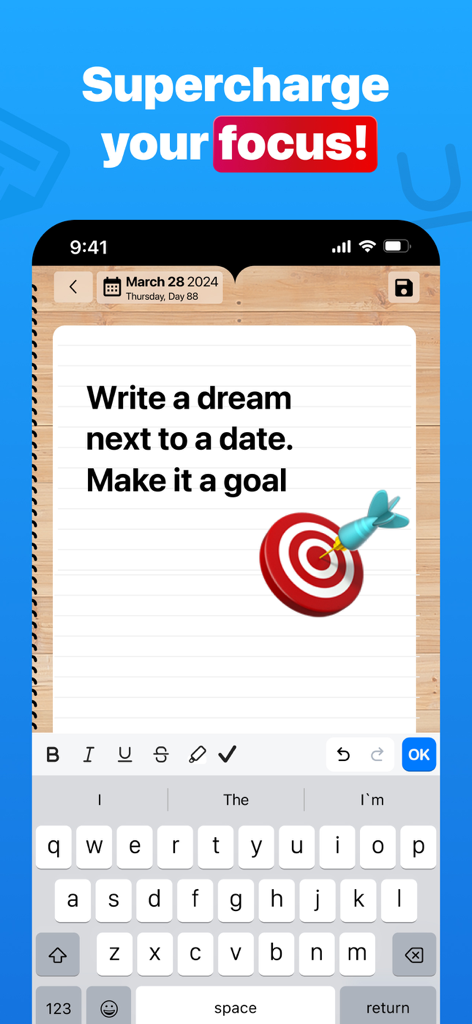
A digital paper planner interface showing a goal setting message and a target icon
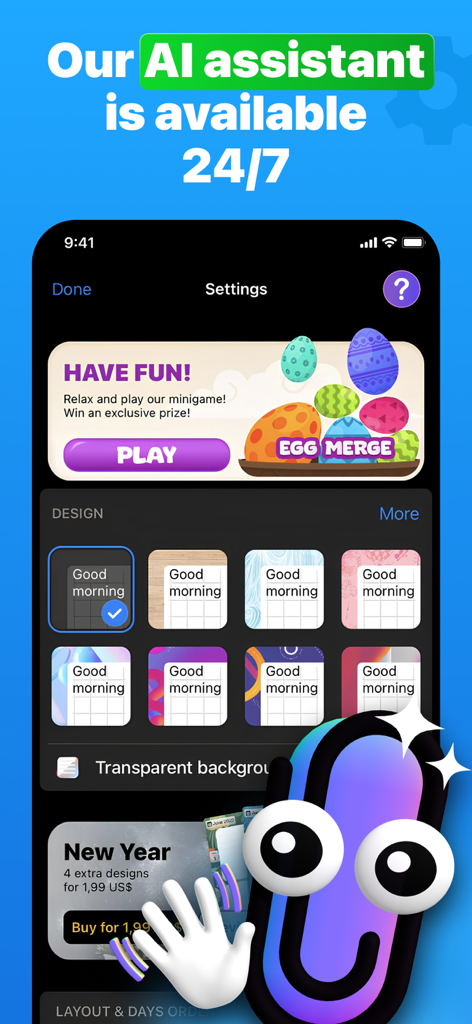
Weekly Planner app settings page showing AI assistant message design customization and a minigame banner
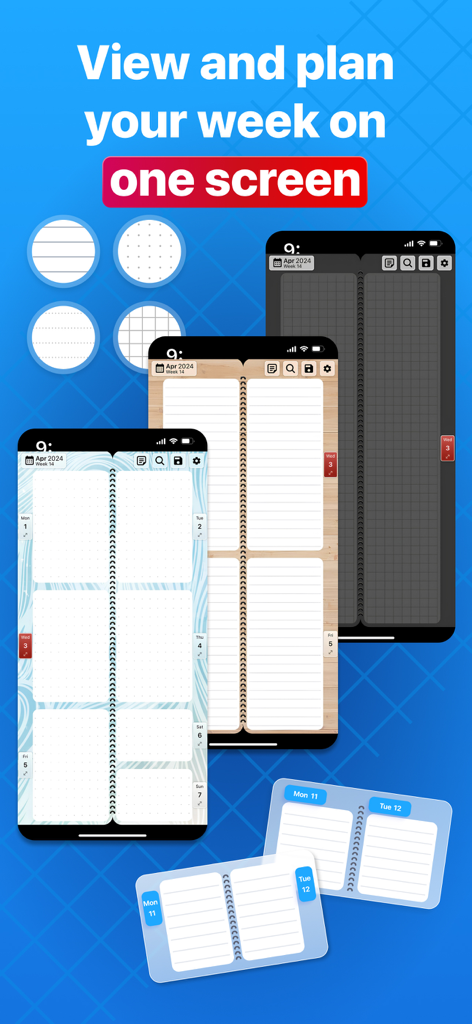
Smartphone screens displaying the Weekly Planner app with various paper-style background themes and a clear weekly overview
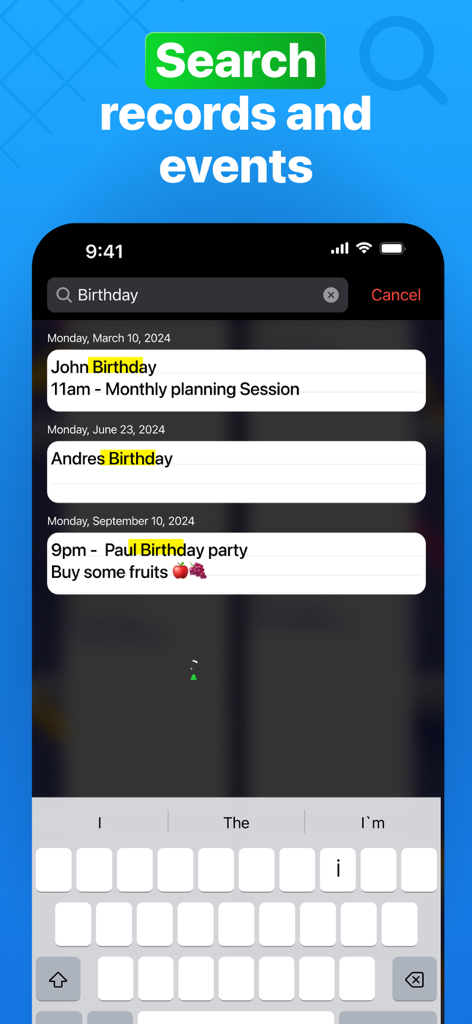
Search records and events screen in the Weekly Planner app showing results for birthdays
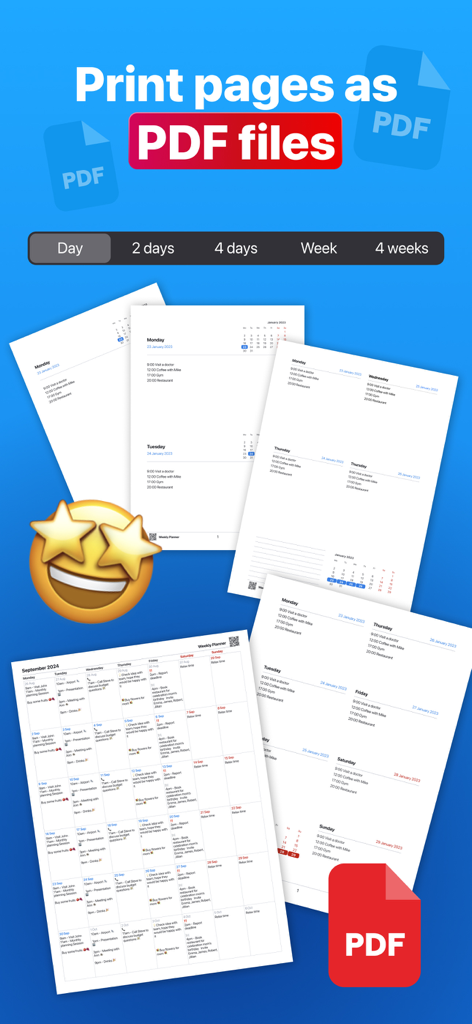
Weekly Planner app feature to export and print pages as PDF files in different layouts
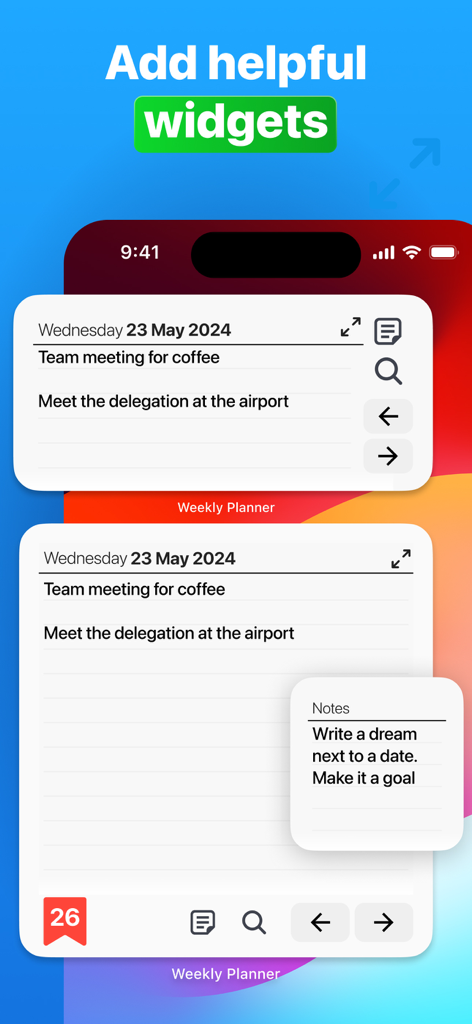
Weekly Planner app widgets showing daily tasks and meetings on a smartphone home screen
Description
Download
More Like This
Apps with similar features and user experience

Notion: Notes, Tasks, AI
Notion Labs, Incorporated

Freenotes®: AI Notes Taking
Hangzhou Free Notes Technology Co., Ltd

Structured - Daily Planner
unorderly GmbH

Google Tasks: Get Things Done
Google LLC

TickTick:To-Do List & Calendar
Appest Limited

Noteful: Notes & PDF Markup
Noteful Technologies Ltd

Todoist: To Do List & Calendar
Doist Inc.

To do list MinimaList & Widget
Inner Grow Limited

monday.com - Work Platform
monday.com Ltd.
This page is not an official page of the app or its developer, but an independent editorial publication created for informational and commentary purposes. Unless expressly stated otherwise, neither the app nor its developer is affiliated with, endorsed by, sponsored by, authorized by, or otherwise officially connected with MWM, Apple, Google Play, the app publisher, or the app's developer, and nothing on this page implies that the app was developed using MWM's services. Any trademarks, logos, screenshots, and other content remain the property of their respective owners.