Wi-Fi Check - Speed Test

This page is not an official page of the app or its developer, but an independent editorial publication created for informational and commentary purposes. Unless expressly stated otherwise, neither the app nor its developer is affiliated with, endorsed by, sponsored by, authorized by, or otherwise officially connected with MWM, Apple, Google Play, the app publisher, or the app's developer, and nothing on this page implies that the app was developed using MWM's services. Any trademarks, logos, screenshots, and other content remain the property of their respective owners.
Logo of Wi-Fi Check - Speed Test

Wi-Fi Check - Speed Test

The first app to instantly separate Wi-Fi issues from internet slowdowns. Get professional-grade diagnostics to fix lag, eliminate dead spots, and optimize your connection—with zero ads and total privacy.

Key Figures

Downloads

0

User Rating

1.0/5

Total Ratings

0

Publisher

KENNETH BRIAN FERNANDES

Category

Utilities

Locales

1

Latest Version

2.0.0

Size

8.4 MB

First Released

Jan 7, 2026
Features

Stop Guessing, Start Solving

Get professional-grade network diagnostics on your iPhone. Wi-Fi Check separates your local signal from your internet connection to give you the performance truth.

Wi-Fi vs. Internet Split

The first tool that tells you exactly where the bottleneck is—your ISP or your router—so you can stop blaming the wrong provider.

Pro-Grade Signal Insights

Access real-time SNR, noise, and PHY rates to eliminate dead spots and optimize your home office or gaming setup for peak performance.

The following screenshots and description are sourced directly from the app's official store listing and are the property of the app developer.

App Store

Screenshots
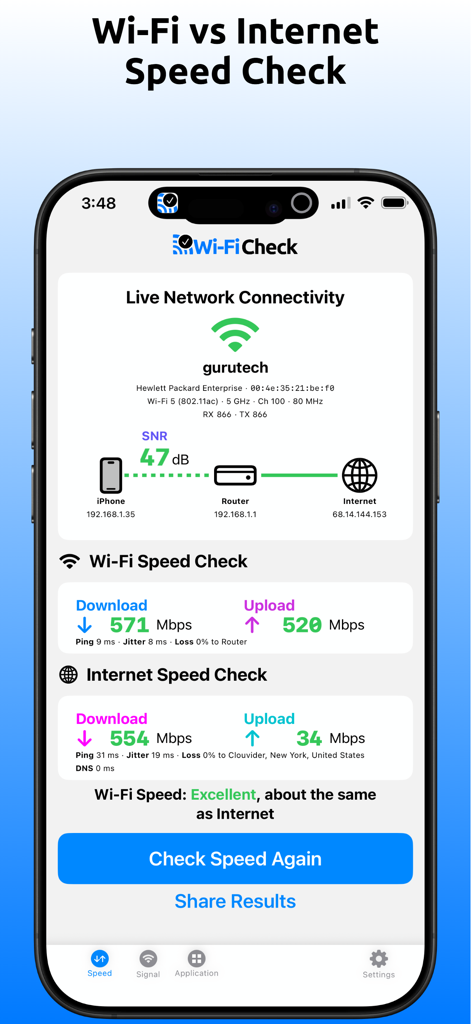
Wi-Fi Check - Speed Test - A smartphone dashboard showing a comparison between local Wi-Fi and internet connection speeds
A smartphone dashboard showing a comparison between local Wi-Fi and internet connection speeds

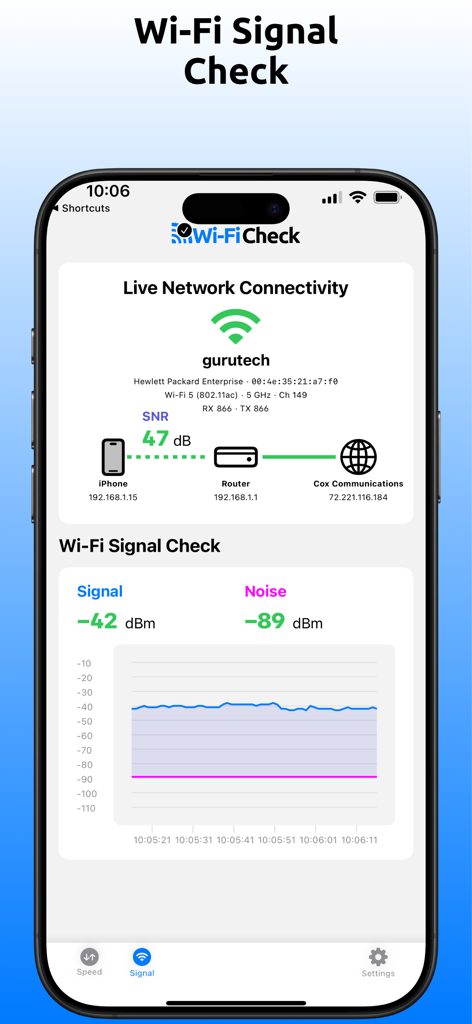
Wi-Fi Check - Speed Test - Interface of Wi-Fi Check app showing real-time signal strength and noise metrics with a live connectivity map
Interface of Wi-Fi Check app showing real-time signal strength and noise metrics with a live connectivity map

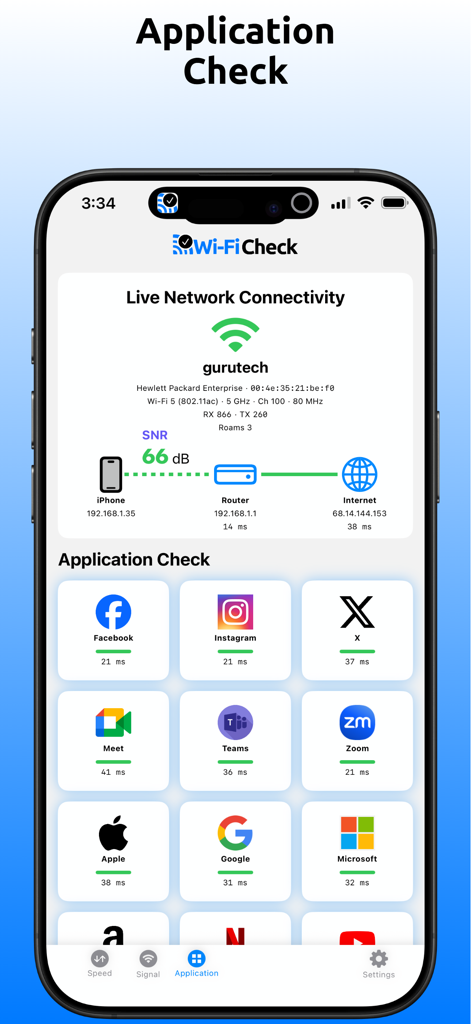
Wi-Fi Check - Speed Test - Wi-Fi Check app interface showing network connectivity status and latency metrics for various cloud applications
Wi-Fi Check app interface showing network connectivity status and latency metrics for various cloud applications

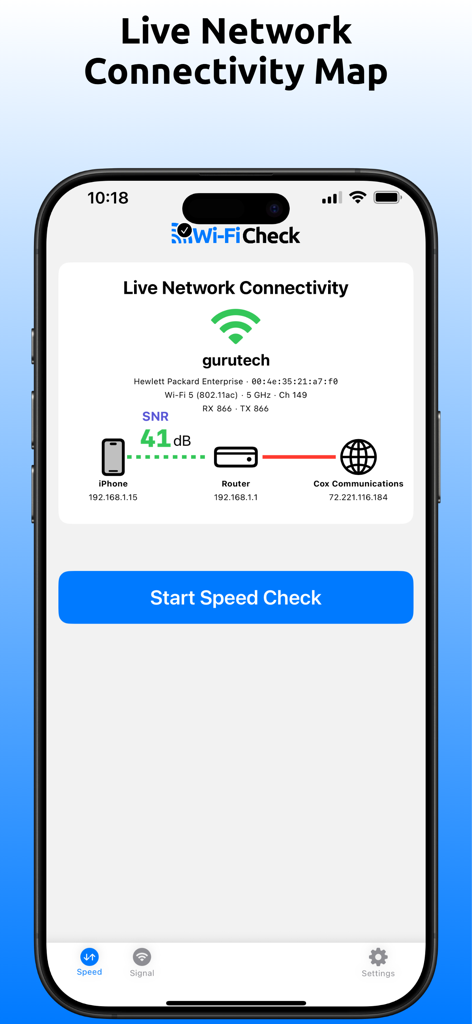
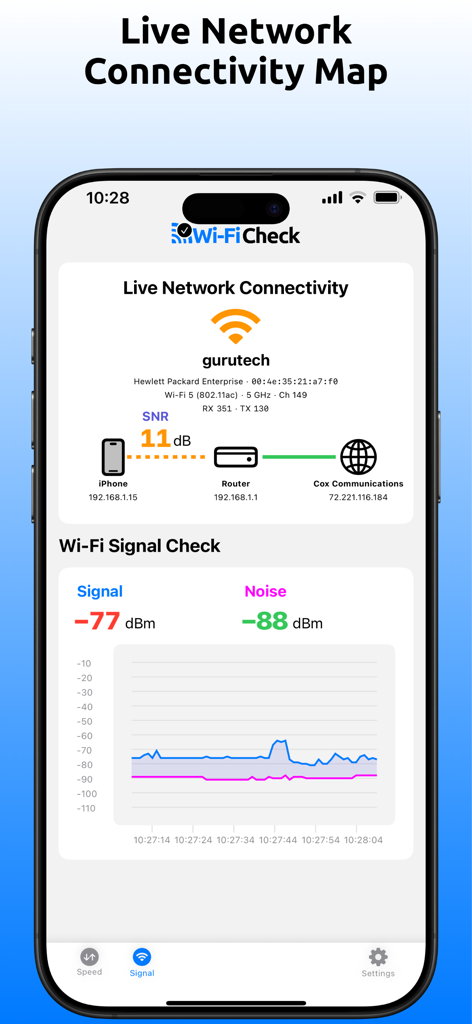
Wi-Fi Check - Speed Test - Screenshot of the Wi-Fi Check app showing a live network connectivity map between an iPhone, a router, and the internet service provider.
Screenshot of the Wi-Fi Check app showing a live network connectivity map between an iPhone, a router, and the internet service provider.

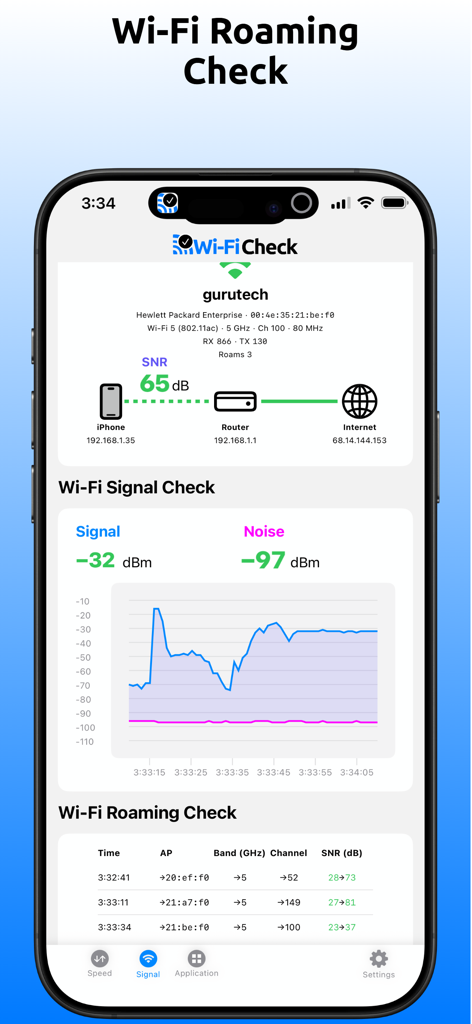
Wi-Fi Check - Speed Test - Interface showing Wi-Fi signal strength graph and roaming connection details
Interface showing Wi-Fi signal strength graph and roaming connection details

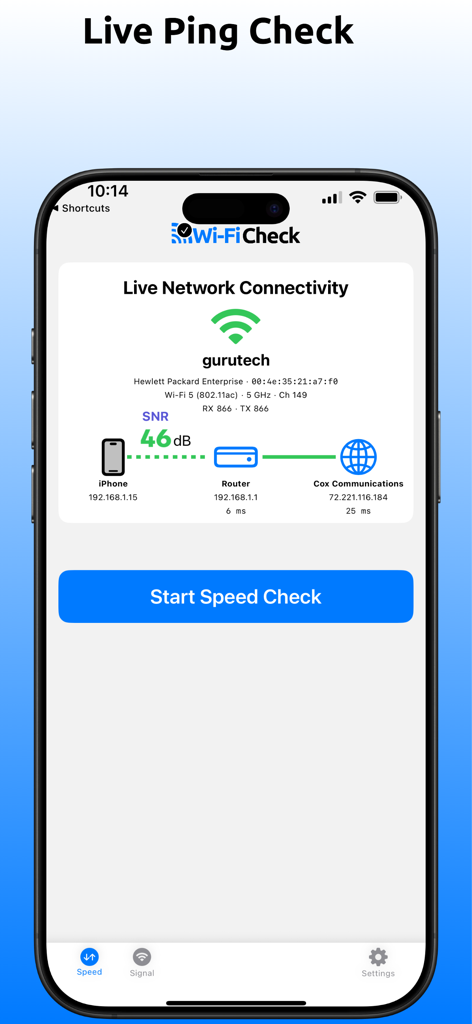
Wi-Fi Check - Speed Test - A smartphone screen displaying a live network connectivity map with signal strength and ping results from an iPhone to the internet
A smartphone screen displaying a live network connectivity map with signal strength and ping results from an iPhone to the internet

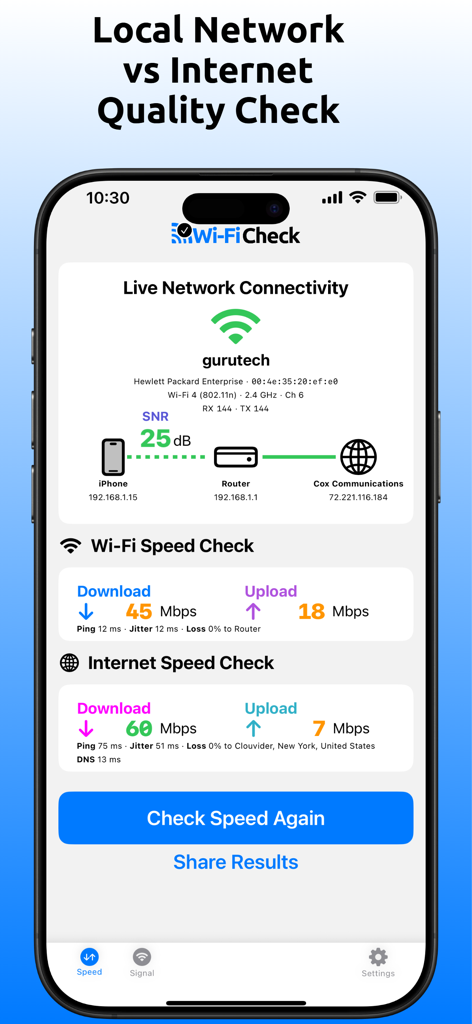
Wi-Fi Check - Speed Test - Interface of the Wi-Fi Check app comparing local network versus internet speed and connectivity quality on an iPhone
Interface of the Wi-Fi Check app comparing local network versus internet speed and connectivity quality on an iPhone

Wi-Fi Check - Speed Test - Screenshot of Wi-Fi Check app showing a live network connectivity map and detailed Wi-Fi signal and noise graph.

Screenshot of Wi-Fi Check app showing a live network connectivity map and detailed Wi-Fi signal and noise graph.

Description

Stop guessing. Wi-Fi or Internet — prove it instantly with Wi-Fi Check! Finally, a real Wi-Fi check app for iPhone and iPad — get complete network performance insights from your Apple device all the way to the cloud. Wi‑Fi Check is perfect for home users, small businesses, technology enthusiasts, gamers, IT professionals, Wi‑Fi specialists, and service providers alike. It’s simple enough for beginners, yet powerful enough for advanced users, scaling from the smallest home networks to the largest enterprise environments. Wi-Fi Check contains no ads and does not sell your personal data. Wi‑Fi Check runs entirely on your iPhone or iPad. No external sensors, adapters, or special network equipment is needed. It works with any home, small business, or enterprise networking equipment, including mesh Wi‑Fi systems, wireless routers, and wireless access points. Optimize Wi-Fi placement, eliminate dead spots, fix slow streaming, frozen video calls, gaming lag — and reduce frustrating support calls. Discover Wi-Fi Check Benefits From home users to IT professionals alike — instantly verify, troubleshoot, and optimize your Wi-Fi, local network, and internet performance, from setup to ongoing monitoring. Speed Truth Instantly know whether slowdowns are caused by Wi-Fi or internet. The first solution of its kind. Signal Insight See exactly when Wi-Fi is weak, noisy, or underperforming. Finally on iPhone and iPad. Connection Clarity Visualize your network with easy-to-understand traffic light performance indicators. Quality Truth Understand the quality of your local network and internet connection. Another first. Explore Wi-Fi Check Key Features Built by a Wi-Fi industry veteran and Certified Wireless Network Expert. Designed to be simple for home users, yet powerful for pros. Check Wi-Fi vs internet speed, monitor local network vs internet quality, and see if your Wi-Fi signal is strong or noisy. Perfect for setting up a new network, troubleshooting issues, optimizing coverage and ongoing monitoring. Not just another speed test app — a real Wi-Fi check app to reveal your network performance truth. Wi-Fi vs Internet Speed Check Check Wi-Fi vs internet speed separately — a first of its kind. Wi-Fi Signal Check Check real Wi-Fi metrics — like signal strength, noise, SNR, and PHY rates — finally on iPhone and iPad! Live Network Connectivity Map Visualize Wi-Fi and internet connectivity in real time on a simple color-coded map. Local Network vs Internet Quality Check Check ping, jitter, packet loss, and DNS response time to your local router and the internet. Application Check Check 12 widely used cloud applications (more than ping). Ping your router, the internet and one or more applications to instantly see if you are having a problem with your local network, the internet or a specific application. Roaming Check See the number of times you have roamed and a list of roams including timestamp, AP/band/channel roamed to, and color coded to and from SNR. Know if you roamed during a speed check impacting results. Instantly visualize whether you are experiencing good or poor roams. Flexible Pricing Plans Choose a plan that fits your needs, with flexible options and transparent pricing. Free The Free plan allows up to 2 checks per day, making it great for casual use — check a room or two. Personal The Personal plan offers unlimited checks, perfect for frequent personal use — check your whole home or small office. Pro The Pro plan provides unlimited checks along with advanced features and insights, ideal for power users and IT professionals — check your gaming environment or large enterprise network. Stop blaming the Wi-Fi! Discover your network performance truth — giving you complete confidence in your network. Terms of Use (EULA): https://www.apple.com/legal/internet-services/itunes/dev/stdeula/

Download

This page is not an official page of the app or its developer, but an independent editorial publication created for informational and commentary purposes. Unless expressly stated otherwise, neither the app nor its developer is affiliated with, endorsed by, sponsored by, authorized by, or otherwise officially connected with MWM, Apple, Google Play, the app publisher, or the app's developer, and nothing on this page implies that the app was developed using MWM's services. Any trademarks, logos, screenshots, and other content remain the property of their respective owners.