
This page is not an official page of the app or its developer, but an independent editorial publication created for informational and commentary purposes. Unless expressly stated otherwise, neither the app nor its developer is affiliated with, endorsed by, sponsored by, authorized by, or otherwise officially connected with MWM, Apple, Google Play, the app publisher, or the app's developer, and nothing on this page implies that the app was developed using MWM's services. Any trademarks, logos, screenshots, and other content remain the property of their respective owners.


Wi-Fiミレル
Turn your floor plan into a professional Wi-Fi heatmap. Identify dead zones, measure real-time speeds, and optimize your connection for seamless work, gaming, and streaming.
Downloads
920K+User Rating
Total Ratings
15K+Publisher
Category
UtilitiesLocales
1Latest Version
2.3.1Size
34.2 MBFirst Released
Nov 9, 2016Visualize Your Connection Strength
Stop guessing why your internet is slow. Wi-Fiミレル provides professional-grade tools to map, measure, and optimize your home network for peak performance.
Interactive Wi-Fi Heatmaps
Upload your floor plan and map signal strength room by room. Instantly visualize dead zones and find the ideal placement for your router or mesh extenders.
Dual-Path Speed Testing
Identify bottlenecks by comparing your internet provider's speed against your internal Wi-Fi performance. Pinpoint exactly where your connection is failing.
Frequently Asked Questions
Everything you need to know about Wi-Fiミレル
What is the Wi-Fiミレル app?
Wi-Fiミレル measures your Wi-Fi environment at home or office. It visualizes internet and Wi-Fi speeds numerically and with heatmaps, helping optimize your network for comfort.
How does Wi-Fiミレル measure network speed?
Wi-Fiミレル measures both internet download/upload speeds and Wi-Fi network speed. This helps users distinguish between problems with their internet line and issues with their Wi-Fi router.
Can I use a heatmap function in Wi-Fiミレル?
Yes, Wi-Fiミレル features a heatmap function. It measures Wi-Fi speed across different locations to create a visual map of coverage in your home or office. Floor plan imports are supported.
Is Wi-Fiミレル compatible with all Wi-Fi routers?
Yes, Wi-Fiミレル is compatible with all Wi-Fi routers. It measures your Wi-Fi environment even if you are not using a router from the app's developer.
What Wi-Fi details does Wi-Fiミレル show?
Wi-Fiミレル displays various connected Wi-Fi details. These include the SSID, IP address, router IP, and subnet mask. Users can also access the router's settings page directly.
Does Wi-Fiミレル measure Wi-Fi signal strength on iOS?
No, Wi-Fiミレル no longer measures Wi-Fi signal strength. This function was removed because it became unavailable to apps with the update to iOS16 and later operating system versions.
The following screenshots and description are sourced directly from the app's official store listing and are the property of the app developer.
App Store
Screenshots

Splash screen of the Wi-Fi Mireiru mobile app featuring the logo and a signal strength meter icon
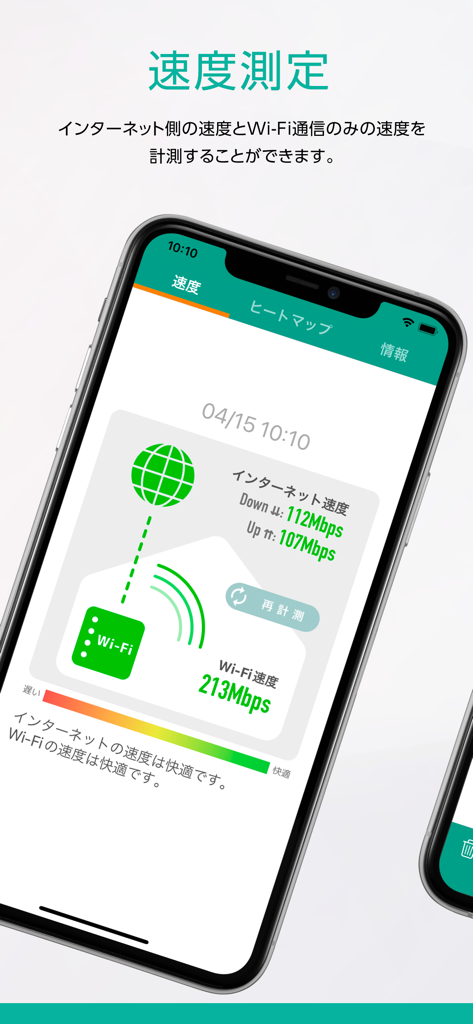
A smartphone displaying the Wi-Fi Mireiru app speed measurement screen with internet and wifi speed results
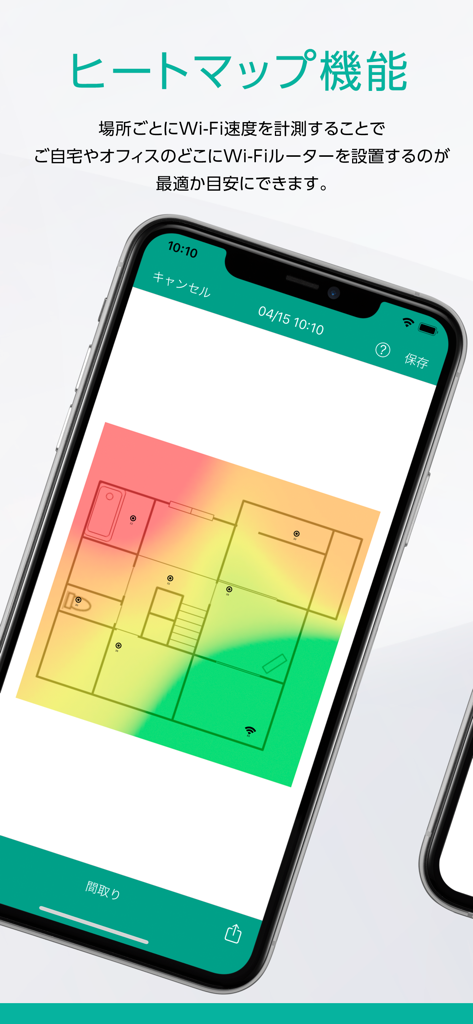
A smartphone screen displaying a color-coded Wi-Fi signal strength heatmap overlaid on a residential floor plan.
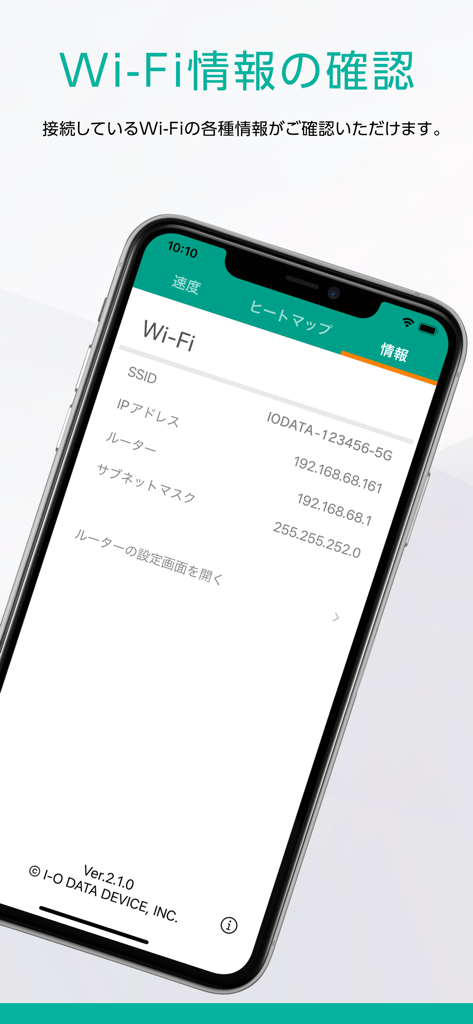
Smartphone screen showing Wi-Fi network information including SSID and IP address in the Wi-Fi Mireiru app
Description
Download
More Like This
Apps with similar features and user experience

Ubiquiti WiFiman
Ubiquiti Inc.

Fing - Network Scanner
Fing Limited

SPEED TEST MASTER: Wifi Tester
Spring Tech Co., Ltd.

Internet Speed Test Master App
Huacen Co., LTD

NetClash-Network's Vital Signs
Mattis Knutsson

Network Analyzer Pro
Jiri Techet

Network Analyzer: net tools
Jiri Techet

Speed Test - WiFi Analyzer +
方勇 侯

Ping - network utility
Iurii Mozharovskyi
This page is not an official page of the app or its developer, but an independent editorial publication created for informational and commentary purposes. Unless expressly stated otherwise, neither the app nor its developer is affiliated with, endorsed by, sponsored by, authorized by, or otherwise officially connected with MWM, Apple, Google Play, the app publisher, or the app's developer, and nothing on this page implies that the app was developed using MWM's services. Any trademarks, logos, screenshots, and other content remain the property of their respective owners.