Wordpad + Text, PDF, AI Write

Wordpad + Text, PDF, AI Write

Download on App Store
Logo of Wordpad + Text, PDF, AI Write

Wordpad + Text, PDF, AI Write: Your Ultimate All-in-One Mobile Workspace

The powerful word processor and PDF editor designed for the mobile-first power user. Write, annotate, sign, and organize with AI-powered efficiency on your iPad and iPhone.

Publisher

Kairoos Solutions S.L.

Category

Business

Downloads

9K+

User Rating

4.2/5

Total Ratings

0

Locales

10

Your Workspace, Visualized

Discover the interface used by 9K+ users.

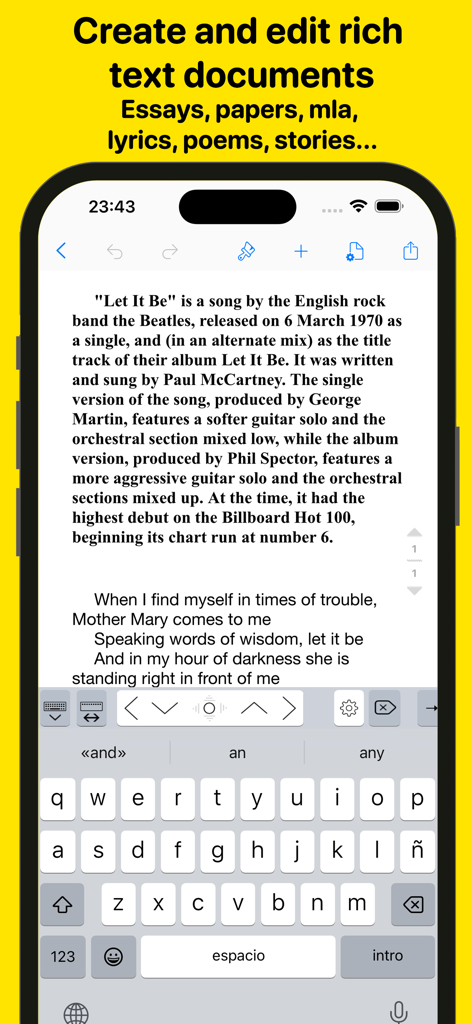
iPhone interface of Wordpad plus app for creating and editing rich text documents

iPhone interface of Wordpad plus app for creating and editing rich text documents

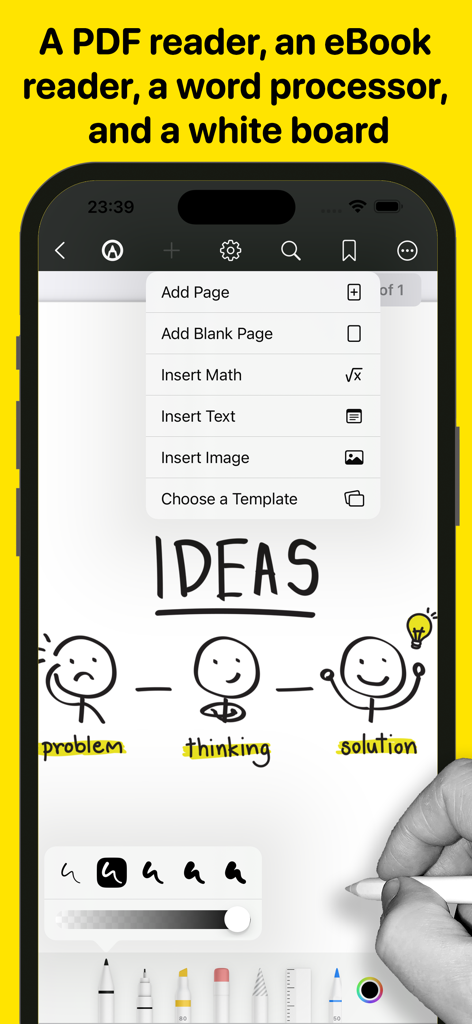
IPhone interface showing whiteboard sketching tools with stick figure illustrations and a menu for adding pages and math

IPhone interface showing whiteboard sketching tools with stick figure illustrations and a menu for adding pages and math

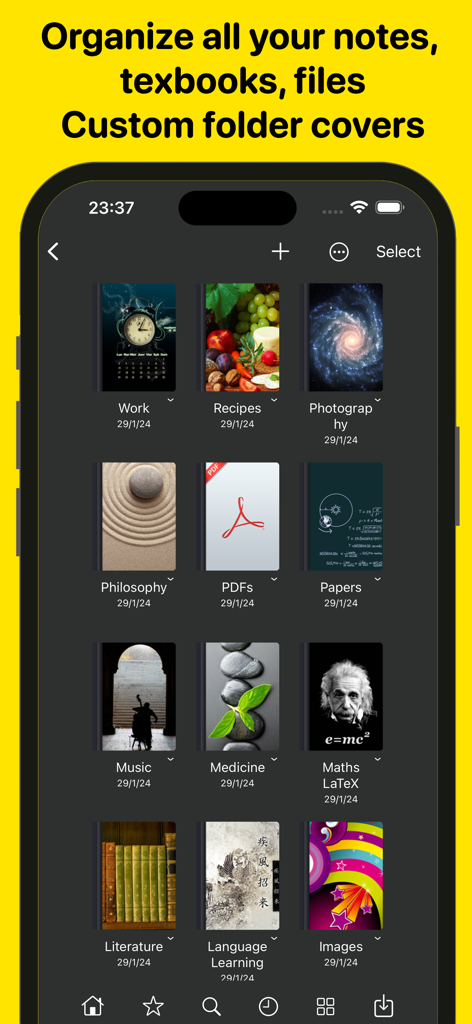
A smartphone screen showing a grid of digital notebooks with custom aesthetic covers for organizing notes and documents.

A smartphone screen showing a grid of digital notebooks with custom aesthetic covers for organizing notes and documents.

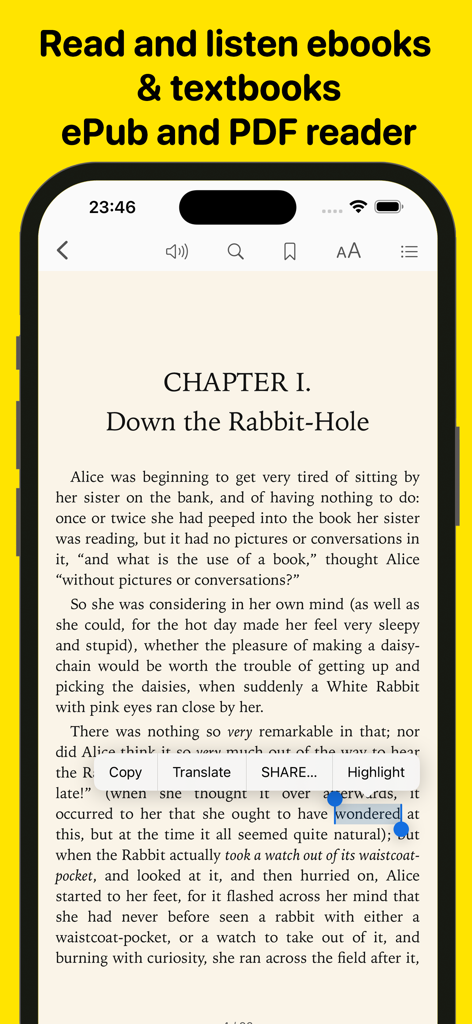
iPhone screen showing an eBook reader interface with text selection and annotation options

iPhone screen showing an eBook reader interface with text selection and annotation options

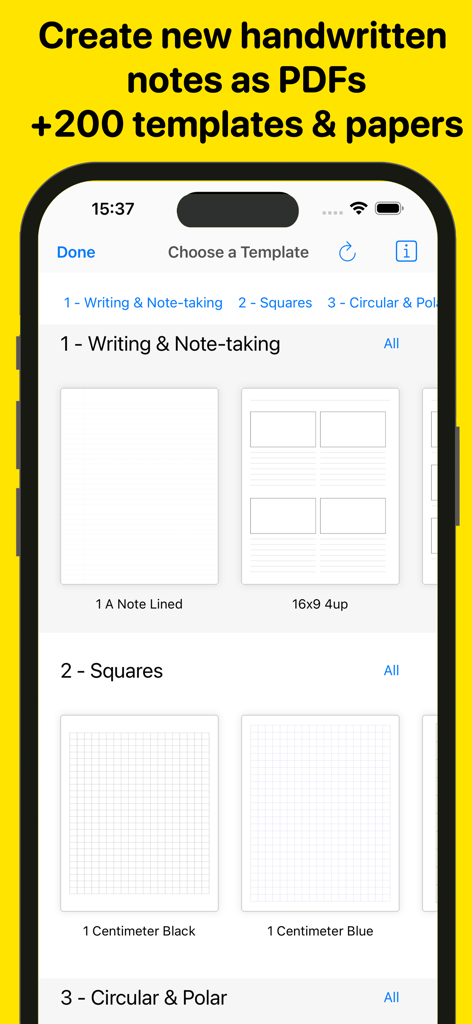
Interface showing various digital note-taking and grid paper templates in the Wordpad app.

Interface showing various digital note-taking and grid paper templates in the Wordpad app.

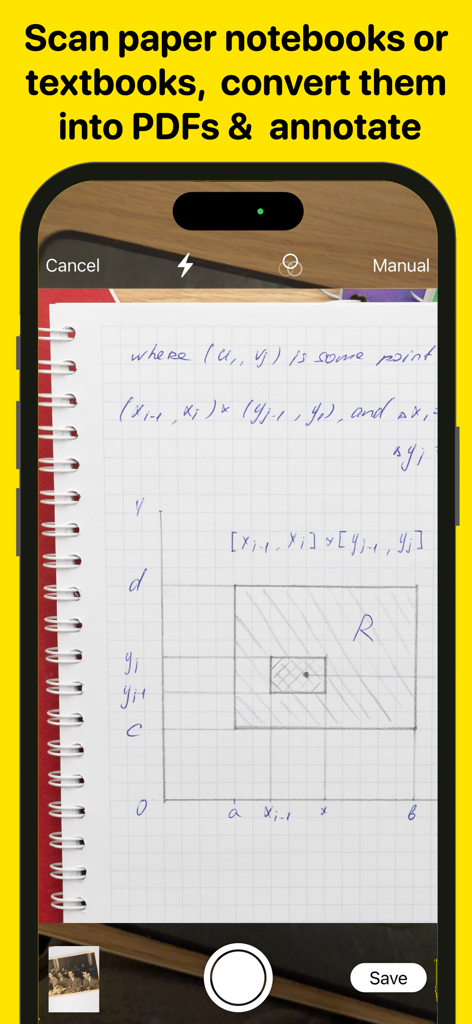
Smartphone scanning a handwritten notebook page to convert it into a PDF

Smartphone scanning a handwritten notebook page to convert it into a PDF

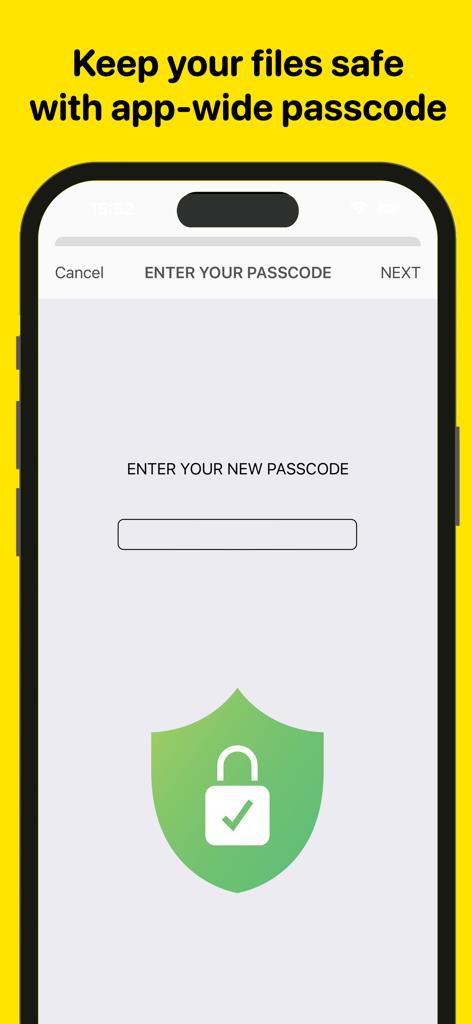
Mobile app screen showing the passcode lock feature with a green security shield icon for protecting files

Mobile app screen showing the passcode lock feature with a green security shield icon for protecting files

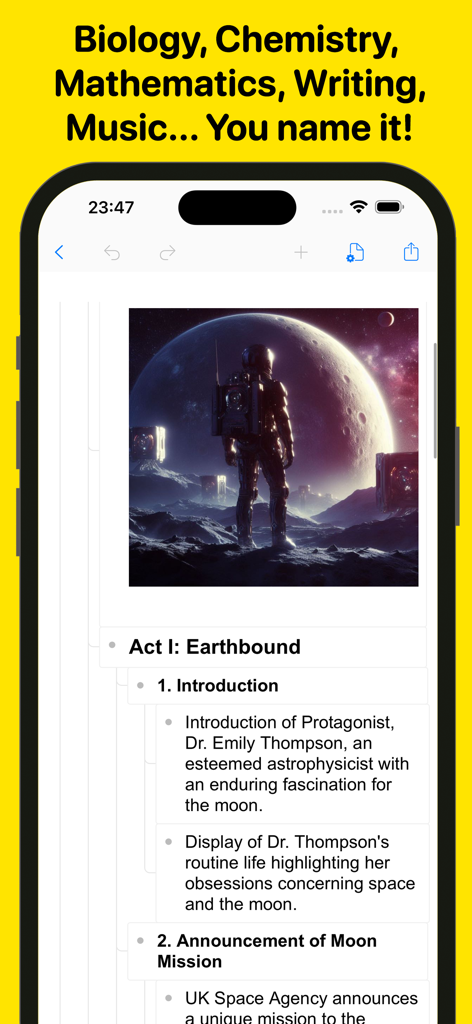
A screenshot of the Wordpad app on an iPhone displaying a structured document outline and an image of an astronaut

A screenshot of the Wordpad app on an iPhone displaying a structured document outline and an image of an astronaut

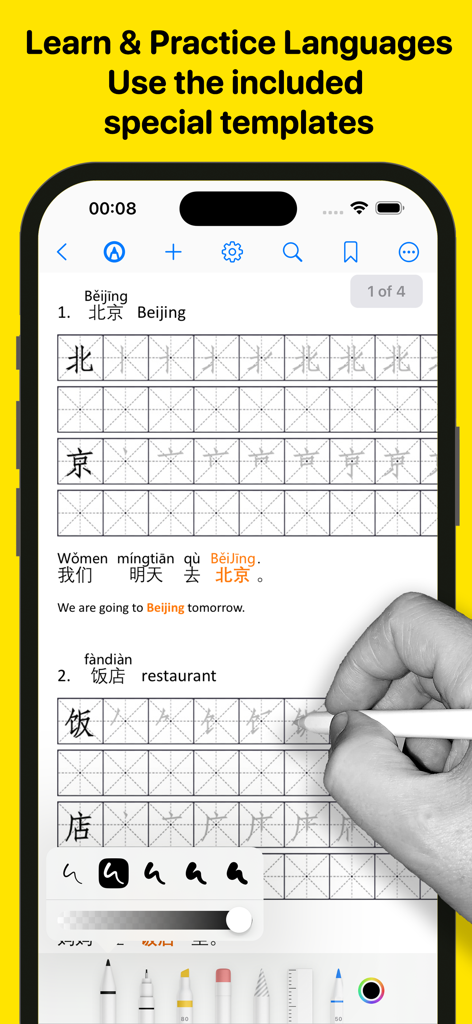
A user practicing Chinese handwriting using specialized language learning templates and digital ink tools in the Wordpad app.

A user practicing Chinese handwriting using specialized language learning templates and digital ink tools in the Wordpad app.

Your Complete Digital Workstation

The tools that make this app stand out, trusted by 9K+ users.

πŸš€

The Laptop-Free Processor

Turn your iPad into a powerhouse with rich text formatting, multi-window support, and professional templates that make desktop editing a thing of the past.

✍️

PDF Magic & Paperless Signing

Annotate textbooks with precision ink tools, fill out forms, and sign business contracts on the go. Highlighting and scanning have never been this fluid.

πŸ€–

AI-Enhanced Productivity

Beat writer's block with AI assistance, proofread hands-free using Text-to-Speech, and stay focused with a distraction-free mode designed for high-stakes work.

About the app

Everything you need to know about Wordpad + Text, PDF, AI Write.

Description

Introducing Wordpad+, your ultimate app for managing, editing, highlighting, and writing tasks across school, college, business, and personal life. Whether you're jotting down last-minute lecture notes, crafting a compelling story, writing meeting minutes, working on a critical essay, or simply organizing random thoughts, Wordpad+ is here to assist. Students, educators, writers, medical professionals, journalists, scholars, and business experts use Wordpad+ daily to create and edit notes, annotations, memos, signed PDFs, papers, highlighted PDF textbooks, and more. Key Features: Powerful Word Processor - Enjoy seamless writing with Wordpad+'s advanced word processor. - Utilize rich text formatting options, including tables, lists, fonts, styles, and colors. - Create professional documents effortlessly with templates for resumes, reports, and more. - Automatically save your work and access it across multiple devices. PDF Magic & More - Annotate PDFs with tools for highlighting, sketching, adding text boxes and pictures, and signing documents. - Use advanced 7 Ink tools to write and sketch: Marker, Pen, Pencil, Monoline, Fountain Pen, Watercolor, and Crayon. - Fill out PDF forms with ease. - Sign documents directly on your device. - Ensure authenticity with digital signature verification. Write & Style Your Way - Ready Anytime, Anywhere: Wordpad+ is your pocket writing companion, perfect for offline moments or when your laptop is unavailable. - Customize margins, headers, and more to make your work look professional. - Track writing statistics, including word and sentence counts. - Proofread on the go with Text to Speech. - Dictate your text for hands-free writing. - Focus mode to eliminate distractions. - Type in over 30 languages. Books & Textbooks - Wordpad+ includes a full-featured PDF and ePub reader. - Import and export files from various cloud services like iCloud Drive, Google Drive, Dropbox, and more. - Customize your reading experience with multiple themes (dark, light, sepia) and font sizes. Enjoy text-to-speech in ePub and PDF files. - Utilize the powerful PDF engine for extensive documents, including form fill-ins. Annotate, highlight, and insert text or images in your eBooks. Organize Like a Pro - Unlimited space for all your notes, ideas, and projects. - Open multiple documents side by side using multi-windows and multitask. - Create and organize folders and subfolders to suit your needs. - Customize notebook covers for a personalized touch. - Efficient search feature to find anything quickly. - File manager supports various document file formats (rtf, pdf, txt, md, epub, MS Office, Apple iWork, mp3, mp4, png, jpg, gif, tiff, zip, etc.) Share & Export Easily - Open email attachments directly in the app. - Sync everything with iCloud, Dropbox, and more. - Convert your work into different formats – PDF, ePub, HTML, and others. - Zip and email folders effortlessly. Scanner & All-to-PDF Converter - Scan notes, books, tickets, recipes, and more directly to PDF. - Convert documents, images, photos, scans, etc., to PDF on your device. - Handle PowerPoint, Word, and Excel files efficiently. Convert them into PDF and annotate them! Backup & Secure - Protect your content with a passcode. - Lock any folder or project for additional security. - Ensure data safety with automatic backups. Wordpad+ is more than just a word processor and PDF editor – it's your comprehensive solution for organizing thoughts, lectures, books, sketches, notes, and projects. Download it now for free and experience its versatility! Privacy Policy http://www.noteswriter.com/Kairoos_Privacy_Policy.html EULA https://www.apple.com/legal/internet-services/itunes/dev/stdeula/ This app requires users to have a subscription to unlock all the features after a 3-day risk-free trial.


Latest Version

1.6.0

Size

300.1 MB

First Released

Jul 12, 2024

Ready to Turn Your iPad into a Professional Workstation?

Stop switching between apps. Join thousands of mobile-first power users who write, annotate, and sign everything in one place. Start your 3-day risk-free trial today.

Download on App Store

App information, icons, screenshots, and descriptions displayed on this page are sourced from the Apple App Store and are the property of their respective developers. Download estimates and rankings are based on MWM's proprietary models and may not reflect actual figures. This page is provided for informational and analytical purposes only.

Believe this page infringes your intellectual property? File a dispute