
This page is not an official page of the app or its developer, but an independent editorial publication created for informational and commentary purposes. Unless expressly stated otherwise, neither the app nor its developer is affiliated with, endorsed by, sponsored by, authorized by, or otherwise officially connected with MWM, Apple, Google Play, the app publisher, or the app's developer, and nothing on this page implies that the app was developed using MWM's services. Any trademarks, logos, screenshots, and other content remain the property of their respective owners.


Xender: Transfer, Share Files
Data constraints are an illusion. This app grants users total file autonomy, transferring anything, anywhere, at breakneck speed, offline.
Downloads
25M+User Rating
Total Ratings
144.1KPublisher
Category
UtilitiesLocales
42Latest Version
14.6.1Size
108.4 MBFirst Released
Aug 3, 2014Xender: Key Features Evaluation
An Analytical Overview of Core Functionalities
Offline, High-Speed, Cross-Platform File Transfer
The app provides ultra-fast file transfer capabilities between mobile devices and computers (iOS to iOS, iOS to Android, Phone to PC/Mac) without requiring internet connectivity or consuming mobile data, making it ideal for diverse environments and user needs.
Seamless Phone-to-Computer Transfer
This tool features easy and wireless connectivity between smartphones and personal computers, enabling efficient transfer of files for backup, sharing, and synchronization without physical cables.
Comprehensive File Type Compatibility
It allows users to transfer a wide array of content, including documents, photos, audio files, and videos, ensuring versatility for sharing all types of digital media and work files.
Extensive Multi-Language Localization
It supports over 50 languages, ensuring high accessibility and a localized user experience for a broad international audience, particularly benefiting users in diverse emerging markets.
Integrated File Management System
The app includes a powerful, built-in file manager that enables users to efficiently browse, organize, and manage their stored and transferred files directly within the application.
Built-in Media Player
This tool features an integrated media player, allowing users to play music and potentially other media formats directly within the application after transfer, enhancing convenience.
Frequently Asked Questions
Everything you need to know about Xender: Transfer, Share Files
How does Xender facilitate file transfers between devices?
Xender enables fast, cross-platform file transfer between phones, or between a phone and a PC, without requiring USB, internet, or mobile data. It supports transferring documents, photos, audio, and videos.
Does Xender require an internet connection for phone-to-phone file transfers?
No, Xender does not require an internet connection for phone-to-phone file transfers. It operates without USB, internet, or data usage, ensuring offline transfer capability.
What types of files can users transfer using the Xender app?
Xender allows users to transfer everything, including files, documents, photos, audio, and videos. It functions as an all-in-one file transfer and sharing application.
How fast are file transfers with the Xender app?
Xender provides extremely fast file transfers. Users can transfer videos to friends in seconds, reflecting its optimized and high-speed transfer capability.
Can Xender transfer files between an iPhone and a computer?
Yes, Xender facilitates file transfers between an iPhone and a computer. It supports connecting your phone to a PC and transferring documents, photos, and videos.
Does the Xender app include a music player?
Yes, Xender features a built-in music player. It provides a powerful file manager with a full-featured music player, allowing users to enjoy songs within the app.
What AI-powered photo features does Xender offer?
Xender offers AI-powered photo features such as identifying similar photos, duplicate photos, screenshots, face recognition, and text recognition. These tools enhance photo management.
What devices are compatible with Xender for file sharing?
Xender supports cross-platform file transfer and sharing. It connects iOS devices with other iOS devices and also with non-iOS devices and computers (PC/MacBook).
In what languages is the Xender app available?
The Xender app supports numerous languages. These include English, Arabic, Bengali, Chinese, French, German, Hindi, Japanese, Korean, Portuguese, Spanish, and many others.
The following screenshots and description are sourced directly from the app's official store listing and are the property of the app developer.
App Store
Screenshots
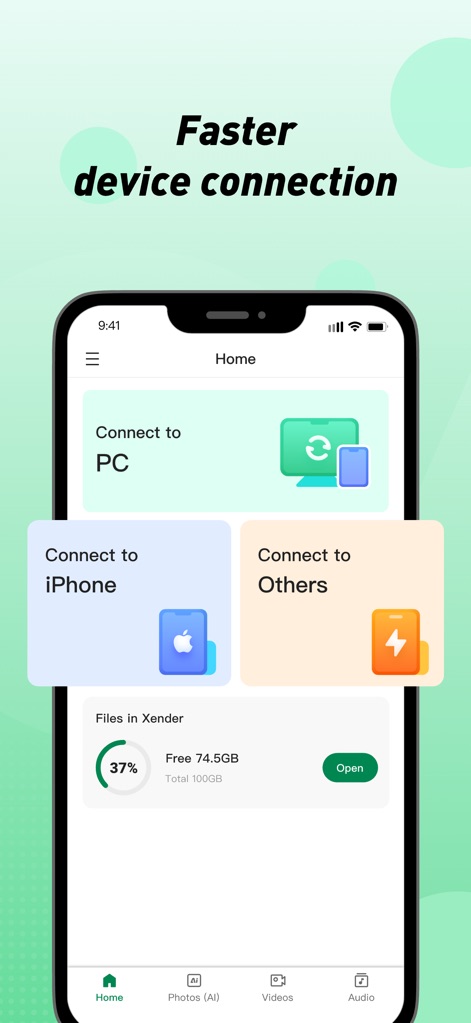
Effortless Device Linking
See how the app streamlines device pairing with clear options for 'Connect to PC' and distinct choices for 'Connect to iPhone' or 'Connect to Others'.
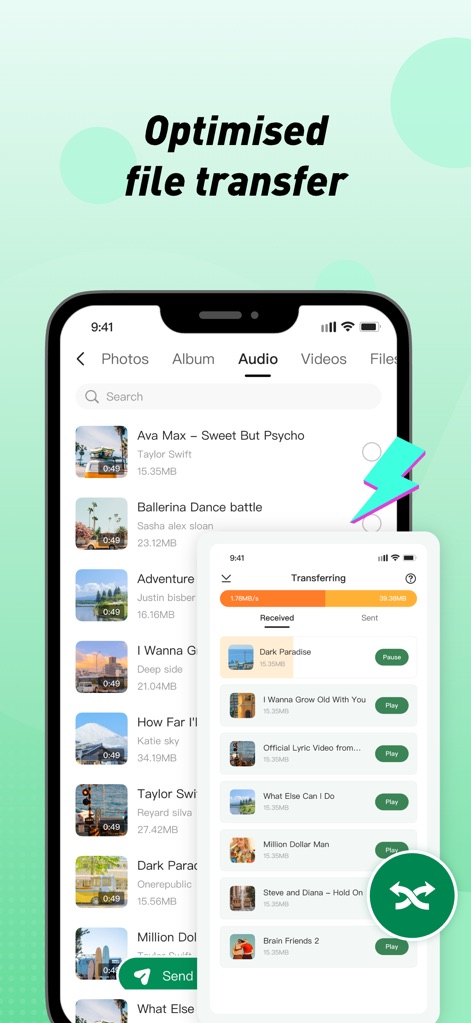
Optimized File Transfers
Observe the rapid 'Transferring' interface, displaying real-time speed and progress, while browsing various audio files awaiting exchange.
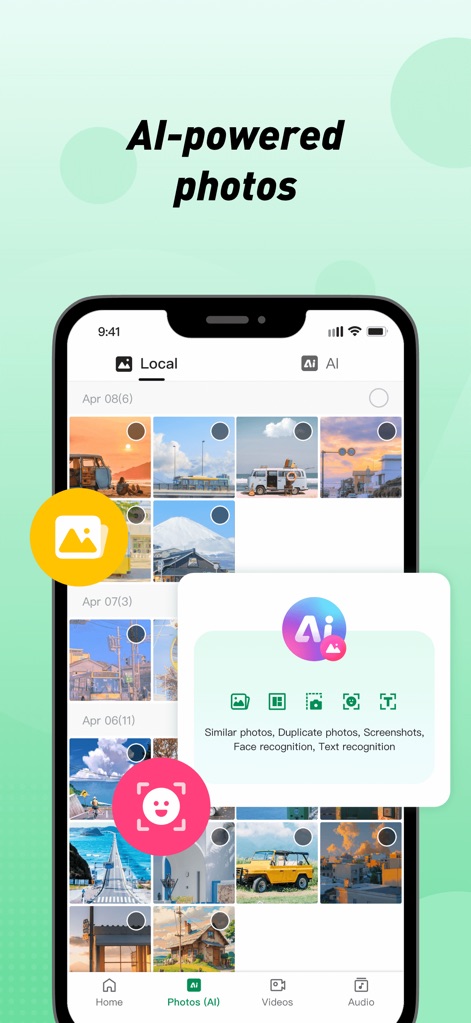
Smart Photo Management
Discover the 'AI' features for intelligent photo organization, including options for detecting 'Similar photos' and advanced 'Face recognition'.
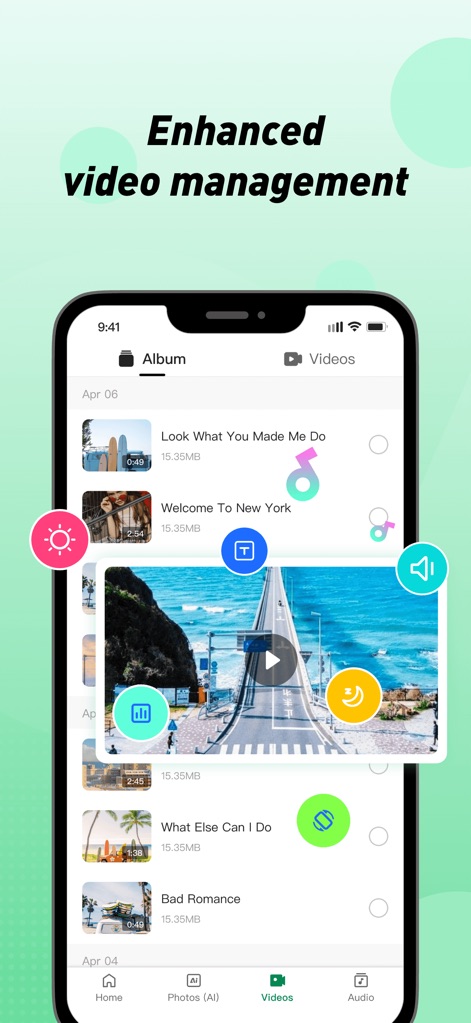
Dynamic Video Controls
Explore the comprehensive video player overlay, offering clear playback controls and dynamic settings, within the organized video library.
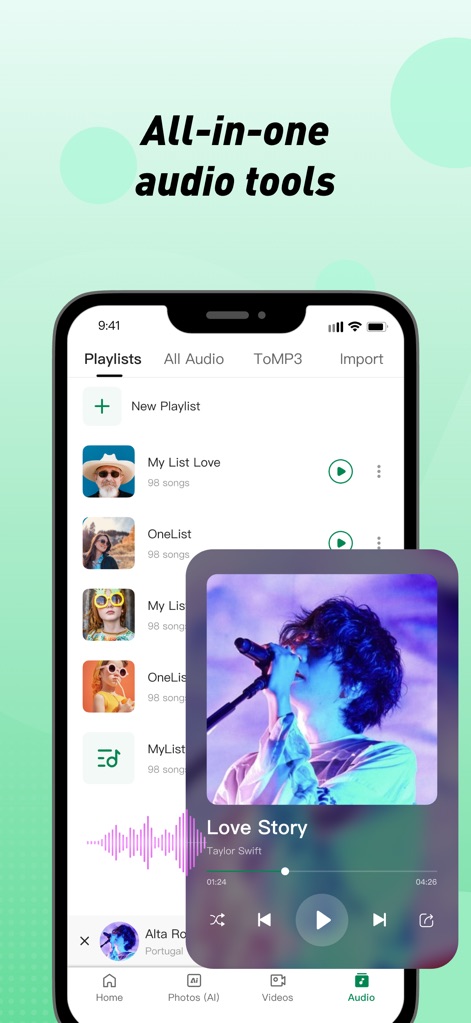
Integrated Audio Experience
Experience the app's robust in-app music player, showcasing track details and playback controls, alongside the intuitive 'Playlists' management section.
Description
Download
More Like This
Apps with similar features and user experience

WeTransfer: Transfer Files
Wetransfer B.V.

Send Anywhere - File Transfer
Rakuten Symphony Korea, Inc.

Blip: Send Files in a Click
Blip Studio Inc.

Zapya - File Sharing
Lindong Network Technology(Beijing) Co.,Ltd.

Files Transfer - Quick share
梦洋 崔

Air File Share & Drop
Best Free and Fun Games, LLC

手机克隆-极速换机助手免流量数据迁移
军甫 贺

Photo Transfer: Send via WiFi
Mobileware Studio SL

SHAREit: Transfer, Share Files
SHAREit Technologies Co. Ltd
This page is not an official page of the app or its developer, but an independent editorial publication created for informational and commentary purposes. Unless expressly stated otherwise, neither the app nor its developer is affiliated with, endorsed by, sponsored by, authorized by, or otherwise officially connected with MWM, Apple, Google Play, the app publisher, or the app's developer, and nothing on this page implies that the app was developed using MWM's services. Any trademarks, logos, screenshots, and other content remain the property of their respective owners.