
This page is not an official page of the app or its developer, but an independent editorial publication created for informational and commentary purposes. Unless expressly stated otherwise, neither the app nor its developer is affiliated with, endorsed by, sponsored by, authorized by, or otherwise officially connected with MWM, Apple, Google Play, the app publisher, or the app's developer, and nothing on this page implies that the app was developed using MWM's services. Any trademarks, logos, screenshots, and other content remain the property of their respective owners.

xxter
Experience unparalleled convenience with a fully personalized automation interface. Tailor every detail to match your lifestyle and interior design for a truly bespoke living experience.
Downloads
200User Rating
Total Ratings
800Publisher
Category
UtilitiesLocales
8Latest Version
4.2.0Size
141.4 MBFirst Released
Oct 8, 2010The Ultimate Command Center for Your Smart Estate
Elevate your living experience with xxter. Our platform seamlessly integrates with your professional KNX system to provide a high-performance, fully customizable interface tailored to your luxury lifestyle.
Tailored Visual Design
Create a one-of-a-kind control interface using your own floor plans, room photos, and custom icons to match your home’s unique aesthetic.
Secure Remote Intelligence
Stay connected to your residence from anywhere. Use encrypted remote access and presence simulation to ensure your home is always safe and welcoming.
Frequently Asked Questions
Everything you need to know about xxter
What is the xxter app?
The xxter app serves as a central module for automating and operating all KNX functions in your house or building. It provides control over various smart home functionalities from your tablet or smartphone.
Is the xxter app free to use?
Yes, the xxter app itself is free. This free app is necessary to connect to your xxter unit, which functions as the central module for home automation in your property.
How can I connect to my xxter unit from the internet?
You can connect to your xxter unit from the internet without port-forwarding by subscribing to the xxter Connect Service. This service is accessible for purchase through the in-app service store.
How do xxter Connect Service subscriptions work?
xxter Connect Service subscriptions are available monthly or yearly via the in-app service store. They automatically renew unless canceled at least 24 hours before the current period ends, with charges occurring within 24 hours of renewal.
Can I customize the appearance of the xxter app?
Yes, you can design the visualization in the xxter app completely to your liking. It offers various layout options and supports the integration of your own photos, icons, and colors for personalization.
Does xxter integrate with Sonos?
Yes, the xxter app provides complete Sonos integration. It includes full-screen controls for Sonos audio systems, enabling users to manage music playback and adjust volume directly within the app.
Can I control lights with the xxter app?
Yes, the xxter app allows you to control various lights. It enables grouping elements such as "Hallway lights" and provides versatile color pickers specifically for RGB lighting systems.
Does the xxter app support climate control?
Yes, the xxter app supports comprehensive climate control functions. It features complete RTC (Room Temperature Control) integration, empowering users to efficiently manage and adjust temperatures within their smart building.
Can I receive alerts from the xxter system via SMS?
Yes, you can purchase SMS/text messages through the in-app service store to receive alerts from the xxter system. This option provides an alternative alert delivery method to email or push notifications.
Does xxter support intercom and camera integration?
Yes, the xxter app offers integrated camera and intercom functionality. This feature supports visual and audio communication, enhancing the security and accessibility of your smart home system.
Can I automate actions in the xxter app?
Yes, the xxter app includes extensive automation options, such as a planner, scene module, and scripts. Its scheduler feature allows you to automate specific actions at predefined times.
How do I cancel an xxter Connect Service subscription?
You can cancel your xxter Connect Service subscription via your Account Settings. It is essential to cancel at least 24 hours before the current period ends to prevent automatic renewal charges.
The following screenshots and description are sourced directly from the app's official store listing and are the property of the app developer.
App Store
Screenshots
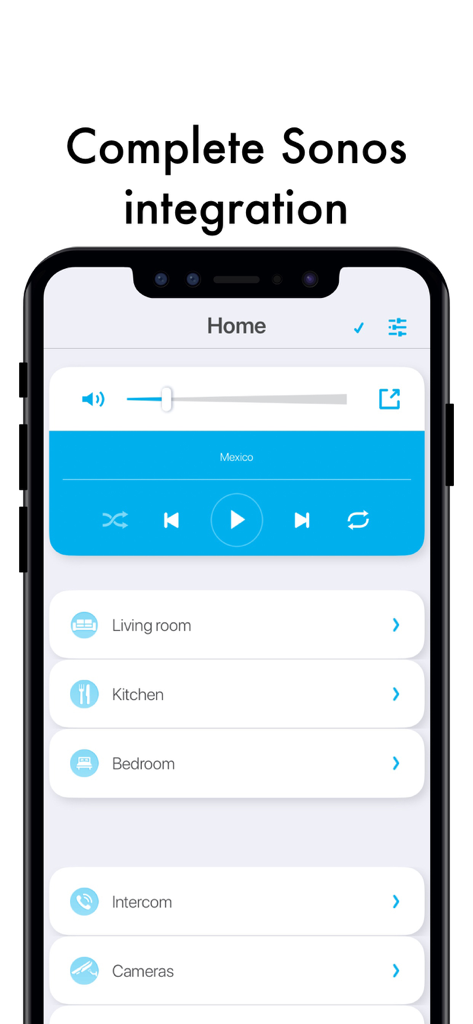
iPhone screenshot of the xxter app displaying Sonos music controls and smart home room categories
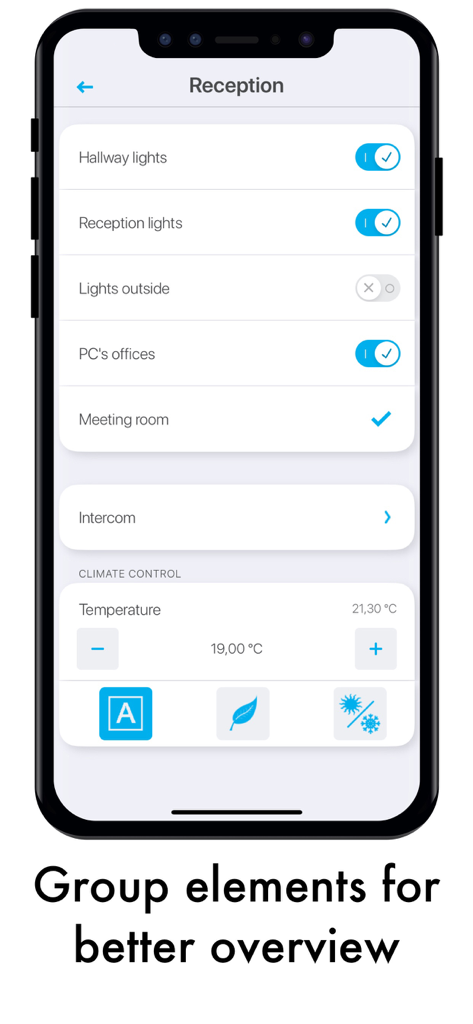
Smartphone screen displaying xxter app lighting and climate controls for a reception area
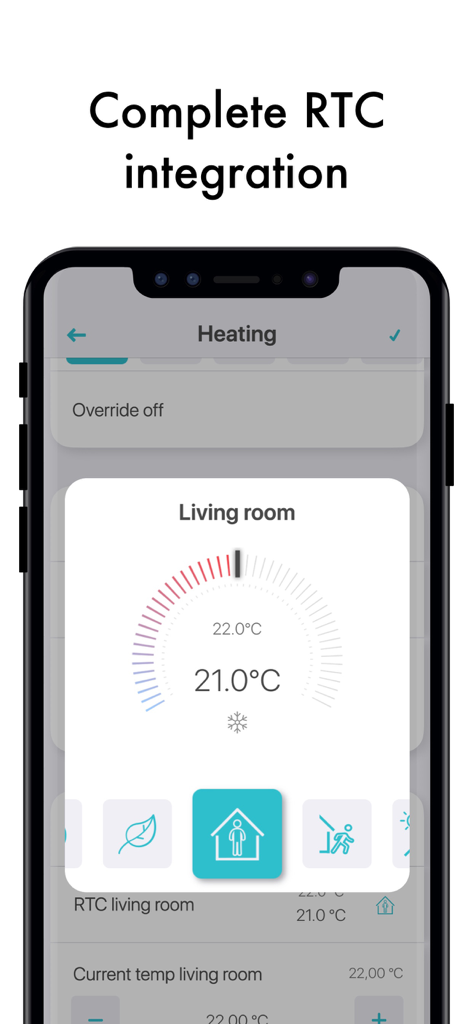
xxter app interface showing living room temperature and heating control settings
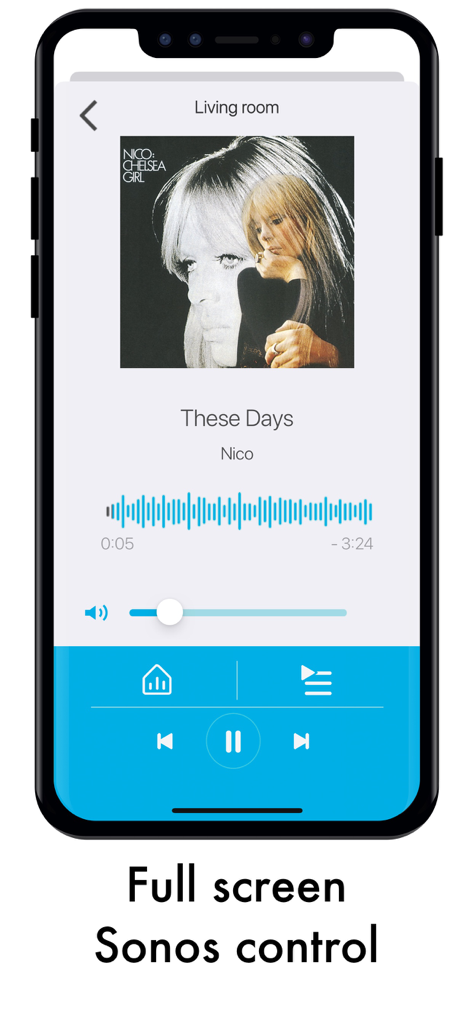
Full screen Sonos music control interface on the xxter app showing track information and playback buttons
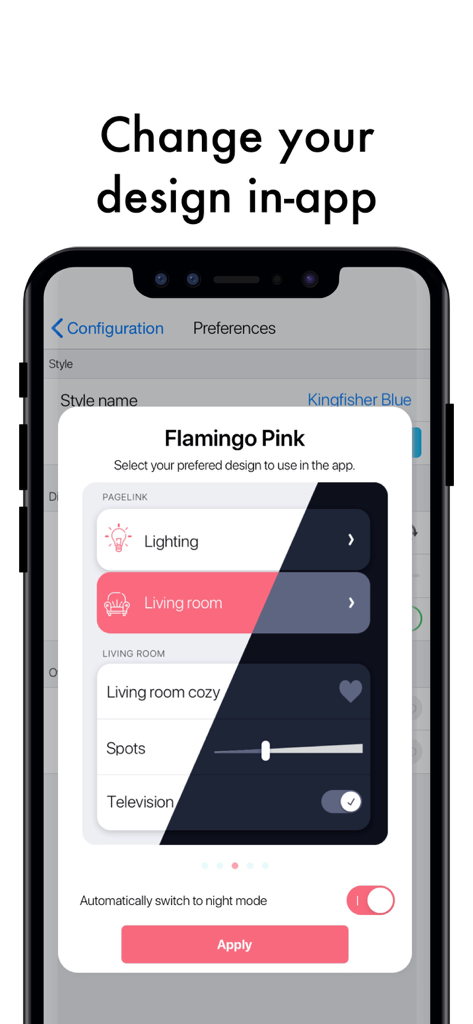
User interface for changing the design theme in the xxter smart home app on an iPhone
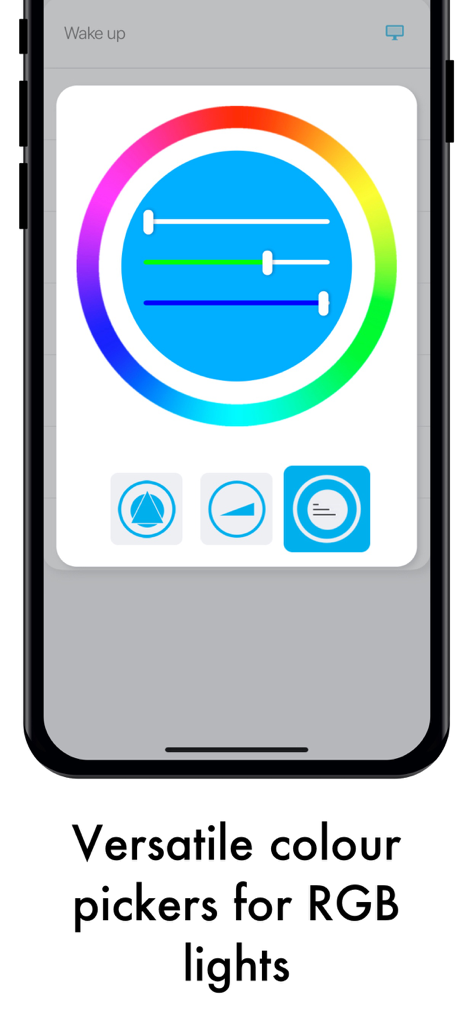
Interface of the xxter app showing a color wheel and sliders for controlling RGB smart home lighting.
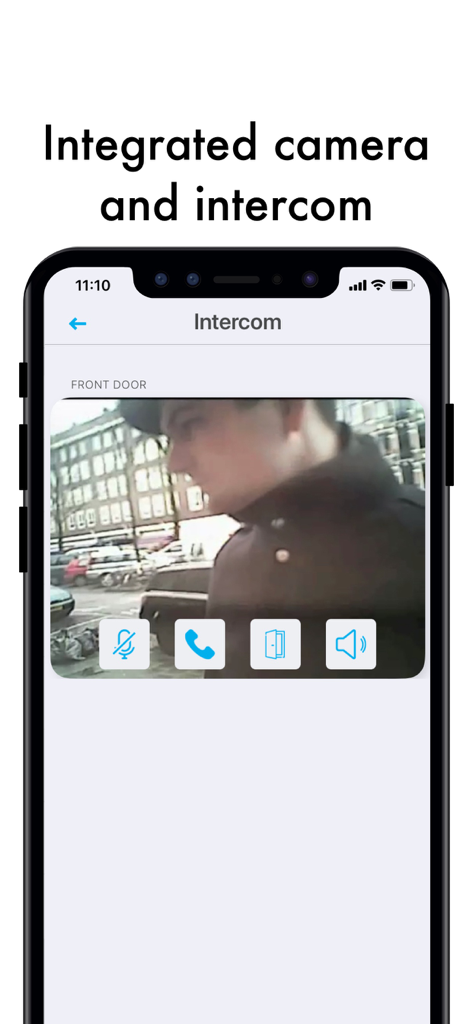
A smartphone displaying the xxter app integrated camera and intercom interface for a front door
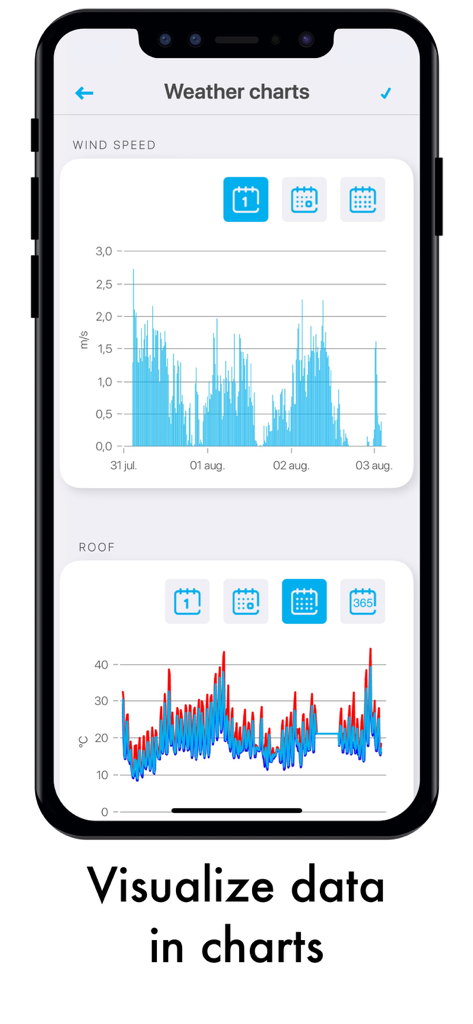
Smartphone screen displaying wind speed and roof temperature data charts within the xxter home automation app
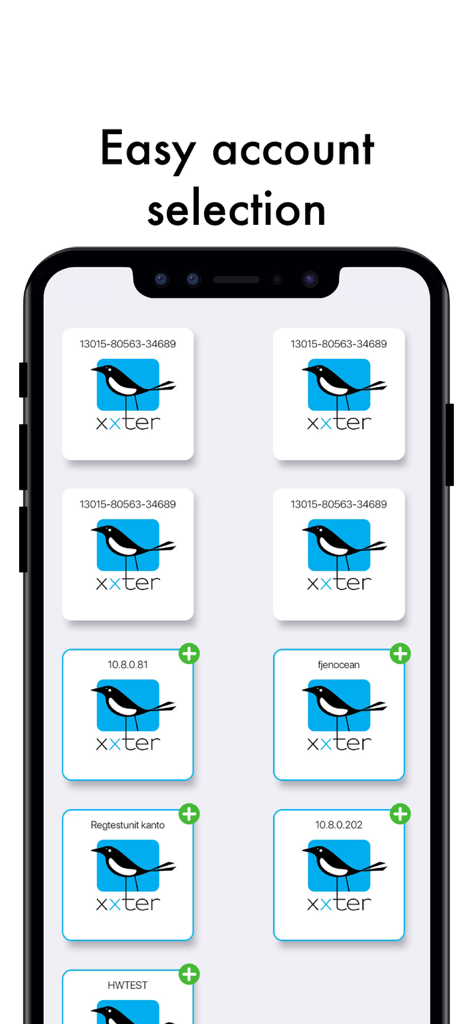
A smartphone displaying the xxter app account selection interface.
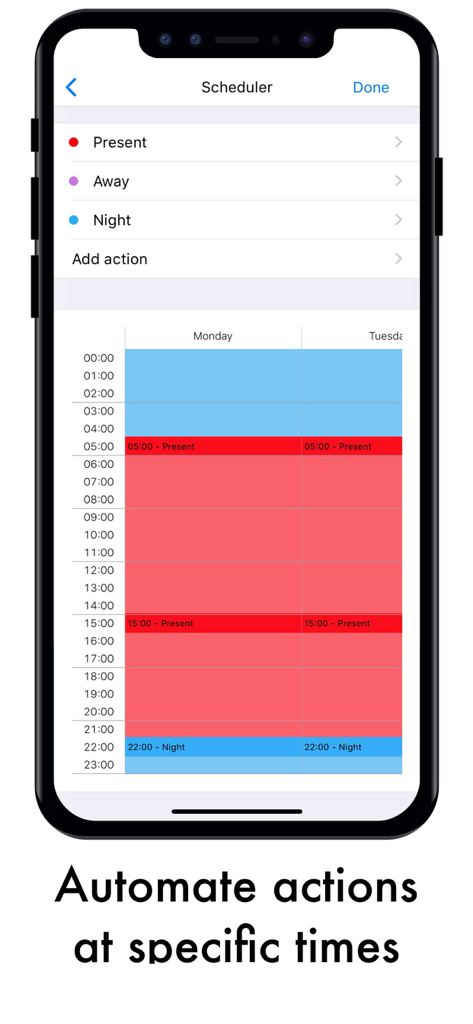
Smartphone screen showing the xxter app scheduler interface with color-coded time slots for automating home actions
Description
Download
More Like This
Top-ranked apps in the same category

Google LLC

Google Chrome
Google LLC

中国移动(手机营业厅)
China Mobile Online Services Co., Ltd.

Google Authenticator
Google LLC

CNH do Brasil
Servicos e Informacoes do Brasil

Cleanup: Phone Storage Cleaner
DEEP FLOW SOFTWARE SERVICES - FZCO

gov.br
Servicos e Informacoes do Brasil

中国电信-全国统一官方服务平台
CHINA TELECOM Corporation Ltd.

Microsoft Edge: AI Browser
Microsoft Corporation
This page is not an official page of the app or its developer, but an independent editorial publication created for informational and commentary purposes. Unless expressly stated otherwise, neither the app nor its developer is affiliated with, endorsed by, sponsored by, authorized by, or otherwise officially connected with MWM, Apple, Google Play, the app publisher, or the app's developer, and nothing on this page implies that the app was developed using MWM's services. Any trademarks, logos, screenshots, and other content remain the property of their respective owners.