
This page is not an official page of the app or its developer, but an independent editorial publication created for informational and commentary purposes. Unless expressly stated otherwise, neither the app nor its developer is affiliated with, endorsed by, sponsored by, authorized by, or otherwise officially connected with MWM, Apple, Google Play, the app publisher, or the app's developer, and nothing on this page implies that the app was developed using MWM's services. Any trademarks, logos, screenshots, and other content remain the property of their respective owners.


YouGet - Video Saver
Stop losing videos in your messy watch history. Create custom folders, search instantly, and keep your bookmarks private on your device—no account or login required.
Downloads
5K+User Rating
Total Ratings
0Publisher
Category
Photo & VideoLocales
1Latest Version
1.0.2Size
101.0 MBFirst Released
Nov 22, 2025Your Personal Video Knowledge Base
Tired of losing important videos in an endless watch history? YouGet helps you build a curated, organized library of the YouTube content that actually matters to you.
Escape Playlist Fatigue
Stop drowning in 'Watch Later' lists. Create custom folders for DIY projects, fitness routines, or study materials to keep your digital life organized.
Privacy Without Friction
No accounts, no logins, and no tracking. Your curated video library stays strictly on your device, offering a clean experience away from the algorithms.
Frequently Asked Questions
Everything you need to know about YouGet - Video Saver
What is the YouGet - Video Saver app?
YouGet - Video Saver is an app designed to save and organize your favorite YouTube videos. It provides a simple way to bookmark videos and keep them in one well-organized place without losing them in watch history.
How can I save YouTube videos using YouGet - Video Saver?
YouGet - Video Saver allows one-tap bookmarking for any YouTube video. Users simply enter the YouTube link into the app, and it saves the video for later access.
Does YouGet - Video Saver require users to create an account?
No, YouGet - Video Saver does not require users to create an account or log in. The app operates without collecting personal information, ensuring ease of use and privacy.
Can I organize my saved videos within YouGet - Video Saver?
Yes, YouGet - Video Saver enables users to create folders, referred to as collections, to organize their saved YouTube videos. Users can also reorder, edit, or delete their bookmarks anytime.
Is user data private with the YouGet - Video Saver app?
Yes, the YouGet - Video Saver app maintains user privacy. All data stays directly on the user's device, and the app does not collect any personal information.
What features does YouGet - Video Saver provide for managing saved videos?
YouGet - Video Saver offers features like one-tap bookmarking, creating collections for organization, and the ability to reorder, edit, or delete bookmarks. It also includes a fast search function for saved videos.
Are there limits on creating collections in YouGet - Video Saver?
No, YouGet - Video Saver allows users to create an unlimited number of collections. This feature enables extensive organization of saved YouTube videos without restrictions.
The following screenshots and description are sourced directly from the app's official store listing and are the property of the app developer.
App Store
Screenshots
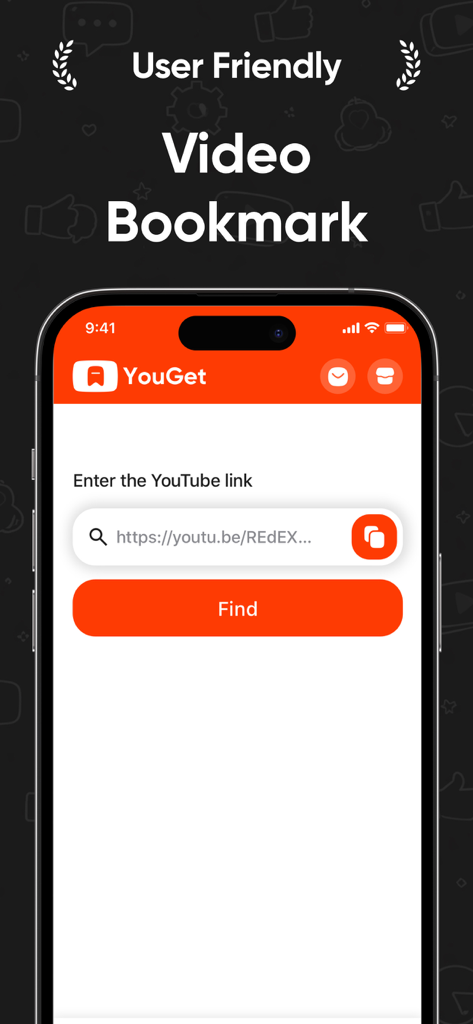
YouGet app interface for bookmarking YouTube videos by entering a link
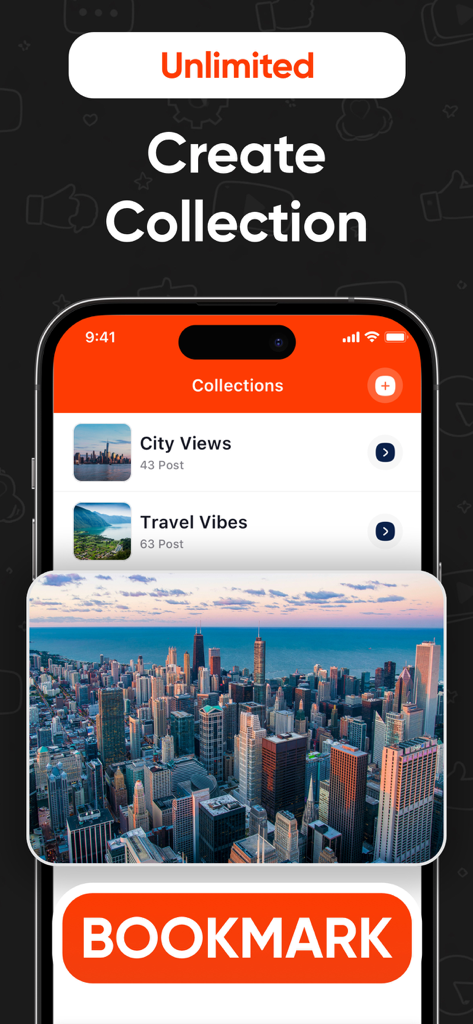
YouGet app interface showing video collections for city views and travel vibes with a large orange bookmark button
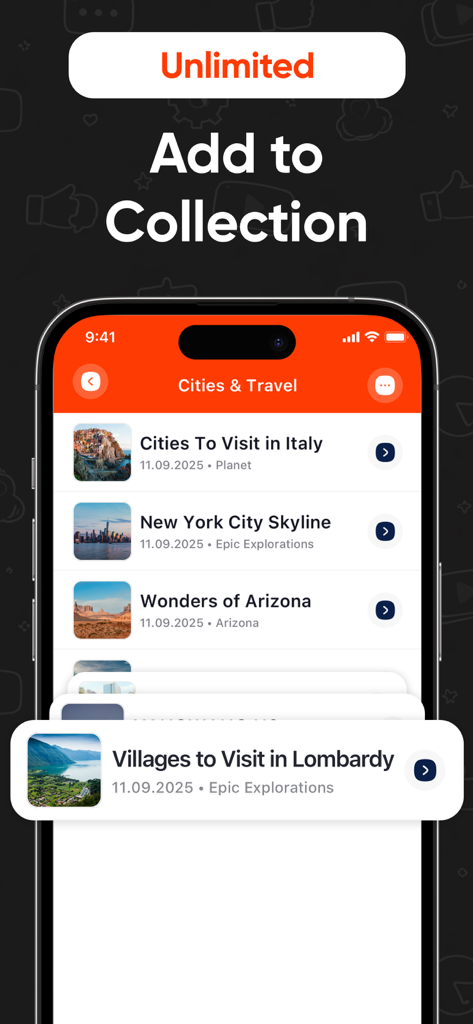
YouGet app interface showing travel videos organized into a Cities and Travel collection folder
Description
Download
More Like This
Top-ranked apps in the same category

CapCut: Photo & Video Editor
BYTEDANCE PTE. LTD.

Instagram, Inc.

YouTube
Google LLC

Canva: AI Photo & Video Editor
Canva Pty Ltd

Snapchat
Snap, Inc.

快手
Beijing Kwai Technology Co., Ltd.

Edits: Video Editor
Instagram, Inc.

Meitu- AI Photo & Video Editor
Xiamen Meitu Technology Co., Ltd.

Google Photos: Backup & Edit
Google LLC
This page is not an official page of the app or its developer, but an independent editorial publication created for informational and commentary purposes. Unless expressly stated otherwise, neither the app nor its developer is affiliated with, endorsed by, sponsored by, authorized by, or otherwise officially connected with MWM, Apple, Google Play, the app publisher, or the app's developer, and nothing on this page implies that the app was developed using MWM's services. Any trademarks, logos, screenshots, and other content remain the property of their respective owners.