
This page is not an official page of the app or its developer, but an independent editorial publication created for informational and commentary purposes. Unless expressly stated otherwise, neither the app nor its developer is affiliated with, endorsed by, sponsored by, authorized by, or otherwise officially connected with MWM, Apple, Google Play, the app publisher, or the app's developer, and nothing on this page implies that the app was developed using MWM's services. Any trademarks, logos, screenshots, and other content remain the property of their respective owners.


ZArchiver - Extract Zip File
Professional-grade archive management for power users. Extract any format, compress folders, and secure your media with a built-in private vault.
Downloads
17K+User Rating
Total Ratings
0Publisher
Category
UtilitiesLocales
19Latest Version
1.1Size
30.7 MBFirst Released
Mar 5, 2025Desktop-Class Archive Management
Break free from iOS limitations. ZArchiver is the ultimate power tool for prosumers who need to extract, compress, and secure any file format on the go.
Universal File Extraction
Instantly open RAR, 7Z, ISO, and 20+ other formats that native apps can't handle. Perfect for downloading game mods, assets, and work documents.
Pro-Grade Compression
Shrink massive folders into compact ZIP or 7Z archives. Save storage space and share large projects via Slack, Discord, or Email effortlessly.
Frequently Asked Questions
Everything you need to know about ZArchiver - Extract Zip File
What is ZArchiver - Extract Zip File?
ZArchiver is a comprehensive Zip Extractor and RAR Extractor app for managing compressed files. It allows users to unzip, extract, compress, and archive various file formats effortlessly, making file management simple and efficient.
Can ZArchiver extract RAR files?
Yes, ZArchiver can extract RAR files. It supports extracting RAR files, RAR folders, and RAR archives, along with other formats like ZIP, 7z, TAR, and BZ2, ensuring broad compatibility.
What file formats does ZArchiver support for extraction?
ZArchiver supports extracting ZIP, RAR, 7z, TAR, BZ2, GZIP, TGZ, TBZ, ISO, DEB, CAB, JAR, RPM, CBS, LZH, and ZIPX file formats, offering extensive compatibility for various archives.
Can I compress files using ZArchiver?
Yes, ZArchiver allows users to compress folders and archive files. It supports compression into formats such as ZIP, 7Z, RAR, TAR, and BZ2, which helps in reducing file sizes for storage and sharing.
How do I rename a file in ZArchiver?
To rename a file in ZArchiver, select the file to open its options. Choose "Rename File" from the menu that appears, then input the new file name in the dialog box and tap "Save".
Does ZArchiver allow viewing of ZIP or RAR files without extraction?
Yes, ZArchiver includes a built-in file viewer. This feature allows users to view RAR and ZIP files directly without needing to extract their contents, enhancing efficiency and convenience.
Can ZArchiver transfer files to a PC or Mac?
Yes, ZArchiver can transfer files to a PC or Mac using Wi-Fi Transfer. Users access an IP address in a web browser on their computer and scan a QR code to initiate the transfer.
What file management features does ZArchiver offer?
ZArchiver provides efficient file management capabilities. It enables users to unzip, unarchive, organize, rename, move, copy, send, share, and delete various compressed and extracted files with ease.
Is ZArchiver considered a WinRAR alternative?
Yes, ZArchiver is presented as a lightweight and efficient alternative to WinRAR. It offers similar archiving and extraction functionalities, specifically optimized for mobile devices and diverse file formats.
Where can I find the Privacy Policy for ZArchiver?
The Privacy Policy for ZArchiver is located at https://darshanmavaniapps.blogspot.com/2025/03/privacy-policy-for-zarchiver-zip-file.html. This link provides comprehensive details regarding data handling and user privacy.
The following screenshots and description are sourced directly from the app's official store listing and are the property of the app developer.
App Store
Screenshots
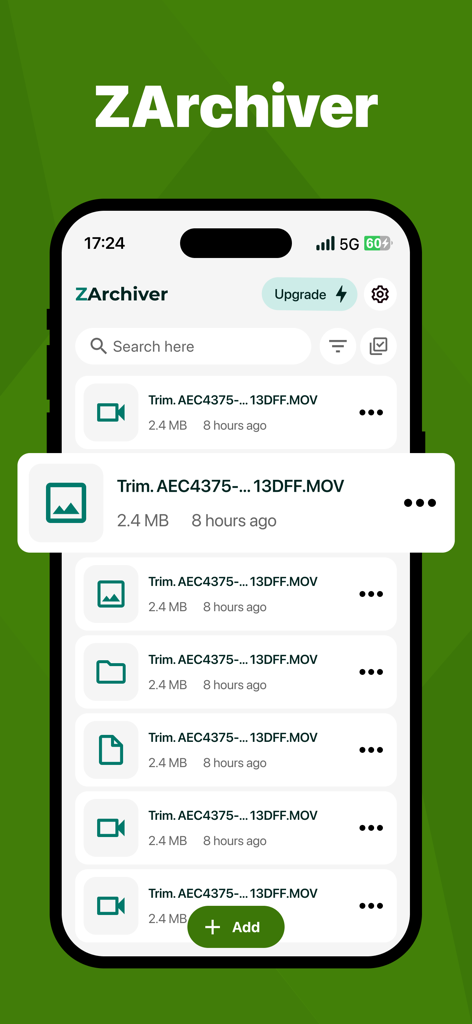
A screenshot of the ZArchiver app showing a file manager interface with a list of video files on an iPhone.
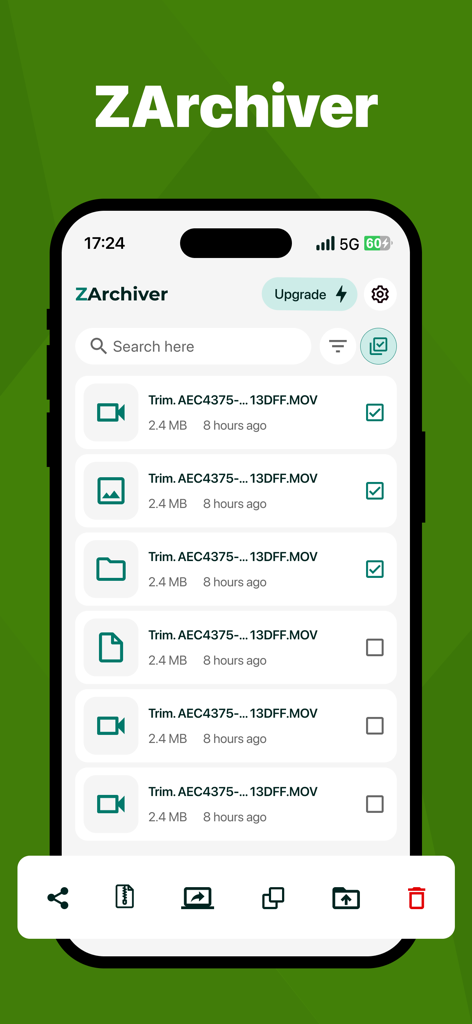
Interface of ZArchiver app showing a list of files and management options on iPhone
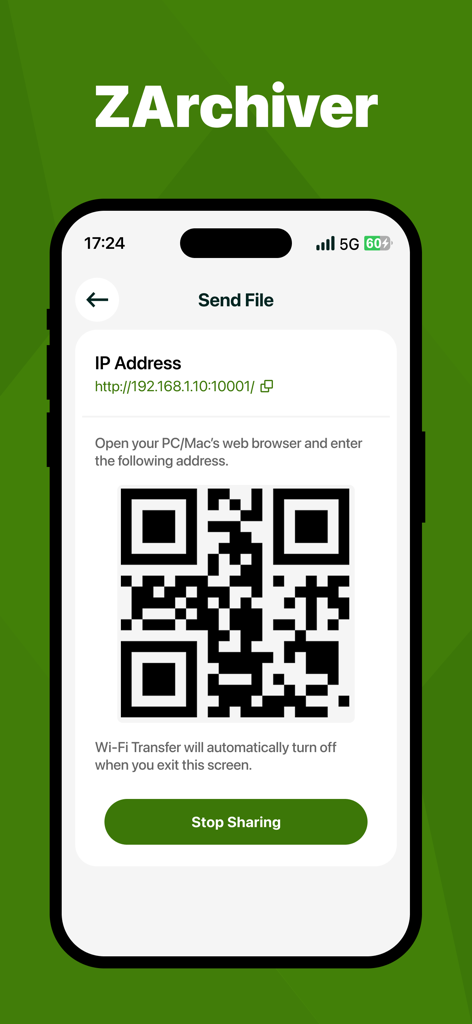
ZArchiver app screen displaying a QR code and IP address for Wi-Fi file transfer
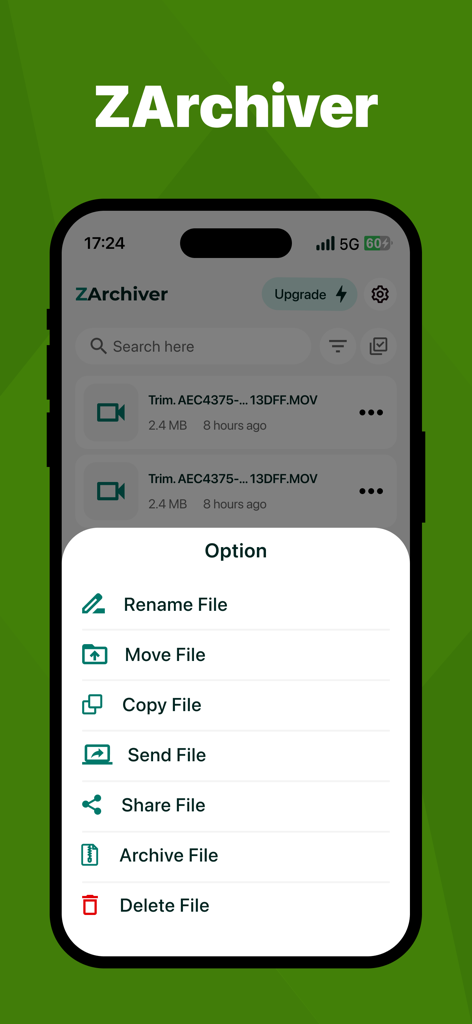
ZArchiver app interface showing file management options menu on an iPhone.
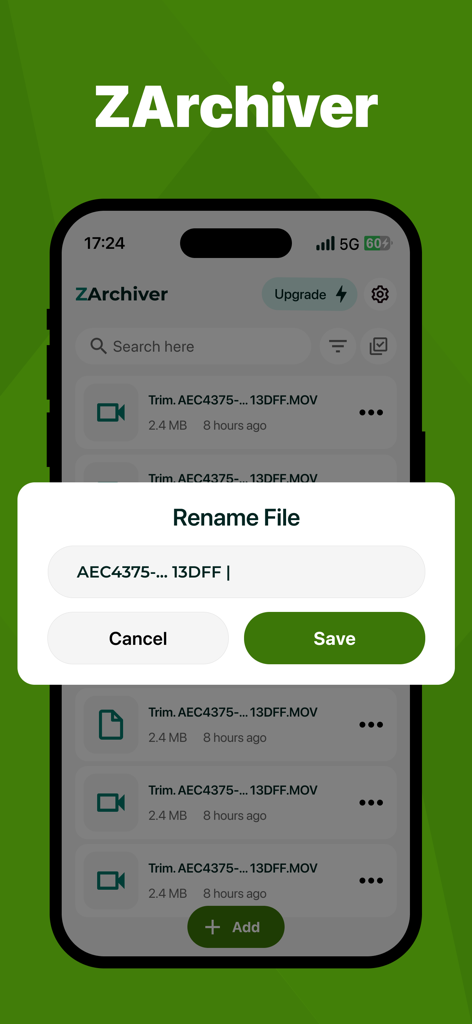
ZArchiver mobile app rename file interface
Description
Download
More Like This
Top-ranked apps in the same category

Google LLC

Google Chrome
Google LLC

中国移动(手机营业厅)
China Mobile Online Services Co., Ltd.

Google Authenticator
Google LLC

CNH do Brasil
Servicos e Informacoes do Brasil

Cleanup: Phone Storage Cleaner
DEEP FLOW SOFTWARE SERVICES - FZCO

gov.br
Servicos e Informacoes do Brasil

中国电信-全国统一官方服务平台
CHINA TELECOM Corporation Ltd.

Microsoft Edge: AI Browser
Microsoft Corporation
This page is not an official page of the app or its developer, but an independent editorial publication created for informational and commentary purposes. Unless expressly stated otherwise, neither the app nor its developer is affiliated with, endorsed by, sponsored by, authorized by, or otherwise officially connected with MWM, Apple, Google Play, the app publisher, or the app's developer, and nothing on this page implies that the app was developed using MWM's services. Any trademarks, logos, screenshots, and other content remain the property of their respective owners.