
This page is not an official page of the app or its developer, but an independent editorial publication created for informational and commentary purposes. Unless expressly stated otherwise, neither the app nor its developer is affiliated with, endorsed by, sponsored by, authorized by, or otherwise officially connected with MWM, Apple, Google Play, the app publisher, or the app's developer, and nothing on this page implies that the app was developed using MWM's services. Any trademarks, logos, screenshots, and other content remain the property of their respective owners.


Zelle Attendance App
Streamline your routine with one-tap check-ins, automated monthly reports, and powerful productivity insights designed for the modern professional.
Downloads
76K+User Rating
Total Ratings
0Publisher
Category
BusinessLocales
1Latest Version
1.0Size
72.2 MBFirst Released
Feb 22, 2024Master Your Workday with Ease
Zelle streamlines your professional routine, replacing manual time-sheets with intelligent tracking and actionable data.
One-Tap Attendance
Clock in and out instantly with a frictionless interface designed for the busy professional on the move.
Automated Smart Reports
Access transparent monthly summaries of your hours, ensuring accurate records for payroll without manual math.
Frequently Asked Questions
Everything you need to know about Zelle Attendance App
Does Zelle Attendance App track your workday?
Yes, Zelle Attendance App tracks your workday by allowing you to check in and out with a simple tap. It provides comprehensive reports of your check-in and check-out times.
What kind of reports does Zelle Attendance App generate?
The Zelle Attendance App provides comprehensive monthly reports detailing your check-in and check-out times, and also offers insights into monthly and yearly performance.
Does Zelle Attendance App provide performance insights?
Yes, Zelle Attendance App goes beyond basic tracking, offering insights into your monthly and yearly performance. Users can monitor productivity, identify trends, and set goals.
Is a login required to use the Zelle Attendance App?
Yes, a login is required to use the Zelle Attendance App. Users must enter their Employee ID and Password to access the application.
How do users check in and out with Zelle Attendance App?
Users can check in and out using the Zelle Attendance App by tapping the designated buttons. Screenshot #3 shows a 'check out' button and recorded 'check in' time.
Can users apply for leave through the Zelle Attendance App?
Yes, the Zelle Attendance App allows users to apply for leave directly. Screenshot #2 displays an 'Apply' button specifically for this function.
Does Zelle Attendance App automate attendance tracking?
Yes, the Zelle Attendance App streamlines attendance tracking with an automated system. It handles check-in and check-out times, eliminating manual calculations.
What features are accessible from the Zelle Attendance App dashboard?
The Zelle Attendance App dashboard provides quick access to features like Attendance, Datewise Attendance, Overview, Skills, and Stats, along with options to Apply for Leave or LogOut.
The following screenshots and description are sourced directly from the app's official store listing and are the property of the app developer.
App Store
Screenshots
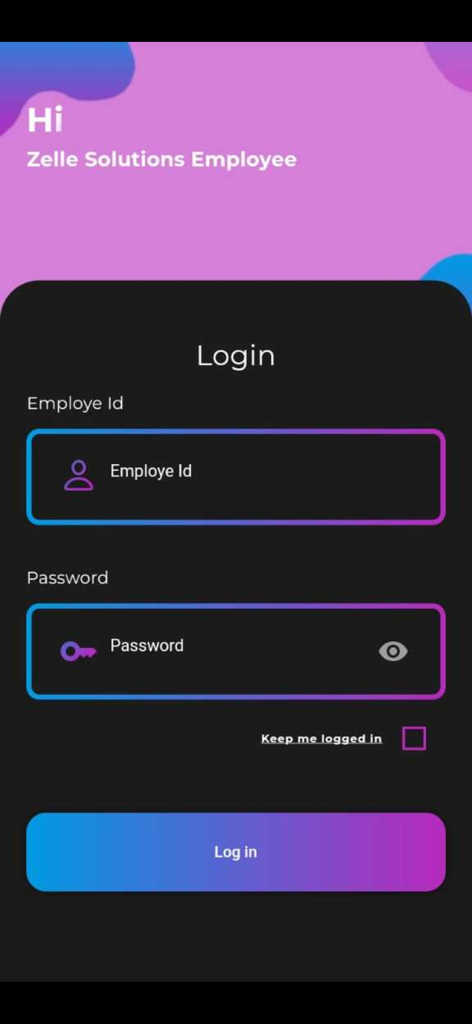
Login screen for the Zelle Attendance App featuring fields for employee ID and password
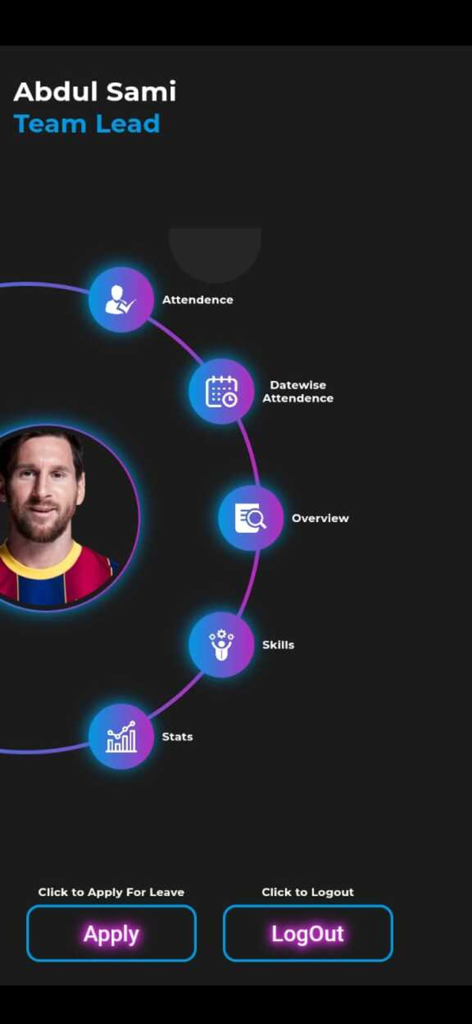
Zelle Attendance App dashboard featuring a team lead profile and circular navigation menu for attendance tracking
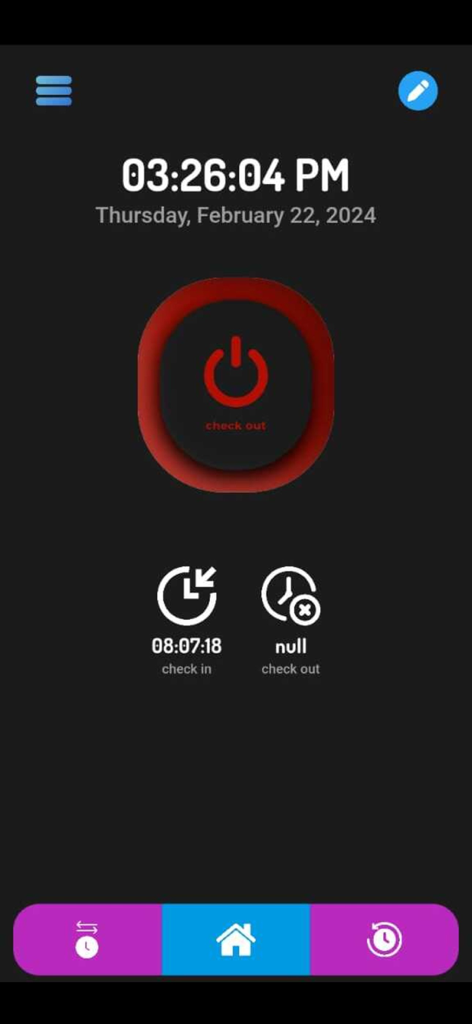
Zelle Attendance App home screen showing a check out button and daily time tracking status
Description
Download
More Like This
Apps with similar features and user experience

Paylocity
Paylocity Corporation

Paychex Flex
Paychex Inc.

Paycom
Paycom Payroll, LLC

Gusto Mobile
Gusto, inc.

Amazon A to Z
AMZN Mobile LLC

TaxDome Client Portal
TaxDome LLC

MyWalmart
Walmart

BrightHR
Peninsula Online Services Limited

Waapi
Senior Sistemas S/A
This page is not an official page of the app or its developer, but an independent editorial publication created for informational and commentary purposes. Unless expressly stated otherwise, neither the app nor its developer is affiliated with, endorsed by, sponsored by, authorized by, or otherwise officially connected with MWM, Apple, Google Play, the app publisher, or the app's developer, and nothing on this page implies that the app was developed using MWM's services. Any trademarks, logos, screenshots, and other content remain the property of their respective owners.