Zodo
Zodo
Download on App Store

This page is not an official page of the app or its developer, but an independent editorial publication created for informational and commentary purposes. Unless expressly stated otherwise, neither the app nor its developer is affiliated with, endorsed by, sponsored by, authorized by, or otherwise officially connected with MWM, Apple, Google Play, the app publisher, or the app's developer, and nothing on this page implies that the app was developed using MWM's services. Any trademarks, logos, screenshots, and other content remain the property of their respective owners.


Logo of Zodo
Download on App Store

Zodo

Reclaim your focus with a minimalist, private workspace designed to manage your tasks, finances, and mental well-being without the guilt of endless lists.

Key Figures

Downloads

0

User Rating

1.0/5

Total Ratings

0

Publisher

SMARTDEV AFRICA HUB - SARL

Category

Productivity

Locales

1

Latest Version

1.0.1

Size

54.9 MB

First Released

Jan 10, 2026
Features

Simplify Your Mental Load

Zodo is a neuro-inclusive sanctuary designed to help you organize your time, money, and thoughts without the pressure of traditional hustle-culture apps.

Defeat Decision Paralysis

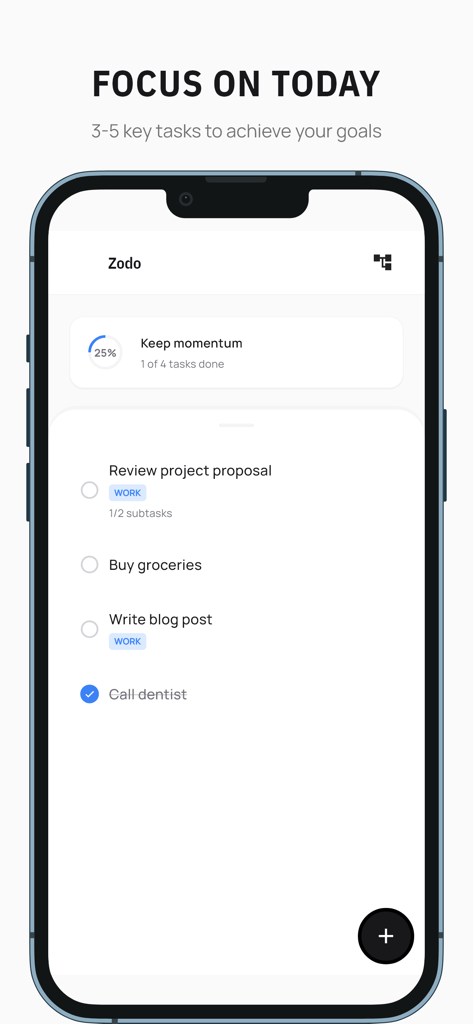
Stop drowning in infinite to-do lists. Focus on 3-5 essential wins per day and use full-screen Focus Mode to protect your attention.

Guilt-Free Daily Rituals

Guided morning and evening check-ins help you start with intention and end with peace, ensuring unfinished tasks never feel like failures.

The following screenshots and description are sourced directly from the app's official store listing and are the property of the app developer.

App Store

Screenshots
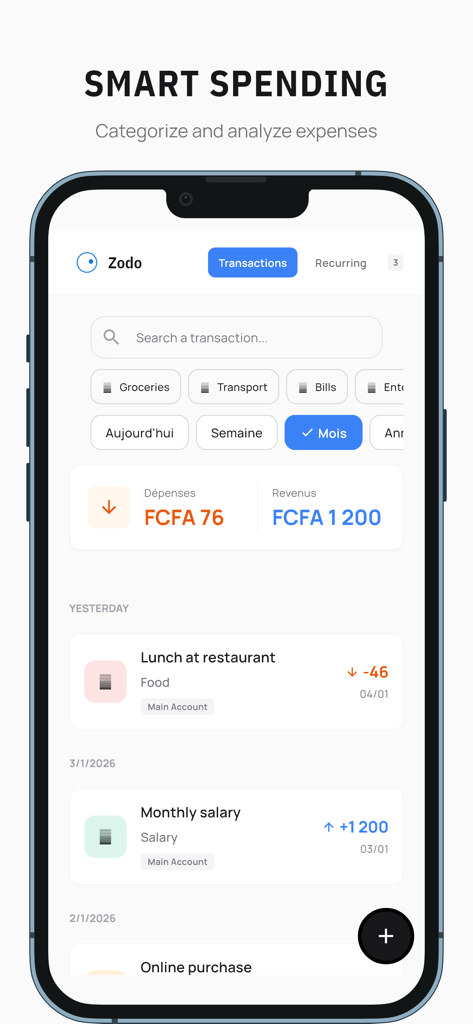
Zodo - Minimalist financial management screen in Zodo app displaying transactions and monthly expense summary
Minimalist financial management screen in Zodo app displaying transactions and monthly expense summary

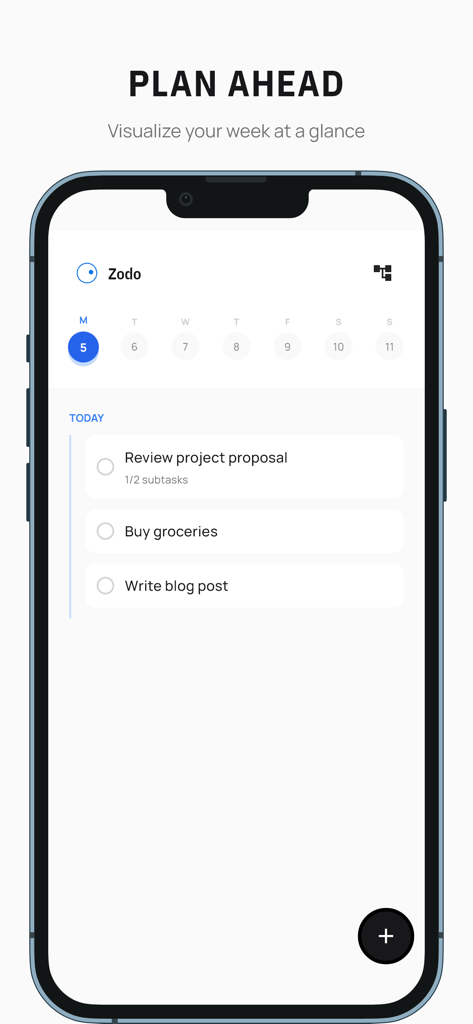
Zodo - Minimalist weekly task planner interface of the Zodo app
Minimalist weekly task planner interface of the Zodo app

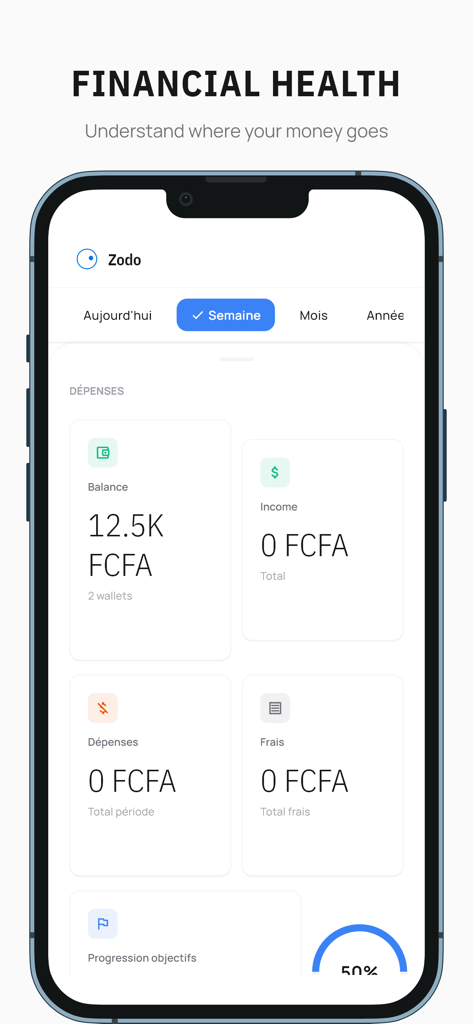
Zodo - Zodo mobile app interface showing a minimalist financial health dashboard with spending and balance tracking.
Zodo mobile app interface showing a minimalist financial health dashboard with spending and balance tracking.

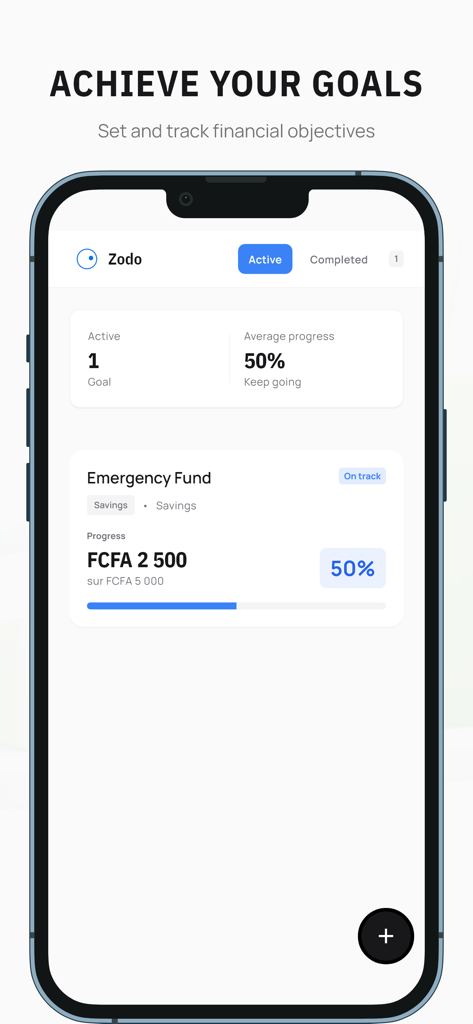
Zodo - Zodo app interface showing a 50 percent progress on an emergency fund financial goal
Zodo app interface showing a 50 percent progress on an emergency fund financial goal

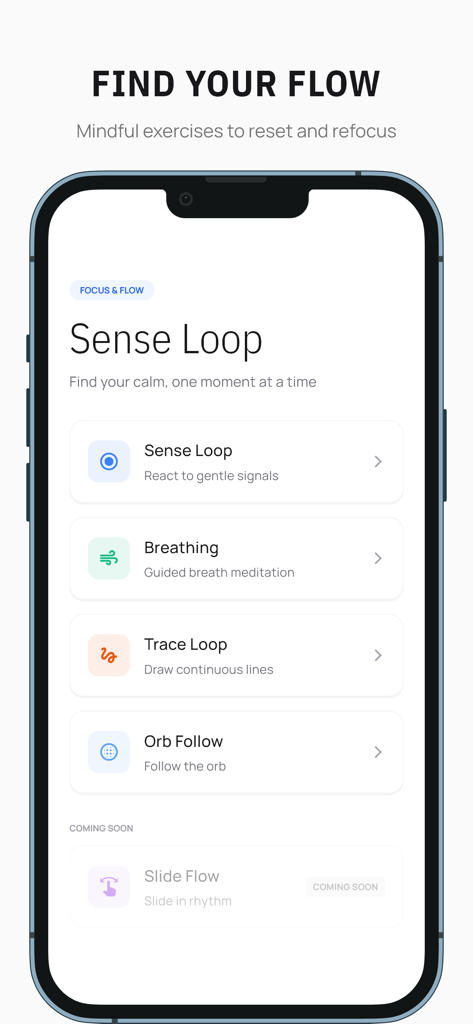
Zodo - Zodo app interface showing Sense Loop mindful exercises like breathing and meditation
Zodo app interface showing Sense Loop mindful exercises like breathing and meditation

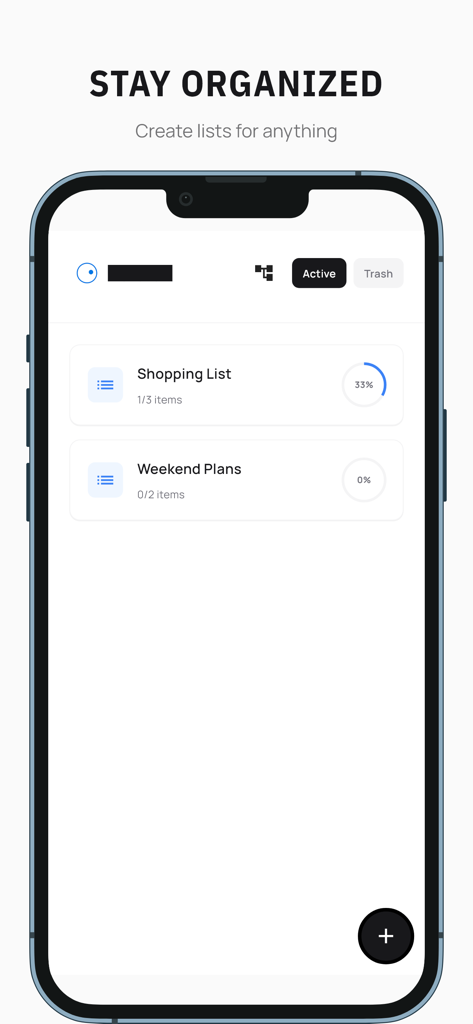
Zodo - Minimalist list management screen in the Zodo app showing shopping and weekend plans
Minimalist list management screen in the Zodo app showing shopping and weekend plans

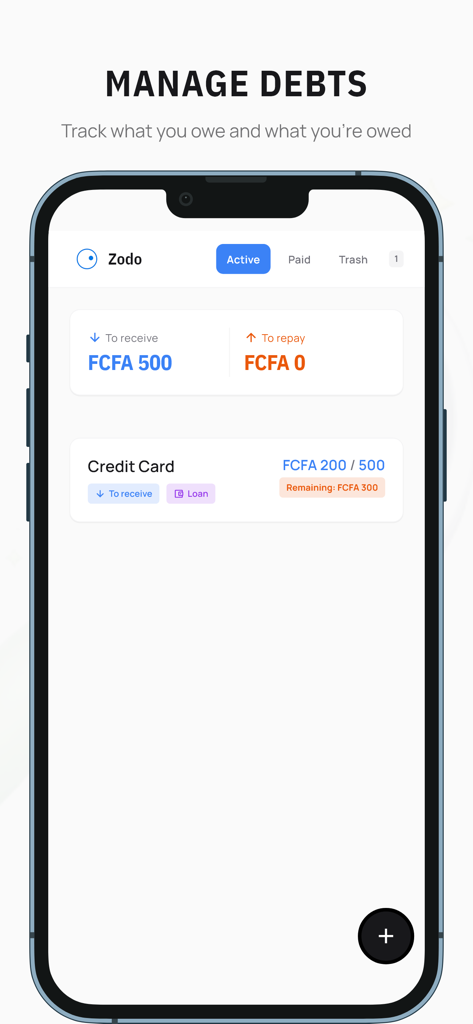
Zodo - Screenshot of the Zodo app's Manage Debts screen on an iPhone, showing summaries for money to receive and repay.
Screenshot of the Zodo app's Manage Debts screen on an iPhone, showing summaries for money to receive and repay.

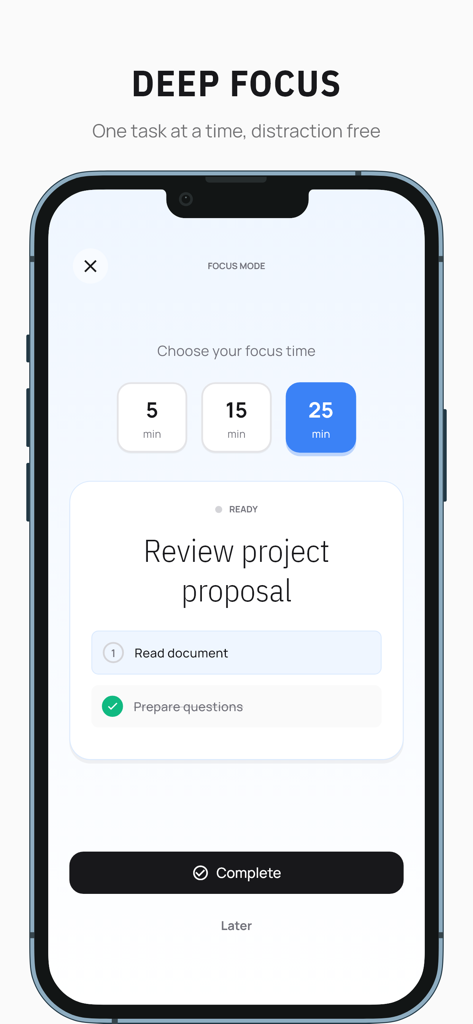
Zodo - Zodo mobile app interface showing focus mode with a task timer and checklist for deep concentration
Zodo mobile app interface showing focus mode with a task timer and checklist for deep concentration

Zodo - A minimalist mobile app interface for Zodo showing a daily task list with a progress tracker and focus on three to five key goals.
A minimalist mobile app interface for Zodo showing a daily task list with a progress tracker and focus on three to five key goals.

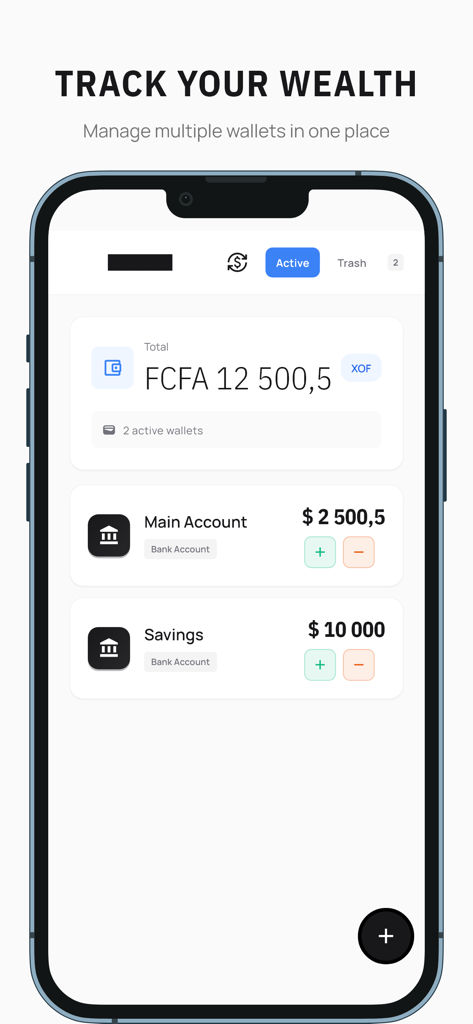
Zodo - Zodo mobile app screen for tracking wealth and managing multiple wallet accounts

Zodo mobile app screen for tracking wealth and managing multiple wallet accounts

Description

Zodo is a task management app designed to help you answer one simple question: “What do I do now?” Designed for those who want to organize their lives without feeling overwhelmed, Zodo guides you to the essentials. - Simplified task management Organize your daily life with three complementary views: Today: Limit yourself to 3-5 tasks per day to stay focused Inbox: Quickly capture your ideas without getting lost in organization This week: Plan ahead with a clear calendar view - Focus Mode When you need deep concentration, Focus Mode displays a single task in full screen. With a built-in timer (5, 15, or 25 minutes) and simple actions (Done / Later), stay focused without distractions. - Morning and evening rituals Structure your days with two guided rituals: Morning ritual: Choose 3 wins for the day from your inbox or weekly plan Evening ritual: Reflect on your day and decide what to do with unfinished tasks, without feeling guilty - Notes and lists Capture your thoughts instantly with free-form notes that save automatically. Create organized lists for your shopping, ideas, or anything else that needs a simple structure. - Comprehensive financial management Track your finances in one place: Multiple wallets: Manage different accounts (cash, mobile money, banking) Transactions: Record your expenses and income with customizable categories Financial routines: Plan your subscriptions, salaries, and recurring bills Goals: Set savings, spending reduction, or repayment goals Debts: Track what you owe and what you are owed Checkpoints: Regularly review your financial situation Financial rituals: Develop healthy habits with morning reminders and evening reviews - Analytics and insights Understand your habits with clear statistics: Task completion rates and productivity trends Your note-taking activity and writing patterns Your spending trends and breakdown by category Visualizations to track your progress over time - Sense Loop — Wellness space Take a break and find your center with focus games and meditations: Tactile meditations: Active breathing and body awareness Passive meditations: Visual focus and relaxation Focus games: Train your attention and patience with soothing mini-games (Sense Loop, Trace Loop, Orb Follow, Zen Tap, Slide Flow) - Minimalist and caring design Zodo has been carefully designed to reduce anxiety and cognitive overload: Clean interface with few colors and lots of space No anxiety-inducing elements (no alarming red badges, no information overload) Kind and encouraging tone in all messages Smooth animations and gentle transitions - 100% offline and private All your data is stored locally on your device. No internet connection required, no cloud synchronization. Your tasks, notes, and finances remain private and accessible at all times. - Who is it for? Zodo is perfect for: People who quickly feel overwhelmed by endless lists Those who have trouble planning ahead (time blindness) Those who have trouble getting started on big tasks Anyone who quickly gives up on apps that are too complicated to set up Anyone who simply wants to organize their life without stress Zodo doesn't aim to be the most comprehensive productivity app. It aims to be the simplest, most reassuring, and most actionable. The goal is not to do everything, but to do the essentials, a little bit every day, without feeling guilty.

Download

Download on App Store

This page is not an official page of the app or its developer, but an independent editorial publication created for informational and commentary purposes. Unless expressly stated otherwise, neither the app nor its developer is affiliated with, endorsed by, sponsored by, authorized by, or otherwise officially connected with MWM, Apple, Google Play, the app publisher, or the app's developer, and nothing on this page implies that the app was developed using MWM's services. Any trademarks, logos, screenshots, and other content remain the property of their respective owners.








