Zoho Show: Presentation Maker

Zoho Show: Presentation Maker

Download on App StoreDownload on Google Play
Logo of Zoho Show: Presentation Maker

Zoho Show: Design Stunning Presentations on the Go

Create professional, high-impact decks with beautiful templates and smart elements. Seamlessly collaborate with your team and present wirelessly using your iPhone, iPad, or Apple Watch.

Publisher

Zoho Corporation

Category

Productivity

Downloads

51K+

User Rating

4.3/5

Total Ratings

700

Locales

33

Design Meets Precision

Discover the interface used by 51K+ users.

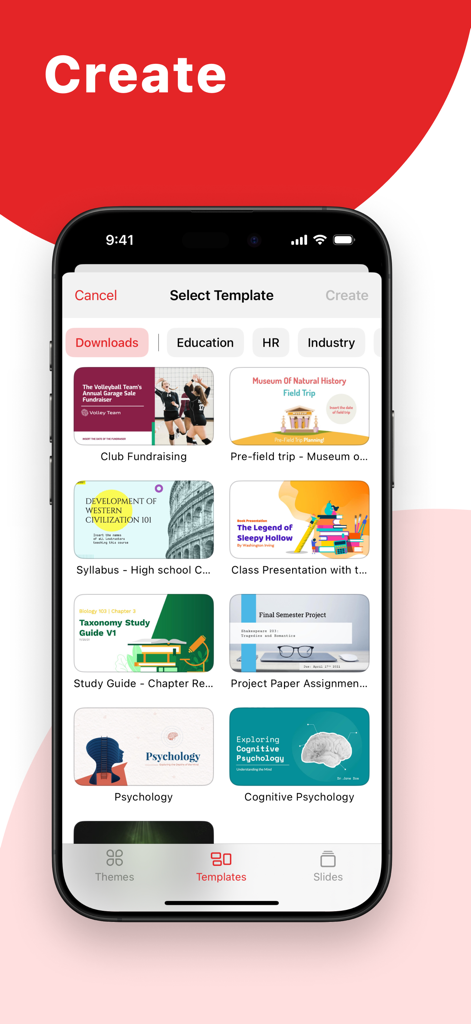
A library of professional and educational presentation templates in the Zoho Show mobile app interface.
A library of professional and educational presentation templates in the Zoho Show mobile app interface.

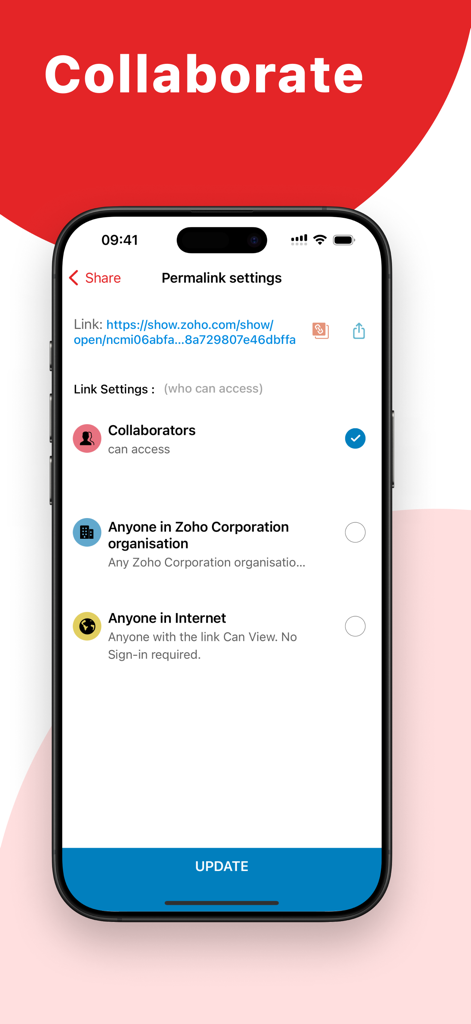
Zoho Show app interface for managing presentation sharing and collaboration permissions on iPhone.
Zoho Show app interface for managing presentation sharing and collaboration permissions on iPhone.

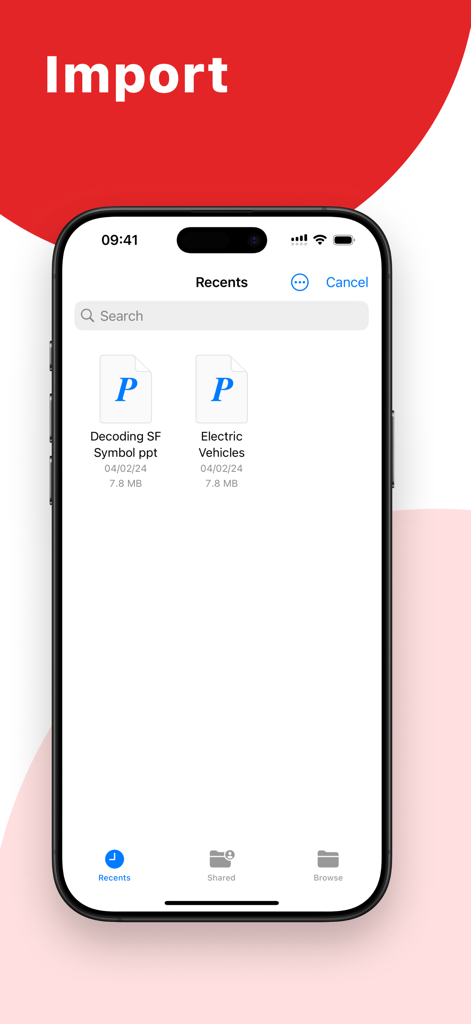
Zoho Show mobile app interface displaying imported PowerPoint presentation files on an iPhone
Zoho Show mobile app interface displaying imported PowerPoint presentation files on an iPhone

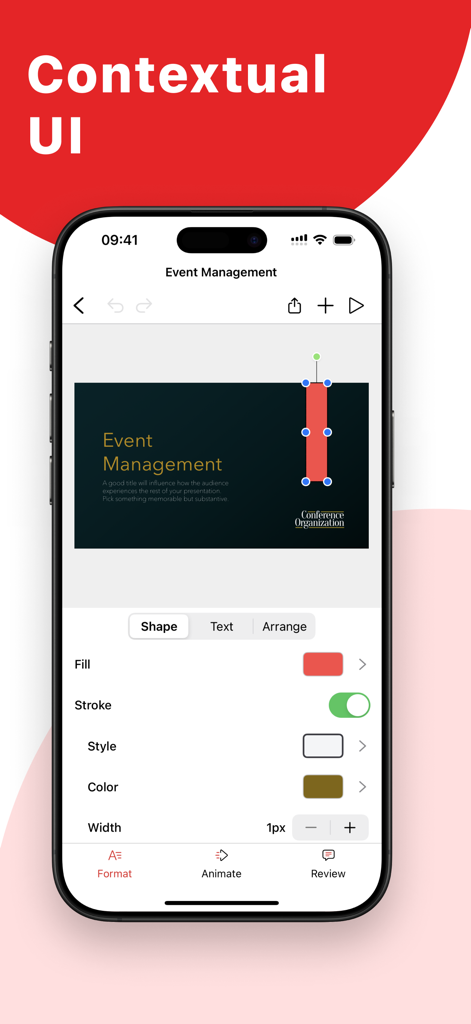
Zoho Show mobile app interface showing contextual formatting tools for editing presentation slides
Zoho Show mobile app interface showing contextual formatting tools for editing presentation slides

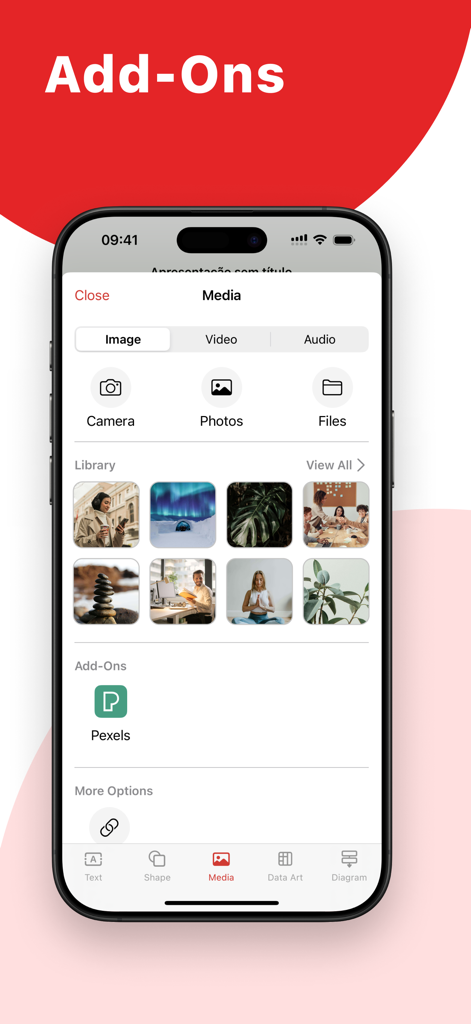
Interface of Zoho Show app showing media options including Pexels add-on and an image library for presentations

Interface of Zoho Show app showing media options including Pexels add-on and an image library for presentations

Craft Powerful Stories in Minutes

The tools that make this app stand out, trusted by 51K+ users.

🎨

Stunning Visuals, Zero Effort

Use smart elements, sleek silhouettes, and high-res Unsplash images to create presentations that look like they were made by a professional design agency.

Master the Apple Ecosystem

Ditch the cables. Present wirelessly on Apple TV and use your iPhone or Apple Watch as a remote to deliver your pitch with ultimate confidence.

🔄

Fluid Collaboration & Sync

Work offline or invite your team to collaborate in real-time. Import PowerPoint files and pick up exactly where you left off on any device.

About the app

Everything you need to know about Zoho Show: Presentation Maker.

Description

Create, share, and edit beautiful presentations on your iOS or iPadOS device while you're on the go. Import PowerPoint presentations (.PPTX files) and pick up where you left off. Work on your slides offline and download them as an image or a PDF. CAPTURE YOUR AUDIENCE'S ATTENTION WITH STUNNING TEMPLATES Use Show's large array of presentation templates and themes to simplify your slide creation process. Pick from marketing, sales, and many more template options for your next deck. Get access to hundreds of individual slide templates like a cover slide, image slide, and more. GIVE YOUR IDEAS THE PERFECT PLATFORM Choose from a wide range of customizations available in Zoho Show to create your slides. Add and customize text, images, shapes, and more. ADD SMART ELEMENTS, SILHOUETTES, AND MORE Pick from 100+ available shapes ranging from Basic Shapes to Equation Shapes to add to your slides. Use stylish silhouettes to illustrate your slides. Use smart elements like the Fill Indicator and Shape Indicator to visually represent numbers. GRAPHICALLY REPRESENT DATA WITH CHARTS Pick from 15+ chart options to engage your audience. Choose from line charts, area charts, pie charts, and other chart types to visualize your data and make it easier to understand. You can also add animation effects to charts to enhance their visual appeal. ORGANIZE DATA BETTER WITH TABLES Arrange and categorize your data by adding tables to your slides. Pick from preset table styles and customize your tables with multiple formatting options. Add animation effects to the tables to make your data more visually interesting. ENRICH YOUR SLIDES WITH IMAGES Add images to slides right from your phone. You can also add images shot using the device's camera or by inserting the image URL. Get access to the Unsplash library and choose from millions of royalty-free images from within the app. ADD AUDIO AND VIDEO TO YOUR SLIDES Add audio and video to your slides to retain your audience's attention. You can add background music to slides and use videos to supplement your presentation content. ADD STUNNING ANIMATIONS AND SMOOTH TRANSITIONS Keep engagement levels high with eye-catching animation effects and transition effects. Make slide elements Appear, Float In, Swivel, and more with more than 20 animation effects. Choose from 25+ slide transition effects like Blinds, Spiral, and Zoom. SHARE AND COLLABORATE WITH TEAM MEMBERS Invite collaborators by simply adding their email address in the share option to get started working together. To help avoid data loss or conflicting edits, Show allows you to choose the level of access for each collaborator. WORK TOGETHER WITH YOUR TEAM Discuss slide elements with your team members by adding comments to them. Reply to comments for more contextual team conversations. NEVER LOSE YOUR PROGRESS WITH AUTO-SYNC No need to constantly hit 'save': Show saves all your progress automatically. All you have to do is create your free Zoho account and sign in for your changes to be synced directly to the cloud. USE YOUR PHONE AS A REMOTE Show's compatibility helps you use your iPhone or Apple Watch as a remote to deliver presentations on an Apple TV. PRESENT WITH YOUR APPLE TV Present your ideas on a bigger screen by connecting to your Apple TV. Navigate and control your slides using the Apple TV remote.

Latest Version

2.28

Size

206.3 MB

First Released

Oct 3, 2018

Elevate Every Slide from Anywhere.

Ready to create presentations that truly stand out? Join thousands of professionals using Zoho Show to design, sync, and present seamlessly across all your Apple devices. Start for free today.

Download on App StoreDownload on Google Play

App information, icons, screenshots, and descriptions displayed on this page are sourced from the Apple App Store and are the property of their respective developers. Download estimates and rankings are based on MWM's proprietary models and may not reflect actual figures. This page is provided for informational and analytical purposes only.

Believe this page infringes your intellectual property? File a dispute