Astropad Studio Drawing Tablet
ダウンロード: App Store

このページはアプリまたはその開発者の公式ページではなく、情報提供および論評を目的として作成された独立した編集出版物です。明示的に別段の記載がない限り、アプリおよびその開発者は、MWM、Apple、Google Play、アプリのパブリッシャー、またはアプリの開発者と提携、承認、後援、認可、またはその他の公式的な関係はなく、このページのいかなる内容も、アプリがMWMのサービスを使用して開発されたことを意味するものではありません。すべての商標、ロゴ、スクリーンショット、その他のコンテンツはそれぞれの所有者の財産です。


ロゴ: Astropad Studio Drawing Tablet
ダウンロード: App Store

Astropad Studio Drawing Tablet

iPadをMacおよびPC用のハイエンドなクリエイティブワークスペースに変えましょう。ラグのないパフォーマンス、完全なジェスチャーカスタマイズ、そしてどこでも自由に作業できる環境を求めるプロフェッショナルのために構築されています。

主要数値

ダウンロード

883K+

ユーザー評価

4.6/5

評価数

4K+

開発元

Astro HQ LLC

カテゴリ

Productivity

対応言語

4

最新バージョン

5.5.2

サイズ

109.8 MB

リリース日

2017年1月11日
機能

プロフェッショナルなワークフローのために設計

Astropad Studioは、Apple Pencilの精度とデスクトップクリエイティブスイートのフルパワーを組み合わせ、iPadをハイエンドな制作ツールへと変身させます。

プロ級のスピードと精度

Liquid Extremeテクノロジーによるラグのない描画と、デスクトップを完璧にミラーリングするカラー校正済みRetina解像度を体験してください。

カスタムMagicジェスチャー

タッチとペンシルを組み合わせた独自のショートカットを作成。キーボードから手を離し、キャンバスに集中し続けることができます。

以下のスクリーンショットと説明は、アプリの公式ストアリスティングから直接取得されたものであり、アプリ開発者の所有物です。

アプリストア

スクリーンショット
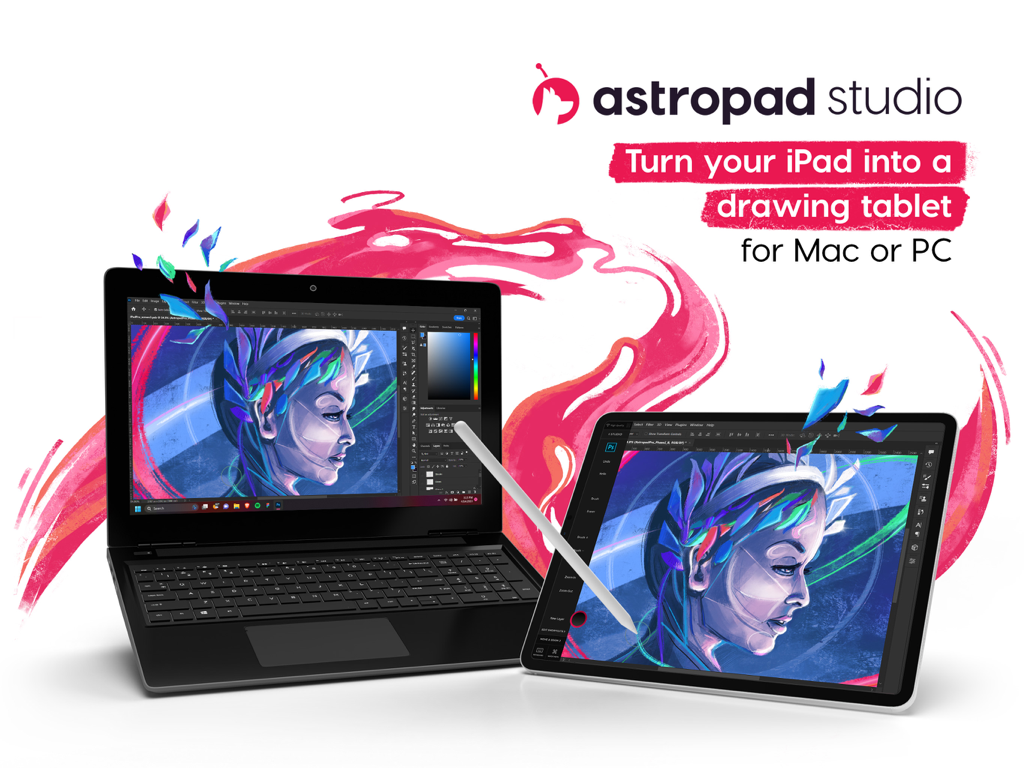
Astropad Studio Drawing Tablet - クリエイティブソフトウェアを実行しているノートパソコンに接続され、プロ仕様の描画タブレットとして使用されているiPad
クリエイティブソフトウェアを実行しているノートパソコンに接続され、プロ仕様の描画タブレットとして使用されているiPad

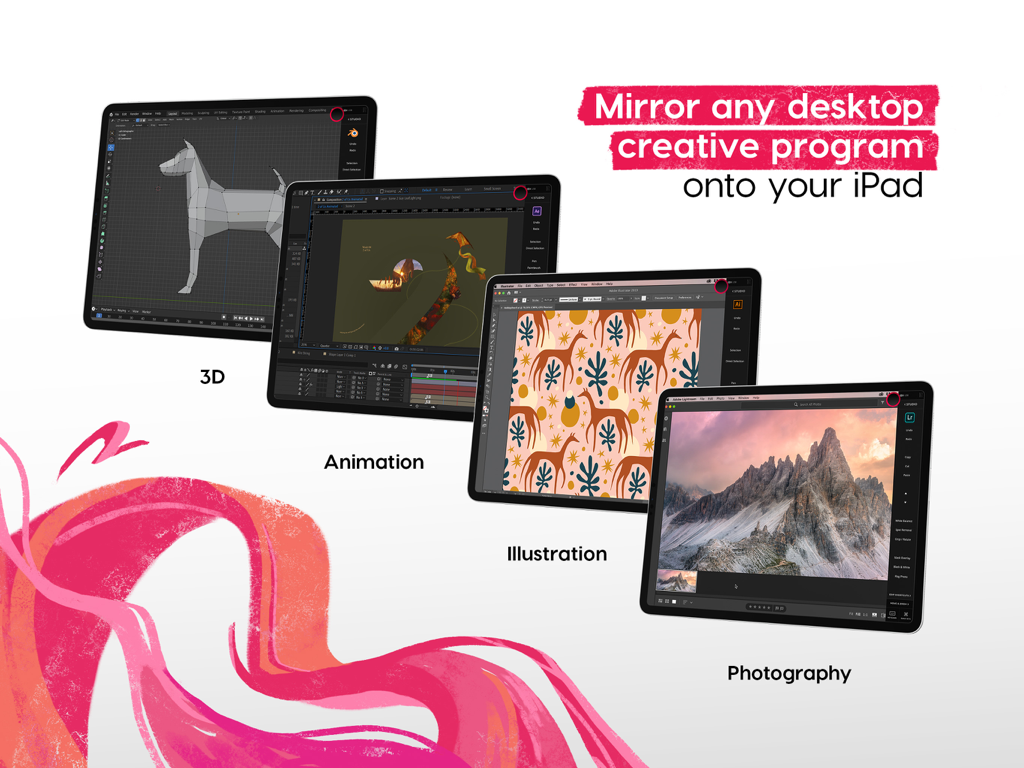
Astropad Studio Drawing Tablet - 3Dアニメーションやイラストなどのデスクトップ用クリエイティブソフトウェアをiPadにミラーリングするAstropad Studio
3Dアニメーションやイラストなどのデスクトップ用クリエイティブソフトウェアをiPadにミラーリングするAstropad Studio

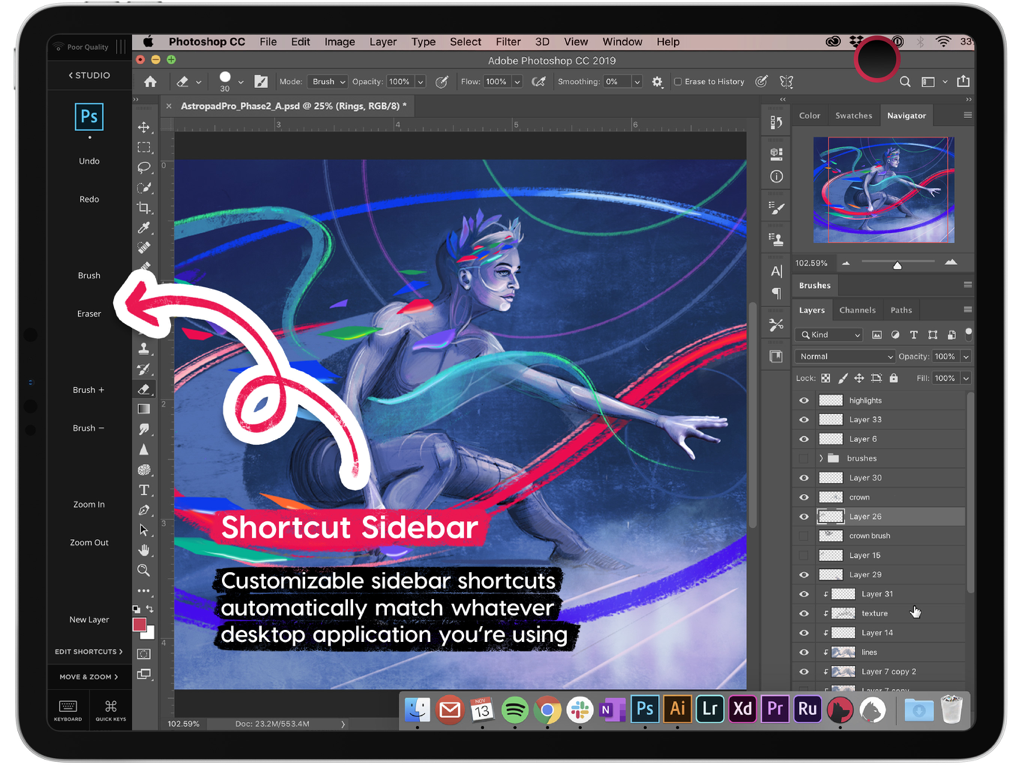
Astropad Studio Drawing Tablet - iPad上のPhotoshop向けにカスタマイズ可能なツールを表示するAstropad Studioのショートカットサイドバー
iPad上のPhotoshop向けにカスタマイズ可能なツールを表示するAstropad Studioのショートカットサイドバー

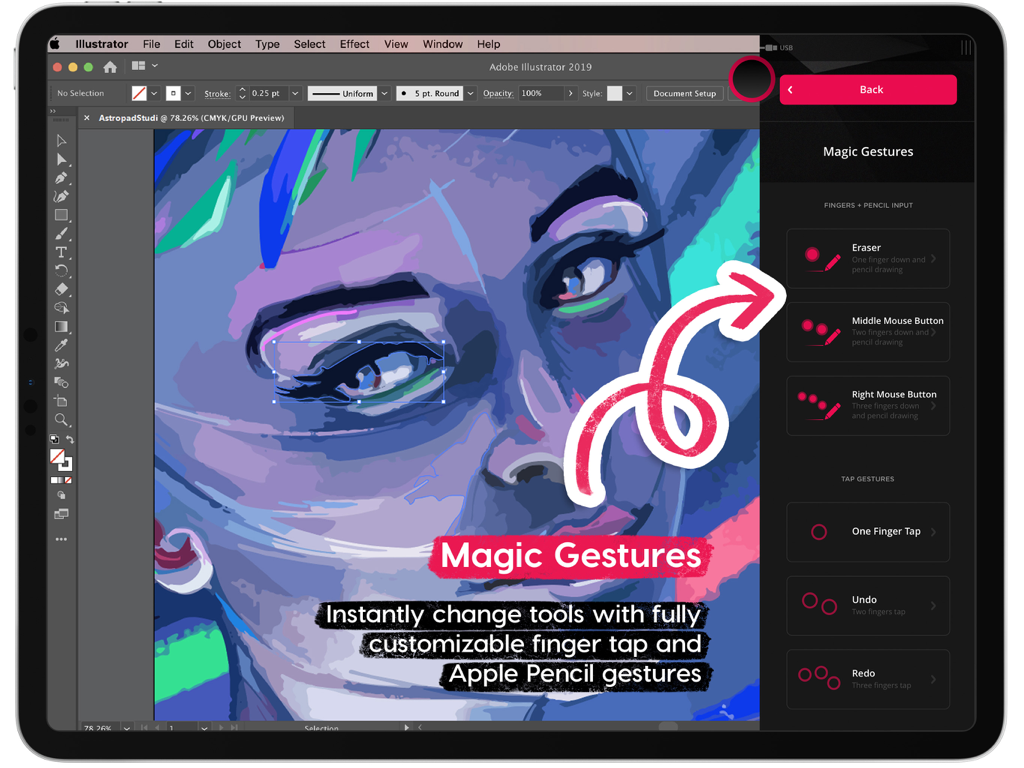
Astropad Studio Drawing Tablet - iPad描画ショートカットをカスタマイズするためのAstropad Studio Magicジェスチャーインターフェース
iPad描画ショートカットをカスタマイズするためのAstropad Studio Magicジェスチャーインターフェース

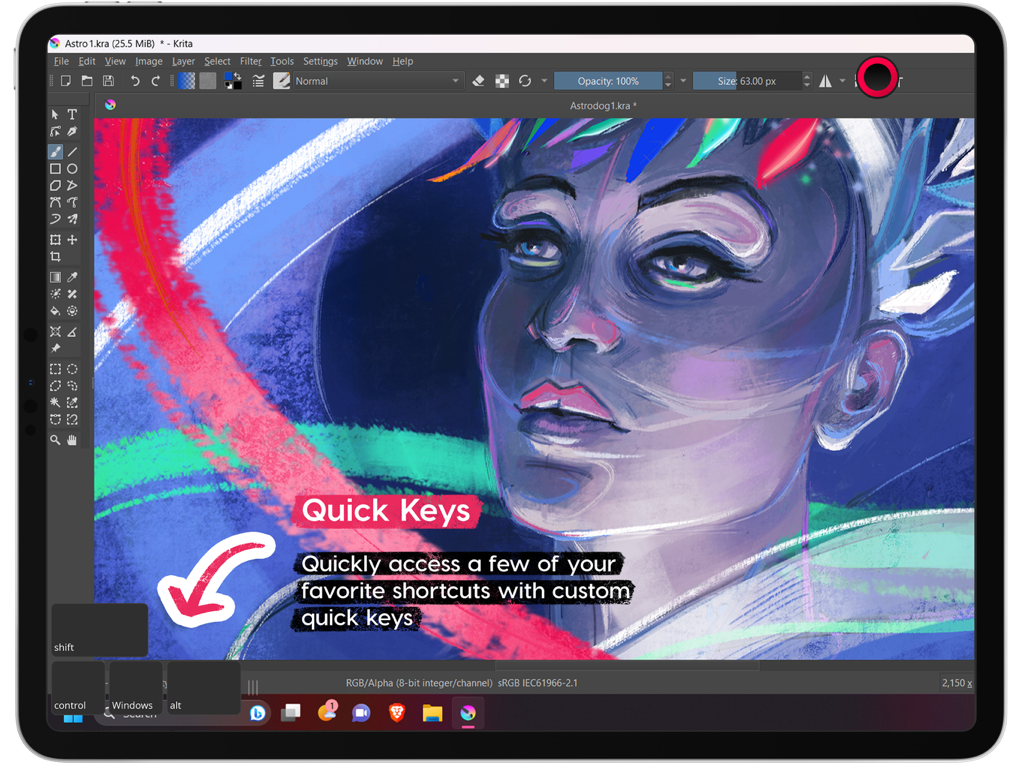
Astropad Studio Drawing Tablet - Kritaソフトウェアの実行中にQuick Keys機能を強調表示するiPad上のAstropad Studioインターフェース
Kritaソフトウェアの実行中にQuick Keys機能を強調表示するiPad上のAstropad Studioインターフェース

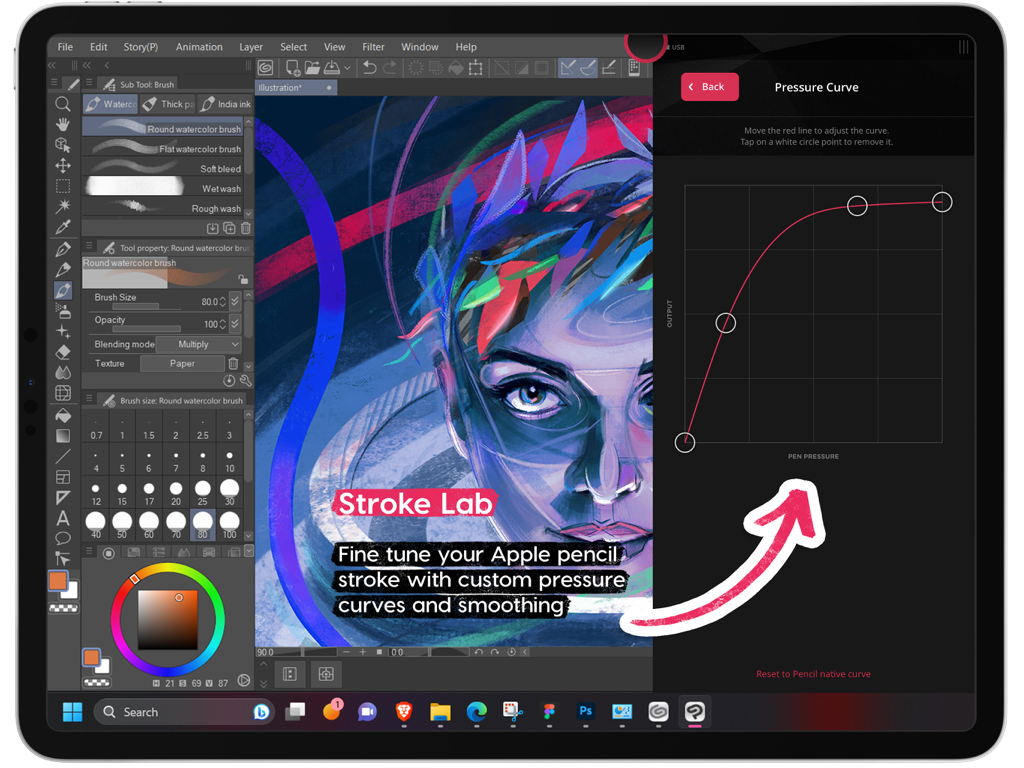
Astropad Studio Drawing Tablet - iPad上のApple Pencil向け、Astropad Studioのカスタム筆圧曲線設定
iPad上のApple Pencil向け、Astropad Studioのカスタム筆圧曲線設定

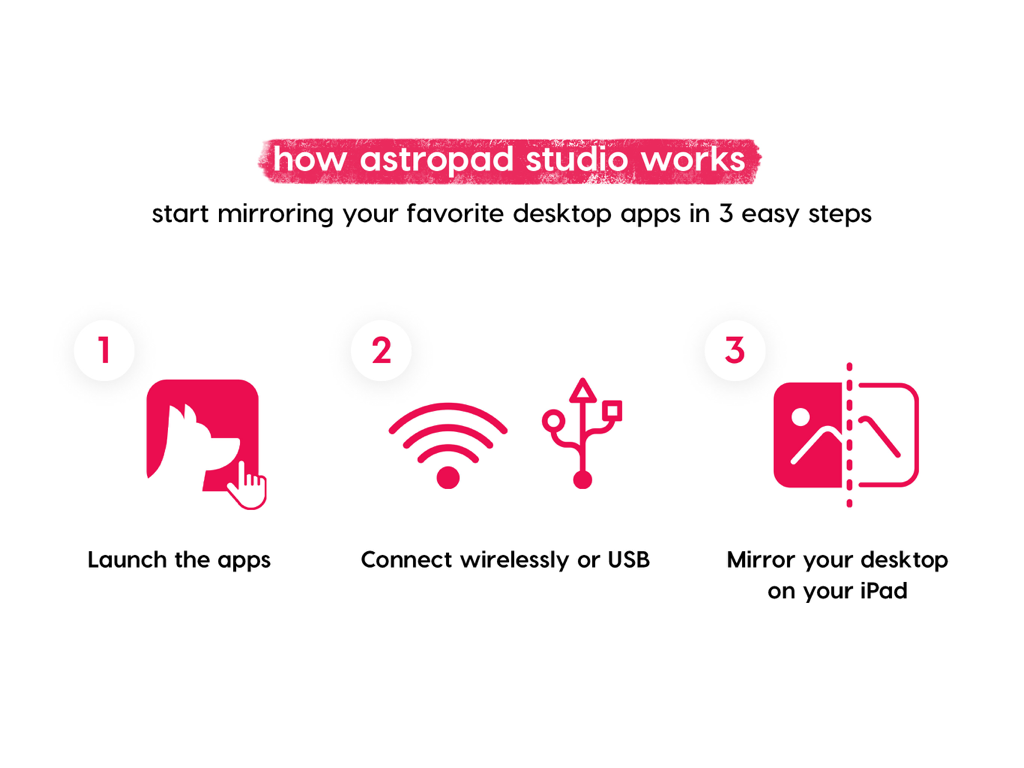
Astropad Studio Drawing Tablet - Astropad Studioを使用してデスクトップアプリをiPadにミラーリングする3つのステップを説明するインフォグラフィック
Astropad Studioを使用してデスクトップアプリをiPadにミラーリングする3つのステップを説明するインフォグラフィック

Astropad Studio Drawing Tablet - Astropad Studio 14日間無料トライアル特典画面

Astropad Studio 14日間無料トライアル特典画面

説明

Go beyond a drawing tablet with Astropad Studio. Start a free 14-day trial today! Astropad Studio is the ultimate wireless drawing tablet, designed for the most demanding creative work. With complete workspace customization, Studio allows artists to work faster and more efficiently, with the freedom to work in the studio, at home, or on-the-go. Built for creative professionals with features like: · Wifi or USB connectivity · Built in 2nd display · Crystal clear & ultra-fast · Gesture shortcut customization · Keyboard support · Customizable pressure curves · Magic Gestures: Create your own gesture shortcuts with touch-Pencil combinations · Shortcut Sets: Sidebar shortcuts automatically adapt to match whatever Mac app you’re working in · Unlimited upgrades · Works on Mac and PC $14.99 monthly or $79.99 annually ___ STREAMLINED PRODUCTIVITY · Pinch to Zoom: Pinch to zoom and pan in Mac or PC Apps · Liquid Extreme: Up to 5x faster than baseline Liquid · Wifi & USB: Use your iPad as a drawing tablet plugged in or wirelessly · Keyboard Support: Access our built-in keyboard or use your own Bluetooth keyboard · Velocity Control: Analyzes network conditions dozens of times per second to balance image quality and latency COMPLETE CUSTOMIZATION · Magic Gestures: Create your own gesture shortcuts with touch-Pencil combinations · Shortcut Sets: Sidebar shortcuts automatically adapt to match whatever Mac app you’re working in BUILT FOR CREATIVES · Apple Pencil Optimized: Designed exclusively for the precision of Apple Pencil · Color Corrected: True to your source material with color corrected output and retina resolution ___ SYSTEM REQUIREMENTS · Mac: OS X 10.14 or later · PC: Windows 10 64-bit, build 1809 or later · iPad iOS 13.1 or later: iPad Mini 4 (2015+), iPad Air (2014+), iPad Pro (2016+), iPad 5th generation (2017+) · Optimized for iPad Pro and Apple Pencil SUBSCRIPTION TERMS · $14.99 monthly or $79.99 annually · Price may vary by location. ___ Subscriptions will be charged to your credit card using your iTunes account. Your subscription will automatically renew unless canceled at least 24 hours before the end of the current period. Subscriptions may be managed by the user and auto-renewal may be turned off by going to the user's Account Settings after purchase. No cancellation of the current subscription is allowed during active subscription period. Any unused portion of a free trial period will be forfeited when the user purchases a subscription. Your account will be charged for renewal within 24-hours prior to the end of the current period. ___ MORE RESOURCES Download the free desktop companion app: astropad.com/downloads FAQ: astropad.com/faq Support: support@astropad.com Twitter: @astropad Instagram: @astropadco Facebook: facebook.com/astropadco ___ Privacy Policy: http://astropad.com/studio/privacy.html Terms of Use: http://astropad.com/studio/terms.html

Download

ダウンロード: App Store

このページはアプリまたはその開発者の公式ページではなく、情報提供および論評を目的として作成された独立した編集出版物です。明示的に別段の記載がない限り、アプリおよびその開発者は、MWM、Apple、Google Play、アプリのパブリッシャー、またはアプリの開発者と提携、承認、後援、認可、またはその他の公式的な関係はなく、このページのいかなる内容も、アプリがMWMのサービスを使用して開発されたことを意味するものではありません。すべての商標、ロゴ、スクリーンショット、その他のコンテンツはそれぞれの所有者の財産です。








