
このページはアプリまたはその開発者の公式ページではなく、情報提供および論評を目的として作成された独立した編集出版物です。明示的に別段の記載がない限り、アプリおよびその開発者は、MWM、Apple、Google Play、アプリのパブリッシャー、またはアプリの開発者と提携、承認、後援、認可、またはその他の公式的な関係はなく、このページのいかなる内容も、アプリがMWMのサービスを使用して開発されたことを意味するものではありません。すべての商標、ロゴ、スクリーンショット、その他のコンテンツはそれぞれの所有者の財産です。

Camo Camera
シネマティックボケ、手動調整、自動フレーミングで、ビデオ通話、ストリーミング、録画をアップグレードしましょう。粒子の粗いラップトップウェブカメラで妥協しない、高性能プロフェッショナル向けのApple Design Award受賞ソリューションです。
ダウンロード
1M+ユーザー評価
評価数
13K+開発元
カテゴリ
Utilities対応言語
13最新バージョン
2.3.3サイズ
73.4 MBリリース日
2020年7月16日プロフェッショナルなイメージを即座にアップグレード
粒子の粗いラップトップカメラはもうやめましょう。CamoはiPhoneの高度な光学性能を活用して、スタジオ品質のビデオ、インテリジェントなフレーミング、すべてのフレームに対する詳細な制御を提供します。
シネマティックポートレート&スポットライト
どんな照明でも最高の自分を演出しましょう。背景を簡単にぼかし、顔を明るくして、会議で際立つ洗練されたハイエンドな外観を実現します。
インテリジェント自動フレーミング
動きながらでもプロフェッショナルに、中央に留まりましょう。スマートフレーミングは、プレゼンテーション中や移動中でもあなたを完璧にショットの中心に捉え、常にあなたがフォーカスされることを保証します。
よくある質問
について知っておくべきこと Camo Camera
Camo Cameraとは何ですか?
Camo Cameraは、Apple Design Awards Finalist 2023を受賞したアプリです。iPhoneをプロ品質のウェブカメラに変え、MacまたはPCでの会議、ストリーミング、録画のためにプロフェッショナルなビデオを可能にします。
Camo Cameraはコンピューターにどのように接続しますか?
Camo Cameraは、ワイヤレスWi-Fi接続または従来のUSBケーブルを使用して、MacまたはPCに接続します。どちらのオプションも、柔軟性とセットアップの容易さを提供します。
Camo Cameraでビデオ設定を調整できますか?
はい、Camo Studioはビデオを包括的に制御できます。ユーザーはレンズ、露出、色、コントラスト、ズーム、クロップ、フォーカスを正確に調整して、希望の画質を実現できます。
Camo Cameraにはビデオ用のフィルターがありますか?
はい、Camo Cameraには、シネマティックなスタイリングとカラーグレーディングのための18種類のカスタムフィルターが含まれています。また、カスタムCube、3DL、LUTファイルもサポートしており、クリエイティブなオプションを拡張できます。
Camo CameraのSpotlight機能とは何ですか?
Spotlightは、照明の悪い状況を補正するCamo Cameraの機能です。ユーザーを背景に対して明るくし、逆光または暗い環境で際立たせます。
Camo Cameraは背景効果を提供しますか?
はい、Camo Cameraは、背景を切り替えるための仮想グリーンバックである「Replace」と、周囲をぼかすための拡散画像効果を作成する「Privacy」を提供します。どちらも前景の鮮明さを効果的に保ちます。
Camo Cameraは一般的なビデオ通話アプリと互換性がありますか?
はい、Camo Cameraは40以上のアプリケーションとシームレスに統合されています。これには、Zoom、Google Meet、Microsoft Teams、Safari、FaceTime、OBS Studioなどの人気プラットフォームが含まれます。
Camo Cameraはユーザーのプライバシーを尊重しますか?
はい、Camo Cameraはプライバシーとセキュリティを最優先します。ビデオフィードをキャプチャまたは送信せず、iPhoneからコンピューターに直接ルーティングします。
Camo CameraはiPadデバイスでも動作しますか?
はい、Camo CameraはiPadOSネイティブサポートを提供しており、iPadユーザーはデバイスのカメラを活用できます。また、アプリケーション全体に美しいダークモードも備えています。
Camo Studioのシステム要件は何ですか?
Camo Studioは、機能するためにmacOS 10.13以降、またはWindows 10以降が必要です。これらは最小オペレーティングシステム要件です。
Camo Cameraには自動フレーミング機能がありますか?
はい、Camo Cameraには自動フレーミング機能があります。これにより、通話中やプレゼンテーション中に移動しても、ユーザーが画面の中央に適切なサイズで表示されるようになります。
Camo Cameraはコンピューターのパフォーマンスに影響しますか?
いいえ、Camo Cameraはすべてのビデオ処理をiOSデバイスにオフロードします。この設計により、コンピューターはクールで高速に保たれ、使用中のパフォーマンスが維持されます。
以下のスクリーンショットと説明は、アプリの公式ストアリスティングから直接取得されたものであり、アプリ開発者の所有物です。
アプリストア
スクリーンショット
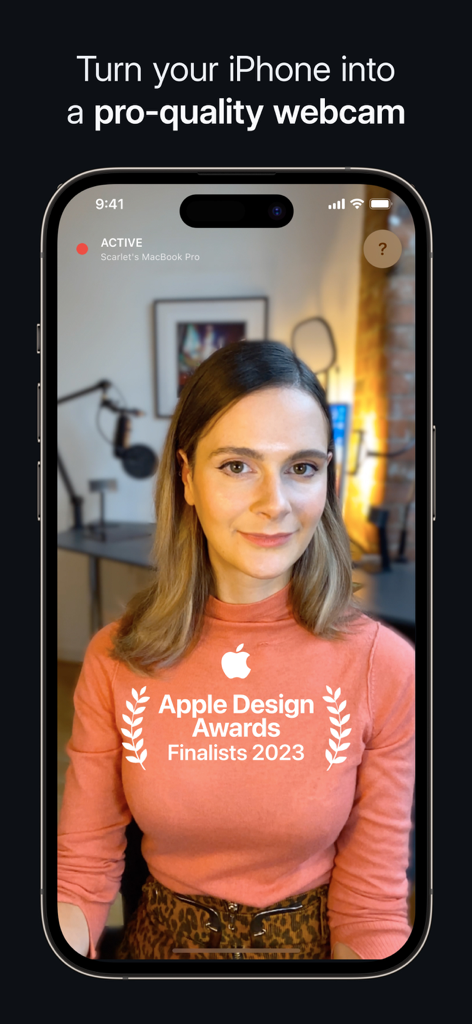
Camo CameraアプリのインターフェースがiPhoneをプロ品質のウェブカメラに変え、Apple Design Awardファイナリストのバッジが表示されている
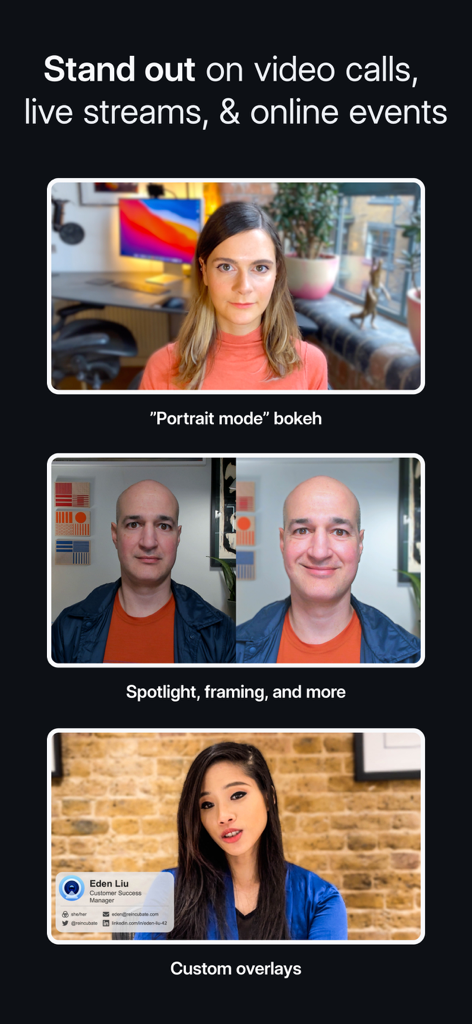
Camoカメラの機能を紹介する画面。ポートレートモードのボケ、スポットライトフレーミング調整、ビデオ通話用のカスタムプロフェッショナルオーバーレイなど
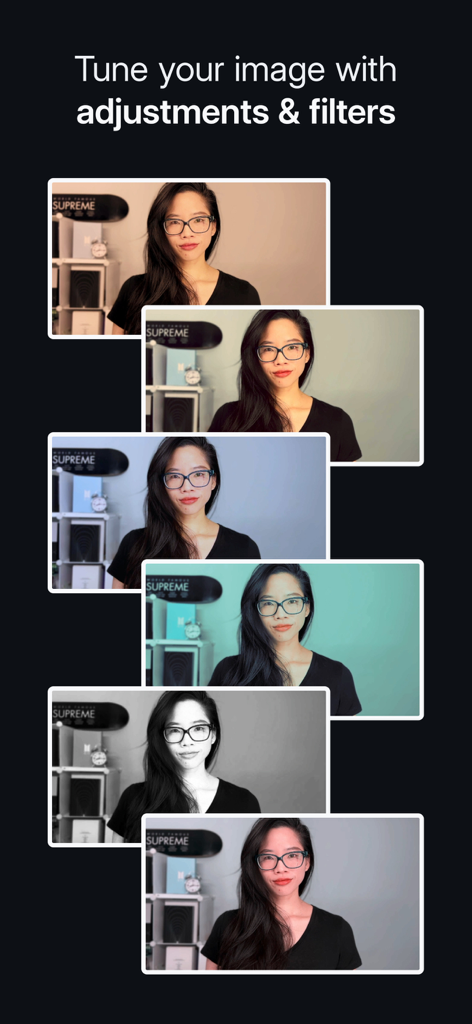
Camo Cameraでのさまざまなフィルターと画像調整を示すビデオフレームのシリーズ
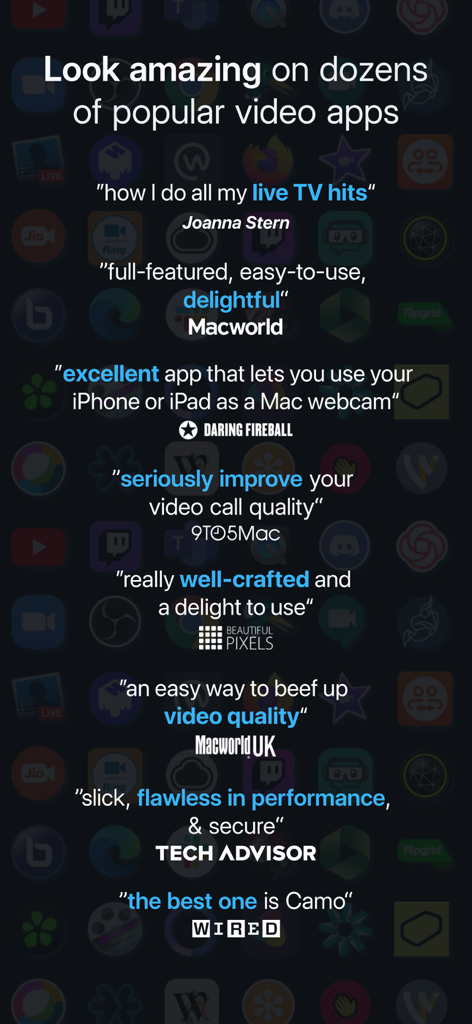
WiredやMacworldなどの主要なテクノロジー出版物からのCamo Cameraアプリに関する肯定的なレビューと証言のコレクション
説明
Download
類似アプリ
似た機能とユーザー体験を持つアプリ

Mouse · Keyboard
Remote Sunrise LTD

DroidCam Webcam & OBS Camera
DEV47 APPS LTD.

spacedesk - USB Display for PC
datronicsoft Technology GmbH

iVCam Webcam
俊红 柴

Remote Mouse
耀 阮

CamX - USB Camera
Touchbits Inc.

Genki Studio
Human Things, Inc

Astropad Studio Drawing Tablet
Astro HQ LLC

Remote Mouse & Keyboard
horhe dor
このページはアプリまたはその開発者の公式ページではなく、情報提供および論評を目的として作成された独立した編集出版物です。明示的に別段の記載がない限り、アプリおよびその開発者は、MWM、Apple、Google Play、アプリのパブリッシャー、またはアプリの開発者と提携、承認、後援、認可、またはその他の公式的な関係はなく、このページのいかなる内容も、アプリがMWMのサービスを使用して開発されたことを意味するものではありません。すべての商標、ロゴ、スクリーンショット、その他のコンテンツはそれぞれの所有者の財産です。