
このページはアプリまたはその開発者の公式ページではなく、情報提供および論評を目的として作成された独立した編集出版物です。明示的に別段の記載がない限り、アプリおよびその開発者は、MWM、Apple、Google Play、アプリのパブリッシャー、またはアプリの開発者と提携、承認、後援、認可、またはその他の公式的な関係はなく、このページのいかなる内容も、アプリがMWMのサービスを使用して開発されたことを意味するものではありません。すべての商標、ロゴ、スクリーンショット、その他のコンテンツはそれぞれの所有者の財産です。

Remote Mouse
2000万人以上のユーザーに加わり、スマートフォンを強力なマウス、キーボード、タッチパッドに変えましょう。世界で最も信頼されているリモートアプリで、メディアを簡単に操作し、プレゼンテーションをマスターし、デバイス間でクリップボードを同期しましょう。
ダウンロード
3M+ユーザー評価
評価数
60K+開発元
カテゴリ
Utilities対応言語
19最新バージョン
5.310サイズ
90.3 MBリリース日
2010年8月24日どこからでもコンピューターを自在に操作
Remote Mouseは、モバイルデバイスを強力なワイヤレスブリッジに変え、PCまたはMacを仕事、遊び、その他あらゆる用途で完全に制御できるようにします。
直感的なマウス&トラックパッド
マルチタッチジェスチャーとジャイロセンサーサポートにより、シームレスなナビゲーションを体験してください。スマートフォンから直接、ハイエンドトラックパッドのような流動性でカーソルを操作できます。
プロフェッショナルなプレゼンテーションコントロール
クリッカーはもう不要です。KeynoteとPowerPoint専用パネルにより、スライドの切り替えやプレゼンテーションの管理をプロフェッショナルな容易さで行えます。
よくある質問
について知っておくべきこと Remote Mouse
Remote Mouseとは何ですか?
Remote Mouseは、お使いの携帯電話またはタブレットをコンピューターの多機能リモートコントロールに変えます。ワイヤレスマウス、キーボード、タッチパッドとして機能し、さまざまな操作のための専用コントロールパネルを提供します。
Remote Mouseはどのオペレーティングシステムをサポートしていますか?
Remote Mouseは、Windows、Mac OSX、Linuxオペレーティングシステムをサポートしています。これらの主要プラットフォームで機能し、多機能なコンピューターコントロールを提供します。
Remote Mouseでスマートフォンの物理的な音量ボタンを使用できますか?
はい、Remote Mouseでは、リモートコントロールアクションにお使いのモバイルデバイスの物理的な音量ボタンを使用できます。この機能により、直感的な操作性が向上します。
Remote Mouseはコンピューターにどのように接続しますか?
Remote MouseはWi-FiまたはBluetooth経由でコンピューターに接続します。IPアドレス、QRコード、または接続履歴を通じて接続を確立できます。
Remote Mouseはクロスデバイスのクリップボード機能を提供しますか?
はい、Remote Mouseにはクロスデバイスのクリップボード機能が含まれています。これにより、コンピューターとモバイルデバイス間でのテキストや画像のシームレスな転送が可能になります。
Remote Mouseでコンピューターをシャットダウンできますか?
はい、Remote Mouseには電源オプションがあり、モバイルデバイスから直接コンピューターをリモートでシャットダウン、スリープ、再起動、またはログオフできます。
Remote Mouseのメディアリモートは、どのようなメディアプレーヤーをサポートしていますか?
Remote Mouseのメディアリモートは、iTunes、VLC、Windows Media Player、Keynote、PowerPoint、Windows Photo Viewerなどの人気のあるプレーヤーをサポートしています。今後さらに多くのアプリケーションがサポートされる予定です。
Remote Mouseにはダークモードがありますか?
はい、Remote Mouseにはダークモードオプションがあります。アプリケーションは、カスタムUI機能とカスタマイズ可能な壁紙も提供し、ユーザーエクスペリエンスをパーソナライズできます。
Remote Mouseを使い始めるにはどうすればよいですか?
開始するには、コンピューターでremotemouse.netにアクセスして、サーバーソフトウェアをダウンロードしてインストールしてください。次に、モバイルデバイスを同じWi-Fiネットワークに接続するか、Bluetoothを使用してください。
Remote Mouseはタッチパッドでマルチタッチジェスチャーをサポートしていますか?
はい、Remote MouseはApple Magic Trackpadをシミュレートし、マルチタッチジェスチャーをサポートしています。これにより、直感的で使い慣れたコントロールエクスペリエンスが得られます。
以下のスクリーンショットと説明は、アプリの公式ストアリスティングから直接取得されたものであり、アプリ開発者の所有物です。
アプリストア
スクリーンショット
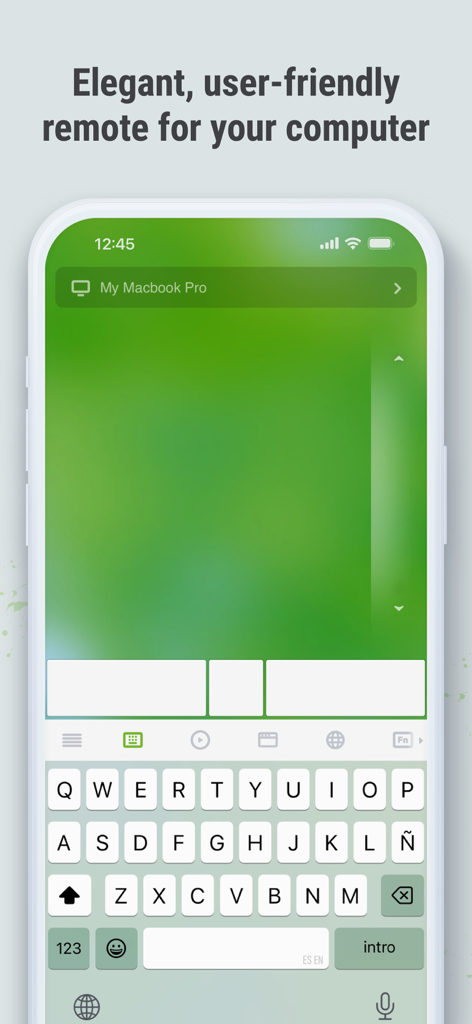
リモートマウスアプリがiPhoneに仮想トラックパッドとキーボードを表示
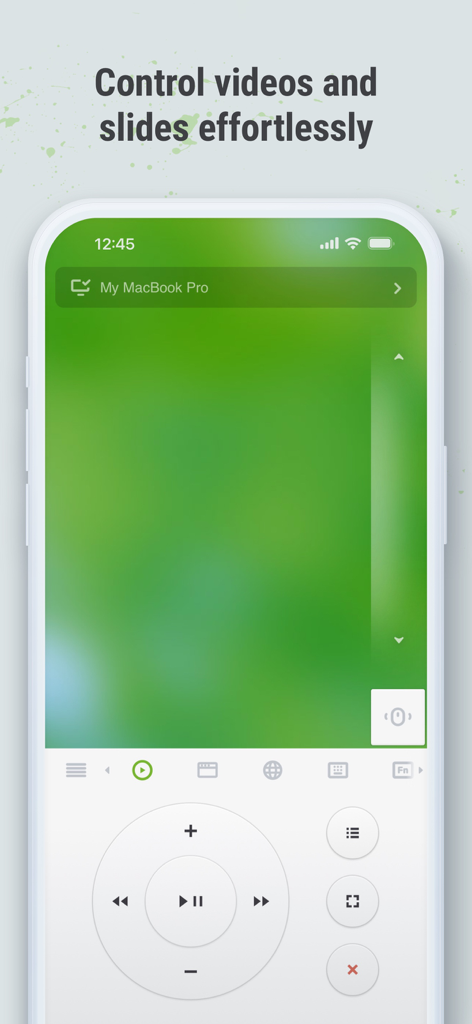
スマートフォンに表示されたリモートマウスアプリのインターフェース。ビデオやスライドのメディアコントロールボタンを表示
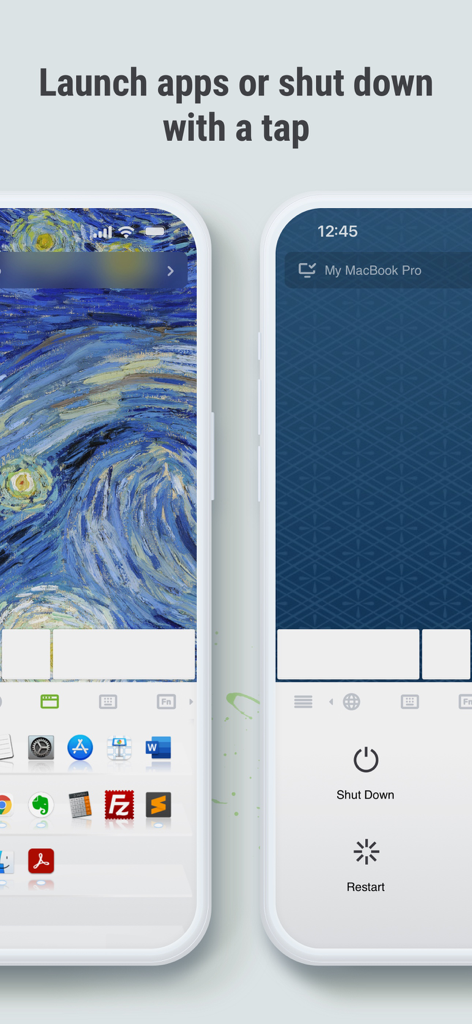
リモートマウスのモバイルインターフェース。コンピュータアプリケーションの起動や、コンピュータのリモートシャットダウンまたは再起動のオプションを表示
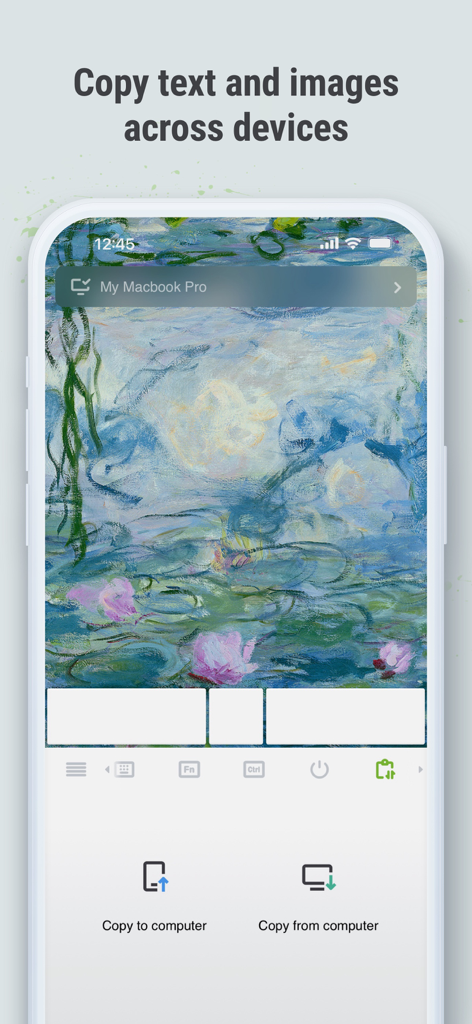
リモートマウスのモバイルインターフェース。デバイス間でテキストや画像をコピーする機能を示しています
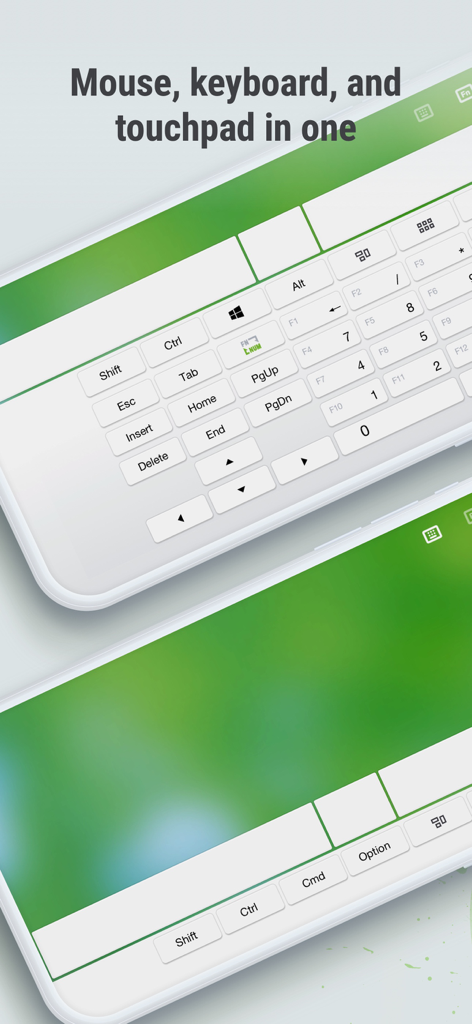
リモートマウスアプリのインターフェース。スマートフォンの画面に仮想キーボードとタッチパッドを表示
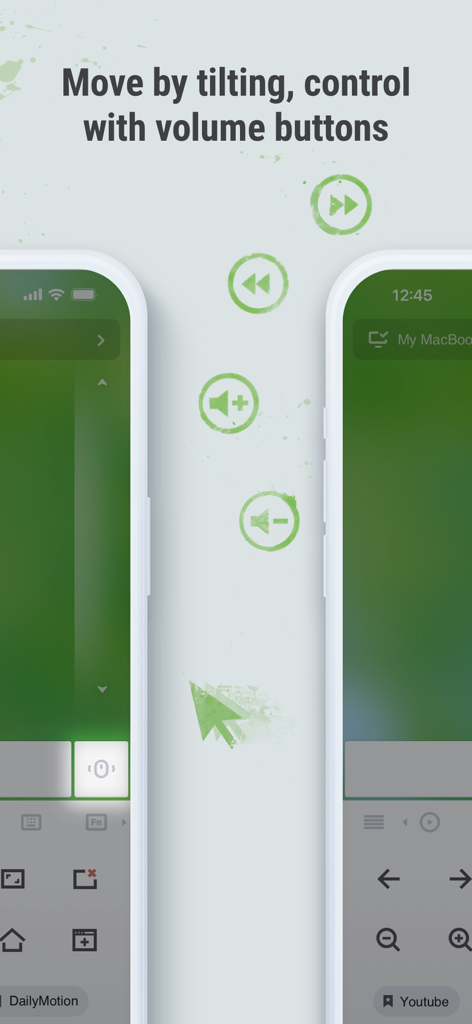
スマートフォンの傾きや物理的な音量ボタンでコンピュータを制御する機能を示すリモートマウスアプリのスクリーンショット
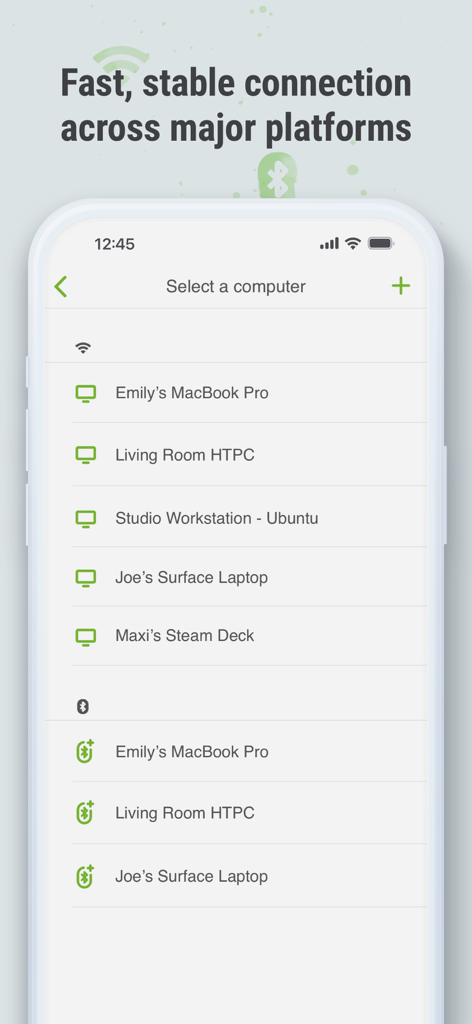
リモートマウスアプリのインターフェース。Wi-FiおよびBluetooth経由でさまざまなプラットフォームで接続可能なデバイスのリストを表示
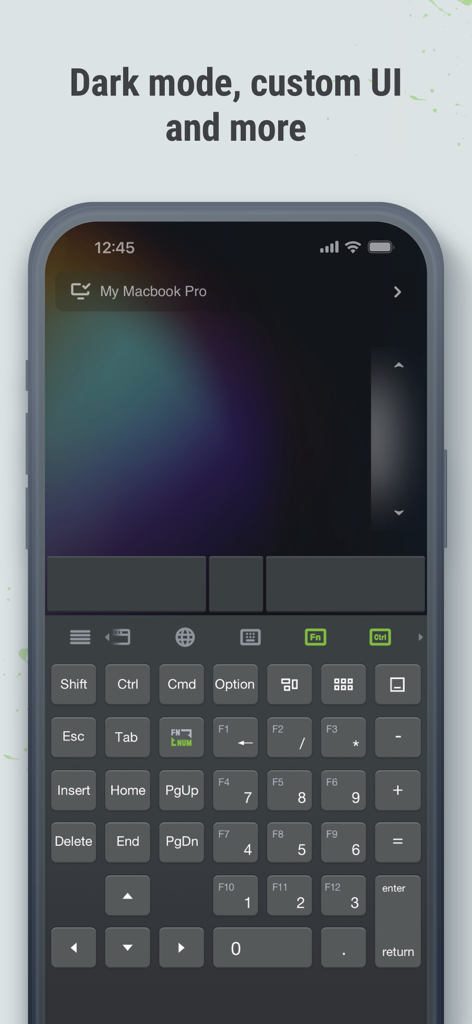
リモートマウスアプリのインターフェース。スマートフォンの画面にダークモードとカスタマイズ可能なキーボードレイアウトを表示
説明
Download
類似アプリ
似た機能とユーザー体験を持つアプリ

Mouse · Keyboard
Remote Sunrise LTD

Camo Camera
Reincubate Ltd

DroidCam Webcam & OBS Camera
DEV47 APPS LTD.

spacedesk - USB Display for PC
datronicsoft Technology GmbH

iVCam Webcam
俊红 柴

CamX - USB Camera
Touchbits Inc.

Genki Studio
Human Things, Inc

Astropad Studio Drawing Tablet
Astro HQ LLC

Remote Mouse & Keyboard
horhe dor
このページはアプリまたはその開発者の公式ページではなく、情報提供および論評を目的として作成された独立した編集出版物です。明示的に別段の記載がない限り、アプリおよびその開発者は、MWM、Apple、Google Play、アプリのパブリッシャー、またはアプリの開発者と提携、承認、後援、認可、またはその他の公式的な関係はなく、このページのいかなる内容も、アプリがMWMのサービスを使用して開発されたことを意味するものではありません。すべての商標、ロゴ、スクリーンショット、その他のコンテンツはそれぞれの所有者の財産です。