Blink Shell, Build & Code

Blink Shell, Build & Code

ダウンロード: App Store
ロゴ: Blink Shell, Build & Code

Blink Shell、ビルド&コード:iOS向けプロフェッショナルデスクトップグレードターミナル

iPadをプロ仕様のワークステーションに変えましょう。超高速SSH、永続的なMosh接続、そしてリモート開発ワークフローのためのシームレスなVS Code統合を体験してください。

開発元

Blink Shell, Inc

カテゴリ

Developer Tools

ダウンロード

125K+

ユーザー評価

3.0/5

評価数

1K+

対応言語

1

プログレードのワークスペース

このインターフェースを利用する 125K+ 人のユーザー.

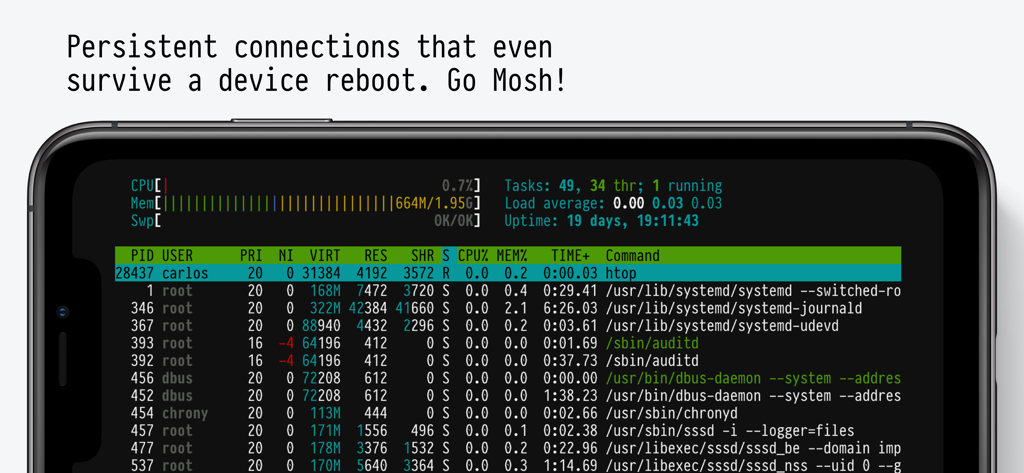
Blink Shellアプリのインターフェース。永続的なMosh接続で実行中のシステムモニターを表示するモバイルターミナル
Blink Shellアプリのインターフェース。永続的なMosh接続で実行中のシステムモニターを表示するモバイルターミナル

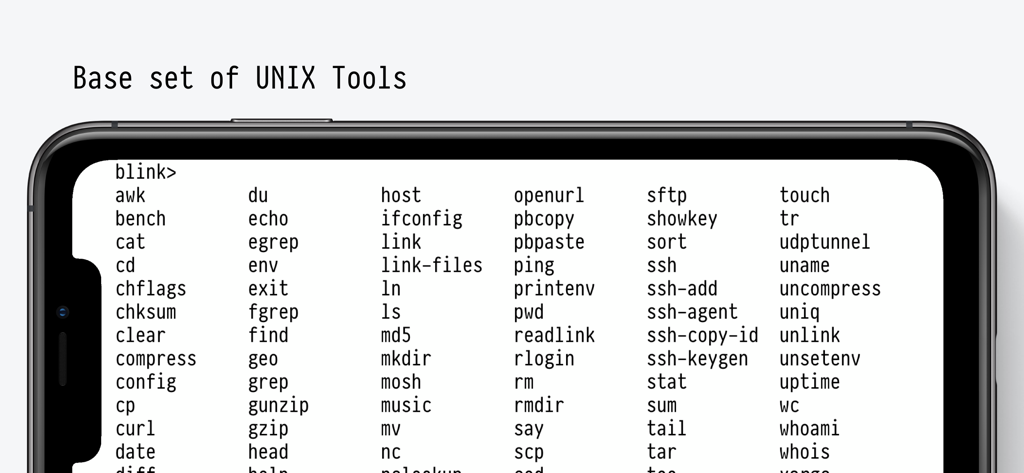
Blink Shellアプリのインターフェース。スマートフォン上に、サポートされている基本的なUNIXツールとターミナルコマンドの包括的なリストを表示
Blink Shellアプリのインターフェース。スマートフォン上に、サポートされている基本的なUNIXツールとターミナルコマンドの包括的なリストを表示

暗い背景に、レトロなピクセル調のターミナルフォントで「USE EVERY CORNER OF YOUR DEVICE」と書かれたテキスト
暗い背景に、レトロなピクセル調のターミナルフォントで「USE EVERY CORNER OF YOUR DEVICE」と書かれたテキスト

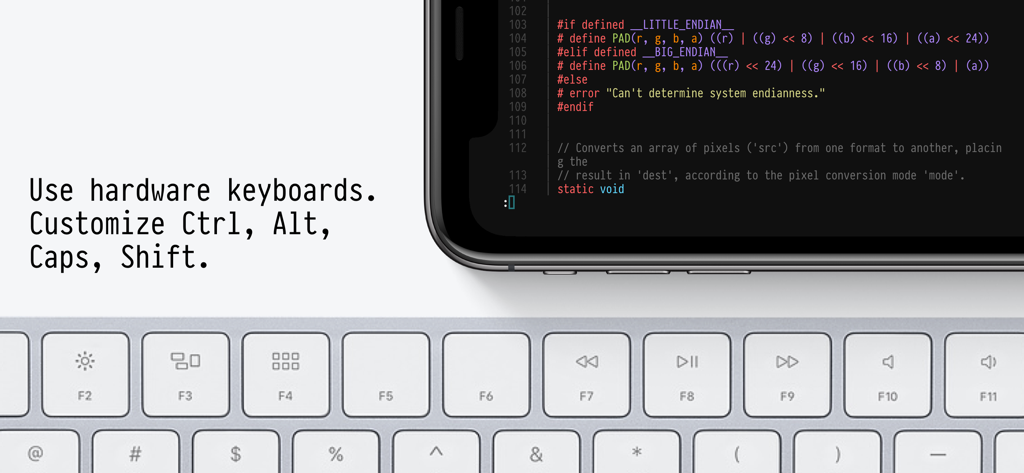
Blink Shellアプリが、物理的なハードウェアキーボードとペアリングされたモバイルデバイス上でコードを表示
Blink Shellアプリが、物理的なハードウェアキーボードとペアリングされたモバイルデバイス上でコードを表示

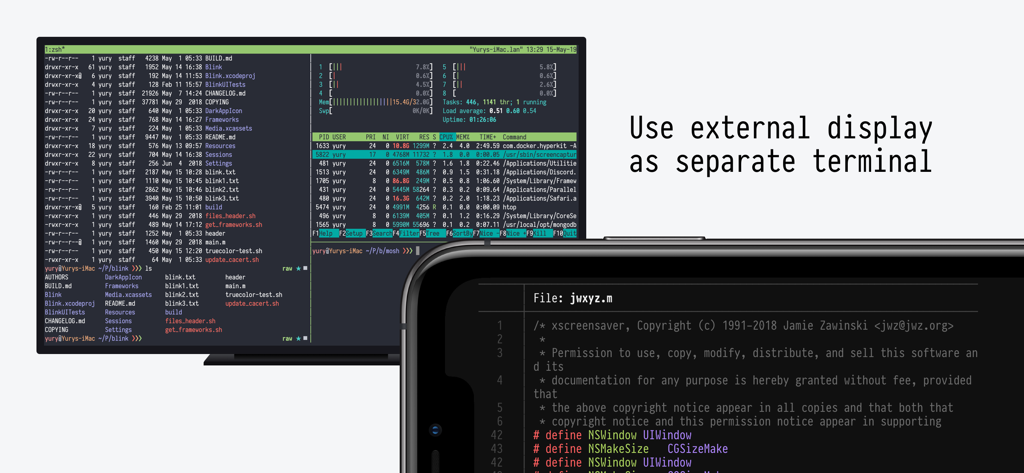
外部ディスプレイとiPhoneに表示されるBlink Shellターミナル

外部ディスプレイとiPhoneに表示されるBlink Shellターミナル

プロフェッショナルワークフローのために構築

このアプリを際立たせるツール、 125K+ 人のユーザーが選択.

途切れない接続

通勤中にセッションを失うのをやめましょう。当社のMoshおよびSSH実装により、ネットワークの切り替えや再起動時でもターミナルはアクティブなままです。

💻

プログレードのVS Codeエディタ

ローカルでコードを編集したり、GitHub CodespacesやGitPodに接続したりできます。モバイルハードウェアに最適化された、シームレスで低遅延のコーディング体験をお楽しみください。

🏗️

リモートビルドランタイム

強力なクラウド環境に重い開発タスクをオフロードしましょう。iPadのバッテリーを消耗させることなく、DevOpsツールや複雑なビルドを実行できます。

レビュー分析

ユーザーレビューの分析.

感情スコア

34%
ネガティブ

概要

A large number of users are highly critical of the app's recent transition to a subscription model, particularly former users who paid for a perpetual license and now feel betrayed or unable to access their purchased version. This change has led to widespread dissatisfaction, with many encountering aggressive paywalls, issues restoring previous purchases, and concerns about developer business practices. Many also report critical bugs, including broken landscape mode on iPhones, connection instability in recent versions, and issues with external keyboard input like non-functional spacebars.

主なテーマ

Comprehensive Terminal Features(9)
Optimized for iPad & External Keyboards(3)
Slick User Interface(3)
Reliable Connection Stability(2)
Ease of Use(2)
Lifetime License Policy Reversal(1)

アプリについて

について知っておくべきこと Blink Shell, Build & Code.

説明

Do Blink! Transform your iOS device into a pro-grade terminal. Blink is the first professional, desktop-grade terminal for iOS that leverages the support of Mosh and SSH. Thus, we can guarantee stable connections, crazy-fast speeds, and full configurations. It can and should be your all-day-long tool.  **Start your 14-day free trial now!** But, Blink is much more. Now with Blink Code and Blink Build**, your entire development workflow fits in your pocket. What the Blink community is saying: “In some ways, I prefer my iPad / Blink / Digital Ocean setup to coding on my Mac“ - TheVerge "I have tried a number of terminals on iOS and this is really The One." - Twit.tv “Connections still come up when I get back to a client project after a weekend off.“ - The Sweet Setup “The way to use VS Code on the iPad” - programminglife.io What our users love the most from Blink Shell: - Mosh connections that even survive a device reboot. - Most complete SSH implementation on iOS. - Code command for VS Code integration. - Blazingly fast terminal and SFTP transfers. - Includes Pragmata Pro with ligatures. Blink Shell has a fully loaded SSH toolset: - SSH with PKI support: DSA, RSA, ECDSA & ED25519 keys. - Support for Secure Enclave Keys and Certificates. - Port forwarding with local, remote & dynamic tunnel support. - SOCKS5 proxy for a private VPN. - Agent Forwarding. - Complete SSH Config file support. - ControlMaster and pooled connections. - Files.app integration for SFTP remote hosts. - SFTP with copy-on-change. Blink has been the leading developer tool in the AppStore for +5 years, so there is a lot more: - External Display support. - Legendary Hardware Keyboard support, even remap shortcuts and keyboard codes. - Local & iCloud Blink Shell folders for Files.app access across devices. - Host sync over iCloud. - Link-files from other applications and work with them in Blink. - Cool themes and fonts, and install your own! - Smart Keys on SW Keyboard to navigate with touch. - FaceCam command to create tutorials and streams. - Bell notifications. - Supports multiple windows and multiple tabs. - Network & UNIX CLI tools, check our docs for more information. Blink Code integrates with VS Code: - Code on local projects, or seamlessly on remote machines. - Fully-loaded code editor. - A coding experience fitted to your device, that connects to VS Code for web, GitHub Codespaces, GitPod or your own VS Code server. Blink Build (Requires a $7.99/month subscription) Creates remote runtimes that can be accessed on all your devices. You can use Build in your day-to-day workflows whether you need to do development, DevOps or just play around with new tooling. Participate in our community, and don’t forget to leave us your feedback and your feature(s) requests. Enjoy! http://blink.sh http://twitter.com/blinkshell http://GitHub.com/blinksh Terms of Use: https://blink.sh/blink-gpl Privacy Policy: https://blink.sh/pp * Blink Code is not affiliated nor endorsed by Microsoft. ** Blink Build requires a separate subscription to make use of our Virtual Machines.

最新バージョン

18.4.2

サイズ

228.2 MB

リリース日

2022年2月9日

どこでも、あなたのプロフェッショナル開発環境を。

モバイル環境で妥協するのはもうやめましょう。Moshのスピード、VS Codeのパワー、そしてデスクトップグレードターミナルの安定性を体験してください。本日より14日間の無料トライアルを開始しましょう。

ダウンロード: App Store

App information, icons, screenshots, and descriptions displayed on this page are sourced from the Apple App Store and are the property of their respective developers. Download estimates and rankings are based on MWM's proprietary models and may not reflect actual figures. This page is provided for informational and analytical purposes only.

Believe this page infringes your intellectual property? File a dispute