Prompt 3
Prompt 3
ダウンロード: App Store

このページはアプリまたはその開発者の公式ページではなく、情報提供および論評を目的として作成された独立した編集出版物です。明示的に別段の記載がない限り、アプリおよびその開発者は、MWM、Apple、Google Play、アプリのパブリッシャー、またはアプリの開発者と提携、承認、後援、認可、またはその他の公式的な関係はなく、このページのいかなる内容も、アプリがMWMのサービスを使用して開発されたことを意味するものではありません。すべての商標、ロゴ、スクリーンショット、その他のコンテンツはそれぞれの所有者の財産です。


ロゴ: Prompt 3
ダウンロード: App Store

Prompt 3

10倍高速なテキストエンジン、永続的なMoshセッション、そしてすべてのAppleデバイス間でのシームレスなPanic Syncで、どこからでもインフラストラクチャを管理しましょう。

主要数値

ダウンロード

50K+

ユーザー評価

3.7/5

評価数

0

開発元

Panic, Inc.

カテゴリ

Developer Tools

対応言語

5

最新バージョン

3.1.2

サイズ

41.2 MB

リリース日

2024年1月16日
機能

モダンなDevOpsプロのために構築

Prompt 3は、デスクトップクラスのパフォーマンスと、iPhone、iPad、Macから重要なインフラストラクチャを管理するために必要なモビリティを兼ね備えています。

途切れない接続

MoshとEternal Terminalのサポートにより、不安定なネットワークでも接続を維持し、移動中の「Broken Pipe」エラーを解消します。

10倍高速なパフォーマンス

再構築されたテキストエンジンは、ゼロラグのターミナルエミュレーションを提供し、デスクトップレベルの応答性でnvimとtmuxを実行できます。

以下のスクリーンショットと説明は、アプリの公式ストアリスティングから直接取得されたものであり、アプリ開発者の所有物です。

アプリストア

スクリーンショット
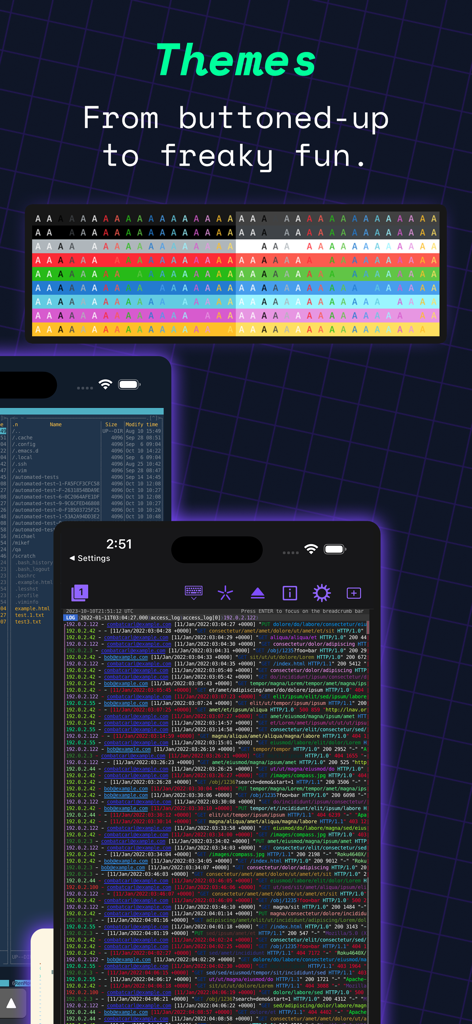
Prompt 3 - Prompt 3 iOSアプリのカスタマイズ可能なターミナルテーマと色分けされたサーバーログのショーケース
Prompt 3 iOSアプリのカスタマイズ可能なターミナルテーマと色分けされたサーバーログのショーケース

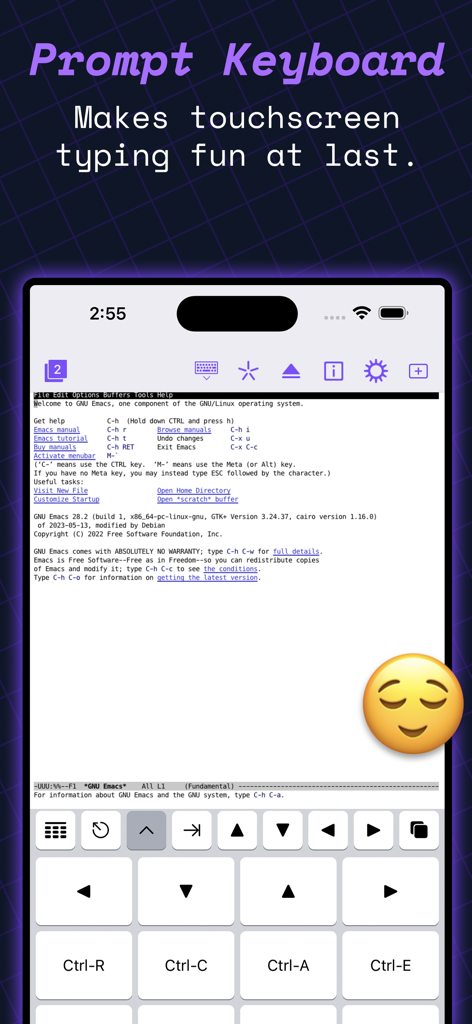
Prompt 3 - Prompt 3アプリのスクリーンショット、iPhoneのSSHコマンド用の特殊ターミナルキーボードを表示
Prompt 3アプリのスクリーンショット、iPhoneのSSHコマンド用の特殊ターミナルキーボードを表示

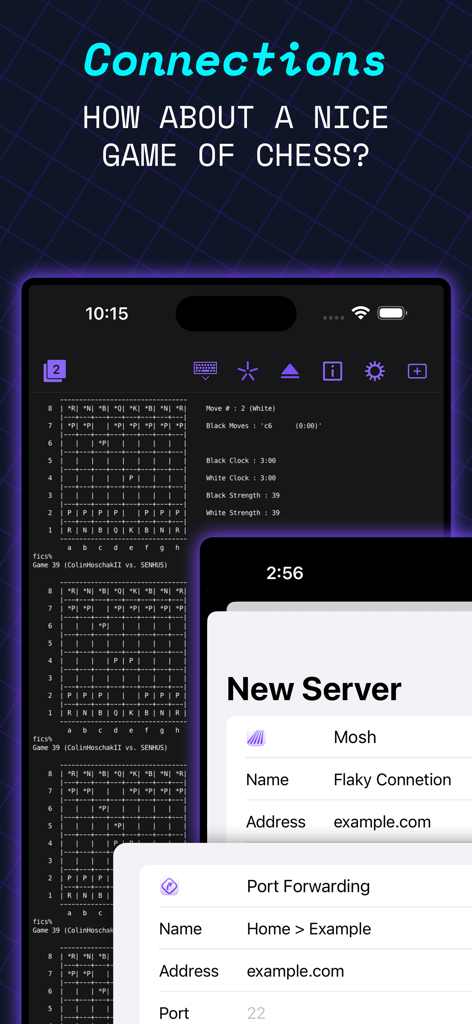
Prompt 3 - Prompt 3ターミナルアプリ、iPhone画面にASCIIチェスゲームとサーバー接続設定を表示
Prompt 3ターミナルアプリ、iPhone画面にASCIIチェスゲームとサーバー接続設定を表示

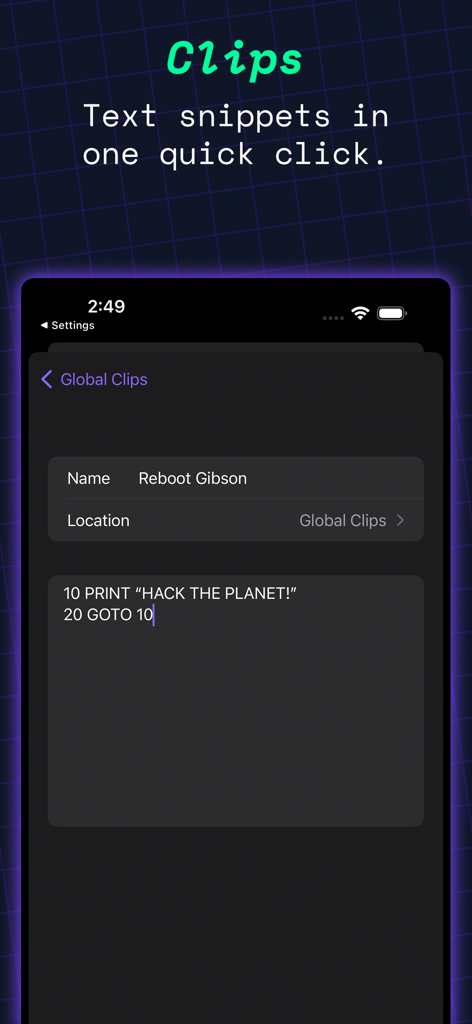
Prompt 3 - Prompt 3ターミナルアプリのインターフェース、テキストスニペット用のClips機能に焦点を当てる
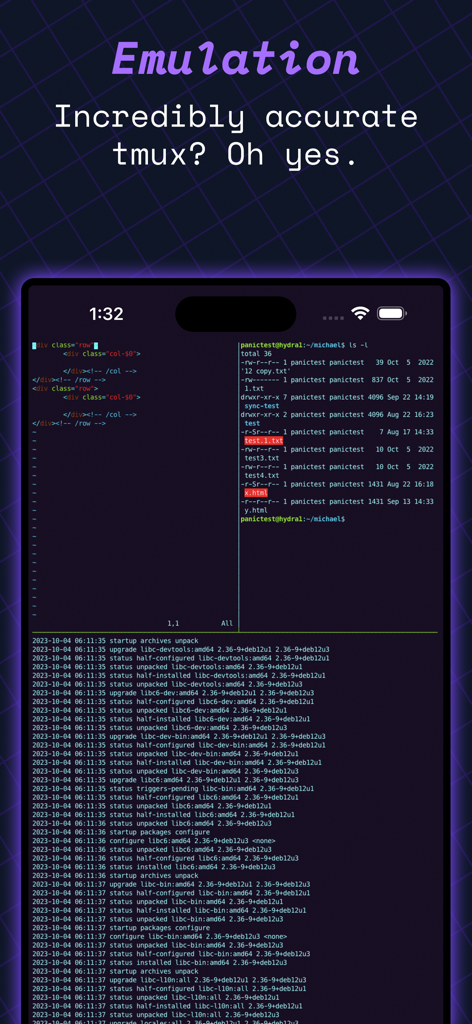
Prompt 3ターミナルアプリのインターフェース、テキストスニペット用のClips機能に焦点を当てる

Prompt 3 - iPhone画面上のPrompt 3アプリのインターフェース、正確なtmuxターミナルエミュレーションとコードを表示
iPhone画面上のPrompt 3アプリのインターフェース、正確なtmuxターミナルエミュレーションとコードを表示

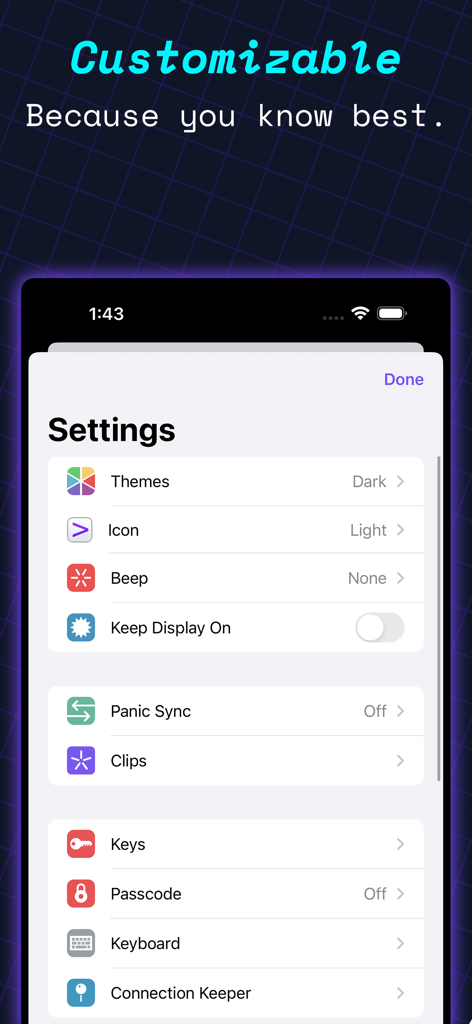
Prompt 3 - Prompt 3ターミナルアプリの設定画面、テーマ、アイコン、セキュリティキーのカスタマイズオプションを表示

Prompt 3ターミナルアプリの設定画面、テーマ、アイコン、セキュリティキーのカスタマイズオプションを表示

説明

Prompt is the terminal that goes where you do, whether you're on the road or at your desk. With Panic Sync, your servers are available on your iPhone, iPad, and Mac. And with Mosh and Eternal Terminal support, you can stay connected even on the most unstable networks. Welcome to Prompt 3. For over a decade, Prompt has been the best SSH terminal on iOS and iPadOS, and we're excited to finally release a much-requested Mac version. But that's not all. With two new connection types, port forwarding, and a faster terminal, Prompt is better than ever. • Superfast SSH We retooled the text engine in Prompt 3 to be up to 10x faster, and with improved terminal emulation, you can run nvim inside tmux without breaking a sweat. • Clips Put your most-used commands and text bits into clips and access them with a single tap via Prompt’s keyboard bar. Clips can be stored globally or per-server. • Secure Enclave Authenticate with FaceID and TouchID. The keys will stay secure on your device. • Panic Sync Sync your favorite servers, passwords, private keys, and clips, between Prompt on all of your iOS devices. • Customizable Make Prompt perfect with new themes, fonts, and a very configurable iOS keyboard. • Jump Hosts and Agent Forwarding Access corporate servers, even at the beach. • Mosh and Eternal Terminal Keep your terminal open, even when you get disconnected. Mosh is optimized for high-latency, low-throughput networks. Eternal Terminal is great for when you need to keep your full terminal history on a flaky connection. • Mouse Support Use your mouse to interact with TUI-based apps that run through the terminal. AND YES, A DARK ICON. What more can we say? TAKE CONTROL FROM ANYWHERE, NOW INCLUDING YOUR MAC. WE HOPE YOU ENJOY PROMPT 3. © Panic EULA: https://www.apple.com/legal/internet-services/itunes/dev/stdeula/

Download

ダウンロード: App Store

このページはアプリまたはその開発者の公式ページではなく、情報提供および論評を目的として作成された独立した編集出版物です。明示的に別段の記載がない限り、アプリおよびその開発者は、MWM、Apple、Google Play、アプリのパブリッシャー、またはアプリの開発者と提携、承認、後援、認可、またはその他の公式的な関係はなく、このページのいかなる内容も、アプリがMWMのサービスを使用して開発されたことを意味するものではありません。すべての商標、ロゴ、スクリーンショット、その他のコンテンツはそれぞれの所有者の財産です。