
このページはアプリまたはその開発者の公式ページではなく、情報提供および論評を目的として作成された独立した編集出版物です。明示的に別段の記載がない限り、アプリおよびその開発者は、MWM、Apple、Google Play、アプリのパブリッシャー、またはアプリの開発者と提携、承認、後援、認可、またはその他の公式的な関係はなく、このページのいかなる内容も、アプリがMWMのサービスを使用して開発されたことを意味するものではありません。すべての商標、ロゴ、スクリーンショット、その他のコンテンツはそれぞれの所有者の財産です。


Blurrr-Music video editor
カスタムキーフレーム、AIマスキング、3Dカメラ機能でフローをマスターしましょう。外出先でプロレベルのエフェクトと完璧なビート同期を求めるクリエイターのための究極のモバイルエディターです。
ダウンロード
4M+ユーザー評価
評価数
18K+開発元
カテゴリ
Photo & Video対応言語
15最新バージョン
2.3.56サイズ
423.2 MBリリース日
2021年12月22日コンテンツをレベルアップ
次世代のクリエイターのために設計されたプロレベルの編集ツール。Blurrrでモバイル映像を高オクタン価のマスタピースに変えましょう。
バイラルな速度をマスター
高度なタイムリマッピングとスムーズなカーブプリセットでクリップをビートに完璧に同期させ、完璧なバイラルフローを実現しましょう。
精密キーフレーム編集
カスタムカーブとマルチレイヤーミキシングで、デスクトップソフトウェアに匹敵するアニメーションを作成するための完全な創造的自由を体験してください。
よくある質問
について知っておくべきこと Blurrr-Music video editor
Blurrr-Music video editorとは何ですか?
Blurrrは、初心者と上級者の両方向けに設計されたプロフェッショナルなビデオエディターで、高度なエフェクト、豊富なプリセット、HD品質のビデオ編集を提供します。キーフレーム、カーブ、速度編集などの機能が含まれています。
Blurrrアプリは4Kビデオ編集をサポートしていますか?
はい、Blurrr-Music video editorはHDRと超解像度で4K品質をサポートしています。ユーザーはレンダリング中にビデオを4倍(3840x2160)にアップスケールできます。
Blurrrアプリで速度編集を作成するにはどうすればよいですか?
Blurrrアプリには、速度ビデオ用のTimeremap機能が搭載されています。ビートを自動的にマークし、キーフレームを移動させることで、ユーザーはグラフプリセットを使用して音楽と画像を同期させることができます。
Blurrr-Music video editorでカスタムキーフレームを使用できますか?
はい、Blurrrはカスタムキーフレームとカーブを提供しており、ユーザーはビデオ内のアニメーションエフェクトと変更を完全に制御できます。これにより、ダイナミックでクリエイティブな編集が可能になります。
Blurrrアプリはいくつのエフェクトとフィルターを提供していますか?
Blurrrアプリは、140以上の特殊エフェクトと約100のフィルターを提供しています。これらはビジュアルエフェクトの専門家によって作成されており、ビデオを強化し、強い印象を与えます。
BlurrrはAIによる背景削除を提供していますか?
はい、Blurrr-Music video editorにはAIインテリジェントマット機能が含まれています。この機能により、ユーザーは背景を簡単に削除でき、クリエイティブなビデオ制作の自由度が高まります。
Blurrrアプリで3Dエフェクトを適用するにはどうすればよいですか?
Blurrrアプリは、3Dおよびカメラ機能を使用して三次元ビデオを作成することをサポートしています。トンネル、コンベアベルト、キューブ、VFXなどのさまざまな3D構造を処理して、リアリズムを高めることができます。
Blurrr-Music video editorのサブスクリプションオプションは何ですか?
Blurrrは、Yearly VIPとYearly SVIPというサブスクリプションサービスを提供しています。支払いはAppleIDに請求され、現在の期間終了の24時間前にオフにしない限り、サブスクリプションは自動更新されます。
ビデオ編集のためにBlurrrで複数のレイヤーをミックスできますか?
はい、BlurrrにはFREE TRACK LAYER MIX機能があります。これにより、ユーザーは複数のビデオ、オーディオ、画像レイヤーを組み合わせて、多様でリッチなビジュアルエフェクトを作成できます。
Blurrrアプリのサブスクリプションをキャンセルするにはどうすればよいですか?
Blurrrサブスクリプションをキャンセルするには、現在の期間が終了する24時間前にApple ID設定で自動更新を手動でオフにする必要があります。iPhoneの設定 > Apple ID > サブスクライブに移動します。
Blurrrはテキストアニメーションプリセットを提供していますか?
はい、Blurrrはテキストアニメーションプリセットを提供しています。ユーザーはテキストのレイアウト、スタイル、アニメーションを自由に編集でき、ワンクリックで適用できる幅広いプリセットが用意されています。
以下のスクリーンショットと説明は、アプリの公式ストアリスティングから直接取得されたものであり、アプリ開発者の所有物です。
アプリストア
スクリーンショット
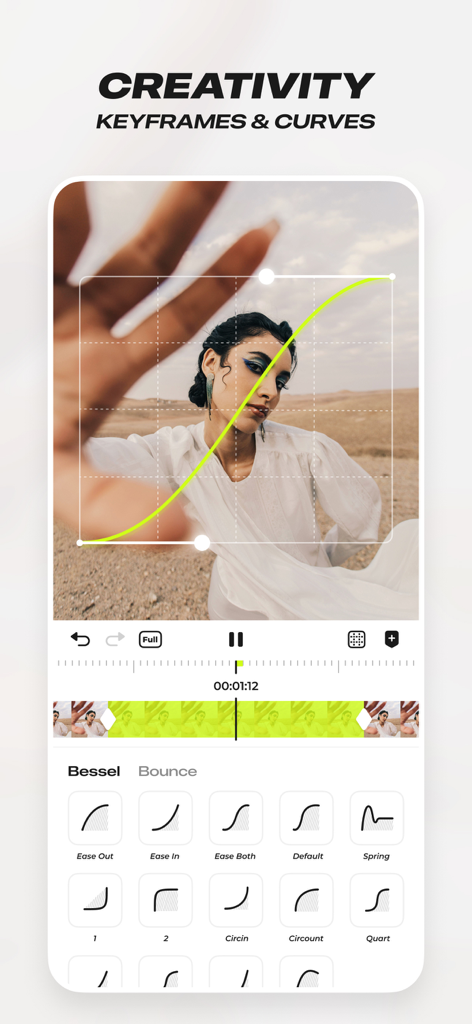
プロフェッショナルなビデオ編集のためのカスタムキーフレームとアニメーションカーブを示すBlurrrアプリインターフェイス
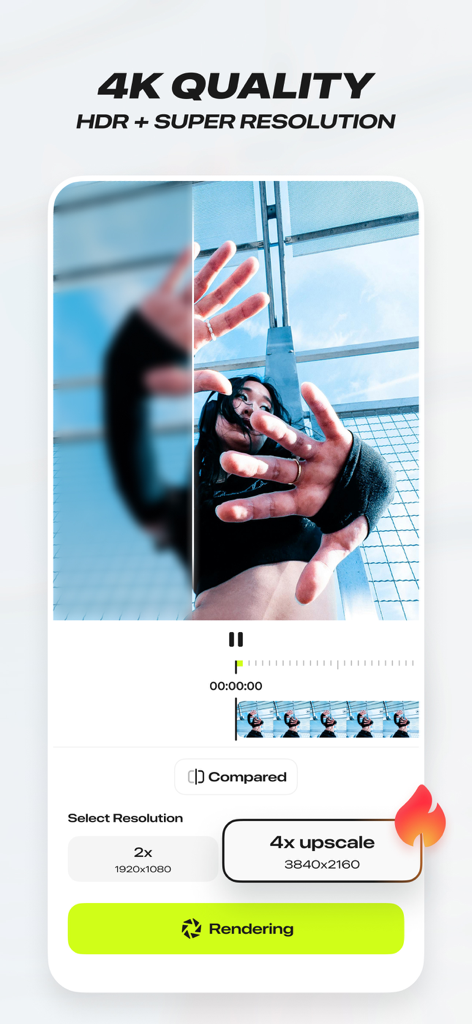
4K HDRおよびスーパー解像度ビデオアップスケーリング機能を示すBlurrrアプリインターフェイス
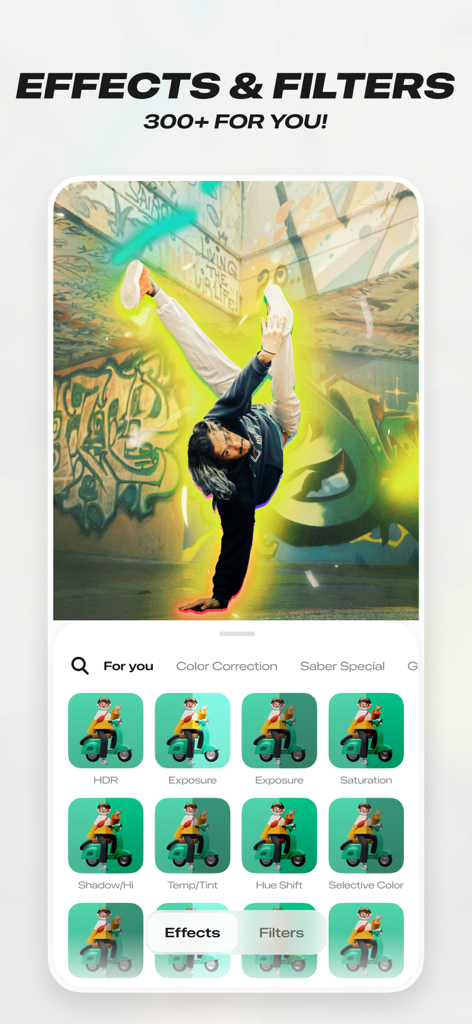
300以上のエフェクトとフィルターが表示され、ブレイクラッシャーに光るオーラエフェクトがかかるBlurrrアプリのインターフェイス
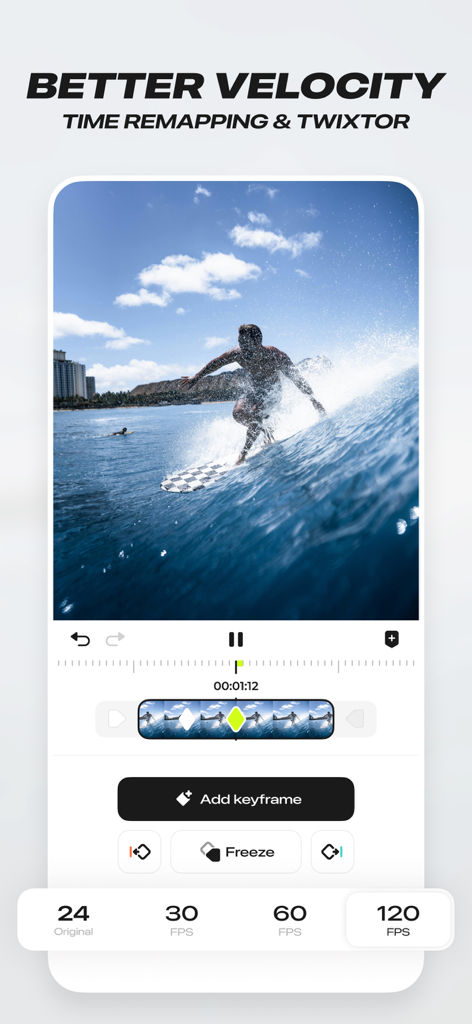
ビデオ編集のためのタイムリマッピングと速度機能を実証するBlurrrアプリインターフェイス
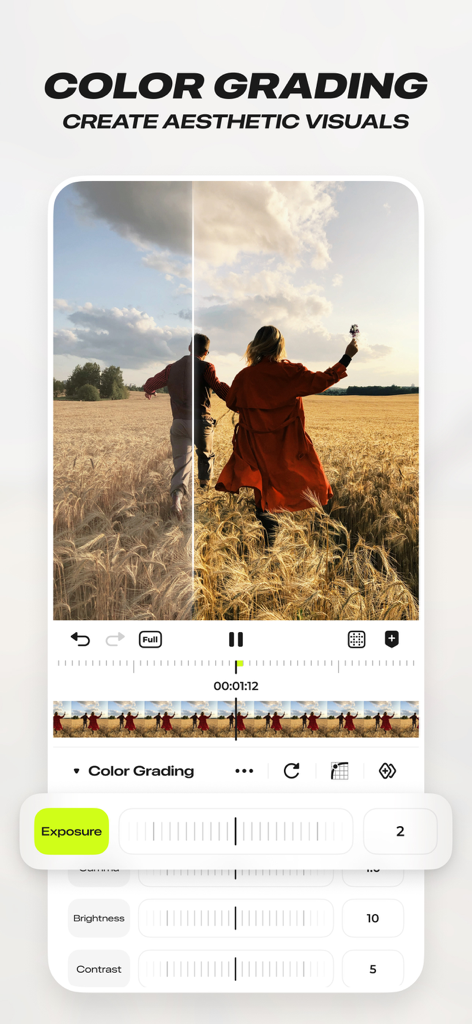
露出とコントラストコントロールを示すBlurrrミュージックビデオエディターのプロフェッショナルカラーグレーディングインターフェイス
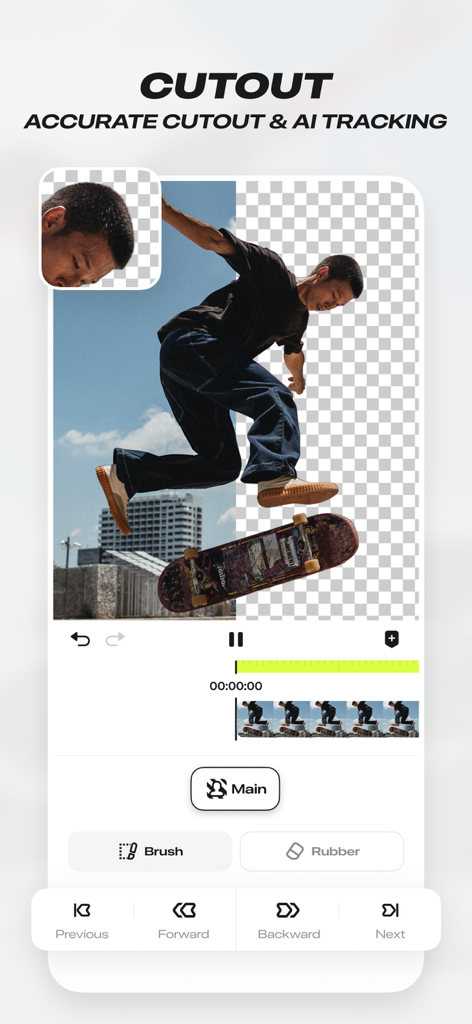
背景から分離されたスケートボーダーのAIカットアウトと正確な追跡ツールを示すBlurrr-Musicビデオエディターのモバイルアプリインターフェイス
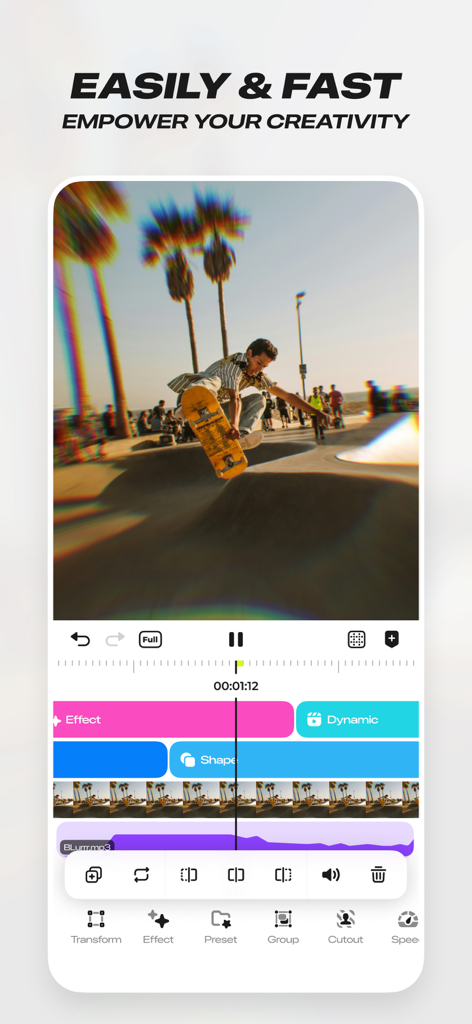
複数の編集レイヤーとエフェクトを持つスケートボードビデオクリップを示すBlurrrミュージックビデオエディターのインターフェイス
説明
Download
類似アプリ
似た機能とユーザー体験を持つアプリ

VN: AI Video Editor
Ubiquiti Labs, LLC

Splice - Video Editor & Maker
Bending Spoons Apps ApS

Node Video
小为 罗

Filmmaker Pro - Video Editor
Tinkerworks Apps

Time Cut: Smooth Slow Motion
立亚 林

LumaFusion
Luma Touch LLC

Slow Motion Video Fx Editor
Brain Craft Ltd

WEILO - My Last Video Editor
vimosoft

Video Effects Editor: Riveo
Forge and Form GmbH
このページはアプリまたはその開発者の公式ページではなく、情報提供および論評を目的として作成された独立した編集出版物です。明示的に別段の記載がない限り、アプリおよびその開発者は、MWM、Apple、Google Play、アプリのパブリッシャー、またはアプリの開発者と提携、承認、後援、認可、またはその他の公式的な関係はなく、このページのいかなる内容も、アプリがMWMのサービスを使用して開発されたことを意味するものではありません。すべての商標、ロゴ、スクリーンショット、その他のコンテンツはそれぞれの所有者の財産です。