
このページはアプリまたはその開発者の公式ページではなく、情報提供および論評を目的として作成された独立した編集出版物です。明示的に別段の記載がない限り、アプリおよびその開発者は、MWM、Apple、Google Play、アプリのパブリッシャー、またはアプリの開発者と提携、承認、後援、認可、またはその他の公式的な関係はなく、このページのいかなる内容も、アプリがMWMのサービスを使用して開発されたことを意味するものではありません。すべての商標、ロゴ、スクリーンショット、その他のコンテンツはそれぞれの所有者の財産です。

ダウンロード
50M+ユーザー評価
評価数
4.3M開発元
カテゴリ
Photo & Video対応言語
18最新バージョン
2.3.0サイズ
506.9 MBリリース日
2018年4月22日VN: AI動画エディタの主要機能分析
モバイル動画クリエイターのための包括的ツール
透かしなしの無料動画編集
このアプリは、ウォーターマークなしで動画編集を無料で提供します。費用をかけずにプロ品質の動画を作成したいユーザーに最適です。
マルチトラックタイムライン
ユーザーは、ピクチャーインピクチャー動画、写真、ステッカー、テキストを動画に簡単に追加し、キーフレームアニメーションでパーソナライズできます。
高品質なカスタムエクスポート
ユーザーは動画の解像度、フレームレート、ビットレートをカスタマイズでき、最大4K解像度、60FPSでのエクスポートが可能です。
直感的なユーザーインターフェース
直感的なインターフェースにより、事前の知識がなくても動画編集をシンプルに行うことができます。
豊富なエフェクトとフィルター
オーバーレイやブラーなどの多様なトランジションとエフェクトを利用し、さらにLUT(.cube)ファイルのインポートで映画のような色調補正を適用できます。
高精度な動画編集
このツールは、0.05秒単位での正確なズーム、素材選択、キーフレーム調整を可能にし、ユーザーに究極の精度を提供します。
スピードカーブ調整
Adobe Premiere Proのタイムリマッピングに似たスピードカーブ機能により、動画の再生速度を細かく調整し、ダイナミックな効果を生み出すことができます。
高度なキーフレームアニメーション
19種類のキーフレームアニメーション効果を内蔵しており、ユーザーは追加のキーフレームやカーブで映像をカスタマイズし、ユニークな結果を生み出すことができます。
音楽ビートとボイスオーバー
ユーザーは音楽のビートに合わせて編集マークを追加したり、高品質なボイスオーバーを簡単に追加して動画をより生き生きとさせることができます。
AIによるテキスト自動生成
音声から字幕を自動生成したり、AI音声でテキストからボイスオーバーを作成したりすることができ、コンテンツ制作を効率化します。
よくある質問
について知っておくべきこと VN: AI Video Editor
Is VN a free video editor?
Yes, VN is a free video editing app. It provides extensive features for creating high-quality videos without any cost.
Does the VN app add watermarks to edited videos?
No, the VN app does not add watermarks to edited videos. Users can create and export high-quality videos without any watermarks.
Can VN perform multi-track video editing?
Yes, VN features an intuitive multi-track video editor. It allows adding picture-in-picture videos, photos, stickers, and texts to videos with keyframe animation.
How do I adjust video speed in VN?
VN allows users to adjust video playback speed using its Speed Curve feature. Users can choose from 6 preset curves or customize them for faster or slower effects.
Does VN support keyframe animation?
Yes, VN supports keyframe animation. It offers 19 built-in keyframe animation effects, allowing users to customize footage by adding additional keyframes or curves.
Can I remove backgrounds from videos or images using VN?
Yes, VN features an Intelligent Cutout tool. This tool precisely removes backgrounds to make characters stand out in videos or images.
Does VN offer automatic captions for videos?
Yes, VN offers automatic captions. The app swiftly converts audio into subtitles with just one click using its Auto Text-Caption Conversion feature.
What are the export capabilities of VN video editor?
VN allows custom export settings for video resolution, frame rate, and bit rate. It supports 4K resolution at up to 60 FPS.
Can VN edit HDR videos?
Yes, VN can edit Dolby Vision HDR videos. This feature is available on iPhone 12 and newer models.
Does VN offer AI-enhanced resolution upscaling?
Yes, VN provides AI-enhanced detail and resolution features. Users can upscale images, for example, by a factor of 3x.
How can I import materials into the VN app?
VN supports flexible material import via AirDrop, Wi-Fi, WhatsApp, or Telegram. Users can also import files in bulk using Zip files.
Does VN allow collaboration on video projects?
Yes, VN enables seamless collaboration. Users can transfer projects between mobile and desktop devices via AirDrop or iCloud for editing anytime, anywhere.
以下のスクリーンショットと説明は、アプリの公式ストアリスティングから直接取得されたものであり、アプリ開発者の所有物です。
アプリストア
スクリーンショット
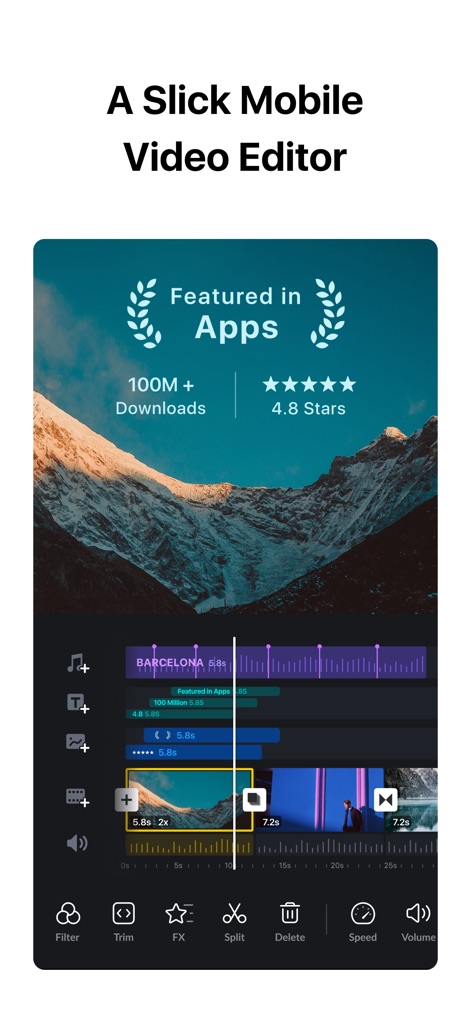
直感的なタイムライン
このアプリは、マルチトラックタイムラインで動画クリップを直感的に編集でき、1億以上のダウンロードと4.8スターの高評価を誇る実績を示しています。
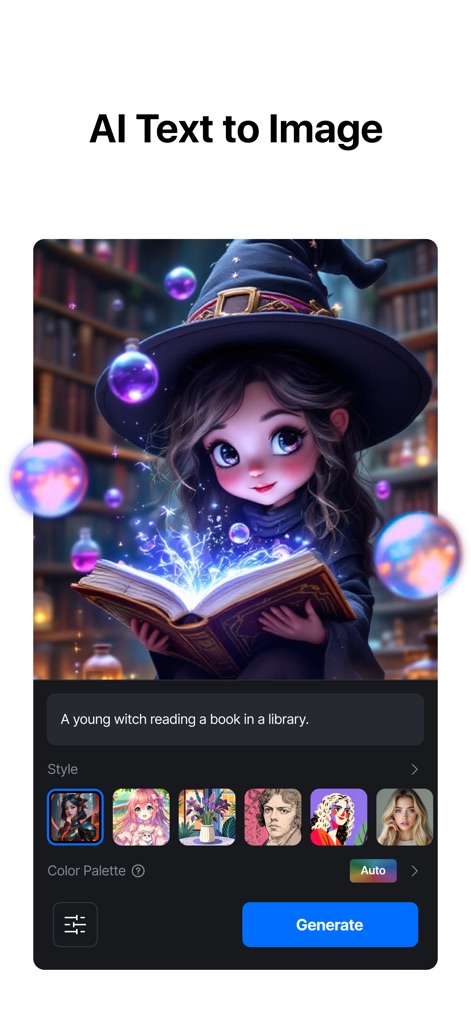
AI画像生成
ユーザーはテキストプロンプトから画像を生成でき、魔女のイラストのような魅惑的なイメージと多様なスタイルオプションを通じてクリエイティブな表現が可能です。
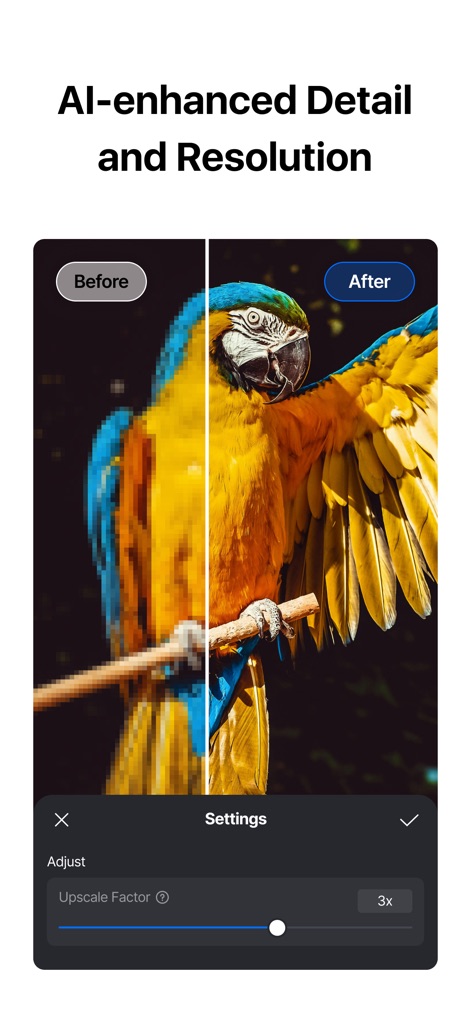
AIで高画質化
この機能は、AI技術で動画のディテールと解像度を向上させ、ピクセル化された画像が最大3倍にアップスケールされ鮮明になる様子を明確に示しています。
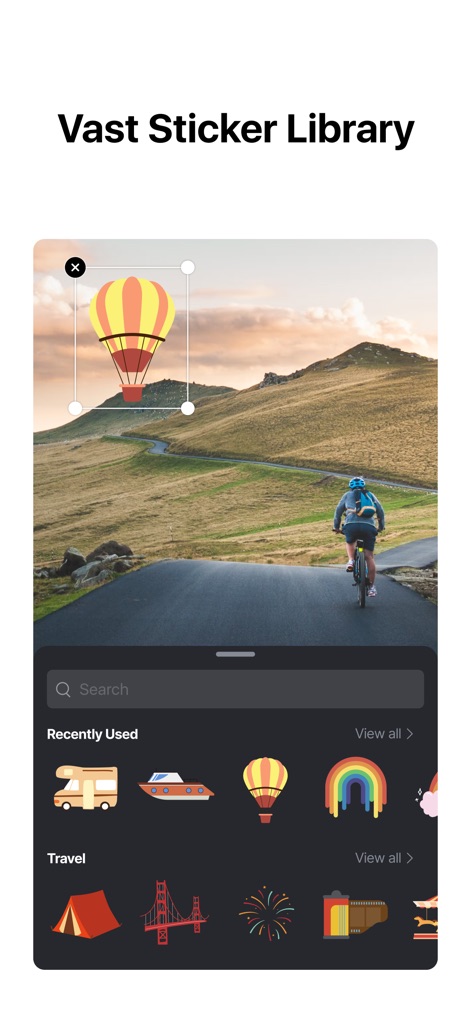
豊富なステッカー
ユーザーは広大なステッカーライブラリから選択し、熱気球のステッカーのように動画コンテンツに楽しい要素を簡単に追加でき、画面上で自由に配置が可能です。

速度カーブ調整
この機能は、動画の再生速度を細かく調整できる速度カーブを提供し、モンタージュやジャンプカットなどの6種類のプリセットカーブから選択してダイナミックな効果を生み出します。
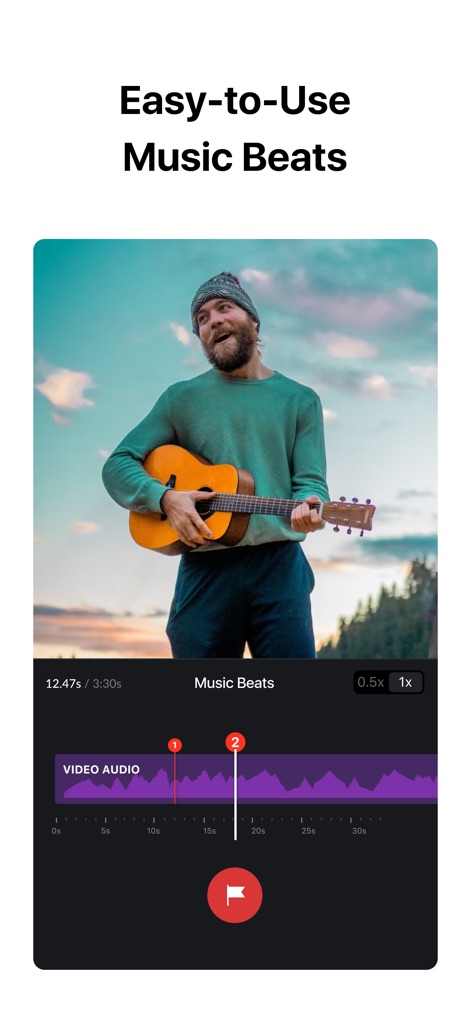
音楽ビート編集
ユーザーは音楽のビートに合わせて動画クリップを編集できるよう、タイムラインにマーカーを追加でき、高品質なボイスオーバーを録音して動画をより魅力的に演出できます。
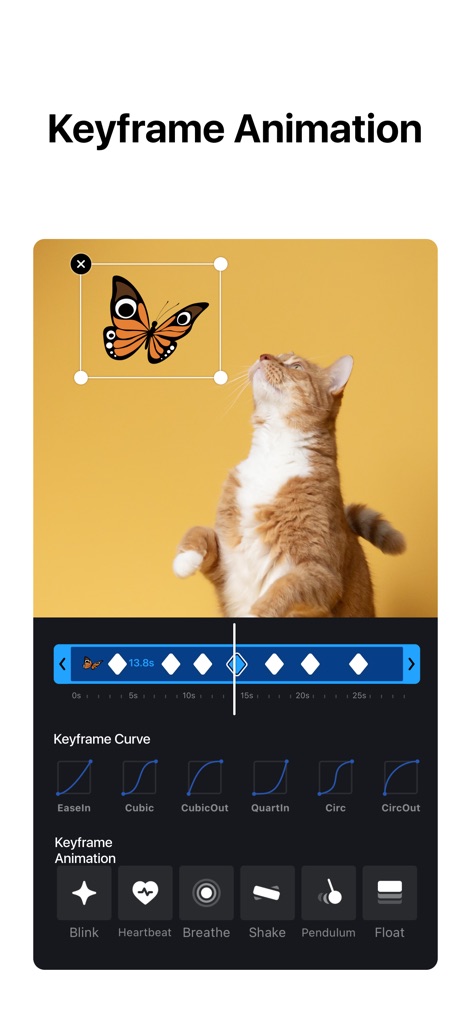
キーフレームアニメ
このアプリは、蝶のステッカーがアニメーションする様子のように、キーフレームアニメーションで動きを加え、イーズインやキュービックといった多様なカーブオプションで動きの質感を調整できます。
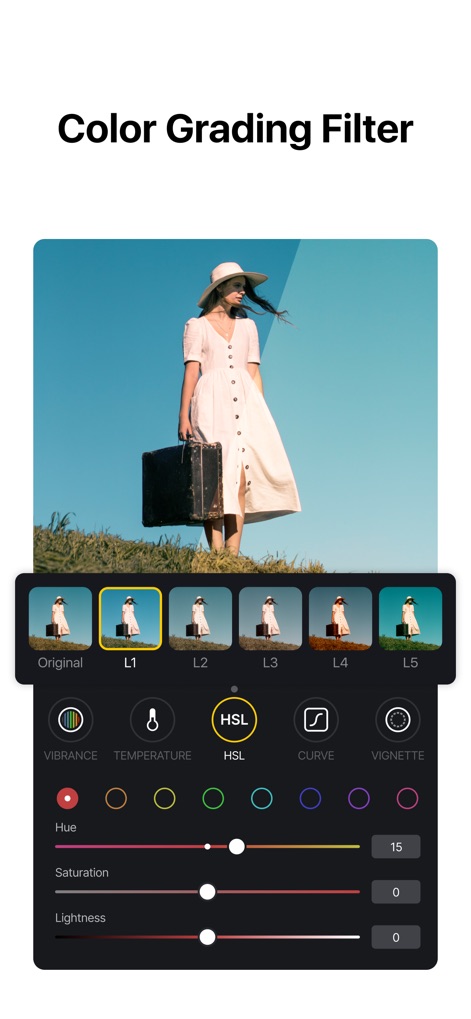
カラーフィルター
ユーザーはプロフェッショナルなカラーグレーディングフィルターを適用でき、HSL(色相・彩度・輝度)調整によって動画の色合いを細かく制御し、映画のような視覚効果を実現します。
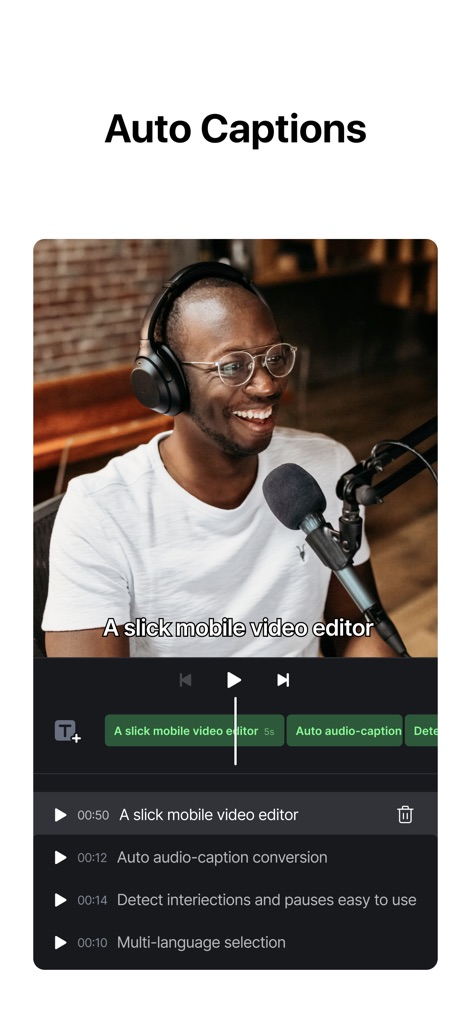
自動キャプション
このツールは、AIを活用して音声からテキスト字幕を自動生成し、発話内容を正確にキャプションとして表示することで、ユーザーのアクセシビリティとコンテンツの魅力を高めます。
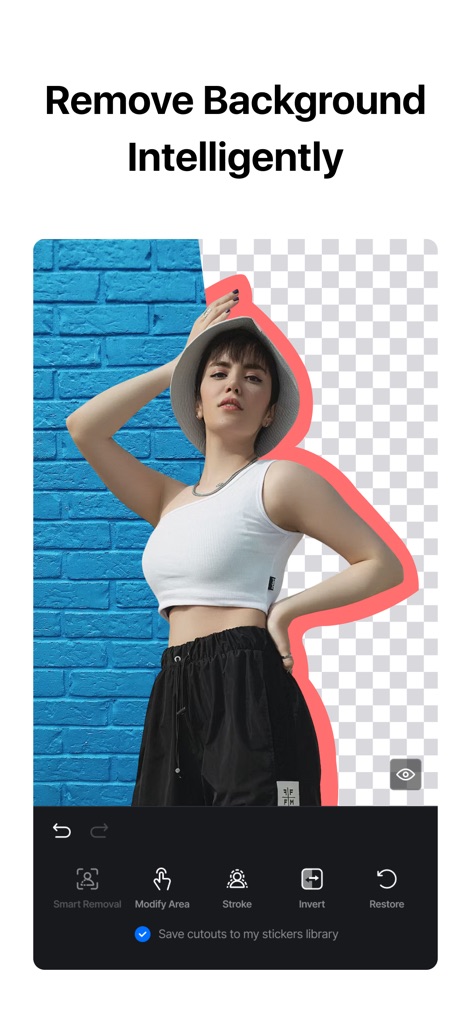
スマート背景除去
ユーザーは人物の背景をインテリジェントに削除し、被写体を際立たせることができ、必要に応じて削除した背景を簡単に復元するオプションも利用可能です。
説明
Download
類似アプリ
似た機能とユーザー体験を持つアプリ

Splice - Video Editor & Maker
Bending Spoons Apps ApS

Blurrr-Music video editor
TBPS INTERNATIONAL TECHNOLOGY PTE. LTD.

Node Video
小为 罗

Filmmaker Pro - Video Editor
Tinkerworks Apps

Time Cut: Smooth Slow Motion
立亚 林

LumaFusion
Luma Touch LLC

Slow Motion Video Fx Editor
Brain Craft Ltd

WEILO - My Last Video Editor
vimosoft

Video Effects Editor: Riveo
Forge and Form GmbH
このページはアプリまたはその開発者の公式ページではなく、情報提供および論評を目的として作成された独立した編集出版物です。明示的に別段の記載がない限り、アプリおよびその開発者は、MWM、Apple、Google Play、アプリのパブリッシャー、またはアプリの開発者と提携、承認、後援、認可、またはその他の公式的な関係はなく、このページのいかなる内容も、アプリがMWMのサービスを使用して開発されたことを意味するものではありません。すべての商標、ロゴ、スクリーンショット、その他のコンテンツはそれぞれの所有者の財産です。