
このページはアプリまたはその開発者の公式ページではなく、情報提供および論評を目的として作成された独立した編集出版物です。明示的に別段の記載がない限り、アプリおよびその開発者は、MWM、Apple、Google Play、アプリのパブリッシャー、またはアプリの開発者と提携、承認、後援、認可、またはその他の公式的な関係はなく、このページのいかなる内容も、アプリがMWMのサービスを使用して開発されたことを意味するものではありません。すべての商標、ロゴ、スクリーンショット、その他のコンテンツはそれぞれの所有者の財産です。


Node Video
無限のレイヤー、正確なキーフレームアニメーション、AI駆動ツールでデスクトップグレードの編集パワーを体験しましょう。妥協を許さないクリエイターのために設計されています。
ダウンロード
5M+ユーザー評価
評価数
64K+開発元
カテゴリ
Photo & Video対応言語
2最新バージョン
8.4.0サイズ
220.1 MBリリース日
2020年2月8日次世代クリエイターのためのプロツール
モバイルデバイスでデスクトップVFXソフトウェアのパワーを体験してください。高度な3Dレンダリングから正確なモーショントラッキングまで、Node Videoは妥協を許さないエディターのために作られています。
プロフェッショナルモーショングラフィックス
完全なペンツール、カーブエディタ、フレーム単位の正確なキーフレーム設定で無限の創造性を解き放ち、エリートレベルのスムーズさとカスタムトランジションを実現します。
ダイナミックオーディオリアクション
音楽で編集を自動化しましょう。オーディオスペクトルを使用して、レンズフレアからスケールまで、あらゆるパラメータを制御し、常に完璧なリズム同期を実現します。
よくある質問
について知っておくべきこと Node Video
Node Videoアプリはどのようなユーザーを対象としていますか?
Node Videoは、高度な機能と精密なコントロールを提供する、プロフェッショナルな編集者向けに特別に設計された強力なビデオ編集アプリです。
Node Videoは編集で複数のレイヤーをサポートしていますか?
はい、Node Videoは無制限のレイヤーとグループをサポートしており、豊富な組織化を備えた複雑なビデオプロジェクトを可能にします。
Node Videoはどのようなコア編集機能を提供しますか?
Node Videoは、タイムライン、キーフレームアニメーション、カーブエディター、さまざまなマスキングツールを含む、精密なビデオ編集機能を提供します。
Node Videoは高速なレンダリング速度を提供しますか?
はい、Node Videoは超高速レンダリングを備えており、プロのビデオ編集者のワークフローを最適化します。
Node VideoのAudio Reactor機能とは何ですか?
Node VideoのAudio Reactorはオーディオを視覚化し、ユーザーがオーディオスペクトルを介してすべてのエフェクトとプロパティパラメータを制御できるようにします。
Node VideoはAI技術を利用していますか?
はい、Node Videoには、リアルタイムで人間を背景から自動的に分離するなどのAI搭載機能が含まれています。
Node Videoはビデオを3Dモデルにマッピングできますか?
はい、Node Videoは、3Dカメラ設定とともに、ビデオや画像を3Dモデルにマッピングできる3Dレンダラーを提供します。
Node Videoで利用可能なカラーコレクション機能は何ですか?
Node Videoには、基本カラーコレクション(露出、コントラスト)、RGBカーブ、HSLカーブ、カラーホイールなどの豊富なカラーコレクションツールが含まれています。
Node Videoの全機能への無制限アクセスを取得するにはどうすればよいですか?
Node Videoのすべての機能とコンテンツにアクセスするには、ユーザーはProサブスクリプションを購入する必要があります。
Node Video Proサブスクリプションの請求オプションは何ですか?
Node Video Proサブスクリプションは、選択したプランに基づいて、月単位または年単位で請求されます。
Node Video Proサブスクリプションは自動更新されますか?
はい、Node Videoサブスクリプションは、現在の期間が終了する少なくとも24時間前にキャンセルされない限り、自動的に更新されます。
Node Videoサブスクリプションの設定を管理するにはどうすればよいですか?
ユーザーは、購入後にアカウント設定を通じてNode Videoサブスクリプションを管理し、自動更新をオフにすることができます。
Node Videoサブスクリプションはいつでもキャンセルできますか?
いいえ、アクティブなNode Videoサブスクリプション中のキャンセルは、Appleのポリシーにより許可されておらず、未使用期間の返金は発行されません。
Node Videoの無料トライアルをサブスクライブした場合、どうなりますか?
Node Videoの無料トライアルの未使用部分は、サブスクリプションを購入するとすぐに失効します。
Node Videoサブスクリプションの価格は地域によって異なりますか?
はい、Node Video Proサブスクリプションの価格は、ユーザーの地理的な場所によって異なる場合があります。
Node Videoの利用規約はどこで確認できますか?
Node Videoの利用規約は、http://www.nodevideo.com/terms_of_use.htmlで確認できます。
Node Videoのプライバシーポリシーはどこで確認できますか?
Node Videoのプライバシーポリシーは、http://www.nodevideo.com/privacy_policy.htmlで確認できます。
Node Videoのカスタマーサポートに連絡するにはどうすればよいですか?
ユーザーは、contact@nodevideo.comにメールを送信してNode Videoサポートに連絡し、支援を受けることができます。
Node Videoにはカーブエディターが搭載されていますか?
はい、Node VideoにはProカーブエディターが含まれており、キーフレームアニメーションとモーションパスの調整を精密に制御できます。
Node Videoでスローモーションエフェクトを作成できますか?
はい、Node Videoには「Pro Slowmo」機能と、位置、スケール、回転などのさまざまなトランスフォームオプションが含まれており、詳細な調整が可能です。
Node Videoで利用可能なVFXツールは何ですか?
Node Videoは、シェイプ作成とマスキング用のペンツール、およびモーショントラッキング機能を含むPro VFXツールを提供します。
以下のスクリーンショットと説明は、アプリの公式ストアリスティングから直接取得されたものであり、アプリ開発者の所有物です。
アプリストア
スクリーンショット
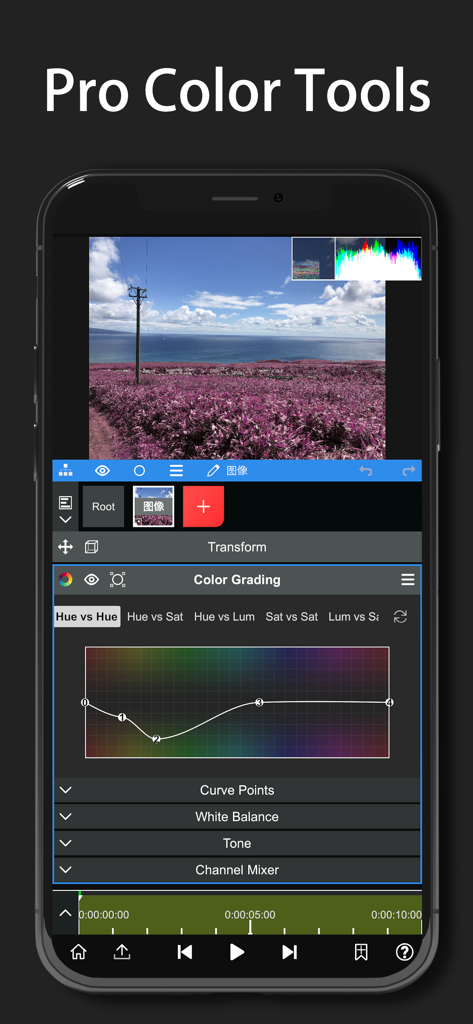
Node Videoアプリのインターフェース。スマートフォン上にプロフェッショナルなカラーグレーディングツールとカーブが表示されている様子
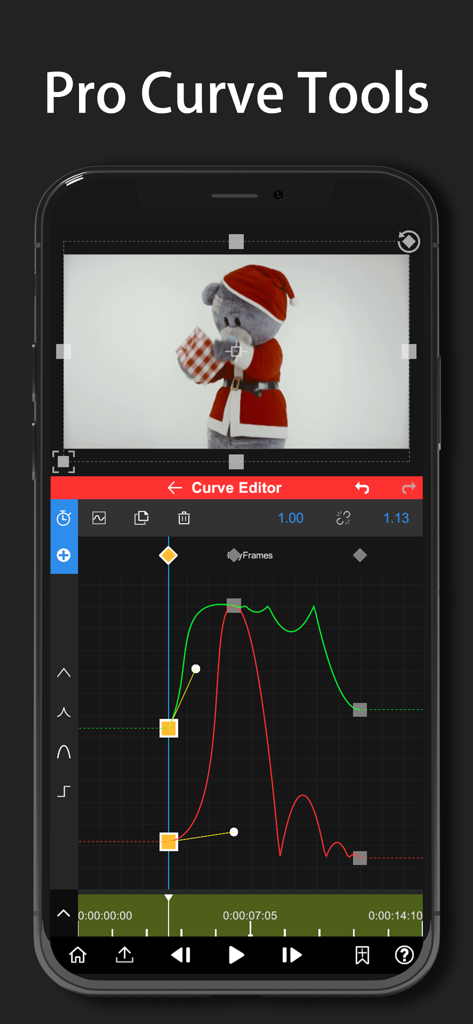
Node Videoアプリのインターフェース。スマートフォン上で正確なモーショングラフィックスとキーフレーム編集のためのプロフェッショナルなカーブツールが表示されている様子
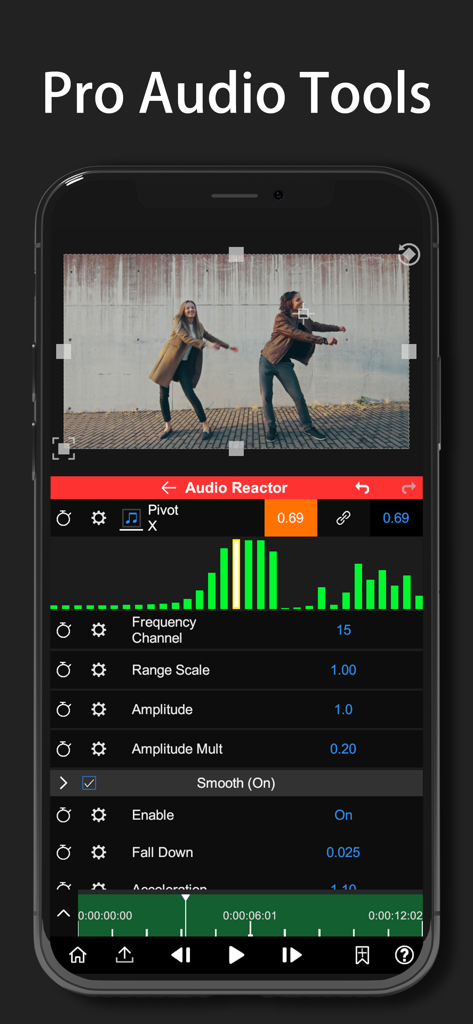
Node Videoアプリのインターフェース。オーディオリアクタツールと音楽スペクトルビジュアライザーが表示されている様子
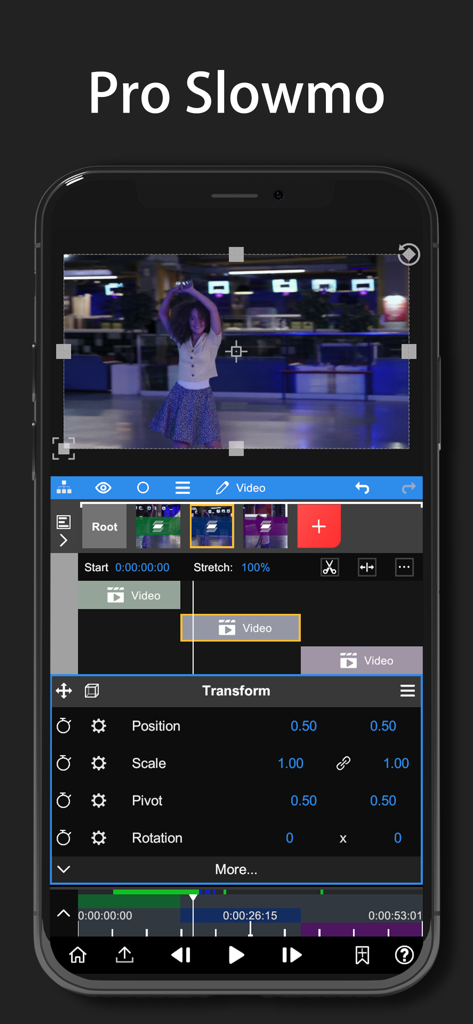
Node Videoアプリのインターフェース。プロフェッショナルなビデオエフェクトのためのタイムラインレイヤーとトランスフォームプロパティを備えたプロスローモ編集が表示されている様子
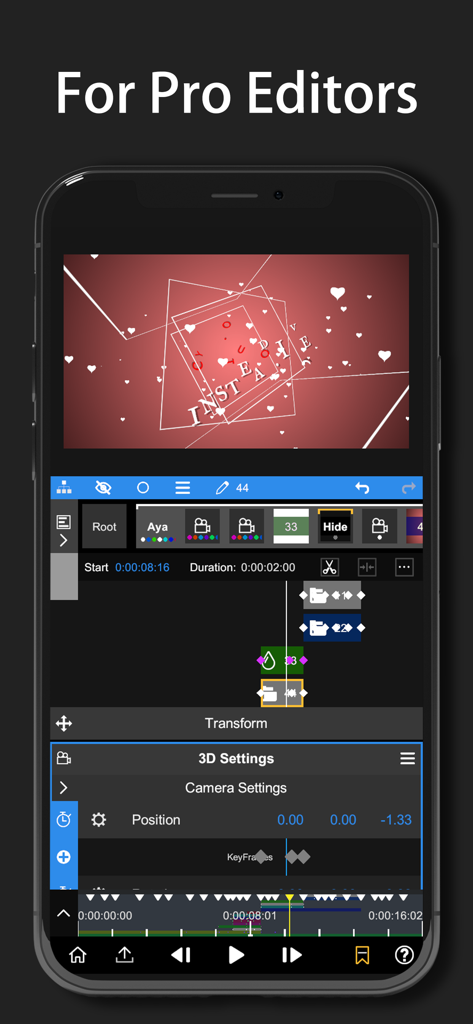
クリエイター向けの3Dカメラ設定とキーフレームアニメーションを示す、スマートフォン画面上のプロフェッショナルビデオ編集インターフェース。
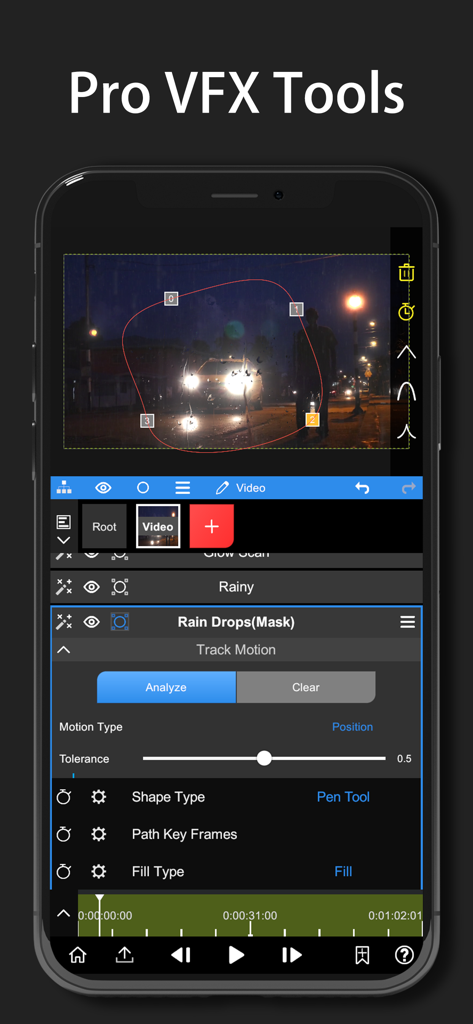
モーショントラッキングとペンツールマスキングのためのNode Videoモバイルインターフェース
説明
Download
類似アプリ
似た機能とユーザー体験を持つアプリ

VN: AI Video Editor
Ubiquiti Labs, LLC

Splice - Video Editor & Maker
Bending Spoons Apps ApS

Blurrr-Music video editor
TBPS INTERNATIONAL TECHNOLOGY PTE. LTD.

Filmmaker Pro - Video Editor
Tinkerworks Apps

Time Cut: Smooth Slow Motion
立亚 林

LumaFusion
Luma Touch LLC

Slow Motion Video Fx Editor
Brain Craft Ltd

WEILO - My Last Video Editor
vimosoft

Video Effects Editor: Riveo
Forge and Form GmbH
このページはアプリまたはその開発者の公式ページではなく、情報提供および論評を目的として作成された独立した編集出版物です。明示的に別段の記載がない限り、アプリおよびその開発者は、MWM、Apple、Google Play、アプリのパブリッシャー、またはアプリの開発者と提携、承認、後援、認可、またはその他の公式的な関係はなく、このページのいかなる内容も、アプリがMWMのサービスを使用して開発されたことを意味するものではありません。すべての商標、ロゴ、スクリーンショット、その他のコンテンツはそれぞれの所有者の財産です。