
このページはアプリまたはその開発者の公式ページではなく、情報提供および論評を目的として作成された独立した編集出版物です。明示的に別段の記載がない限り、アプリおよびその開発者は、MWM、Apple、Google Play、アプリのパブリッシャー、またはアプリの開発者と提携、承認、後援、認可、またはその他の公式的な関係はなく、このページのいかなる内容も、アプリがMWMのサービスを使用して開発されたことを意味するものではありません。すべての商標、ロゴ、スクリーンショット、その他のコンテンツはそれぞれの所有者の財産です。


WEILO - My Last Video Editor
プロレベルのマスキング、キーフレーム、4Kエクスポートを無料で利用しましょう。ウォーターマークなし、遅延なし—M1/M2チップとApple Pencilに最適化された、純粋なクリエイティブパワーだけを提供します。
ダウンロード
368K+ユーザー評価
評価数
7K+開発元
カテゴリ
Photo & Video対応言語
14最新バージョン
1.42.4サイズ
627.5 MBリリース日
2024年1月21日デスクトップクラスのパワー。サブスクリプション疲れゼロ。
高パフォーマンスツール、4Kエクスポート、そして一切のウォーターマークなしで、iPadでプロレベルのビデオ編集をアンロックしましょう。
ペンツールによる精密な編集
一般的なテンプレートを超えて。Apple Pencilを使用して、ハイエンドデスクトップソフトウェアに匹敵する芸術的なコントロールのためのカスタムマスクとシェイプを作成しましょう。
高度なキーフレームアニメーション
モーションをマスターしましょう。個々のキーフレームと調整可能な補間ですべてのパラメータを制御し、スムーズでプロフェッショナルなビジュアルストーリーテリングを実現します。
よくある質問
について知っておくべきこと WEILO - My Last Video Editor
WEILO - My Last Video Editor は無料で使用できますか?
はい、WEILO では無料ユーザーでもすべての編集機能に制限なくアクセスして使用できます。アプリは無料ユーザーでも透かしなしで動画をエクスポートできます。
WEILO の動画マスキング機能にはどのようなものがありますか?
WEILO では、ペンツールを使用して自由にマスクを作成したり、単一のクリップに複数のマスクを追加したり、円形度やフェザーなどのパラメータを調整してシームレスにブレンドしたりできます。
WEILO は 4K 動画のエクスポートに対応していますか?
はい、WEILO - My Last Video Editor は、4K 超高解像度を含むプロフェッショナルなエクスポートオプションに対応しています。また、透明エクスポート、GIF、動画、画像のエクスポートを 24、30、または 60fps で提供します。
WEILO でアニメーションにキーフレームを使用できますか?
はい、WEILO ではキーフレームを使用して目を引くアニメーションを作成できます。キーフレーム間の補間を調整して動的なモーション速度制御を行い、各パラメータに個別のキーフレームを使用できます。
WEILO は内蔵の音楽や効果音を提供していますか?
はい、WEILO は 1700 以上の著作権フリーのBGMや効果音を提供しており、定期的に更新されます。また、5000 以上のベクター ステッカー、フレーム、テンプレートも含まれています。
WEILO は iPad や Apple Pencil の使用に最適化されていますか?
はい、WEILO は iPad に最適化されたインターフェイスを備えており、より高速で詳細な編集が可能です。タッチジェスチャーや Apple Pencil を使用して直感的な操作ができます。
WEILO はマルチクリップ編集をどのように扱いますか?
WEILO はマルチ編集を可能にし、複数のクリップを同時に選択して編集できます。PC エディターと同様のこの機能により、クリップのカットから詳細なプロパティ値の変更まで、迅速な調整が可能です。
WEILO でクリップをグループ化できますか?
はい、WEILO には複数のクリップを 1 つにグループ化できる「コンパウンド」機能があります。コンパウンドされたクリップは一緒に移動または編集でき、内部の個々のクリップは編集可能なままです。
WEILO で利用できる動画および音声エフェクトにはどのような種類がありますか?
WEILO は、調整、グリッチ、ガウスぼかし、クロマキー、波、モザイクなどのさまざまな動画エフェクトを提供します。詳細な音声エフェクトには、エコー、リバーブ、EQ、ディストーション、ピッチが含まれます。
WEILO は、より高速な編集のためのキーボードショートカットを提供していますか?
はい、WEILO には、基本的な編集機能のためのキーボードショートカットが含まれています。これらのショートカットは、iPad での編集パフォーマンスを向上させ、作業生産性を最大化するように設計されています。
以下のスクリーンショットと説明は、アプリの公式ストアリスティングから直接取得されたものであり、アプリ開発者の所有物です。
アプリストア
スクリーンショット
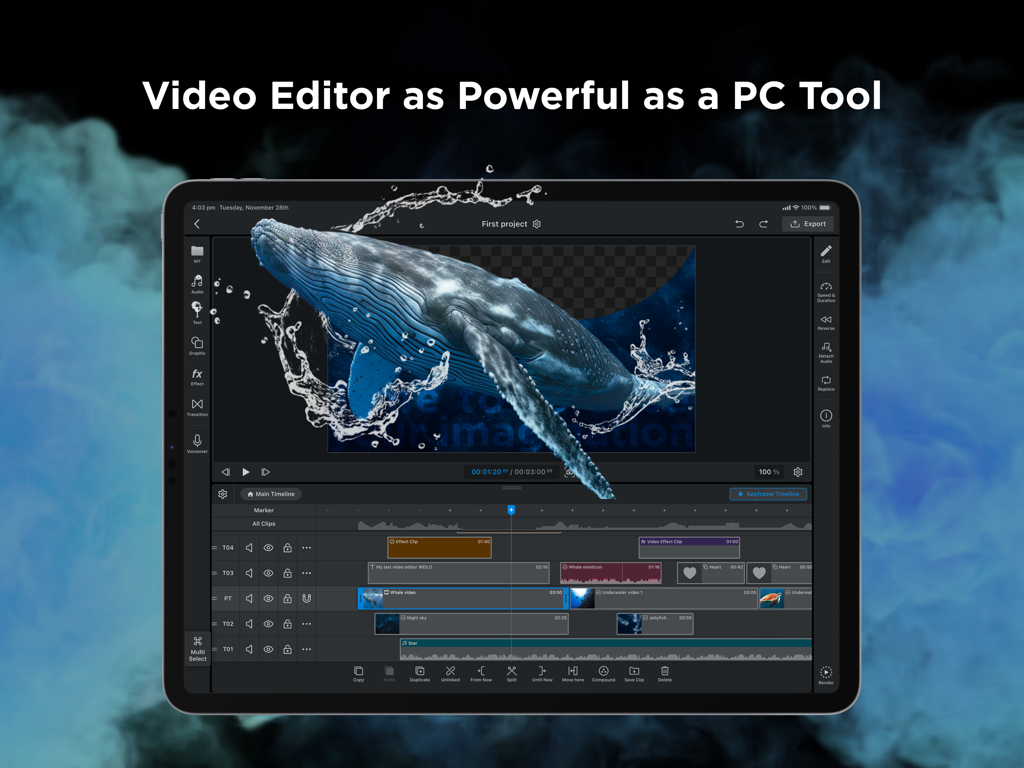
WEILOプロフェッショナルビデオ編集インターフェイスがiPadに表示され、マルチトラックタイムラインと高度なマスキング機能が表示されています。
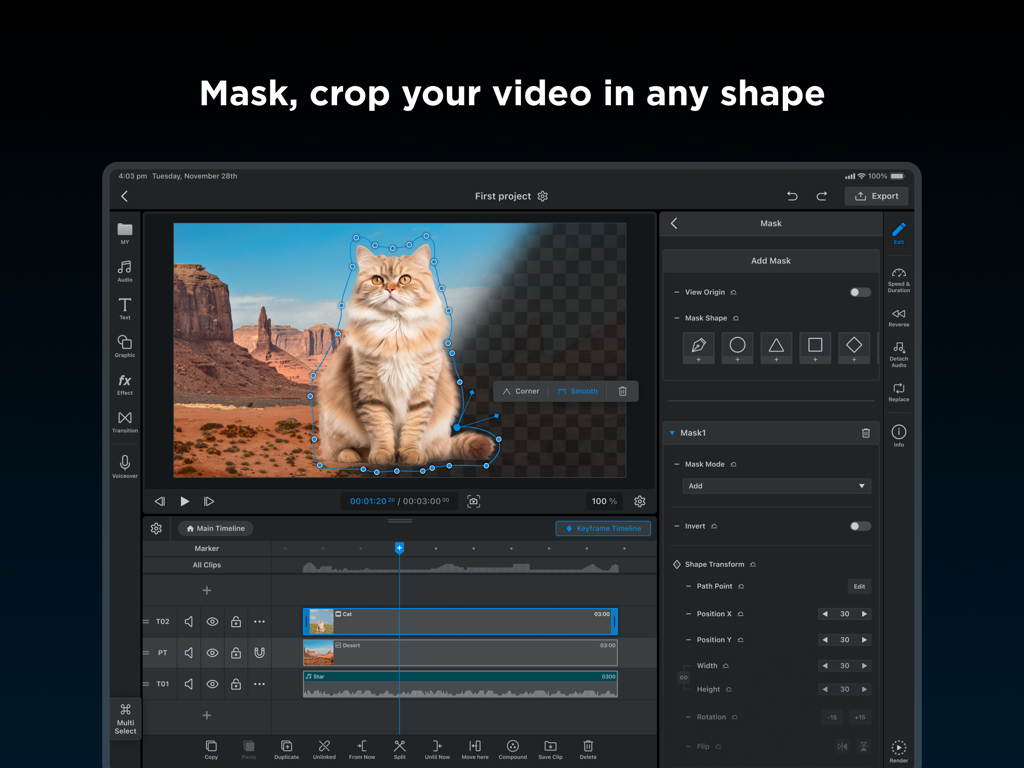
WEILOビデオエディターがiPadに表示され、カスタムクロッピングのためにペンツールでマスクされている猫を示しています。
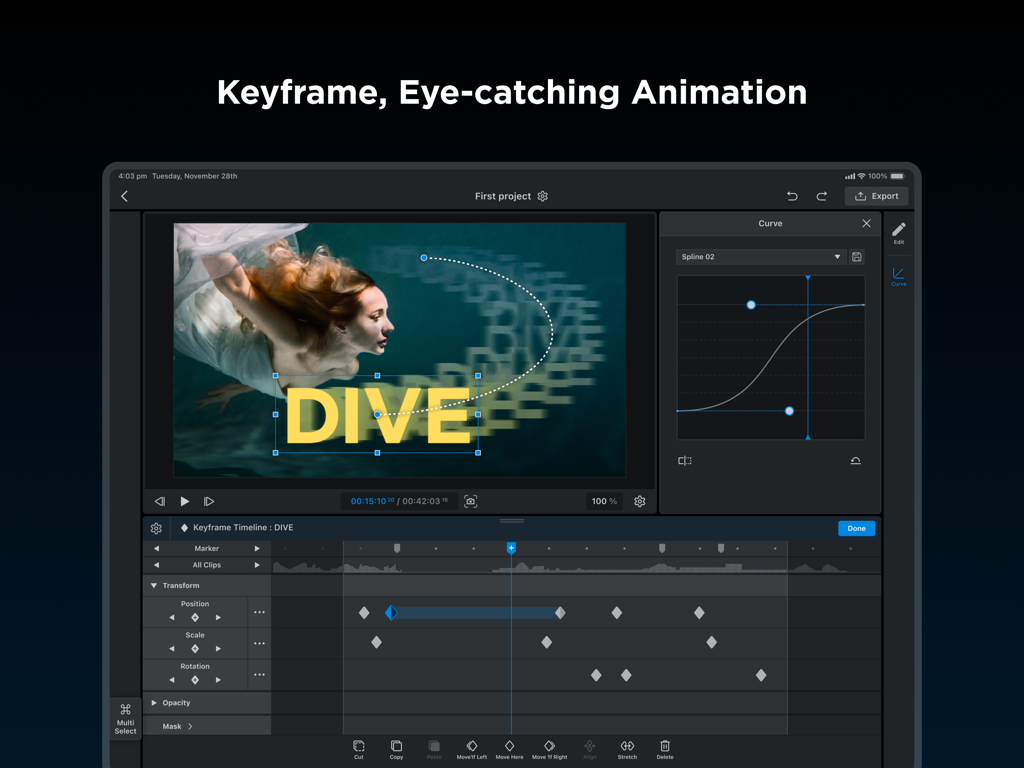
WEILOビデオエディター(iPad用)がキーフレームアニメーションタイムラインとモーションカーブ調整を示しています。
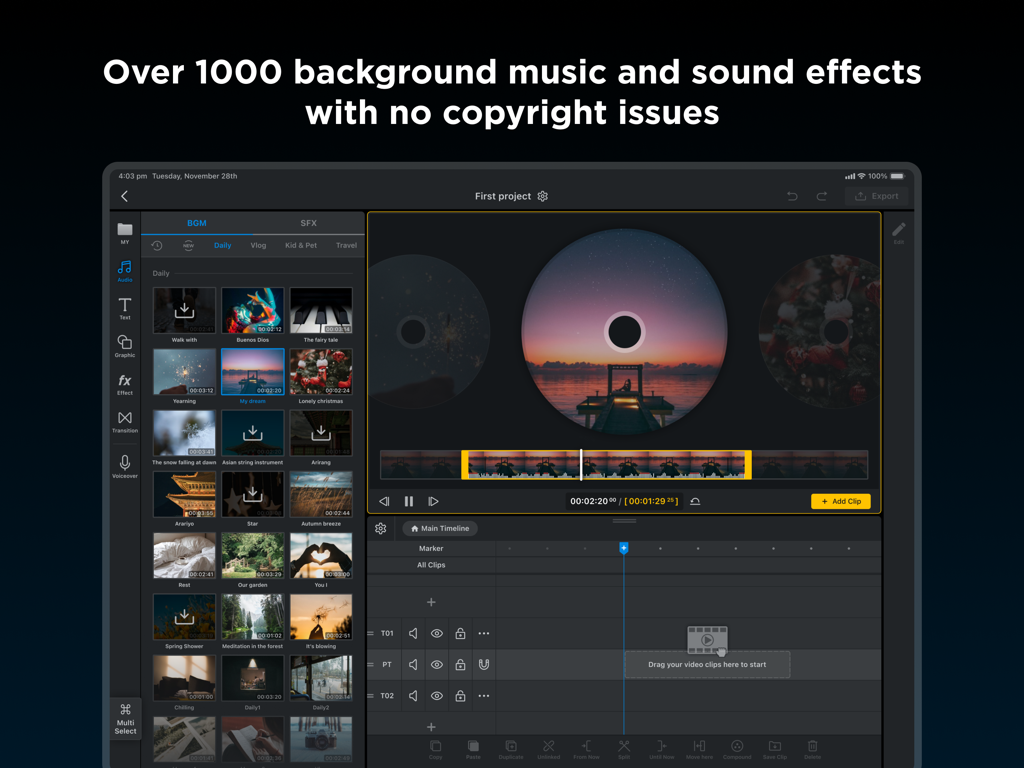
WEILO iPadアプリインターフェイスは、1000以上のロイヤリティフリーの背景音楽と効果音トラックのライブラリを示しています。
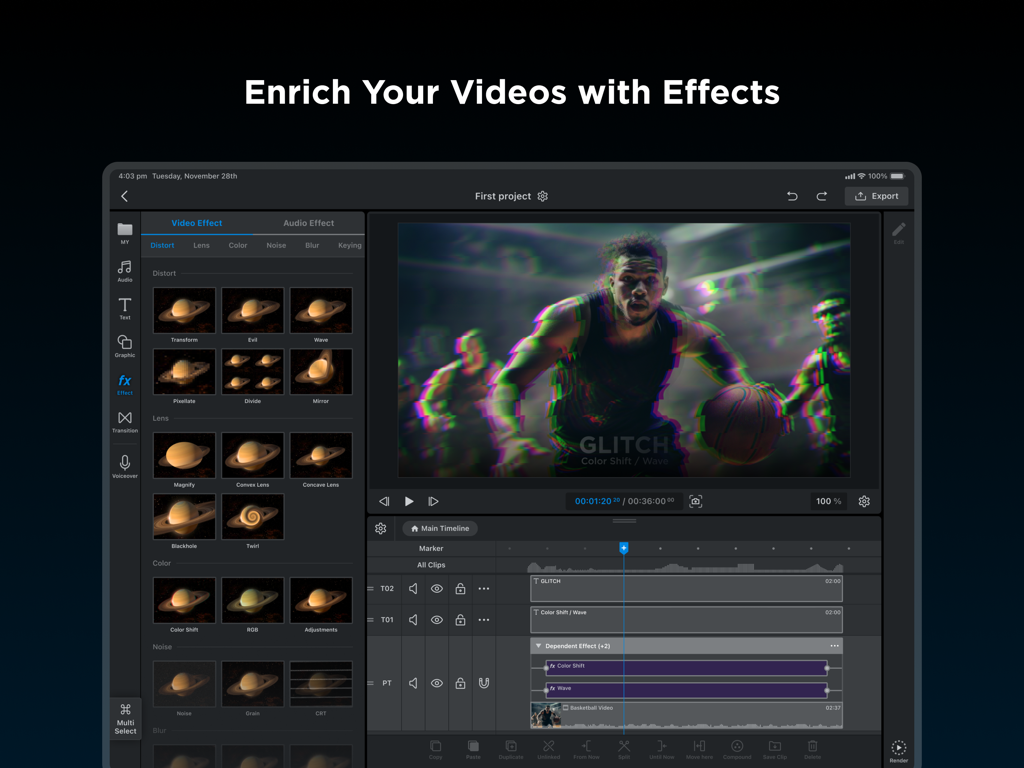
iPad上のWEILOアプリインターフェイスは、プロフェッショナルなビデオ編集タイムラインと歪み効果ライブラリを示しています。
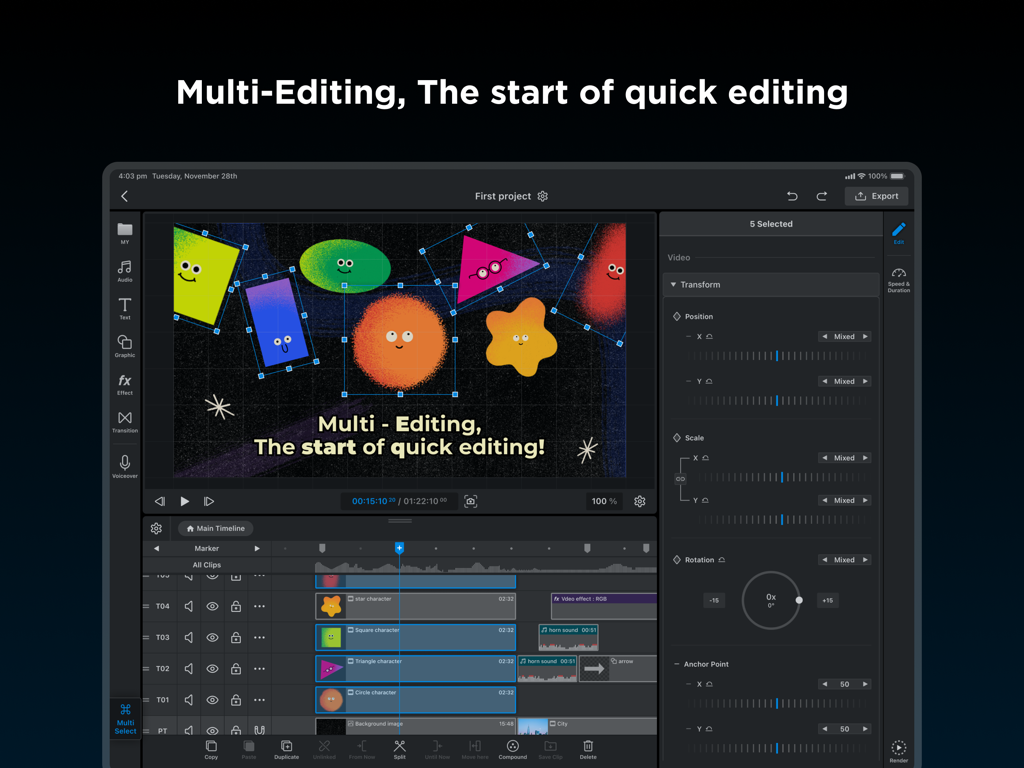
iPad上のWEILOビデオエディターのスクリーンショットで、複数のアニメーショントラックが同時に変換のために選択されているマルチ編集機能を示しています。
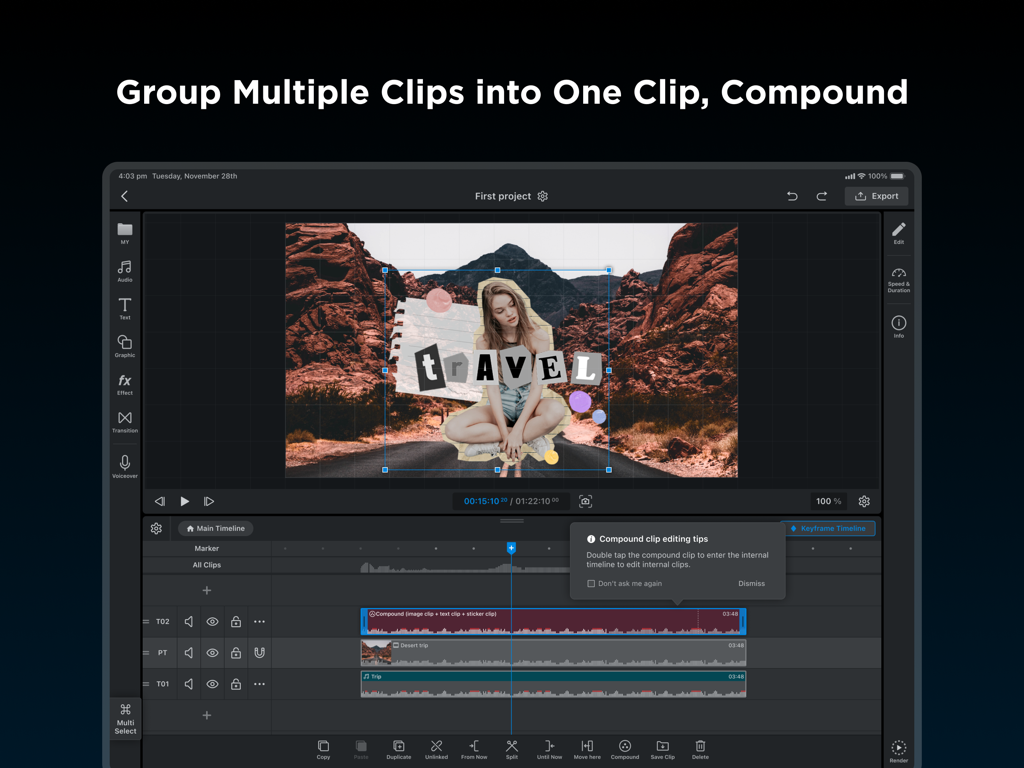
WEILOのプロフェッショナルiPadビデオ編集インターフェイスで、タイムライン上のコンパウンドクリップ機能を示しています。
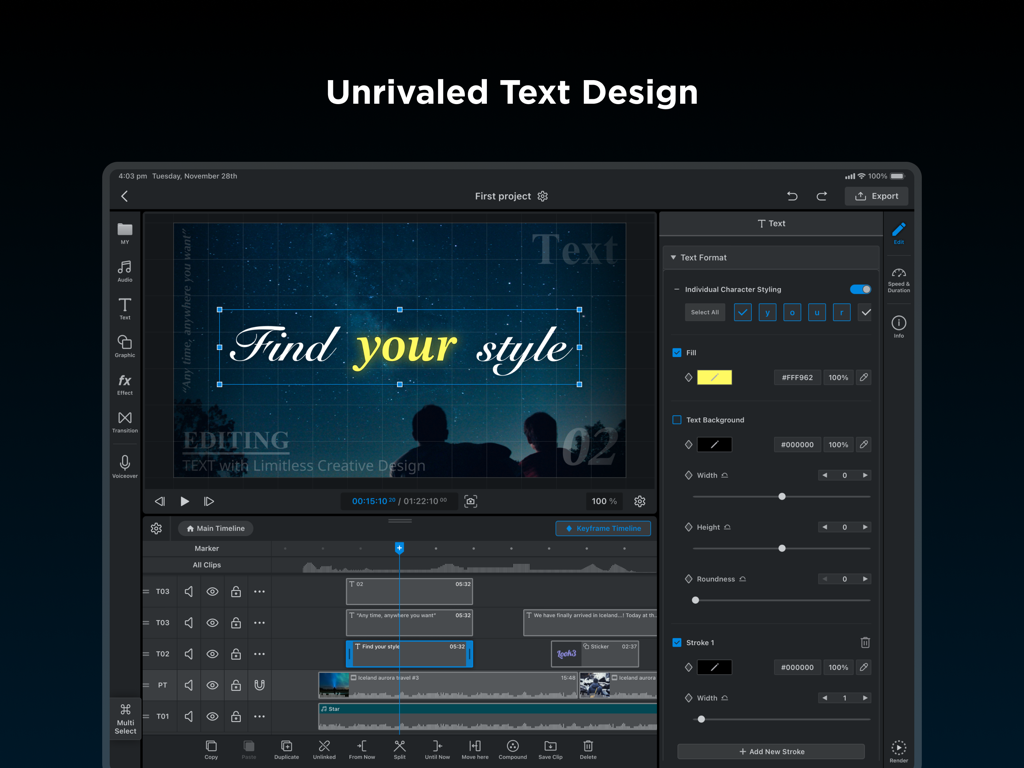
WEILOビデオエディター(iPad用)が、プロフェッショナルなテキストデザインと個々の文字スタイリング機能を示しています。
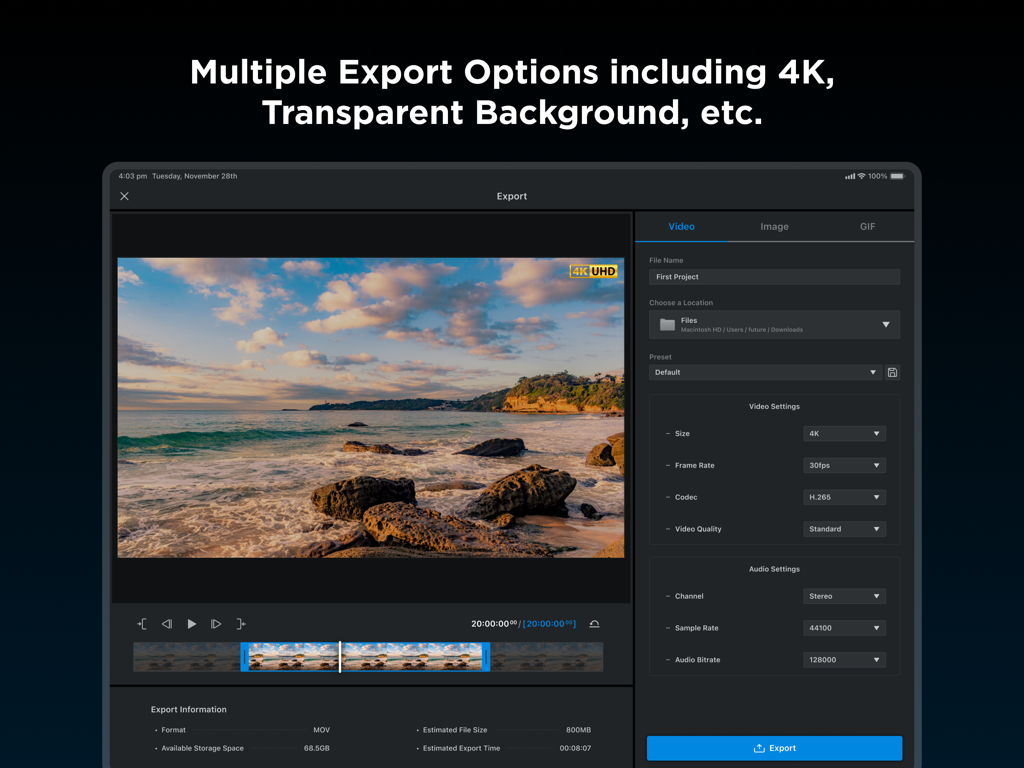
WEILOビデオエディターエクスポートインターフェイスがiPadに表示され、4K解像度設定とプロフェッショナルな出力オプションが表示されています。
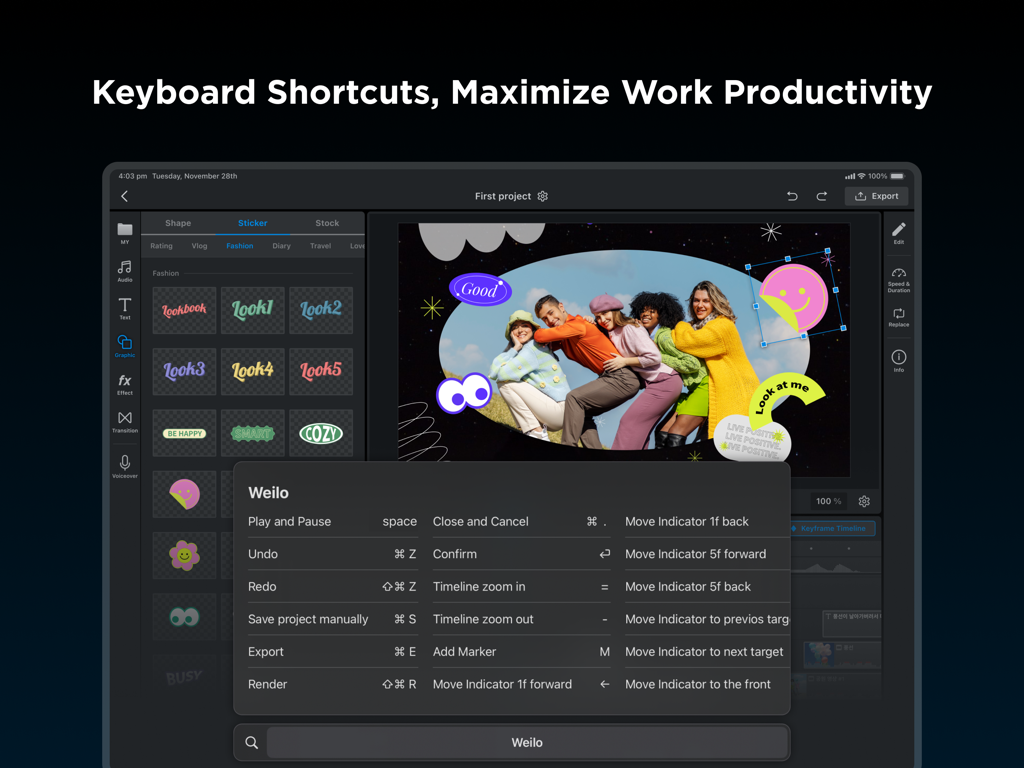
WEILO iPadビデオエディターインターフェイスに、プロフェッショナルな編集生産性のためのキーボードショートカットのリストが表示されています。
説明
Download
類似アプリ
似た機能とユーザー体験を持つアプリ

VN: AI Video Editor
Ubiquiti Labs, LLC

Splice - Video Editor & Maker
Bending Spoons Apps ApS

Blurrr-Music video editor
TBPS INTERNATIONAL TECHNOLOGY PTE. LTD.

Node Video
小为 罗

Filmmaker Pro - Video Editor
Tinkerworks Apps

Time Cut: Smooth Slow Motion
立亚 林

LumaFusion
Luma Touch LLC

Slow Motion Video Fx Editor
Brain Craft Ltd

Video Effects Editor: Riveo
Forge and Form GmbH
このページはアプリまたはその開発者の公式ページではなく、情報提供および論評を目的として作成された独立した編集出版物です。明示的に別段の記載がない限り、アプリおよびその開発者は、MWM、Apple、Google Play、アプリのパブリッシャー、またはアプリの開発者と提携、承認、後援、認可、またはその他の公式的な関係はなく、このページのいかなる内容も、アプリがMWMのサービスを使用して開発されたことを意味するものではありません。すべての商標、ロゴ、スクリーンショット、その他のコンテンツはそれぞれの所有者の財産です。