
このページはアプリまたはその開発者の公式ページではなく、情報提供および論評を目的として作成された独立した編集出版物です。明示的に別段の記載がない限り、アプリおよびその開発者は、MWM、Apple、Google Play、アプリのパブリッシャー、またはアプリの開発者と提携、承認、後援、認可、またはその他の公式的な関係はなく、このページのいかなる内容も、アプリがMWMのサービスを使用して開発されたことを意味するものではありません。すべての商標、ロゴ、スクリーンショット、その他のコンテンツはそれぞれの所有者の財産です。

Splice - Video Editor & Maker
指先一つで、退屈な素材をSNSでバズる映像へと昇華させる。Spliceがユーザーに与えるのは、単なる編集機能ではない。それは、モバイルから世界を揺さぶるための、クリエイティブな凶器だ。
ダウンロード
75M+ユーザー評価
評価数
1.4M開発元
カテゴリ
Photo & Video対応言語
12最新バージョン
4.28.60サイズ
161.6 MBリリース日
2010年12月23日Splice - Video Editor & Maker アプリの主要機能分析
モバイルクリエイター向けの高機能動画編集ツールをテックアナリストが評価します。
簡単なソーシャルメディア共有
作成した動画をYouTube、Instagram、TikTok、Facebookなどの主要なソーシャルメディアプラットフォームに直接共有し、視聴者に簡単に届けることが可能です。
著作権フリー音楽ライブラリ
6,000曲以上の著作権フリーの音楽トラックから選んで動画のBGMとして使用し、著作権問題を心配することなくソーシャルメディアで共有できます。
速度調整とスピードランプ
再生速度を調整してスローモーションや早送り効果を作成できるほか、スピードランプ機能により、動画の特定の部分で速度を変化させる動的な効果を実現します。
多様な特殊エフェクト
グリッチ、クロマ、ヴィンテージなど、様々な特殊エフェクトを追加して、動画に個性的なスタイルと視覚的インパクトを与えることが可能です。
クロマキー(グリーンバック)
クロマキー機能を使用すると、動画の背景を簡単に削除し、任意の画像や動画に置き換えることができます。
ナレーションとカスタムサウンド
内蔵のボイスレコーダーを使用してナレーションやカスタムサウンドエフェクトを録音し、動画に直接追加できます。
精密なトリミングとカット
モバイルデバイス上で動画クリップや写真を正確に編集し、不要な部分を削除したり、アスペクト比を調整したりすることが可能です。
高精度なオーディオ編集
複数のオーディオトラックを正確にトリミングおよびミキシングし、完璧なサウンドスケープを作成することが可能です。
オーバーレイとマスク効果
複数の写真や動画を重ね合わせ、マスクを適用することで、クリエイティブで複雑な視覚効果を生み出すことが可能です。
カスタマイズ可能なトランジション
クリップ間のトランジションスタイルを選択し、その速度を細かく制御することで、スムーズでプロフェッショナルな動画の切り替えを実現します。
よくある質問
について知っておくべきこと Splice - Video Editor & Maker
What is Splice - Video Editor & Maker?
Splice is a powerful video editor designed for iPhone and iPad, enabling users to create professional-looking videos. It offers advanced features optimized for mobile devices, making video editing accessible on the go.
Can I edit videos on my iPhone with Splice?
Yes, Splice makes it easy to create fully customized, professional-looking videos on your iPhone or iPad. It is optimized to perform like a desktop editor on your mobile device.
What editing tools are available in the Splice app?
Splice provides powerful editing tools such as trim, cut, crop, exposure adjustment, speed control, overlaying, Chroma Key, Ken Burns effect, filters, and various glitch, chroma, and vintage effects.
How can I add music to my videos in Splice?
Splice allows users to choose from over 6,000 royalty-free tracks, trim and mix audio, use songs from their iTunes collection, or record custom narration and sound effects with the built-in voice recorder.
Does Splice support Chroma Key for video editing?
Yes, Splice supports Chroma Key functionality, allowing users to remove backgrounds from their videos. This feature enables the creation of incredible overlay effects with precision.
Can Splice create slow motion videos?
Yes, Splice can create slow motion videos. Users can adjust the playback speed for fast or slow motion, and the app also includes speed ramping capabilities for dynamic effects.
How do I share videos created with Splice?
Splice makes sharing easy, allowing users to share videos directly to platforms like YouTube, Instagram, TikTok, Facebook, Mail, and Messages. Videos can also be saved to the camera roll.
What are the subscription options for Splice - Video Editor & Maker?
Splice offers weekly, monthly, and yearly subscription lengths. Payment is charged to your iTunes Account upon purchase confirmation. Auto-renewal can be managed in Account Settings.
How do I cancel my Splice subscription?
You can manage your Splice subscription and turn off auto-renewal from your Account Settings after purchase. Auto-renewal must be disabled at least 24 hours before the current period ends.
Does Splice offer video effects like glitch or vintage?
Yes, Splice offers a variety of amazing video effects, including glitch, chroma, and vintage. Users can apply these effects to enhance their videos and create unique visual styles.
以下のスクリーンショットと説明は、アプリの公式ストアリスティングから直接取得されたものであり、アプリ開発者の所有物です。
アプリストア
スクリーンショット

強力な編集ツール
タイムラインで複数のクリップを直感的に重ね、クロマキー合成で背景を簡単に除去できる本アプリの強力な編集機能を体験してください。
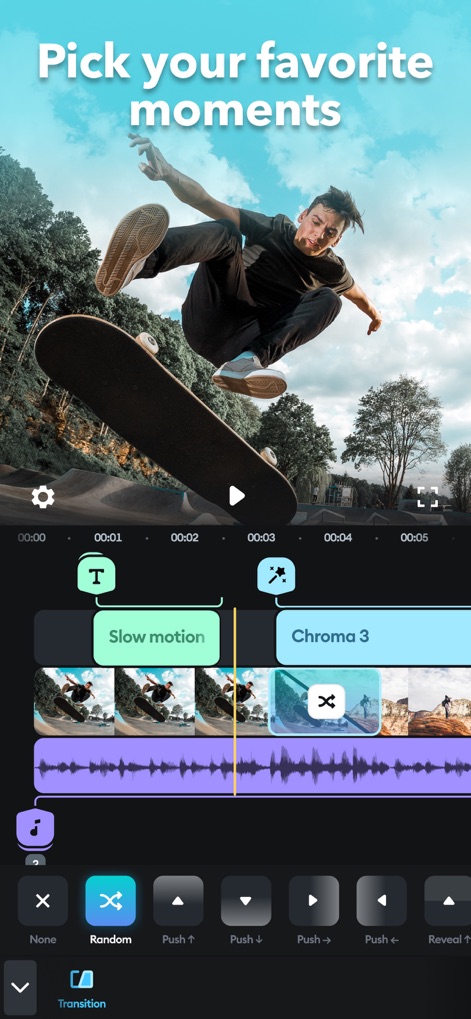
お気に入りの瞬間を
シーンの切り抜きやスローモーション効果を適用し、多彩なトランジションスタイルを駆使して、ユーザーは動画のハイライトを自在に引き立てることができます。
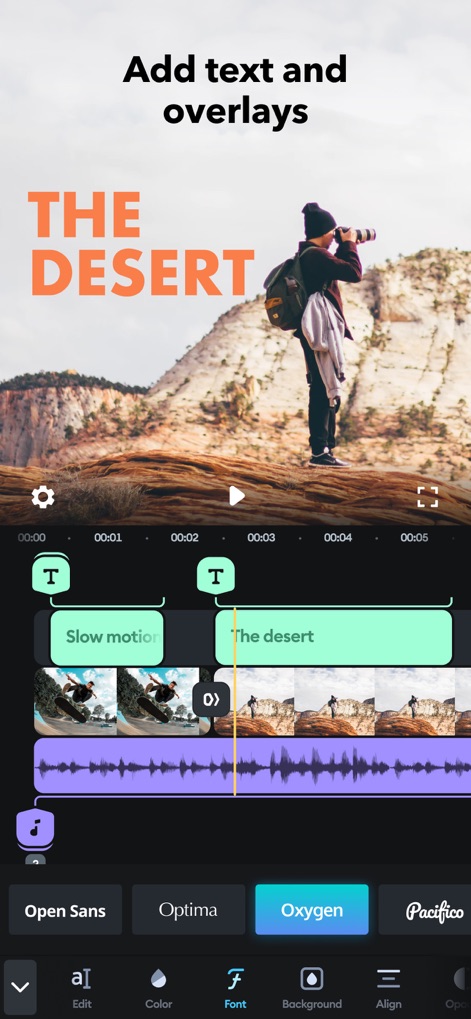
テキストとオーバーレイ
タイトルスライドやテキストオーバーレイを追加し、豊富なフォントオプションから選択することで、ユーザーは動画に視覚的に魅力的な情報を加えることが可能です。
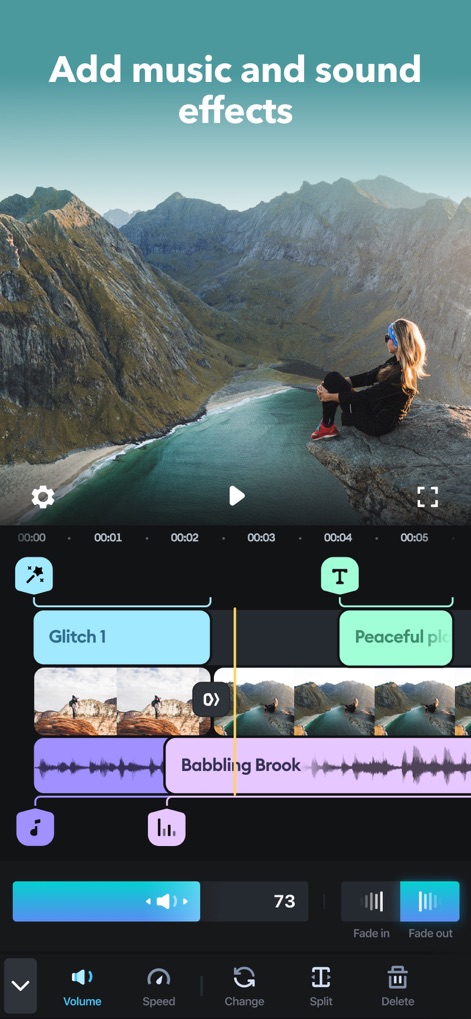
音楽と効果音を追加
ロイヤリティフリーの音楽ライブラリからBGMを選んだり、カスタムのサウンドエフェクトを組み込んだりして、ユーザーは動画の聴覚体験を豊かに演出できます。
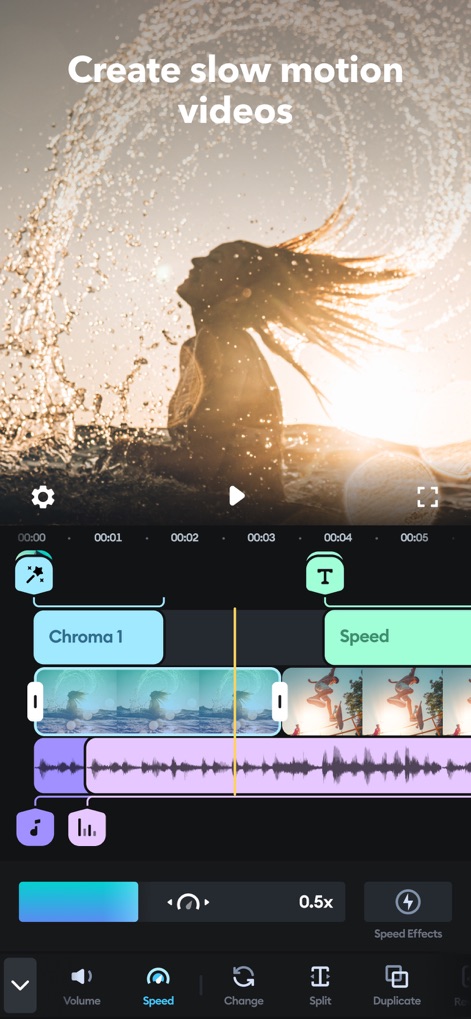
スローモーション作成
再生速度を細かく調整し、クリップの特定のセクションにスローモーション効果を適用することで、ユーザーは印象的な瞬間を際立たせることができます。
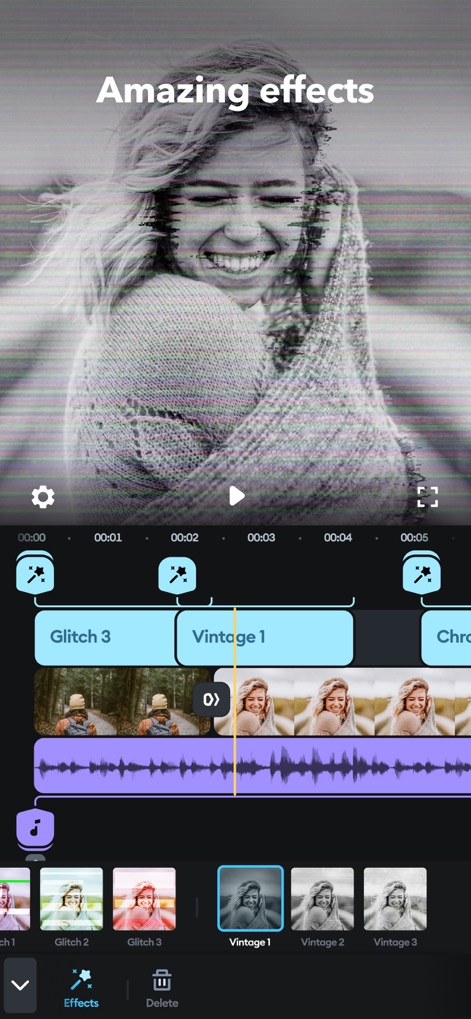
魅力的なエフェクト
グリッチやヴィンテージなどの多様な視覚エフェクトを適用し、各エフェクトの強度を調整することで、ユーザーはユニークな動画スタイルを生み出せます。
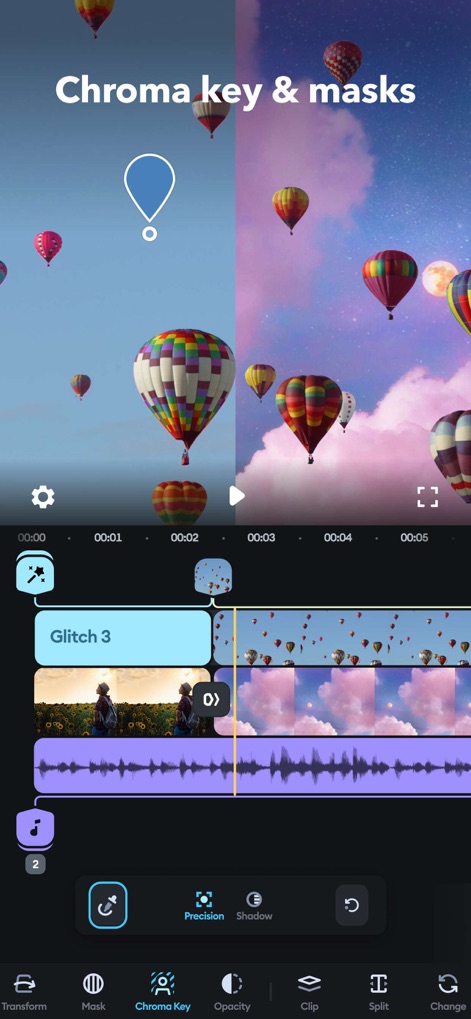
クロマキーとマスク
クロマキー機能で背景を瞬時に除去し、柔軟なマスクツールを適用することで、ユーザーは洗練された合成映像や視覚効果を制作できます。
説明
Download
類似アプリ
似た機能とユーザー体験を持つアプリ

VN: AI Video Editor
Ubiquiti Labs, LLC

Blurrr-Music video editor
TBPS INTERNATIONAL TECHNOLOGY PTE. LTD.

Node Video
小为 罗

Filmmaker Pro - Video Editor
Tinkerworks Apps

Time Cut: Smooth Slow Motion
立亚 林

LumaFusion
Luma Touch LLC

Slow Motion Video Fx Editor
Brain Craft Ltd

WEILO - My Last Video Editor
vimosoft

Video Effects Editor: Riveo
Forge and Form GmbH
このページはアプリまたはその開発者の公式ページではなく、情報提供および論評を目的として作成された独立した編集出版物です。明示的に別段の記載がない限り、アプリおよびその開発者は、MWM、Apple、Google Play、アプリのパブリッシャー、またはアプリの開発者と提携、承認、後援、認可、またはその他の公式的な関係はなく、このページのいかなる内容も、アプリがMWMのサービスを使用して開発されたことを意味するものではありません。すべての商標、ロゴ、スクリーンショット、その他のコンテンツはそれぞれの所有者の財産です。