
このページはアプリまたはその開発者の公式ページではなく、情報提供および論評を目的として作成された独立した編集出版物です。明示的に別段の記載がない限り、アプリおよびその開発者は、MWM、Apple、Google Play、アプリのパブリッシャー、またはアプリの開発者と提携、承認、後援、認可、またはその他の公式的な関係はなく、このページのいかなる内容も、アプリがMWMのサービスを使用して開発されたことを意味するものではありません。すべての商標、ロゴ、スクリーンショット、その他のコンテンツはそれぞれの所有者の財産です。


Clideo: Video Editor for Reels
平凡な投稿は過去のもの。このアプリは、クリエイターが思い描いたビジョンを、プラットフォームの制約なしに、正確に形にする能力を与える。
ダウンロード
500k+ユーザー評価
評価数
1.8K開発元
カテゴリ
Photo & Video対応言語
17最新バージョン
1.9.24サイズ
100.8 MBリリース日
2023年10月16日ソーシャルメディアクリエイター向け主要機能評価
Clideo: Video Editor for Reels アプリ分析
ソーシャルメディア向けフォーマット
正方形、縦長、横長など、各ソーシャルメディアプラットフォームに最適化された動画フォーマットを簡単に作成できます。
マルチトラック編集
複数のクリップ、画像、テキスト、音楽を組み合わせ、複雑なレイヤーを持つ動画を簡単に作成できます。
ステッカーとGIFオーバーレイ
動画にステッカー、GIF、絵文字、図形をオーバーレイすることで、コンテンツに視覚的な魅力を加え、視聴者のエンゲージメントを高めます。
テキストオーバーレイとカスタマイズ
動画にテキストを追加し、フォント、色、サイズなどを自由にカスタマイズして、メッセージを効果的に伝達できます。
無料ストック素材ライブラリ
無料のストック動画、画像、音楽の豊富なコレクションを利用して、魅力的なコンテンツを迅速に作成できます。
クロスプラットフォーム同期
アプリ版とウェブ版でプロジェクトを同期し、どこからでも編集作業を継続できるため、柔軟なワークフローが実現します。
音声ナレーションとAI音声合成
自身の音声を録音したり、テキストをAI音声に変換したりすることで、動画にプロフェッショナルなナレーションを追加できます。
多彩なエクスポートオプション
プロジェクトを動画ファイルやアニメーションGIFとして保存できるため、様々なプラットフォームでの共有に対応できます。
基本的なクリップ編集
クリップやオーディオのトリミング、複製、分割といった基本的な編集機能を活用し、動画の構成を正確に調整できます。
オフラインおよびオンライン編集
インターネット接続の有無にかかわらず動画編集作業を進めることができ、場所を選ばずにクリエイティブな活動を行えます。
よくある質問
について知っておくべきこと Clideo: Video Editor for Reels
Does Clideo Video Editor allow offline video editing?
Yes, Clideo Video Editor works both offline and online, making it an all-in-one cross-platform app for editing videos.
Can I synchronize Clideo Video Editor projects across different devices?
Yes, Clideo Video Editor synchronizes your projects, allowing access from both the app and web version. This enables seamless work across devices.
Does Clideo Video Editor provide free stock media for use?
Yes, Clideo Video Editor offers a collection of free stock videos, images, and music. This provides extensive resources for your projects.
How can I add and customize text in Clideo Video Editor?
Clideo Video Editor allows you to add text to your video and customize its appearance. Tools are available to adjust fonts, colors, and other text properties.
Does Clideo Video Editor support picture-in-picture video creation?
Yes, Clideo Video Editor enables users to create picture-in-picture and split-screen videos. This feature allows for complex visual compositions.
Can I add stickers and emojis to my videos using Clideo Video Editor?
Yes, Clideo Video Editor allows you to overlay stickers, GIFs, and emojis onto your videos. A collection of "Funny Stickers, Emoji" is available.
Is Clideo Video Editor free to use or does it require a subscription?
Clideo Video Editor is completely free to use. A Clideo Pro subscription is optional, offering benefits like removing watermarks, larger file uploads, and 4K/FHD saving.
What features does a Clideo Pro subscription unlock?
Clideo Pro subscription removes watermarks, allows uploading files larger than 500 MB, and enables saving videos in FHD or 4K resolution. It enhances professional capabilities.
Does a Clideo Pro subscription automatically renew?
Yes, your Clideo Pro subscription will renew automatically. Users can disable auto-renewal through their iTunes account settings to prevent future charges.
What audio editing capabilities does Clideo Video Editor offer?
Clideo Video Editor allows users to record their voice, use text-to-speech for AI voiceovers, change volume, slow down/speed up audio, and clean up audio by reducing background noise.
以下のスクリーンショットと説明は、アプリの公式ストアリスティングから直接取得されたものであり、アプリ開発者の所有物です。
アプリストア
スクリーンショット

この直感的なインターフェースは、マルチトラックタイムラインで複数のクリップを管理し、テキストやオーディオなどの様々な編集ツールを簡単に利用できます。
プロフェッショナル編集体験
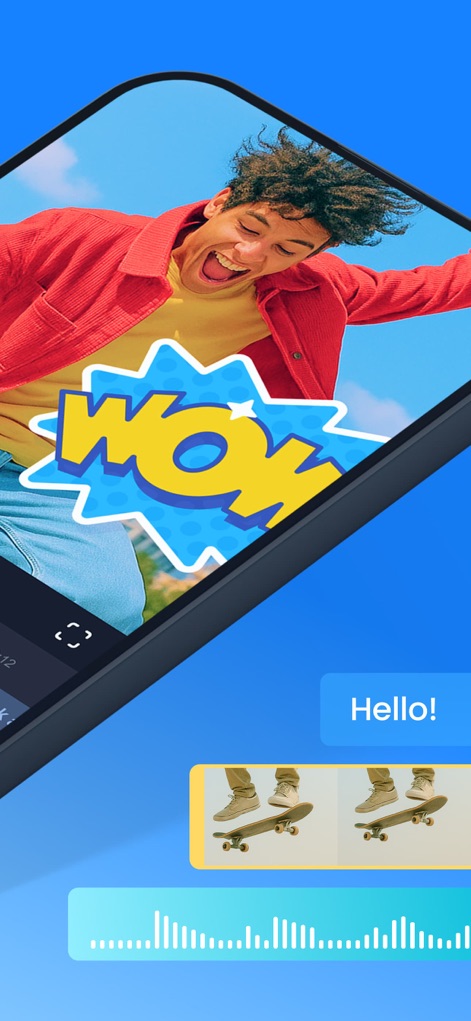
ユーザーはダイナミックなステッカーや絵文字で動画を彩り、リアルタイムでオーディオ波形を確認しながら調整できます。
表現豊かな素材

豊富なオプションで動画内のテキストを自由にカスタマイズし、多彩なカラーピッカーを使って完璧な色合いを選択できます。
テキストを自由に装飾
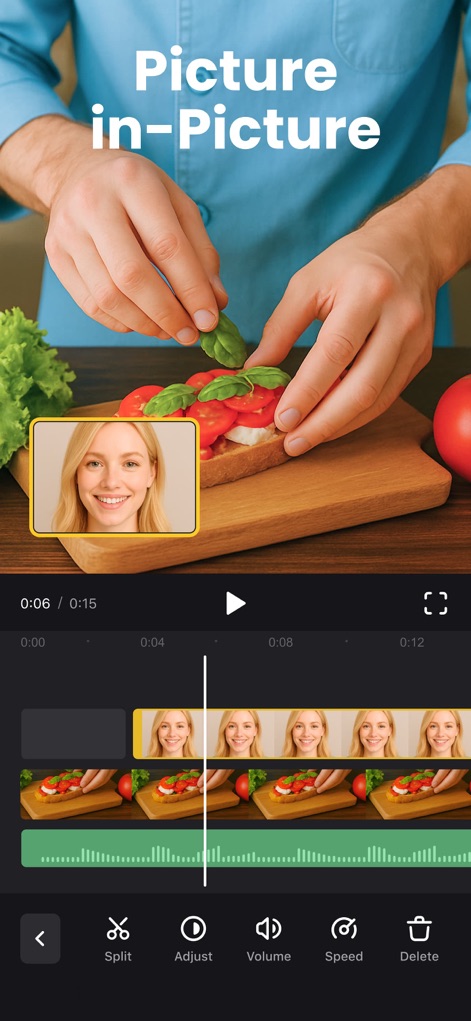
この機能により、ユーザーはピクチャーインピクチャー効果で複数の映像を重ね合わせ、直感的なマルチトラックタイムラインでシームレスに編集できます。
創造的なレイヤー
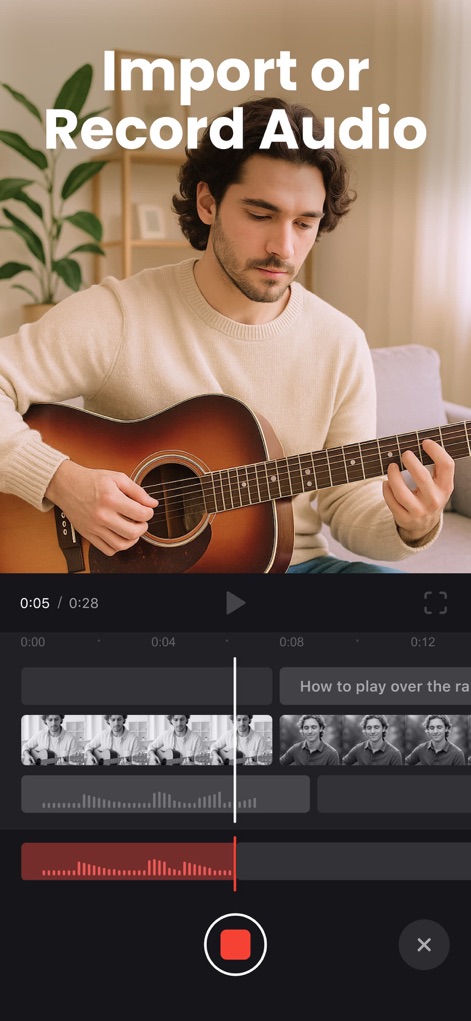
ユーザーは、内蔵の機能で簡単に音声を録音できるほか、リアルタイムで表示されるオーディオ波形を確認しながら精密な調整が可能です。
音声を自在に操る

本ツールは、様々なジャンルの高品質なストックビデオを豊富に提供し、効率的な検索機能で目的の素材を素早く見つけられます。
豊富なストックメディア
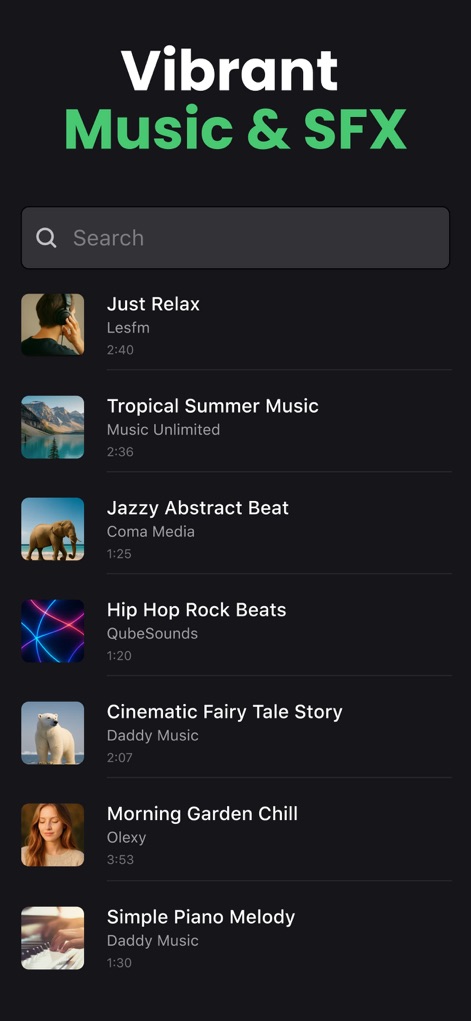
ユーザーは、バラエティ豊かな音楽ライブラリから最適なBGMを選び、検索バーを使って動画にぴったりのサウンドエフェクトを簡単に見つけられます。
魅力的な音楽素材
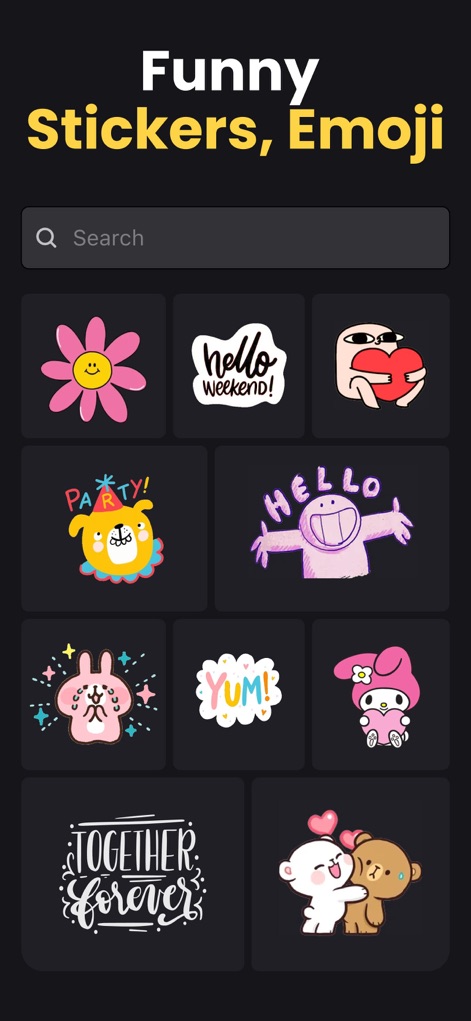
このアプリは、動画を魅力的にする多種多様な面白いスタンプを提供し、表現豊かなアニメーション絵文字でさらに個性を加えることができます。
楽しいスタンプと絵文字
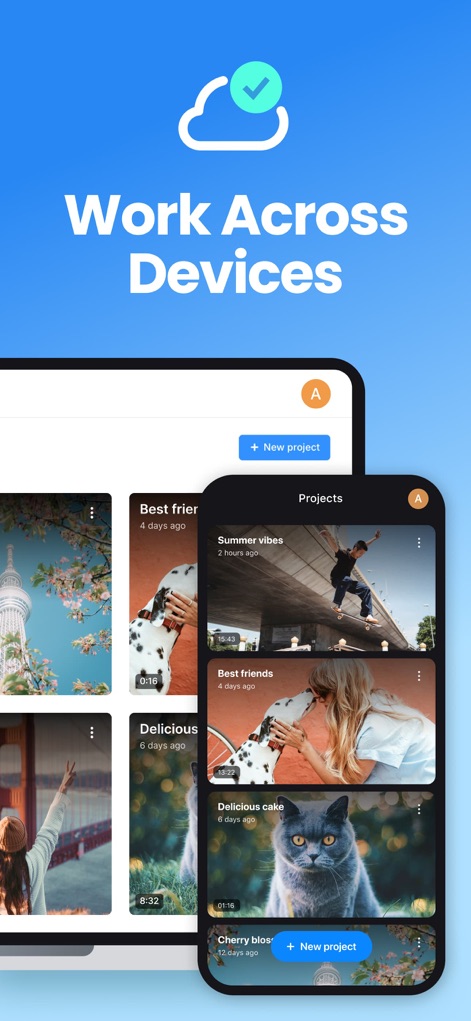
ユーザーはプロジェクトを複数のデバイス間で自動的に同期でき、直感的なプロジェクト管理インターフェースを通じていつでもどこでも編集作業を継続できます。
デバイス間でシームレスに
説明
Download
類似アプリ
似た機能とユーザー体験を持つアプリ

Edits: Video Editor
Instagram, Inc.

VLLO- Video Editor, Vlog Edits
vimosoft

YouCut - AI Video Editor
SHANTANU PTE. LTD.

必剪-B站官方出品
Shanghai Bilibili Animation Co.,Ltd

剪影 - 视频剪辑 & 卡点影集制作
Shanghai Jian Ji Software Technology Co., Ltd

Videoshop - Video Editor
Jajijujejo Inc.

VDIT - Video Maker & Editor
ImgBase, Inc.

Video Editor with Music・VidLab
Onelight Apps CY Ltd

Video Maker-movie maker&Editor
Changsha Fugui Bamboo Network Technology Co., Ltd.
このページはアプリまたはその開発者の公式ページではなく、情報提供および論評を目的として作成された独立した編集出版物です。明示的に別段の記載がない限り、アプリおよびその開発者は、MWM、Apple、Google Play、アプリのパブリッシャー、またはアプリの開発者と提携、承認、後援、認可、またはその他の公式的な関係はなく、このページのいかなる内容も、アプリがMWMのサービスを使用して開発されたことを意味するものではありません。すべての商標、ロゴ、スクリーンショット、その他のコンテンツはそれぞれの所有者の財産です。