EasyScan: Barcode & QR Scanner
Download on App Store

This page is not an official page of the app or its developer, but an independent editorial publication created for informational and commentary purposes. Unless expressly stated otherwise, neither the app nor its developer is affiliated with, endorsed by, sponsored by, authorized by, or otherwise officially connected with MWM, Apple, Google Play, the app publisher, or the app's developer, and nothing on this page implies that the app was developed using MWM's services. Any trademarks, logos, screenshots, and other content remain the property of their respective owners.

Logo of EasyScan: Barcode & QR Scanner
Download on App Store

EasyScan: Barcode & QR Scanner

Go beyond basic scanning with lightning-fast decoding, a searchable history, and custom QR generation. Perfect for savvy shoppers and small business owners who need speed, organization, and creative control.

Key Figures

Downloads

0

User Rating

4.2/5

Total Ratings

0

Publisher

Advanced Apps Bangladesh Limited

Category

Utilities

Locales

1

Latest Version

1.26.0

Size

53.5 MB

First Released

Nov 4, 2016
Features

More Than Just a Camera Shortcut

Unlock a professional-grade scanner designed to simplify your workflow, from tracking historical scans to generating custom branded codes for your business.

Seamless History & Favorites

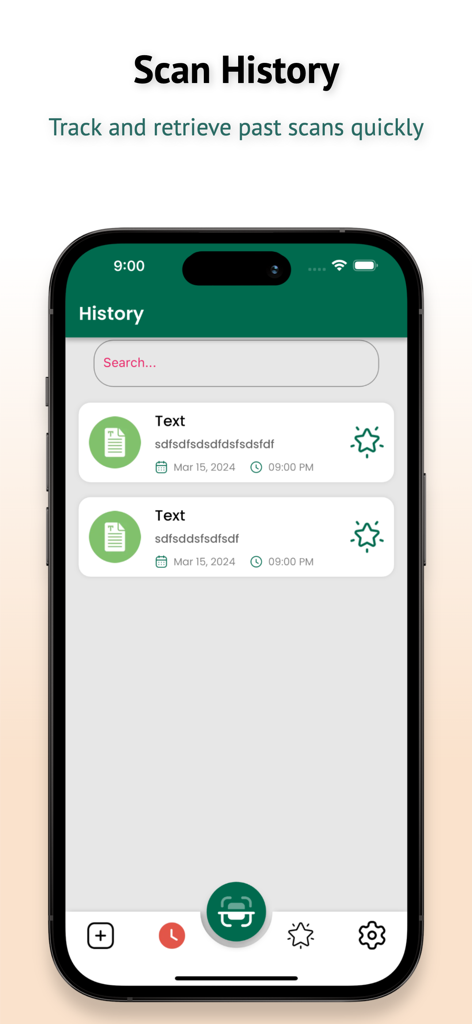
Keep an organized log of every code you have scanned. Instantly retrieve digital manuals, receipts, and links without searching through your browser.

Professional Barcode Decoding

Go beyond URLs. Scan UPC, EAN, and ISBN codes to compare prices online and access detailed product data while you shop or manage inventory.

The following screenshots and description are sourced directly from the app's official store listing and are the property of the app developer.

App Store

Screenshots
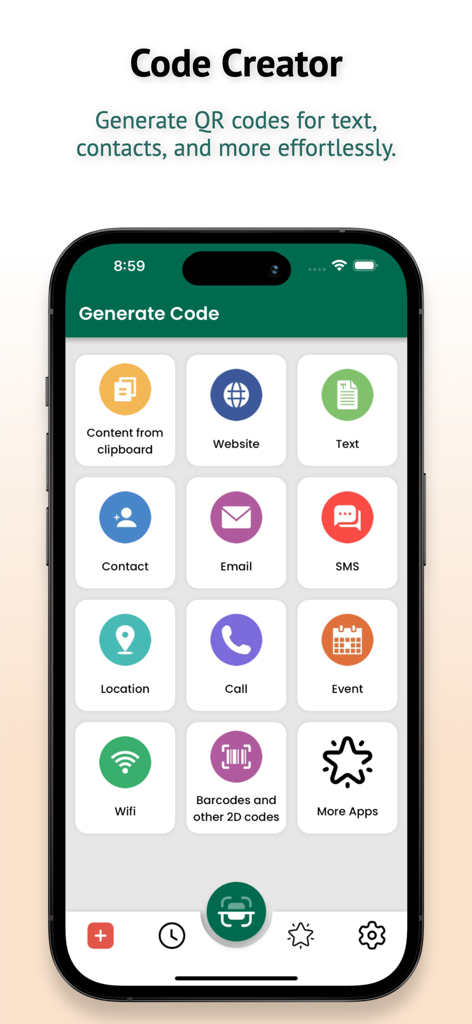
EasyScan: Barcode & QR Scanner - EasyScan app screen showing various options to generate QR codes for websites contacts email and wifi
EasyScan app screen showing various options to generate QR codes for websites contacts email and wifi

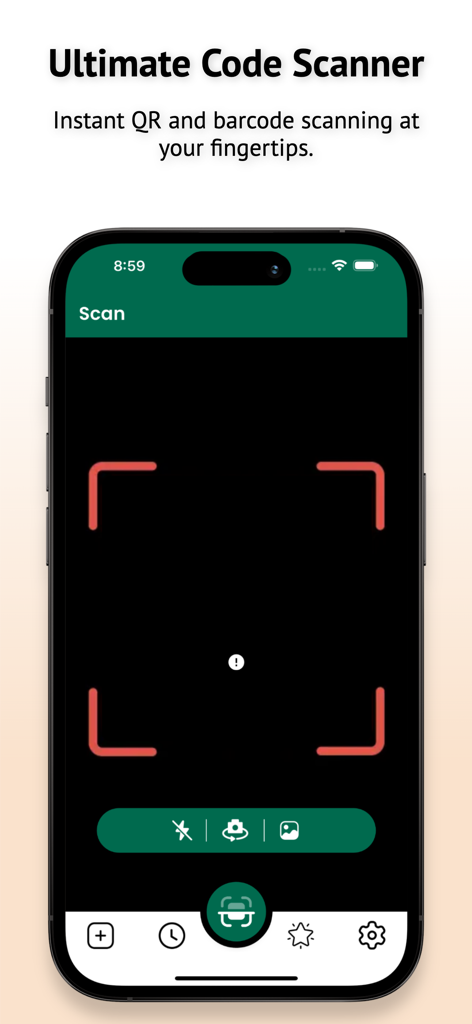
EasyScan: Barcode & QR Scanner - EasyScan app main screen displaying the ultimate code scanner interface for QR and barcode scanning
EasyScan app main screen displaying the ultimate code scanner interface for QR and barcode scanning

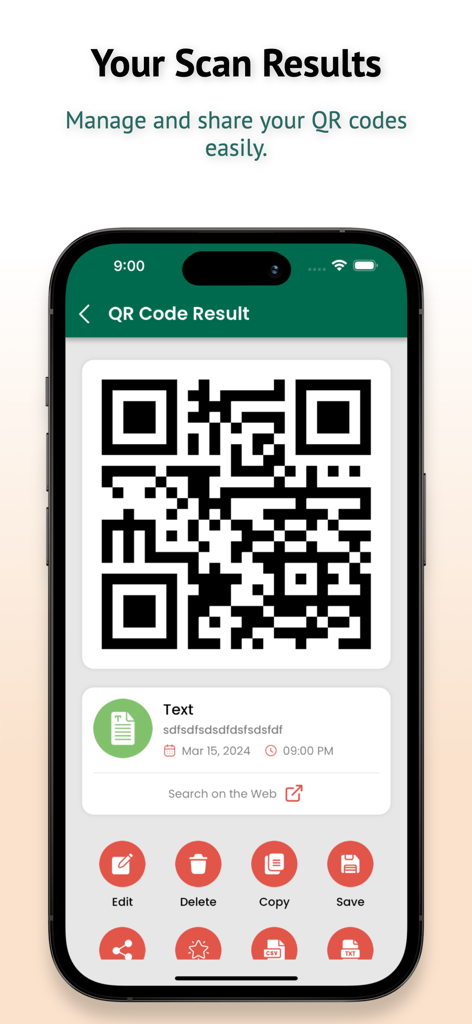
EasyScan: Barcode & QR Scanner - iPhone screen displaying a QR code scan result with options to edit, delete, copy, and save within the EasyScan app.
iPhone screen displaying a QR code scan result with options to edit, delete, copy, and save within the EasyScan app.

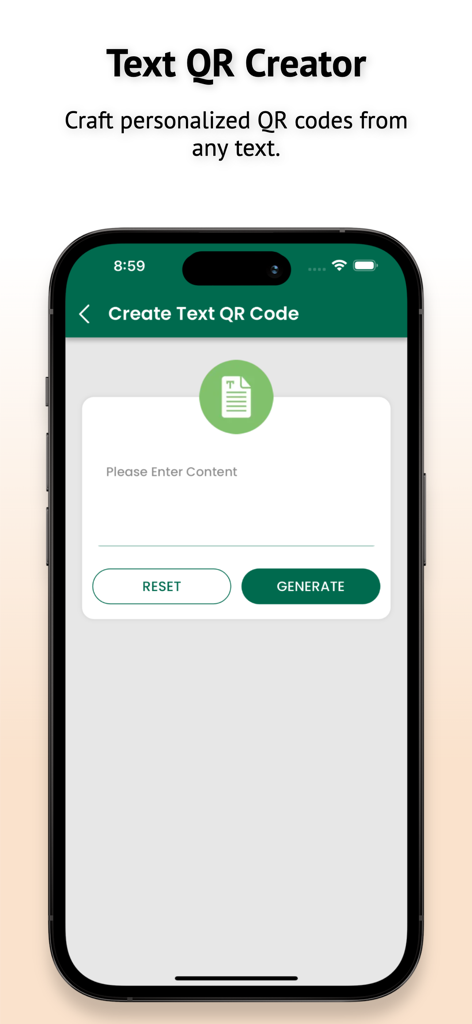
EasyScan: Barcode & QR Scanner - EasyScan app screen showing the Text QR Creator interface for generating personalized QR codes
EasyScan app screen showing the Text QR Creator interface for generating personalized QR codes

EasyScan: Barcode & QR Scanner - The scan history screen of the EasyScan Barcode and QR Scanner app displaying a list of previous scans

The scan history screen of the EasyScan Barcode and QR Scanner app displaying a list of previous scans

Description

Embrace the ultimate QR code and barcode scanning experience with Easy Barcode Scanner - QR PRO, the indispensable app for all your code decoding needs. This powerful tool seamlessly transforms your smartphone into a versatile QR code scanner and barcode scanner, empowering you to effortlessly scan QR codes and barcodes with unparalleled speed and accuracy. Key Features: Effortless Code Decoding: Instantly decode a wide range of codes, including QR, EAN, UPC, ISBN, and more. Universal Code Support: Scan and generate QR codes and barcodes in various formats. Lightning-Fast Scanning: High-speed code decoding for quick and efficient results. Image Scanning: Scan codes from images saved on your device. Flashlight Support: Illuminate dark environments for effortless scanning. Scan History: Save and search your scan history. Favorites: Access essential data quickly. Versatile Code Types: Read QR code formats for text, URL, contact, calendar, email, location, and more. Web Page Integration: Automatically open web pages when scanning barcodes. Wi-Fi Connection: Connect to a Wi-Fi network by reading a QR code. Code Generation: Create QR or 2D barcodes from text, links, or contact information. Clipboard Functionality: Copy scanned content to the clipboard. Browser Settings: Launch websites in your preferred browser. Colorful QR Codes: Generate vibrant, colored QR codes. User-Friendly Interface: Simple and intuitive app design. Swift Code Reading: Quickly and accurately decode barcodes and QR codes. Share App Feature: Share the app with friends and family. Subscription Rules: You may purchase an auto-renewing subscription through an In-App Purchase. Auto-renewable subscription: 1 month ($0.99) and 1 year ($9.99) durations Your subscription will be charged to your iTunes account at confirmation of purchase and will automatically renew (at the duration selected) unless auto-renew is turned off at least 24 hours before the end of the current period. Current subscription may not be canceled during the active subscription period; however, you can manage your subscription and/or turn off auto-renewal by visiting your iTunes Account Settings after purchase. Terms and Conditions/EULA: https://aapbd.com/terms-&-conditions---easyscan:-barcode-&-qr-scanner-app Privacy Policy: https://aapbd.com/privacy-policy-for-easyscan:-barcode-&-qr-scanner-app Supported Languages: Albanian, Assamese, Arabic, Azerbaijani, Bengali, Burmese, Chinese Simplified, Chinese Traditional, Croatian, Czech, Dutch, English, French, German, Greek, Gujarati, Hausa, Hindi, Hungarian, Indonesian, Italian, Japanese, Javanese, Kannada, Korean, Latin, Malayalam, Marathi, Norwegian, Odia, Persian, Polish, Portuguese, Punjabi, Romanian, Russian, Spanish, Sundanese, Swedish, Tamil, Telugu, Thai, Turkish, Ukrainian, Urdu, Vietnamese, Yoruba.

Download

Download on App Store

This page is not an official page of the app or its developer, but an independent editorial publication created for informational and commentary purposes. Unless expressly stated otherwise, neither the app nor its developer is affiliated with, endorsed by, sponsored by, authorized by, or otherwise officially connected with MWM, Apple, Google Play, the app publisher, or the app's developer, and nothing on this page implies that the app was developed using MWM's services. Any trademarks, logos, screenshots, and other content remain the property of their respective owners.








