
This page is not an official page of the app or its developer, but an independent editorial publication created for informational and commentary purposes. Unless expressly stated otherwise, neither the app nor its developer is affiliated with, endorsed by, sponsored by, authorized by, or otherwise officially connected with MWM, Apple, Google Play, the app publisher, or the app's developer, and nothing on this page implies that the app was developed using MWM's services. Any trademarks, logos, screenshots, and other content remain the property of their respective owners.

iKanban
Stop scrolling through endless lists. Organize your tasks into Todo, Doing, and Done to stay focused and see exactly where you left off across your Mac, iPhone, and iPad.
Downloads
0User Rating
Total Ratings
0Publisher
Category
ProductivityLocales
1Latest Version
3.9Size
17.7 MBFirst Released
Oct 19, 2010Master Your Workflow with Visual Focus
iKanban transforms your standard Apple Reminders into a dynamic three-column board, giving you the clarity to stop juggling and start finishing.
The Power of 'Doing'
Go beyond simple lists with a dedicated 'Doing' column that highlights your current focus and eliminates the stress of endless to-do scrolling.
Native Apple Integration
Stay in your flow with full Apple Reminders sync. No new accounts needed—just a beautiful Kanban visualization of the tasks you already have.
The following screenshots and description are sourced directly from the app's official store listing and are the property of the app developer.
App Store
Screenshots
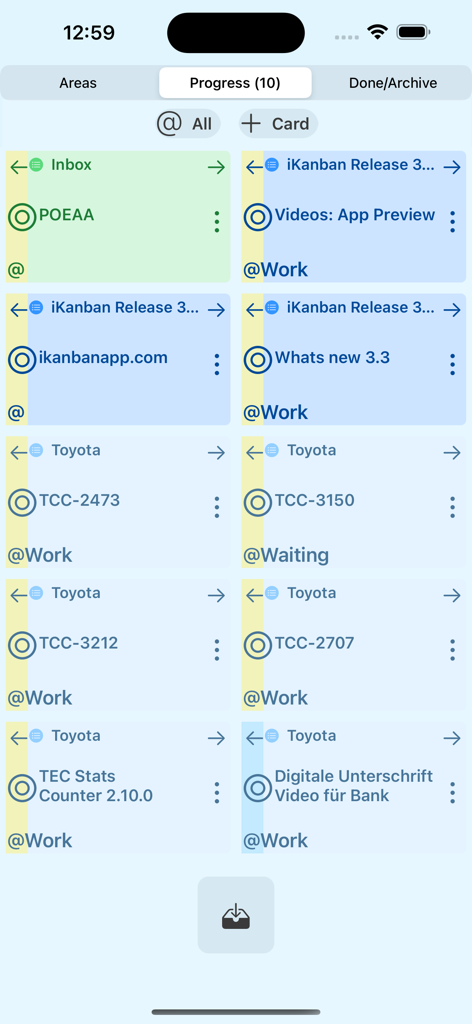
iKanban app screenshot showing multiple task cards in the Progress section.
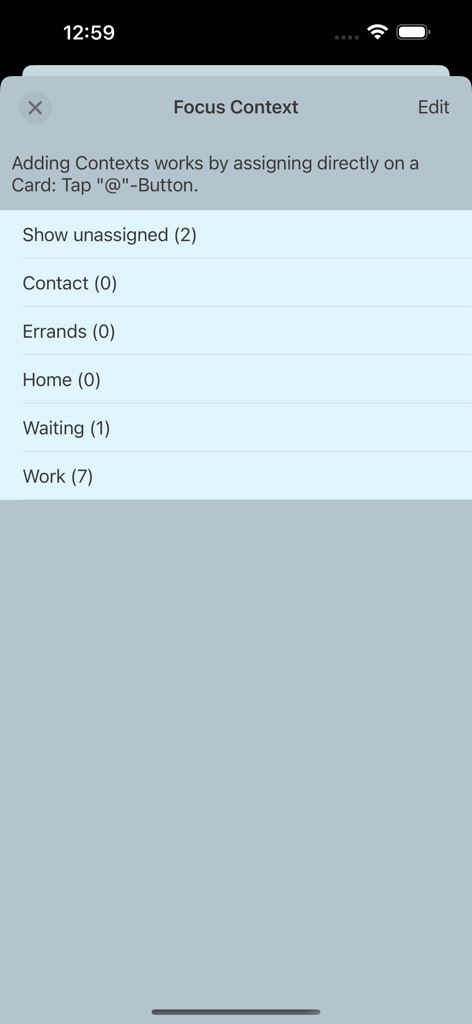
Screenshot of the iKanban app Focus Context interface showing task categories like Work Home and Waiting with item counts.
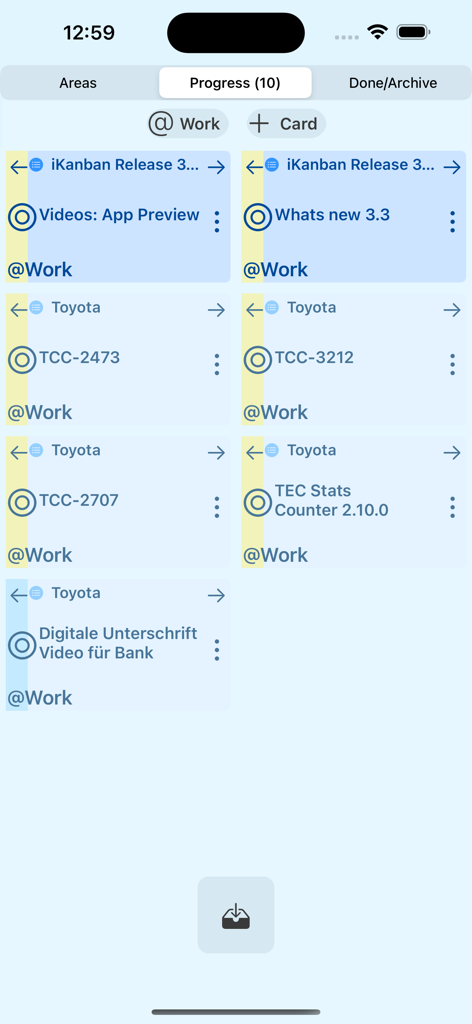
Mobile interface of iKanban showing active tasks in the progress column
Description
Download
More Like This
Top-ranked apps in the same category

ChatGPT
OpenAI OpCo, LLC

Google Gemini
Google LLC

Grok
X.AI Corporation

Gmail - Email by Google
Google LLC

千问 - 阿里最强大模型官方AI助手
Shanghai Zhixin Puhui Technology Co., Ltd.

Google Drive
Google LLC

Microsoft Authenticator
Microsoft Corporation

Google Sheets
Google LLC

Google Docs
Google LLC
This page is not an official page of the app or its developer, but an independent editorial publication created for informational and commentary purposes. Unless expressly stated otherwise, neither the app nor its developer is affiliated with, endorsed by, sponsored by, authorized by, or otherwise officially connected with MWM, Apple, Google Play, the app publisher, or the app's developer, and nothing on this page implies that the app was developed using MWM's services. Any trademarks, logos, screenshots, and other content remain the property of their respective owners.