
이 페이지는 앱이나 개발자의 공식 페이지가 아니며, 정보 제공 및 논평을 목적으로 작성된 독립 편집 간행물입니다. 명시적으로 달리 언급되지 않는 한, 해당 앱이나 개발자는 MWM, Apple, Google Play, 앱 퍼블리셔 또는 앱 개발자와 제휴, 보증, 후원, 승인 또는 공식적으로 연결되어 있지 않으며, 이 페이지의 어떤 내용도 해당 앱이 MWM의 서비스를 사용하여 개발되었음을 의미하지 않습니다. 모든 상표, 로고, 스크린샷 및 기타 콘텐츠는 해당 소유자의 자산입니다.


Amerigo File Manager
파일 지옥에서 해방을 외쳐라. 이 앱은 당신의 모든 클라우드와 로컬 데이터를 단일 왕국처럼 지배할 권능을 부여한다.
다운로드
25M+사용자 평점
총 평가 수
2.5M개발사
카테고리
Utilities지원 언어
6최신 버전
3.13.14크기
164.2 MB출시일
2013년 3월 5일Amerigo File Manager: 종합 분석 및 주요 기능
다중 클라우드 환경을 위한 iOS 파일 관리 솔루션 평가
통합 클라우드 연동 및 iOS 파일 앱 지원
이 앱은 Dropbox, Google Drive, OneDrive, iCloud Files 등 다양한 클라우드 서비스를 통합하며, iOS 파일 앱과의 연동을 통해 사용자가 어떤 앱에서든 파일에 접근하고 저장할 수 있도록 지원합니다.
가상 폴더 기능
이 도구는 사용자가 서로 다른 클라우드 및 로컬 저장소에 흩어진 파일을 하나의 가상 폴더로 논리적으로 묶어 프로젝트별 또는 카테고리별로 효율적으로 관리할 수 있게 해줍니다.
고급 검색 및 Spotlight 인덱싱
이 앱은 앱 내 모든 콘텐츠와 연동된 클라우드 저장소 전체에서 강력한 고급 검색 기능을 제공하며, 로컬 콘텐츠에 대한 Spotlight 인덱싱을 통해 사용자가 앱을 열지 않고도 원하는 파일을 즉시 찾아 열 수 있습니다.
다중 클라우드 계정 관리
이 도구는 각 클라우드 서비스별로 여러 계정을 동시에 연결하고 관리할 수 있도록 하여, 사용자가 저장 공간을 확장하고 개인 및 업무 파일을 효과적으로 분리하여 사용할 수 있도록 돕습니다.
내장 PDF 뷰어 및 고급 주석 기능
이 앱은 강화된 주석 기능을 갖춘 내장 PDF 뷰어를 제공하여, 사용자가 문서에 자유롭게 필기하고 하이라이트를 추가하는 등 전문적인 PDF 편집 작업을 앱 내에서 직접 수행할 수 있게 합니다.
폴더 암호 보호 (PIN 잠금)
이 도구는 사용자가 선택한 폴더에 PIN 코드를 설정하여 중요한 파일과 민감한 데이터를 무단 접근으로부터 안전하게 보호할 수 있는 보안 기능을 제공합니다.
자주 묻는 질문
에 대해 알아야 할 모든 것 Amerigo File Manager
What is Amerigo File Manager?
Amerigo File Manager is an enhanced application for managing and organizing local and cloud-saved files. It links multiple cloud services and offers iOS Files app integration.
Does Amerigo File Manager support multiple cloud services?
Yes, Amerigo File Manager supports linking multiple cloud services including Dropbox, Google Drive, OneDrive, and iCloud Files. Users can also add more than one account for each cloud.
Can Amerigo File Manager integrate with the iOS Files app?
Yes, Amerigo File Manager integrates with the iOS Files app for all linked clouds in read-write mode. This allows users to download and upload files from any app.
Can I save email attachments directly to Amerigo File Manager?
Yes, users can directly save email attachments to any cloud linked in Amerigo File Manager by choosing "Save in files" from the action sheet.
Does Amerigo File Manager allow organizing files from different cloud services?
Yes, Amerigo File Manager uses virtual folders to group files from various sources, including different cloud storage providers and local storage.
Can I search for files in Amerigo File Manager without opening the app?
Yes, Amerigo File Manager supports Spotlight indexing of all local content. This allows users to find and open files immediately without launching the application.
Does Amerigo File Manager include a PDF editor?
Yes, Amerigo File Manager includes an integrated PDF viewer with enhanced annotation capabilities. It recognizes shapes and gestures, and allows highlighting.
What types of files can Amerigo File Manager open?
Amerigo File Manager supports all Microsoft Office files, PDF files, and various other file types for management and organization.
Can I search for files across all linked cloud storages within Amerigo File Manager?
Yes, Amerigo File Manager provides advanced search capabilities. Users can search between all content within the app and across all linked cloud storages.
Does Amerigo File Manager offer a built-in web browser?
Yes, Amerigo File Manager features a multi-tab fast internet browsing experience. It also includes a private browsing mode for enhanced privacy.
Does Amerigo File Manager support compression and decompression of files?
Yes, Amerigo File Manager supports the compression of files into zip format. It also allows for the decompression of both zip and rar files.
How do I remove ads in Amerigo File Manager?
Users can remove ads in Amerigo File Manager and its integrated browser via an in-app subscription. This subscription also includes an ad block for Safari.
Is there a free trial for the Amerigo File Manager subscription?
Yes, the in-app subscription for Amerigo File Manager offers a free 7-day trial. After the trial, it renews for a monthly period.
Can Amerigo File Manager hide selected folders?
Yes, Amerigo File Manager allows users to protect selected folders with a PIN. This feature enhances privacy for sensitive files.
Does Amerigo File Manager support WebDav devices?
Yes, Amerigo File Manager supports WebDav devices. It also features a built-in WebServer to manage files from a Mac or PC.
다음 스크린샷과 설명은 앱의 공식 스토어 목록에서 직접 가져온 것이며 앱 개발자의 자산입니다.
앱 스토어
스크린샷
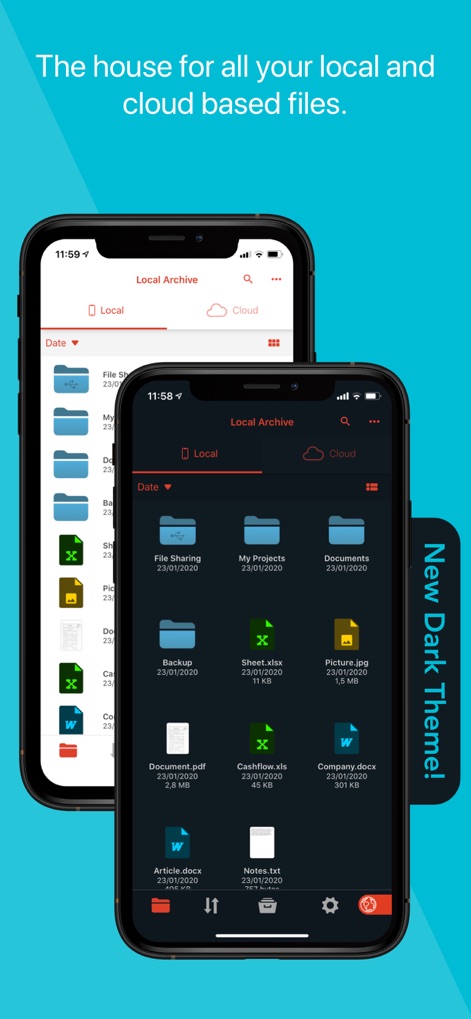
파일 관리의 시작
이 앱은 로컬 파일과 클라우드 파일을 깔끔하게 정돈된 목록으로 보여주며, 새로운 다크 테마를 통해 시각적 편안함을 제공합니다.
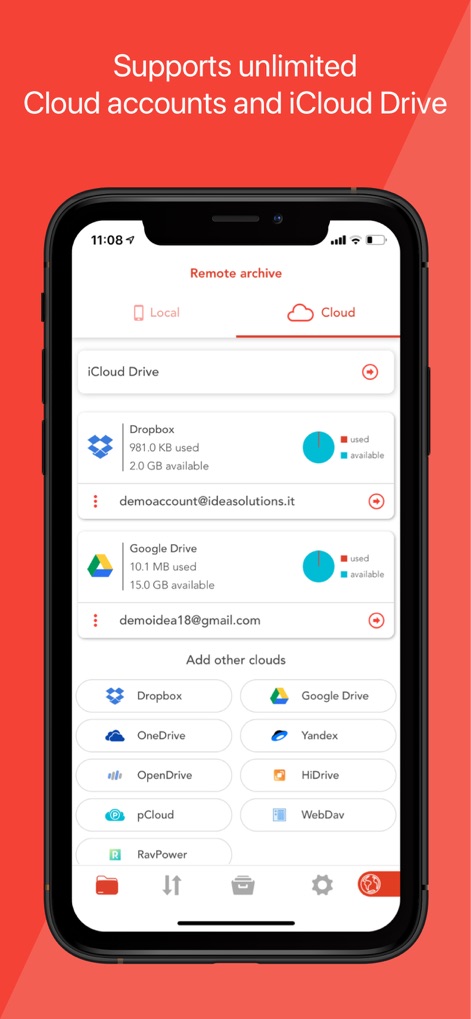
다중 클라우드 통합
사용자는 iCloud Drive 및 Dropbox 계정을 포함한 여러 클라우드 서비스를 한곳에서 관리하고, 새로운 클라우드 추가 옵션을 통해 더욱 확장할 수 있습니다.
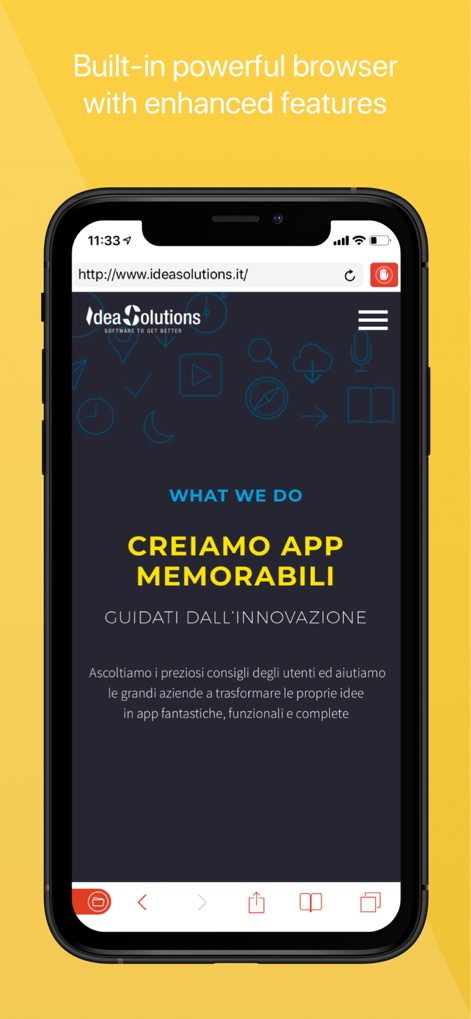
내장 웹 브라우저
이 앱은 강력한 내장 웹 브라우저를 제공하여 웹사이트를 탐색할 수 있으며, 주소 표시줄과 하단 탐색 메뉴를 통해 편리한 사용성을 보장합니다.
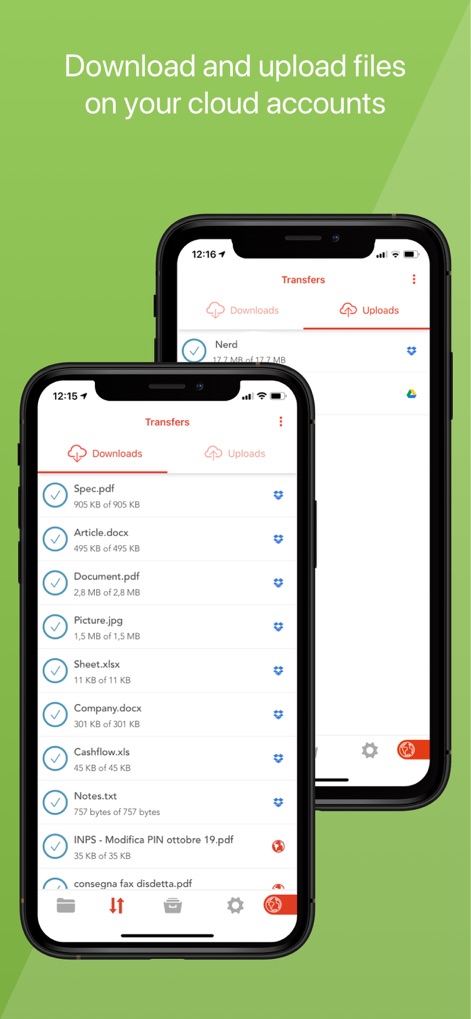
파일 전송 관리
사용자는 다운로드 및 업로드 탭을 통해 다양한 형식의 파일을 효율적으로 전송하고, 각 파일의 진행 상황을 한눈에 확인할 수 있습니다.
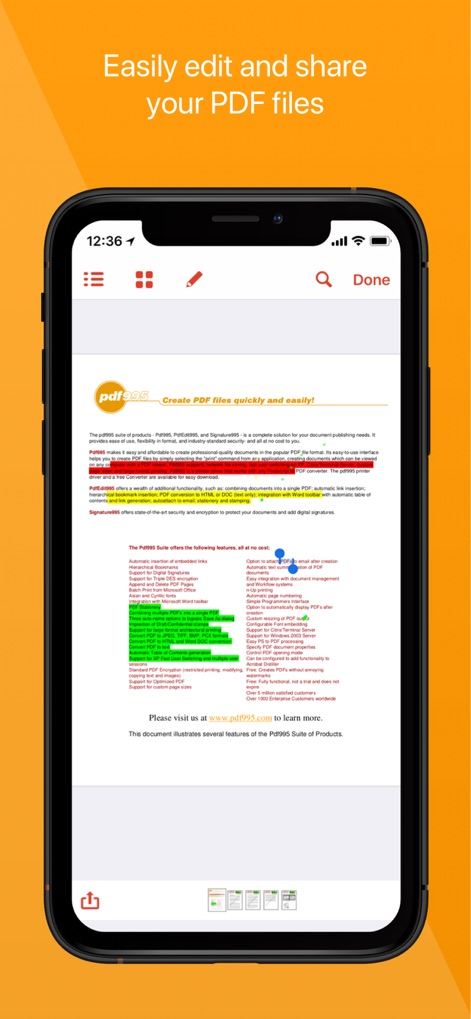
PDF 문서 편집
이 앱은 통합 PDF 뷰어를 통해 문서를 볼 수 있으며, 형광펜 도구를 사용하여 중요한 내용을 쉽게 강조 표시할 수 있습니다.
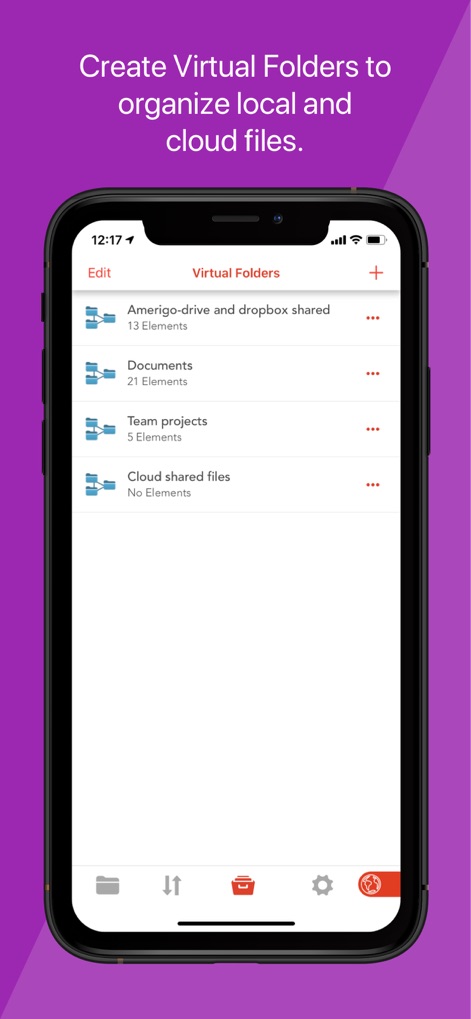
가상 폴더로 정리
사용자는 로컬 및 클라우드 파일을 통합하는 가상 폴더를 생성하여 파일을 효과적으로 분류하고, 'Amerigo-drive and dropbox shared'와 같은 폴더를 통해 프로젝트별 관리를 할 수 있습니다.
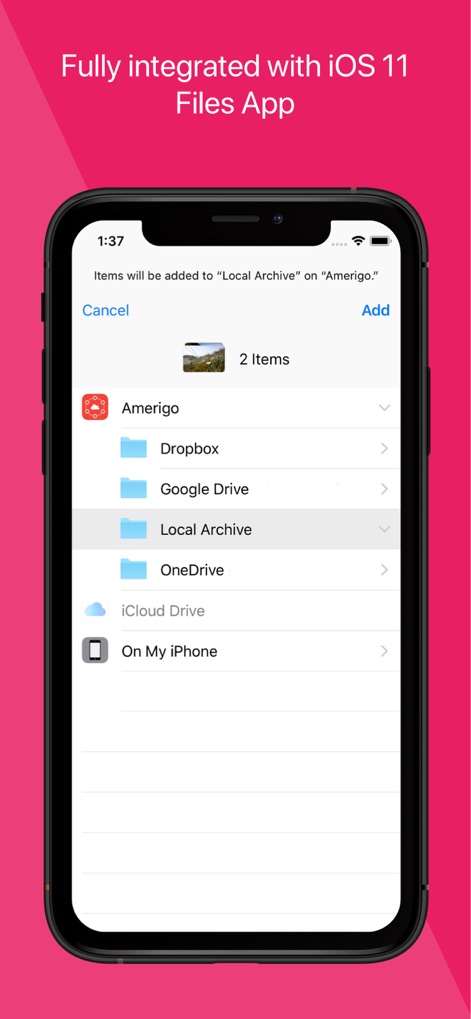
iOS 파일 앱 연동
이 앱은 iOS 파일 앱과 완벽하게 통합되어 다양한 소스에서 파일을 직접 추가할 수 있으며, Dropbox와 Google Drive를 포함한 여러 클라우드 서비스와의 연동을 지원합니다.
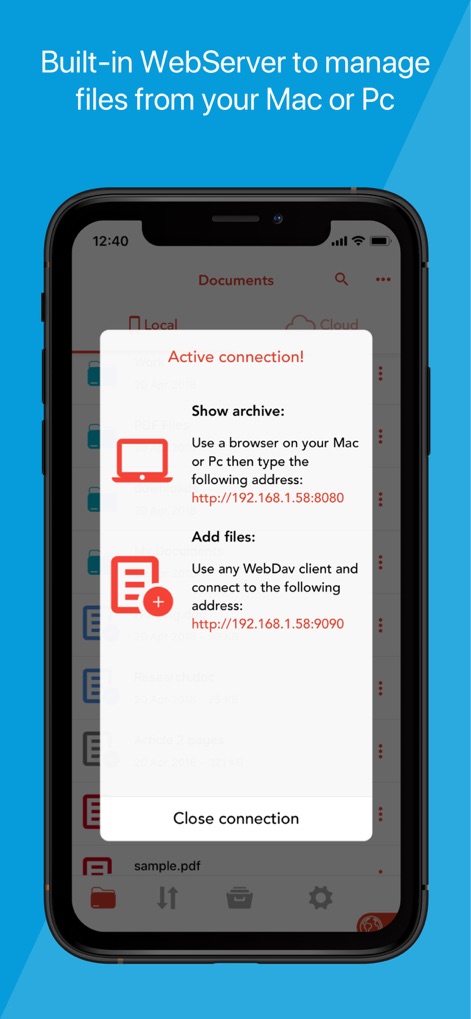
PC/Mac 파일 관리
이 앱은 내장 웹 서버를 통해 Mac이나 PC에서 파일을 관리할 수 있으며, 웹 브라우저 접속 주소와 WebDav 클라이언트 연결 옵션을 제공합니다.
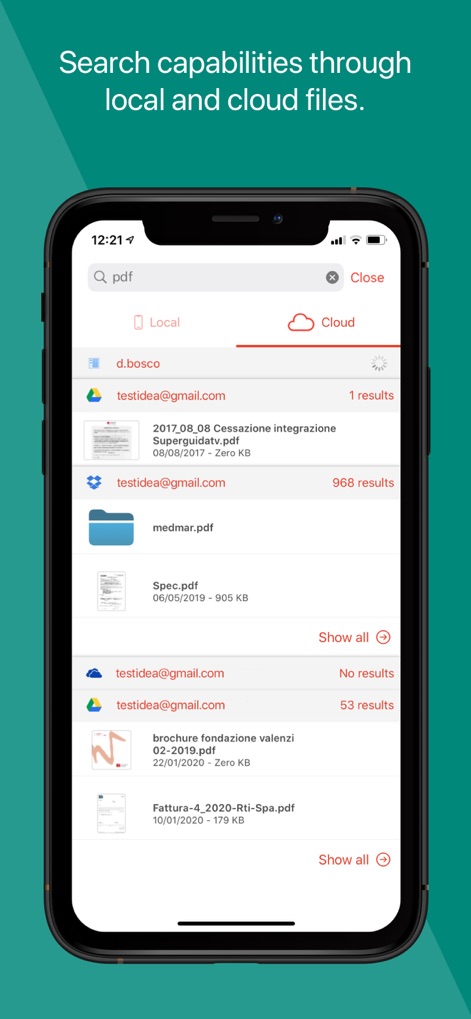
통합 파일 검색
사용자는 로컬 및 클라우드 파일 전체에서 특정 파일을 검색할 수 있으며, 'pdf'와 같은 키워드를 사용하여 다양한 클라우드 계정에서 관련 결과를 빠르게 찾을 수 있습니다.
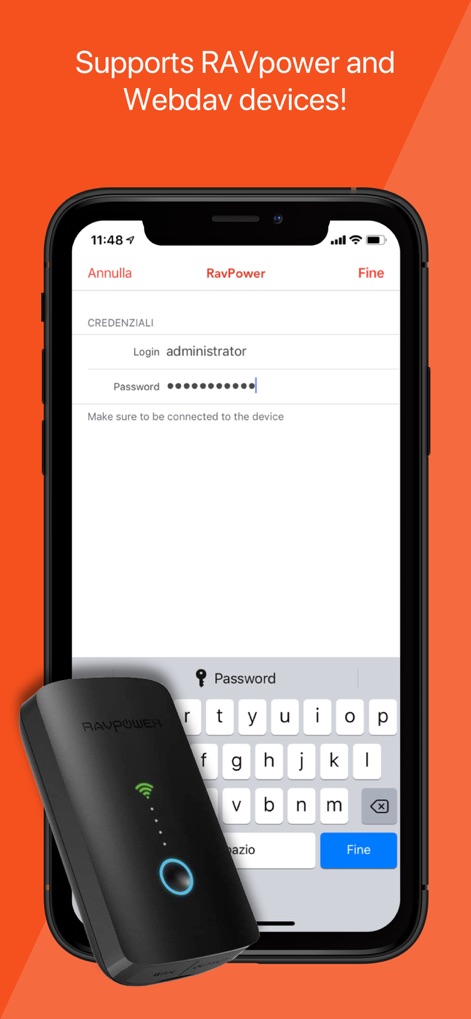
RavPower 장치 지원
이 앱은 RavPower 장치와 같은 외부 저장 솔루션을 지원하여 파일에 접근할 수 있으며, 로그인 자격 증명 입력 필드를 통해 보안 접근을 보장합니다.
설명
Download
비슷한 앱
유사한 기능과 사용자 경험을 가진 앱

PDF PRO Scan Image & Documents
Balzo srl

The PDF Scanner, PDF editor HQ
NEXT K.U.M. LTD

CamScanner - PDF Scanner App
INTSIG Information Co., Ltd

Adobe Scan: PDF & OCR Scanner
Adobe Inc.

WPS Office: PDF, Docs, Sheets
KINGSOFT OFFICE SOFTWARE CORPORATION LIMITED

iLovePDF - PDF Editor & Scan
ILOVEPDF S.L.

Scanner App: Genius Scan
The Grizzly Labs

Microsoft Lens: PDF Scanner
Microsoft Corporation

Clear Scan: Doc Scanner App
INDY MOBILE APP COMPANY LIMITED
이 페이지는 앱이나 개발자의 공식 페이지가 아니며, 정보 제공 및 논평을 목적으로 작성된 독립 편집 간행물입니다. 명시적으로 달리 언급되지 않는 한, 해당 앱이나 개발자는 MWM, Apple, Google Play, 앱 퍼블리셔 또는 앱 개발자와 제휴, 보증, 후원, 승인 또는 공식적으로 연결되어 있지 않으며, 이 페이지의 어떤 내용도 해당 앱이 MWM의 서비스를 사용하여 개발되었음을 의미하지 않습니다. 모든 상표, 로고, 스크린샷 및 기타 콘텐츠는 해당 소유자의 자산입니다.