Cam Scanner: Smart Scan to PDF
다운로드: App Store

이 페이지는 앱이나 개발자의 공식 페이지가 아니며, 정보 제공 및 논평을 목적으로 작성된 독립 편집 간행물입니다. 명시적으로 달리 언급되지 않는 한, 해당 앱이나 개발자는 MWM, Apple, Google Play, 앱 퍼블리셔 또는 앱 개발자와 제휴, 보증, 후원, 승인 또는 공식적으로 연결되어 있지 않으며, 이 페이지의 어떤 내용도 해당 앱이 MWM의 서비스를 사용하여 개발되었음을 의미하지 않습니다. 모든 상표, 로고, 스크린샷 및 기타 콘텐츠는 해당 소유자의 자산입니다.

로고: Cam Scanner: Smart Scan to PDF
다운로드: App Store

Cam Scanner: Smart Scan to PDF

종이를 디지털 선명도로 손쉽게 변환하세요. 빠르게 변화하는 생활에 맞춰 설계된 강력한 OCR 및 스마트 PDF 도구로 몇 초 만에 문서를 스캔, 서명 및 정리하세요.

주요 수치

다운로드

60K+

사용자 평점

4.6/5

총 평가 수

0

개발사

Nikolai Kangur

카테고리

Business

지원 언어

1

최신 버전

1.0

크기

44.2 MB

출시일

2025년 8월 13일
기능

작업 흐름을 디지털 파워하우스로 변환하세요

모바일 전문가를 위한 궁극적인 도구를 경험하세요. 번거로운 하드웨어 없이 정밀하게 문서를 스캔, 서명 및 정리하세요.

문서 즉시 서명

프린터를 건너뛰세요. 몇 초 만에 화면에서 고유한 디지털 서명을 만들고 계약서 또는 임대 계약서에 서명하세요.

크리스탈처럼 선명한 텍스트 인식

고급 OCR을 사용하여 실제 페이지를 편집 가능한 텍스트로 변환하세요. 전문적인 수준의 선명도로 모든 세부 정보를 포착하세요.

다음 스크린샷과 설명은 앱의 공식 스토어 목록에서 직접 가져온 것이며 앱 개발자의 자산입니다.

앱 스토어

스크린샷
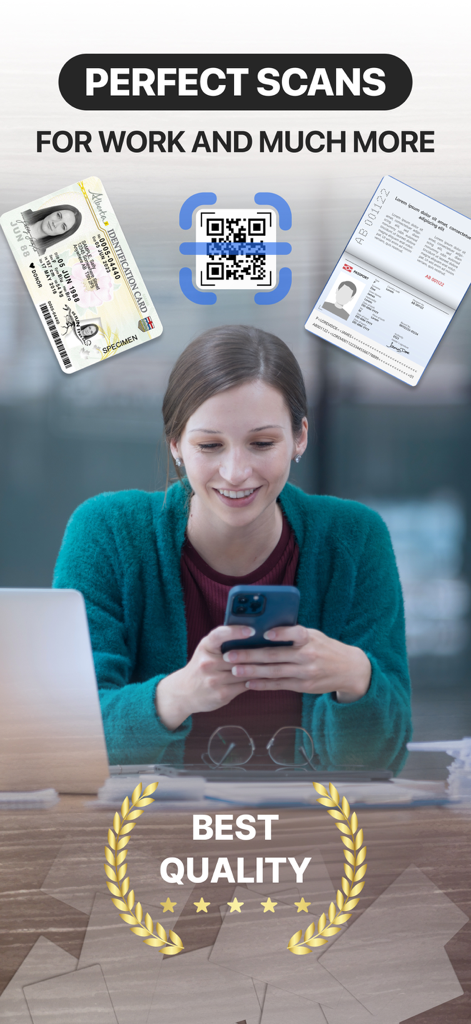
Cam Scanner: Smart Scan to PDF - 전문 여성이 신분증, 여권, QR 코드를 디지털화하기 위해 캠 스캐너 앱을 사용하고 있는 모습
전문 여성이 신분증, 여권, QR 코드를 디지털화하기 위해 캠 스캐너 앱을 사용하고 있는 모습

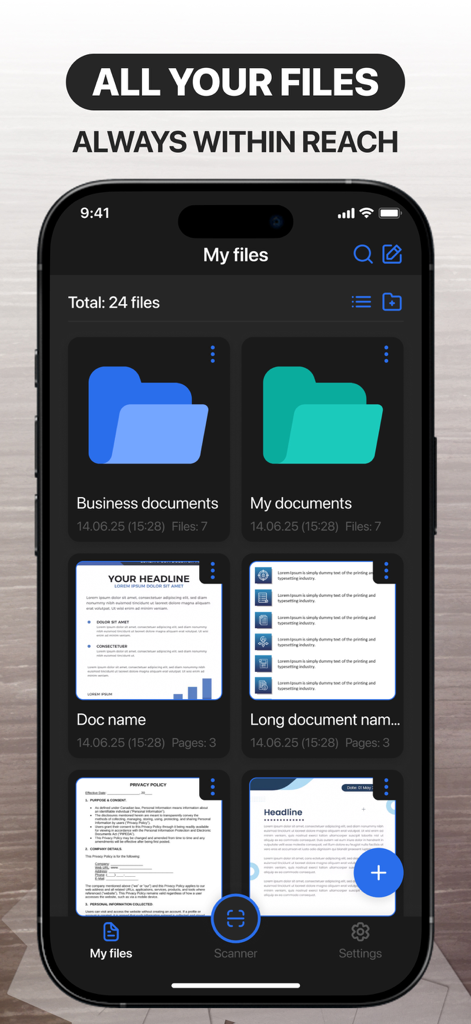
Cam Scanner: Smart Scan to PDF - Cam Scanner 앱 인터페이스가 파일 관리 화면에서 정리된 폴더와 스캔된 문서 미리보기를 보여주는 모습
Cam Scanner 앱 인터페이스가 파일 관리 화면에서 정리된 폴더와 스캔된 문서 미리보기를 보여주는 모습

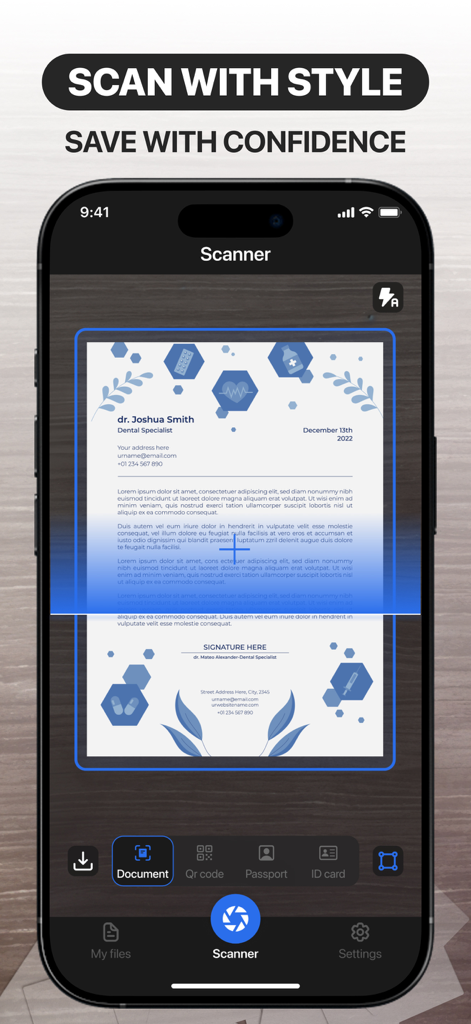
Cam Scanner: Smart Scan to PDF - Cam Scanner 앱 인터페이스가 책상 위에서 스캔 중인 전문 문서를 보여주는 모습
Cam Scanner 앱 인터페이스가 책상 위에서 스캔 중인 전문 문서를 보여주는 모습

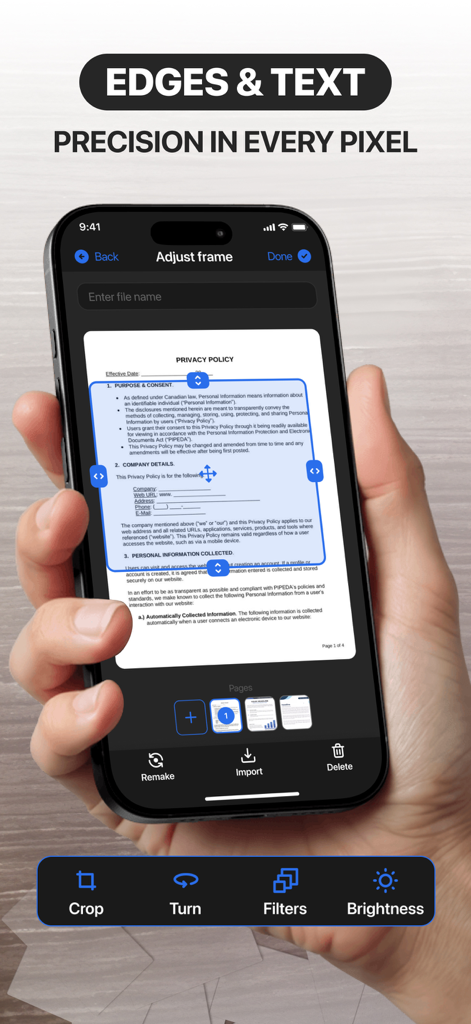
Cam Scanner: Smart Scan to PDF - Cam Scanner 앱 인터페이스가 스캔된 문서에 대한 정밀 프레임 조정을 보여주는 모습
Cam Scanner 앱 인터페이스가 스캔된 문서에 대한 정밀 프레임 조정을 보여주는 모습

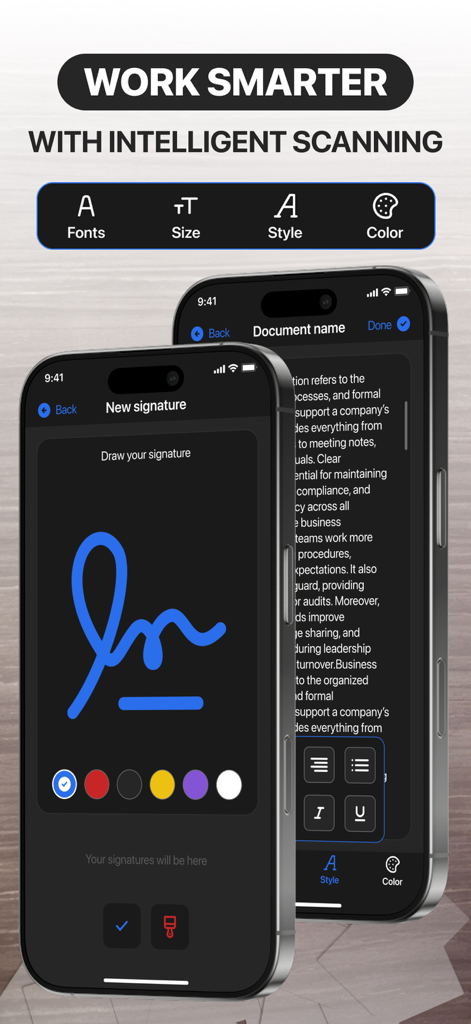
Cam Scanner: Smart Scan to PDF - Cam Scanner 앱의 디지털 서명 생성 및 문서 텍스트 편집 기능을 보여주는 스마트폰 화면

Cam Scanner 앱의 디지털 서명 생성 및 문서 텍스트 편집 기능을 보여주는 스마트폰 화면

설명

Paper to digital effortlessly Easily scan any documents or images and turn them into your digital tools. Your documents are always at your fingertips and in perfect order. Effortlessly Transform Paper to Digital Say goodbye to piles of paperwork—seamlessly scan any document or image and convert it into a versatile digital file. With just a few clicks, your physical papers become organized, searchable, and always accessible. Whether at home, in the office, or on the go, your important documents are right at your fingertips, perfectly sorted and ready whenever you need them. Capture Perfect Clarity, Every Time Experience crisp, high-quality scans with every use. Once your document is digitized, effortlessly highlight key sections, add notes, or make quick edits—all with intuitive, user-friendly tools. No more printing, scribbling, or rescanning. Refine your documents anytime, anywhere, with unmatched speed and precision. Capture clarity, every time After scanning a document, you can highlight the most important parts for you. Edit documents quickly, conveniently, and effortlessly at any time. Export files in various formats Upload and share your documents in various text formats, as images, or as PDFs. Convenient and easy file export, always according to your rules. Sign documents digitally Create your own unique digital signatures and easily transfer them to documents. Don't bother searching for a pen with a reliable digital tool. Access more features: Ability to edit and customize documents Scanning QR codes, passports & ID cards Document Text Recognition Function Premium Membership: Week Features A 3-day trial is available with all subscriptions. Your iTunes account will be charged after the purchase is confirmed. Subscriptions automatically renew unless you cancel at least 24 hours before the current period ends. Manage your subscriptions and auto-renewal in Account Settings. Support and Privacy Policy Consult our privacy policy:https://kopolomech.art/PrivacyPolicy.html Visit our Terms of Use to understand how we protect your information:https://kopolomech.art/TermsOfUse.html Reach our customer support at:nikoglobals@kopolomech.art Your Documents—Simplified, Secure, and Always Within Reach.

Download

다운로드: App Store

이 페이지는 앱이나 개발자의 공식 페이지가 아니며, 정보 제공 및 논평을 목적으로 작성된 독립 편집 간행물입니다. 명시적으로 달리 언급되지 않는 한, 해당 앱이나 개발자는 MWM, Apple, Google Play, 앱 퍼블리셔 또는 앱 개발자와 제휴, 보증, 후원, 승인 또는 공식적으로 연결되어 있지 않으며, 이 페이지의 어떤 내용도 해당 앱이 MWM의 서비스를 사용하여 개발되었음을 의미하지 않습니다. 모든 상표, 로고, 스크린샷 및 기타 콘텐츠는 해당 소유자의 자산입니다.








