Doc Scan:OCR and PDF Scanner
다운로드: App Store

이 페이지는 앱이나 개발자의 공식 페이지가 아니며, 정보 제공 및 논평을 목적으로 작성된 독립 편집 간행물입니다. 명시적으로 달리 언급되지 않는 한, 해당 앱이나 개발자는 MWM, Apple, Google Play, 앱 퍼블리셔 또는 앱 개발자와 제휴, 보증, 후원, 승인 또는 공식적으로 연결되어 있지 않으며, 이 페이지의 어떤 내용도 해당 앱이 MWM의 서비스를 사용하여 개발되었음을 의미하지 않습니다. 모든 상표, 로고, 스크린샷 및 기타 콘텐츠는 해당 소유자의 자산입니다.


로고: Doc Scan:OCR and PDF Scanner
다운로드: App Store

Doc Scan:OCR and PDF Scanner

iPhone을 고성능 사무실로 바꿔보세요. 학생과 전문가 모두를 위해 전문적인 정확도로 문서를 즉시 스캔, 번역, 편집 가능한 파일로 변환하세요.

주요 수치

다운로드

120K+

사용자 평점

4.8/5

총 평가 수

1K+

개발사

Hangzhou Jiadi Bozhong Enterprise Management Partnership

카테고리

Productivity

지원 언어

9

최신 버전

2.3.2

크기

143.2 MB

출시일

2021년 1월 12일
기능

생산성 향상

iPhone을 전문가 수준의 모바일 사무실로 바꿔보세요. 고성능 전문가 및 학생을 위해 설계된 정밀 도구로 스캔, 편집, 구성하세요.

즉각적인 OCR 및 텍스트 추출

수동 데이터 입력을 없애세요. 모든 이미지 또는 문서에서 텍스트를 즉시 추출하고 전문 수준의 정확도로 편집 가능한 Word 또는 PDF 형식으로 변환하세요.

스마트 시험 및 잉크 제거

학생을 위한 최고의 도구입니다. 사용한 시험지에서 필기를 디지털 방식으로 지워 원본 상태로 복원하여 무제한 연습 세션을 제공합니다.

다음 스크린샷과 설명은 앱의 공식 스토어 목록에서 직접 가져온 것이며 앱 개발자의 자산입니다.

앱 스토어

스크린샷
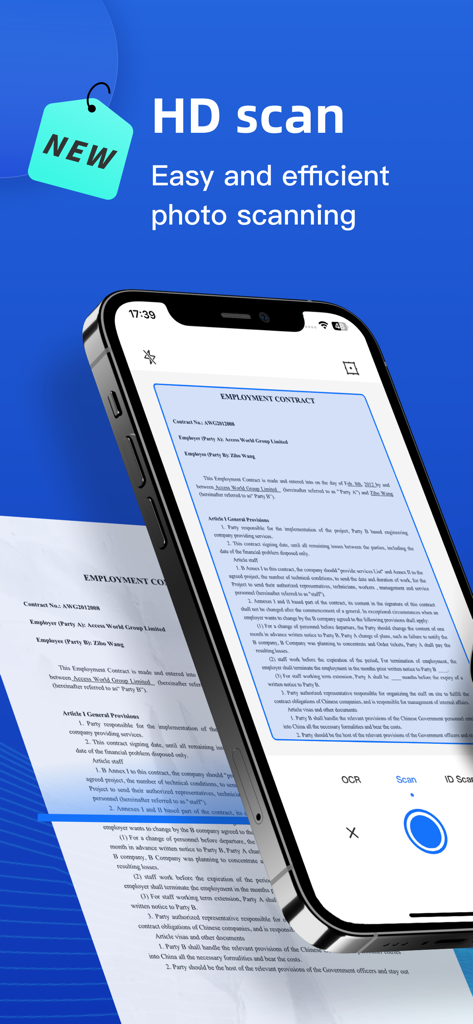
Doc Scan:OCR and PDF Scanner - Doc Scan 앱을 사용하여 고용 계약서의 HD 스캔을 수행하는 스마트폰.
Doc Scan 앱을 사용하여 고용 계약서의 HD 스캔을 수행하는 스마트폰.

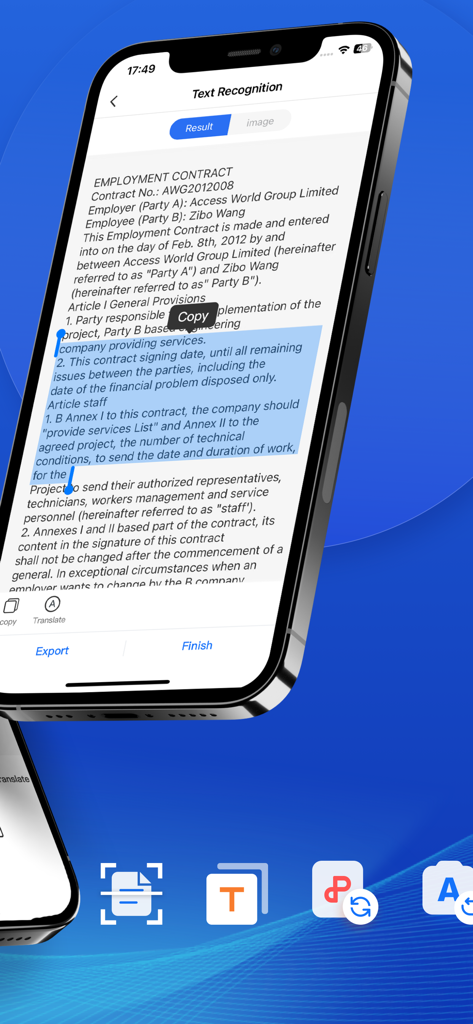
Doc Scan:OCR and PDF Scanner - 복사 도구가 있는 고용 계약서에서 OCR 텍스트 인식을 보여주는 모바일 앱 인터페이스
복사 도구가 있는 고용 계약서에서 OCR 텍스트 인식을 보여주는 모바일 앱 인터페이스

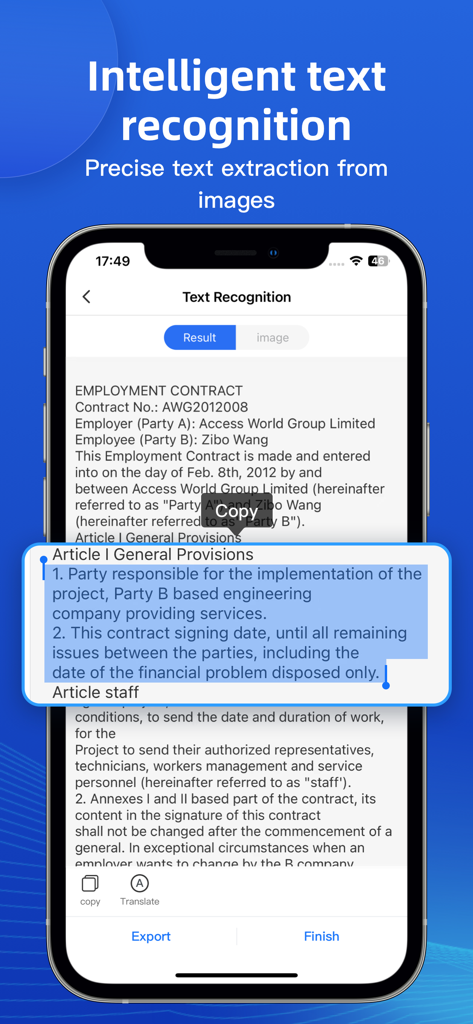
Doc Scan:OCR and PDF Scanner - 스캔된 고용 계약서에서 지능형 텍스트 인식 및 추출을 보여주는 스마트폰 화면.
스캔된 고용 계약서에서 지능형 텍스트 인식 및 추출을 보여주는 스마트폰 화면.

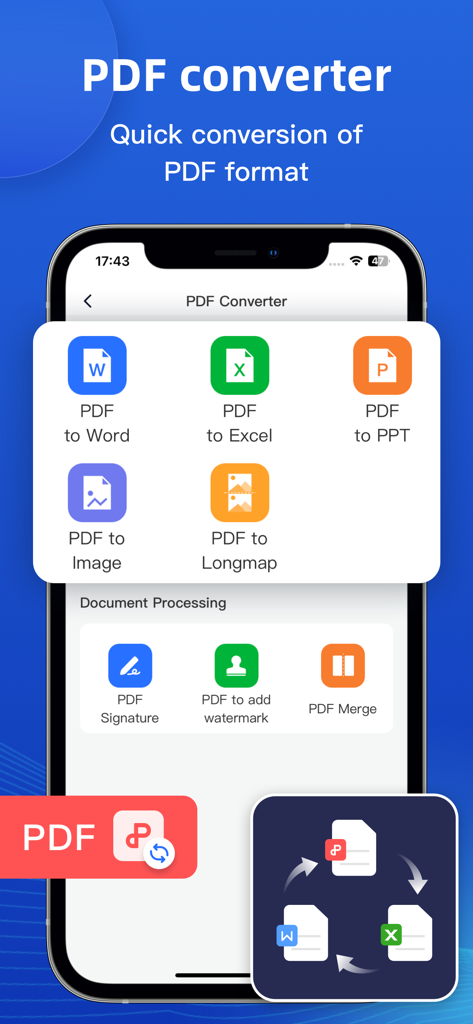
Doc Scan:OCR and PDF Scanner - Doc Scan 앱에서 Word Excel PPT 및 이미지 형식에 대한 PDF 변환 옵션을 보여주는 모바일 화면
Doc Scan 앱에서 Word Excel PPT 및 이미지 형식에 대한 PDF 변환 옵션을 보여주는 모바일 화면

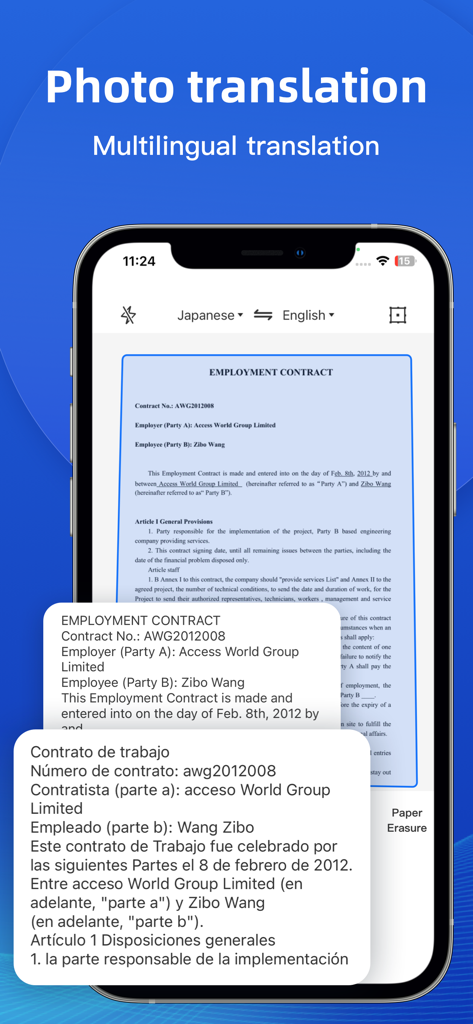
Doc Scan:OCR and PDF Scanner - 계약서를 스페인어로 변환하는 문서 스캐너 앱의 사진 번역 기능을 보여주는 스마트폰 화면.
계약서를 스페인어로 변환하는 문서 스캐너 앱의 사진 번역 기능을 보여주는 스마트폰 화면.

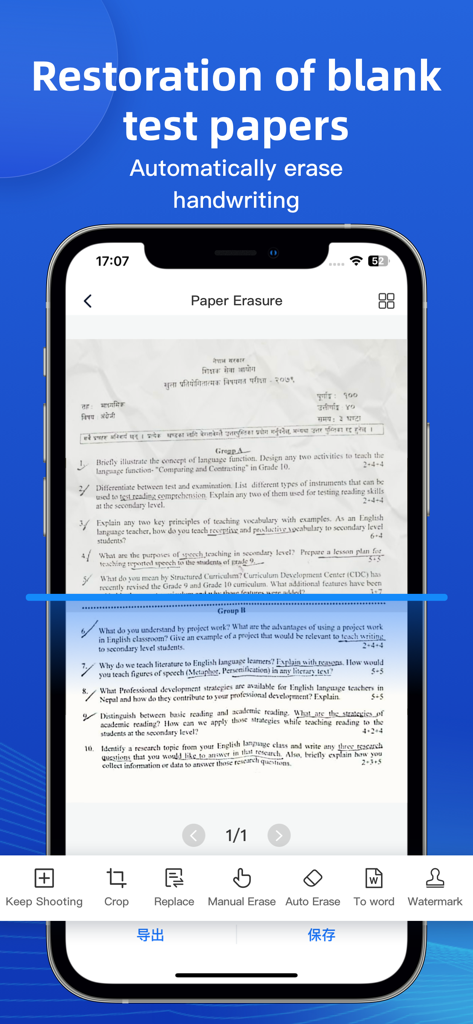
Doc Scan:OCR and PDF Scanner - 스캔된 문서에서 필기를 자동으로 지워 빈 시험지를 복원하는 스마트폰 앱 인터페이스.
스캔된 문서에서 필기를 자동으로 지워 빈 시험지를 복원하는 스마트폰 앱 인터페이스.

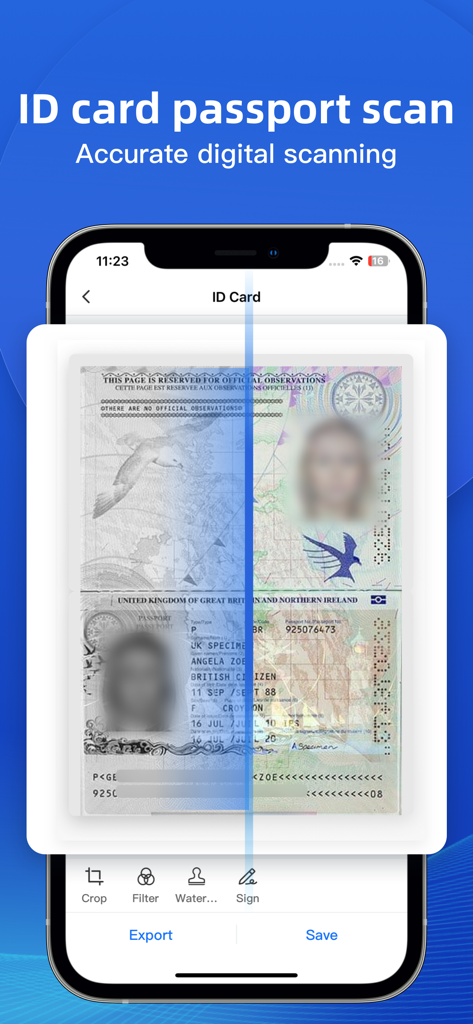
Doc Scan:OCR and PDF Scanner - 자르기 및 서명 옵션이 있는 ID 카드 및 여권 스캔 기능을 표시하는 Doc Scan 앱 화면
자르기 및 서명 옵션이 있는 ID 카드 및 여권 스캔 기능을 표시하는 Doc Scan 앱 화면

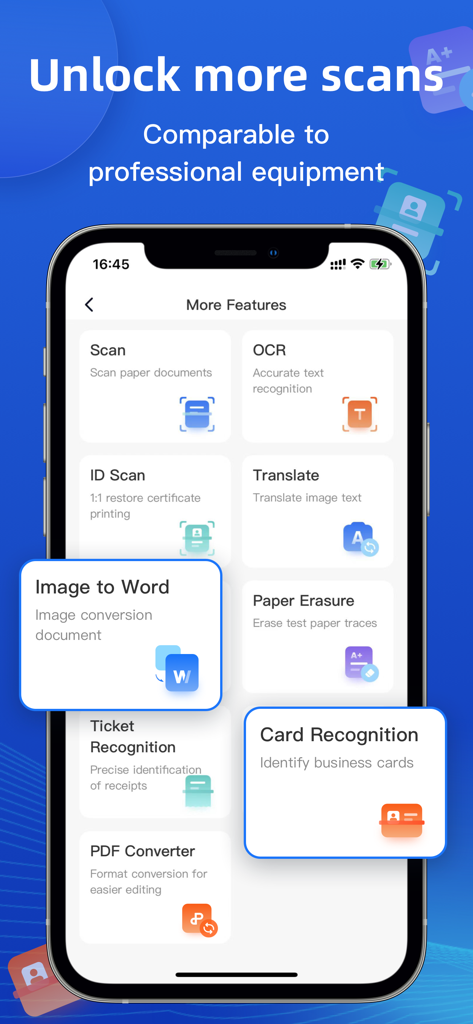
Doc Scan:OCR and PDF Scanner - OCR 및 문서 스캔과 같은 Doc Scan 앱의 기능을 보여주는 인터페이스

OCR 및 문서 스캔과 같은 Doc Scan 앱의 기능을 보여주는 인터페이스

설명

Scanner Almighty King is a smart scanning assistant tool that is convenient for students and office workers. Functions such as OCR text recognition, photo extraction scanning, image conversion to word, ID card scanning, photo translation, PDF conversion, etc., can be easily handled by Scanner Almighty King with one APP, eliminating the trouble of manual input and typesetting, high-definition image processing, and can be directly generated The electronic version is convenient, quick, clear and easy to use. ●Document scanning Use image processing algorithms to scan and manage your documents. ●Text recognition OCR text recognition, one-click text recognition. ● ID card scanning High-definition scanning of various documents, mobile scanner, 1:1 restoration of document printing, one-click stitching to A4 paper. ●Photograph translation Supports OCR recognition of most languages such as Chinese, English, Japanese, Korean, French, German, Russian, Spanish, etc., and fast translation. ●Image to Word Quickly and intelligently identify pictures, and convert word documents with one click, which is convenient and fast. ●Examination paper erasure Quickly erase the traces of the test paper and restore the original appearance of the test paper. ●receipt recognition Accurately identify the contents of receipts, making it easy to make electronic receipts. ●Business card recognition Accurate identification, standardized API output. ●PDF Converter One-click format conversion makes editing easier. ---------------------------------------- 【Automatic Renewal Terms】 There are three subscription options for premium accounts: Weekly membership: only $9.99/week Annual membership: only $29.99/year Lifetime membership: only $39.99 ● Subscription payment will be charged to your iTunes account at confirmation of purchase and at the beginning of each renewal period ● Renewal: The Apple iTunes account will be debited within 24 hours before the expiration, and the subscription period will be extended by one subscription period after the deduction is successful. ● Cancel Renewal: You may cancel your subscription or trial at any time by going to your iTunes account settings and canceling the subscription, otherwise it will automatically renew. This must be done 24 hours before the end of the trial period or any subscription period to avoid being charged. Subscriptions that include a trial period will automatically renew to a paid subscription. ● Subscriptions may be managed by the user and auto-renewal may be turned off by going to the user's Account Settings after purchase ● When you purchase a premium subscription during a trial period, any unused portion of the trial period, if offered, will forfeit. ●Privacy Policy: http://static.rhinoxlab.com/html/privacy/saomiaoyiwannengwang_bodi_en.html?appName=DocScan ●Member Payment Agreement: http://static.rhinoxlab.com/html/paymentagreement/general.html

Download

다운로드: App Store

이 페이지는 앱이나 개발자의 공식 페이지가 아니며, 정보 제공 및 논평을 목적으로 작성된 독립 편집 간행물입니다. 명시적으로 달리 언급되지 않는 한, 해당 앱이나 개발자는 MWM, Apple, Google Play, 앱 퍼블리셔 또는 앱 개발자와 제휴, 보증, 후원, 승인 또는 공식적으로 연결되어 있지 않으며, 이 페이지의 어떤 내용도 해당 앱이 MWM의 서비스를 사용하여 개발되었음을 의미하지 않습니다. 모든 상표, 로고, 스크린샷 및 기타 콘텐츠는 해당 소유자의 자산입니다.








