이 페이지는 앱이나 개발자의 공식 페이지가 아니며, 정보 제공 및 논평을 목적으로 작성된 독립 편집 간행물입니다. 명시적으로 달리 언급되지 않는 한, 해당 앱이나 개발자는 MWM, Apple, Google Play, 앱 퍼블리셔 또는 앱 개발자와 제휴, 보증, 후원, 승인 또는 공식적으로 연결되어 있지 않으며, 이 페이지의 어떤 내용도 해당 앱이 MWM의 서비스를 사용하여 개발되었음을 의미하지 않습니다. 모든 상표, 로고, 스크린샷 및 기타 콘텐츠는 해당 소유자의 자산입니다.
DocScan – PDF Document Scanner
문서를 디지털화하고, 계약서에 서명하고, 파일을 전문적인 정밀도로 정리하세요. 높은 생산성을 요구하는 전문가와 학생들을 위해 설계된 포켓 사이즈 오피스입니다.
AI 기반 도구로 생산성을 높여, 전문 및 학술 문서를 몇 초 만에 디지털화하고, 서명하고, 정리하세요.
AI 기반 정밀도
경계를 자동으로 감지하고 원근를 보정하여 원본보다 더 나은 고품질의 전문적인 PDF를 만듭니다.
안전한 전자 서명
스캔한 문서에 사용자 지정 디지털 서명을 직접 추가하여 이동 중에도 거래를 성사시키고 서류 작업을 완료하세요.
다음 스크린샷과 설명은 앱의 공식 스토어 목록에서 직접 가져온 것이며 앱 개발자의 자산입니다.
앱 스토어
스크린샷
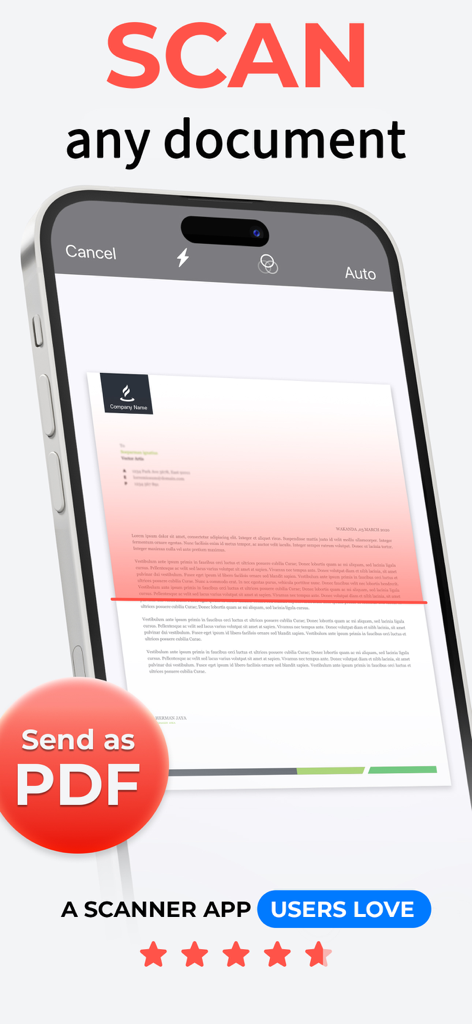
DocScan 앱이 종이 문서를 스캔하여 PDF로 저장하는 것을 보여주는 iPhone 화면
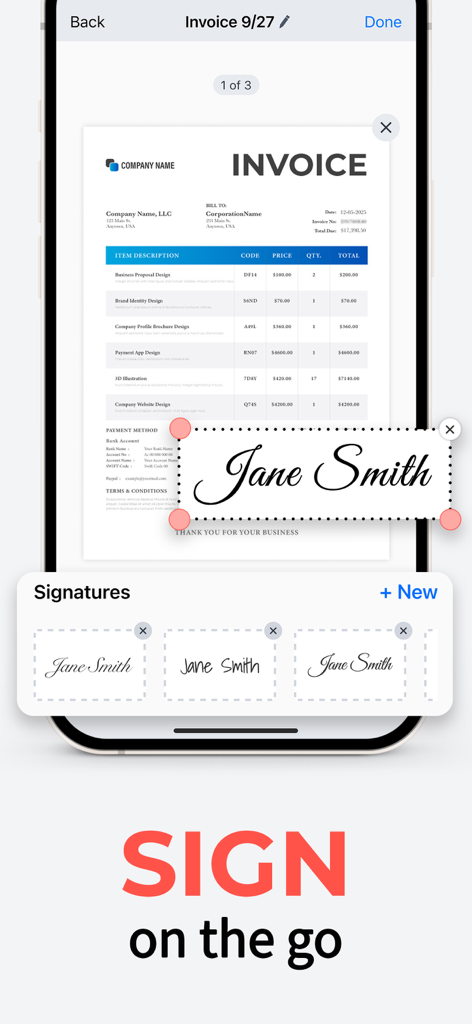
DocScan 앱 전자 서명 기능을 사용하여 스마트폰에서 PDF 송장에 디지털 서명하는 사용자
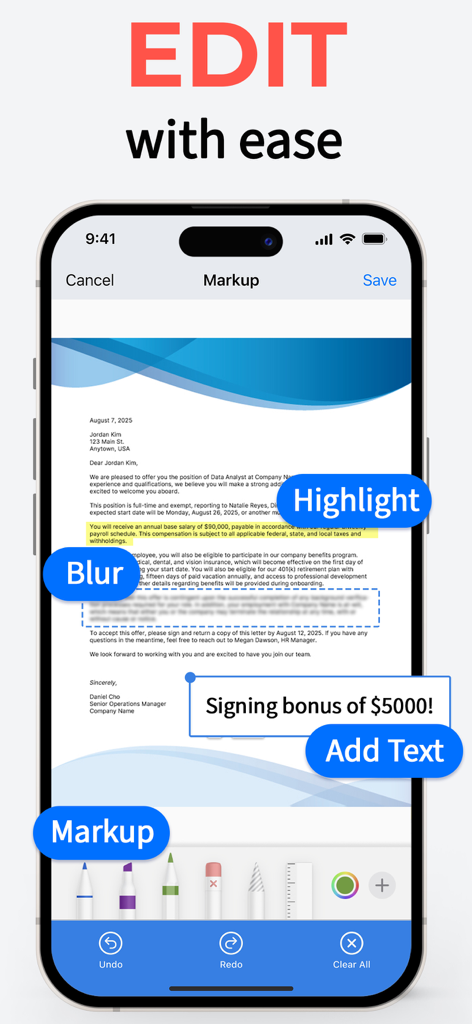
DocScan 인터페이스로 마크업 하이라이트 및 블러 기능으로 문서 편집
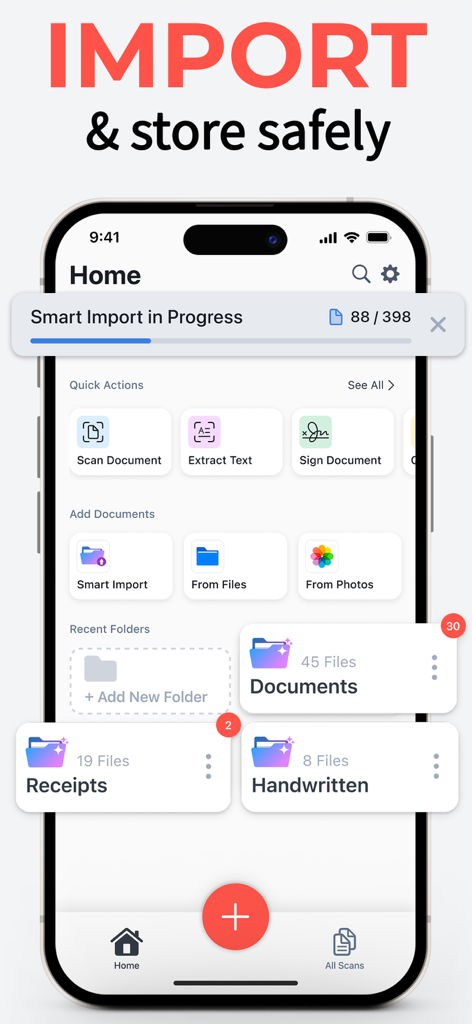
스마트 가져오기 진행 상황과 문서 및 영수증을 위한 정리된 폴더가 있는 DocScan 앱 홈 인터페이스를 보여주는 iPhone 화면
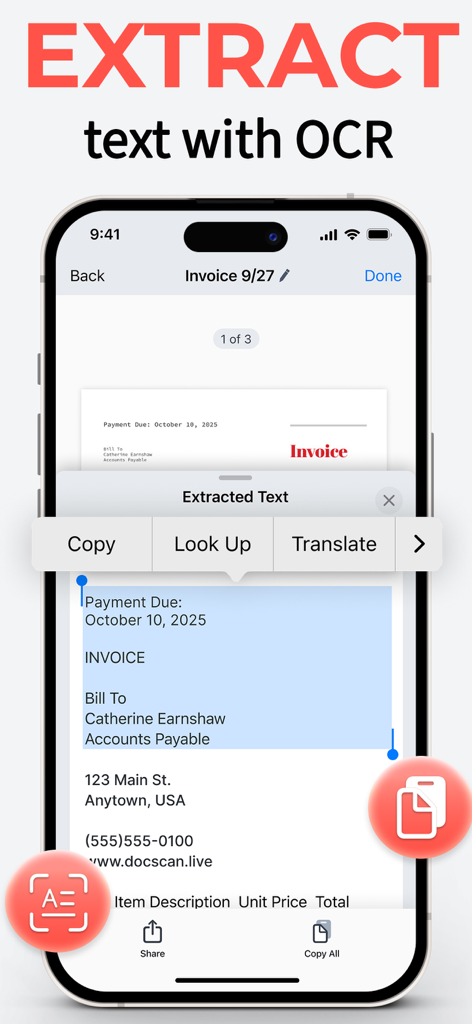
DocScan 앱 인터페이스가 OCR 기술을 사용하여 스캔된 송장에서 텍스트를 추출하는 모습
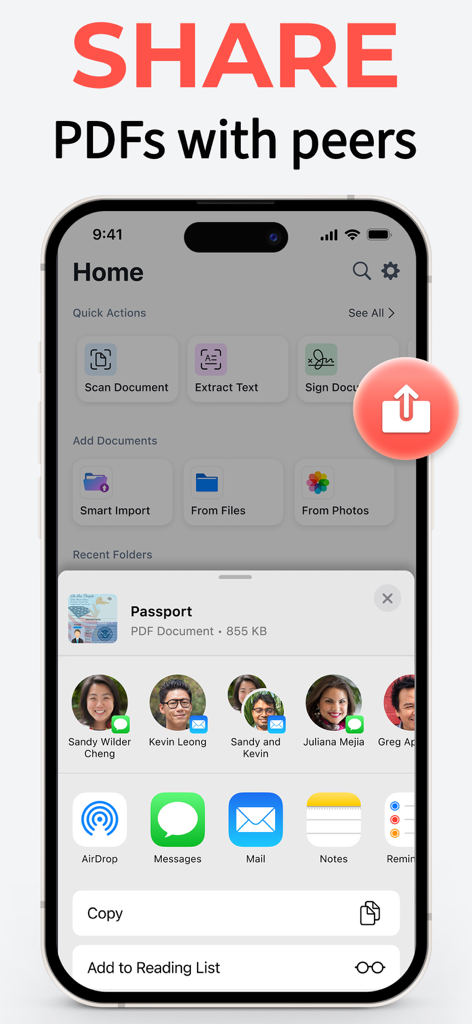
DocScan 앱 인터페이스가 스캔된 PDF 여권을 연락처로 보내기 위한 iOS 공유 시트를 보여주는 모습
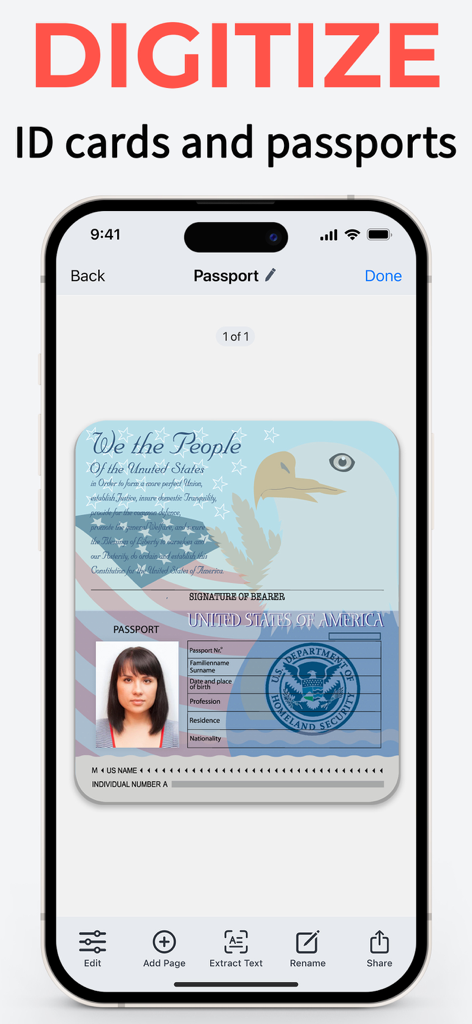
DocScan 앱 인터페이스가 디지털화된 미국 여권 스캔을 보여주는 iPhone
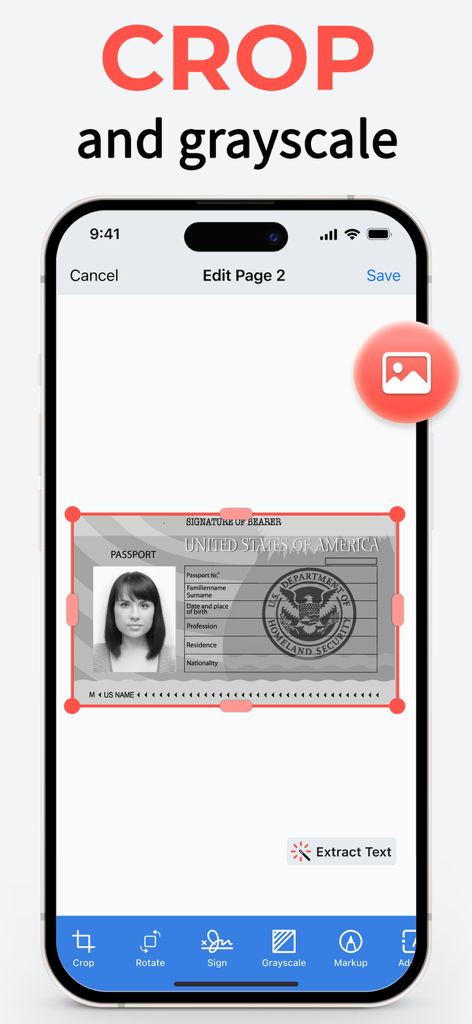
DocScan 앱 인터페이스가 잘라내기 및 회색조 도구를 사용하여 미국 여권 스캔을 편집하는 것을 보여주는 iPhone
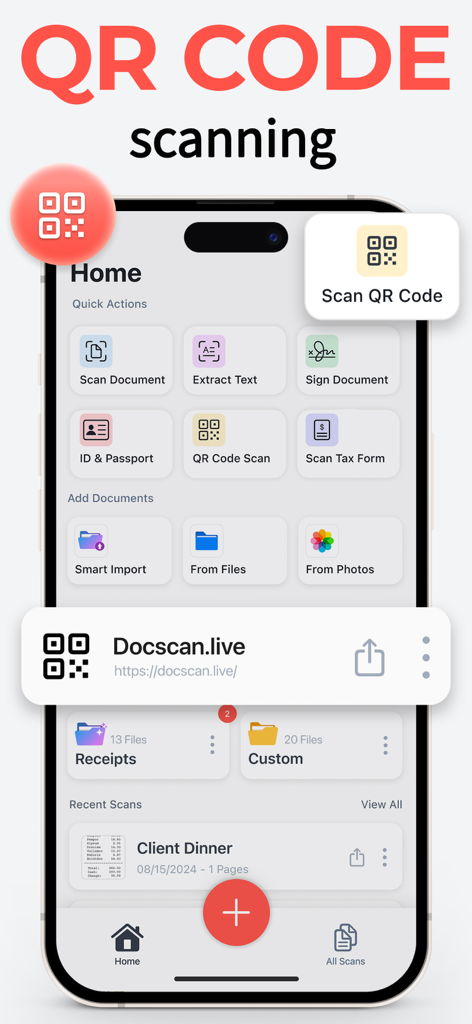
DocScan 앱의 iPhone 인터페이스가 내장된 QR 코드 리더 및 스캔 도구를 보여주는 모습
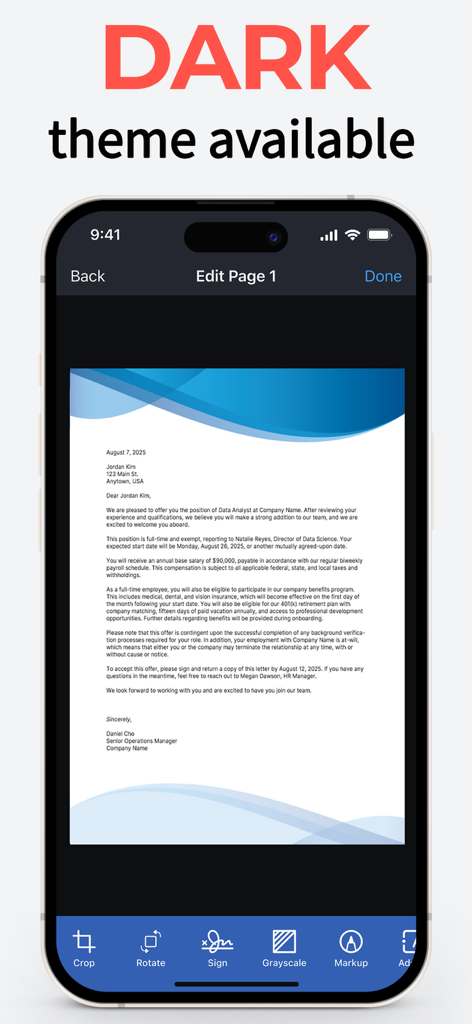
문서 편집 화면이 있는 DocScan 앱의 다크 모드 인터페이스를 보여주는 iPhone
설명
Simplify scanning with DocScan: The effortless way to turn your iPhone into a feature-rich PDF scanner and QR code reader!
DocScan is your pocket-sized powerhouse for scanning and editing documents, extracting texts, converting scans to PDFs, and deciphering QR codes with ease and precision. With DocScan, managing paperwork is a breeze, whether you're a professional on the move, a student juggling assignments, or simply organizing personal documents.
FEATURE-PACKED PDF SCANNER
- Quickly digitize documents: Scan receipts, notes, invoices, business cards, and more. Effortlessly export them as high-quality PDF or JPG files.
- Multi-Page PDFs: Assemble multi-page documents with ease. Perfect for reports, presentations, and lengthy contracts.
- Signing: Sign any scanned document with your signature. Create and save custom signatures for easy use later.
- Edit documents easily: markup, highlight, blur, add formatted text, rotate, crop, grayscale, and remove pages.
- OCR (optical character recognition): Extract a part of a scanned text and paste it where you need it.
- Import smartly: Automatically detect and import document photos, handwritten notes, and receipts from your photo library into dedicated folders. Simply select a category, and DocScan will sort and sync everything for you.
- Organize files in folders: Streamline your workflow by grouping your business, study, personal, and other documents in dedicated folders.
YOUR GO-TO QR CODE READER:
Need to scan a QR code? DocScan handles that seamlessly, making it your all-in-one scanning solution.
SIGN AND SEND
DocScan allows you to scan any paper document and add your signature for easy sending as a PDF.
SAFE AND SECURE
With DocScan, your documents remain confidential. Keep your sensitive PDFs protected from prying eyes.
AI-ENHANCED SCANNING
Advanced AI technology automatically detects borders, enhances sharpness, and corrects perspective—ensuring your scans are clear and readable.
PDF SCANNER FOR EVERY NEED
Whether it's a single receipt or a stack of pages, DocScan caters to all scanning scenarios. It's the document scanner that adapts to you.
USER-FRIENDLY INTERFACE
Enjoy a sleek, intuitive interface that makes scanning documents as simple as snapping a photo.
WHY CHOOSE DOCSCAN?
- Fast and reliable PDF scanning
- Signing and signature management
- Powerful editing tools
- Automatic AI importing
- Optical character recognition
- Advanced AI for perfect scans
- QR code reader integrated
- Secure document management
Experience the next level of scanning with PRO features:
- Scan and share unlimited PDFs
- Sign any document in seconds
- Scan and save multiple page documents
- Extract text with OCR
- Go ad-free for a cleaner interface
Languages supported by OCR: English (United States), French, Italian, German, Spanish (Spain), Portuguese (Brazil), Chinese (Simplified), Chinese (Traditional), Cantonese (Simplified), Cantonese (Traditional), Korean, Japanese, Russian, Ukrainian, Thai, Vietnamese.
When you confirm your purchase, your App Store account will be charged for the subscription cost. Remember, your subscription will renew automatically unless you turn off auto-renew or cancel at least 24 hours before the current period ends.
Jumping into a premium subscription from a free trial? Any unused portion of your trial will be forfeited. Renewal costs will be based on your chosen Subscription Plan.
You can manage your subscriptions and auto-renewal by heading to your Account Settings after purchase. Need assistance? Our Customer Support is here to help.
Download DocScan today and step into a world where document scanning is as fast, easy, and reliable as you need it to be. Your on-the-go office awaits in the palm of your hand!
Privacy Policy: https://docscan.live/privacy-policy/
Terms of Service: https://docscan.live/terms-of-service/
이 페이지는 앱이나 개발자의 공식 페이지가 아니며, 정보 제공 및 논평을 목적으로 작성된 독립 편집 간행물입니다. 명시적으로 달리 언급되지 않는 한, 해당 앱이나 개발자는 MWM, Apple, Google Play, 앱 퍼블리셔 또는 앱 개발자와 제휴, 보증, 후원, 승인 또는 공식적으로 연결되어 있지 않으며, 이 페이지의 어떤 내용도 해당 앱이 MWM의 서비스를 사용하여 개발되었음을 의미하지 않습니다. 모든 상표, 로고, 스크린샷 및 기타 콘텐츠는 해당 소유자의 자산입니다.