Document Scanner PDF Converter
다운로드: App Store

이 페이지는 앱이나 개발자의 공식 페이지가 아니며, 정보 제공 및 논평을 목적으로 작성된 독립 편집 간행물입니다. 명시적으로 달리 언급되지 않는 한, 해당 앱이나 개발자는 MWM, Apple, Google Play, 앱 퍼블리셔 또는 앱 개발자와 제휴, 보증, 후원, 승인 또는 공식적으로 연결되어 있지 않으며, 이 페이지의 어떤 내용도 해당 앱이 MWM의 서비스를 사용하여 개발되었음을 의미하지 않습니다. 모든 상표, 로고, 스크린샷 및 기타 콘텐츠는 해당 소유자의 자산입니다.

로고: Document Scanner PDF Converter
다운로드: App Store

Document Scanner PDF Converter

고품질 OCR로 문서를 손쉽게 스캔, 서명 및 변환하세요. 프리랜서, 부동산 중개인 및 모바일 전문가를 위한 최고의 도구로 이동 중에도 생산성을 유지하세요.

주요 수치

다운로드

1K+

사용자 평점

1.0/5

총 평가 수

0

개발사

Apricolabs OU

카테고리

Business

지원 언어

1

최신 버전

1.5

크기

39.6 MB

출시일

2023년 4월 9일
기능

어디서든 워크플로우 강화

현대 전문가를 위한 최고의 도구입니다. 기기를 고성능 스캐너로 변환하여 이동 중에 문서를 디지털화하고, 서명하고, 관리하세요.

크리스탈처럼 선명한 디지털 스캔

모든 문서에 대해 자동 원근 보정 및 노이즈 제거 기능으로 전문가 수준의 품질을 달성하세요.

즉각적인 OCR 텍스트 추출

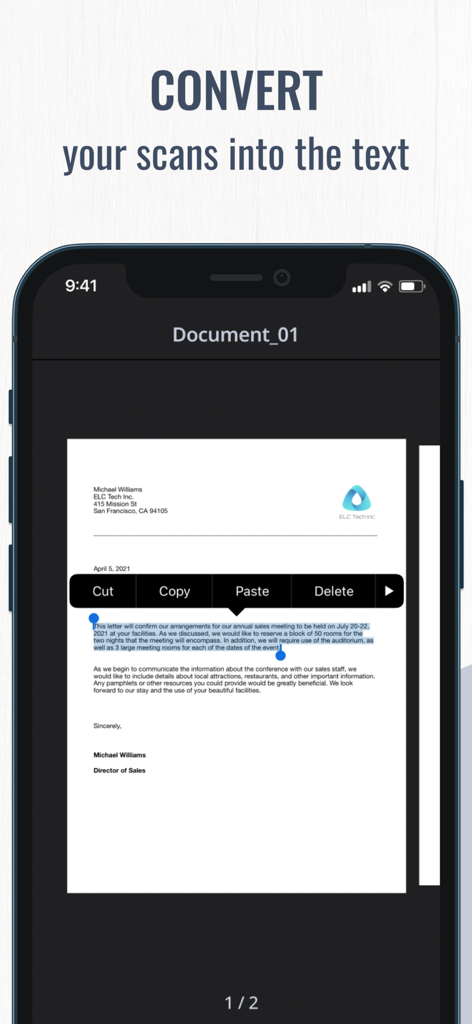
수동으로 다시 입력하는 것을 중지하세요. 스캔한 문서를 몇 초 안에 편집 가능한 텍스트로 변환하여 실제 메모를 검색 가능하게 하고 사용할 준비를 하세요.

다음 스크린샷과 설명은 앱의 공식 스토어 목록에서 직접 가져온 것이며 앱 개발자의 자산입니다.

앱 스토어

스크린샷
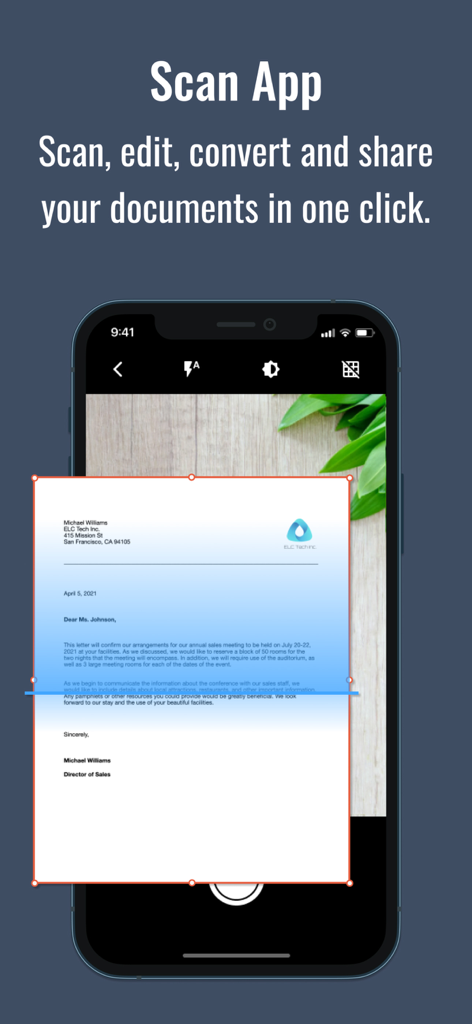
Document Scanner PDF Converter - Scan Fly 앱 인터페이스가 변환을 위해 비즈니스 문서를 스캔하는 모습
Scan Fly 앱 인터페이스가 변환을 위해 비즈니스 문서를 스캔하는 모습

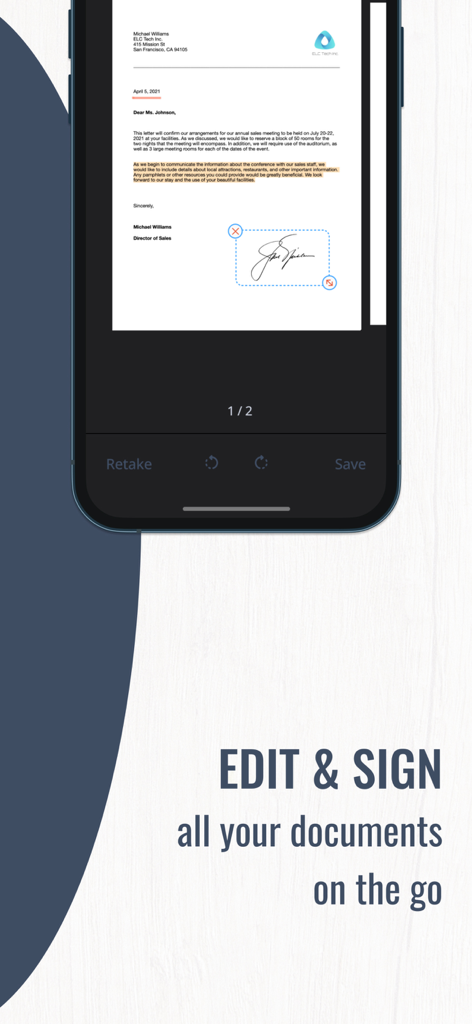
Document Scanner PDF Converter - Scan Fly 앱을 사용하여 문서에 디지털 서명을 적용하는 것을 보여주는 스마트폰 화면
Scan Fly 앱을 사용하여 문서에 디지털 서명을 적용하는 것을 보여주는 스마트폰 화면

Document Scanner PDF Converter - 스캔한 문서를 복사 및 붙여넣기 메뉴와 함께 편집 가능한 텍스트로 변환하는 OCR 기술을 보여주는 모바일 앱 인터페이스
스캔한 문서를 복사 및 붙여넣기 메뉴와 함께 편집 가능한 텍스트로 변환하는 OCR 기술을 보여주는 모바일 앱 인터페이스

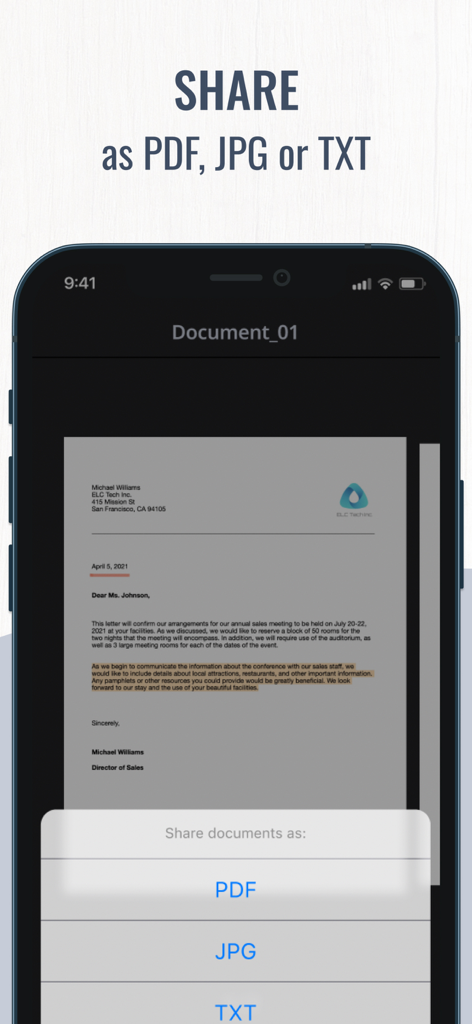
Document Scanner PDF Converter - 스캔한 문서를 PDF, JPG 또는 TXT 형식으로 공유하는 옵션을 보여주는 모바일 앱 인터페이스
스캔한 문서를 PDF, JPG 또는 TXT 형식으로 공유하는 옵션을 보여주는 모바일 앱 인터페이스

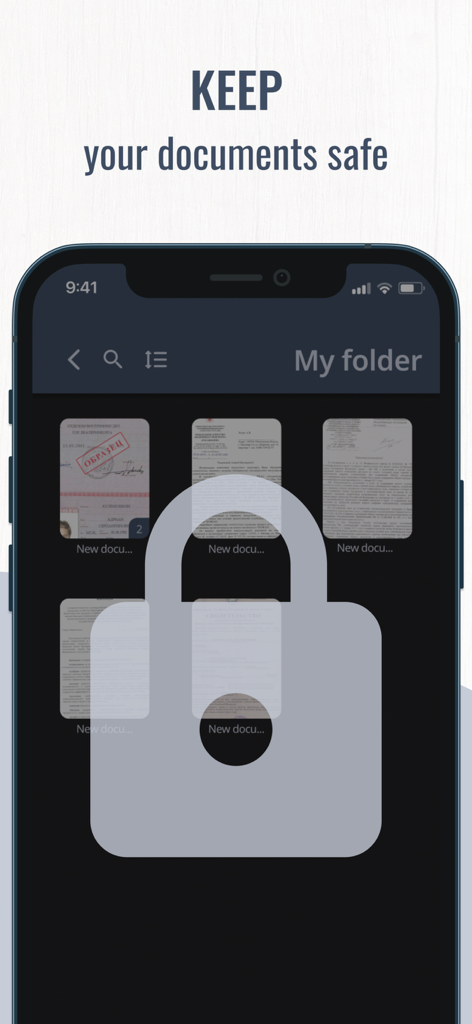
Document Scanner PDF Converter - 자물쇠 아이콘과 '문서를 안전하게 보관하세요'라는 텍스트가 오버레이된 스캔 문서 폴더를 보여주는 스마트폰

자물쇠 아이콘과 '문서를 안전하게 보관하세요'라는 텍스트가 오버레이된 스캔 문서 폴더를 보여주는 스마트폰

설명

Need to scan some important documents but there is no scanner nearby? Don't worry, Scan Fly will help you solve that issue! Scan Fly is mobile scanner app that will turn your iPhone, iPad or iPod touch into the powerful and easy to use portable scanner. It will help you stay productive wherever you are in your work or daily life. Easily scan, edit, sign and share documents in PDF, JPEG or TXT with one app on your iOS device! Use innovative OCR technology to convert scans into editable text. Sing your documents with just a few taps. Manage all your important documents on your device. One powerful tool right in your pocket! Scanner features: - Scan with a camera or choose files from Camera Roll - Scan multiple pages in one documents - Scan with OCR (Optical Character Recognition) to recognize and edit text - Scan to high-quality PDF, JPEG or TXT Editing features: - Sign your documents in a few taps - Edit scans perspective, borders and change scans orientation - Use color correction and noise removing features - Highlight the key points of your scans Sharing features: - Send your scans directly via e-mail or use any messengers - Pint your scanned documents with any Wi-Fi printer right from the scanning app - Upload your files to iCloud, Dropbox, Google Drive, Evernote and other cloud services - Save your scans to Camera Roll Managing features: - Use file manager with folders and drag & drop features - Save one or more signatures using signature manager - Securely store all the files on your device The app offer paid weekly subscription with a 3-day free trial to provide you with unlimited access to all app functions. Payment will be charged to iTunes Account when you confirm the initial subscription purchase. Subscription automatically renews unless auto-renew is turned off at least 24-hours prior to the end of the current period. The account will be charged for renewal within 24-hours before the end of the current subscription period. Subscriptions may be managed by the user and auto-renewal may be turned off by going to the user’s Account Settings after purchase. Any unused portion of a free trial period, if offered, will be forfeited when you purchase a subscription, where applicable. Privacy Policy: https://www.apricolabs.com/privacy-policy Term of Use: https://www.apricolabs.com/terms-and-conditions

Download

다운로드: App Store

이 페이지는 앱이나 개발자의 공식 페이지가 아니며, 정보 제공 및 논평을 목적으로 작성된 독립 편집 간행물입니다. 명시적으로 달리 언급되지 않는 한, 해당 앱이나 개발자는 MWM, Apple, Google Play, 앱 퍼블리셔 또는 앱 개발자와 제휴, 보증, 후원, 승인 또는 공식적으로 연결되어 있지 않으며, 이 페이지의 어떤 내용도 해당 앱이 MWM의 서비스를 사용하여 개발되었음을 의미하지 않습니다. 모든 상표, 로고, 스크린샷 및 기타 콘텐츠는 해당 소유자의 자산입니다.








