
이 페이지는 앱이나 개발자의 공식 페이지가 아니며, 정보 제공 및 논평을 목적으로 작성된 독립 편집 간행물입니다. 명시적으로 달리 언급되지 않는 한, 해당 앱이나 개발자는 MWM, Apple, Google Play, 앱 퍼블리셔 또는 앱 개발자와 제휴, 보증, 후원, 승인 또는 공식적으로 연결되어 있지 않으며, 이 페이지의 어떤 내용도 해당 앱이 MWM의 서비스를 사용하여 개발되었음을 의미하지 않습니다. 모든 상표, 로고, 스크린샷 및 기타 콘텐츠는 해당 소유자의 자산입니다.

Documents: File Manager & Docs
앱 난립의 시대, 이 앱은 디지털 혼란을 일소하고 당신의 모든 파일을 단 하나의 지배력 아래 두는 권능을 선사한다.
다운로드
75M+사용자 평점
총 평가 수
2.8M개발사
카테고리
Productivity지원 언어
11최신 버전
8.19.10크기
476.4 MB출시일
2010년 4월 1일"Documents: File Manager & Docs" 앱 주요 기능 분석
효율적인 디지털 파일 관리를 위한 올인원 솔루션
고급 파일 관리 및 정리
이 앱은 사용자가 다양한 디지털 파일을 효율적으로 정리하고, 폴더 생성, 이름 변경, 색상 태그 지정 등을 통해 접근성을 극대화할 수 있도록 지원합니다. 또한 ZIP/RAR 압축 해제 및 Office, eBook 파일 열람도 가능하게 합니다.
통합 PDF 편집 및 변환
이 도구는 PDF 문서의 텍스트를 직접 편집하고, 하이라이트 및 주석을 추가하며, 전자 서명할 수 있는 강력한 기능을 제공합니다. 또한, 다양한 형식의 파일을 PDF로 또는 PDF에서 다른 형식으로 쉽게 변환할 수 있게 합니다.
다중 클라우드 서비스 연동
이 앱은 iCloud, Dropbox, Google Drive 등 주요 클라우드 서비스와의 원활한 연동을 지원하여, 파일을 다운로드하지 않고도 작업하고 양방향 동기화를 설정하여 자동 파일 업로드를 가능하게 합니다.
AI 기반 오디오/비디오 텍스트 변환
이 앱은 AI 기술을 활용하여 오디오 및 비디오 콘텐츠를 텍스트로 정확하게 변환하고, 이를 편집, 저장, 공유할 수 있게 함으로써 회의록, 강의 노트 작성 등에서 생산성을 크게 향상시킵니다.
스마트 파일 가져오기 및 전송
사용자는 컴퓨터, 클라우드, WebDAV 등 다양한 소스에서 파일을 가져오고, 웹 브라우저에서 직접 다운로드하거나 이메일 첨부 파일을 한곳에 저장할 수 있습니다. 또한 Wi-Fi를 통해 기기 간 파일을 빠르고 안전하게 전송할 수 있습니다.
다기능 미디어 플레이어
이 앱은 사용자가 온라인 및 오프라인에서 음악을 듣고, 컴퓨터나 온라인 소스에서 가져온 비디오를 시청하며, 사진 및 비디오 라이브러리에 쉽게 접근할 수 있는 통합 미디어 재생 기능을 제공합니다.
내장형 문서 스캐너
이 도구는 iOS 내장 스캔 엔진을 활용하여 영수증, 책, 문서를 고품질로 스캔하고, 스캔한 파일을 앱 내에 직접 저장하여 체계적으로 관리할 수 있도록 돕습니다.
오디오 편집 도구
이 앱은 오디오 파일을 다듬고, 자르고, 불필요한 부분을 제거하며, 메타데이터를 편집하고 MP3를 추출하는 등 기본적인 오디오 편집 기능을 갖추고 있어, 사용자가 오디오 콘텐츠를 더욱 유연하게 다룰 수 있게 합니다.
자주 묻는 질문
에 대해 알아야 할 모든 것 Documents: File Manager & Docs
What is Documents by Readdle?
Documents by Readdle is a super app for iPhone and iPad. It functions as an all-in-one solution for managing, editing, converting, listening to, and reading various file types.
Can I edit text in PDF documents using Documents by Readdle?
Yes, Documents by Readdle allows direct editing of existing text within a PDF, similar to a Word document. Users can also highlight, annotate, and sign PDF contracts.
Does Documents: File Manager & Docs offer PDF conversion?
Yes, Documents: File Manager & Docs easily converts various file types to PDF and vice versa. Supported conversions include text, images, and photos.
How can I organize files in Documents by Readdle?
Users organize files in Documents by Readdle by creating folders, renaming and color-tagging files, and using Smart Actions. The app also includes Zip/Unzip and RAR extractor tools.
Can Documents by Readdle integrate with cloud storage services?
Yes, Documents by Readdle integrates with iCloud, Dropbox, Google Drive, and other services. Users work with files directly and can set up two-way sync for specific folders.
What AI tools are available in Documents by Readdle?
Documents by Readdle provides AI tools for transcribing audio and video to text. It also features a Smart Eraser to remove unwanted objects from photos.
Does Documents: File Manager & Docs include security features?
Yes, Documents: File Manager & Docs includes built-in VPN encryption for data protection. It also allows adding password protection for files and sensitive information.
How do I import files into Documents by Readdle?
Users import files into Documents by Readdle from computers, cloud services, WebDAV, or nearby devices. The app also supports downloading from web browsers and saving email attachments or links.
Can I scan documents using Documents: File Manager & Docs?
Yes, Documents: File Manager & Docs scans receipts, books, and documents. It utilizes the built-in iOS scanning engine, saving files directly within the app.
Does Documents by Readdle play audio and video files?
Yes, Documents by Readdle functions as an audio and video player. Users can listen to music online or offline and watch movies imported from computers or online sources.
Can I transfer files wirelessly with Documents by Readdle?
Yes, Documents by Readdle features Wi-Fi Transfer technology. This allows super-fast wireless transfer of music, videos, photos, and documents between an iPhone/iPad and a Mac or PC.
Does Documents: File Manager & Docs transcribe audio and video?
Yes, Documents: File Manager & Docs transcribes audio and video to text instantly. It converts voice recordings into editable notes and videos into clear, searchable text.
Has Documents by Readdle received official recognition?
Yes, Documents by Readdle is an App Store Editors’ Choice winner. This recognition highlights the app's quality and comprehensive features.
다음 스크린샷과 설명은 앱의 공식 스토어 목록에서 직접 가져온 것이며 앱 개발자의 자산입니다.
앱 스토어
스크린샷
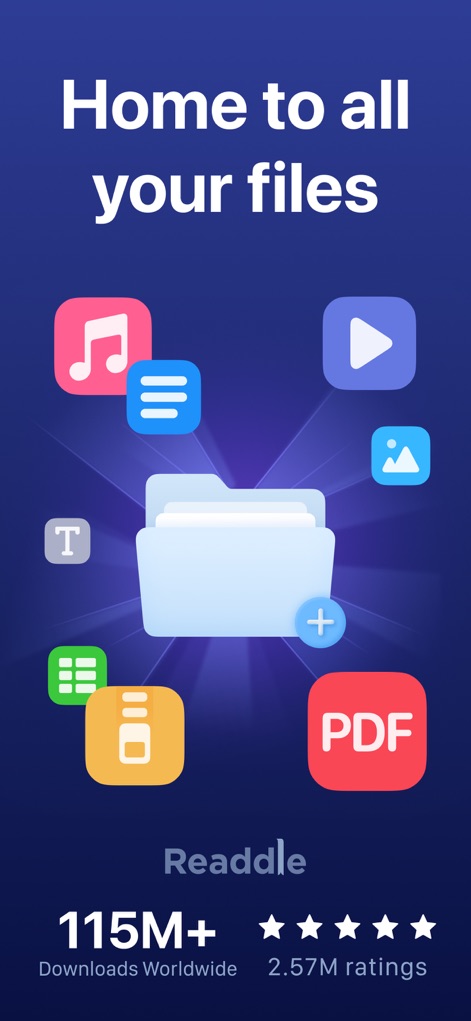
파일 통합 관리
이 앱은 사용자 파일의 중앙 허브 역할을 하며, 음악, 비디오 등 다양한 콘텐츠 유형을 한눈에 보여줍니다.

손쉬운 파일 관리
사용자는 'My Files' 섹션에서 폴더와 클라우드 저장소를 통해 파일을 체계적으로 정리하고, 특정 항목을 빠르게 검색할 수 있습니다.

강력한 PDF 변환
PDF 파일을 Word, Excel 등 다양한 형식으로 손쉽게 변환하고, 변환 전후의 파일 설정을 미리 확인할 수 있습니다.

자유로운 문서 편집
사용자는 문서 내 텍스트를 강조 표시하거나 직접 수정하며, 팔레트 도구를 사용하여 색상을 맞춤 설정할 수 있습니다.

클라우드 서비스 연동
이 앱은 Dropbox, Google Drive 등 주요 클라우드 저장소와의 원활한 연결을 지원하며, WebDAV 서버와도 통합됩니다.

압축 파일 관리
사용자는 ZIP 파일을 압축 해제하여 콘텐츠에 접근하고, 파일을 이동하여 효율적으로 관리할 수 있습니다.

문서 간편 스캔
이 앱은 영수증, ID 카드 등 다양한 문서를 스캔하여 디지털화하며, 필요한 정보를 빠르게 캡처할 수 있습니다.

내장 미디어 플레이어
사용자는 음악을 재생하거나, 비디오 플레이어에서 재생 속도를 조절하는 등 다양한 미디어 콘텐츠를 즐길 수 있습니다.
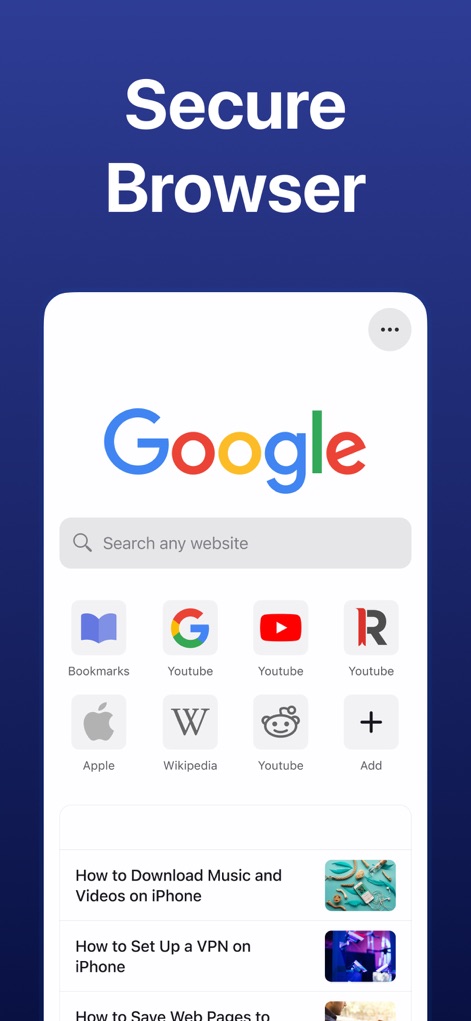
안전한 웹 브라우징
이 앱에는 북마크와 검색 기능이 통합된 안전한 웹 브라우저가 포함되어 있어, 온라인 콘텐츠에 쉽게 접근할 수 있습니다.

파일 보안 강화
사용자의 중요한 파일은 잠금 아이콘으로 표시된 보안 기능으로 보호되며, 개인 정보를 안전하게 유지할 수 있습니다.
설명
Download
비슷한 앱
유사한 기능과 사용자 경험을 가진 앱

PDF PRO Scan Image & Documents
Balzo srl

The PDF Scanner, PDF editor HQ
NEXT K.U.M. LTD

CamScanner - PDF Scanner App
INTSIG Information Co., Ltd

Adobe Scan: PDF & OCR Scanner
Adobe Inc.

WPS Office: PDF, Docs, Sheets
KINGSOFT OFFICE SOFTWARE CORPORATION LIMITED

iLovePDF - PDF Editor & Scan
ILOVEPDF S.L.

Scanner App: Genius Scan
The Grizzly Labs

Microsoft Lens: PDF Scanner
Microsoft Corporation

Clear Scan: Doc Scanner App
INDY MOBILE APP COMPANY LIMITED
이 페이지는 앱이나 개발자의 공식 페이지가 아니며, 정보 제공 및 논평을 목적으로 작성된 독립 편집 간행물입니다. 명시적으로 달리 언급되지 않는 한, 해당 앱이나 개발자는 MWM, Apple, Google Play, 앱 퍼블리셔 또는 앱 개발자와 제휴, 보증, 후원, 승인 또는 공식적으로 연결되어 있지 않으며, 이 페이지의 어떤 내용도 해당 앱이 MWM의 서비스를 사용하여 개발되었음을 의미하지 않습니다. 모든 상표, 로고, 스크린샷 및 기타 콘텐츠는 해당 소유자의 자산입니다.