
이 페이지는 앱이나 개발자의 공식 페이지가 아니며, 정보 제공 및 논평을 목적으로 작성된 독립 편집 간행물입니다. 명시적으로 달리 언급되지 않는 한, 해당 앱이나 개발자는 MWM, Apple, Google Play, 앱 퍼블리셔 또는 앱 개발자와 제휴, 보증, 후원, 승인 또는 공식적으로 연결되어 있지 않으며, 이 페이지의 어떤 내용도 해당 앱이 MWM의 서비스를 사용하여 개발되었음을 의미하지 않습니다. 모든 상표, 로고, 스크린샷 및 기타 콘텐츠는 해당 소유자의 자산입니다.


Forma: PDF Document Editor
종이 서류는 이제 고대 유물입니다. Forma는 당신의 손안에 디지털 문서를 지배하는 힘을 부여합니다.
다운로드
2.5M+사용자 평점
총 평가 수
62.5K개발사
카테고리
Productivity지원 언어
20최신 버전
1.35크기
198.4 MB출시일
2023년 2월 7일모바일 우선 환경을 위한 AI 기반 생산성 도구
Forma: PDF 문서 편집기 핵심 기능 분석
AI 어시스턴트
이 앱은 AI 어시스턴트를 통해 긴 문서를 요약하고, 텍스트를 다시 작성하며, 템플릿에서 문서를 생성하여 사용자의 시간과 노력을 절약할 수 있도록 돕습니다.
고급 PDF 편집
이 도구는 사용자가 PDF 내의 텍스트를 직접 편집하고, 글꼴을 자동 일치시키며, 중요 정보를 강조 표시하고, 메모를 추가하고, 이미지를 삽입하며, 여러 파일을 병합하거나 페이지를 재정렬할 수 있게 해줍니다.
전자 서명 및 양식 작성
사용자는 세금 양식, 계약서 및 기타 중요한 PDF를 앱 내에서 직접 작성하고 서명할 수 있습니다. 자동 완성 기능은 반복적인 필드를 빠르게 처리하고, 서명을 안전하게 저장하고 적용할 수 있도록 지원합니다.
내장형 OCR 스캐너
이 앱은 내장된 OCR 기능을 통해 종이 문서를 선명하고 검색 및 편집 가능한 PDF로 즉시 변환할 수 있는 스캐너를 제공합니다.
보안 저장 및 문서 보호
이 도구는 사용자의 파일을 클라우드에 안전하게 저장하고, 민감한 정보를 흐리게 처리하며, 워터마크를 추가하고, 기밀 폴더를 PIN으로 잠가 데이터 보호 및 접근성을 보장합니다.
다중 파일 형식 변환
사용자는 PDF를 Word, Excel, PowerPoint, JPG 또는 TXT 문서로, 혹은 그 반대로 변환하여 다양한 파일 형식 간의 원활한 작업을 할 수 있습니다.
인보이스 생성 및 전송
이 앱은 이동 중에도 전문적인 인보이스를 생성, 편집 및 전송할 수 있는 기능을 갖추고 있어, 소규모 사업자와 프리랜서의 재무 관리를 돕습니다.
AI 기반 이력서 작성기
사용자는 AI 이력서 작성기를 활용하여 전문적인 이력서를 손쉽게 만들 수 있으며, 디자인 기술 없이도 목표에 맞는 맞춤형 이력서를 제작할 수 있습니다.
자주 묻는 질문
에 대해 알아야 할 모든 것 Forma: PDF Document Editor
What is Forma?
Forma is a complete PDF reader and editor app with an AI assistant. It manages, converts, modifies, signs, and protects documents.
What devices does the Forma app support?
Forma supports Apple devices including iPhone, iPad, and MacBook. Users can securely access their files across all these devices.
Does Forma offer cloud storage for documents?
Yes, Forma allows users to securely store their files in the cloud. They can access these documents across all their Apple devices.
Can I edit text and images in PDF documents using Forma?
Yes, Forma allows users to add and modify text, insert photos, and apply custom watermarks to PDF documents.
Can Forma merge multiple PDF files?
Yes, Forma can merge multiple PDF files. Users can also add, rearrange, or insert blank pages within their documents.
How do I e-sign documents in Forma?
Forma allows users to create electronic signatures by typing or drawing them. These signatures can then be applied to contracts and forms directly within the app.
What file formats can Forma convert PDFs to?
Forma can convert PDF files into JPG, DOC, TXT, XLS, and PPT formats. It also transforms images into PDF documents.
Can Forma generate and share invoices?
Yes, Forma generates personalized invoices, allowing users to add items, prices, terms, and taxes. It also supports editing and quick sharing of invoices.
Does Forma include an AI assistant for document tasks?
Yes, Forma features an AI assistant that summarizes, annotates, rewrites, and simplifies text in PDF documents. It also checks grammar and logic.
Can Forma's AI assistant help generate content like emails or CVs?
Yes, Forma's AI assistant uses built-in templates to generate text, compose email messages, and create CVs in PDF format.
Can I fill out PDF forms using the Forma app?
Yes, Forma allows users to fill out forms and surveys directly within the app. It includes an autofill feature for various documents like tax forms or applications.
How does Forma assist with creating CVs?
Forma includes an AI resume builder that helps create tailored CVs for users' experience and career goals.
How does Forma protect confidential PDF files?
Forma protects confidential PDF files by allowing users to add PINs to folders and documents, apply custom watermarks, and hide or blur sensitive information.
How do Forma subscriptions work?
Forma subscriptions auto-renew 24 hours before expiration. Users are charged after purchase confirmation and can manage subscriptions in App Store account settings.
Does Forma offer a premium version?
Yes, Forma PRO provides access to all features. It is a subscription service with charges applied after purchase confirmation.
Where can I find the privacy policy for Forma?
The privacy policy for the Forma app is available at http://bpmob.com/forma/privacy/en/.
How can I contact support for the Forma app?
Users can contact support for the Forma app by visiting http://bpmob.com/forma/support for any questions or inquiries.
다음 스크린샷과 설명은 앱의 공식 스토어 목록에서 직접 가져온 것이며 앱 개발자의 자산입니다.
앱 스토어
스크린샷
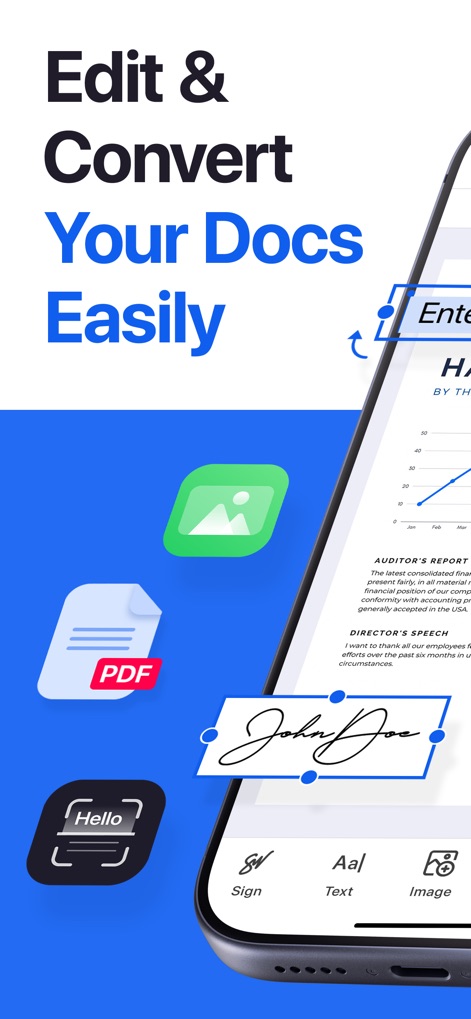
이 도구는 "Sign" 버튼을 통해 손쉽게 문서에 서명하고, "Text" 편집 기능으로 문서 내용을 유연하게 수정할 수 있게 합니다.
문서 편집의 시작
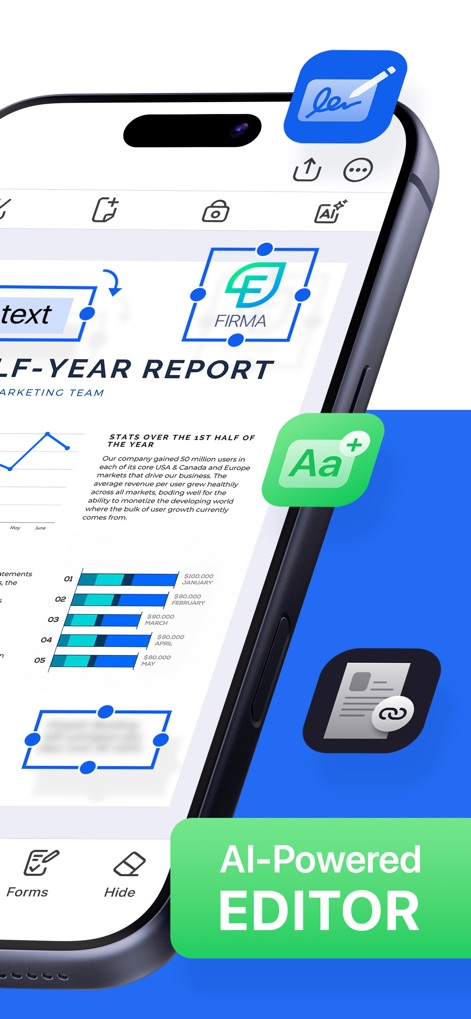
이 화면은 "HALF-YEAR REPORT" 그래프와 같은 시각적 데이터를 포함한 문서를 사용자가 직접 편집하고, 텍스트 강조 및 편집을 통해 중요한 정보를 명확하게 표시하는 과정을 보여줍니다.
강력한 AI 편집
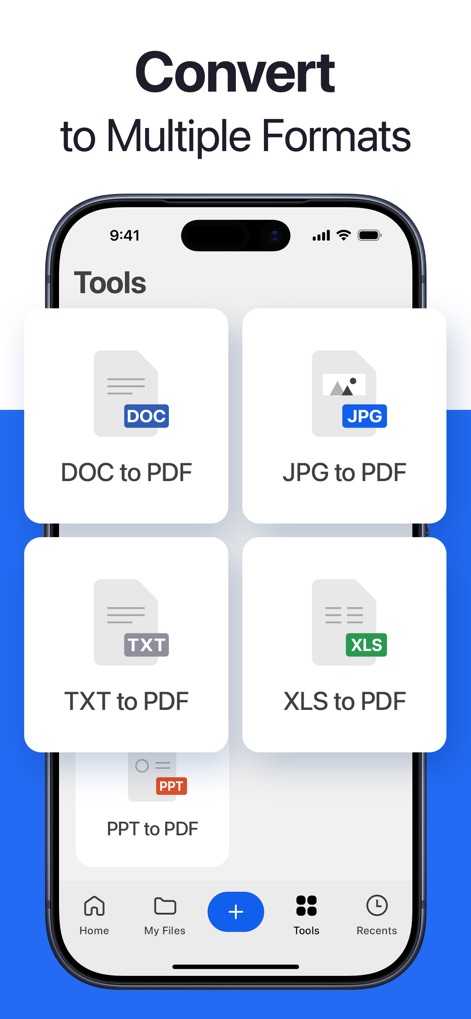
이 앱은 "DOC to PDF" 변환 옵션으로 워드 문서를 PDF로, "JPG to PDF" 변환 옵션으로 이미지 파일을 PDF로 손쉽게 바꿀 수 있도록 지원합니다.
다양한 형식 변환
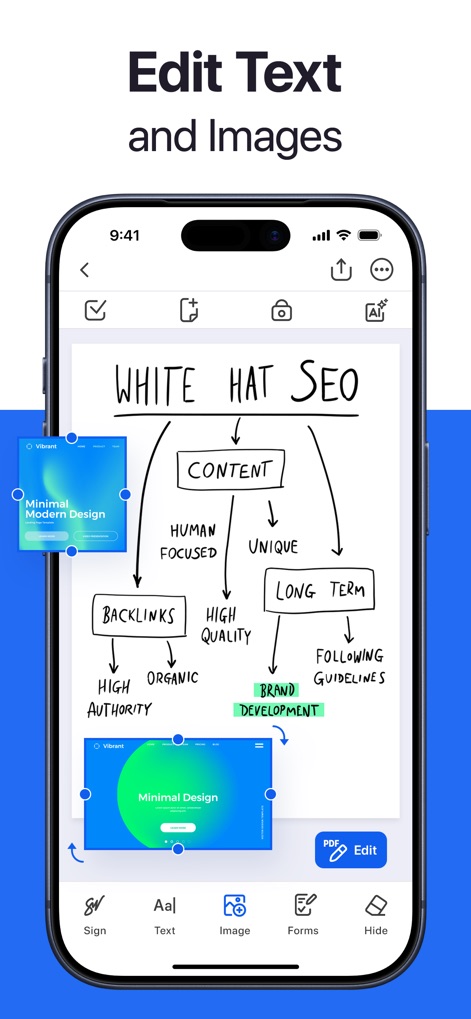
이 스크린샷은 "WHITE HAT SEO" 마인드맵과 같은 복잡한 문서 내에서 텍스트를 수정하고, 이미지 삽입 및 조절을 통해 시각적 요소를 정밀하게 제어하는 것을 보여줍니다.
텍스트와 이미지 편집
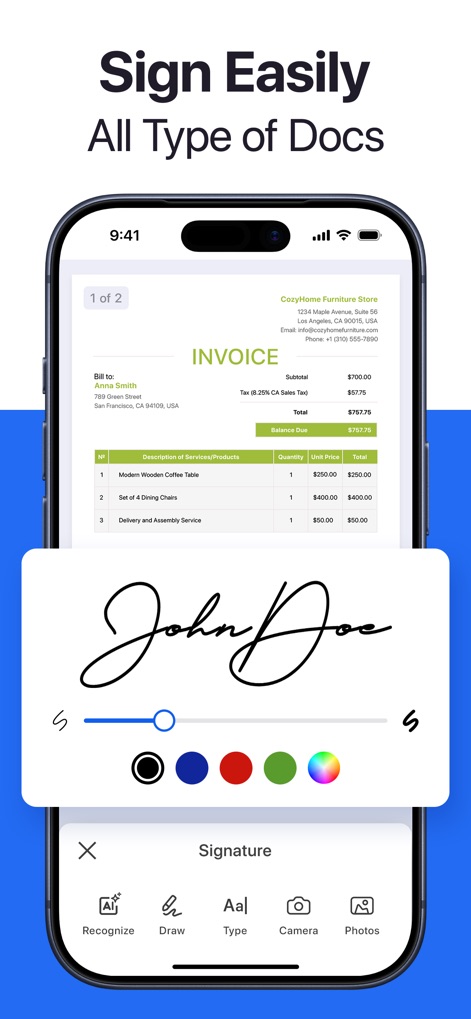
이 기능은 "INVOICE" 문서에 서명하는 과정을 간소화하며, 사용자는 서명 두께 및 색상 조절을 통해 개인화된 서명을 생성하고 적용할 수 있습니다.
간편한 전자 서명

사용자는 "Client Information" 양식을 이 앱에서 직접 작성할 수 있으며, 전화번호 자동 완성 기능과 같은 스마트한 제안으로 작업 시간을 단축할 수 있습니다.
양식 간편 작성
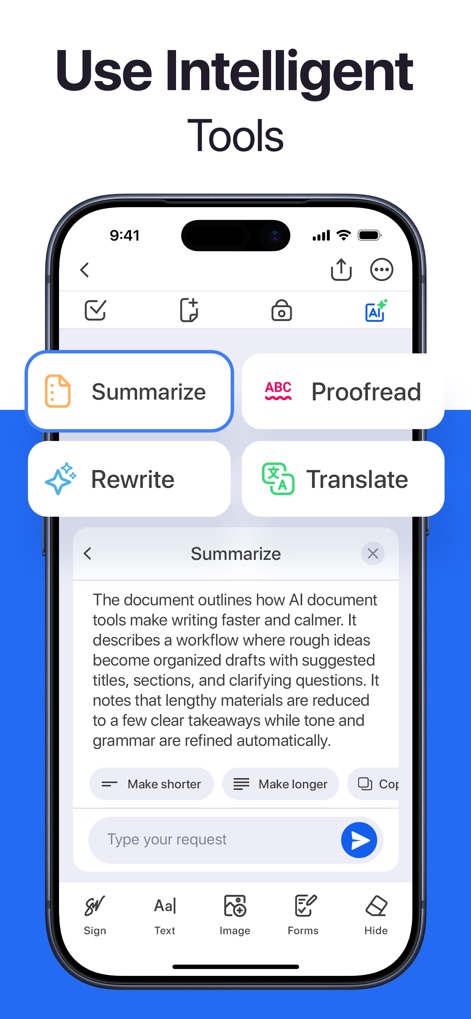
이 앱은 "Summarize" 기능을 통해 긴 문서를 요약하고, "Proofread" 기능을 활용하여 문서의 정확성과 전문성을 높이는 등 다양한 AI 기반 도구를 제공합니다.
지능형 AI 도구 활용
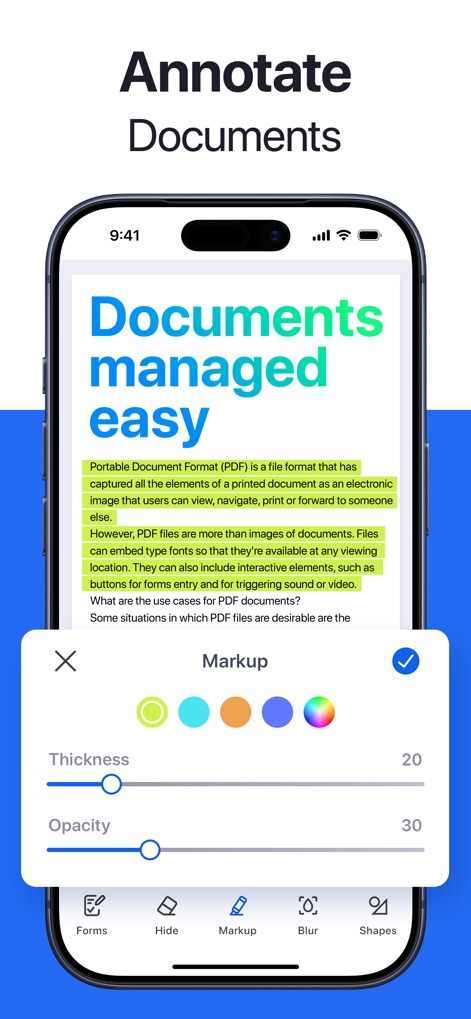
사용자는 텍스트 형광펜 표시를 통해 문서의 중요한 부분을 강조할 수 있으며, 마크업 도구의 두께 및 불투명도 조절 기능을 활용하여 주석을 세밀하게 설정할 수 있습니다.
문서에 주석 추가
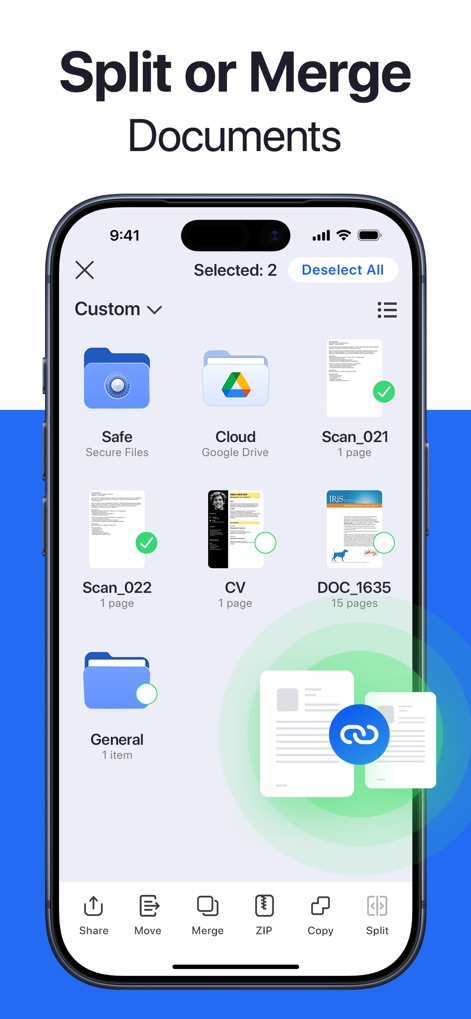
이 앱은 "Merge" 기능을 사용하여 여러 PDF 파일을 하나로 합치거나, "Split" 기능을 통해 대용량 문서를 필요한 부분만 분리하여 효율적인 파일 관리를 가능하게 합니다.
문서 분할 및 병합
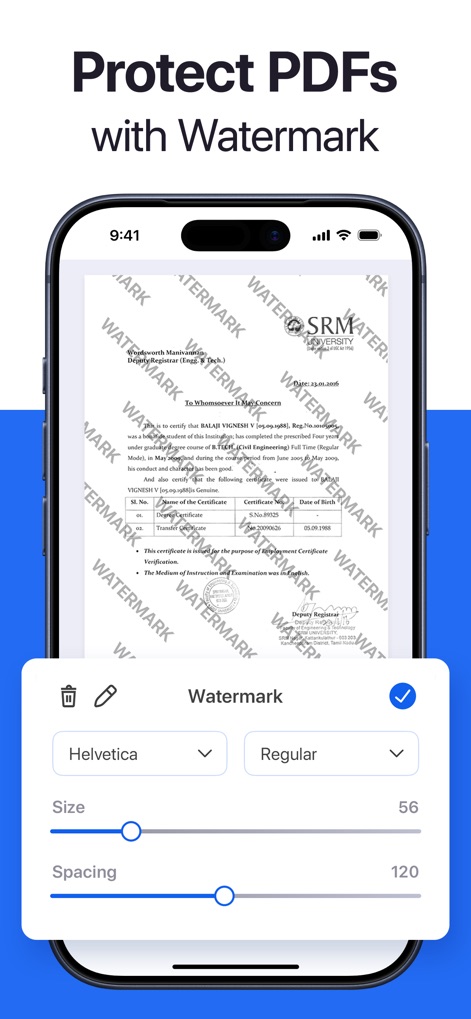
사용자는 "WATERMARK" 텍스트 적용을 통해 중요한 문서에 워터마크를 삽입하여 보안을 강화할 수 있으며, 워터마크 글꼴 및 간격 설정을 통해 원하는 스타일로 커스터마이징할 수 있습니다.
워터마크로 PDF 보호
설명
Download
비슷한 앱
유사한 기능과 사용자 경험을 가진 앱

PDF PRO Scan Image & Documents
Balzo srl

The PDF Scanner, PDF editor HQ
NEXT K.U.M. LTD

CamScanner - PDF Scanner App
INTSIG Information Co., Ltd

Adobe Scan: PDF & OCR Scanner
Adobe Inc.

WPS Office: PDF, Docs, Sheets
KINGSOFT OFFICE SOFTWARE CORPORATION LIMITED

iLovePDF - PDF Editor & Scan
ILOVEPDF S.L.

Scanner App: Genius Scan
The Grizzly Labs

Microsoft Lens: PDF Scanner
Microsoft Corporation

Clear Scan: Doc Scanner App
INDY MOBILE APP COMPANY LIMITED
이 페이지는 앱이나 개발자의 공식 페이지가 아니며, 정보 제공 및 논평을 목적으로 작성된 독립 편집 간행물입니다. 명시적으로 달리 언급되지 않는 한, 해당 앱이나 개발자는 MWM, Apple, Google Play, 앱 퍼블리셔 또는 앱 개발자와 제휴, 보증, 후원, 승인 또는 공식적으로 연결되어 있지 않으며, 이 페이지의 어떤 내용도 해당 앱이 MWM의 서비스를 사용하여 개발되었음을 의미하지 않습니다. 모든 상표, 로고, 스크린샷 및 기타 콘텐츠는 해당 소유자의 자산입니다.