Genius Scan Enterprise - PDF
다운로드: App Store

이 페이지는 앱이나 개발자의 공식 페이지가 아니며, 정보 제공 및 논평을 목적으로 작성된 독립 편집 간행물입니다. 명시적으로 달리 언급되지 않는 한, 해당 앱이나 개발자는 MWM, Apple, Google Play, 앱 퍼블리셔 또는 앱 개발자와 제휴, 보증, 후원, 승인 또는 공식적으로 연결되어 있지 않으며, 이 페이지의 어떤 내용도 해당 앱이 MWM의 서비스를 사용하여 개발되었음을 의미하지 않습니다. 모든 상표, 로고, 스크린샷 및 기타 콘텐츠는 해당 소유자의 자산입니다.


로고: Genius Scan Enterprise - PDF
다운로드: App Store

Genius Scan Enterprise - PDF

모바일 기기를 고성능 문서 스캐너로 전환하세요. 고급 MDM 구성, 온디바이스 처리 및 원활한 클라우드 통합으로 조직 전체에 배포하여 진정한 페이퍼리스 워크플로를 구축하세요.

주요 수치

다운로드

374K+

사용자 평점

4.9/5

총 평가 수

18K+

개발사

The Grizzly Labs

카테고리

Business

지원 언어

20

최신 버전

8.7

크기

107.3 MB

출시일

2010년 12월 16일
기능

기업의 우수성을 위한 전문가 스캐닝

규제 산업 및 자동화된 워크플로를 위해 설계된 안전하고 고성능의 스캐닝 기기로 팀의 모바일 장치를 전환하세요.

보안 및 데이터 주권

온디바이스 처리, Face ID 잠금 및 PDF 암호화를 통해 완전한 규정 준수를 보장하여 민감한 전문 문서의 개인 정보 및 보안을 유지하세요.

자동화된 비즈니스 워크플로

Box, OneDrive, Google Drive와 같은 플랫폼으로의 일괄 스캔 및 백그라운드 자동 내보내기를 통해 관리 마찰을 제거하세요.

다음 스크린샷과 설명은 앱의 공식 스토어 목록에서 직접 가져온 것이며 앱 개발자의 자산입니다.

앱 스토어

스크린샷
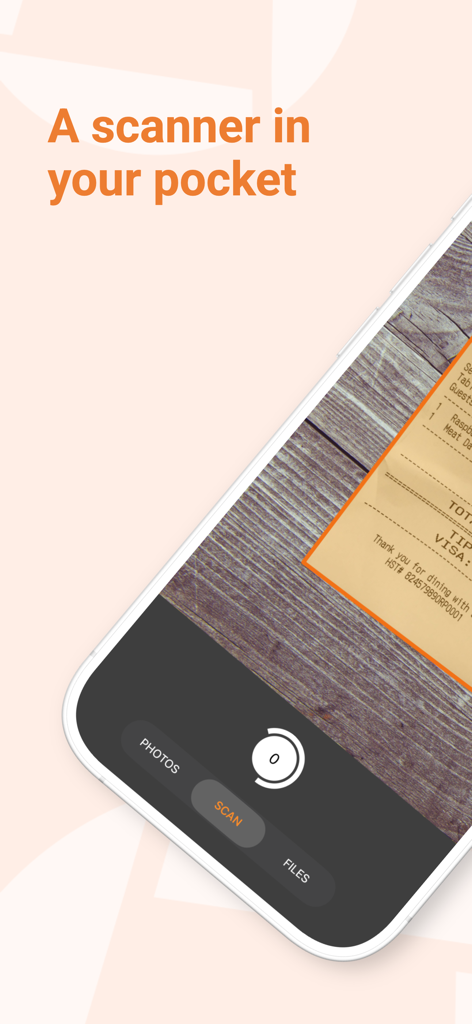
Genius Scan Enterprise - PDF - 영수증의 고품질 스캔을 캡처하는 스마트폰과 자동 문서 감지 기능을 보여주는 Genius Scan Enterprise 앱 인터페이스
영수증의 고품질 스캔을 캡처하는 스마트폰과 자동 문서 감지 기능을 보여주는 Genius Scan Enterprise 앱 인터페이스

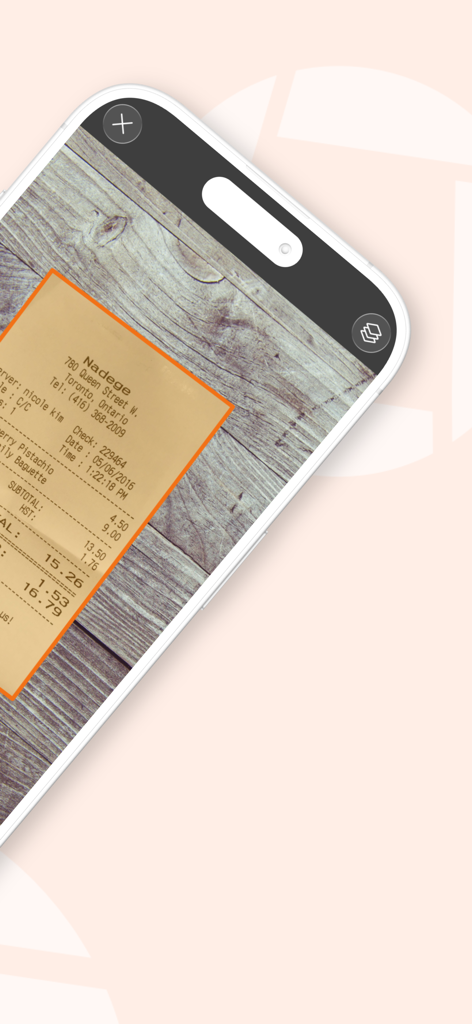
Genius Scan Enterprise - PDF - 나무 테이블 위의 종이 영수증을 자동으로 감지하고 스캔하는 Genius Scan Enterprise를 사용하는 iPhone
나무 테이블 위의 종이 영수증을 자동으로 감지하고 스캔하는 Genius Scan Enterprise를 사용하는 iPhone

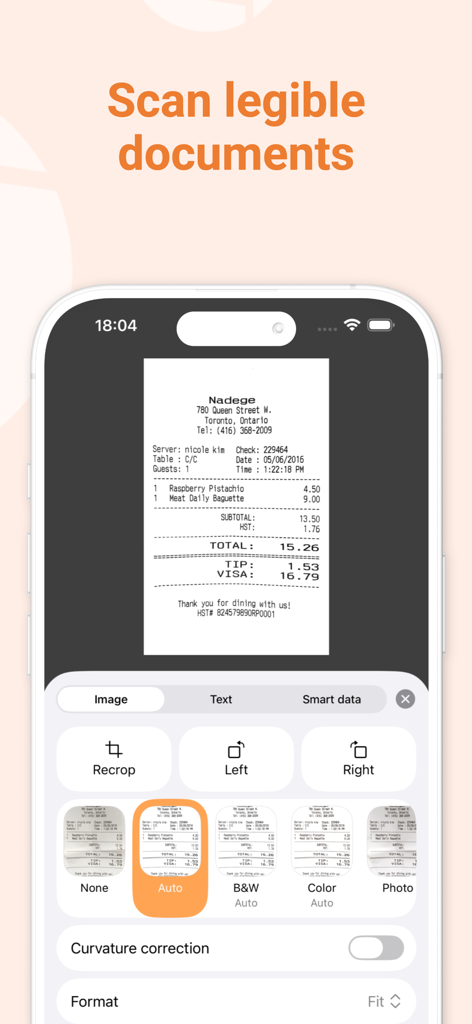
Genius Scan Enterprise - PDF - 전문 필터 및 편집 옵션이 있는 스캔된 영수증을 보여주는 Genius Scan Enterprise 모바일 앱 인터페이스
전문 필터 및 편집 옵션이 있는 스캔된 영수증을 보여주는 Genius Scan Enterprise 모바일 앱 인터페이스

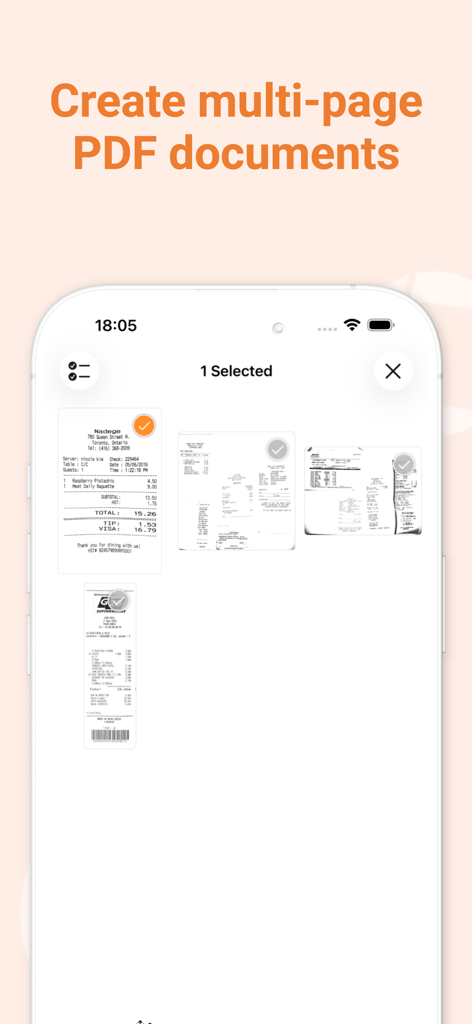
Genius Scan Enterprise - PDF - 여러 스캔된 영수증을 선택하여 다중 페이지 PDF 문서를 만드는 Genius Scan Enterprise 앱의 인터페이스
여러 스캔된 영수증을 선택하여 다중 페이지 PDF 문서를 만드는 Genius Scan Enterprise 앱의 인터페이스

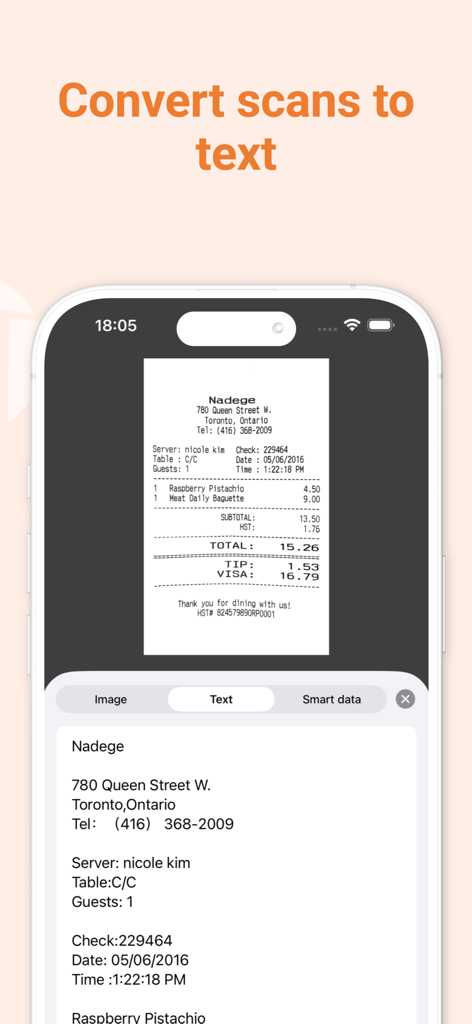
Genius Scan Enterprise - PDF - 스캔된 영수증을 편집 가능한 디지털 텍스트로 변환하는 것을 보여주는 모바일 앱 인터페이스
스캔된 영수증을 편집 가능한 디지털 텍스트로 변환하는 것을 보여주는 모바일 앱 인터페이스

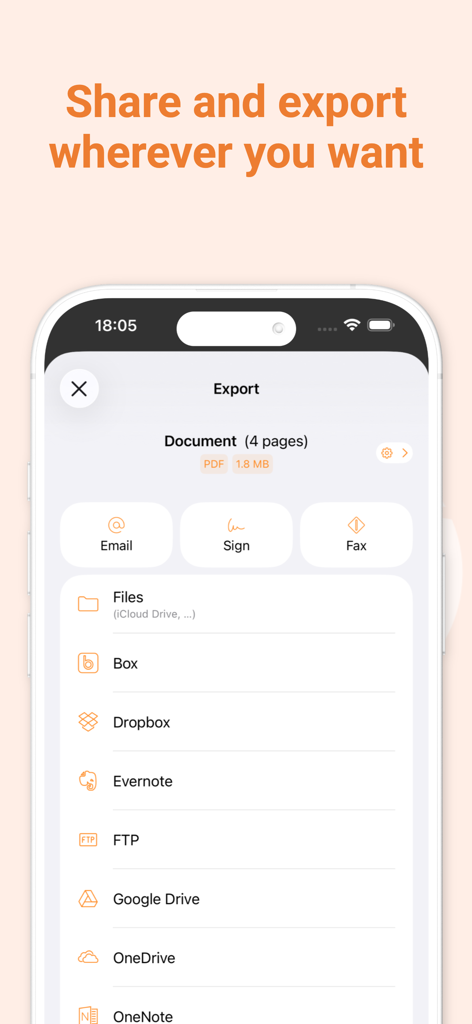
Genius Scan Enterprise - PDF - Dropbox 및 Google Drive와 같은 클라우드 스토리지 옵션을 보여주는 Genius Scan Enterprise 내보내기 화면
Dropbox 및 Google Drive와 같은 클라우드 스토리지 옵션을 보여주는 Genius Scan Enterprise 내보내기 화면

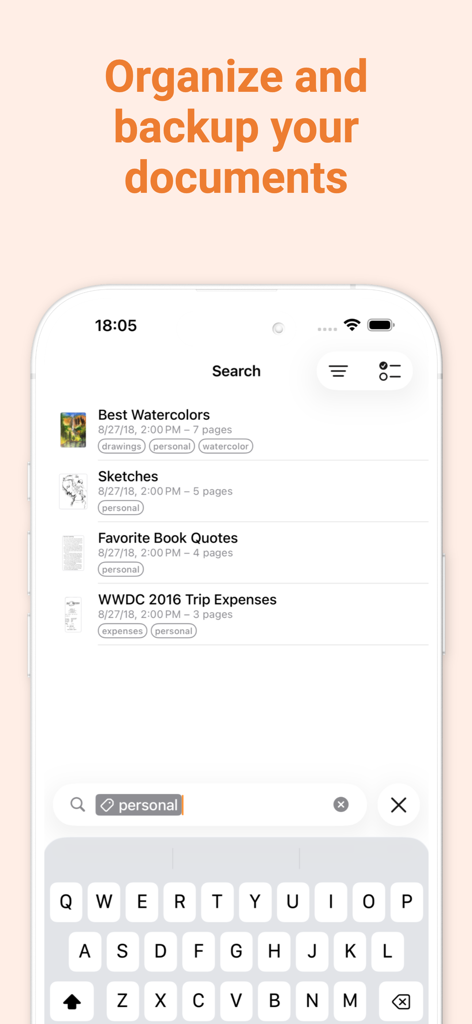
Genius Scan Enterprise - PDF - 태그 및 검색 기능으로 문서 정리를 보여주는 Genius Scan Enterprise 인터페이스

태그 및 검색 기능으로 문서 정리를 보여주는 Genius Scan Enterprise 인터페이스

Genius Scan Enterprise - PDF - 프랑스에서 제작된 빠르고 안전한 문서 스캐닝을 강조하는 Genius Scan Enterprise 홍보 화면

프랑스에서 제작된 빠르고 안전한 문서 스캐닝을 강조하는 Genius Scan Enterprise 홍보 화면

설명

Genius Scan is a document scanner app in your pocket. Quickly scan your paper documents on the go and export them as multi-page PDF files. *** Apple App of the Week *** 20+ million users *** 1000s of small businesses *** Place any document in front of your device’s camera: our scanner app automatically recognizes the paper against the background, crops it, and cleans up the result. You obtain a crisp, legible scan. Batch scanning lets you scan dozens of pages in a matter of seconds. Powerful tools help you organize, share, or archive your documents. “Next time you plan to hit the road, don’t forget to download Genius Scan to make life easier for yourself and your accounting department.” - AppPicker.com “Camera apps aren’t designed for close-up text scanning, but Genius Scan is.” - The Guardian == ENTERPRISE EDITION == Genius Scan Plus Premium Plan: - All the premium features of the Genius Scan Plus Premium Plan (denoted with + below), out of the box (no upgrade needed). Managed Configuration: - Deployment to fleets of devices managed by a MDM tool - Pre-configuration of app settings on a per-user basis (eg. set default email address, WebDAV/FTP credentials) - Control of which apps and services users can export documents to - No ads == KEY FEATURES == Smart Scanning: - Document detection & background removal - Distortion correction - Shadow removal and defect cleanup - Filters (black & white, whiteboard, photo) - Batch scanning PDF Creation & Editing: - Document merging & splitting - Multiple page PDF creation - Photos and PDF import Security & Privacy: - On-device document processing + Face ID locking + PDF password encryption Document Organization: - Document tagging - Metadata and content search + Smart document renaming (custom templates, …) + Backup and multi-device sync with Genius Cloud (separate subscription) Export: - Email + Box, Dropbox, Evernote, Expensify, Google Drive, iCloud Drive, OneDrive, OneNote, FTP, SugarSync, WebDAV. + Any WebDAV compatible service such as Citrix ShareFile, NextCloud, ownCloud, Synology, Yandex. + Automatic background auto-export OCR (Text Recognition): + Text extraction + Searchable PDF creation + Business card scanning & contact creation == ABOUT US == It’s in the heart of Paris, France that The Grizzly Labs develops Genius Scan. We take pride in crafting apps that help millions of users throughout the world and hold ourselves to the highest standards in terms of quality and privacy. Get in touch with us @thegrizzlylabs if you have any questions. == PRICING & LEGAL == You can subscribe to Genius Cloud for backup & synchronization. In that case, Genius Scan’s store displays the duration and price of each subscription, updated at the time of purchase. Payment will be charged to iTunes account when the order is confirmed. Subscriptions automatically renew unless auto-renew is turned off no later than 24 hours before the end of the current period. Manage subscriptions, disable auto-renewal in the iTunes account settings. https://www.thegrizzlylabs.com/genius-scan/cloud/terms

Download

다운로드: App Store

이 페이지는 앱이나 개발자의 공식 페이지가 아니며, 정보 제공 및 논평을 목적으로 작성된 독립 편집 간행물입니다. 명시적으로 달리 언급되지 않는 한, 해당 앱이나 개발자는 MWM, Apple, Google Play, 앱 퍼블리셔 또는 앱 개발자와 제휴, 보증, 후원, 승인 또는 공식적으로 연결되어 있지 않으며, 이 페이지의 어떤 내용도 해당 앱이 MWM의 서비스를 사용하여 개발되었음을 의미하지 않습니다. 모든 상표, 로고, 스크린샷 및 기타 콘텐츠는 해당 소유자의 자산입니다.








