
이 페이지는 앱이나 개발자의 공식 페이지가 아니며, 정보 제공 및 논평을 목적으로 작성된 독립 편집 간행물입니다. 명시적으로 달리 언급되지 않는 한, 해당 앱이나 개발자는 MWM, Apple, Google Play, 앱 퍼블리셔 또는 앱 개발자와 제휴, 보증, 후원, 승인 또는 공식적으로 연결되어 있지 않으며, 이 페이지의 어떤 내용도 해당 앱이 MWM의 서비스를 사용하여 개발되었음을 의미하지 않습니다. 모든 상표, 로고, 스크린샷 및 기타 콘텐츠는 해당 소유자의 자산입니다.


iScanner: PDF Document Scanner
물리적 문서는 통제 불능이라는 통념은 허상임이 확인된다. iScanner는 종이 더미를 디지털 심장부로 끌어와 완벽하게 조작 가능한 정보로 재탄생시킨다.
다운로드
50M+사용자 평점
총 평가 수
3.8M개발사
카테고리
Business지원 언어
21최신 버전
5.92크기
279.6 MB출시일
2015년 9월 23일iScanner: PDF Document Scanner 앱 주요 기능 분석
문서 디지털화, 관리 및 보안을 위한 포괄적인 솔루션
고급 OCR 및 AI PDF 도우미
이 도구는 20개 이상의 언어로 텍스트를 인식하고, 스캔한 문서에서 텍스트와 이미지를 즉시 복사하며, 문서를 편집 가능한 형식으로 변환합니다. 또한, AI 챗 기능을 통해 PDF를 요약, 번역, 재작성하거나 질문할 수 있습니다.
강력한 보안 및 개인 정보 보호
이 앱은 개발자나 제3자의 접근 없이 기기에 직접 문서를 안전하게 저장합니다. PIN, Face ID 또는 Touch ID로 앱과 폴더를 보호하며, PDF에 비밀번호를 설정하고 공유 링크에 대한 맞춤형 만료 날짜를 지정할 수 있습니다.
AI 기반 문서 스캐너
이 스캐너는 색상 보정 및 노이즈 감소로 스캔 품질을 향상시키고, 문서 테두리를 자동으로 감지 및 조정합니다. 또한, 페이지를 곧게 펴고 구부러지거나 기울어진 스캔을 수정하며, 지문이나 구김과 같은 왜곡을 제거하여 깔끔한 디지털 문서를 생성합니다.
종합 문서 편집 및 파일 관리
이 앱은 사용자가 수동으로 서명하거나 이미지에서 서명을 삽입하고, 민감한 텍스트를 가리거나 흐리게 처리할 수 있도록 돕습니다. 문서를 분할하거나 병합하고, 페이지를 회전하거나 재구성하며, 파일을 폴더로 정리하여 효율적인 문서 관리를 제공합니다.
안전한 크로스 플랫폼 접근
이 솔루션은 AWS 클라우드에 문서를 안전하게 저장하고, 모든 기기에서 파일과 폴더를 동기화합니다. 사용자는 언제든지 모든 플랫폼이나 웹 브라우저에서 파일에 접근하고, 전송하며, 볼 수 있어 이동 중에도 작업 효율성을 유지할 수 있습니다.
다중 모드 스캐너
이 스캐너는 일반 문서, 신분증 스캔 외에도 AI를 활용하여 복잡한 수학 방정식을 풀고, 객체 치수를 측정하며, 유사한 객체를 자동으로 세는 등 다양한 특수 기능을 제공합니다. 또한 QR 코드를 즉시 읽을 수 있습니다.
자주 묻는 질문
에 대해 알아야 할 모든 것 iScanner: PDF Document Scanner
What is iScanner: PDF Document Scanner?
iScanner is a top-rated document scanner and management tool. It uses AI technology to deliver clean, precise, and distortion-free scans, supporting various export formats like PDF, JPG, and DOC.
What file formats does iScanner support for scanned documents?
Yes, iScanner supports various output formats including PDF, JPG, DOC, XLS, PPT, and TXT. Users can easily scan documents and export them in their preferred file type.
Does iScanner use AI to enhance scan quality and fix document imperfections?
Yes, iScanner utilizes AI to improve scan quality by correcting color, reducing noise, detecting borders automatically, straightening pages, and removing fingerprints, folds, or distortions.
Does iScanner: PDF Document Scanner have OCR functionality?
Yes, iScanner includes in-house OCR (Optical Character Recognition) that recognizes text in over 20 languages. It allows users to instantly copy text and images from scans or convert them to editable DOC/TXT formats.
Can I sign documents directly within the iScanner app?
Yes, iScanner allows users to sign scans manually or insert signatures from images. It also offers features to mark up documents, blur sensitive text, and add text using custom templates.
How does iScanner protect user privacy and secure documents?
iScanner protects privacy by storing confidential documents directly on the device, without developer access. It also offers app/folder protection with PIN, Face ID, or Touch ID, and password-protects PDFs.
Can I use my iScanner account and files across multiple devices?
Yes, iScanner offers secure cross-platform access. Users can store documents in the AWS cloud, sync files and folders across all devices, and access them from any platform or web browser with one subscription.
What specialized scanning modes are available in iScanner?
iScanner offers multi-mode scanning, including specific modes for ID documents, mathematical equations (MATH), measuring object dimensions (AREA), counting similar objects (COUNT), and reading QR codes.
Is iScanner a subscription-based application?
Yes, iScanner Pro unlocks all scanner features and operates on a subscription basis. Subscriptions auto-renew but can be managed or canceled anytime in App Store settings.
Can iScanner extract and edit text from scanned documents?
Yes, iScanner's in-house OCR allows users to instantly copy text and images from scanned paper documents. It can also convert these scans into editable DOC or TXT formats with one tap.
다음 스크린샷과 설명은 앱의 공식 스토어 목록에서 직접 가져온 것이며 앱 개발자의 자산입니다.
앱 스토어
스크린샷
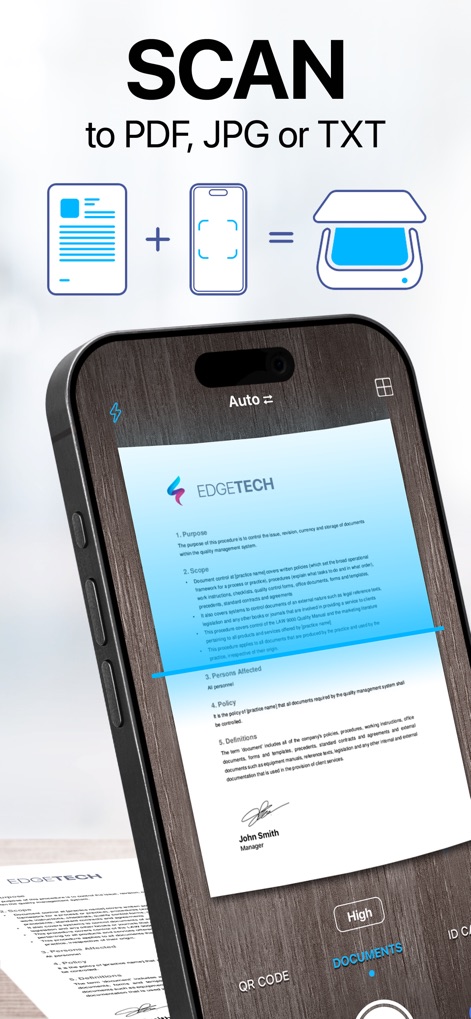
간편한 문서 스캔
이 앱은 중요한 문서를 자동으로 감지하고 스캔하여, 디지털 문서 변환을 위한 자동 테두리 감지 기능과 다양한 파일 형식 변환 옵션(예: PDF, JPG)을 제공합니다.
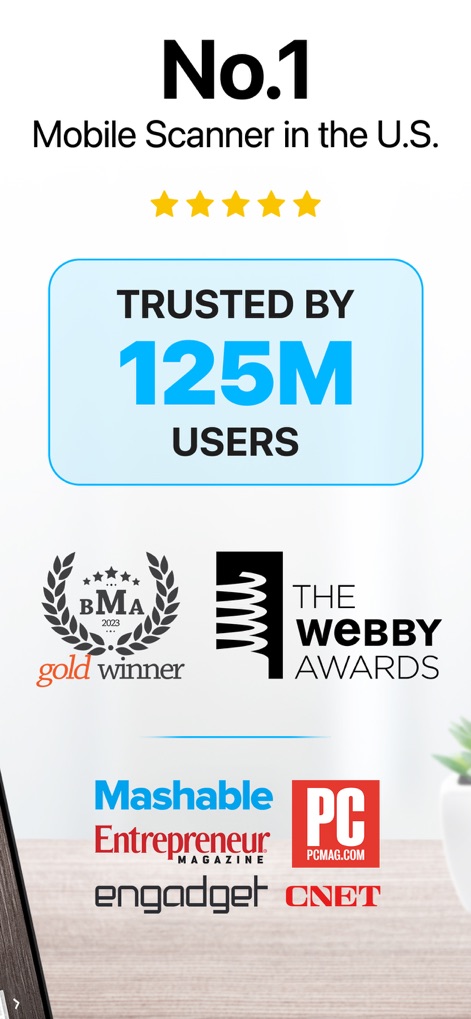
신뢰받는 스캔 솔루션
이 앱은 미국에서 모바일 스캐너 부문 1위를 차지했으며, 1억 2천 5백만 명 이상의 사용자들에게 신뢰받는 사용 기반과 수상 경력(예: BMA Gold Winner, Webby Awards)을 자랑합니다.

문서 편집 및 서명
사용자는 스캔한 문서를 쉽게 편집하고, 이미지에서 서명을 삽입하거나 수동으로 추가하여, 텍스트 상자 추가 기능과 전자 서명 기능을 활용할 수 있습니다.
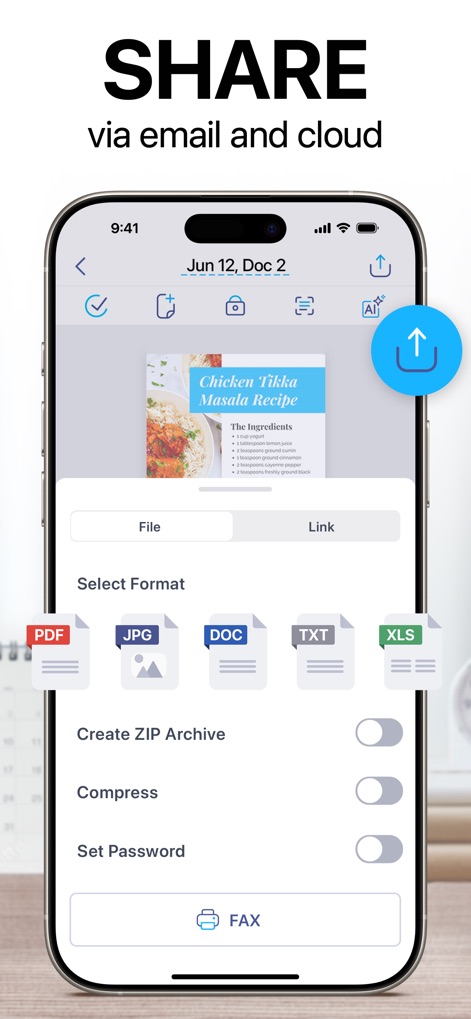
간편한 공유 옵션
이 앱은 스캔한 파일을 이메일이나 클라우드를 통해 손쉽게 공유할 수 있도록 지원하며, PDF, JPG 등 여러 파일 형식으로 내보내고 파일을 압축하거나 암호로 보호하는 기능을 제공합니다.
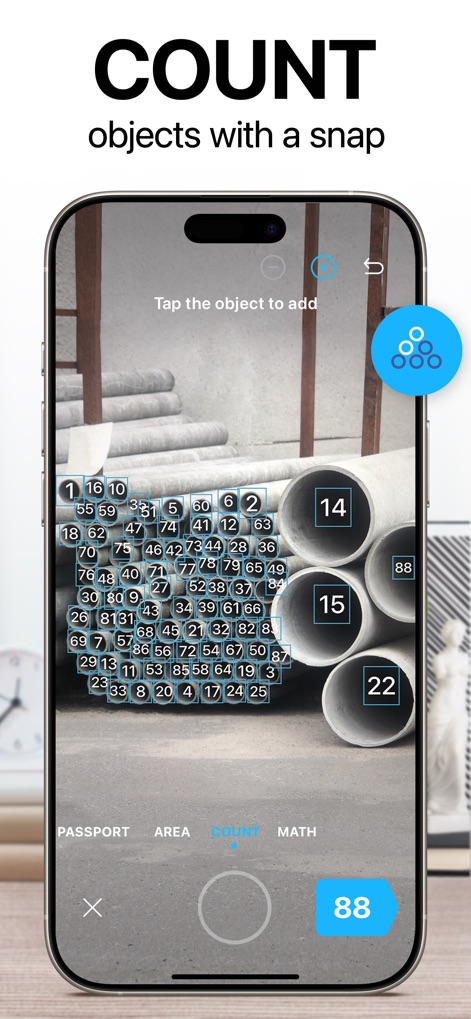
자동 개체 계산
사용자는 스크린샷에서처럼 사물을 자동으로 인식하고 세는 기능을 통해 파이프와 같은 복잡한 개체들을 정확하게 카운트하며, 실시간으로 계산 결과를 시각적으로 표시하는 기능을 활용할 수 있습니다.
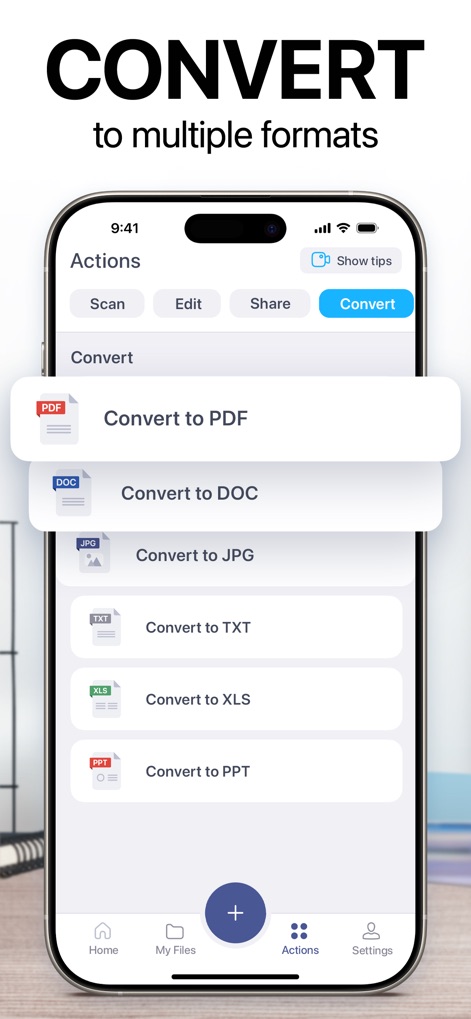
다양한 형식으로 변환
이 앱은 PDF, DOC, JPG, TXT 등 다양한 문서 형식으로 스캔 파일을 변환할 수 있으며, 직관적인 인터페이스를 통해 사용자가 원하는 변환 옵션을 쉽게 선택할 수 있도록 합니다.

텍스트 추출 및 편집
이 도구는 OCR 기술을 활용하여 스캔된 문서에서 텍스트를 정확하게 추출하고, 추출된 텍스트를 자유롭게 편집할 수 있는 기능과 키보드를 통한 직접 수정을 지원합니다.
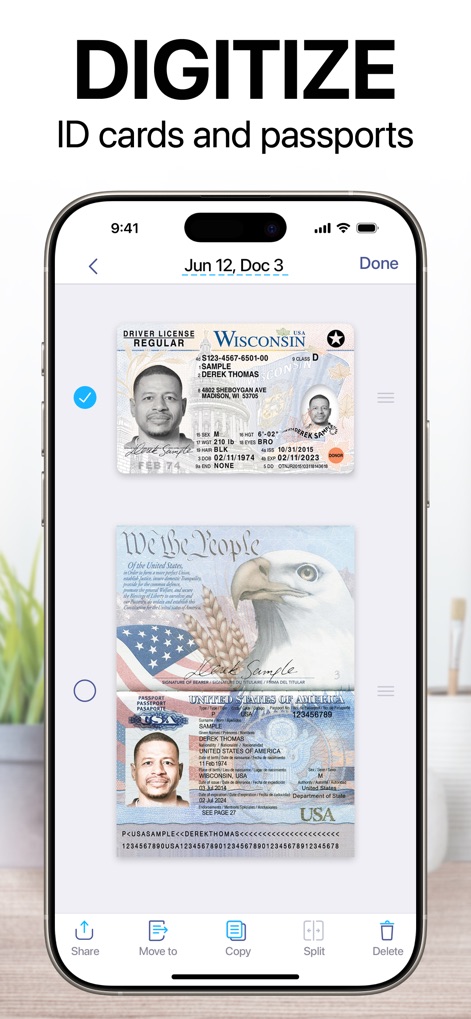
신분증 디지털화
사용자는 운전면허증이나 여권과 같은 신분증을 손쉽게 디지털화할 수 있으며, 여러 신분증 스캔본을 한 화면에 보여주는 기능과 파일 관리 옵션(예: 공유, 이동)을 제공합니다.
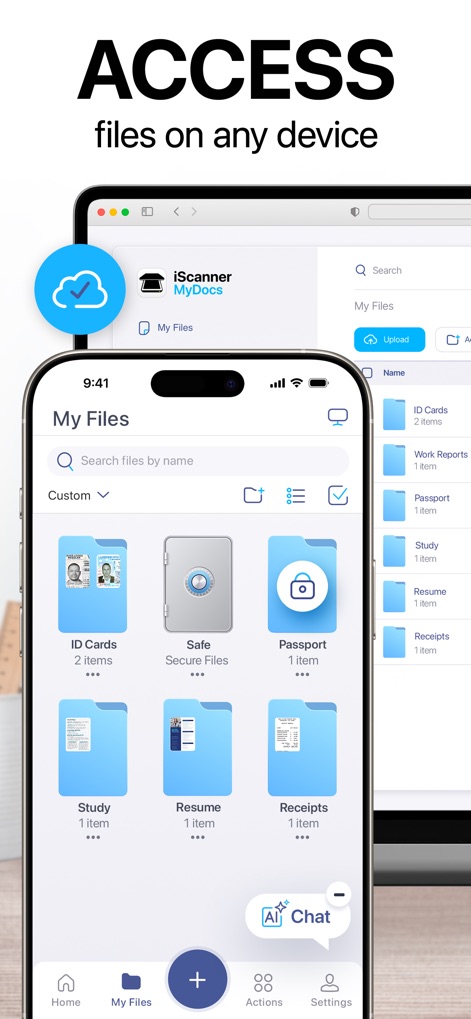
어디서든 파일 접근
이 앱은 사용자 파일(예: 신분증, 이력서)을 클라우드에 안전하게 저장하여 iPhone과 웹 인터페이스 등 다양한 기기에서 접근할 수 있도록 하며, 폴더별 파일 정리 기능과 AI 챗봇 기능을 제공합니다.
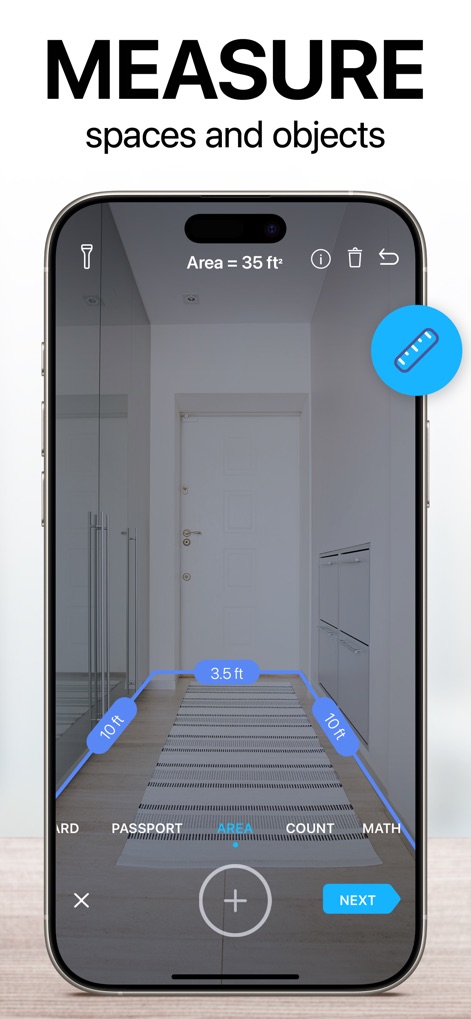
공간 및 개체 측정
이 앱은 가상 줄자를 사용하여 공간의 면적을 측정하고, 문과 복도처럼 다양한 개체의 치수를 직관적으로 표시하는 기능을 통해 사용자에게 유용한 측정 도구를 제공합니다.
설명
Download
비슷한 앱
유사한 기능과 사용자 경험을 가진 앱

PDF PRO Scan Image & Documents
Balzo srl

The PDF Scanner, PDF editor HQ
NEXT K.U.M. LTD

CamScanner - PDF Scanner App
INTSIG Information Co., Ltd

Adobe Scan: PDF & OCR Scanner
Adobe Inc.

WPS Office: PDF, Docs, Sheets
KINGSOFT OFFICE SOFTWARE CORPORATION LIMITED

iLovePDF - PDF Editor & Scan
ILOVEPDF S.L.

Scanner App: Genius Scan
The Grizzly Labs

Microsoft Lens: PDF Scanner
Microsoft Corporation

Clear Scan: Doc Scanner App
INDY MOBILE APP COMPANY LIMITED
이 페이지는 앱이나 개발자의 공식 페이지가 아니며, 정보 제공 및 논평을 목적으로 작성된 독립 편집 간행물입니다. 명시적으로 달리 언급되지 않는 한, 해당 앱이나 개발자는 MWM, Apple, Google Play, 앱 퍼블리셔 또는 앱 개발자와 제휴, 보증, 후원, 승인 또는 공식적으로 연결되어 있지 않으며, 이 페이지의 어떤 내용도 해당 앱이 MWM의 서비스를 사용하여 개발되었음을 의미하지 않습니다. 모든 상표, 로고, 스크린샷 및 기타 콘텐츠는 해당 소유자의 자산입니다.