LightPDF: AI Chat PDF, Scanner

LightPDF: AI Chat PDF, Scanner

다운로드: App Store
로고: LightPDF: AI Chat PDF, Scanner

LightPDF: AI 채팅 PDF, 스캐너 – 당신의 올인원 AI 문서 비서

읽고 형식 지정하는 데 몇 시간씩 낭비하지 마세요. 문서와 채팅하여 즉각적인 답변을 얻고, OCR로 서류를 스캔하고, 이동 중에 파일을 변환하여 현대적인 생산성을 위한 가장 스마트한 도구를 사용하세요.

개발사

Wangxu Technology Co., Ltd

카테고리

Productivity

다운로드

152K+

사용자 평점

4.4/5

총 평가 수

100

지원 언어

8

한눈에 보는 효율성

이 인터페이스를 사용하는 152K+ 명의 사용자.

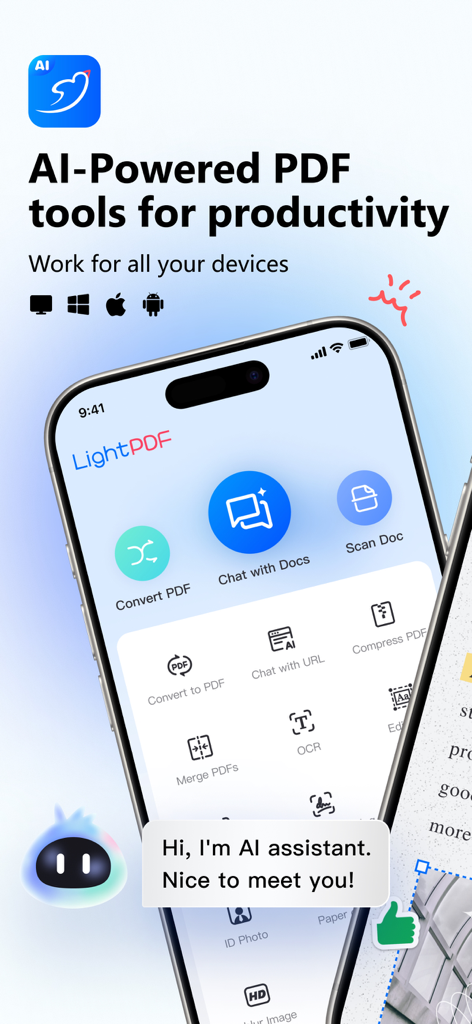
스캔 및 PDF 채팅과 같은 AI 기반 문서 도구를 보여주는 LightPDF 앱 인터페이스
스캔 및 PDF 채팅과 같은 AI 기반 문서 도구를 보여주는 LightPDF 앱 인터페이스

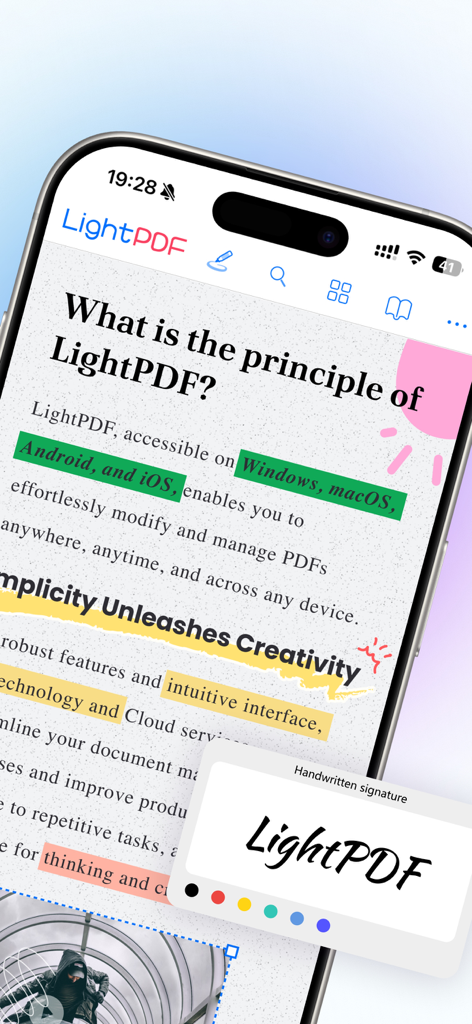
PDF에 색상으로 강조 표시하고 필기 도구를 표시하는 LightPDF 모바일 앱 인터페이스
PDF에 색상으로 강조 표시하고 필기 도구를 표시하는 LightPDF 모바일 앱 인터페이스

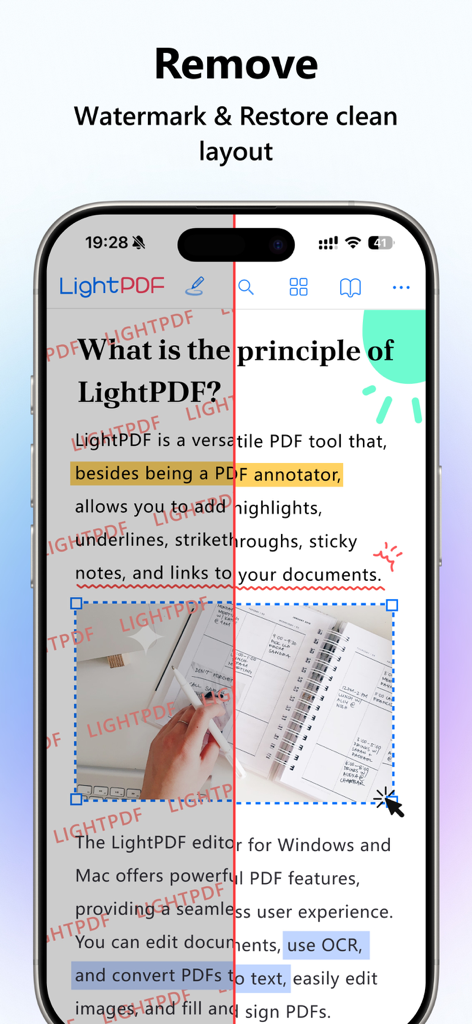
LightPDF를 사용하여 빨간색 워터마크를 제거하고 깨끗한 레이아웃을 복원하는 것을 보여주는 PDF 문서의 비교
LightPDF를 사용하여 빨간색 워터마크를 제거하고 깨끗한 레이아웃을 복원하는 것을 보여주는 PDF 문서의 비교

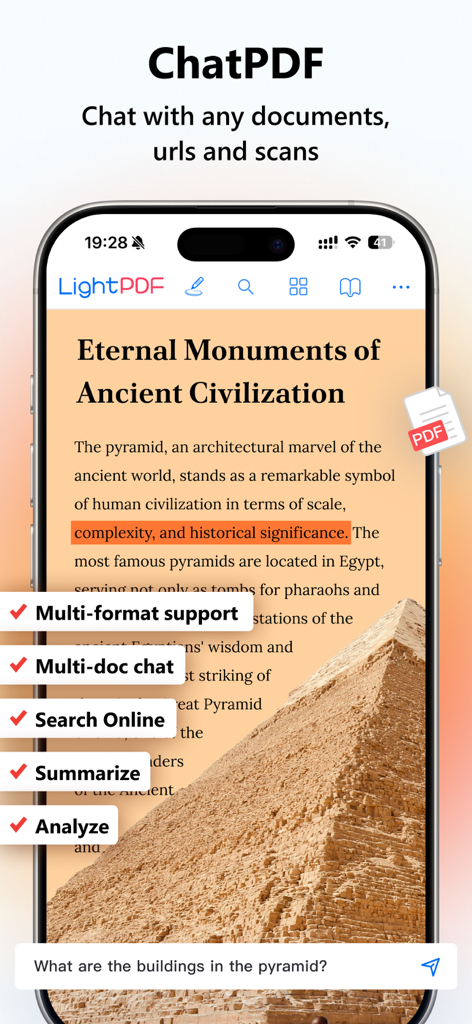
스마트폰에서 문서 분석 중인 AI 채팅 도우미를 보여주는 LightPDF 앱 인터페이스
스마트폰에서 문서 분석 중인 AI 채팅 도우미를 보여주는 LightPDF 앱 인터페이스

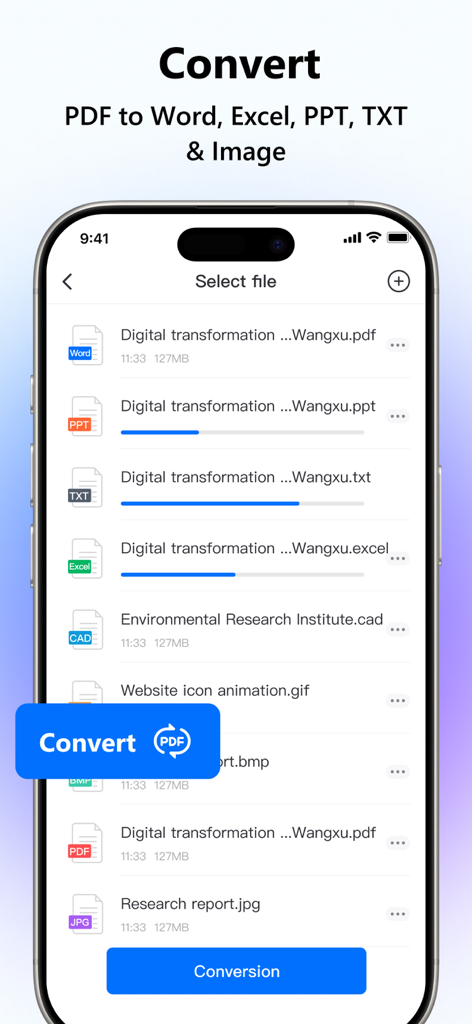
PDF 파일을 Word, Excel 및 PowerPoint 형식으로 변환하는 진행률을 보여주는 LightPDF 앱의 인터페이스
PDF 파일을 Word, Excel 및 PowerPoint 형식으로 변환하는 진행률을 보여주는 LightPDF 앱의 인터페이스

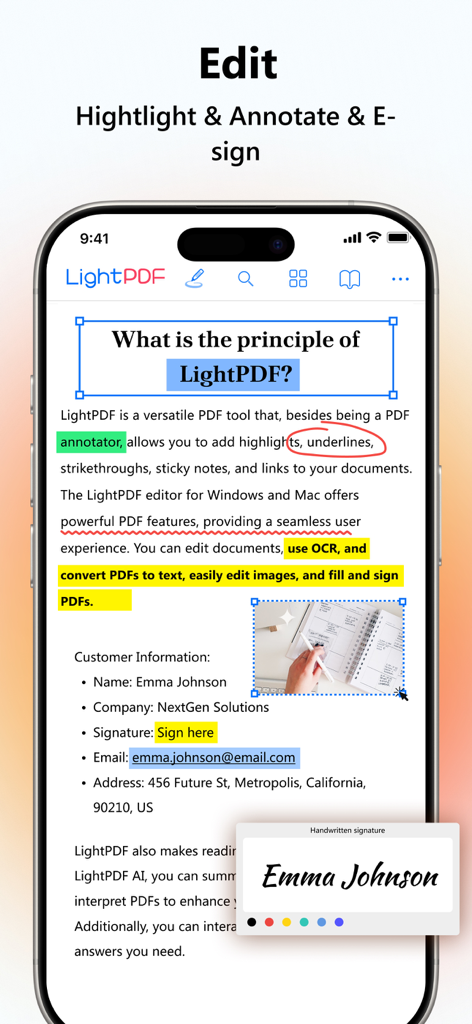
PDF 편집 강조 표시 및 전자 서명 기능을 시연하는 LightPDF 앱의 스크린샷
PDF 편집 강조 표시 및 전자 서명 기능을 시연하는 LightPDF 앱의 스크린샷

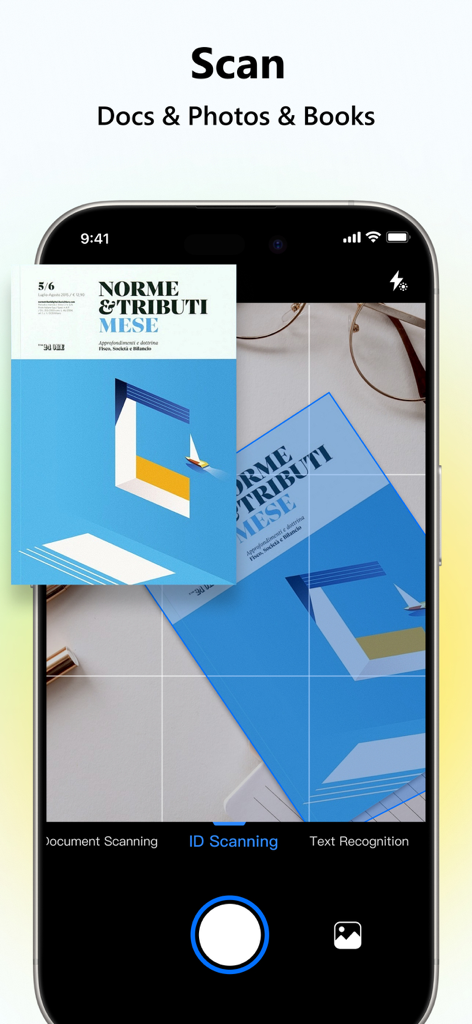
텍스트 인식 기능을 사용하여 문서를 스캔하는 LightPDF 앱을 보여주는 스마트폰 화면
텍스트 인식 기능을 사용하여 문서를 스캔하는 LightPDF 앱을 보여주는 스마트폰 화면

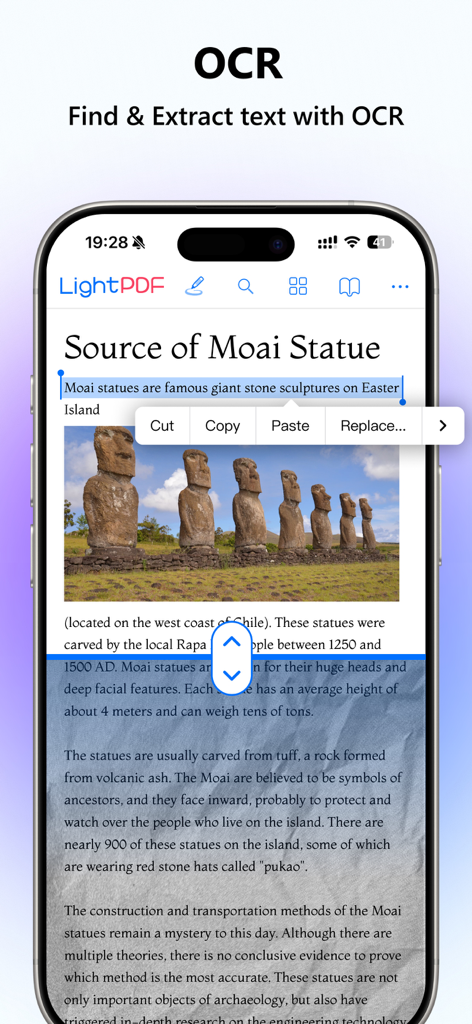
스캔된 문서에서 텍스트를 찾고 추출하는 OCR 기능을 보여주는 LightPDF 모바일 앱
스캔된 문서에서 텍스트를 찾고 추출하는 OCR 기능을 보여주는 LightPDF 모바일 앱

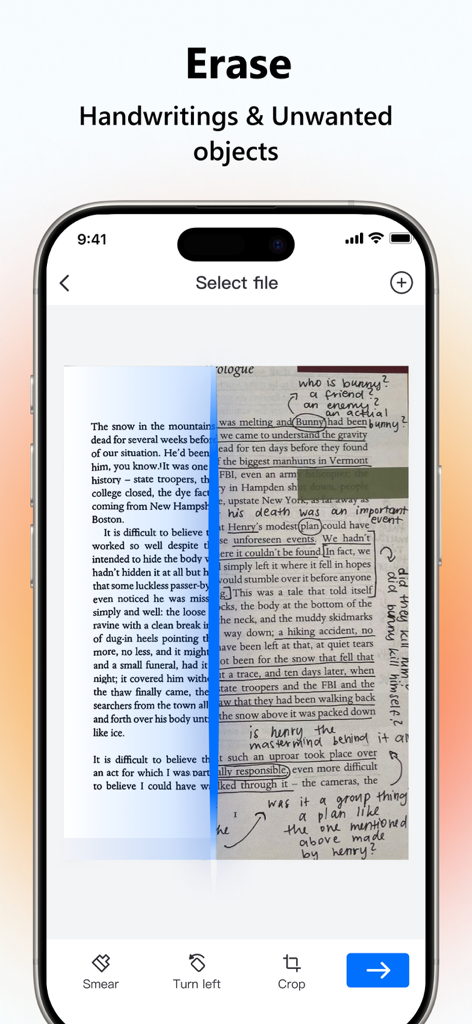
LightPDF를 사용하여 필기 및 표시를 지우기 전후의 스캔된 페이지를 보여주는 비교
LightPDF를 사용하여 필기 및 표시를 지우기 전후의 스캔된 페이지를 보여주는 비교

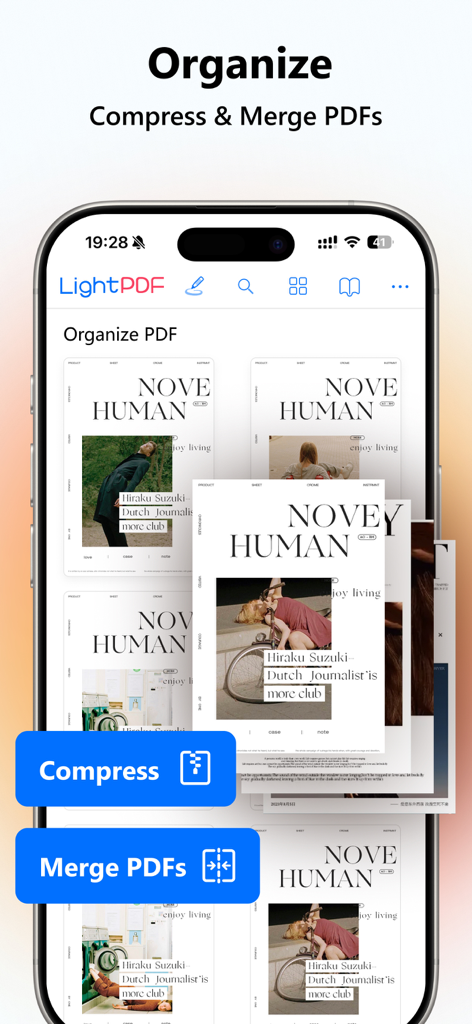
모바일폰에서 PDF 문서를 정리, 압축 및 병합하는 옵션을 보여주는 LightPDF 앱 화면

모바일폰에서 PDF 문서를 정리, 압축 및 병합하는 옵션을 보여주는 LightPDF 앱 화면

AI 기반 문서 도구로 생산성을 극대화하세요

이 앱을 돋보이게 하는 도구, 152K+ 명의 사용자가 선택.

🤖

즉각적인 AI 인사이트

각 페이지를 읽지 않고도 AI 챗봇과 직접 PDF와 채팅하여 즉각적인 요약, 인용된 답변 및 주요 데이터를 얻으세요.

📸

지능형 모바일 스캐너

물리적 메모와 계약서를 고품질 PDF로 변환하세요. AI 기반 OCR을 사용하여 텍스트를 추출하고 필기를 즉시 제거하세요.

☁️

원활한 클라우드 워크플로우

모든 장치에서 파일을 편집, 서명 및 동기화하세요. 팀과 실시간으로 협업하고 문서를 다시는 놓치지 마세요.

앱 소개

에 대해 알아야 할 모든 것 LightPDF: AI Chat PDF, Scanner.

설명

LightPDF, AI-powered, is a must-have PDF toolkit for your mobile device. You can use it to summarize and chat with PDFs and other documents, and quickly get the key information from the files! And it takes advantage of AI to help you easily scan paperwork to PDFs, extract texts and remove specific objects. It can be your PDF converter, editor, reader, on-the-go mobile scanner, cloud-based PDF storage, and ID photo maker. Try LightPDF to convert, OCR, scan, edit, read, annotate, comment, compress, and merge PDFs easily and quickly to get a high-quality result. And its sharing and collaborating feature can help you communicate smoothly with your colleagues on the same PDF document, and improve your teamwork productivity. What LightPDF can do: Smart AI Chat Assistant for PDFs - Ask questions to the chatbot about your file and it will answer you with cited sources - Quickly output results in markdown and table formats - Chat with PDFs, scans, Excel, Word, PPT, and ePub documents Intelligent Phone Scanner - Take photos of your papers, cards, books, and more to turn them into PDF format. Work as your pocket PDF scanner - Extract and copy texts from paper works - Remove handwriting from the test paper - Advanced filter features for better scanning result Powerful PDF Converter with OCR - Convert PDF to Word, JPG, PNG, Excel, PPT, and TXT, as well as turn Word, PPT, Excel, JPG, PNG, and CAD formats to PDF - Equipped with OCR technology to recognize and turn PDF scans and photos into docx, xlsx, pptx, pdf, and txt formats - Convert multiple documents at the same time and quickly get your work done Cloud-based PDF Editor & Reader - Edit, sign, and add images to a PDF file - Highlight, draw markups, and insert notes into PDF - Reduce PDF file size with a few touches - Combine multiple PDF documents into one - Read PDFs, add bookmarks, search and annotate - Print PDFs directly from your devices - Auto-sync PDFs in order to work with PDFs on the go. No more worry about losing data Handy ID Photo Maker - Create ID and passport photos with ease. It allows you to remove the background, change the background color, and produce a new photo with the selected size - Unblur the photo to enhance its quality and make it clear Image Watermark Removal - AI automatically recognizes and removes watermarks from images, eliminating the need for manual smudging like in Photoshop. It is particularly effective for large logos and full-screen watermarks, enhancing learning efficiency. New Way for Teamwork - Share files via links with your team and invite multiple people to view, edit, highlight, sign, and add comments on the same PDF at the same time - Set permissions to keep PDF security under control - Upload the file to the cloud, and access it on any device - Star files as favorites to quickly find and open them Subscriptions will be charged to your credit card through your iTunes account. Your subscription will automatically renew unless canceled at least 24 hours before the end of the current period. After purchase, please manage your subscriptions in the App Store Account Settings. ------------------------------------------------------------------------------- If you need any help or have suggestions on LightPDF, please feel free to contact us. We can't keep making progress without your voice. Email: support@lightpdf.com Customer Service Center: https://lightpdf.com/contact FAQ: https://lightpdf.com/faqs/lightpdf-editor-faq Privacy Policy:https://lightpdf.com/privacy Terms of Service:https://lightpdf.com/terms

최신 버전

2.11.29

크기

112.5 MB

출시일

2022년 6월 28일

개인 AI 문서 비서와 함께 더 스마트하게 일하세요

이동 중에 스캔, 채팅, 편집을 위해 LightPDF를 사용하는 152,000명 이상의 학생 및 전문가와 함께하세요. 오늘 모바일 장치를 고속 생산성 허브로 변환하세요.

다운로드: App Store
FAQ

자주 묻는 질문

에 대해 알아야 할 모든 것 LightPDF: AI Chat PDF, Scanner

LightPDF란 무엇이며 어떤 기능을 하나요?

LightPDF는 AI 기반 모바일 PDF 도구입니다. 사용자는 모바일 장치에서 PDF를 요약하고, PDF와 대화하고, 문서를 스캔하고, 파일 형식을 변환하고, PDF를 편집, 읽기 및 관리할 수 있습니다.

LightPDF의 AI 비서로 문서와 대화할 수 있나요?

네, LightPDF에는 AI 채팅 비서가 있어 PDF, 스캔본, Excel, Word, PPT, ePub 문서에 직접 질문하고 출처가 표시된 답변을 받을 수 있습니다.

LightPDF는 어떤 종류의 파일을 변환할 수 있나요?

LightPDF는 PDF를 Word, JPG, PNG, Excel, PPT, TXT로 변환할 수 있습니다. 또한 Word, PPT, Excel, JPG, PNG, CAD 형식을 PDF로 변환합니다. OCR 기술은 스캔본을 편집 가능한 텍스트로 변환하는 것을 지원합니다.

LightPDF는 문서 스캔 기능을 제공하나요?

네, LightPDF는 지능형 휴대폰 스캐너로 작동합니다. 종이, 카드, 책의 사진을 PDF로 변환합니다. 또한 종이에서 텍스트를 추출하고 복사하며 필기를 제거합니다.

LightPDF를 사용하여 PDF 문서를 공동 작업할 수 있나요?

네, LightPDF는 링크를 통해 파일을 공유할 수 있도록 하여 팀 작업을 가능하게 합니다. 여러 사람이 동일한 PDF 문서에서 동시에 보고, 편집하고, 강조 표시하고, 서명하고, 주석을 추가할 수 있어 생산성이 향상됩니다.

LightPDF의 구독은 어떻게 작동하나요?

LightPDF 구독은 iTunes 계정을 통해 신용카드로 청구되며 자동으로 갱신됩니다. 갱신을 피하려면 App Store 계정 설정에서 현재 기간이 종료되기 최소 24시간 전에 취소해야 합니다.

LightPDF는 이미지에서 워터마크를 제거할 수 있나요?

네, LightPDF의 AI는 이미지에서 워터마크를 자동으로 인식하고 제거합니다. 이 기능은 큰 로고와 전체 화면 워터마크에 대한 수동 편집을 없애 학습 효율성을 높입니다.

LightPDF는 여러 운영 체제에서 사용할 수 있나요?

네, LightPDF는 Windows, macOS, Android, iOS를 포함한 여러 장치 및 운영 체제에서 액세스할 수 있어 사용자가 언제 어디서든 PDF를 관리할 수 있습니다.

LightPDF를 사용하여 PDF를 편집하고 서명할 수 있나요?

네, LightPDF의 클라우드 기반 편집기를 사용하면 PDF 파일의 내용을 편집, 서명 및 이미지를 추가할 수 있습니다. 또한 애플리케이션 내에서 강조 표시, 마크업 그리기, 메모 삽입, 파일 크기 축소를 수행할 수 있습니다.

LightPDF는 텍스트 추출을 위해 OCR을 지원하나요?

네, LightPDF에는 OCR 기술이 탑재되어 있습니다. PDF 스캔 및 사진에서 텍스트를 인식하고 추출하여 docx, xlsx, pptx, pdf, txt와 같은 편집 가능한 형식으로 변환할 수 있습니다.

App information, icons, screenshots, and descriptions displayed on this page are sourced from the Apple App Store and are the property of their respective developers. Download estimates and rankings are based on MWM's proprietary models and may not reflect actual figures. This page is provided for informational and analytical purposes only.

Believe this page infringes your intellectual property? File a dispute