MobiOffice・Word Docs・Excel・PDF

MobiOffice・Word Docs・Excel・PDF

다운로드: App Store다운로드: Google Play
로고: MobiOffice・Word Docs・Excel・PDF

MobiOffice: 모바일 전문가를 위한 스마트 올인원 오피스 제품군

iPhone 또는 iPad에서 Word, Excel, PDF 파일을 원활하게 생성, 편집, 서명하세요. 모바일 워크플로우에 맞춰진 완벽한 Microsoft 호환성과 통합 클라우드 저장소로 전문가 수준의 생산성을 경험하세요.

개발사

MobiSystems, Inc.

카테고리

Business

다운로드

10M+

사용자 평점

4.6/5

총 평가 수

147K+

지원 언어

17

한눈에 보는 효율성

이 인터페이스를 사용하는 10M+ 명의 사용자.

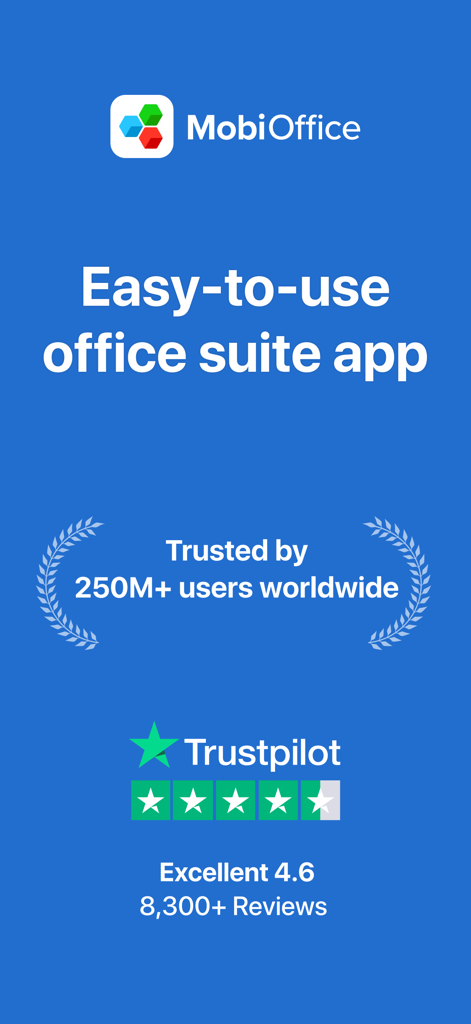
MobiOffice 앱 소개 화면, 사용하기 쉬운 오피스 제품군과 Trustpilot 리뷰 및 사용자 신뢰 통계 표시
MobiOffice 앱 소개 화면, 사용하기 쉬운 오피스 제품군과 Trustpilot 리뷰 및 사용자 신뢰 통계 표시

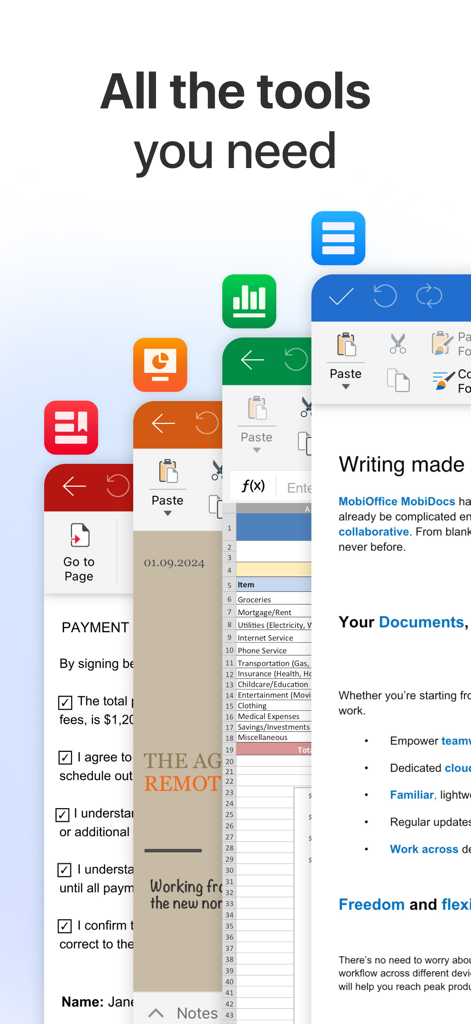
MobiOffice 앱 인터페이스에 다양한 문서, 스프레드시트, PDF 편집 도구 표시
MobiOffice 앱 인터페이스에 다양한 문서, 스프레드시트, PDF 편집 도구 표시

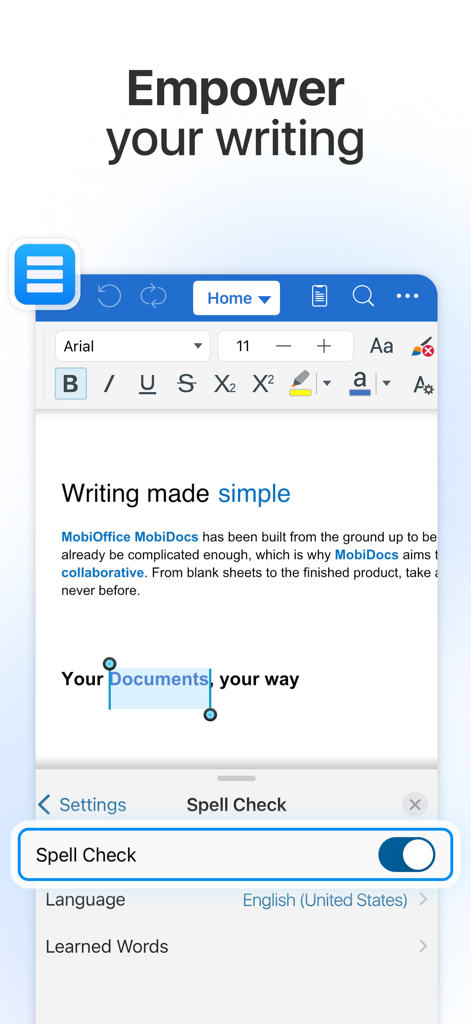
MobiOffice 모바일 앱 인터페이스, 맞춤법 검사 기능이 활성화된 문서 작성 및 편집
MobiOffice 모바일 앱 인터페이스, 맞춤법 검사 기능이 활성화된 문서 작성 및 편집

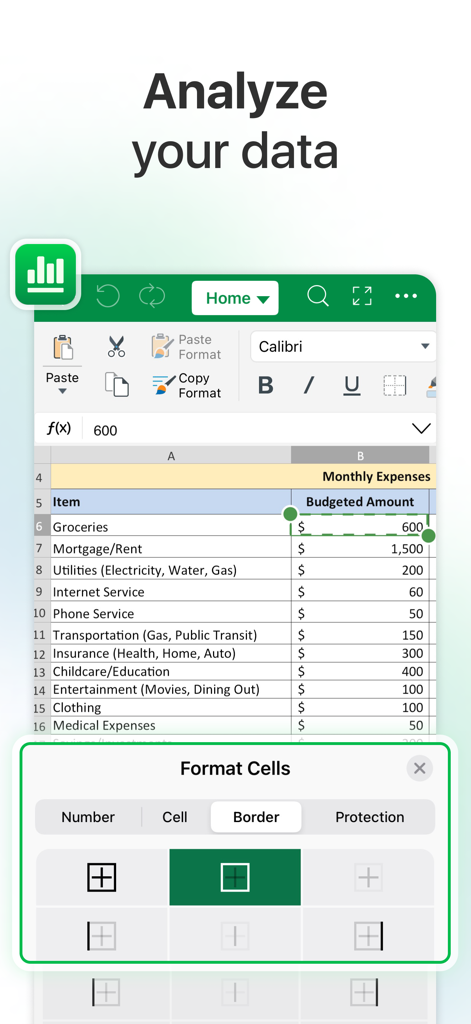
MobiOffice 앱 인터페이스에 셀 서식 옵션이 있는 월별 경비 예산 스프레드시트 표시
MobiOffice 앱 인터페이스에 셀 서식 옵션이 있는 월별 경비 예산 스프레드시트 표시

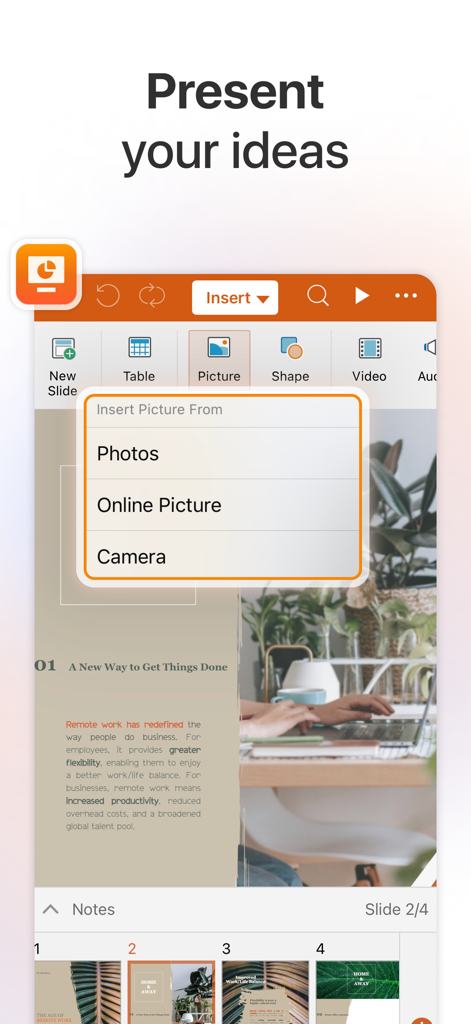
MobiOffice 프레젠테이션 편집기, 사진 또는 카메라에서 슬라이드로 사진 삽입 옵션 표시
MobiOffice 프레젠테이션 편집기, 사진 또는 카메라에서 슬라이드로 사진 삽입 옵션 표시

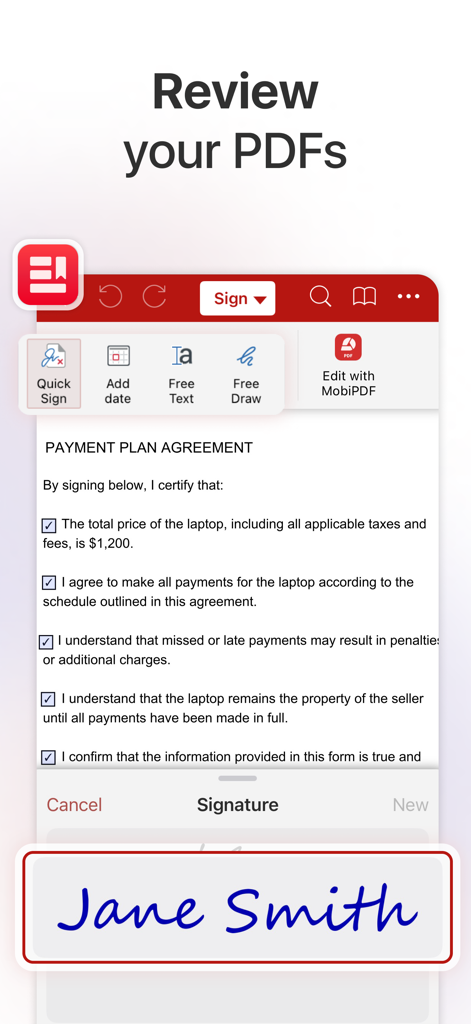
MobiOffice 모바일 앱에서 결제 계획 계약 PDF에 적용되는 전자 서명
MobiOffice 모바일 앱에서 결제 계획 계약 PDF에 적용되는 전자 서명

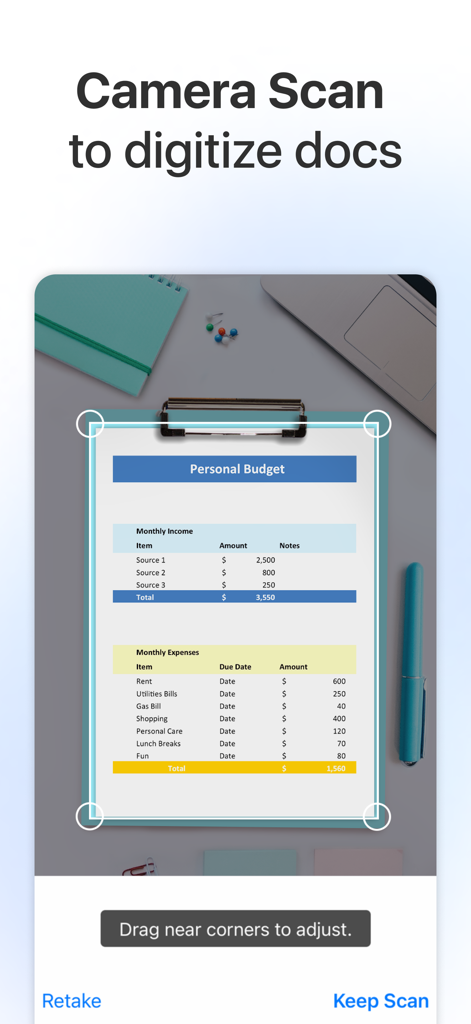
MobiOffice 앱 모바일 인터페이스, 카메라 기능을 사용하여 스캔 및 디지털화되는 문서 표시
MobiOffice 앱 모바일 인터페이스, 카메라 기능을 사용하여 스캔 및 디지털화되는 문서 표시

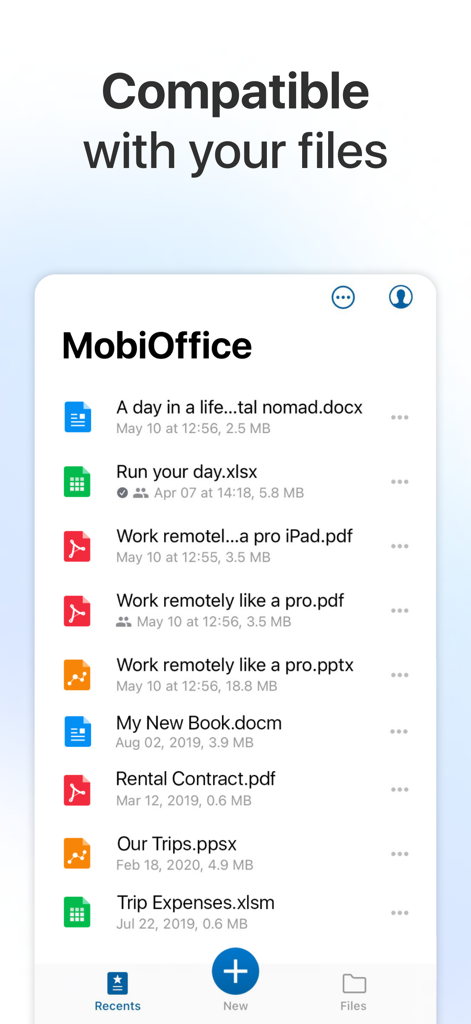
MobiOffice 앱 인터페이스에 Word Excel PDF 및 PowerPoint 문서를 포함한 호환 파일 목록 표시
MobiOffice 앱 인터페이스에 Word Excel PDF 및 PowerPoint 문서를 포함한 호환 파일 목록 표시

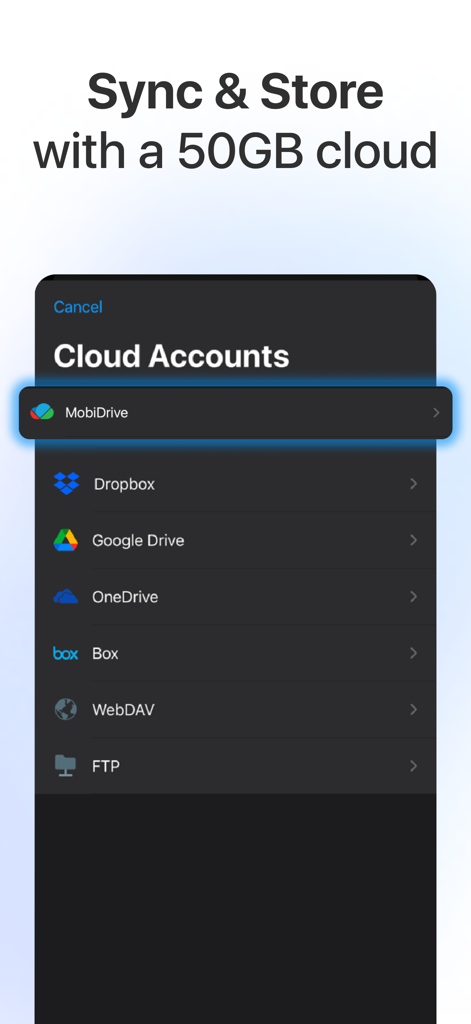
MobiOffice 앱 화면, Dropbox Google Drive 및 OneDrive와 통합된 50GB 클라우드 저장 공간 표시

MobiOffice 앱 화면, Dropbox Google Drive 및 OneDrive와 통합된 50GB 클라우드 저장 공간 표시

모바일 워크플로우 강화

이 앱을 돋보이게 하는 도구, 10M+ 명의 사용자가 선택.

📱

올인원 오피스 제품군

앱 피로를 없애세요. 단일 고성능 워크스페이스 내에서 Word 문서, Excel 스프레드시트, PowerPoint 프레젠테이션을 원활하게 생성하고 편집하세요.

✍️

전문 PDF 및 전자 서명

내장된 스캔, PDF 변환, Quick Sign로 종이 없는 업무를 경험하세요. 계약을 마무리하고 받은 편지함에 도착하는 즉시 문서를 주석 처리하세요.

🔄

원활한 클라우드 통합

Google Drive, OneDrive 또는 Dropbox와 100% 호환성으로 작업하세요. 모든 전문 에코시스템에서 파일을 동기화하면서 완벽한 서식을 유지하세요.

앱 소개

에 대해 알아야 할 모든 것 MobiOffice・Word Docs・Excel・PDF.

설명

MobiOffice is the smart choice for office productivity. 5 years and 5 million downloads later, we give people the power to create, edit, comment, format, convert, and protect documents, spreadsheets and presentations - as well as the ability to view and sign PDF files. Compatible with Microsoft Office (Word, Excel, PowerPoint), Google Docs, Google Sheets, Google Slides, OpenOffice, LibreOffice, WPS Office, Polaris Office, Adobe PDF & more. General features • Work with common file types/extensions - .zip, .png, .jpg, .tiff, .mp3, .mov, .mp4, .m4a, OpenDocument & more • 5GB Free cloud space in MobiDrive available via sign in • Link your Google Drive, OneDrive, Box or Dropbox accounts to save all your files. • Scan paper documents to digital ones with your camera • Unzip archive or create new via the integrated zip functionality MobiOffice offers you powerful applications packed with helpful tools to handle any task: MobiDocs • Microsoft Word office formats - .doc, .docx, .docm + .rtf, .txt. • Font package with 70+ fonts • Rich text and paragraph formatting features • Insert tables, pictures, text boxes, shapes, bookmarks and special symbols • Create and edit notes, headers & footers, footnotes, page numbers • Format page setup, page print options, margins, orientation, page size & more MobiSheets • Compatible with Microsoft Excel office formats - .XLS, .XLSX, .XLSM + .CSV • Use 250+ functions or edit formulas • Create, preview and edit advanced charts • Filter and sort data or use data validation • Freeze panes, hide and resize rows & columns MobiSlides • Compatible with Microsoft PowerPoint office formats - .PPT, .PPTX, .PPS, .PPSX, .PPTM, .PPSM • Insert charts, tables, pictures, text boxes & shapes • Change slide theme, layout, slide size or background • Presenter mode enables to deliver engaging & interactive presentations • Add, edit and manage slide transitions MobiOffice PDF • Open and annotate PDF files • Multiple reading options available • View Table of contents and annotations Download MobiOffice now and start your free trial. Our Premium version will give you the possibility to store even more data, with 50GB cloud storage on MobiDrive. Also, you’ll have access to 20+ Premium features, a PDF converter, and the ability to set document passwords to keep your security on point. Other Premium features include: • Premium MobiDocs - Save as .docs and other different formats, and track changes from multiple authors. • Premium MobiSheets - Save as .xls, .csv and other different formats, work with conditional formatting, create & edit comments, and insert & edit hyperlinks. • Premium MobiSlides - Save as .ppt and other different formats, create and edit animations, and add notes to your slides. • Premium MobiOffice PDF - Convert PDFs to Word, Excel and ePub, work with fillable PDF forms and handwritten signatures with Quick Sign, create and edit annotations and markups - with a night mode that goes easy on the eyes. ----- Pricing and subscriptions MobiOffice offers an auto-renewable yearly subscription for $39.99 per year. The price corresponds to the same price segment, which is set in the "Apple's App Store Matrix" for other currencies. • Your free trial subscription will automatically renew to a paid subscription unless auto-renew is turned off at least 24 hours before the end of the free trial period. • Any unused portion of a free trial period (if offered) will be forfeited when you purchase a premium subscription. • You can cancel a free trial or subscription anytime by turning off auto-renewal through your iTunes account settings, 24 hours before the end of a free trial or subscription period. The cancellation will take effect the day after the last day of the current subscription period, and you will be downgraded to the free service. Privacy Policy: https://mobisystems.com/privacy-policy Terms of Use: https://www.mobisystems.com/terms-of-use

최신 버전

13.1

크기

220.9 MB

출시일

2014년 10월 25일

전체 오피스를 완벽하게 휴대하세요

스마트한 단 하나의 앱에서 Word 문서부터 PDF까지 모든 것을 생성, 편집, 서명하는 1,000만 전문가와 함께하세요. 지금 무료 체험을 시작하세요.

다운로드: App Store다운로드: Google Play
FAQ

자주 묻는 질문

에 대해 알아야 할 모든 것 MobiOffice・Word Docs・Excel・PDF

MobiOffice는 무엇인가요?

MobiOffice는 문서, 스프레드시트, 프레젠테이션을 생성, 편집, 주석, 서식 지정, 변환 및 보호하도록 설계된 사무 생산성 제품군입니다. 또한 PDF 파일을 보거나 서명할 수도 있습니다.

MobiOffice는 Microsoft Office 파일과 호환되나요?

예, MobiOffice는 Word(.doc, .docx, .docm), Excel(.XLS, .XLSX, .XLSM), PowerPoint(.PPT, .PPTX, .PPS, .PPSX, .PPTM, .PPSM)을 포함한 Microsoft Office 형식과 호환됩니다.

MobiOffice는 클라우드 스토리지를 제공하나요?

예, MobiOffice는 로그인 시 MobiDrive에서 5GB의 무료 클라우드 공간을 제공합니다. 프리미엄 사용자는 50GB의 추가 클라우드 스토리지를 받습니다.

MobiOffice는 어떤 클라우드 서비스에 연결할 수 있나요?

MobiOffice를 사용하면 Google Drive, OneDrive, Box 또는 Dropbox 계정에 연결할 수 있습니다. 또한 WebDAV 및 FTP 연결도 지원합니다.

MobiOffice는 종이 문서를 스캔할 수 있나요?

예, MobiOffice에는 기기의 카메라를 사용하여 종이 문서를 디지털 문서로 스캔하는 기능이 포함되어 있습니다.

MobiDocs는 어떤 워드 프로세싱 기능을 제공하나요?

MobiDocs는 서식 있는 텍스트 및 단락 서식, 표, 그림, 텍스트 상자, 도형, 북마크 및 기호 삽입을 제공합니다. 또한 메모, 머리글/바닥글 및 페이지 번호를 생성하고 편집합니다.

MobiOffice를 사용하여 스프레드시트에서 수식을 편집할 수 있나요?

예, MobiOffice의 MobiSheets 애플리케이션을 사용하면 250개 이상의 함수를 사용하고 수식을 편집할 수 있습니다. 또한 고급 차트를 생성, 미리 보기 및 편집하는 기능도 지원합니다.

MobiOffice는 무료 체험판을 제공하나요?

예, MobiOffice는 무료 체험판을 제공합니다. 체험 기간이 종료되기 최소 24시간 전에 자동 갱신을 해제하지 않으면 유료 구독으로 자동 갱신됩니다.

MobiOffice 구독 비용은 얼마인가요?

MobiOffice 구독 비용은 연간 39.99달러입니다. 가격 정보에 따르면 자동 갱신되는 연간 구독입니다.

MobiOffice 구독을 어떻게 취소하나요?

현재 구독 기간이 종료되기 최소 24시간 전에 iTunes 계정 설정에서 자동 갱신을 해제하여 언제든지 구독을 취소할 수 있습니다.

MobiOffice는 PDF 파일을 변환할 수 있나요?

예, 프리미엄 MobiOffice PDF 기능을 사용하면 PDF를 Word, Excel 및 ePub 형식으로 변환할 수 있습니다.

MobiOffice는 PDF에 손으로 쓴 서명을 허용하나요?

예, 프리미엄 MobiOffice PDF에는 채울 수 있는 PDF 양식에 손으로 쓴 서명을 사용할 수 있는 Quick Sign 기능이 포함되어 있습니다.

MobiOffice는 철자 검사를 지원하나요?

예, MobiOffice에는 작성 인터페이스에 표시된 대로 언어 및 학습 단어에 대한 옵션이 있는 철자 검사 기능이 포함되어 있습니다.

MobiOffice는 Office 문서 및 PDF 외에 어떤 파일 형식으로 작업할 수 있나요?

MobiOffice는 표준 Office 문서 및 PDF 외에도 .zip, .png, .jpg, .tiff, .mp3, .mov, .mp4, .m4a 및 OpenDocument 형식으로 작업합니다.

App information, icons, screenshots, and descriptions displayed on this page are sourced from the Apple App Store and are the property of their respective developers. Download estimates and rankings are based on MWM's proprietary models and may not reflect actual figures. This page is provided for informational and analytical purposes only.

Believe this page infringes your intellectual property? File a dispute