이 페이지는 앱이나 개발자의 공식 페이지가 아니며, 정보 제공 및 논평을 목적으로 작성된 독립 편집 간행물입니다. 명시적으로 달리 언급되지 않는 한, 해당 앱이나 개발자는 MWM, Apple, Google Play, 앱 퍼블리셔 또는 앱 개발자와 제휴, 보증, 후원, 승인 또는 공식적으로 연결되어 있지 않으며, 이 페이지의 어떤 내용도 해당 앱이 MWM의 서비스를 사용하여 개발되었음을 의미하지 않습니다. 모든 상표, 로고, 스크린샷 및 기타 콘텐츠는 해당 소유자의 자산입니다.
PDF Air - Editor and Converter
편집, 전자 서명 및 스캔을 위한 전문 도구로 종이 없는 워크플로우에 힘을 실어주세요. 이동 중인 전문가 및 학생을 위한 최고의 모바일 오피스입니다.
주요 수치
다운로드
3K+
사용자 평점
1.0/5
총 평가 수
0
개발사
AIR APPS SYSTEMS, UNIPESSOAL, LDA
카테고리
Utilities
지원 언어
33
최신 버전
2025.9.5
크기
131.0 MB
출시일
2022년 9월 8일
기능
궁극의 모바일 PDF 작업 공간
프린터를 찾는 것을 멈추세요. 모바일 라이프스타일에 맞춰 디자인된 전문 도구로 문서를 즉시 편집, 서명, 관리하세요.
원활한 전자 서명
이동 중에도 거래를 성사시키세요. 종이나 스캐너 없이도 계약서, NDA, 양식에 안전하게 전자 서명하세요.
즉시 스냅 및 변환
실제 문서를 사진으로 찍어 전문적인 PDF로 변환하세요. 경비, 신분증, 학습 자료 관리에 완벽합니다.
다음 스크린샷과 설명은 앱의 공식 스토어 목록에서 직접 가져온 것이며 앱 개발자의 자산입니다.
앱 스토어
스크린샷
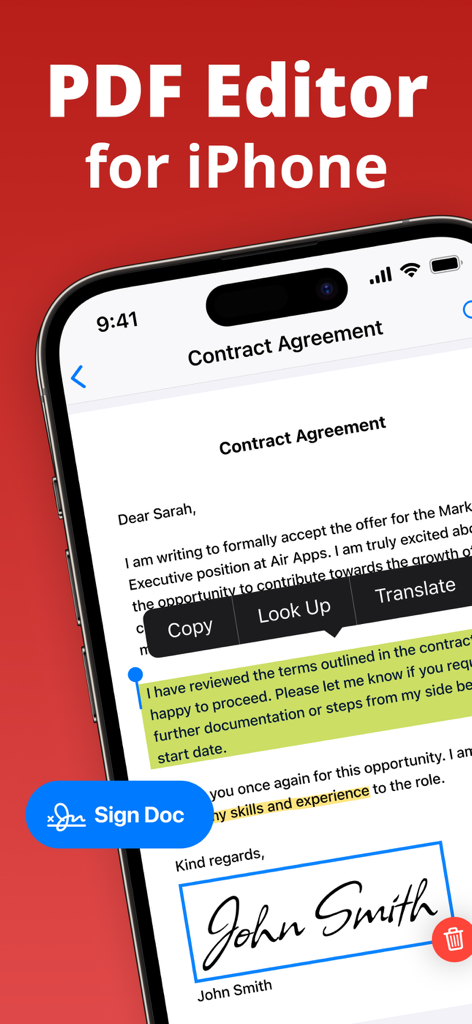
서명된 계약서와 강조 표시된 텍스트가 있는 PDF Air 앱을 보여주는 iPhone 화면
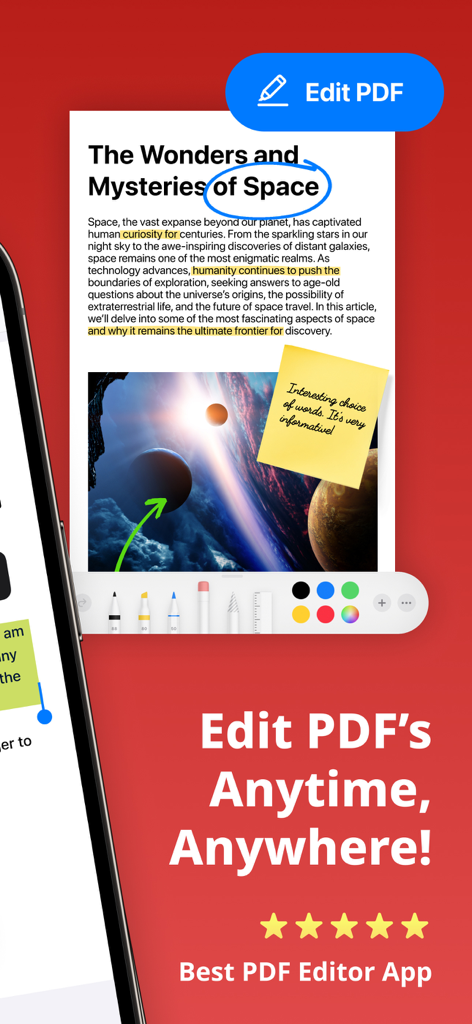
텍스트 강조 표시 및 스티커 메모를 포함한 문서 편집 도구를 보여주는 PDF Air의 모바일 앱 인터페이스
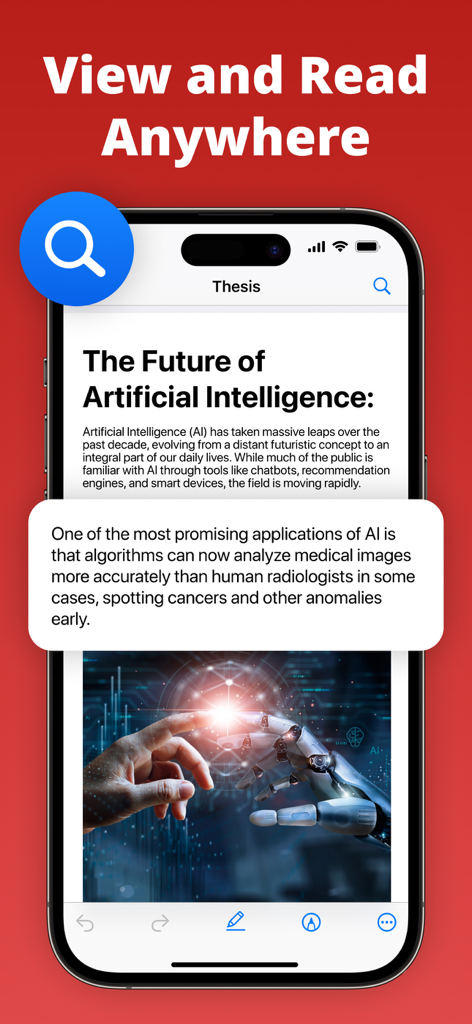
확대된 텍스트 콜아웃과 함께 The Future of Artificial Intelligence라는 제목의 문서를 표시하는 iPhone의 PDF Air 앱 인터페이스
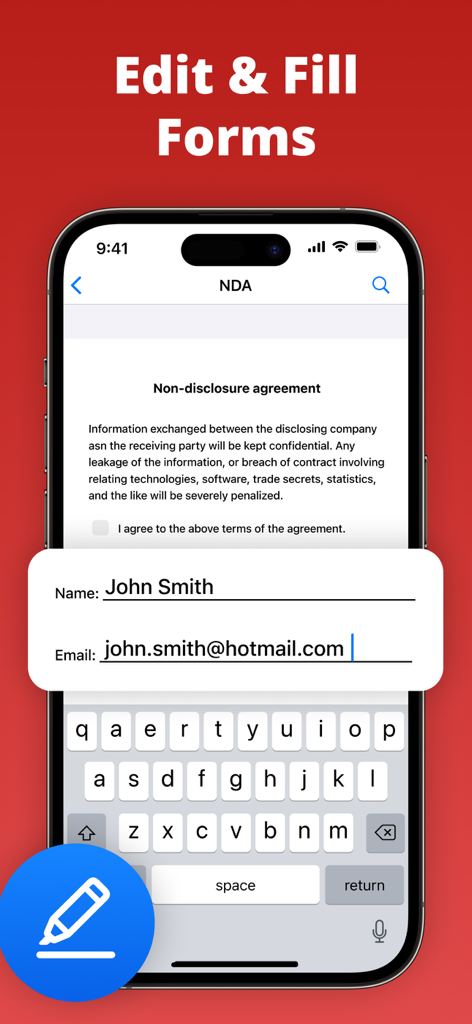
PDF Air 앱에서 이름과 이메일 필드를 입력 중인 NDA 문서를 표시하는 스마트폰
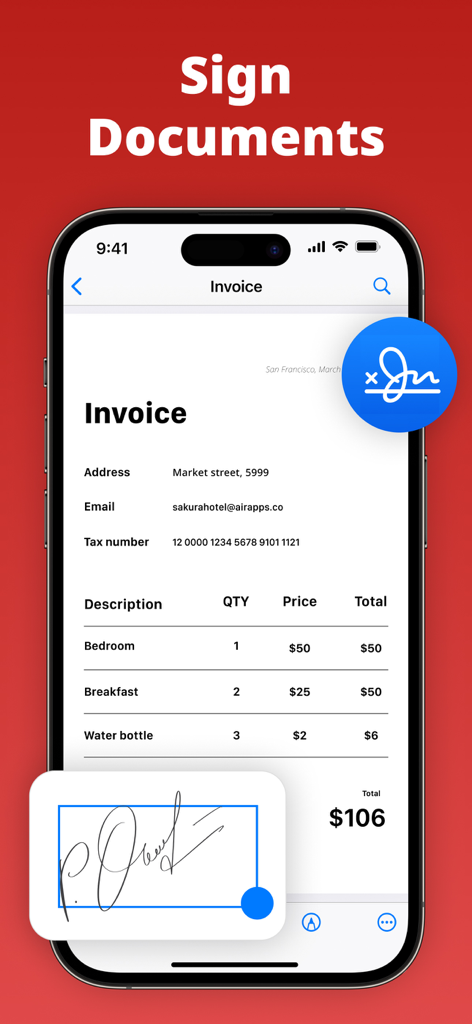
전자적으로 송장 문서에 서명하는 데 사용되는 PDF Air 앱을 보여주는 스마트폰 화면
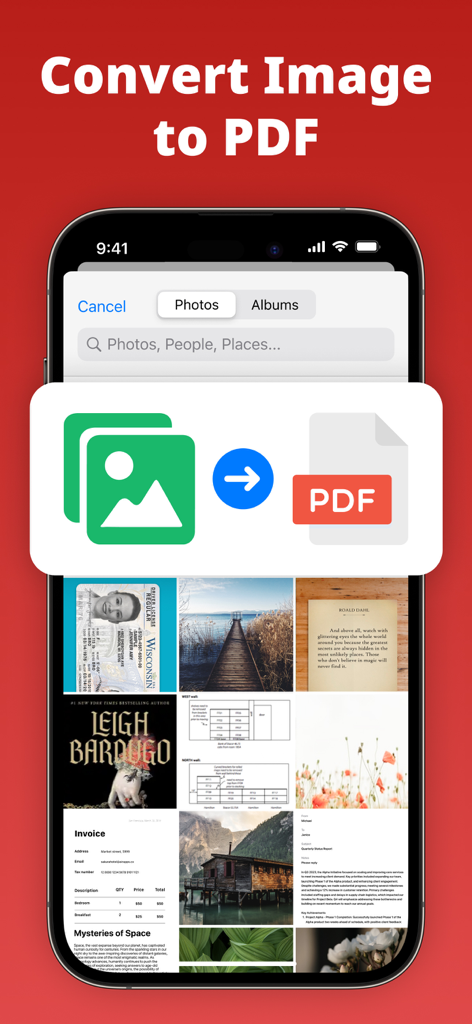
이미지 파일을 PDF 문서로 변환하는 그래픽과 사진 갤러리를 표시하는 PDF Air 앱의 인터페이스
설명
Edit, sign, convert, and manage PDF files instantly with PDF Air – a powerful PDF editor and document manager. PDF Air is a PDF creator and file converter that gives you full control over your documents. Whether you need to open, edit PDF files, eSign, convert to PDF, or scan to PDF, PDF Air simplifies every step. Use it as your PDF reader, PDF editor, PDF converter, or PDF maker – all in one app. ▶ How does PDF Air work? PDF Air allows you to open and edit PDF documents, apply your digital signature, convert images or scans into PDFs, and manage files effortlessly. You can highlight, annotate, and fill forms without leaving the app. ▶ How do I edit a PDF on my device? To edit PDF files, simply import them. You can add text, erase content, fill out PDF forms, highlight text, and eSign in seconds. No printing required – just quick, paperless editing with your PDF editor. ▶ Can I convert files to PDF? PDF Air functions as a complete file converter. You can convert a photo to PDF, JPG to PDF, picture to PDF, or multiple photos to PDF instantly. It's perfect for anyone needing a reliable way to create PDF documents on the go. ▶ How do I sign documents? Use the eSign feature to add your signature directly onto any document. Whether signing contracts, agreements, or forms, the digital signature tool makes it fast and secure. Your eSign is reusable, customizable, and easy to place anywhere on the page. ▶ Where can I use PDF Air? Use PDF Air across email, messaging apps, and cloud platforms. Edit PDF files, create PDF from scans, or convert image to PDF from anywhere. Export documents to Google Drive, Dropbox, or share directly via email, Slack, or WhatsApp. Enhance your productivity with Air Apps One – a subscription to 30+ essential apps. A subscription to PDF Air unlocks tools for productivity, learning, wellness, and more. Access apps like Translate Now, Water Tracker, and Scanner Air under one affordable plan. Simplify your daily routine with unlimited access and exclusive features in one seamless experience. Subscription options include: 1-week 1-month 1-year Manage your subscription easily: Payments are charged to your iTunes account at purchase confirmation and renewed automatically unless canceled at least 24 hours before the end of the current period. Free trials convert to paid subscriptions unless canceled in time. Unused portions of any free trial are forfeited once a subscription begins. All subscriptions are managed via your Apple ID. For changes, cancellations, or refunds, please use your iTunes account settings or contact Apple Support. EU Residents: You may cancel within 14 days via Apple’s process. Refunds are not available if you have downloaded and started using the app. Connect with us: Web: https://airapps.co LinkedIn: https://www.linkedin.com/company/airapps Instagram: https://www.instagram.com/airappsco Privacy Policy: https://airapps.co/privacy Terms of Use: https://airapps.co/terms Support: support@airapps.co
이 페이지는 앱이나 개발자의 공식 페이지가 아니며, 정보 제공 및 논평을 목적으로 작성된 독립 편집 간행물입니다. 명시적으로 달리 언급되지 않는 한, 해당 앱이나 개발자는 MWM, Apple, Google Play, 앱 퍼블리셔 또는 앱 개발자와 제휴, 보증, 후원, 승인 또는 공식적으로 연결되어 있지 않으며, 이 페이지의 어떤 내용도 해당 앱이 MWM의 서비스를 사용하여 개발되었음을 의미하지 않습니다. 모든 상표, 로고, 스크린샷 및 기타 콘텐츠는 해당 소유자의 자산입니다.