PDF Editor: Fill Edit,Sign PDF
다운로드: App Store

이 페이지는 앱이나 개발자의 공식 페이지가 아니며, 정보 제공 및 논평을 목적으로 작성된 독립 편집 간행물입니다. 명시적으로 달리 언급되지 않는 한, 해당 앱이나 개발자는 MWM, Apple, Google Play, 앱 퍼블리셔 또는 앱 개발자와 제휴, 보증, 후원, 승인 또는 공식적으로 연결되어 있지 않으며, 이 페이지의 어떤 내용도 해당 앱이 MWM의 서비스를 사용하여 개발되었음을 의미하지 않습니다. 모든 상표, 로고, 스크린샷 및 기타 콘텐츠는 해당 소유자의 자산입니다.
로고: PDF Editor: Fill Edit,Sign PDF
다운로드: App Store

PDF Editor: Fill Edit,Sign PDF

AI 기반 도구로 문서를 즉시 스캔, 편집, 서명 및 변환하세요. iPhone, iPad, Mac을 위한 단일 구독으로 프린터 없이 어디서든 전문적인 워크플로우를 관리하세요.

주요 수치

다운로드

9K+

사용자 평점

4.3/5

총 평가 수

0

개발사

AHAD DURRANI

카테고리

Business

지원 언어

13

최신 버전

2.2

크기

81.1 MB

출시일

2023년 3월 20일
기능

이동 중 생산성을 극대화하세요

현대 전문가를 위해 설계된 궁극의 올인원 PDF 툴킷입니다. 전체 Apple 생태계에서 원활하게 문서를 스캔, 편집 및 서명하세요.

AI 어시스턴트 및 OCR

스캔을 즉시 편집 가능한 텍스트로 변환하고 스마트 AI를 사용하여 복잡한 문서를 몇 초 안에 요약하세요.

전문 전자 서명

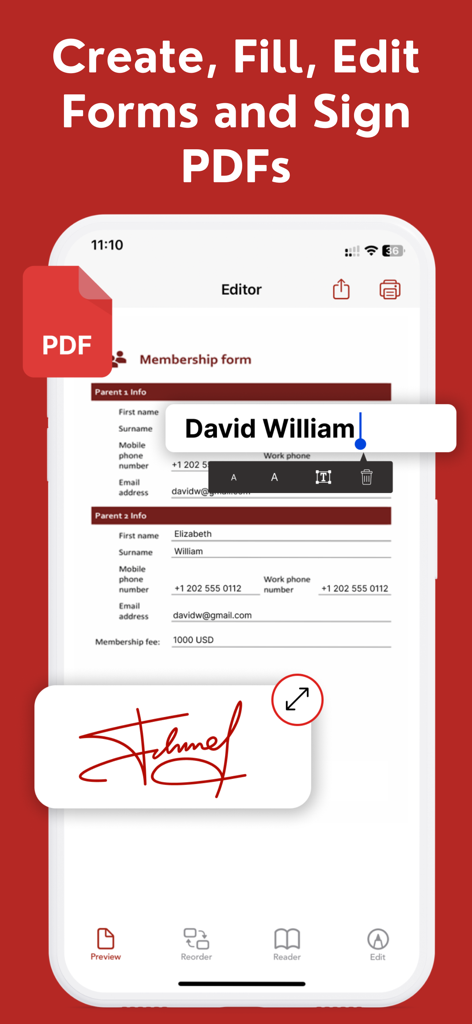
iPhone 또는 iPad에서 안전하고 법적 구속력이 있는 디지털 서명을 사용하여 계약을 즉시 실행하고 양식을 작성하세요.

다음 스크린샷과 설명은 앱의 공식 스토어 목록에서 직접 가져온 것이며 앱 개발자의 자산입니다.

앱 스토어

스크린샷
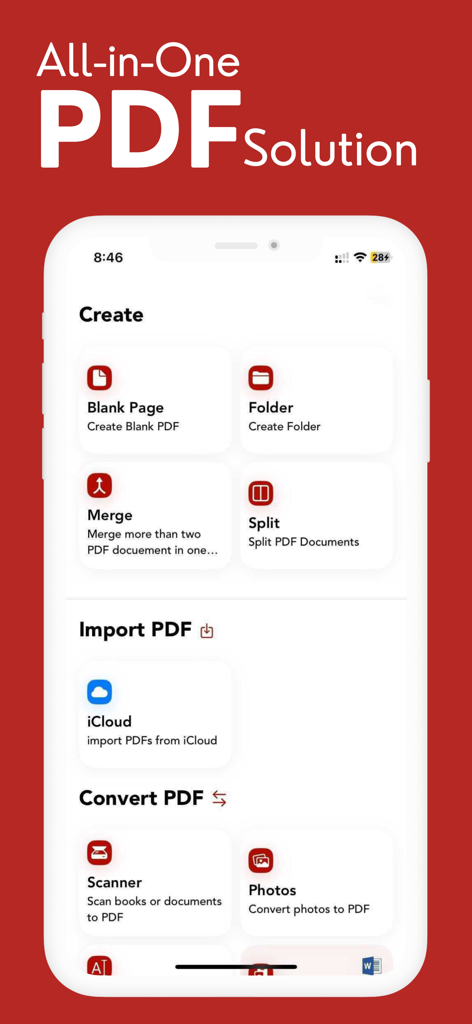
PDF Editor: Fill Edit,Sign PDF - iPhone에서 PDF 파일 생성, 병합, 분할 및 변환 옵션을 보여주는 PDF 편집기 앱의 올인원 대시보드 인터페이스.
iPhone에서 PDF 파일 생성, 병합, 분할 및 변환 옵션을 보여주는 PDF 편집기 앱의 올인원 대시보드 인터페이스.

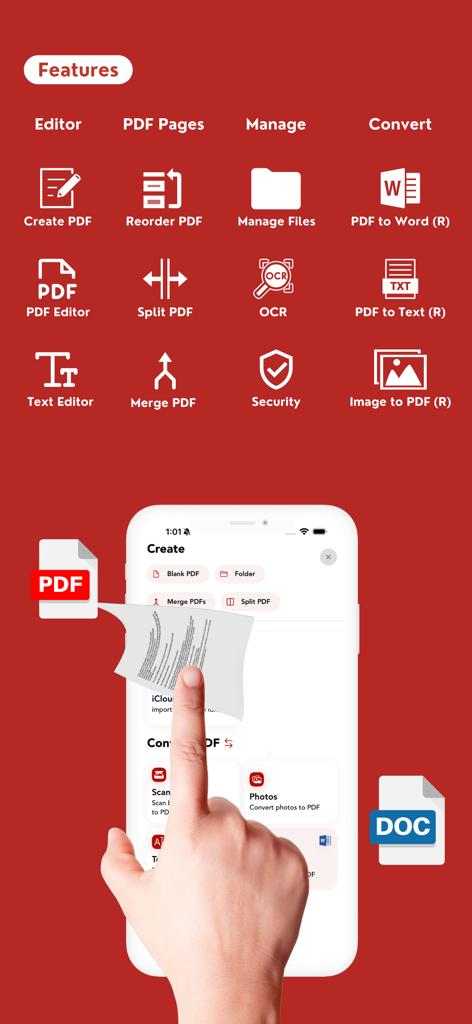
PDF Editor: Fill Edit,Sign PDF - iPhone에서 OCR 및 파일 변환 도구를 포함한 PDF 편집기 앱의 기능
iPhone에서 OCR 및 파일 변환 도구를 포함한 PDF 편집기 앱의 기능

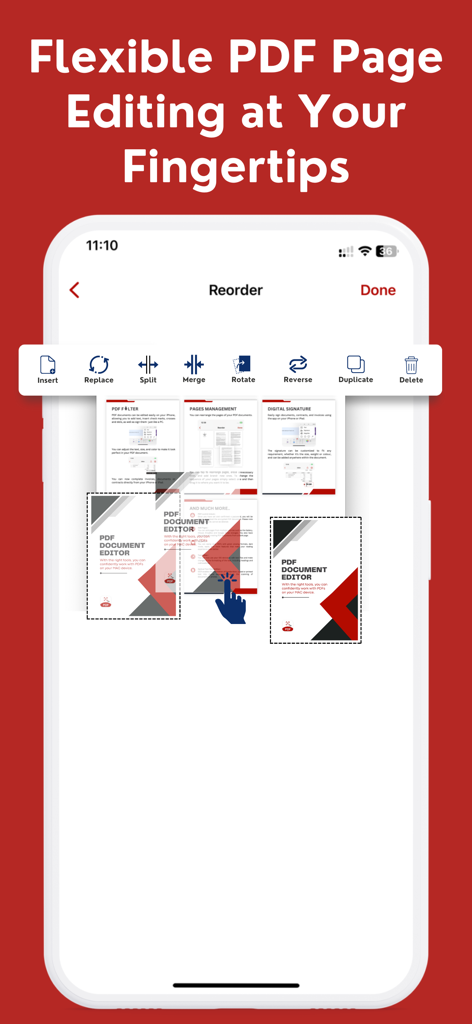
PDF Editor: Fill Edit,Sign PDF - 스마트폰 화면에 PDF 페이지 재정렬, 병합 및 분할 옵션 표시

스마트폰 화면에 PDF 페이지 재정렬, 병합 및 분할 옵션 표시

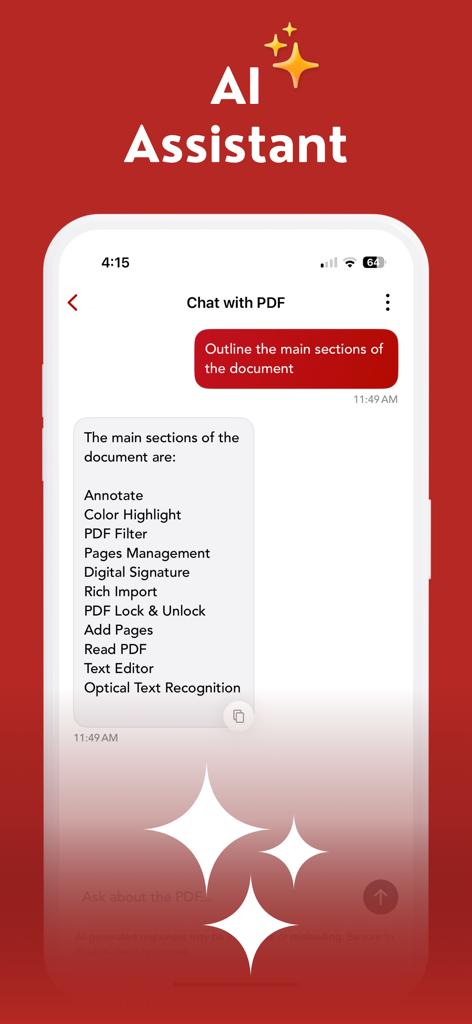
PDF Editor: Fill Edit,Sign PDF - 문서의 주요 섹션을 개요하는 채팅 인터페이스를 보여주는 PDF 편집기 앱의 AI 어시스턴트 기능
문서의 주요 섹션을 개요하는 채팅 인터페이스를 보여주는 PDF 편집기 앱의 AI 어시스턴트 기능

PDF Editor: Fill Edit,Sign PDF - PDF 문서에 디지털 서명을 추가하고 멤버십 양식을 편집하는 방법을 보여주는 모바일 앱 인터페이스.
PDF 문서에 디지털 서명을 추가하고 멤버십 양식을 편집하는 방법을 보여주는 모바일 앱 인터페이스.

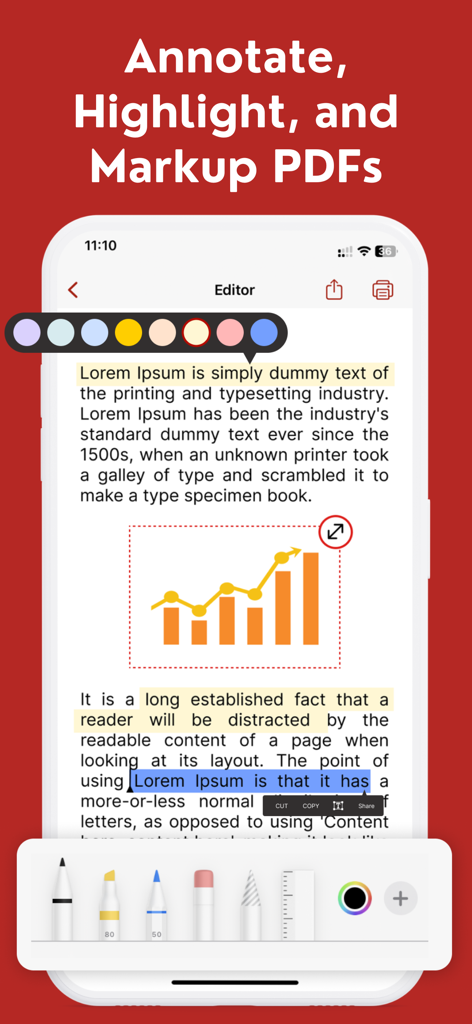
PDF Editor: Fill Edit,Sign PDF - 텍스트 강조 및 문서 마크업 도구를 보여주는 PDF 편집기 앱 인터페이스

텍스트 강조 및 문서 마크업 도구를 보여주는 PDF 편집기 앱 인터페이스

설명

Looking for an easy-to-use and powerful PDF editor, fast documents scanner and file converter like Convert Photo to PDF, PDF to Word, pdf to images, jpeg to pdf cover almost all file converter with OCR Technology inbuilt for your iPhone, iPad and Macbook in single subscription? Look no further than our PDF Editor, Documents Scanner & Converter app! With our app, you can easily create, edit, and manage PDF documents right from your iPhone, iPad or Macbook, iMac. Whether you need to annotate a document, add a signature, or merge multiple PDFs into one file, our app has you covered. Here are some of the key features of our PDF Editor, Documents Scanner & Converter app! (All in One PDF Editor) ********** Highlighted Features: ********** + PDF Lock & Unlock. + AI Integration. + Dropbox Integration. + Excel to PDF & PPTX to PDF. + Scan PDF. + Create New PDF. + Create or Design Any Form. + Share or Print Any Form. + Form Fill Out. + Edit PDF. + Split PDF. + Merge PDF. + Reorder PDF. + Print or Share PDF. + Remove Page From PDF. + E- Sign. + Add Text Box. + Add Image. + OCR (Image to Text). + Secure PDF. + Convert Photo to PDF. (R:Reverse) + Convert PDF to Word.(R) + Convert Text to PDF.(R) + File Converter (Pro Supported). + Single Subscription use in your iPhone, iPad, iMac, Mac book - All Apple Devices Easy document creation: Create new PDF documents with a few taps, or import existing documents from your device or cloud storage services. Advanced editing tools: Edit text, images, and other content within your PDFs, and add annotations, comments, and highlights. AI Assistant — Smarter PDF Interactions: Interact with the AI Assistant using simple text prompts to get instant, intelligent responses OCR Technology: OCR features enable users to convert scanned documents into editable and searchable text. With advanced OCR technology, the app recognizes text in scanned documents and converts it into editable text. The app supports multiple languages, making it a versatile tool for users around the world. Signature support: Sign PDF documents directly within the app, or import and save your signature for later use. Merge and split PDFs: Easily combine multiple PDFs into a single document, or split one PDF into multiple files. File management: Organize and manage your PDFs with ease, including renaming, moving, and deleting files. Cloud integration: Sync your PDFs with a popular cloud storage service like iCloud to access your documents from anywhere. Our PDF Document Editor & Maker app is designed to be intuitive and user-friendly, with a clean and modern interface that makes it easy to get started. Download it today and start creating and editing PDF documents like a pro! SUBSCRIPTION INFORMATION Monthly price : $4.99 Yearly price : $29.99 Consider PDF Editor, Documents Scanner & Converter app! (All in one PDF Editor) pro and enjoy full access to all features and content. If you choose a All in One PDF Editor subscription, payment will be charged to iTunes Account at confirmation of purchase. The subscription will automatically renew unless turned off in your iTunes Account Settings at least 24 hours before the current period ends. From iTunes Account settings you can manage your subscription and turn off auto-renew. Your iTunes Account will be charged when the purchase is confirmed. Privacy Policy: https://www.lazyvariable.com/pdf-editor-privacy-policy/ Terms of use: https://www.lazyvariable.com/pdf-editor-terms-of-use/ FAQs: https://www.lazyvariable.com/pdf-editor-faqs/ Support: Please contact us by email at "contact.pdfdocumenteditor@gmail.com".

Download

다운로드: App Store

이 페이지는 앱이나 개발자의 공식 페이지가 아니며, 정보 제공 및 논평을 목적으로 작성된 독립 편집 간행물입니다. 명시적으로 달리 언급되지 않는 한, 해당 앱이나 개발자는 MWM, Apple, Google Play, 앱 퍼블리셔 또는 앱 개발자와 제휴, 보증, 후원, 승인 또는 공식적으로 연결되어 있지 않으며, 이 페이지의 어떤 내용도 해당 앱이 MWM의 서비스를 사용하여 개발되었음을 의미하지 않습니다. 모든 상표, 로고, 스크린샷 및 기타 콘텐츠는 해당 소유자의 자산입니다.