
이 페이지는 앱이나 개발자의 공식 페이지가 아니며, 정보 제공 및 논평을 목적으로 작성된 독립 편집 간행물입니다. 명시적으로 달리 언급되지 않는 한, 해당 앱이나 개발자는 MWM, Apple, Google Play, 앱 퍼블리셔 또는 앱 개발자와 제휴, 보증, 후원, 승인 또는 공식적으로 연결되어 있지 않으며, 이 페이지의 어떤 내용도 해당 앱이 MWM의 서비스를 사용하여 개발되었음을 의미하지 않습니다. 모든 상표, 로고, 스크린샷 및 기타 콘텐츠는 해당 소유자의 자산입니다.


PDF Editor: Read, Scan & Sign
이 앱은 당신의 복잡한 PDF 작업을 간단한 터치로 바꿉니다. 더 이상 여러 앱을 오갈 필요가 없습니다. 이는 단 하나의 앱으로 문서를 완벽하게 제어할 수 있는 힘을 부여합니다.
다운로드
1M+사용자 평점
총 평가 수
11.2K개발사
카테고리
Business지원 언어
11최신 버전
1.1.77크기
177.7 MB출시일
2022년 9월 29일전문가의 시각에서 본 핵심 기능 평가
'PDF Editor: Read, Scan & Sign' 앱 분석
PDF 편집 및 주석
이 앱은 사용자 지정 가능한 스티커 메모와 직관적인 그리기 도구를 사용하여 PDF 문서를 편집하고, 주석을 달고, 중요한 구절을 강조하며, 텍스트 상자를 추가하고, 기존 주석에 응답할 수 있게 해줍니다.
고품질 문서 스캔
이 도구는 사용자의 휴대폰 카메라를 활용하여 실제 문서를 스캔하고 보편적으로 읽을 수 있는 디지털 문서로 변환하며, 자동 원근 보정, 색상 조정 및 지능형 자르기 기능을 제공합니다.
간편한 전자 서명
이 앱은 사용자가 손가락이나 Apple Pencil을 사용하여 양식을 작성하고 문서에 전자 서명을 할 수 있도록 하여, 번거로움 없이 중요한 서류를 처리할 수 있게 합니다.
다중 형식 PDF 변환
이 앱은 Word, Excel, 프레젠테이션, 이미지 및 일반 텍스트 파일을 PDF로 변환하거나, PDF를 Word, Excel, 프레젠테이션으로 다시 변환하는 기능을 제공하여 광범위한 문서 호환성을 보장합니다.
문서 공유 및 협업
이 도구는 이메일, 링크 또는 문자 메시지를 통해 PDF 파일을 쉽게 공유하고, 수신자에 대한 보기, 편집 또는 서명 권한 수준을 설정하여 협업을 지원합니다.
오프라인 작업 모드
이 앱은 인터넷 연결 없이도 PDF 문서를 작업할 수 있는 오프라인 기능을 제공하여, 사용자가 언제 어디서든 생산성을 유지하고 변경 사항은 온라인 상태가 되면 자동으로 동기화됩니다.
직관적인 PDF 뷰어
이 앱은 수신된 문서를 고품질로 열어보고 읽을 수 있게 해주는 편리한 PDF 뷰어 기능을 제공하여, 사용자가 어떤 종류의 PDF 문서라도 쉽게 열람하고 내용을 확인할 수 있도록 돕습니다.
이미지 삽입 및 그리기
이 도구는 이미지 삽입 및 편집 기능과 다양한 그리기 도구를 제공하여 사용자가 문서에 시각적 요소를 추가하고 창의적으로 표현할 수 있도록 합니다.
자주 묻는 질문
에 대해 알아야 할 모든 것 PDF Editor: Read, Scan & Sign
What is PDF Editor: Read, Scan & Sign?
PDF Editor: Read, Scan & Sign, also known as A1 PDF EDITOR, is an all-in-one PDF converter, reader, and editor. It enables users to view, scan, edit, annotate, convert, draw, and sign PDF documents on Apple devices.
Can I edit PDF documents with A1 PDF EDITOR?
Yes, A1 PDF EDITOR allows users to edit PDFs. Features include adding sticky notes, drawing, highlighting passages, adding text boxes, and responding to annotations. It supports Apple Pencil on iPad Pro.
Does PDF Editor: Read, Scan & Sign support document scanning?
Yes, PDF Editor: Read, Scan & Sign includes a PDF Scanner. It converts physical documents into universally readable PDFs using the phone's camera, with features like automatic perspective correction and intelligent cropping.
How can I sign documents using A1 PDF EDITOR?
Users can sign documents in A1 PDF EDITOR by filling out forms and adding signatures using a finger or Apple Pencil. The electronic signature system ensures signatures appear accurate on PDF documents.
Is A1 PDF EDITOR compatible with Apple devices?
Yes, A1 PDF EDITOR is compatible with all Apple devices. This includes iPhones (iOS 15.0+), iPads (iPadOS 15.0+), and Macs (macOS 12.0+ with Apple M1 chip or later).
Can PDF Editor: Read, Scan & Sign convert files to and from PDF format?
Yes, PDF Editor: Read, Scan & Sign converts various document types like Word, Excel, Presentations, and Images to PDF. It also converts PDFs back into Word, Excel, and Presentation formats.
Does A1 PDF EDITOR offer a free trial?
Yes, A1 PDF EDITOR offers a free premium trial for 3 days. This trial unlocks all premium features, allowing users to experience the app before committing to a subscription plan.
Can I work offline with PDF Editor: Read, Scan & Sign?
Yes, users can work offline with PDF Editor: Read, Scan & Sign. Any changes made while offline will automatically sync once the device reconnects to the internet.
How do subscriptions work for A1 PDF EDITOR?
Subscriptions for A1 PDF EDITOR are charged through your App Store account and automatically renew. Users can manage or cancel their subscription through App Store account settings, at least 24 hours before the current period ends.
What types of annotations are supported in PDF Editor: Read, Scan & Sign?
PDF Editor: Read, Scan & Sign supports various annotations, including customizable sticky notes, drawing tools, highlighting key passages, and adding text boxes for in-depth comments. Users can also respond to existing annotations.
다음 스크린샷과 설명은 앱의 공식 스토어 목록에서 직접 가져온 것이며 앱 개발자의 자산입니다.
앱 스토어
스크린샷
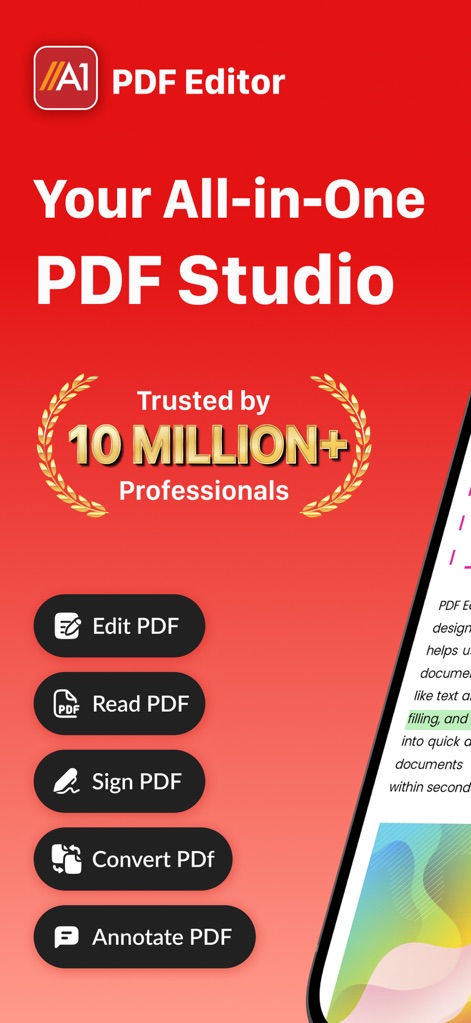
이 앱은 1000만 명 이상의 전문가로부터 신뢰받으며, PDF 문서 편집 및 읽기 등 다양한 핵심 기능을 제공합니다.
올인원 PDF 솔루션
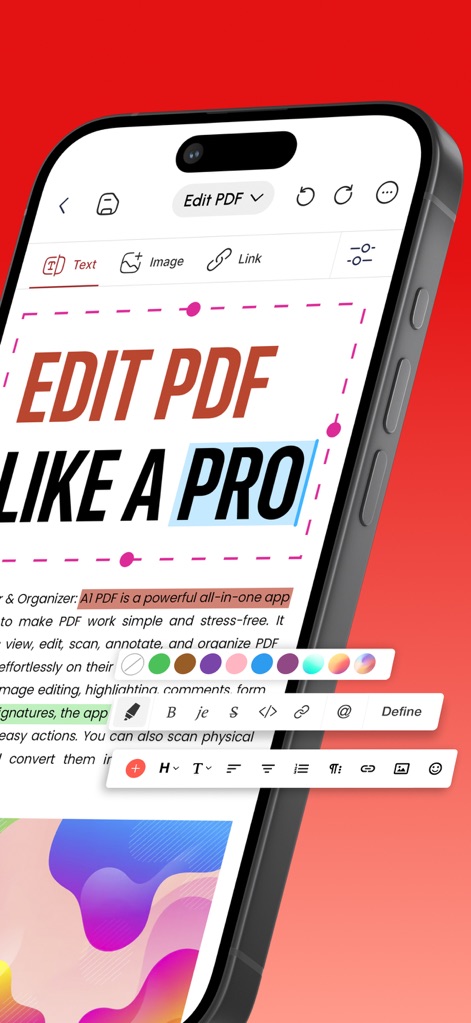
사용자는 텍스트를 전문적으로 편집할 수 있으며, 다양한 색상 팔레트를 사용하여 주요 구절을 강조할 수 있습니다.
전문가처럼 편집
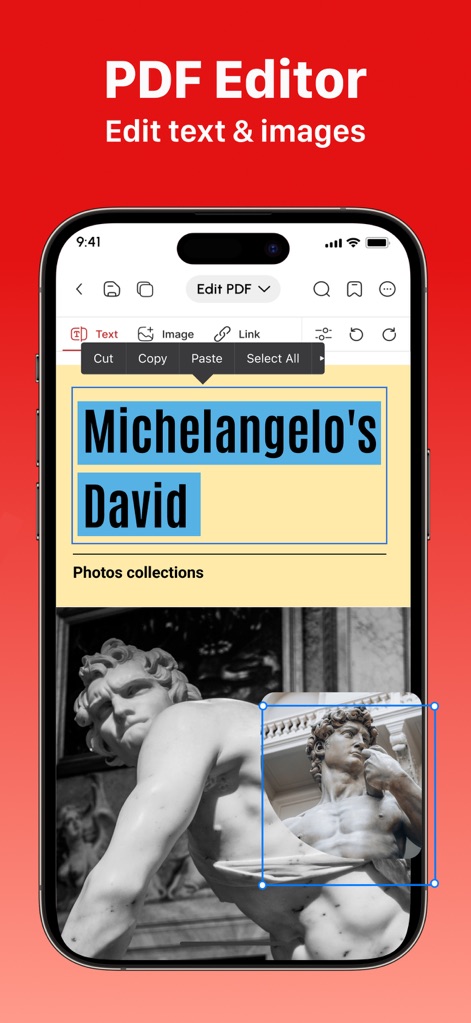
사용자는 문서 내 텍스트를 정확하게 선택하여 편집하고, 이미지 크기를 조절하는 등 시각적 요소를 자유롭게 관리할 수 있습니다.
텍스트 및 이미지 편집
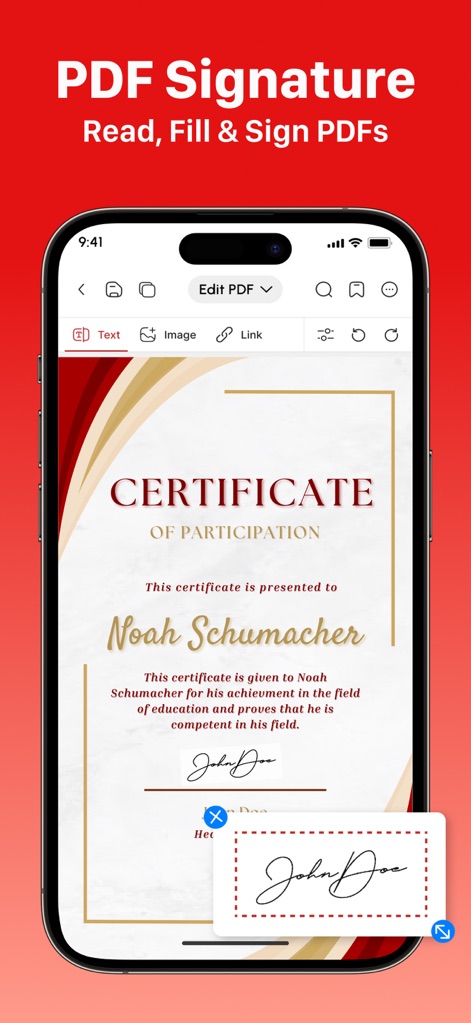
이 도구를 사용하면 인증서와 같은 문서를 쉽게 작성하고, 서명 입력란을 통해 디지털 서명을 추가할 수 있습니다.
간편한 전자 서명
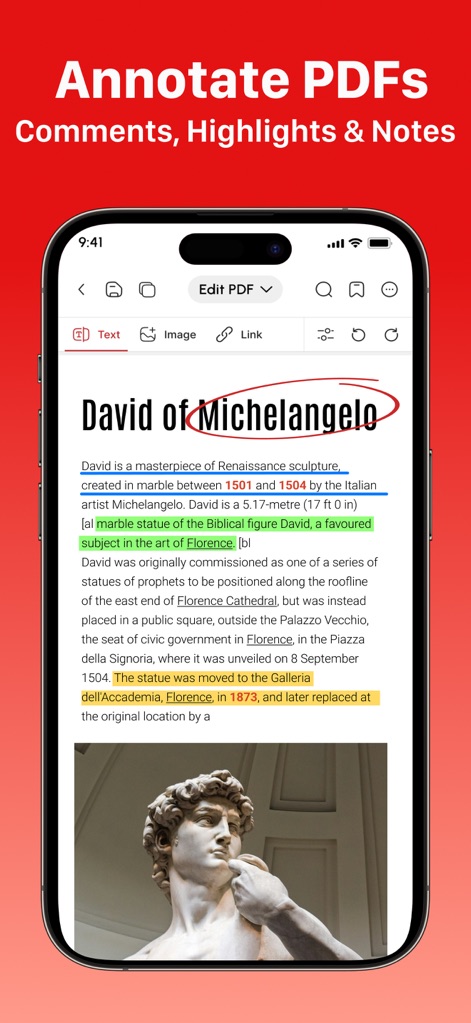
사용자는 텍스트에 다양한 색상으로 하이라이트를 표시하고 특정 단어를 동그라미로 강조하여 효과적으로 주석을 달 수 있습니다.
풍부한 PDF 주석
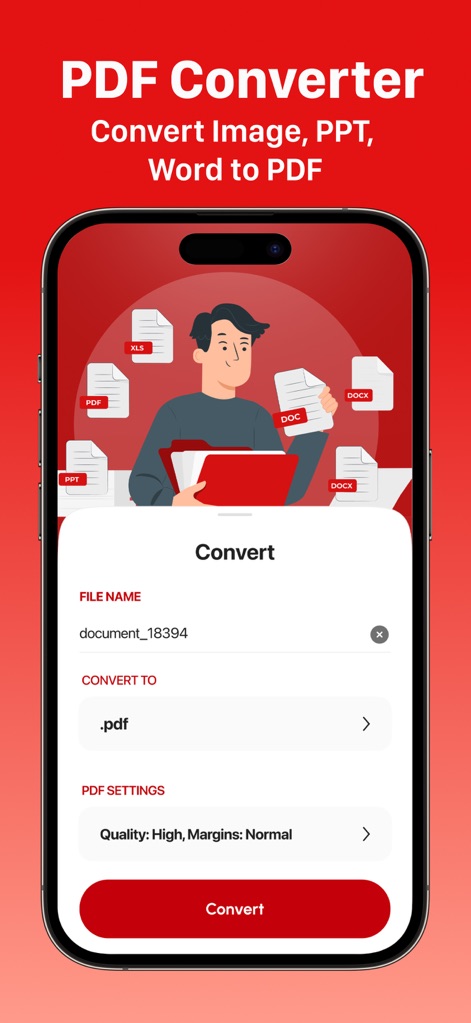
이 앱은 다양한 파일 형식을 PDF로 변환하는 기능을 제공하며, XLS 및 DOC와 같은 문서를 PDF로 손쉽게 바꿀 수 있습니다.
다중 파일 변환
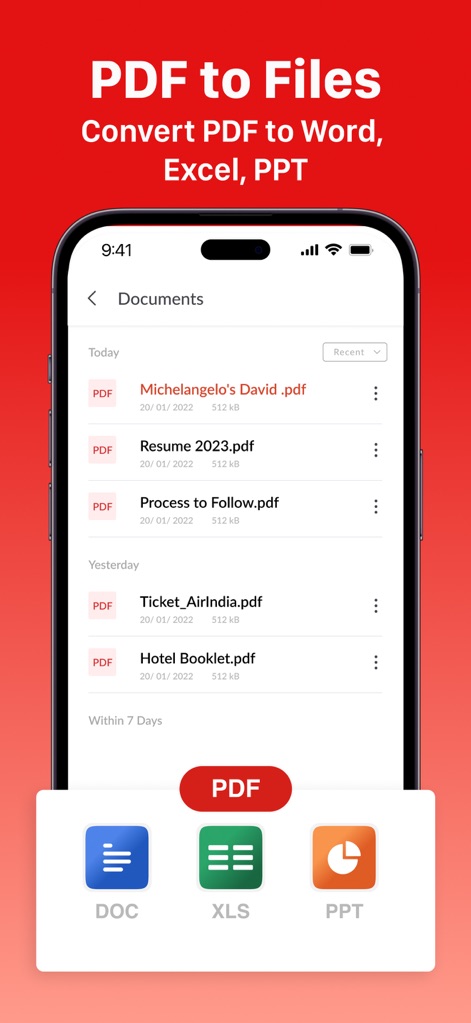
사용자는 PDF 문서를 손쉽게 관리하고, PDF 파일을 DOC나 XLS와 같은 다양한 문서 형식으로 변환할 수 있습니다.
PDF를 다른 형식으로
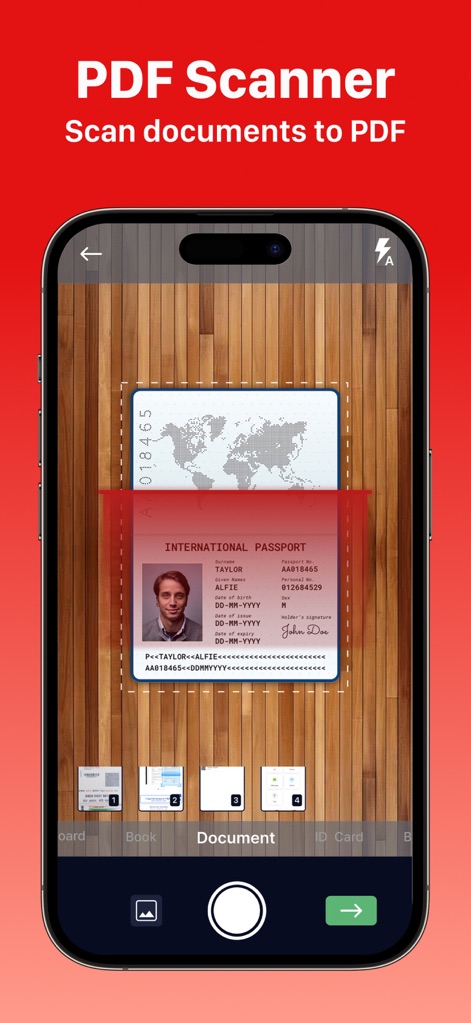
이 앱은 여권과 같은 문서를 정밀하게 스캔하는 기능을 제공하며, 문서 및 신분증 등 다양한 스캔 모드를 지원합니다.
스마트 문서 스캔
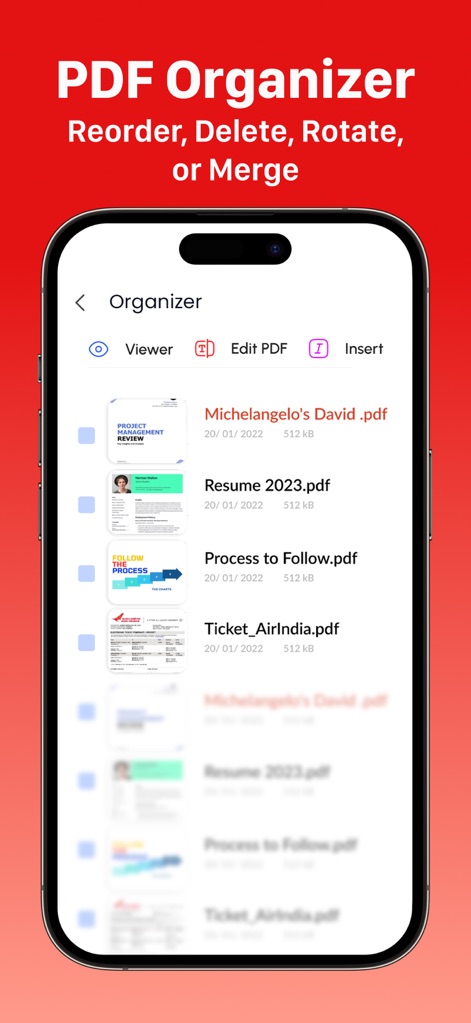
사용자는 PDF 문서의 미리보기를 확인하며 파일을 효율적으로 정리할 수 있고, PDF 편집 및 삽입 등의 추가 옵션을 활용할 수 있습니다.
효율적인 PDF 정리
이 도구는 4.6점의 높은 별점과 12000개 이상의 평가를 통해 전문가들의 만족도를 입증하며, 사용자 커뮤니티의 긍정적인 피드백을 보여줍니다.
전문가의 선택
설명
Download
비슷한 앱
유사한 기능과 사용자 경험을 가진 앱

PDF PRO Scan Image & Documents
Balzo srl

The PDF Scanner, PDF editor HQ
NEXT K.U.M. LTD

CamScanner - PDF Scanner App
INTSIG Information Co., Ltd

Adobe Scan: PDF & OCR Scanner
Adobe Inc.

WPS Office: PDF, Docs, Sheets
KINGSOFT OFFICE SOFTWARE CORPORATION LIMITED

iLovePDF - PDF Editor & Scan
ILOVEPDF S.L.

Scanner App: Genius Scan
The Grizzly Labs

Microsoft Lens: PDF Scanner
Microsoft Corporation

Clear Scan: Doc Scanner App
INDY MOBILE APP COMPANY LIMITED
이 페이지는 앱이나 개발자의 공식 페이지가 아니며, 정보 제공 및 논평을 목적으로 작성된 독립 편집 간행물입니다. 명시적으로 달리 언급되지 않는 한, 해당 앱이나 개발자는 MWM, Apple, Google Play, 앱 퍼블리셔 또는 앱 개발자와 제휴, 보증, 후원, 승인 또는 공식적으로 연결되어 있지 않으며, 이 페이지의 어떤 내용도 해당 앱이 MWM의 서비스를 사용하여 개발되었음을 의미하지 않습니다. 모든 상표, 로고, 스크린샷 및 기타 콘텐츠는 해당 소유자의 자산입니다.