PDF Export - PDF Editor & Scan
다운로드: App Store

이 페이지는 앱이나 개발자의 공식 페이지가 아니며, 정보 제공 및 논평을 목적으로 작성된 독립 편집 간행물입니다. 명시적으로 달리 언급되지 않는 한, 해당 앱이나 개발자는 MWM, Apple, Google Play, 앱 퍼블리셔 또는 앱 개발자와 제휴, 보증, 후원, 승인 또는 공식적으로 연결되어 있지 않으며, 이 페이지의 어떤 내용도 해당 앱이 MWM의 서비스를 사용하여 개발되었음을 의미하지 않습니다. 모든 상표, 로고, 스크린샷 및 기타 콘텐츠는 해당 소유자의 자산입니다.


로고: PDF Export - PDF Editor & Scan
다운로드: App Store

PDF Export - PDF Editor & Scan

생산성을 위해 매달 지불하는 것을 멈추세요. 전문 도구로 문서를 안전하게 오프라인에서 편집, 스캔, 서명 및 변환하세요. 모두 하나의 앱에서 일회성 결제로 이용 가능합니다.

주요 수치

다운로드

1M+

사용자 평점

4.6/5

총 평가 수

17K+

개발사

LiveBird Technologies Private Limited

카테고리

Business

지원 언어

10

최신 버전

13.0

크기

210.9 MB

출시일

2013년 4월 25일
기능

나만의 PDF 제어 센터

기본 도구에 매달 지불하는 것을 멈추세요. 전문가를 위해 설계된 강력한 오프라인 우선 PDF 제품군으로 어디서든 문서를 스캔, 편집, 서명 및 변환하세요.

즉석 편집 및 서명

데스크톱 없이도 기기에서 직접 텍스트를 수정하고, 이미지를 추가하고, 계약에 서명하세요.

AI 기반 스캔 및 OCR

물리적 문서를 검색 가능한 디지털 파일로 변환하세요. 한 번의 탭으로 이미지와 필기에서 편집 가능한 텍스트를 추출하세요.

다음 스크린샷과 설명은 앱의 공식 스토어 목록에서 직접 가져온 것이며 앱 개발자의 자산입니다.

앱 스토어

스크린샷
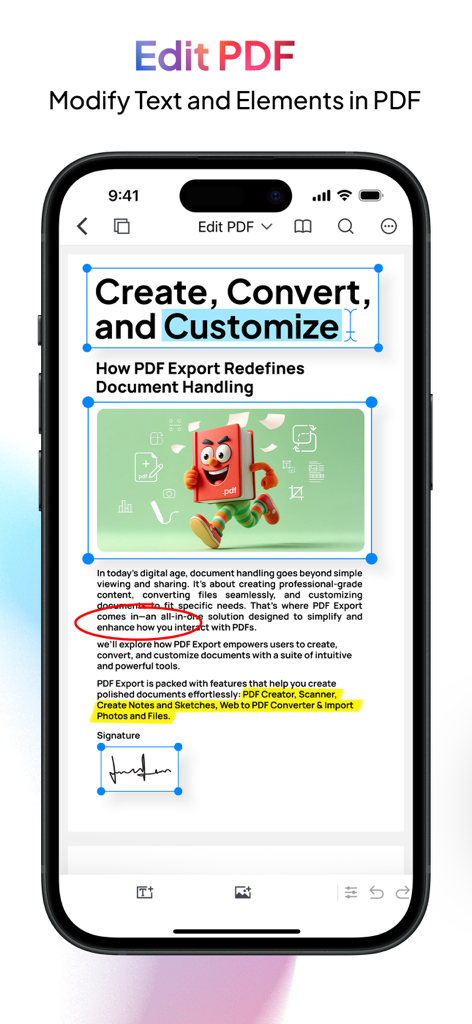
PDF Export - PDF Editor & Scan - PDF 내보내기 앱 화면에서 문서 텍스트 편집 강조 표시 및 서명 기능 표시
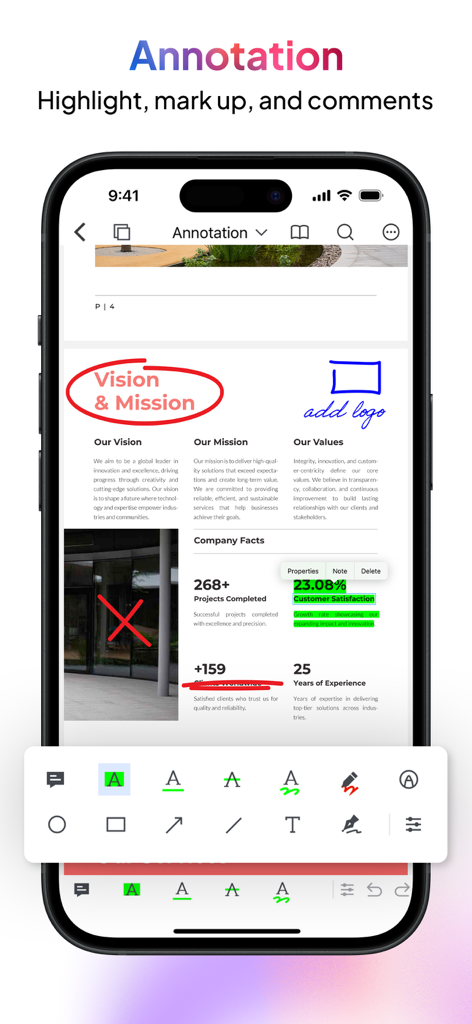
PDF 내보내기 앱 화면에서 문서 텍스트 편집 강조 표시 및 서명 기능 표시

PDF Export - PDF Editor & Scan - iPhone 화면에서 PDF 내보내기 앱과 함께 주석 도구로 비즈니스 문서에 강조 표시 및 마크업
iPhone 화면에서 PDF 내보내기 앱과 함께 주석 도구로 비즈니스 문서에 강조 표시 및 마크업

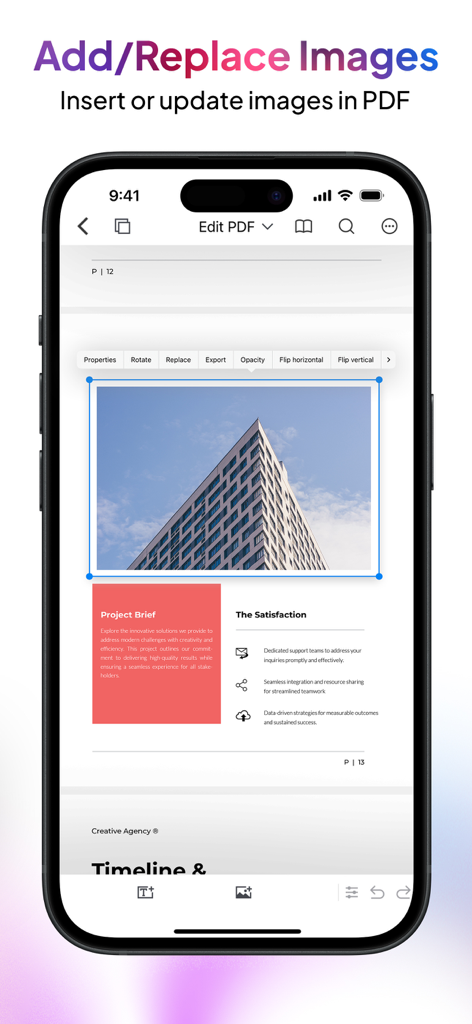
PDF Export - PDF Editor & Scan - iPhone 앱 화면에서 PDF 문서에 이미지 추가 및 교체 방법 표시
iPhone 앱 화면에서 PDF 문서에 이미지 추가 및 교체 방법 표시

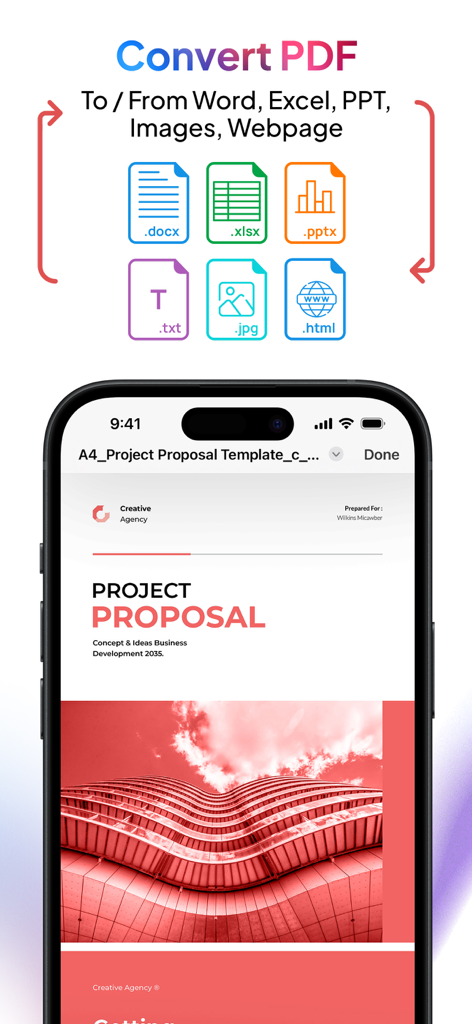
PDF Export - PDF Editor & Scan - PDF 내보내기 앱 화면에서 Word, Excel, PowerPoint 및 이미지 변환 옵션 표시
PDF 내보내기 앱 화면에서 Word, Excel, PowerPoint 및 이미지 변환 옵션 표시

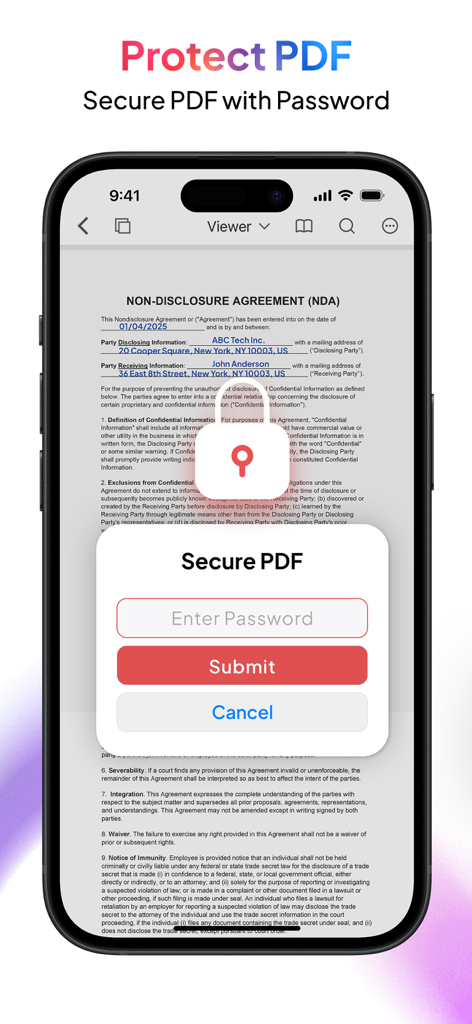
PDF Export - PDF Editor & Scan - iPhone에서 비밀번호 보호로 PDF 문서 보안

iPhone에서 비밀번호 보호로 PDF 문서 보안

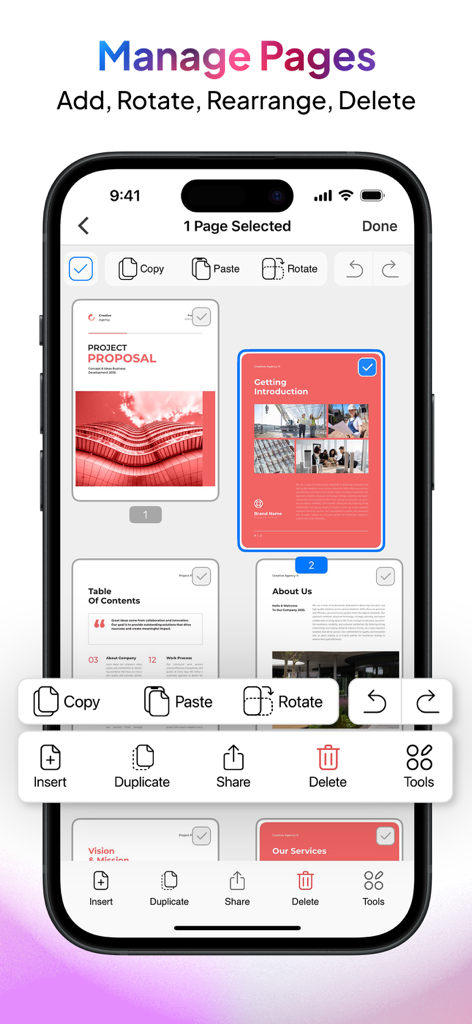
PDF Export - PDF Editor & Scan - iPhone 화면에서 문서 페이지 추가, 회전, 재정렬 및 삭제 옵션이 있는 PDF 내보내기 앱의 페이지 관리 인터페이스 표시
iPhone 화면에서 문서 페이지 추가, 회전, 재정렬 및 삭제 옵션이 있는 PDF 내보내기 앱의 페이지 관리 인터페이스 표시

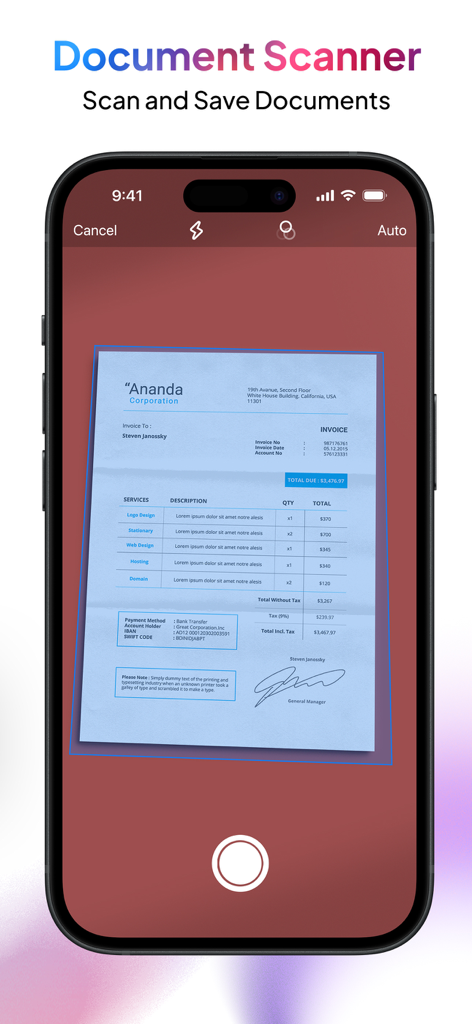
PDF Export - PDF Editor & Scan - 송장 스캔 중인 문서 스캐너 기능 쇼케이스 휴대폰 화면.

송장 스캔 중인 문서 스캐너 기능 쇼케이스 휴대폰 화면.

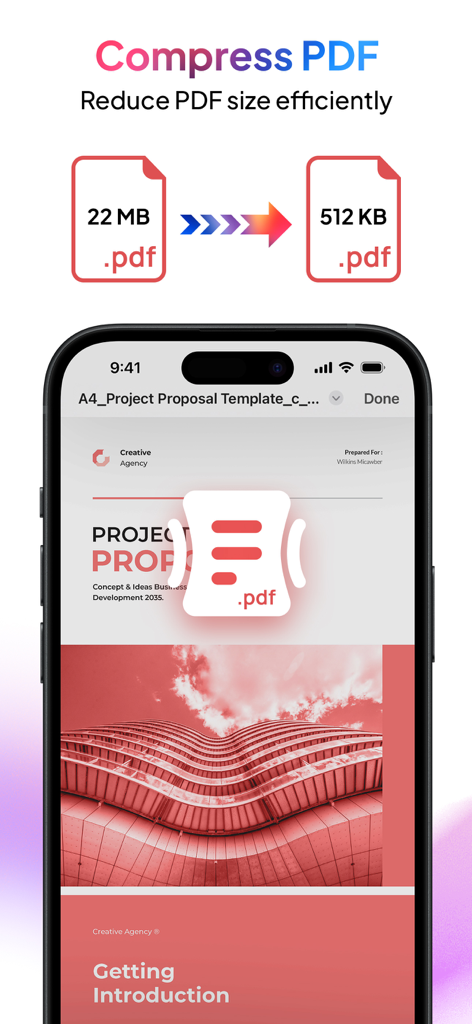
PDF Export - PDF Editor & Scan - 22MB PDF 파일을 512KB로 압축하는 PDF 내보내기 앱을 보여주는 iPhone 디스플레이.
22MB PDF 파일을 512KB로 압축하는 PDF 내보내기 앱을 보여주는 iPhone 디스플레이.

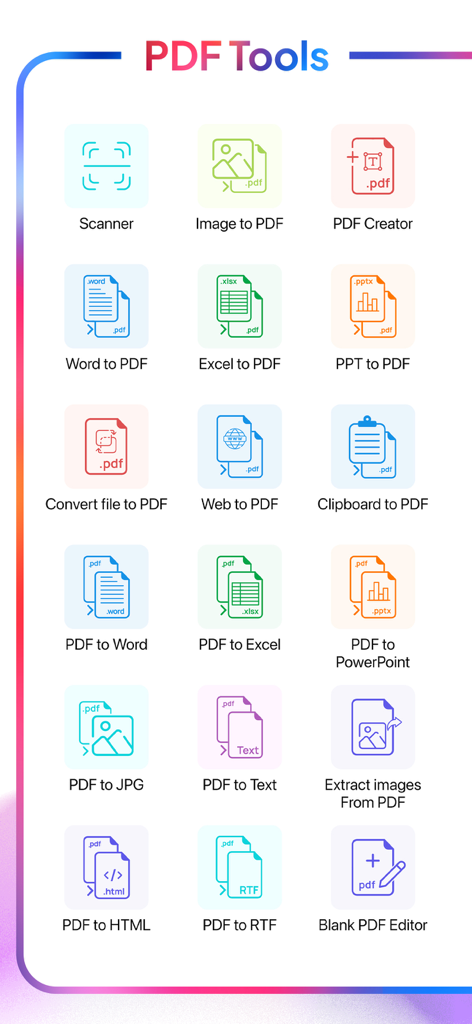
PDF Export - PDF Editor & Scan - 스캐너 및 다양한 문서 변환 기능 등 모바일 PDF 도구 메뉴

스캐너 및 다양한 문서 변환 기능 등 모바일 PDF 도구 메뉴

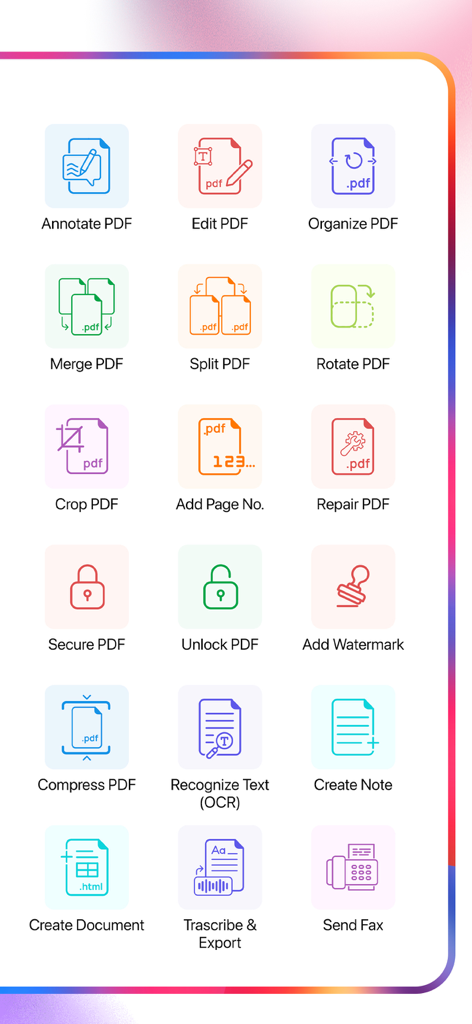
PDF Export - PDF Editor & Scan - 편집, 병합, 분할, OCR, 팩스와 같은 다양한 PDF 도구 아이콘을 보여주는 대시보드

편집, 병합, 분할, OCR, 팩스와 같은 다양한 PDF 도구 아이콘을 보여주는 대시보드

설명

Meet PDF Export, your all-in-one PDF app for creating, editing, converting, and organizing PDF files right on your iPhone or iPad. Whether you’re a student, professional, or entrepreneur, PDF Export offers every tool you need for working with PDF—no internet required and just a one-time payment for lifetime use. All-in-One PDF App Creation & Conversion - Convert to PDF: Turn Word, Excel, PowerPoint, HTML, Text, or JPG files into high-quality PDF documents. - Convert PDF to Word/Excel/PPT: Transform your PDF files into editable Microsoft Office formats. - Web to PDF: Convert web pages into high-quality PDF documents with ease. - PDF to Text/RTF: Extract text or rich text formats from your PDF files for easy editing. Editing & Annotation - Edit PDF: Modify text and images directly in your PDF document
Extract Images: Easily extract embedded images from your PDFs. - Annotate & Sign: Highlight text, add comments, draw, or sign documents directly on your device. Organization & Management - Merge & Split: Combine multiple PDFs into one file or split large PDF documents into smaller chunks. - Organize PDF: Rearrange pages, insert new ones (from PDFs or images), copy/paste, duplicate, and delete unwanted pages. - Add Page Numbers: Add customize page numbers on your PDF files for a polished, professional finish. Productivity Enhancements (Pro Features) - Clipboard to PDF: Instantly convert copied content into a professionally formatted PDF. - Snip & Export: Select any area on a PDF and instantly share it as a high-quality PDF or JPG. Security & Compression - Add Watermark: Secure documents with custom text and image watermarks. - Compress PDF: Reduce PDF file size without sacrificing quality. - Lock & Unlock PDF: Add or remove password protection to your PDF files. Fax & Sharing - Send FAX: Fax your PDFs directly from the app. Maintenance & Repair - Repair PDF: Fix corrupted or damaged PDF files to restore readability and functionality. Transcribe & Export - Transcribe & Export: Convert audio to text offline and export it as PDF or plain text. Multiple language support ensures a smooth transcription experience. Scan & OCR - Portable Scanner: Use your camera to scan multiple documents with auto or manual scan mode and instantly save them as PDF. - OCR (Text Recognition): Extract editable text from multiple images or convert handwritten text into editable text—perfect for digitizing paper documents. Why PDF Export? - Offline Functionality: Stay productive anywhere—core features work without an internet connection. - One-Time Payment: Upgrade to Pro once and enjoy premium features for life—no subscriptions or hidden fees. - User-Friendly Design: A simple, intuitive interface makes advanced PDF tasks easy for everyone. - Fast & Reliable: Quick conversions and instant editing—no waiting for slow online tools. Get Started Today - Experience the power of a complete PDF app at your fingertips on your iPhone or iPad. Whether you’re scanning receipts, signing contracts, editing PDFs, organizing PDFs, or collaborating on projects, PDF Export puts every essential PDF tool in one convenient app. Download now and transform the way you handle PDFs!

Download

다운로드: App Store

이 페이지는 앱이나 개발자의 공식 페이지가 아니며, 정보 제공 및 논평을 목적으로 작성된 독립 편집 간행물입니다. 명시적으로 달리 언급되지 않는 한, 해당 앱이나 개발자는 MWM, Apple, Google Play, 앱 퍼블리셔 또는 앱 개발자와 제휴, 보증, 후원, 승인 또는 공식적으로 연결되어 있지 않으며, 이 페이지의 어떤 내용도 해당 앱이 MWM의 서비스를 사용하여 개발되었음을 의미하지 않습니다. 모든 상표, 로고, 스크린샷 및 기타 콘텐츠는 해당 소유자의 자산입니다.