
이 페이지는 앱이나 개발자의 공식 페이지가 아니며, 정보 제공 및 논평을 목적으로 작성된 독립 편집 간행물입니다. 명시적으로 달리 언급되지 않는 한, 해당 앱이나 개발자는 MWM, Apple, Google Play, 앱 퍼블리셔 또는 앱 개발자와 제휴, 보증, 후원, 승인 또는 공식적으로 연결되어 있지 않으며, 이 페이지의 어떤 내용도 해당 앱이 MWM의 서비스를 사용하여 개발되었음을 의미하지 않습니다. 모든 상표, 로고, 스크린샷 및 기타 콘텐츠는 해당 소유자의 자산입니다.


PDF Scanner: App for Documents
종이 더미가 당신을 짓누르던 시대는 끝났다. 이 앱은 당신의 폰을 휴대용 문서 파괴자로 변모시킨다.
다운로드
2.5M+사용자 평점
총 평가 수
23.5K개발사
카테고리
Business지원 언어
8최신 버전
3.4.8크기
370.3 MB출시일
2022년 3월 29일바쁜 전문가를 위한 핵심 기능 평가 및 분석
PDF 스캐너: 문서 앱 심층 분석
전자 서명
이 도구는 사용자가 자신의 장치에서 직접 문서에 전자 서명을 할 수 있게 해주어, 인쇄 및 수동 서명 과정을 생략하고 업무 흐름을 간소화합니다.
광학 문자 인식 (OCR)
이 앱은 문서에서 텍스트를 인식하여 사용자가 텍스트를 복사하고 편집할 수 있도록 해주는 광학 문자 인식(OCR) 기능을 제공하여, 데이터 재입력 필요성을 줄이고 효율성을 높입니다.
심층 문서 편집
이 도구는 페이지를 추가하고, 텍스트나 이미지를 삽입하며, 맞춤 워터마크를 적용할 수 있는 심층적인 문서 편집 기능을 갖추고 있어, 사용자가 문서를 더욱 맞춤화하고 전문적으로 관리할 수 있도록 합니다.
고급 내보내기 옵션
이 앱은 스캔한 문서를 공유하고, 인쇄하며, 또는 Word 파일로 변환할 수 있는 다양한 고급 내보내기 옵션을 제공하여, 문서 활용도를 높입니다.
문서 디지털화
이 앱은 다양한 종류의 문서를 신속하게 디지털화할 수 있는 기능을 제공하여, 사용자가 물리적인 문서를 손쉽게 전자 파일로 변환할 수 있게 해줍니다.
전문적인 스캔 편집
이 앱은 스캔 결과물을 필터링하고, 회전하며, 똑바로 조정하고, 자르는 등 전문적인 편집 기능을 제공하여 사용자가 완벽한 문서 이미지를 만들 수 있도록 돕습니다.
문서 보안 및 강조 도구
이 도구는 중요한 세부 사항을 강조하고, 불완전한 부분을 지우며, 기밀 문서를 잠글 수 있는 유용한 기능을 갖추고 있어 문서의 완성도와 보안을 강화합니다.
가져오기 및 정리
이 도구는 갤러리에서 문서를 쉽게 가져오고, 파일 이름을 변경하며, 문서 이름으로 검색할 수 있는 체계적인 관리 기능을 갖추고 있습니다.
자주 묻는 질문
에 대해 알아야 할 모든 것 PDF Scanner: App for Documents
What is the PDF Scanner: App for Documents?
The PDF Scanner: App for Documents transforms an iPhone into a powerful portable scanner. It quickly converts paper documents into high-quality digital PDF files, streamlining various document management tasks for personal or business use.
Can I scan documents for free with Scanner App?
Yes, Scanner App includes free features enabling users to scan documents, IDs, and passports. It also offers free tools for importing, organizing, and professionally editing scans, such as filtering, rotating, and cropping.
What types of documents can PDF Scanner: App for Documents scan?
Users can scan diverse documents, including paper notes, sketches, IDs, passports, agreements, contracts, book pages, business cards, and receipts. The app is suitable for digitizing a wide array of physical papers.
Does PDF Scanner: App for Documents offer text recognition (OCR)?
Yes, PDF Scanner: App for Documents provides Text Recognition (OCR) as a subscription feature. This functionality allows users to extract text from documents for easy copying and further editing.
Can I sign documents electronically within Scanner App?
Yes, users can electronically sign documents directly on their device using the E-Signature feature. This capability is available with a subscription in the Scanner App.
What editing tools are available for scanned documents in Scanner App?
Scanner App offers free professional editing tools including filter, rotate, straighten, and crop scans. Subscription-based advanced editing features allow users to add pages, insert text or images, and apply custom watermarks.
How do I export or share documents from PDF Scanner: App for Documents?
PDF Scanner: App for Documents supports advanced export options via subscription, enabling users to share scans, print documents, or convert them to Word files. Basic sharing tools are also available.
Does Scanner App have privacy protection for confidential documents?
Yes, Scanner App includes a free tool to lock confidential documents. This feature helps users secure sensitive information within the application.
Where can I find the Privacy Policy for PDF Scanner: App for Documents?
The Privacy Policy for PDF Scanner: App for Documents is published at https://pp.scannerapp.online/. This link provides comprehensive details regarding the app's data handling and privacy practices.
다음 스크린샷과 설명은 앱의 공식 스토어 목록에서 직접 가져온 것이며 앱 개발자의 자산입니다.
앱 스토어
스크린샷
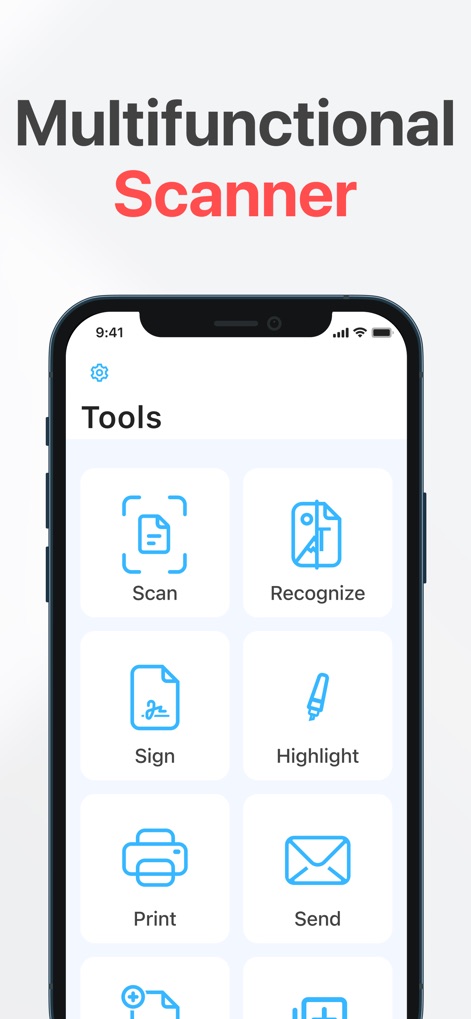
이 앱은 문서를 디지털화하는 스캔 기능과 텍스트를 인식하는 OCR 기능을 한 화면에 제공하여 사용자가 다양한 작업을 효율적으로 처리할 수 있도록 돕습니다.
다기능 스캐너
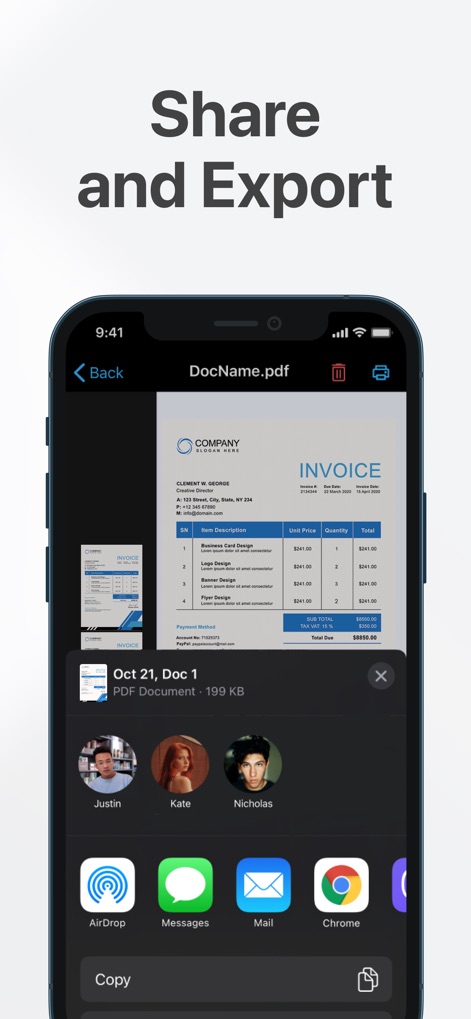
스캔한 문서를 다양한 앱과 연락처로 쉽게 공유하고 내보낼 수 있으며, 에어드롭 및 메시지 앱을 포함한 여러 옵션을 한눈에 확인할 수 있습니다.
간편한 공유 및 내보내기
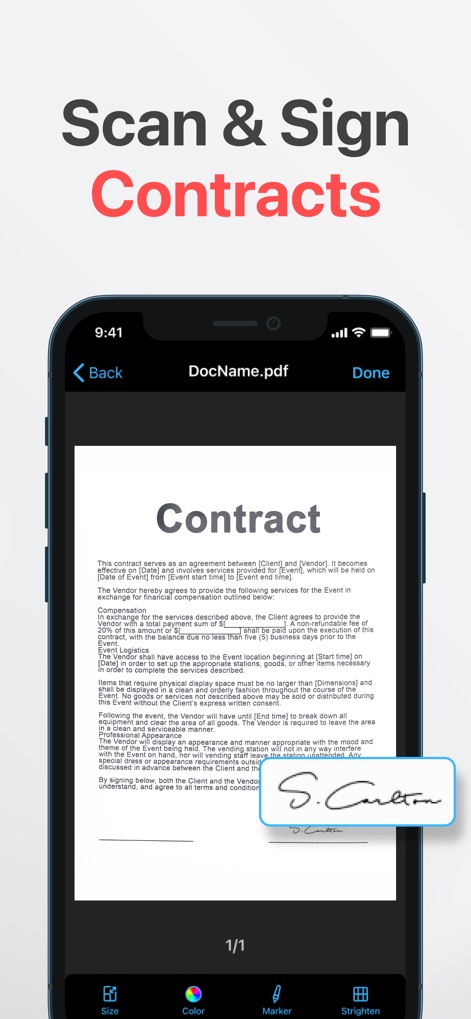
사용자는 중요한 계약서에 직접 서명할 수 있으며, 전자 서명이 추가된 계약 문서를 화면에서 명확하게 확인하여 신속하게 업무를 처리할 수 있습니다.
서명으로 계약 완료
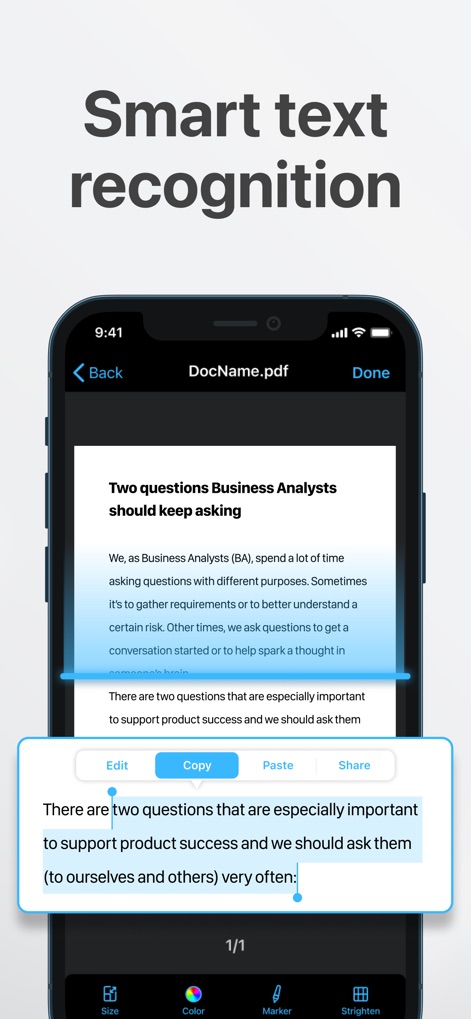
이 도구는 문서의 텍스트를 스마트하게 인식하여 사용자가 원하는 부분을 쉽게 강조 표시하고, 편집, 복사, 붙여넣기 등의 기능을 통해 텍스트를 자유롭게 활용할 수 있습니다.
스마트 텍스트 인식
설명
Download
비슷한 앱
유사한 기능과 사용자 경험을 가진 앱

PDF PRO Scan Image & Documents
Balzo srl

The PDF Scanner, PDF editor HQ
NEXT K.U.M. LTD

CamScanner - PDF Scanner App
INTSIG Information Co., Ltd

Adobe Scan: PDF & OCR Scanner
Adobe Inc.

WPS Office: PDF, Docs, Sheets
KINGSOFT OFFICE SOFTWARE CORPORATION LIMITED

iLovePDF - PDF Editor & Scan
ILOVEPDF S.L.

Scanner App: Genius Scan
The Grizzly Labs

Microsoft Lens: PDF Scanner
Microsoft Corporation

Clear Scan: Doc Scanner App
INDY MOBILE APP COMPANY LIMITED
이 페이지는 앱이나 개발자의 공식 페이지가 아니며, 정보 제공 및 논평을 목적으로 작성된 독립 편집 간행물입니다. 명시적으로 달리 언급되지 않는 한, 해당 앱이나 개발자는 MWM, Apple, Google Play, 앱 퍼블리셔 또는 앱 개발자와 제휴, 보증, 후원, 승인 또는 공식적으로 연결되어 있지 않으며, 이 페이지의 어떤 내용도 해당 앱이 MWM의 서비스를 사용하여 개발되었음을 의미하지 않습니다. 모든 상표, 로고, 스크린샷 및 기타 콘텐츠는 해당 소유자의 자산입니다.