PDF Scanner App- Scan Document

PDF Scanner App- Scan Document

다운로드: App Store
로고: PDF Scanner App- Scan Document

PDF 스캐너 앱- 문서 스캔: 당신의 고속 모바일 오피스

iPhone을 전문적인 HD 스캐너로 변환하세요. 계약서를 캡처하고, OCR로 사진을 텍스트로 변환하며, 몇 초 안에 명함을 Salesforce 또는 연락처에 직접 동기화하세요.

다운로드: App Store

개발사

Muhammad Bilal Tufail

카테고리

Business

다운로드

1K+

사용자 평점

5.0/5

총 평가 수

0

지원 언어

8

모든 픽셀에 정밀함을 담다

이 인터페이스를 사용하는 1K+ 명의 사용자.

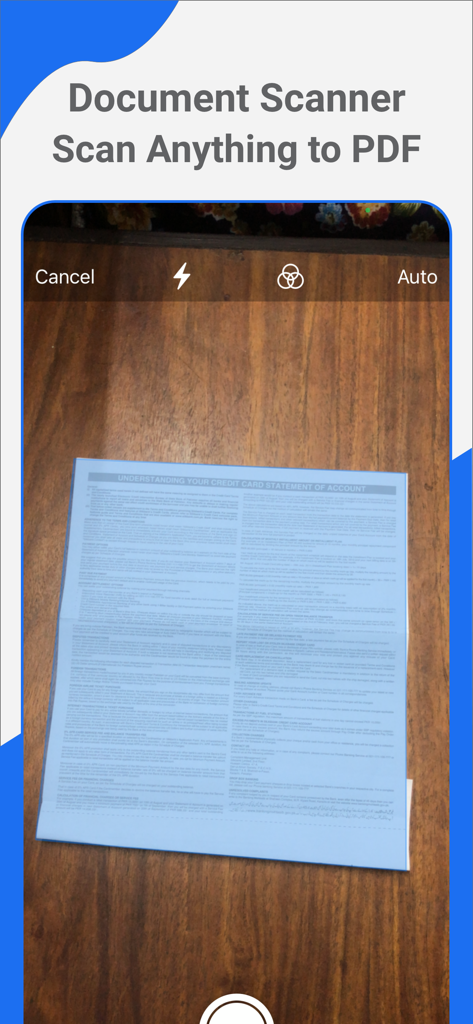
나무 표면의 문서를 스캔하여 PDF로 변환하는 카메라를 보여주는 모바일 앱 인터페이스
나무 표면의 문서를 스캔하여 PDF로 변환하는 카메라를 보여주는 모바일 앱 인터페이스

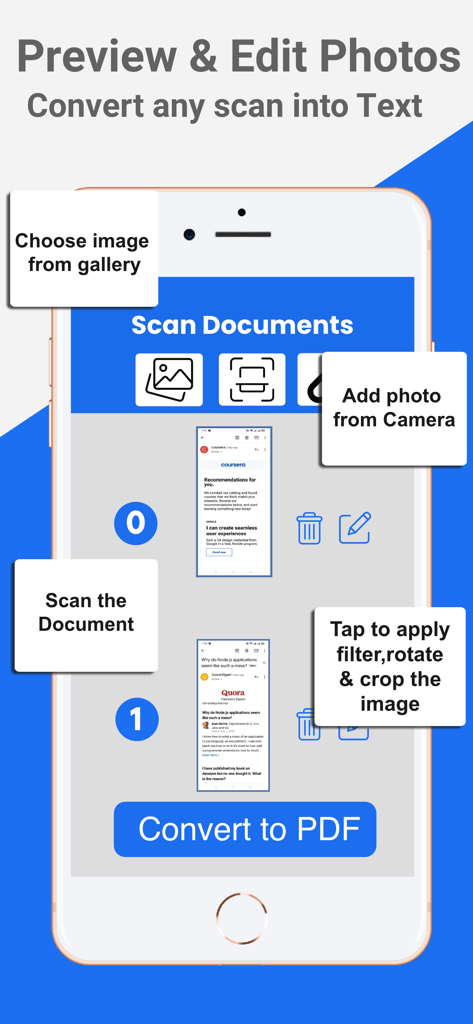
문서 편집 및 스캔을 텍스트 또는 PDF로 변환하는 PDF 스캐너 앱 인터페이스를 표시하는 iPhone
문서 편집 및 스캔을 텍스트 또는 PDF로 변환하는 PDF 스캐너 앱 인터페이스를 표시하는 iPhone

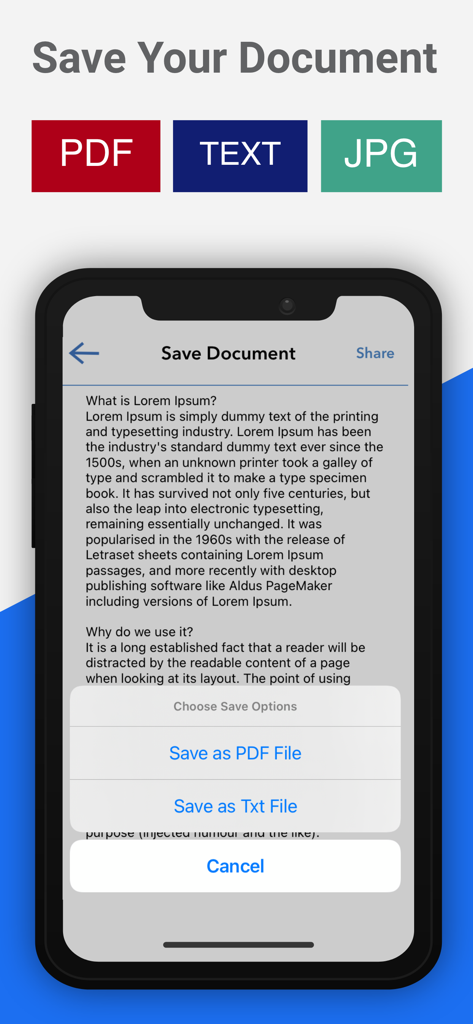
스캔된 문서를 PDF, 텍스트 또는 JPG 형식으로 저장하는 옵션을 보여주는 모바일 앱 인터페이스
스캔된 문서를 PDF, 텍스트 또는 JPG 형식으로 저장하는 옵션을 보여주는 모바일 앱 인터페이스

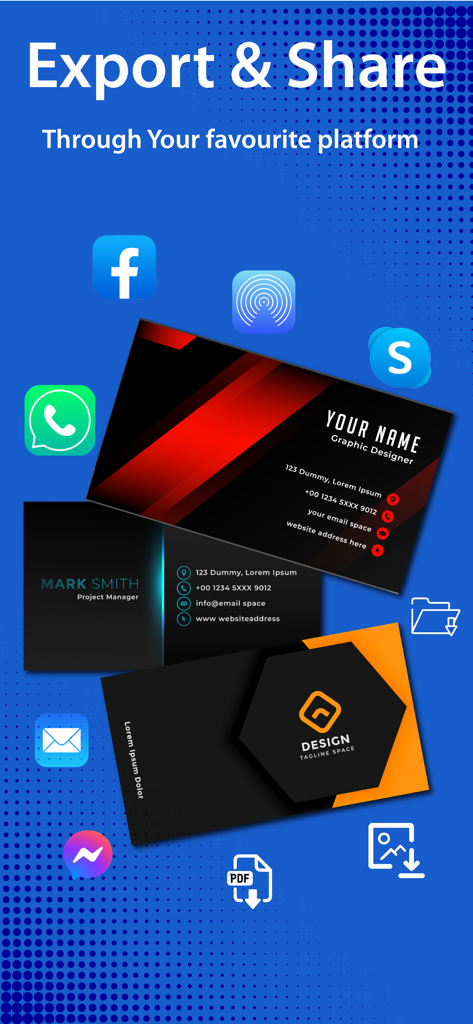
WhatsApp, Facebook, 이메일과 같은 다양한 플랫폼으로 스캔된 명함을 내보내고 공유하는 옵션을 보여주는 PDF 스캐너 앱 인터페이스

WhatsApp, Facebook, 이메일과 같은 다양한 플랫폼으로 스캔된 명함을 내보내고 공유하는 옵션을 보여주는 PDF 스캐너 앱 인터페이스

모든 스캔에 효율성을 담다

이 앱을 돋보이게 하는 도구, 1K+ 명의 사용자가 선택.

📇

스마트 명함 리더기

실물 명함을 즉시 디지털 연락처로 변환하고 리드를 Salesforce 또는 로컬 주소록에 직접 동기화하세요.

초고속 일괄 스캔

전문적인 결과를 위해 고급 흔들림 방지 기술로 HD 품질의 다페이지 문서, 영수증 또는 강의 노트를 캡처하세요.

🔍

AI 기반 OCR 기술

이미지를 검색 가능한 PDF 또는 편집 가능한 텍스트로 변환하여 몇 초 안에 데이터를 추출하고 정보를 찾을 수 있습니다.

앱 소개

에 대해 알아야 할 모든 것 PDF Scanner App- Scan Document.

설명

PDF Scanner App- Photo to Text app free Document scanner and Scan PDF file if you need to scan multiple documents in just sec now you are in right app, open your iphone and enjoy high quality document scanner app on your device with just one tap using best PDF scanner app. Scan your PDF document anytime & anywhere. The fastest document scanner app and PDF creator allow you to quickly scan any type of personal files like photo, text to PDF in your office, universities, class notes, and anything that you needs to be on your device. PDF scanner app manages your all document files and ID, books, and photos in HD quality and also free converts it to PDF or JPEG format. Share scanned documents, images, books, invoices, important note receipts, and magazines anywhere by using the camera scan app.
 PDF Scanner app and Photo, Card Reader is the easiest app to manage, exchange business cards and Contact Management App for iPhone and iPad. Turn your phone into a powerful scanner with Mobile Scanner app. Scan PDF anything including documents, paper notes, receipts, and books into clear & sharp and images. Convert images into text with OCR technology and export searchable PDF documents.
 Instant recognition of business cards right on your iPhone. Fetch contact information from a business card directly to your iOS Contacts. Ultra-Fast Scanning:
 - Generate high-resolution scans within seconds
 - Batch scanning  - scan as many pages as you like 
- Batch processing  - export multiple docs at once
 Features Include: • Accurate recognition of Documents, Files, Receipts and Cards • Auto Recognize Business Card • Smart contact field filling: emails, phone numbers, websites • Export to Salesforce as Contact, Lead or Account available as a subscription • Export as JPG or PDF • Business Card Reader allows you to search and sort contacts • Anti-shake image capture 
 How to Use: 
 • Place the business card on a flat surface. • Make sure the camera is focused on the business card. • Hold the device right above the card. • Keep the card aligned to auto capture the card • Tap the screen to take the picture. • After the recognition is done, you can check the results. 
 Note: 
 STEP 1 - Payment will be charged to your iTunes account at confirmation of purchase. Your subscription will automatically renew unless auto-renew is turned off at least 24-hours before the end of the current subscription period. 
 STEP 2 - Your account will be charged for renewal within 24-hours prior to the end of the current subscription period. Automatic renewals will cost the same price you were originally charged for the subscription. 
 STEP 3 - You can manage your subscriptions and turn off auto-renewal by going to your Account Settings on the App Store after purchase. Read our terms of service and Privacy Policy for more information. 
 Terms of Use https://sites.google.com/view/myapps-tech/terms-of-use Privacy Policy https://sites.google.com/view/myapps-tech/privacy-policy

최신 버전

1.3

크기

6.8 MB

출시일

2022년 1월 5일

페이퍼리스 시대를 맞이하고 전문가처럼 스캔할 준비가 되셨나요?

수천 명의 전문가들과 함께 문서를 디지털화하고, 명함을 정리하며, Salesforce로 리드를 즉시 동기화하세요. 지금 iPhone 또는 iPad용 올인원 스캐너를 다운로드하세요.

다운로드: App Store

App information, icons, screenshots, and descriptions displayed on this page are sourced from the Apple App Store and are the property of their respective developers. Download estimates and rankings are based on MWM's proprietary models and may not reflect actual figures. This page is provided for informational and analytical purposes only.

Believe this page infringes your intellectual property? File a dispute