PDF Scanner App - Scan PDF Doc

PDF Scanner App - Scan PDF Doc

다운로드: App Store
로고: PDF Scanner App - Scan PDF Doc

PDF 스캐너 앱 - PDF 문서 스캔: 귀하의 올인원 전문 포켓 스캐너

iPhone을 강력한 HD 문서 허브로 변환하세요. OCR을 통해 ID를 스캔하고, 전자 서명으로 계약을 서명하고, 텍스트를 추출하세요. 모든 개인 정보 보호를 위해 기기에 안전하게 저장됩니다.

다운로드: App Store

개발사

PDF EXPERT LTD

카테고리

Business

다운로드

5K+

사용자 평점

4.8/5

총 평가 수

300

지원 언어

1

귀하의 사무실, 시각화되다

이 인터페이스를 사용하는 5K+ 명의 사용자.

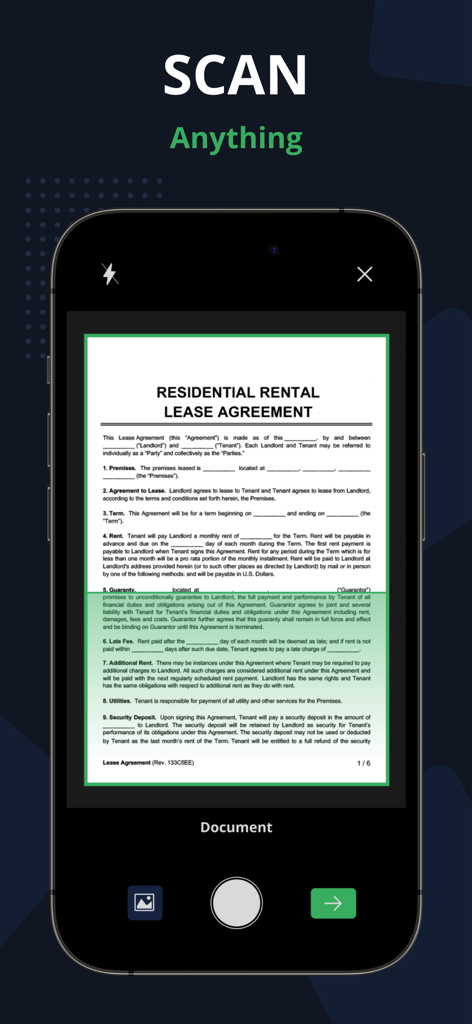
자동 가장자리 감지 기능이 있는 주거 임대차 계약서를 캡처하기 위해 PDF 스캐너 앱을 사용하는 스마트폰
자동 가장자리 감지 기능이 있는 주거 임대차 계약서를 캡처하기 위해 PDF 스캐너 앱을 사용하는 스마트폰

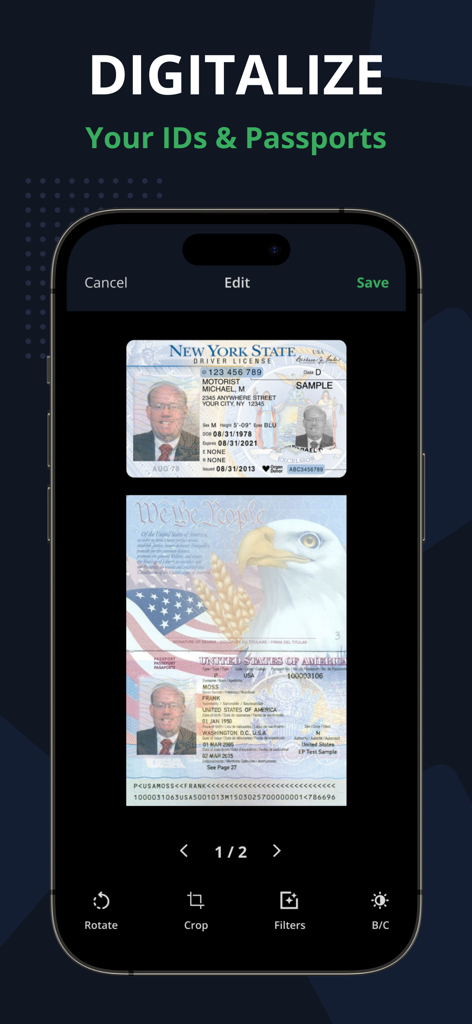
뉴욕 운전 면허증 및 미국 여권 사본이 스캔된 PDF 스캐너 앱 인터페이스를 표시하는 스마트폰
뉴욕 운전 면허증 및 미국 여권 사본이 스캔된 PDF 스캐너 앱 인터페이스를 표시하는 스마트폰

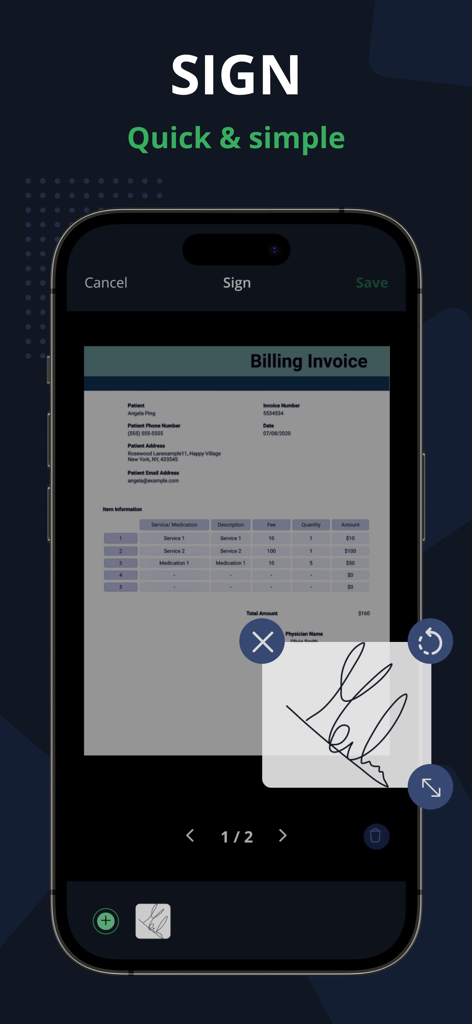
송장에 있는 PDF 스캐너 앱의 전자 서명 도구를 보여주는 스마트폰 화면
송장에 있는 PDF 스캐너 앱의 전자 서명 도구를 보여주는 스마트폰 화면

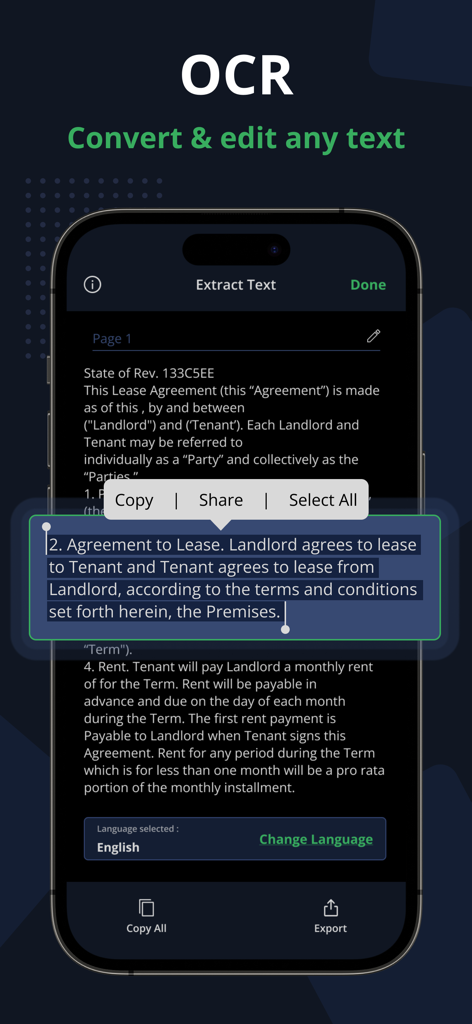
편집, 복사 및 공유 옵션이 있는 법률 문서에서 OCR 텍스트 추출을 보여주는 PDF 스캐너 앱 인터페이스.
편집, 복사 및 공유 옵션이 있는 법률 문서에서 OCR 텍스트 추출을 보여주는 PDF 스캐너 앱 인터페이스.

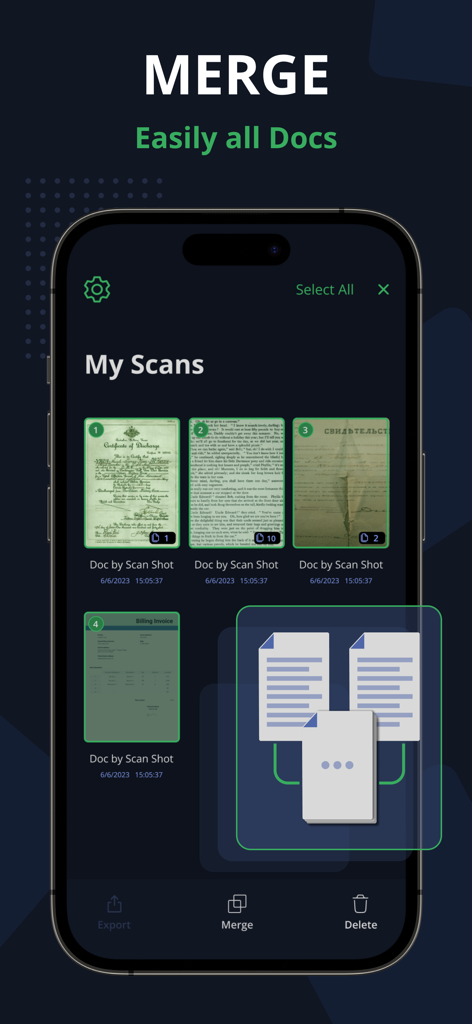
여러 스캔된 문서를 단일 파일로 병합하는 기능을 보여주는 PDF 스캐너 앱 인터페이스
여러 스캔된 문서를 단일 파일로 병합하는 기능을 보여주는 PDF 스캐너 앱 인터페이스

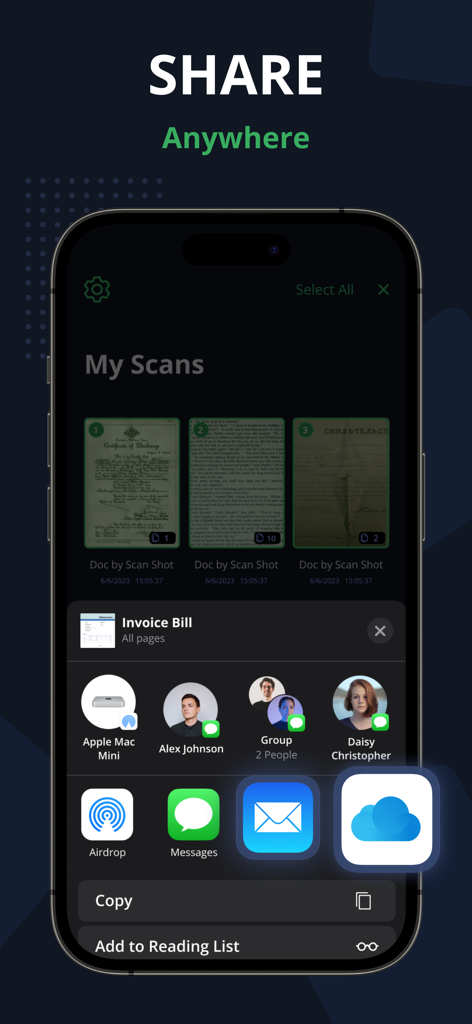
이메일, 메시지 및 클라우드 서비스를 통한 문서 공유 옵션을 표시하는 PDF 스캐너 앱의 사용자 인터페이스.
이메일, 메시지 및 클라우드 서비스를 통한 문서 공유 옵션을 표시하는 PDF 스캐너 앱의 사용자 인터페이스.

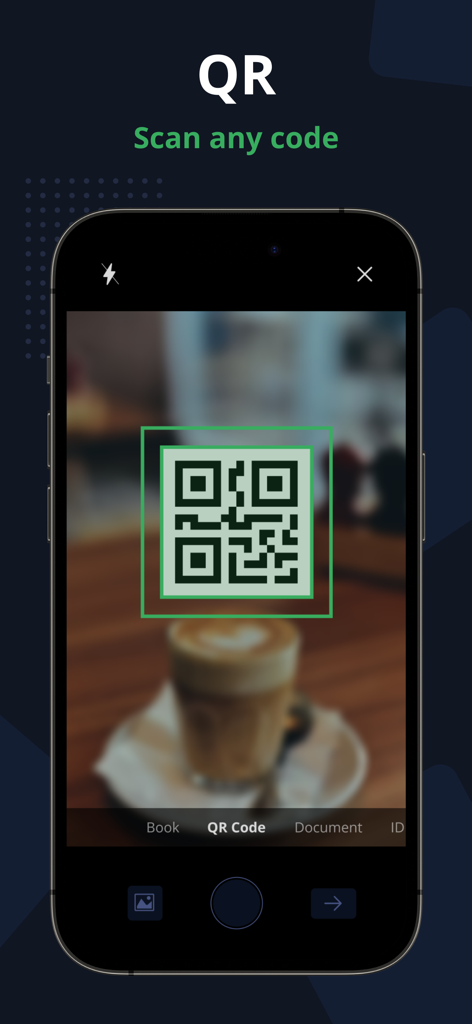
녹색 뷰파인더가 있는 PDF 스캐너 앱의 QR 코드 스캔 기능을 보여주는 iPhone 화면

녹색 뷰파인더가 있는 PDF 스캐너 앱의 QR 코드 스캔 기능을 보여주는 iPhone 화면

귀하의 사무실, 재정의되다

이 앱을 돋보이게 하는 도구, 5K+ 명의 사용자가 선택.

📄

프로급 AI 스캔

모든 문서를 전문적으로 보이게 하는 자동 가장자리 감지 및 원근 보정으로 선명한 결과를 얻으세요.

검색 가능한 OCR 텍스트

이미지를 즉시 편집 가능한 텍스트로 변환하세요. 종이 더미를 뒤지는 대신 디지털 아카이브를 검색하여 시간을 절약하세요.

✍️

전자 서명 및 보안 ID

내장된 전자 서명으로 계약을 즉석에서 마무리하고 100% 오프라인 처리로 민감한 ID를 안전하게 스캔하세요.

앱 소개

에 대해 알아야 할 모든 것 PDF Scanner App - Scan PDF Doc.

설명

PDF Scanner App allows you to effortlessly scan, import, and instantly share documents within this smart Scanner app. Easily retrieve and access all your previously scanned files using this PDF Document Scanner app. With this app you can easily Scan app on your phone, you can effortlessly save time and energy by scanning swiftly whenever needed. The PDF Document are directly stored on your iPhone in either image or PDF format, courtesy of the free PDF scanner and high-definition camera scanner pro app for PDF scans. - Scan PDF Turn your iPhone or iPad into a powerful document scanner and PDF converter with the PDF Scanner App. Whether you need to scan PDF, digitize receipts, documents, business cards, whiteboards, IDs, books, or photos, our app has you covered. Easily transform images into PDFs in an instant. - Scan ID & Passport Effortlessly scan your ID cards and passports, then easily share them with others. This PDF Document Scanner App easily scans ID cards, passports, driver's licenses, visas, and various identity documents within seconds. It then stores the Scanned document within the device, utilizing the capabilities of both an ID scanner and a document scanner. - Complete your paperwork from anywhere with ease Use this PDF Document Scanner App to include an electronic signature using PDF sign tools. An intuitive PDF Editor App allows you to mark and edit fields, adding everything you need effortlessly. - Scan Book with our PDF Scanner App Use our free Document Scanner app to easily scan books, novels, magazines, and convert them to PDF format with the help of a Camera Scanner App. Save your scanned documents directly to your iPhone and iPad device in either image or PDF format using the Doc Scanner app. Key Features of the PDF Scanner App - Free Document Scanner Pro & Scan PDF: • Automatically detects document edges and corrects perspective of PDF Document. • Enhance scan quality both automatically and manually. • Free document and photo scanning with this camera scanner app. • Extract text from images using OCR, making it searchable, editable, and shareable. • Scan multiple pages and convert them to a multi-page PDF using the PDF document scanner app. • Scan and print PDF documents using the free doc scanner app. • Efficiently manage your files for better document organization. • Convert selected images from your Image Gallery into PDF documents. Scan, edit, sign, and effortlessly share any document in either PDF or JPEG format. Our scanner functions seamlessly without requiring an internet connection, storing all scans directly on your device. Take your productivity to the next level with e-sign or sign PDF Document and OCR capabilities. Add your signature to scanned documents with just a few taps in Scanner Pro. Utilize text recognition to convert any scan into editable text. Information about the auto-renewal of subscription for PDF Scanner Pro - Document Scanner App. -Subscribe to unlock Pro access to all features, with charges applied upon purchase confirmation. -Subscriptions automatically renew 24 hours prior to the expiration date. You can manage your subscriptions in the account settings within the App Store. -Users have the option to manage subscriptions and disable auto-renewal by accessing their Account Settings after making a purchase. -If a user purchases a subscription after a free trial period, any remaining unused portion of the trial will be forfeited. Privacy Policy: https://www.techstic.org/privacy-pdf-scanner Terms of Use: https://www.techstic.org/tos-pdf-scanner

최신 버전

1.2

크기

30.0 MB

출시일

2023년 10월 3일

워크플로를 혁신할 준비가 되셨나요?

최고 평점의 PDF 스캐너 앱을 다운로드하고 오늘 iPhone에서 문서를 디지털화, 서명 및 공유하세요. 인터넷이 필요하지 않습니다.

다운로드: App Store

App information, icons, screenshots, and descriptions displayed on this page are sourced from the Apple App Store and are the property of their respective developers. Download estimates and rankings are based on MWM's proprietary models and may not reflect actual figures. This page is provided for informational and analytical purposes only.

Believe this page infringes your intellectual property? File a dispute