
이 페이지는 앱이나 개발자의 공식 페이지가 아니며, 정보 제공 및 논평을 목적으로 작성된 독립 편집 간행물입니다. 명시적으로 달리 언급되지 않는 한, 해당 앱이나 개발자는 MWM, Apple, Google Play, 앱 퍼블리셔 또는 앱 개발자와 제휴, 보증, 후원, 승인 또는 공식적으로 연결되어 있지 않으며, 이 페이지의 어떤 내용도 해당 앱이 MWM의 서비스를 사용하여 개발되었음을 의미하지 않습니다. 모든 상표, 로고, 스크린샷 및 기타 콘텐츠는 해당 소유자의 자산입니다.


PDF Scanner App: TapScanner
이 앱은 당신의 스마트폰을 서류 처리의 마스터 키로 변모시킵니다. 인쇄, 스캔, 공유? 이 앱은 이 모든 것을 손 안에서 해치웁니다.
다운로드
10M+사용자 평점
총 평가 수
344.7K개발사
카테고리
Business지원 언어
8최신 버전
4.71.0크기
178.1 MB출시일
2018년 5월 30일모바일 문서 관리 및 생산성을 위한 핵심 기능 평가
PDF Scanner App: TapScanner 분석
OCR을 통한 이미지 텍스트 변환
이 앱은 스캔된 이미지에서 텍스트를 추출하고 편집 가능한 형식으로 변환하여, 사용자가 문서 내용을 검색하고 수정할 수 있도록 합니다.
모바일 PDF 스캔
이 앱은 영수증, 문서, 명함 등 다양한 실물 문서를 모바일 장치를 통해 고품질 PDF 파일로 변환하는 기능을 제공합니다.
간편한 문서 공유
이 도구는 스캔된 PDF 문서를 이메일, 소셜 미디어 및 인스턴트 메시징 앱을 통해 빠르고 원활하게 공유할 수 있게 해줍니다.
다양한 파일 형식 변환
사용자는 JPG를 PDF로, PDF를 JPG로, 또는 PDF를 Word 문서로 변환하는 등 다양한 파일 형식 간의 변환 기능을 활용하여 문서 호환성을 높일 수 있습니다.
클라우드 백업
이 앱은 스캔된 문서를 선호하는 클라우드 서비스에 자동으로 백업하여, 사용자의 문서가 안전하게 보관되고 언제 어디서든 접근 가능하도록 합니다.
PDF 비밀번호 보호
이 도구는 PDF 문서에 비밀번호를 설정하여 무단 접근으로부터 파일을 보호하고 민감한 정보의 보안을 강화합니다.
전자 서명 및 PDF 편집
사용자는 PDF 문서에 전자 서명을 추가하고, 필드를 표시하거나 편집하여 디지털 방식으로 서류 작업을 완료할 수 있습니다.
PDF 분할 및 병합
이 앱은 하나의 PDF 파일을 여러 개로 분할하거나 여러 PDF 파일을 하나로 병합하는 기능을 제공하여 사용자가 문서를 효율적으로 구성할 수 있도록 합니다.
문서 관리 및 정리
이 도구는 사용자가 스캔된 문서를 폴더로 분류하고 태그를 지정하여, 방대한 디지털 문서를 체계적으로 관리하고 쉽게 찾을 수 있게 해줍니다.
자동 자르기 및 정렬
이 앱은 스캔 시 문서를 자동으로 자르고 최적의 방식으로 정렬하여, 사용자가 수동으로 조정하는 시간을 절약하고 깔끔한 결과물을 얻을 수 있도록 돕습니다.
자주 묻는 질문
에 대해 알아야 할 모든 것 PDF Scanner App: TapScanner
What documents can PDF Scanner App: TapScanner convert to PDF?
PDF Scanner App: TapScanner converts various documents to PDF, including receipts, business cards, whiteboards, IDs, books, and photos directly from your mobile device.
Does PDF Scanner App: TapScanner automatically crop scanned documents?
Yes, PDF Scanner App: TapScanner features automatic cropping and sorting of documents, streamlining the scanning process and saving user time.
Can users add an e-signature with PDF Scanner App: TapScanner?
Yes, PDF Scanner App: TapScanner allows users to attach an E-signature and edit fields within documents using its PDF sign tools.
How does PDF Scanner App: TapScanner enhance scanned documents?
PDF Scanner App: TapScanner enhances documents with powerful filters, removing shadows, adjusting contrast, brightness, and converting to black and white for professional results.
Does PDF Scanner App: TapScanner support cloud backup for scans?
Yes, PDF Scanner App: TapScanner automatically backs up scanned documents from your phone to your preferred cloud service, ensuring high-quality PDF output.
Can I edit text from scanned documents using PDF Scanner App: TapScanner?
Yes, PDF Scanner App: TapScanner uses OCR to convert images to editable text. Users can export accurate text and unlock content from scans, enhanced by machine learning.
Does PDF Scanner App: TapScanner include a QR code reader?
Yes, PDF Scanner App: TapScanner integrates a built-in QR scanner within its cam scan module, supporting links, text, ISBN, and emails.
How do I split PDF files in PDF Scanner App: TapScanner?
To split PDF files in PDF Scanner App: TapScanner, import a PDF file, and the application will divide it into multiple separate PDF documents.
Can PDF Scanner App: TapScanner combine multiple PDF files?
Yes, PDF Scanner App: TapScanner allows users to merge multiple PDF files quickly, simplifying document organization and editing processes.
What file formats can PDF Scanner App: TapScanner convert?
PDF Scanner App: TapScanner converts between JPG and PDF, and between PDF and Word. It also transforms camera or gallery images into PDFs.
Can PDF Scanner App: TapScanner reduce the size of PDF files?
Yes, PDF Scanner App: TapScanner compresses PDF files, reducing their size for easier sharing via email or chat and saving storage space.
Does PDF Scanner App: TapScanner remove watermarks from scans?
Yes, PDF Scanner App: TapScanner offers a feature to remove watermarks, ensuring perfect and clean scans without stains.
Can I protect my PDF files with a password in PDF Scanner App: TapScanner?
Yes, PDF Scanner App: TapScanner allows users to protect PDF files with a password, enhancing document security.
Is direct printing available through PDF Scanner App: TapScanner?
Yes, PDF Scanner App: TapScanner enables users to print documents directly from within the application.
How can I share documents using PDF Scanner App: TapScanner?
Users can easily and quickly share documents from PDF Scanner App: TapScanner to email, social media, and instant messaging applications.
How does PDF Scanner App: TapScanner help organize scanned documents?
PDF Scanner App: TapScanner helps organize documents by allowing users to create folders and tag scans. Documents are searchable by name, tag, or folder.
How often are subscriptions billed for PDF Scanner App: TapScanner?
Subscriptions for PDF Scanner App: TapScanner are billed weekly, monthly, or annually, depending on the specific plan selected by the user.
Does the PDF Scanner App: TapScanner subscription auto-renew?
Yes, PDF Scanner App: TapScanner subscriptions auto-renew at the chosen package's cost unless cancelled 24 hours before the current period ends.
How do I manage or cancel my PDF Scanner App: TapScanner subscription?
Users manage their PDF Scanner App: TapScanner subscription and turn off auto-renewal via their iTunes Account Settings after purchase.
Is PDF Scanner App: TapScanner free to use?
PDF Scanner App: TapScanner offers a "Try Now For Free!" option. It provides initial access freely, but extended features require subscriptions.
다음 스크린샷과 설명은 앱의 공식 스토어 목록에서 직접 가져온 것이며 앱 개발자의 자산입니다.
앱 스토어
스크린샷
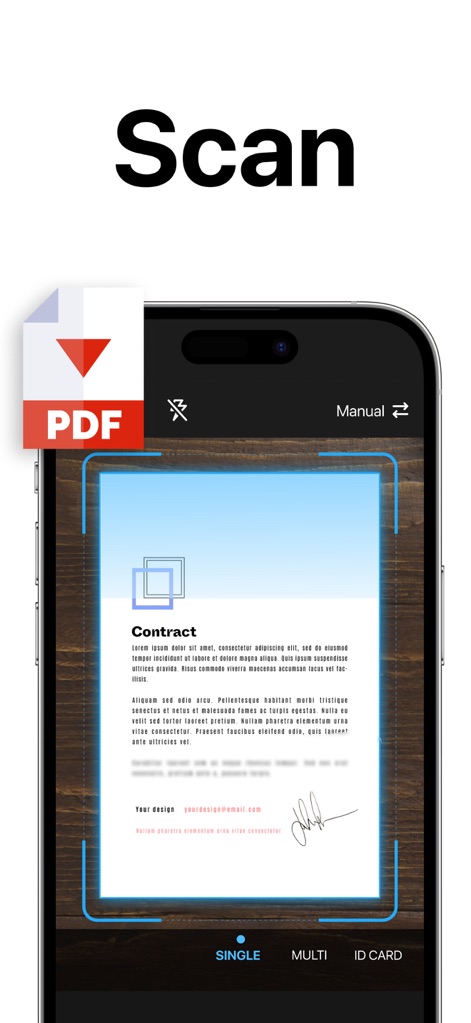
사용자는 이 앱으로 문서를 스캔하여 PDF로 변환할 수 있으며, 자동 크롭 기능과 다양한 스캔 모드(단일, 다중, 신분증)를 활용할 수 있습니다.
즉시 문서 스캔

스캔한 문서는 PDF, DOC, XLS, JPG 등 다양한 형식으로 저장할 수 있으며, 사용자는 필요에 따라 자동 보정 필터와 흑백 필터를 적용하여 저장할 수 있습니다.
다양한 형식으로 저장
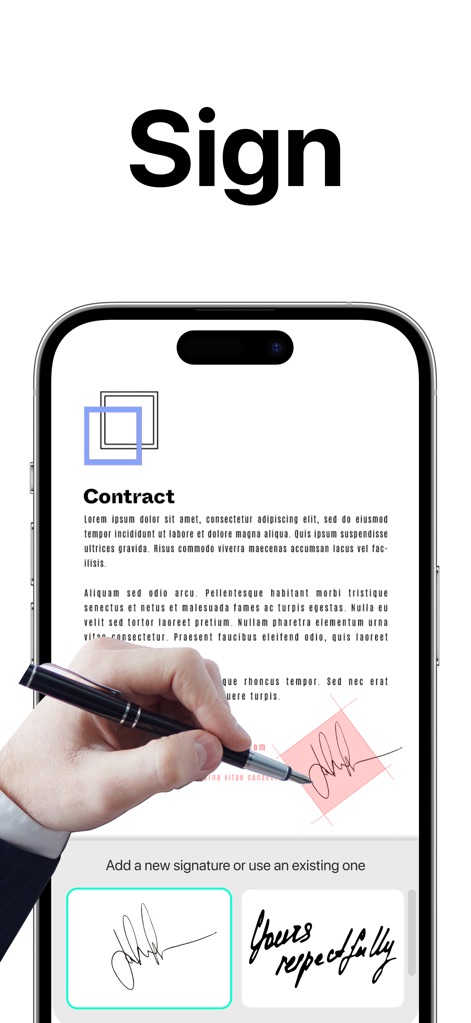
사용자는 이 앱을 통해 문서에 전자 서명을 손쉽게 추가할 수 있으며, 새로운 서명을 생성하거나 기존에 저장된 서명 샘플을 활용하여 문서를 완성할 수 있습니다.
간편한 전자 서명
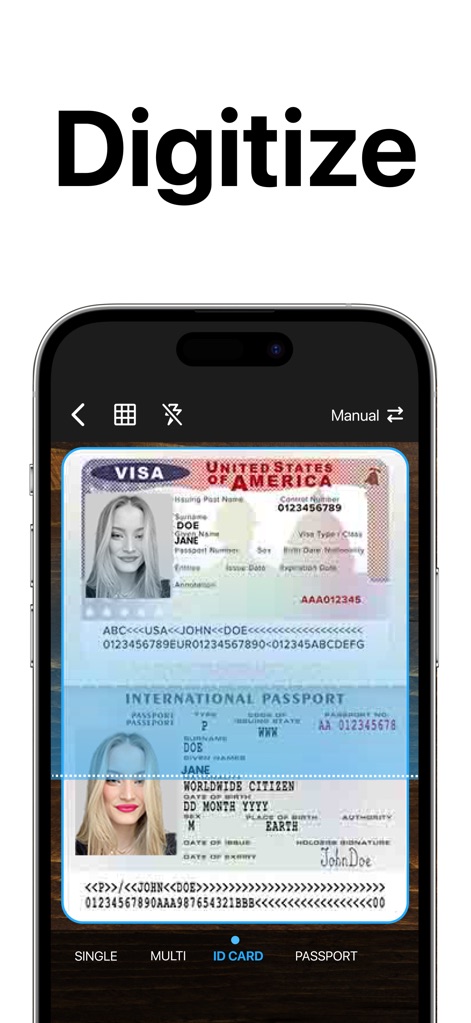
이 도구는 신분증이나 여권과 같은 문서를 정확하게 디지털화할 수 있으며, 사용자는 ID 카드 스캔 모드와 여권 스캔 모드를 통해 빠르고 안전하게 정보를 보관할 수 있습니다.
신분증 디지털화
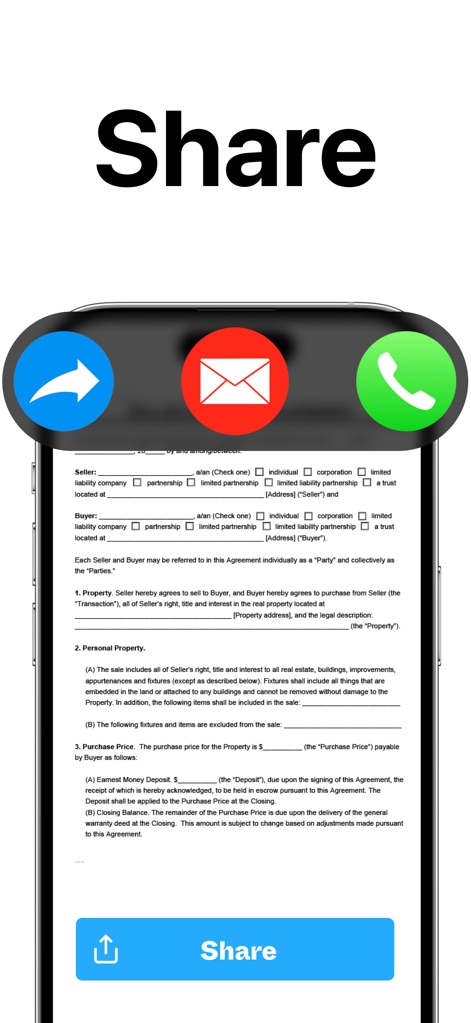
스캔한 문서는 이메일, 메시징 앱 또는 클라우드 서비스 등 다양한 플랫폼을 통해 즉시 공유할 수 있으며, 사용자는 간편한 공유 버튼을 통해 손쉽게 문서를 배포할 수 있습니다.
신속한 문서 공유
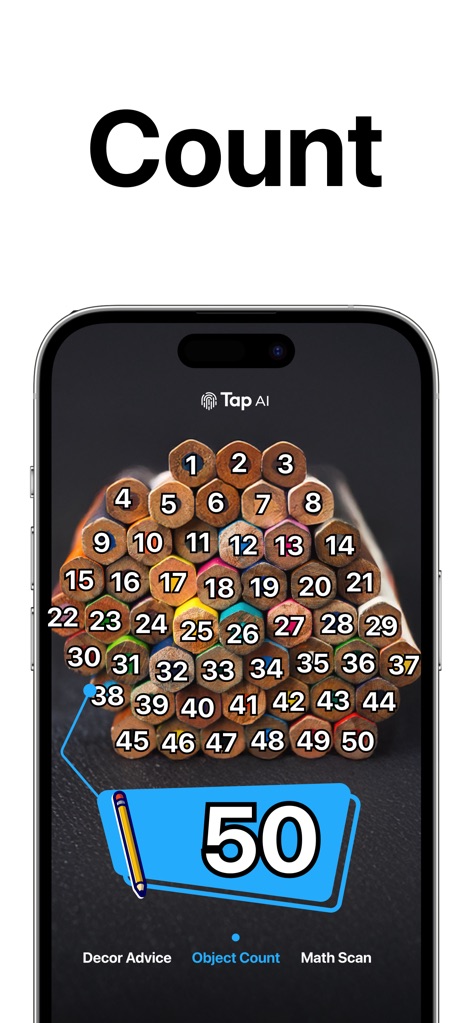
이 앱은 이미지 내의 객체를 자동으로 인식하여 수량을 계산해 주며, 사용자는 '객체 수 세기' 기능을 통해 복잡한 수작업 없이 정확한 개수를 파악할 수 있습니다.
객체 수량 자동 계산
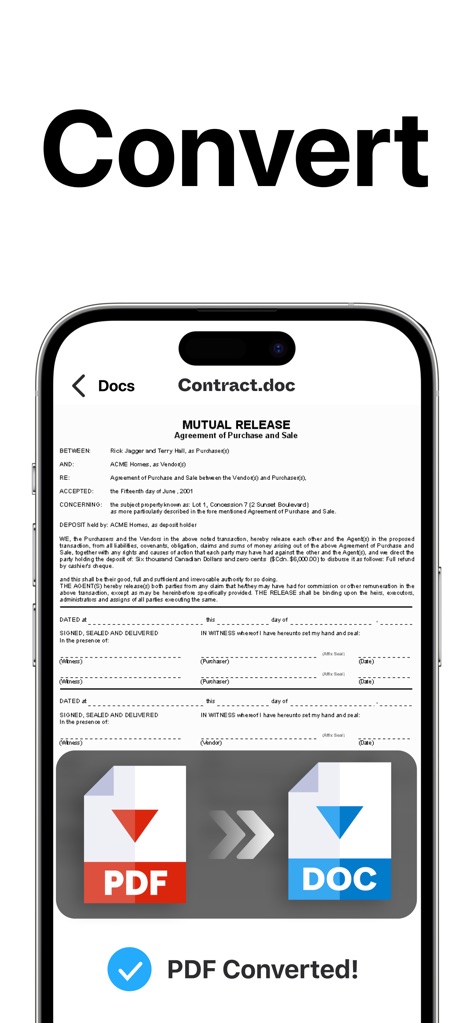
사용자는 PDF 파일을 DOC와 같은 다른 형식으로 손쉽게 변환할 수 있으며, 이 변환 기능은 다양한 문서 포맷 간의 호환성을 제공하여 작업을 더욱 유연하게 만듭니다.
유연한 파일 변환
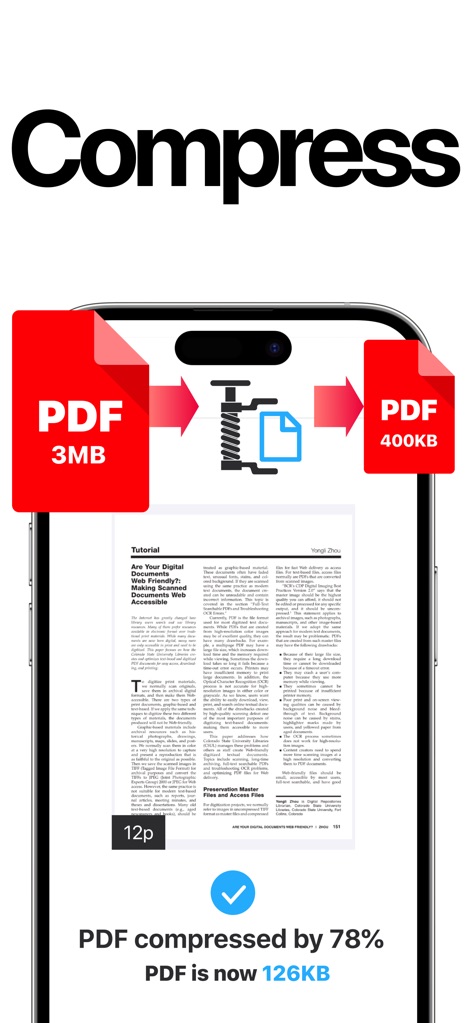
이 앱은 PDF 파일 크기를 효율적으로 줄여 저장 공간을 절약하고 공유를 용이하게 하며, 사용자는 압축률을 확인하며 파일이 3MB에서 400KB로 감소하는 과정을 지켜볼 수 있습니다.
효율적인 PDF 압축
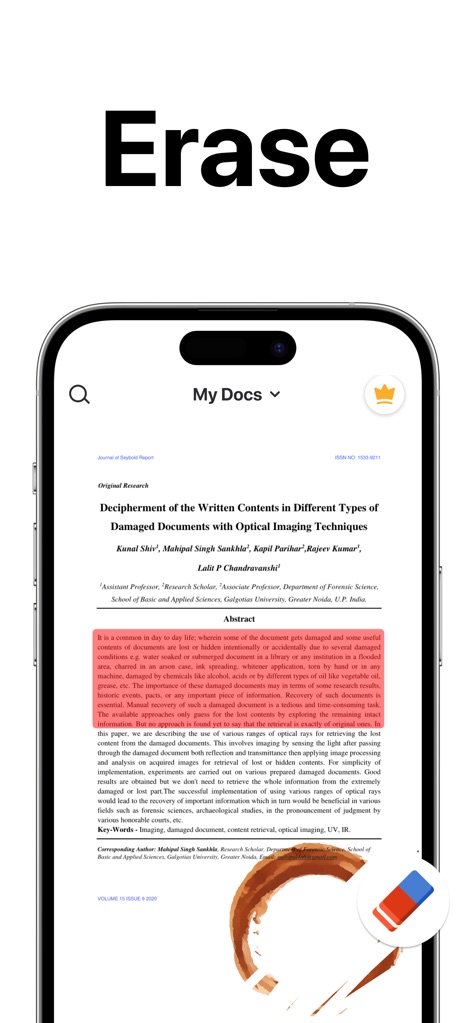
사용자는 이 도구를 사용하여 스캔한 문서의 불필요한 얼룩이나 손상된 부분을 깨끗하게 지울 수 있으며, 문서의 시각적 품질을 향상시키기 위해 얼룩 제거 기능과 같은 도구를 활용합니다.
문서 얼룩 제거
설명
Download
비슷한 앱
유사한 기능과 사용자 경험을 가진 앱

PDF PRO Scan Image & Documents
Balzo srl

The PDF Scanner, PDF editor HQ
NEXT K.U.M. LTD

CamScanner - PDF Scanner App
INTSIG Information Co., Ltd

Adobe Scan: PDF & OCR Scanner
Adobe Inc.

WPS Office: PDF, Docs, Sheets
KINGSOFT OFFICE SOFTWARE CORPORATION LIMITED

iLovePDF - PDF Editor & Scan
ILOVEPDF S.L.

Scanner App: Genius Scan
The Grizzly Labs

Microsoft Lens: PDF Scanner
Microsoft Corporation

Clear Scan: Doc Scanner App
INDY MOBILE APP COMPANY LIMITED
이 페이지는 앱이나 개발자의 공식 페이지가 아니며, 정보 제공 및 논평을 목적으로 작성된 독립 편집 간행물입니다. 명시적으로 달리 언급되지 않는 한, 해당 앱이나 개발자는 MWM, Apple, Google Play, 앱 퍼블리셔 또는 앱 개발자와 제휴, 보증, 후원, 승인 또는 공식적으로 연결되어 있지 않으며, 이 페이지의 어떤 내용도 해당 앱이 MWM의 서비스를 사용하여 개발되었음을 의미하지 않습니다. 모든 상표, 로고, 스크린샷 및 기타 콘텐츠는 해당 소유자의 자산입니다.