PDF Scanner ~ Scan Document
다운로드: App Store

이 페이지는 앱이나 개발자의 공식 페이지가 아니며, 정보 제공 및 논평을 목적으로 작성된 독립 편집 간행물입니다. 명시적으로 달리 언급되지 않는 한, 해당 앱이나 개발자는 MWM, Apple, Google Play, 앱 퍼블리셔 또는 앱 개발자와 제휴, 보증, 후원, 승인 또는 공식적으로 연결되어 있지 않으며, 이 페이지의 어떤 내용도 해당 앱이 MWM의 서비스를 사용하여 개발되었음을 의미하지 않습니다. 모든 상표, 로고, 스크린샷 및 기타 콘텐츠는 해당 소유자의 자산입니다.

로고: PDF Scanner ~ Scan Document
다운로드: App Store

PDF Scanner ~ Scan Document

현대 전문가를 위한 올인원 스캔 솔루션입니다. Google Drive 및 Dropbox로의 원활한 내보내기를 통해 고품질 문서, 영수증, 신분증을 손쉽게 스캔, 전자 서명 및 정리하세요.

주요 수치

다운로드

392K+

사용자 평점

4.5/5

총 평가 수

4K+

개발사

PROTOOLS LLP

카테고리

Business

지원 언어

2

최신 버전

2.6.3

크기

104.9 MB

출시일

2020년 1월 27일
기능

귀하의 전문가용 모바일 사무실

iPhone을 고성능 스캐너로 바꿔보세요. 이동 중에도 문서를 손쉽게 캡처, 서명, 정리하여 어디에서든 생산성을 유지하세요.

매우 선명한 HD 스캔

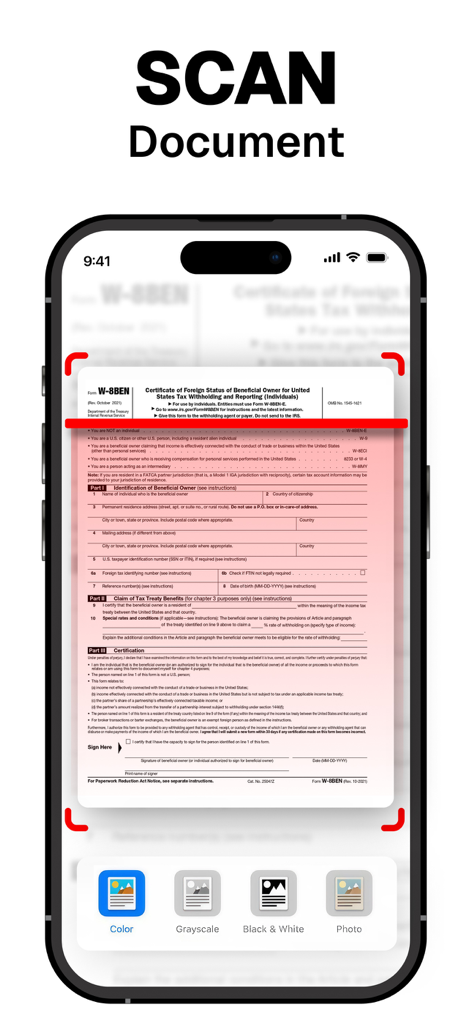
자동 테두리 감지 및 색상 보정을 통해 모든 문서가 단순한 사진처럼 보이지 않고 전문적이고 선명하게 보입니다.

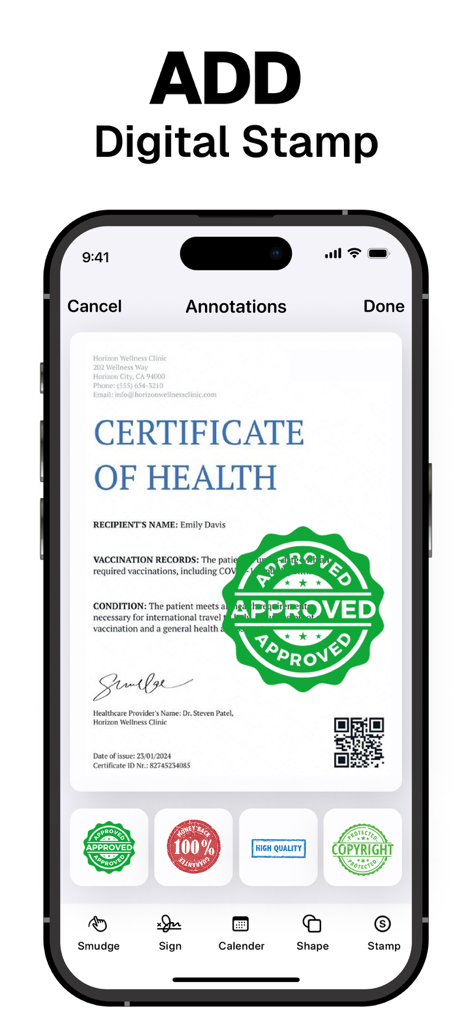
즉시 전자 서명 및 스탬프

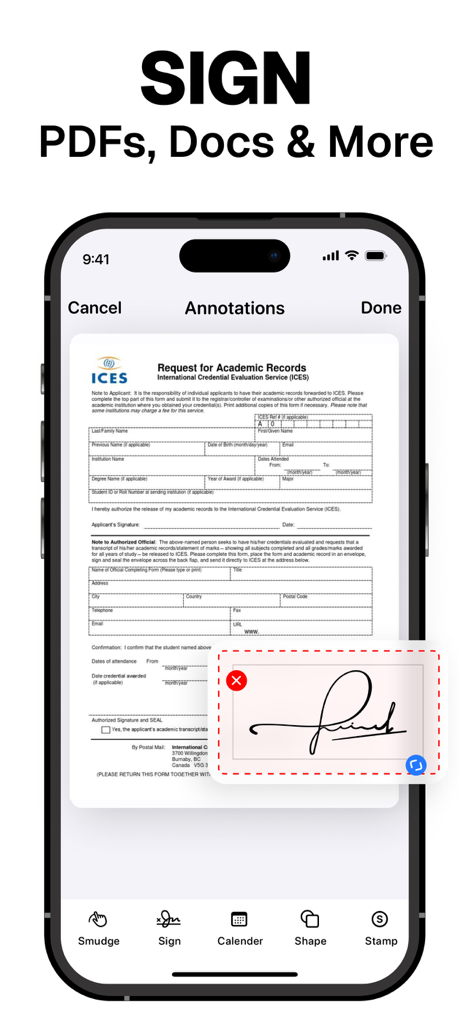
인쇄하거나 스캔할 필요 없이 PDF에 직접 디지털 서명을 추가하여 계약을 몇 초 만에 완료하세요.

다음 스크린샷과 설명은 앱의 공식 스토어 목록에서 직접 가져온 것이며 앱 개발자의 자산입니다.

앱 스토어

스크린샷
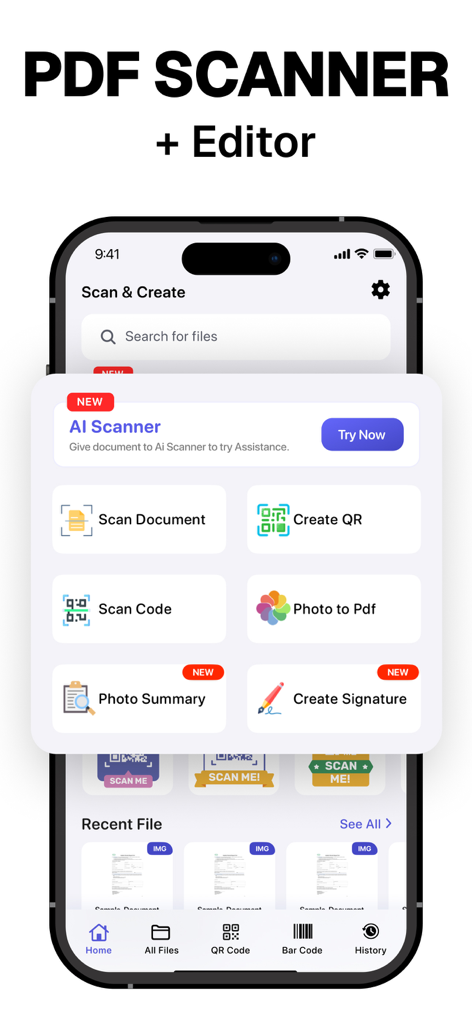
PDF Scanner ~ Scan Document - 문서 스캔, 서명 생성 및 QR 코드 도구가 포함된 PDF 스캐너 앱의 홈 화면
문서 스캔, 서명 생성 및 QR 코드 도구가 포함된 PDF 스캐너 앱의 홈 화면

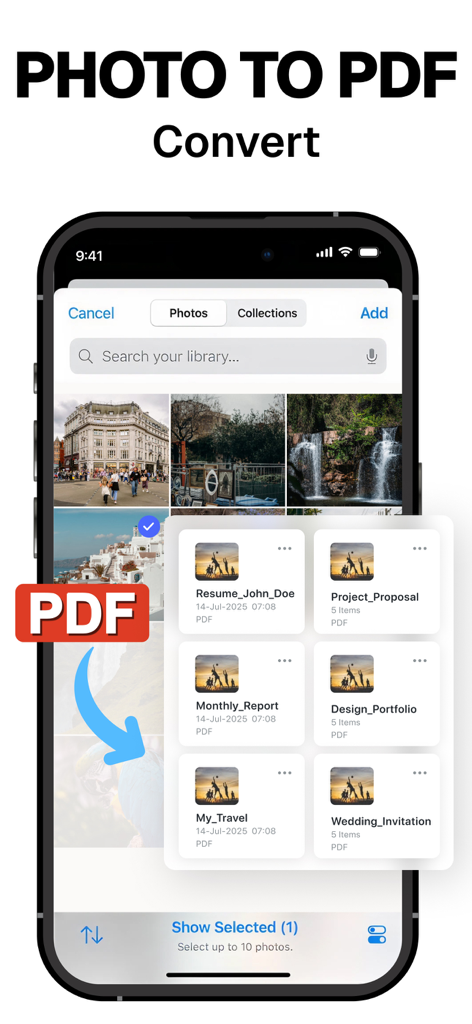
PDF Scanner ~ Scan Document - 사진을 PDF 문서로 변환하는 방법을 보여주는 모바일 앱 인터페이스
사진을 PDF 문서로 변환하는 방법을 보여주는 모바일 앱 인터페이스

PDF Scanner ~ Scan Document - 자동 테두리 감지 및 색상 필터로 세금 문서를 스캔하는 PDF 스캐너 앱을 보여주는 iPhone 화면
자동 테두리 감지 및 색상 필터로 세금 문서를 스캔하는 PDF 스캐너 앱을 보여주는 iPhone 화면

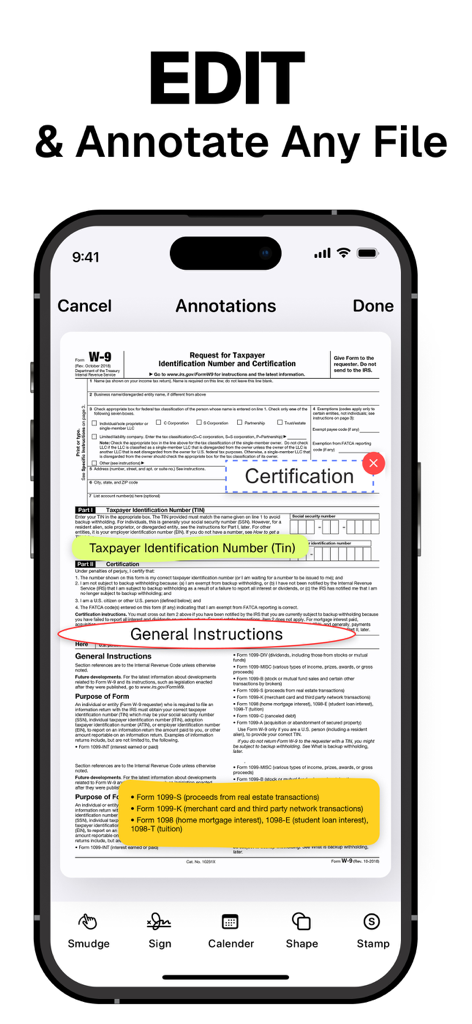
PDF Scanner ~ Scan Document - W-9 세금 양식의 일부를 강조하는 주석 도구가 있는 PDF 스캐너를 보여주는 모바일 앱 인터페이스
W-9 세금 양식의 일부를 강조하는 주석 도구가 있는 PDF 스캐너를 보여주는 모바일 앱 인터페이스

PDF Scanner ~ Scan Document - 디지털 PDF 문서의 전자 서명 기능을 표시하는 스마트폰 화면

디지털 PDF 문서의 전자 서명 기능을 표시하는 스마트폰 화면

PDF Scanner ~ Scan Document - 스캔된 PDF 문서에 승인 및 저작권과 같은 디지털 스탬프를 추가하기 위한 모바일 앱 인터페이스
스캔된 PDF 문서에 승인 및 저작권과 같은 디지털 스탬프를 추가하기 위한 모바일 앱 인터페이스

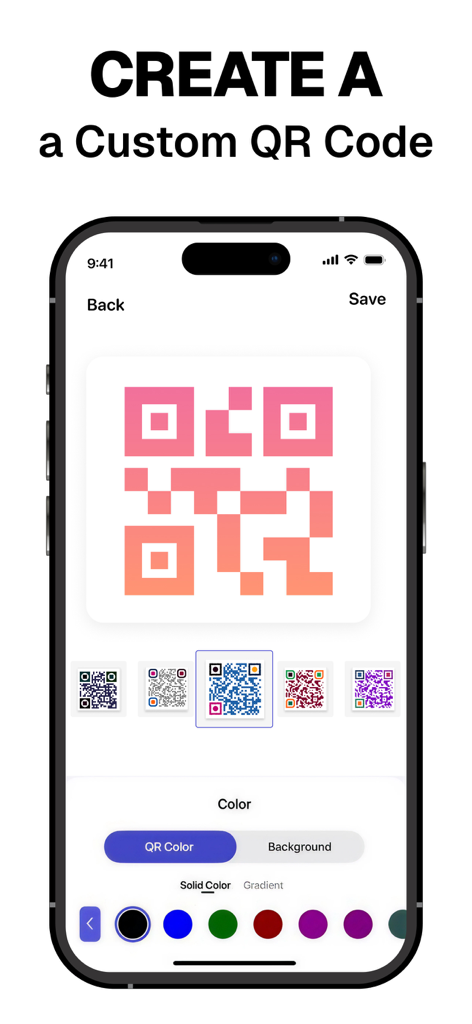
PDF Scanner ~ Scan Document - PDF 스캐너 앱에서 다양한 색상과 그라디언트로 QR 코드를 생성하고 사용자 지정하는 인터페이스
PDF 스캐너 앱에서 다양한 색상과 그라디언트로 QR 코드를 생성하고 사용자 지정하는 인터페이스

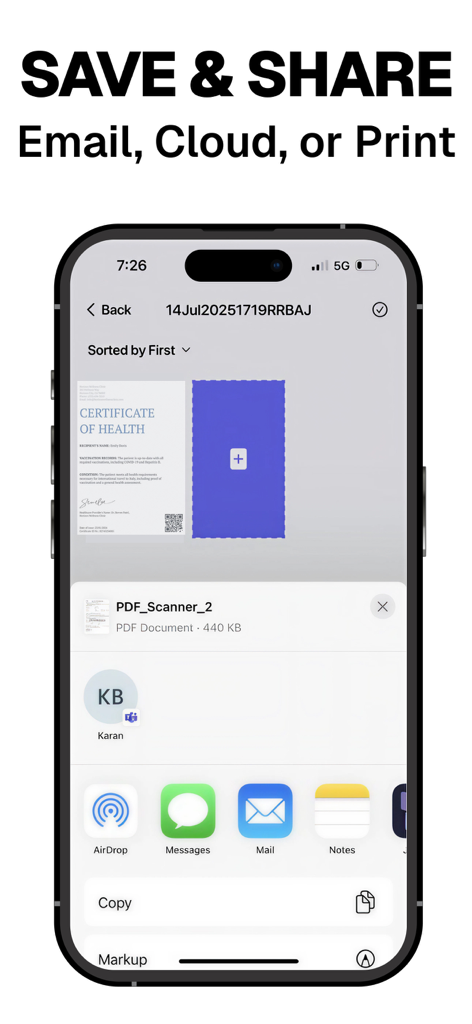
PDF Scanner ~ Scan Document - 이메일, 클라우드 또는 인쇄를 통해 스캔된 PDF 문서를 저장하고 공유하는 옵션을 보여주는 모바일 앱 화면

이메일, 클라우드 또는 인쇄를 통해 스캔된 PDF 문서를 저장하고 공유하는 옵션을 보여주는 모바일 앱 화면

설명

PDF Scanner our free scanner app to scan anything you need: Documents, Passport, Licence IDs, business documents, agreements, letters, invoices, order sheets, receipts Scanner and management documents with your iOS device!!! Scanner App is a handy scanner app that will turn your iOS device into a powerful mobile scanner. Easily scan, save and share any document in PDF or JPEG format. You can scan the documents and attach them together save and share as PDF and JPEG. Make folders cope and move any where in the app. Draw and import your signature makes easier for doing business deals. Annotate the documents, receipts, fax papers , books store your scans as multipage PDF or JPEG files. Share your scans via: - iMessage or email documents as PDF, JPEG, or PNG, or save to Camera Roll. - Export the scanned documents to Dropbox, Google Drive , or open in any 3rd party application E-sign & stamp documents right on your iOS device: - Add one or several signatures and stamps into the app - Add the e-sign to scanned pages in a moment Features PDF Scanner : – Scan to the highest quality PDF or JPEG – Save scans in high quality grayscale, black and white or color – Automatic border detection for documents makes them advanced scanner – Advanced processing and color correction – Choose between low, medium and HD scan quality – Multipage scanning ability scan as many pages as you like – ID and Passport scanning modes UNLIMITED ACCESS SUBSCRIPTION • You can subscribe for unlimited access to all features and content offered for purchases within PDF Scanner • Subscriptions are billed monthly, weekly or annually at the rate selected depending on the subscription plan • Payment will be charged to your iTunes Account at confirmation of purchase • Subscription automatically renews at the cost of the chosen package unless auto-renew is turned off at least 24-hours before the end of the current period • Account will be charged for renewal within 24-hours prior to the end of the current period, and identify the cost of the renewal • Subscriptions may be managed by the user and auto-renewal may be turned off by going to the user's Account Settings after purchase • If eligible for free trial and you subscribe before your free trial ends, the rest of your free trial period will be forfeited as soon as your purchase is confirmed. Subscriptions will start immediately after free trial ends unless cancelled at least 24 hours prior to the end of the trial period. Terms and Conditions: https://drive.google.com/open?id=149BnpvS7Q7PRAzUuZY-FNNxK1OQCgEcW Privacy Policy: https://drive.google.com/open?id=1AiNdqbZ1KUKCPLfdldCGhBftKOuHtFgn Thank you so much for your love! Can’t wait to see what you create We are aways listening, email us for any support You Rock :)

Download

다운로드: App Store

이 페이지는 앱이나 개발자의 공식 페이지가 아니며, 정보 제공 및 논평을 목적으로 작성된 독립 편집 간행물입니다. 명시적으로 달리 언급되지 않는 한, 해당 앱이나 개발자는 MWM, Apple, Google Play, 앱 퍼블리셔 또는 앱 개발자와 제휴, 보증, 후원, 승인 또는 공식적으로 연결되어 있지 않으며, 이 페이지의 어떤 내용도 해당 앱이 MWM의 서비스를 사용하여 개발되었음을 의미하지 않습니다. 모든 상표, 로고, 스크린샷 및 기타 콘텐츠는 해당 소유자의 자산입니다.