PenToPrint Handwriting to PDF
다운로드: App Store

이 페이지는 앱이나 개발자의 공식 페이지가 아니며, 정보 제공 및 논평을 목적으로 작성된 독립 편집 간행물입니다. 명시적으로 달리 언급되지 않는 한, 해당 앱이나 개발자는 MWM, Apple, Google Play, 앱 퍼블리셔 또는 앱 개발자와 제휴, 보증, 후원, 승인 또는 공식적으로 연결되어 있지 않으며, 이 페이지의 어떤 내용도 해당 앱이 MWM의 서비스를 사용하여 개발되었음을 의미하지 않습니다. 모든 상표, 로고, 스크린샷 및 기타 콘텐츠는 해당 소유자의 자산입니다.

로고: PenToPrint Handwriting to PDF
다운로드: App Store

PenToPrint Handwriting to PDF

아날로그 사고를 위한 궁극의 OCR 브릿지. 원본 레이아웃과 고유한 필기 스타일을 보존하면서 종이 노트를 즉시 검색 가능한 디지털 아카이브로 변환하세요.

주요 수치

다운로드

800

사용자 평점

4.4/5

총 평가 수

0

개발사

Serandi systems LTD

카테고리

Productivity

지원 언어

1

최신 버전

1.02

크기

34.2 MB

출시일

2024년 11월 6일
기능

아날로그-디지털 워크플로 마스터하기

펜과 종이, 그리고 디지털 세컨드 브레인 사이의 궁극의 연결을 경험하세요. 손쉽게 노트를 스캔, 변환, 정리하세요.

스마트 검색 기능

몇 초 안에 필요한 것을 정확히 찾아보세요. 당사의 OCR은 필기체를 검색 가능한 데이터베이스로 전환하여 수동 검색은 과거의 일이 됩니다.

원본 레이아웃 보존

노트의 영혼을 간직하세요. 고유한 필기체와 스케치의 실제 모습과 느낌을 유지하면서 텍스트를 디지털화합니다.

다음 스크린샷과 설명은 앱의 공식 스토어 목록에서 직접 가져온 것이며 앱 개발자의 자산입니다.

앱 스토어

스크린샷
PenToPrint Handwriting to PDF - 필기 노트를 검색 가능하게 만드는 필기 -> PDF 변환 기능

필기 노트를 검색 가능하게 만드는 필기 -> PDF 변환 기능

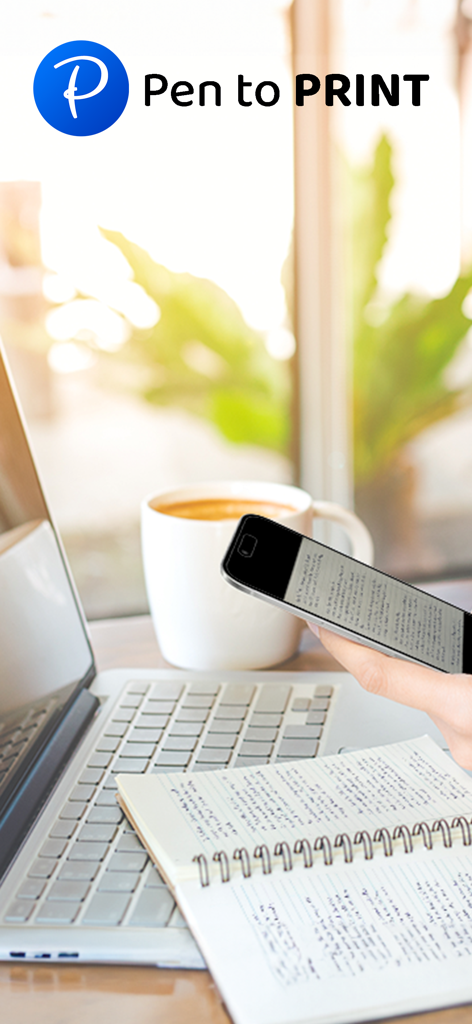
PenToPrint Handwriting to PDF - 노트북의 필기 노트를 스캔하기 위해 스마트폰을 사용하는 사람, 옆에는 노트북과 커피가 있습니다.
노트북의 필기 노트를 스캔하기 위해 스마트폰을 사용하는 사람, 옆에는 노트북과 커피가 있습니다.

PenToPrint Handwriting to PDF - 휴대폰 화면에 디지털 텍스트 줄로 변환된 필기 노트가 표시되는 PenToPrint 앱 인터페이스
휴대폰 화면에 디지털 텍스트 줄로 변환된 필기 노트가 표시되는 PenToPrint 앱 인터페이스

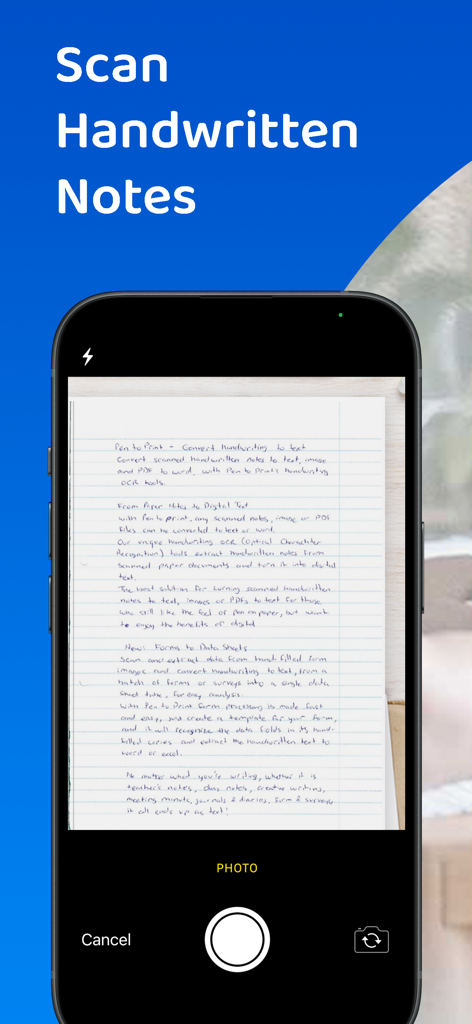
PenToPrint Handwriting to PDF - PenToPrint 앱으로 노트북의 필기 노트를 스캔하는 스마트폰

PenToPrint 앱으로 노트북의 필기 노트를 스캔하는 스마트폰

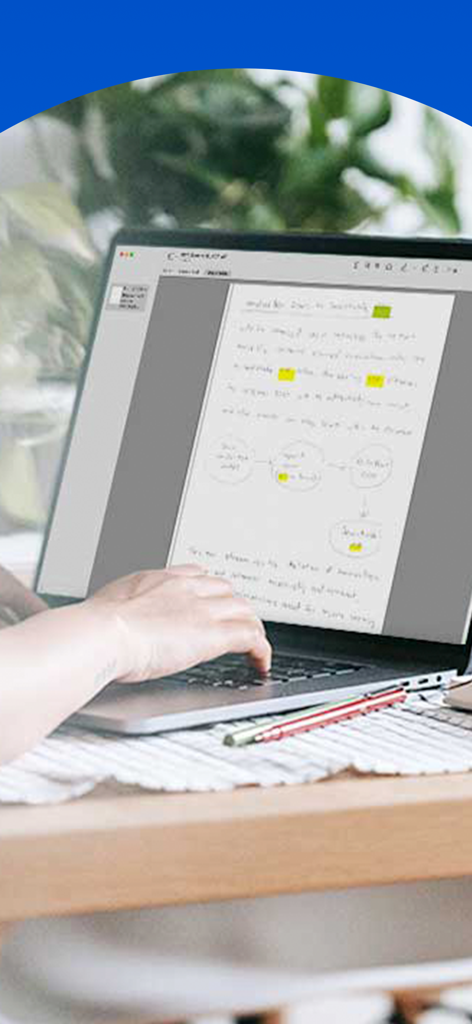
PenToPrint Handwriting to PDF - 하이라이트 및 다이어그램이 포함된 디지털화된 필기 노트가 노트북 화면에 표시됨
하이라이트 및 다이어그램이 포함된 디지털화된 필기 노트가 노트북 화면에 표시됨

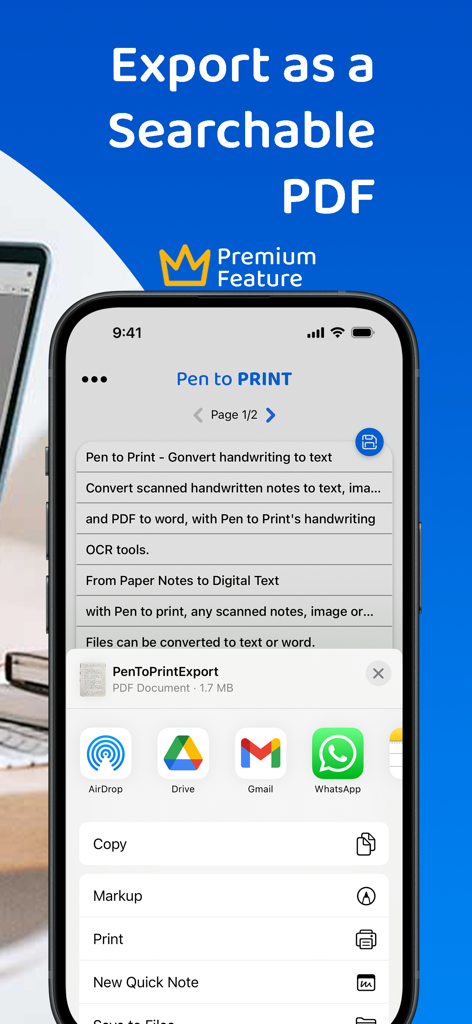
PenToPrint Handwriting to PDF - iPhone 화면에 PenToPrint 앱이 표시되고 공유 메뉴가 열려 필기 문서를 검색 가능한 PDF로 내보냅니다.
iPhone 화면에 PenToPrint 앱이 표시되고 공유 메뉴가 열려 필기 문서를 검색 가능한 PDF로 내보냅니다.

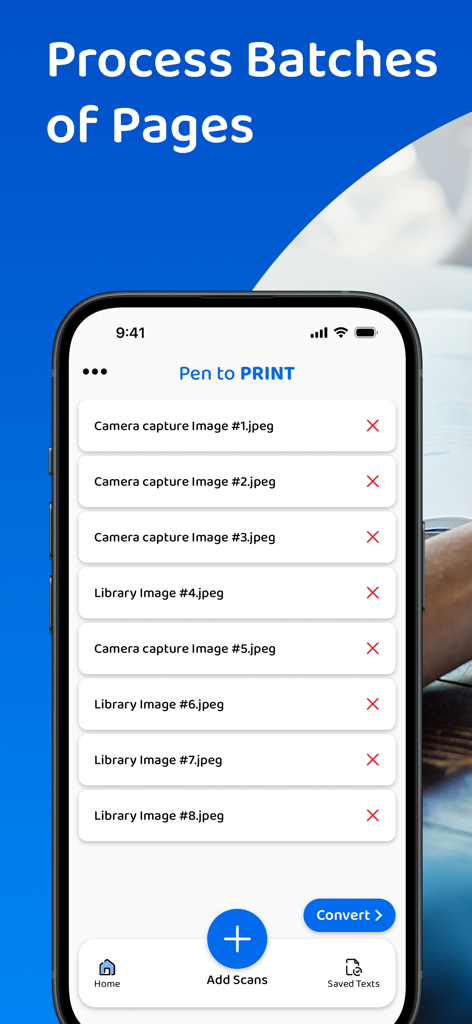
PenToPrint Handwriting to PDF - PDF로 변환하기 위해 배치 처리할 여러 스캔 이미지 목록을 보여주는 PenToPrint 앱의 모바일 인터페이스.

PDF로 변환하기 위해 배치 처리할 여러 스캔 이미지 목록을 보여주는 PenToPrint 앱의 모바일 인터페이스.

PenToPrint Handwriting to PDF - 검색 가능한 PDF로 디지털 변환하기 위해 노트북에서 필기 노트를 스캔하는 데 스마트폰을 사용하는 사람.
검색 가능한 PDF로 디지털 변환하기 위해 노트북에서 필기 노트를 스캔하는 데 스마트폰을 사용하는 사람.

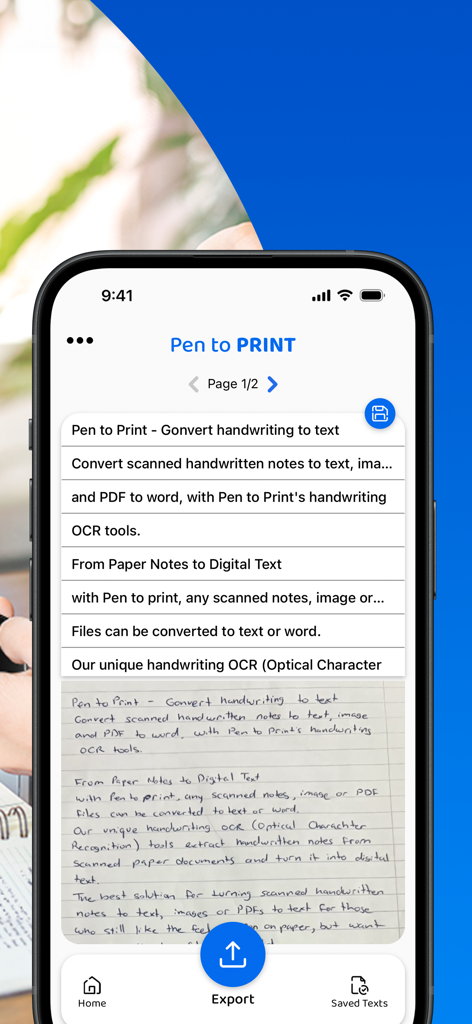
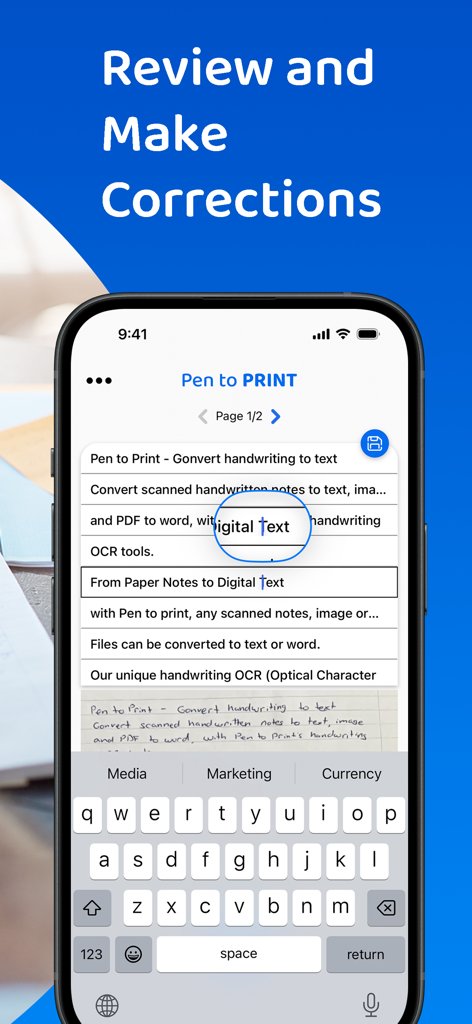
PenToPrint Handwriting to PDF - 디지털 텍스트로 변환된 필기 노트를 검토하고 수정하기 위한 인터페이스

디지털 텍스트로 변환된 필기 노트를 검토하고 수정하기 위한 인터페이스

설명

Pen to Print - Convert scanned handwritten images to PDF and make your notes searchable. Pen to Print's Searchable PDF maker is designed to effortlessly transform scanned handwritten notes to a searchable PDF using OCR. It easily converts scanned images into fully searchable PDF documents, digitizing the scanned handwriting to text. Its advanced OCR technology, accurately recognizes and converts handwriting to text, enabling users to easily transform their scanned images to PDF and allow them to search, highlight, and extract information from their scanned handwritten notes. This OCR app preserves the authenticity of scanned handwritten notes with its original layout and unique handwriting, while providing the convenience of digital search capabilities, making a huge leap in the efficiency of document management with a quick and easy access to relevant information within the converted texts. The Pen to Print searchable PDF maker offers many advantages, transforming the way users interact with handwritten content. One of its key strengths lies in the significant time efficiency it brings to document management. By converting handwritten images to PDF with the precision of Pen to Print’s OCR technology, users can swiftly locate specific information within the handwritten text, eliminating the need for laborious manual searches. Enhanced accessibility is another notable advantage, allowing users to access their documents from any device at any time, fostering flexibility in a fast-paced digital environment. The preservation of scanned handwritten notes, from image to PDF, in a searchable format, strikes a harmonious balance between tradition and modern efficiency, and boosts productivity while preserving the authenticity of the original handwritten scanned notes. We welcome all feedback and are always happy to hear from our users. If you like our app, an app review will be well appreciated :-) If you encounter a problem, please contact us at: contact@serendi.me, so we can provide you assistance and support. For more information and online OCR tools, visit our website: https://www.pen-to-print.com Download Pen to Print now, and start converting your handwriting to text! The Yearly Plan and Monthly Plan are auto-renewing subscriptions, providing an unlimited amount of text exports for a year/a month respectively, therefore: Payment will be charged to iTunes Account at confirmation of purchase. Subscription automatically renews unless auto-renew is turned off at least 24 hours before the end of the current period. Account will be charged for renewal within 24 hours prior to the end of the current period, and identify the cost of the renewal. Subscriptions may be managed by the user and auto-renewal may be turned off by going to the user's Account Settings after purchase. Any unused portion of a free trial period, if offered, will be forfeited when the user purchases a subscription to that publication, where applicable. Check out the user terms of use at: https://www.apple.com/legal/internet-services/itunes/dev/stdeula, and our privacy policy: https://www.pen-to-print.com/privacy

Download

다운로드: App Store

이 페이지는 앱이나 개발자의 공식 페이지가 아니며, 정보 제공 및 논평을 목적으로 작성된 독립 편집 간행물입니다. 명시적으로 달리 언급되지 않는 한, 해당 앱이나 개발자는 MWM, Apple, Google Play, 앱 퍼블리셔 또는 앱 개발자와 제휴, 보증, 후원, 승인 또는 공식적으로 연결되어 있지 않으며, 이 페이지의 어떤 내용도 해당 앱이 MWM의 서비스를 사용하여 개발되었음을 의미하지 않습니다. 모든 상표, 로고, 스크린샷 및 기타 콘텐츠는 해당 소유자의 자산입니다.