Photo to PDF Convert Scanner +
다운로드: App Store

이 페이지는 앱이나 개발자의 공식 페이지가 아니며, 정보 제공 및 논평을 목적으로 작성된 독립 편집 간행물입니다. 명시적으로 달리 언급되지 않는 한, 해당 앱이나 개발자는 MWM, Apple, Google Play, 앱 퍼블리셔 또는 앱 개발자와 제휴, 보증, 후원, 승인 또는 공식적으로 연결되어 있지 않으며, 이 페이지의 어떤 내용도 해당 앱이 MWM의 서비스를 사용하여 개발되었음을 의미하지 않습니다. 모든 상표, 로고, 스크린샷 및 기타 콘텐츠는 해당 소유자의 자산입니다.


로고: Photo to PDF Convert Scanner +
다운로드: App Store

Photo to PDF Convert Scanner +

이 앱은 당신의 폰을 디지털 문서 전장으로 변모시킵니다. 빠르고 강력한 스캔 능력을 손 안에 쥐게 합니다.

주요 수치

다운로드

5M+

사용자 평점

4.6/5

총 평가 수

26.4K

개발사

JatApp LLC

카테고리

Business

지원 언어

14

최신 버전

3.8.0

크기

113.3 MB

출시일

2020년 2월 4일
기능

모바일 문서 관리 및 생산성을 위한 핵심 기능 탐색

앱 'Photo to PDF Convert Scanner +' 심층 분석

빠른 스캔 및 고품질 변환

이 앱은 다양한 문서를 신속하게 스캔하고 TXT, PDF, JPEG 등 널리 사용되는 형식으로 변환할 수 있도록 지원합니다. 사용자는 여러 페이지를 스캔하여 하나의 문서로 병합하고, 색상 및 원근 보정을 통해 고품질 이미지를 얻을 수 있습니다.

최대 보안 기능

이 도구는 전자 서명, 워터마크, FACE ID 및 PIN과 같은 추가 보안 기능을 통해 문서의 안전성을 강화합니다. 사용자의 민감한 정보를 보호하고 기밀을 유지하는 데 기여합니다.

효율적인 텍스트 변환 및 인식 (OCR)

이 앱은 이미지에서 텍스트를 거의 완벽하게 추출하여 텍스트 형식으로 변환할 수 있게 해줍니다. OCR 기술을 활용하여 스캔한 자료에서 텍스트를 효과적으로 추출하고, 글꼴, 색상, 크기 등을 설정하여 편집할 수 있습니다.

다음 스크린샷과 설명은 앱의 공식 스토어 목록에서 직접 가져온 것이며 앱 개발자의 자산입니다.

앱 스토어

스크린샷

Photo to PDF Convert Scanner + - 사용자는 모바일 기기에서 'Board Meeting Agenda'와 같은 문서를 스캔하고, 문서 내의 특정 섹션이 시각적으로 강조 표시되는 것을 확인할 수 있습니다.

사용자는 모바일 기기에서 'Board Meeting Agenda'와 같은 문서를 스캔하고, 문서 내의 특정 섹션이 시각적으로 강조 표시되는 것을 확인할 수 있습니다.

빠른 문서 스캔

Photo to PDF Convert Scanner + - 사용자는 물리적인 청구서 문서를 스캔하는 과정을 볼 수 있으며, 스캔된 문서의 미리보기가 휴대폰 화면에 선명하게 표시됩니다.

사용자는 물리적인 청구서 문서를 스캔하는 과정을 볼 수 있으며, 스캔된 문서의 미리보기가 휴대폰 화면에 선명하게 표시됩니다.

간편한 문서 변환

Photo to PDF Convert Scanner + - 사용자는 상품 바코드를 스캔하여 'Tom Ford Lost Cherry Perfume'의 상세 정보와 함께, 여러 판매처의 가격이 목록으로 제공되는 것을 확인할 수 있습니다.

사용자는 상품 바코드를 스캔하여 'Tom Ford Lost Cherry Perfume'의 상세 정보와 함께, 여러 판매처의 가격이 목록으로 제공되는 것을 확인할 수 있습니다.

바코드 스캔

Photo to PDF Convert Scanner + - 사용자는 의료 문서와 같은 PDF 파일에 전자 서명을 추가할 수 있으며, 하단 도구 모음에서 OCR, 서명, 내보내기, 편집, 삭제 등 다양한 옵션을 활용할 수 있습니다.

사용자는 의료 문서와 같은 PDF 파일에 전자 서명을 추가할 수 있으며, 하단 도구 모음에서 OCR, 서명, 내보내기, 편집, 삭제 등 다양한 옵션을 활용할 수 있습니다.

PDF 편집 및 서명

Photo to PDF Convert Scanner + - 사용자는 스캔된 페이지에서 특정 텍스트 단락을 추출할 수 있으며, 추출된 텍스트를 수정하기 위한 온스크린 키보드가 표시됩니다.

사용자는 스캔된 페이지에서 특정 텍스트 단락을 추출할 수 있으며, 추출된 텍스트를 수정하기 위한 온스크린 키보드가 표시됩니다.

텍스트 추출 및 편집
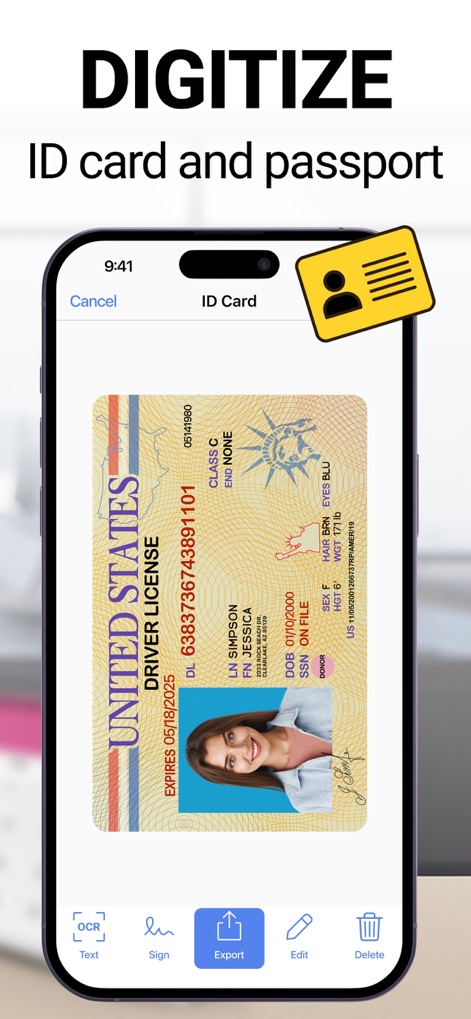
Photo to PDF Convert Scanner + - 사용자는 미국 운전면허증과 같은 신분증을 스캔하여 디지털화할 수 있으며, 하단의 OCR, 서명, 내보내기 등의 기능에 접근할 수 있습니다.

사용자는 미국 운전면허증과 같은 신분증을 스캔하여 디지털화할 수 있으며, 하단의 OCR, 서명, 내보내기 등의 기능에 접근할 수 있습니다.

신분증 디지털화

Photo to PDF Convert Scanner + - 사용자는 스캔된 인보이스 문서를 다른 사람들과 공유할 수 있으며, Google Disk, Gmail, WhatsApp, iCloud와 같은 다양한 공유 채널을 활용할 수 있습니다.

사용자는 스캔된 인보이스 문서를 다른 사람들과 공유할 수 있으며, Google Disk, Gmail, WhatsApp, iCloud와 같은 다양한 공유 채널을 활용할 수 있습니다.

문서 공유

Photo to PDF Convert Scanner + - 사용자는 앱을 통해 벽에 걸린 그림의 가로 및 세로 길이를 측정할 수 있으며, 측정된 '90cm'와 '140cm' 값이 화면에 표시됩니다.

사용자는 앱을 통해 벽에 걸린 그림의 가로 및 세로 길이를 측정할 수 있으며, 측정된 '90cm'와 '140cm' 값이 화면에 표시됩니다.

AR 측정 도구

설명

Want to boost your productivity thanks to using your phone at hand? Use a quick and effective scan app to process and save all documents you find necessary. Making your phone a small office is a possible thing with our document scanner app. Anytime and anywhere you may get quality images using your mobile scanner device only. ● Quick scanning You may easily scan any document and convert that to the most popular formats, like TXT, PDF, and JPEG. Do you have IDs, passports, bills, receipts, and other documents to scan? It is an easy thing to scan any document you have and get an instant result shortly. Quality scanning is ensured along with the quick processing mode also. The highest quality images will be available after scanning quickly. Color and perspective correction will be ensured also with powerful scanner. Make it convenient to scan quality multiple pages and join those in a single document using our PDF scanner app. ● Effective text conversion and recognition It will be nearly effortless to convert any text into an image in a couple of seconds only. Forget about wasting time rewriting a text. This scanner app will help you with picking any single part of an image with text and converting it into a textual format easily. Using OCR will enable quick and effective extraction of any piece of text from your scanned material. Edit the extracted text sample using your preferred settings, like fonts, colors, sizes, and other features. ● Good object ruler and counter Using your camera to count similar objects will become easier with our tool. What about measuring, calculating the total room area and measuring the length of any object? ● Effective file management We have an advanced file management system with the available folders, tags, and many other features. You may easily navigate between different view models. Choosing and changing file names is also effortless using our scan app. ● Quick document sharing Share any scanned file you have processed or obtained using our scanner app for iPhone. Print your scanned docs using Wi-Fi printers. Send all materials via email swiftly. ● Storage ensured Our best scanner app for iPhone is free and enables quick access to all exported or scanned documents. Any third party will not access your directory and the probable loss of the Internet connection will not have any impact on your access to this directory with scanned content also. Everything will be available to you anytime you may need that. ● Maximal safety Our PDF scanner is distinct from all other scan apps for iPhone. Make your docs more secure using extra features, like e-signature, watermarks, FACE ID, and PIN. Download scanner app and take the maximum of it. Scan, recognize, convert, edit, store, secure, and enjoy your pocket scanner. The subscription price is 6.99$ per week. The exact cost may vary depending on your location. - Subscription to scanner app automatically renews unless auto-renew is turned off at least 24-hours before the end of the current period. - Subscriptions may be managed by the user and auto-renewal may be turned off by going to the user's Account Settings after purchase. - Payment will be charged to iTunes Account at confirmation of purchase. - Account will be charged for renewal within 24 hours prior to the end of the current period. The cost depends on the selected plan. - Should the user choose to renew prior to the end of a free trial, any remaining time will be forfeited and replaced by the purchased subscription period. - During the active subscription period, cancellation of the current subscription will not be possible. – Subscriptions may be managed by the user and auto-renewal may be turned off by going to the user’s Account Settings after purchase Links to our Terms of Service and Privacy Policy can be found below: https://myscannerapp.net/privacy/ https://myscannerapp.net/terms_of_use/

Download

다운로드: App Store

이 페이지는 앱이나 개발자의 공식 페이지가 아니며, 정보 제공 및 논평을 목적으로 작성된 독립 편집 간행물입니다. 명시적으로 달리 언급되지 않는 한, 해당 앱이나 개발자는 MWM, Apple, Google Play, 앱 퍼블리셔 또는 앱 개발자와 제휴, 보증, 후원, 승인 또는 공식적으로 연결되어 있지 않으며, 이 페이지의 어떤 내용도 해당 앱이 MWM의 서비스를 사용하여 개발되었음을 의미하지 않습니다. 모든 상표, 로고, 스크린샷 및 기타 콘텐츠는 해당 소유자의 자산입니다.








