이 페이지는 앱이나 개발자의 공식 페이지가 아니며, 정보 제공 및 논평을 목적으로 작성된 독립 편집 간행물입니다. 명시적으로 달리 언급되지 않는 한, 해당 앱이나 개발자는 MWM, Apple, Google Play, 앱 퍼블리셔 또는 앱 개발자와 제휴, 보증, 후원, 승인 또는 공식적으로 연결되어 있지 않으며, 이 페이지의 어떤 내용도 해당 앱이 MWM의 서비스를 사용하여 개발되었음을 의미하지 않습니다. 모든 상표, 로고, 스크린샷 및 기타 콘텐츠는 해당 소유자의 자산입니다.
Photo to PDF Converter Doc
계약서, 영수증, 사진을 고품질 검색 가능한 PDF로 변환하세요. 암호 보호로 파일을 안전하게 보관하고 전문가 수준의 명확성으로 이동 중에 디지털 생활을 관리하세요.
주요 수치
다운로드
44K+
사용자 평점
4.8/5
총 평가 수
800
개발사
Zipo Apps Ltd.
카테고리
Utilities
지원 언어
1
최신 버전
1.60.0
크기
236.6 MB
출시일
2023년 10월 2일
기능
손끝에서 펼쳐지는 효율성
iPhone을 고성능 스캐너로 바꿔 중요한 문서를 순식간에 디지털화, 보안, 정리하세요.
프로급 스캔
고급 가장자리 감지 및 자동 보정 기능으로 스캔본을 선명하고 전문적으로 만들어 부피가 큰 사무용 장비를 대체합니다.
스마트 OCR 텍스트 추출
이미지를 검색 가능하고 편집 가능한 텍스트로 즉시 변환합니다. 계약서, 교과서, 영수증에서 데이터를 추출하는 데 완벽합니다.
다음 스크린샷과 설명은 앱의 공식 스토어 목록에서 직접 가져온 것이며 앱 개발자의 자산입니다.
앱 스토어
스크린샷
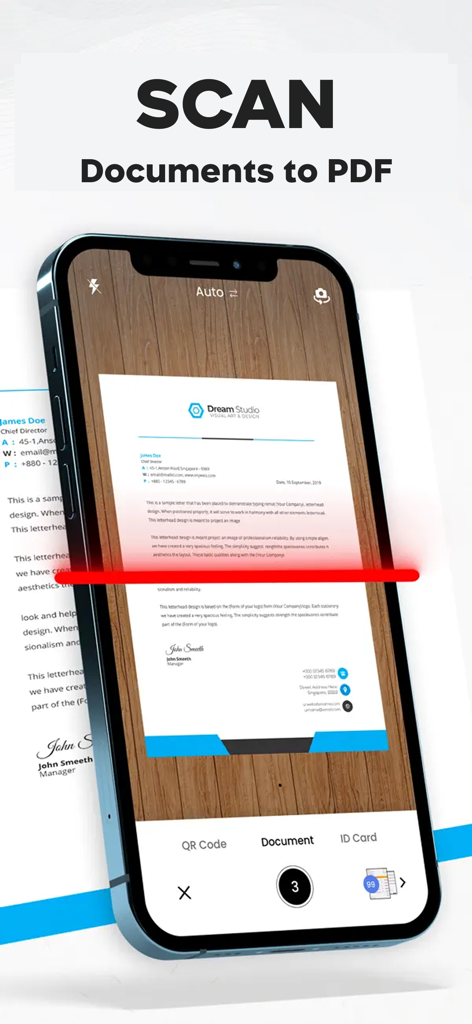
iPhone 화면에 Do Scan 앱을 사용하여 문서를 스캔하고 PDF로 변환하는 모습
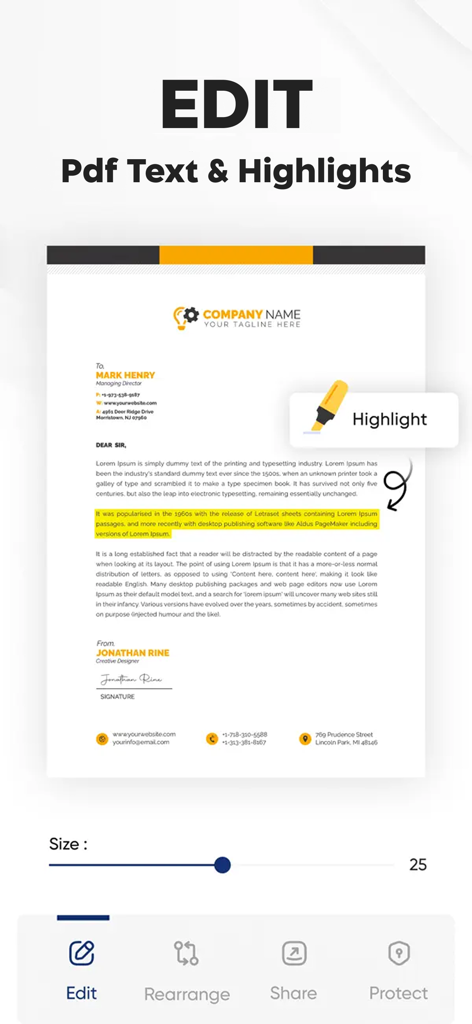
PDF 문서에서 텍스트 편집 및 강조 표시 기능을 보여주는 모바일 앱 인터페이스.
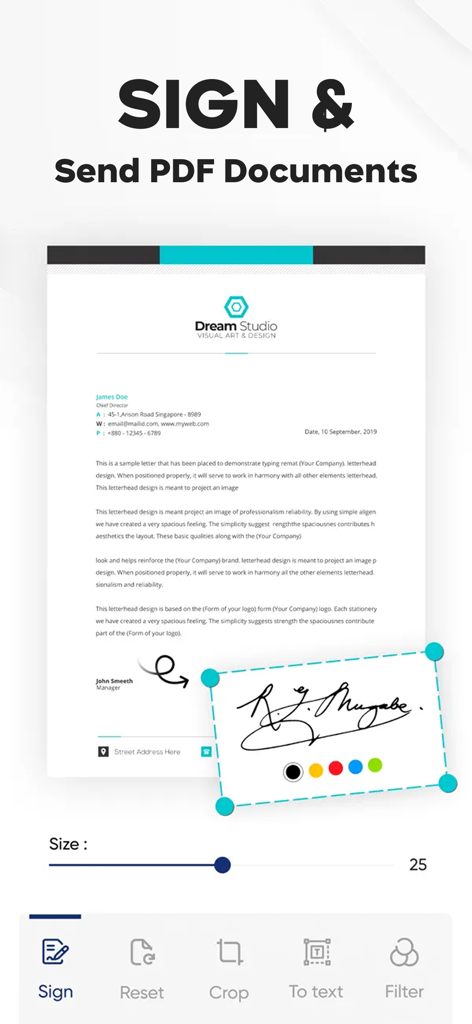
PDF 문서에 디지털 서명을 추가하는 모습을 보여주는 모바일 인터페이스
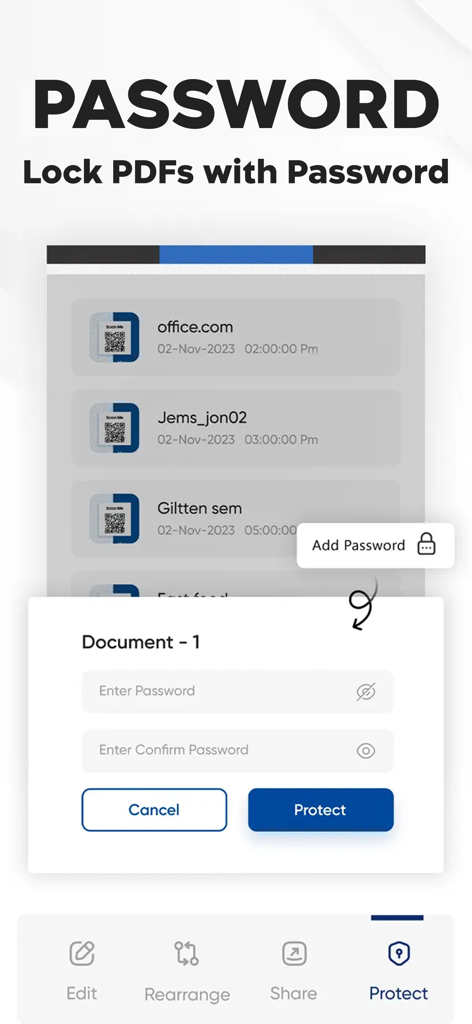
모바일 앱 인터페이스에서 안전한 암호로 PDF 문서 잠금 옵션을 보여줌
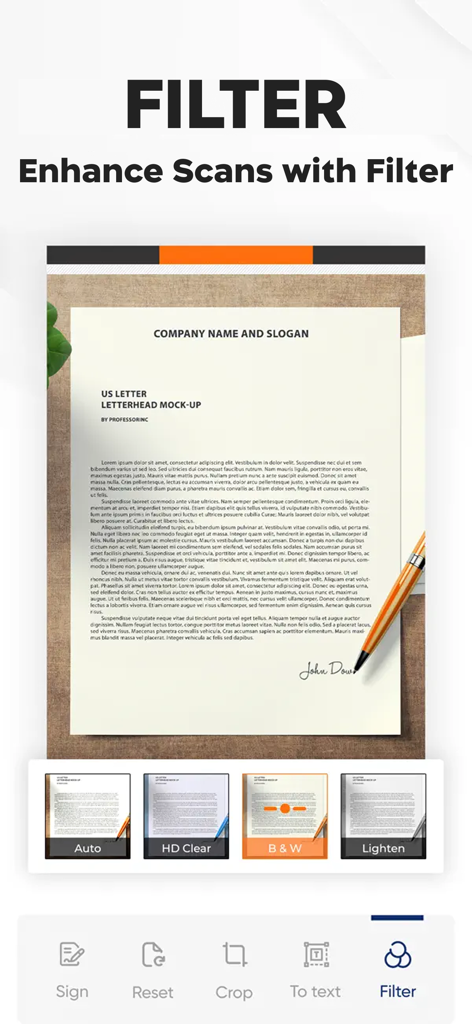
모바일 스캐너 앱 인터페이스에 문서 명확성 향상을 위한 다양한 필터 옵션 표시
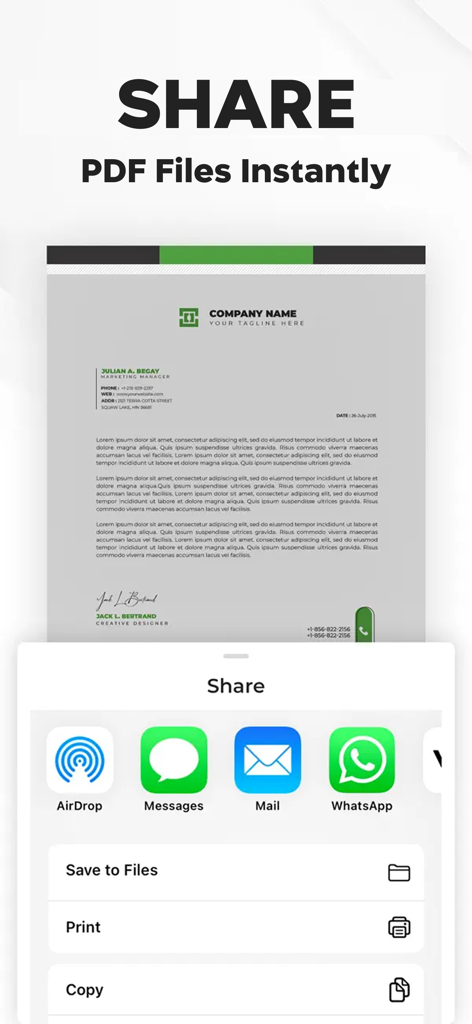
디지털화된 문서에 대해 AirDrop, 메시지, 메일, WhatsApp을 포함한 PDF 공유 옵션을 보여주는 인터페이스.
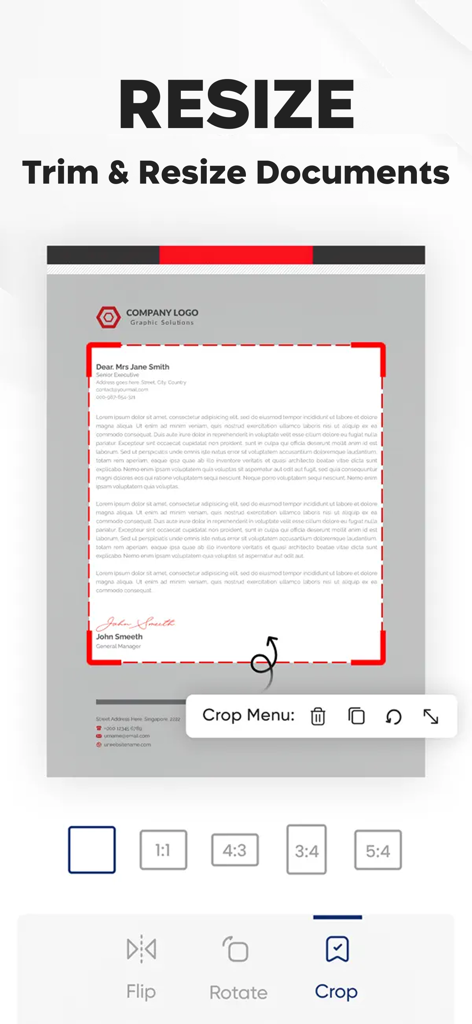
Photo to PDF Converter 앱의 인터페이스에 문서의 크기 조정 및 자르기 도구 표시
설명
Document Scanner is an all-in-one scanner app that turns your iPhone or iPad into a versatile portable scanner, allowing you to effortlessly transform paper documents, images, receipts, and more into digital form. This free scanner app is designed to replace bulky traditional scanners, offering a convenient and efficient solution for digitizing, editing, storing, and sharing documents on the go.
Key Features:
Document Scanning: Utilize your device's camera as a high-quality scanner to capture sharp, precise, and clear scans of any document. Do Scan advanced scanner technology includes real-time edge detection and image enhancement, making it your go-to scanner app for professional-grade scanning tasks.
Photo Scan: The app's photo scan capability enables you to convert your physical photographs into high-resolution digital images, preserving your memories in a digital format that's easy to store and share.
PDF-Converter: With Do Scan, converting your scans into PDFs is seamless. This PDF converter feature allows you to transform scanned documents, images, and photo scans into PDF files, making document management and sharing more streamlined than ever.
Multi-Page PDFs:Effortlessly scan and compile multiple pages into a single PDF document. This functionality is especially useful for creating digital copies of multi-page documents like contracts, reports, or presentations.
OCR Technology: The app's OCR feature extracts text from your scans, turning your documents into searchable and editable text. This enhances the app's utility by simplifying the management and editing of your digital documents.
Image to PDF: Beyond traditional document scans, Do Scan offers an image to PDF feature that allows you to convert any image file into a PDF document, providing additional flexibility in how you manage and distribute your digital content.
Enhanced Image Processing: Leveraging state-of-the-art image processing, this scanner app ensures that every scan is perfectly clear and readable. Automatic cropping, edge detection, and perspective correction are just some of the features that guarantee top-notch scan quality.
File Organization: This free scanner app also includes comprehensive file organization tools, enabling you to neatly arrange your scans with custom names, tags, and categories for quick and easy access.
Document Protection:Secure your sensitive information with Do Scan document protection features, including password-protected PDFs, to keep your confidential documents safe.
Editing Tools, Offline Access, Batch Scanning, and Auto-Enhancements: With a suite of editing tools, offline access for anytime editing, batch scanning for efficiency, and automatic crop and enhance features, Do Scan stands out as a comprehensive scanner app free for users seeking a powerful document management solution.
Do Scan: Document Scanner is the ultimate scanner app free for those looking to scan, convert, and manage documents with ease. Whether you need a photo scan, a PDF-converter, an Photo to PDF tool, or a versatile document scanner, Do Scan has you covered. Download the app today and transform your device into a powerful, free scanner that meets all your document digitization needs.
If you subscribe to Do Scan: Document Scanner via iTunes, payment will be charged to your iTunes Account at confirmation of purchase and your membership will automatically renew unless turned off at least 24 hours before the end of the current period. Subscription will be renewed within 24-hours before the end of each period at the rate of your selected plan. Turn off auto-renewal anytime through iTunes.
Privacy Policy: https://zipoapps.com/pdfconverterios/privacy/
Terms & Conditions: https://zipoapps.com/pdfconverterios/terms/
이 페이지는 앱이나 개발자의 공식 페이지가 아니며, 정보 제공 및 논평을 목적으로 작성된 독립 편집 간행물입니다. 명시적으로 달리 언급되지 않는 한, 해당 앱이나 개발자는 MWM, Apple, Google Play, 앱 퍼블리셔 또는 앱 개발자와 제휴, 보증, 후원, 승인 또는 공식적으로 연결되어 있지 않으며, 이 페이지의 어떤 내용도 해당 앱이 MWM의 서비스를 사용하여 개발되었음을 의미하지 않습니다. 모든 상표, 로고, 스크린샷 및 기타 콘텐츠는 해당 소유자의 자산입니다.