이 페이지는 앱이나 개발자의 공식 페이지가 아니며, 정보 제공 및 논평을 목적으로 작성된 독립 편집 간행물입니다. 명시적으로 달리 언급되지 않는 한, 해당 앱이나 개발자는 MWM, Apple, Google Play, 앱 퍼블리셔 또는 앱 개발자와 제휴, 보증, 후원, 승인 또는 공식적으로 연결되어 있지 않으며, 이 페이지의 어떤 내용도 해당 앱이 MWM의 서비스를 사용하여 개발되었음을 의미하지 않습니다. 모든 상표, 로고, 스크린샷 및 기타 콘텐츠는 해당 소유자의 자산입니다.
Planimeter GPS Area Measure
농부, 계약자, 측량사가 모바일 장치에서 직접 정확하게 에이커를 계산하고, 둘레를 지도에 표시하고, 거리를 추적할 수 있는 필수 도구입니다.
주요 수치
다운로드
181K+
사용자 평점
4.2/5
총 평가 수
900
개발사
VisTech.Projects LLC
카테고리
Productivity
지원 언어
1
최신 버전
2.1.17
크기
29.7 MB
출시일
2014년 7월 23일
기능
전문적인 토지 및 현장 측정
현장에서 효율성을 위해 맞춤 제작된 전문가 수준의 GPS 도구를 사용하여 농업, 건설 및 부동산에 대한 면적, 거리 및 둘레를 정확하게 계산합니다.
실시간 GPS 측량
모든 토지 구획의 둘레를 걷거나 운전하여 고정밀 추적을 통해 정확한 경계와 면적을 즉시 캡처합니다.
원격 위성 계획
현장에 가지 않고도 고해상도 이미지를 직접 사용하여 태양광 설치를 위한 지붕 면적을 추정하거나 조경 디자인을 계획합니다.
다음 스크린샷과 설명은 앱의 공식 스토어 목록에서 직접 가져온 것이며 앱 개발자의 자산입니다.
앱 스토어
스크린샷
Planimeter GPS 면적 측정 앱 화면에 지도와 들판의 거리 및 면적 측정용 로고와 텍스트가 표시됨
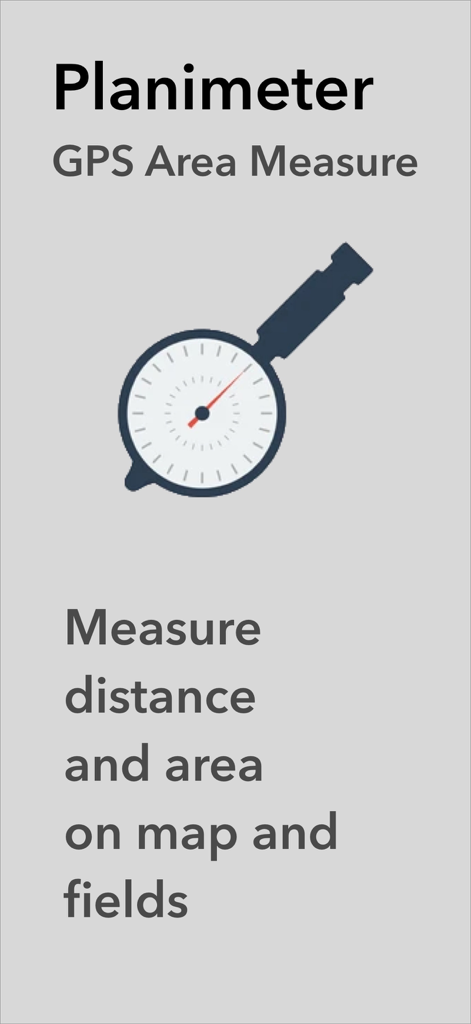
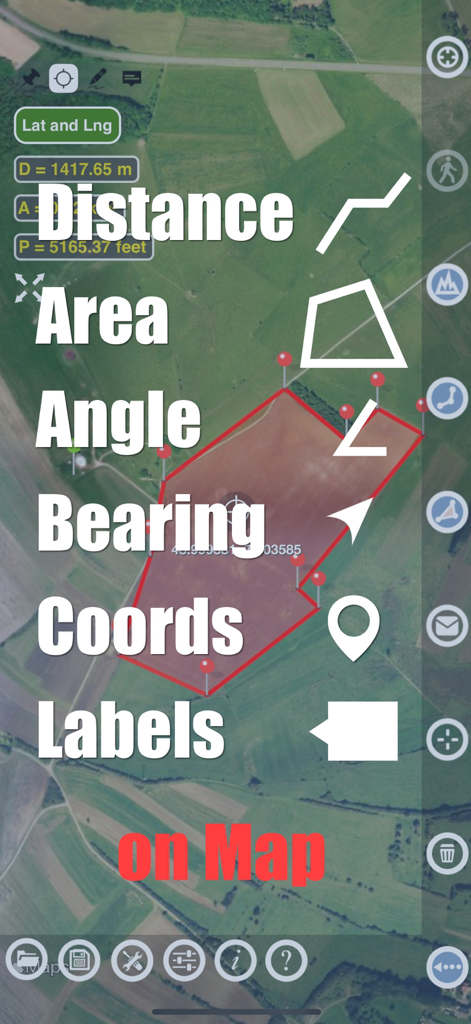
Planimeter 앱에 위성 지도에 면적 거리 및 각도 측정 기능이 표시됨
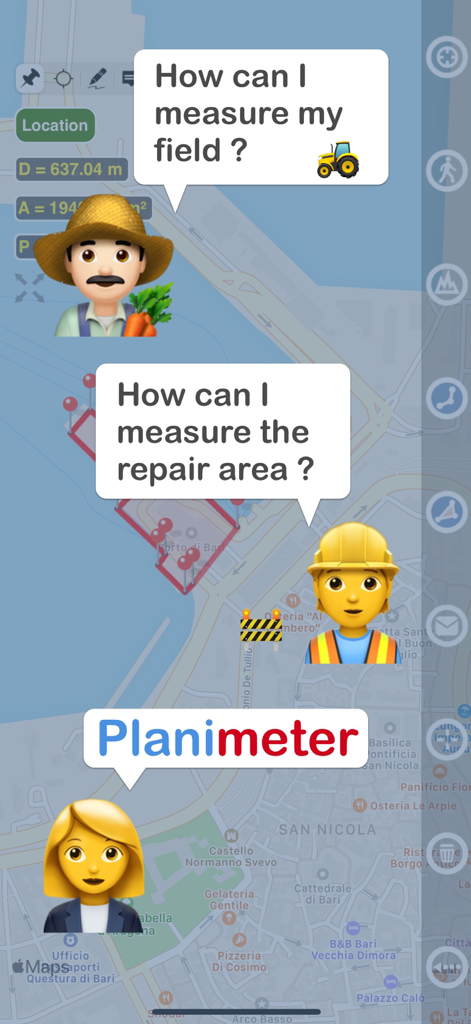
농부와 건설 작업자가 Plameter 앱으로 토지 측정 및 수리 면적 측정 방법을 묻는 그래픽 표시
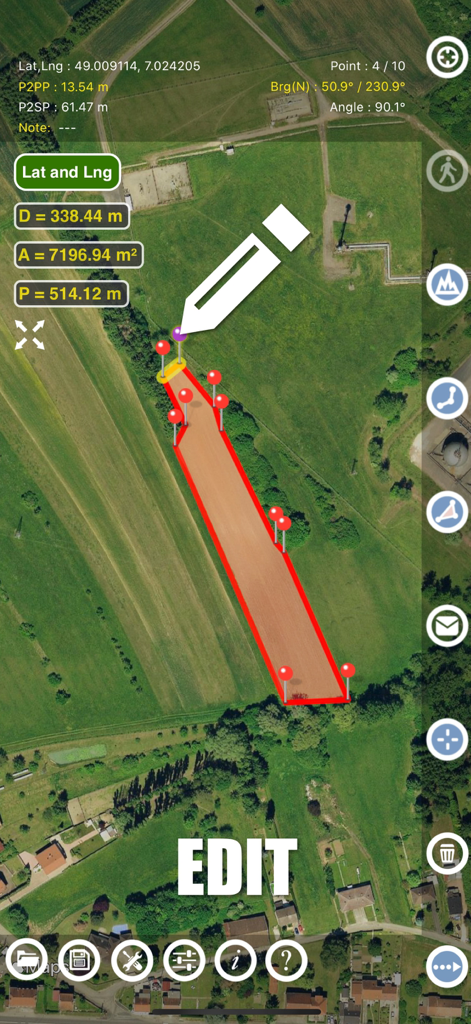
Plameter 앱 인터페이스에 위성 지도에 토지 면적 측정의 수동 편집이 표시됨
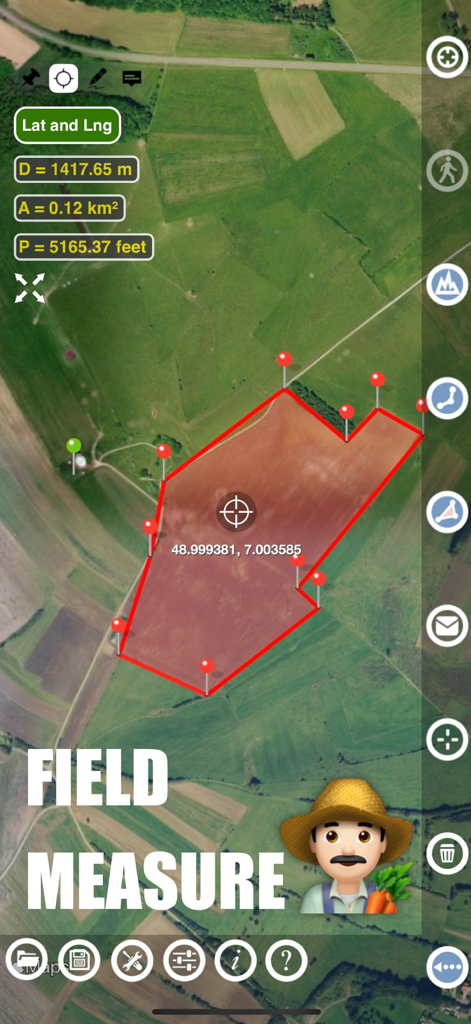
Plameter 앱 인터페이스에 위성 지도에 농장 들판 면적 및 둘레 측정 표시
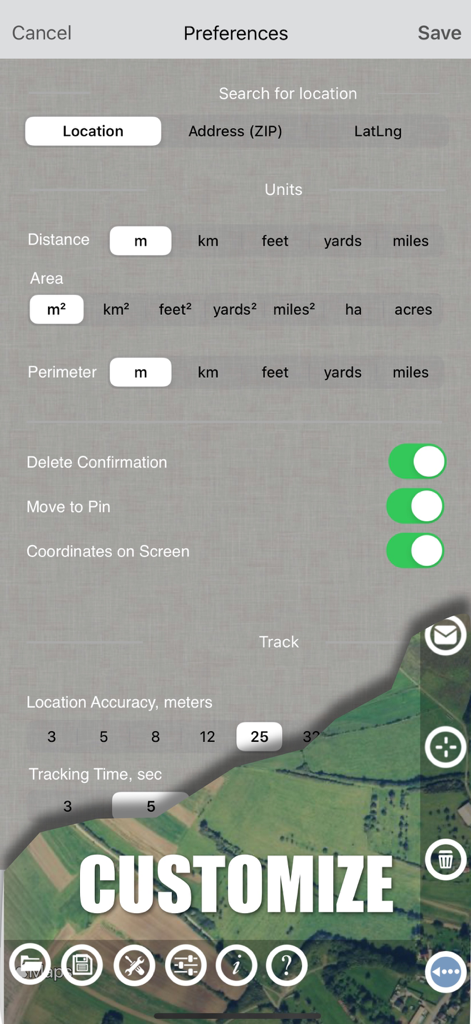
Plameter 앱 설정 화면에 측정 단위 옵션 및 GPS 추적 기본 설정 표시
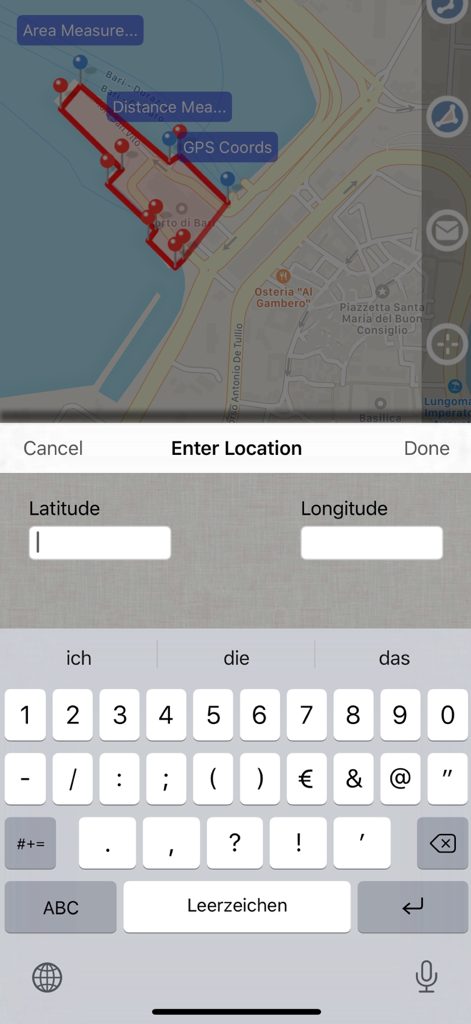
Plameter GPS 면적 측정 앱의 스크린샷으로 측정된 면적이 있는 지도와 위도 및 경도 좌표 데이터 입력 화면 표시
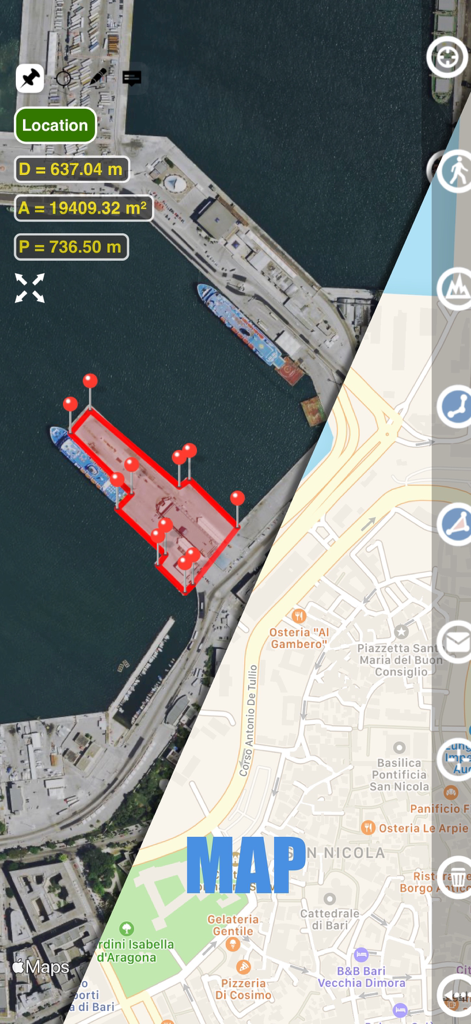
Plameter 앱 인터페이스에 항구의 면적 및 거리 측정치를 표시하는 위성 및 거리 지도 보기 분할 화면 표시
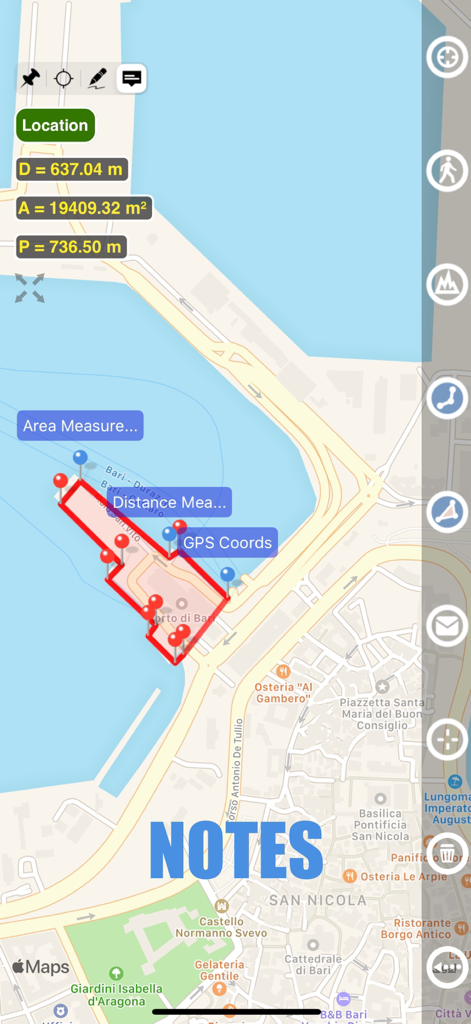
Plameter GPS 앱에서 면적 측정 및 메모 기능이 표시된 지도 보기
설명
Planimeter GPS Area Measure is a tool to measure distance, area, and perimeter on a map. You can measure manually or by GPS tracking. You can also check the bearing and geo-coordinates of your location and share them. Points can be labeled, saved, and shared in KML format.
This measurement app is useful for outdoor activities and can be used as land surveyor by amateurs and professionals in various industries like sport, farming, landscaping, paving and construction, road building and repairing, real estate business, hiking and travel, fencing, lot building and planning, solar panel installation (roof area estimation), object mapping, lawn design, and many other where land area and distance/length calculations, land survey or maps are involved.
# Features:
• Accurate distance measurements
• Metric and Imperial units (m, km, feet, yards, miles, ha, acres)
• GPS accuracy settings (if GPS available)
• Current location search
• Delete selected/last/all points
• Zoom to Fit-in and center points on a screen - quick points search
• Add points by touch
• Add the current location as a point
• Option to center the point added
• Option to show/hide lines
• Preferences: location accuracy, tracking time interval, delete points confirmation, sound option for tracking
• Separate units settings for distance, area, and perimeter.
# Premium Features (Require Subscription):
• Area calculation
• Angle between lines
• Bearings to and from the point
• Forward and backward navigation through points by touch on the Info Panel
• GPS coordinates of a point
• Manage previously saved projects: open, save, share KML files
• KML files created by Planimeter can be imported to GEarth and GMaps to view on a desktop
• Send data by email: picture, coordinates as a text message, KML file
• Save KML or TXT in local storage
• Map/Satellite View
• Zoom and Edit points
• Text (address) search
• Find the location by entering the Latitude and Longitude coordinates
• Add points by entering geo-coordinates: Lat and Lng
• Target Mode for accurate pin placement
• Show current coordinates in Target Mode
• Draw (Stylus) Mode
• Notes Mode
• Full-screen option
• GPS TRACKING
• Manual pin placement in GPS Tracking
# The app has been successfully used in different areas:
• outdoor activities: sports, golf (distance between two points or holes), bike tours, trail planning, travelling, quick path measure
• garden and yard: landscape planning, grass cutting, lawn care and mowing, fencing, grass seeding.
• agriculture, poultry, and farming: harvesting, fertilizing, crops (corn, wheat, maize, beet, etc.), planning and estimation, field area measure, paddocks and area fencing for cows, horses, chickens, rabbits, etc.
• solar energy: area estimation for solar panels, flat roof area estimation
• construction: land survey, road sealing, parking lot repairing
• Forestry: objects and tree mapping, damage area estimation, measuring land area
• other: pond size is measured; pole lines planning; movement tracking; get exact GPS coordinates of way-points; fence calculation; geocaching.
# Learn more
If you have any questions about Planimeter and its functionality, please find the How To Use Quick Guide on this page:
https://www.vistechprojects.com/vistech-projects-downloads
Video Demo:
http://youtu.be/unjYbPCIYM0
http://youtu.be/QQMilHVD5e8
# Note: Continued use of GPS in the background can significantly reduce battery life.
If you like the app and find it useful, please support us with your feedback and comments.
Feel free to contact support@vistechprojects.com with any questions, comments, or bug reports.
이 페이지는 앱이나 개발자의 공식 페이지가 아니며, 정보 제공 및 논평을 목적으로 작성된 독립 편집 간행물입니다. 명시적으로 달리 언급되지 않는 한, 해당 앱이나 개발자는 MWM, Apple, Google Play, 앱 퍼블리셔 또는 앱 개발자와 제휴, 보증, 후원, 승인 또는 공식적으로 연결되어 있지 않으며, 이 페이지의 어떤 내용도 해당 앱이 MWM의 서비스를 사용하여 개발되었음을 의미하지 않습니다. 모든 상표, 로고, 스크린샷 및 기타 콘텐츠는 해당 소유자의 자산입니다.