Scan Cam: Docs PDF Scanner App
다운로드: App Store

이 페이지는 앱이나 개발자의 공식 페이지가 아니며, 정보 제공 및 논평을 목적으로 작성된 독립 편집 간행물입니다. 명시적으로 달리 언급되지 않는 한, 해당 앱이나 개발자는 MWM, Apple, Google Play, 앱 퍼블리셔 또는 앱 개발자와 제휴, 보증, 후원, 승인 또는 공식적으로 연결되어 있지 않으며, 이 페이지의 어떤 내용도 해당 앱이 MWM의 서비스를 사용하여 개발되었음을 의미하지 않습니다. 모든 상표, 로고, 스크린샷 및 기타 콘텐츠는 해당 소유자의 자산입니다.

로고: Scan Cam: Docs PDF Scanner App
다운로드: App Store

Scan Cam: Docs PDF Scanner App

iPhone을 전문적인 스캔 파워하우스로 바꿔보세요. 스마트 자동 향상 및 안전한 저장 기능을 통해 다중 페이지 PDF를 초당 몇 페이지씩 손쉽게 스캔, 서명, 공유할 수 있습니다.

주요 수치

다운로드

1K+

사용자 평점

5.0/5

총 평가 수

0

개발사

CODEBAKER BILISIM HIZMETLERI VE TICARET LIMITED SIRKETI

카테고리

Productivity

지원 언어

30

최신 버전

1.2.3

크기

87.4 MB

출시일

2023년 9월 8일
기능

페이퍼리스(Paperless)를 위한 모든 것

iPhone을 고성능 휴대용 오피스로 바꿔보세요. 전문적인 품질로 초당 몇 페이지씩 문서를 스캔, 서명, 정리할 수 있습니다.

전문가 수준의 스마트 스캐닝

자동 자르기 및 향상 기능으로 선명한 PDF를 캡처합니다. 복잡한 계약 및 다중 페이지 보고서에 완벽합니다.

즉석 전자 서명

인쇄 없이 이동 중에도 계약서 및 NDA에 서명합니다. 단 몇 번의 탭만으로 모든 문서에 안전한 디지털 서명을 추가합니다.

다음 스크린샷과 설명은 앱의 공식 스토어 목록에서 직접 가져온 것이며 앱 개발자의 자산입니다.

앱 스토어

스크린샷
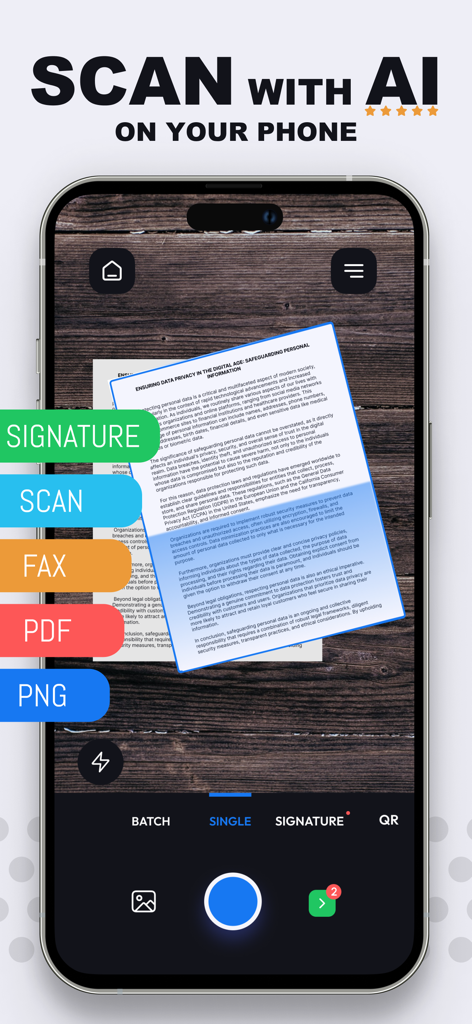
Scan Cam: Docs PDF Scanner App - 스마트폰에서 고품질 AI 문서 스캔 및 디지털 서명을 위한 Scan Cam 앱 인터페이스.
스마트폰에서 고품질 AI 문서 스캔 및 디지털 서명을 위한 Scan Cam 앱 인터페이스.

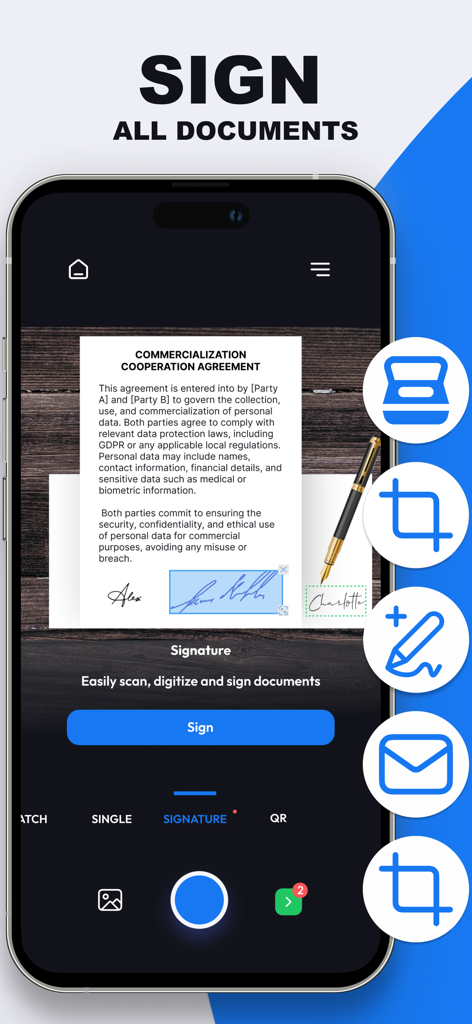
Scan Cam: Docs PDF Scanner App - Scan Cam 앱 내에서 상업용 문서에 디지털 서명이 적용되는 것을 보여주는 스마트폰 화면
Scan Cam 앱 내에서 상업용 문서에 디지털 서명이 적용되는 것을 보여주는 스마트폰 화면

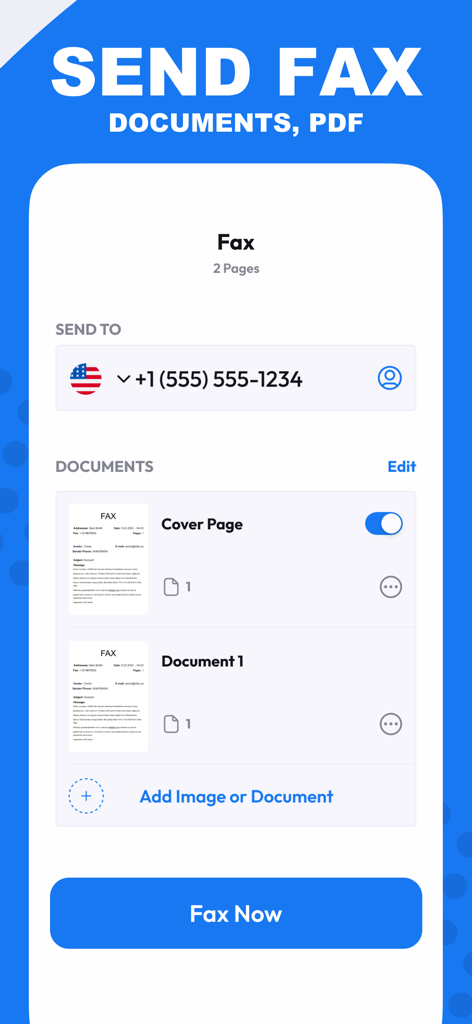
Scan Cam: Docs PDF Scanner App - 팩스로 문서 및 PDF를 보내는 Scan Cam 앱 인터페이스

팩스로 문서 및 PDF를 보내는 Scan Cam 앱 인터페이스

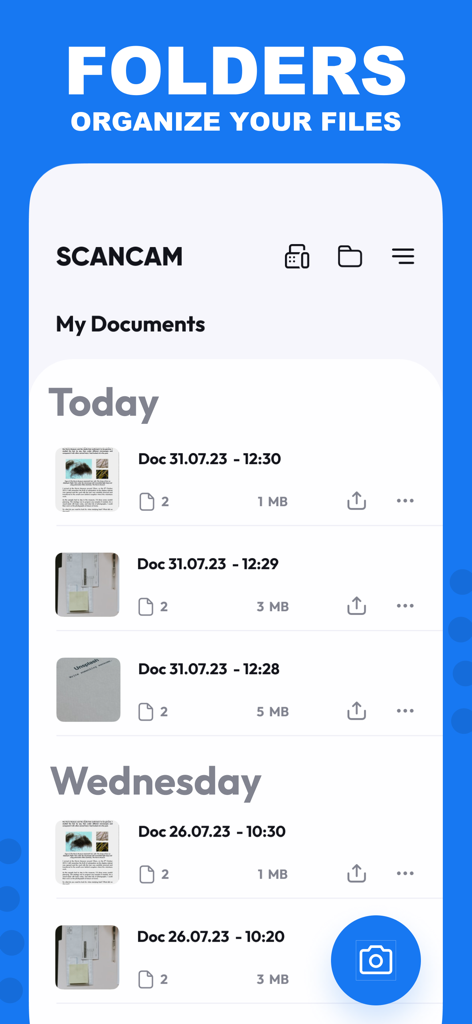
Scan Cam: Docs PDF Scanner App - Scan Cam 앱 인터페이스로 날짜별로 정렬된 정리된 PDF 문서 목록을 보여줍니다
Scan Cam 앱 인터페이스로 날짜별로 정렬된 정리된 PDF 문서 목록을 보여줍니다

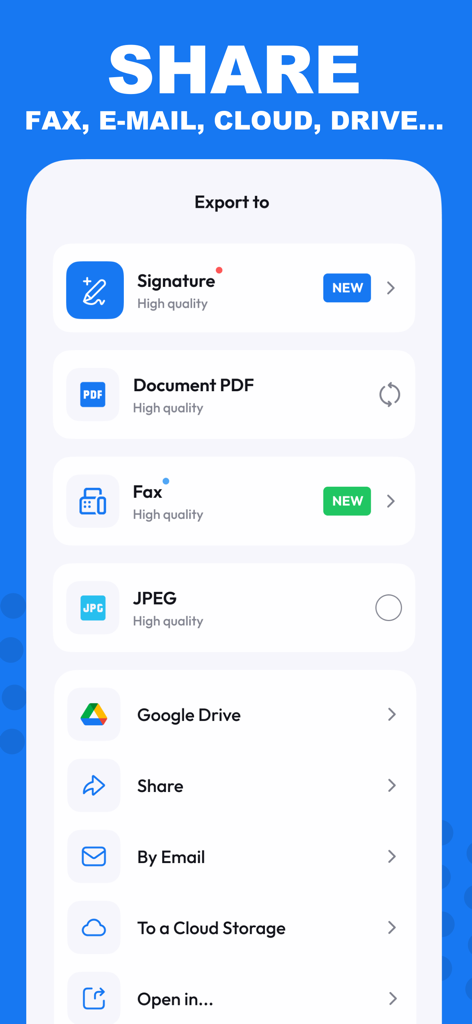
Scan Cam: Docs PDF Scanner App - 이메일 및 클라우드 서비스를 통해 PDF, JPEG로 문서를 내보내는 옵션을 표시하는 Scan Cam 앱 인터페이스
이메일 및 클라우드 서비스를 통해 PDF, JPEG로 문서를 내보내는 옵션을 표시하는 Scan Cam 앱 인터페이스

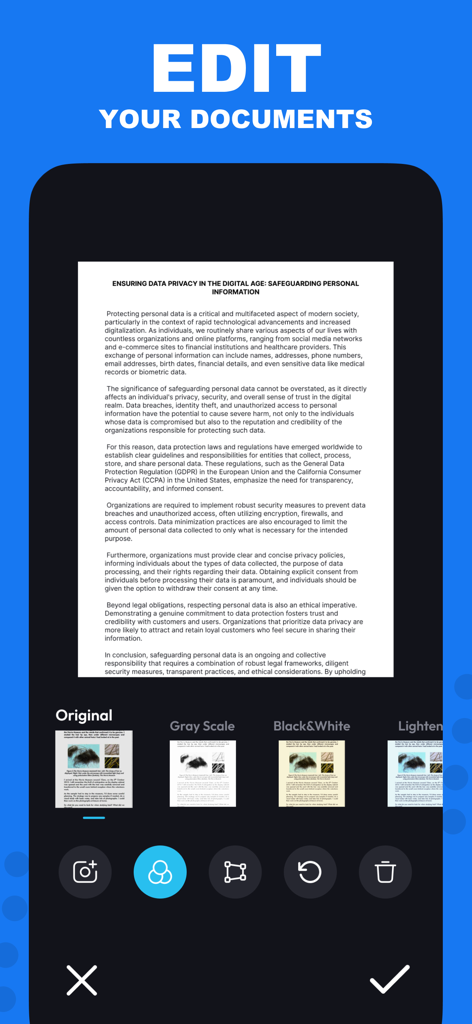
Scan Cam: Docs PDF Scanner App - Scan Cam 앱에서 문서 편집 필터를 보여주는 iPhone 인터페이스
Scan Cam 앱에서 문서 편집 필터를 보여주는 iPhone 인터페이스

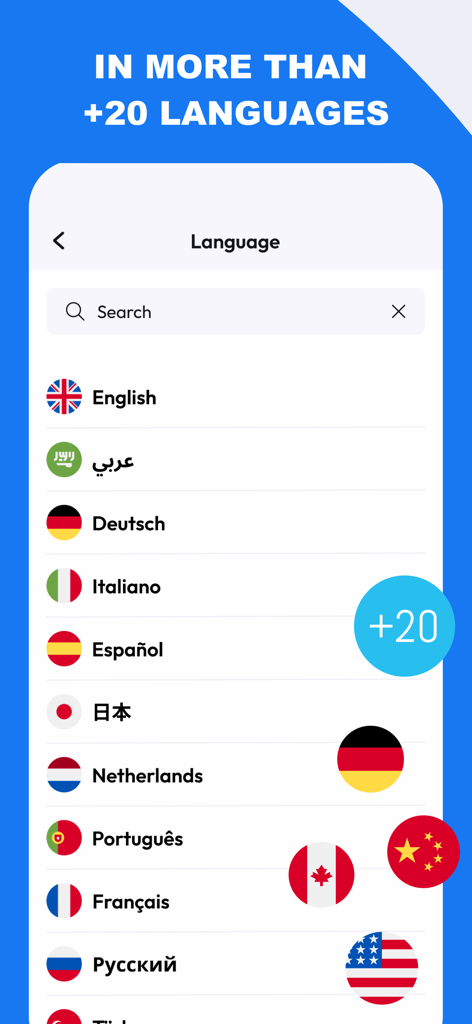
Scan Cam: Docs PDF Scanner App - 국가별 국기와 함께 20개 이상의 지원 언어 목록을 보여주는 Scan Cam 앱 화면
국가별 국기와 함께 20개 이상의 지원 언어 목록을 보여주는 Scan Cam 앱 화면

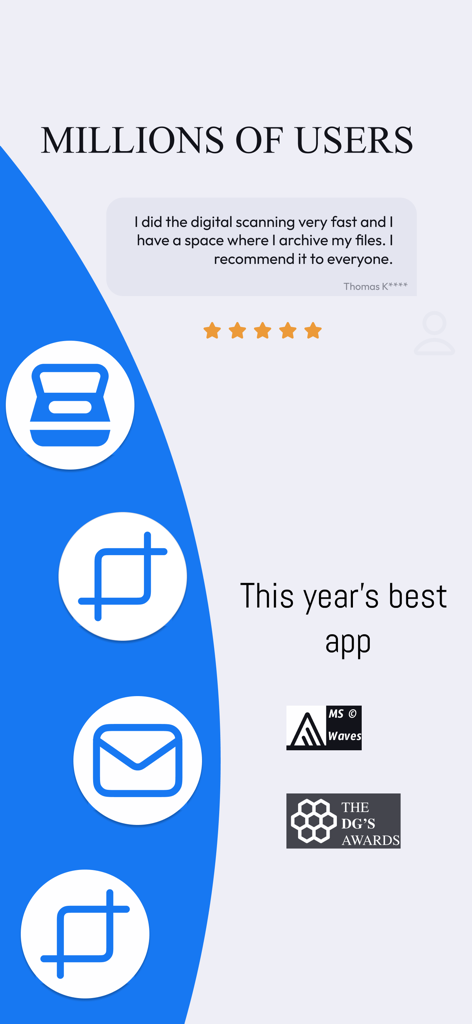
Scan Cam: Docs PDF Scanner App - Scan Cam PDF 스캐너 앱에 대한 긍정적인 사용자 리뷰 및 수상 내역

Scan Cam PDF 스캐너 앱에 대한 긍정적인 사용자 리뷰 및 수상 내역

설명

Need a handy scanner app? Give ScanCam a try! Turn your phone into an efficient scanning powerhouse with ScanCam's swift and user-friendly smart scan feature. It helps you work faster and saves you time. Download ScanCam to scan, save, edit, convert and share files in PDF and PNG formats in a flash. Why should you pick ScanCam Pro Subscription? * Fast Scanning: Scan your papers, pictures, and notes in seconds. ScanCam saves you time. * Signature: Digitally sign your documents with ease. ScanCam lets you add secure and professional signatures in seconds. * High Quality: Scan and store your papers in high resolution. ScanCam keeps your documents clear and readable without losing quality. * PDF Conversion: Turn your scanned papers into PDF files for sharing with ease. * Multi-Page Document Support: Effortlessly compile multiple scans into a single document with ScanCam, making it perfect for handling comprehensive reports, lengthy articles, and extensive contracts. * User-Friendly: ScanCam is easy to use for quick scanning. FEATURES * Fast Document Scanning This scanner app is a must-have for students and professionals alike. Scan anything you need - from receipts and contracts to paper notes and even books. You can save your scans as multi-page PDF or PNG files. * Innovative PDF Scanner Scan papers and pictures to PDF or PNG. You can even scan many pages into one document easily. * E-Signature Effortlessly add your digital signature to documents with ScanCam. Sign contracts, forms, and paperwork securely in just a few taps—no printing required. * Best Scan Quality Smart cropping and auto-enhancement make sure your scans are sharp and colourful, with top quality. * Easy Document Sharing Share documents in PDF or PNG on social media, in email attachments, or download links. You can print PDF files like contracts and invoices directly from the app. * Fast Document Search & Folder Management Can't find your documents? Tag your documents in the ScanCam app for easy searching. Find your document fast, manage your files with folders, and order them with drag & drop. * Secure and Private Your scans and data are always secure. We value your privacy and ensure your documents are stored safely. * Quick support with live chat is now available! We're here to assist you promptly through our live chat. If there's a delay in our response, enjoy a game of Crispy Bird while you wait. Speed up your scanning with ScanCam. Give it a go and discover the remarkable efficiency and simplicity of scanning, saving, and sharing your documents! With just a few taps, you can transform your iPhone into a scanning powerhouse, making it easier than ever to digitize and distribute your important papers, photos, and notes. Experience the convenience of ScanCam today and streamline your document management like never before. ABOUT SUBSCRIPTION –You can subscribe to get unlimited access to all features of the scanner app. –Payment will be charged to iTunes Account at confirmation of purchase. –Subscription renews automatically unless auto-renew is turned off at least 24 hours before the end of the current period. –Account will be charged for renewal within 24 hours prior to the end of the current period. The cost depends on the selected plan. –Subscriptions may be managed by the user, and auto-renewal may be turned off by going to the user's Account Settings after purchase. –Any unused portion of the free-trial will be forfeited when the user purchases a subscription. For Terms of Use, please visit https://static.scancamapp.com/page/ios/terms For Privacy Policy, please visit https://static.scancamapp.com/page/ios/privacy

Download

다운로드: App Store

이 페이지는 앱이나 개발자의 공식 페이지가 아니며, 정보 제공 및 논평을 목적으로 작성된 독립 편집 간행물입니다. 명시적으로 달리 언급되지 않는 한, 해당 앱이나 개발자는 MWM, Apple, Google Play, 앱 퍼블리셔 또는 앱 개발자와 제휴, 보증, 후원, 승인 또는 공식적으로 연결되어 있지 않으며, 이 페이지의 어떤 내용도 해당 앱이 MWM의 서비스를 사용하여 개발되었음을 의미하지 않습니다. 모든 상표, 로고, 스크린샷 및 기타 콘텐츠는 해당 소유자의 자산입니다.