Scanner PDF – scan document

Scanner PDF – scan document

다운로드: App Store
로고: Scanner PDF – scan document

Scanner PDF – 문서 스캔: 궁극의 모바일 비즈니스 스위트

몇 초 만에 문서를 스캔, 서명, 팩스로 보내세요. 1,200만 명 이상의 전문가들이 사용하는 가장 강력한 포켓 스캐너로 종이 서류를 디지털화하고 이동 중에도 워크플로우를 간소화하세요.

개발사

Neosus UAB

카테고리

Business

다운로드

12M+

사용자 평점

4.6/5

총 평가 수

274K+

지원 언어

4

사무실, 재해석되다

이 인터페이스를 사용하는 12M+ 명의 사용자.

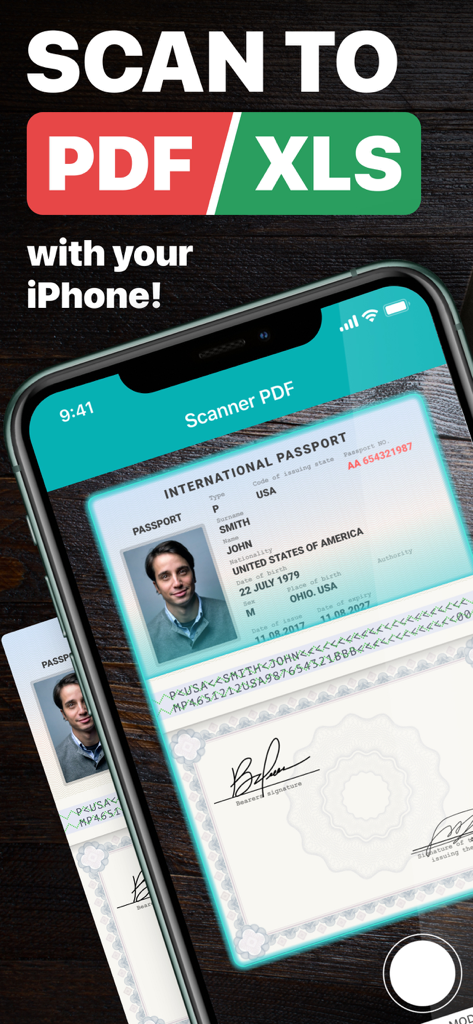
아이폰에서 Scanner PDF 앱으로 국제 여권을 PDF 형식으로 스캔하는 모습
아이폰에서 Scanner PDF 앱으로 국제 여권을 PDF 형식으로 스캔하는 모습

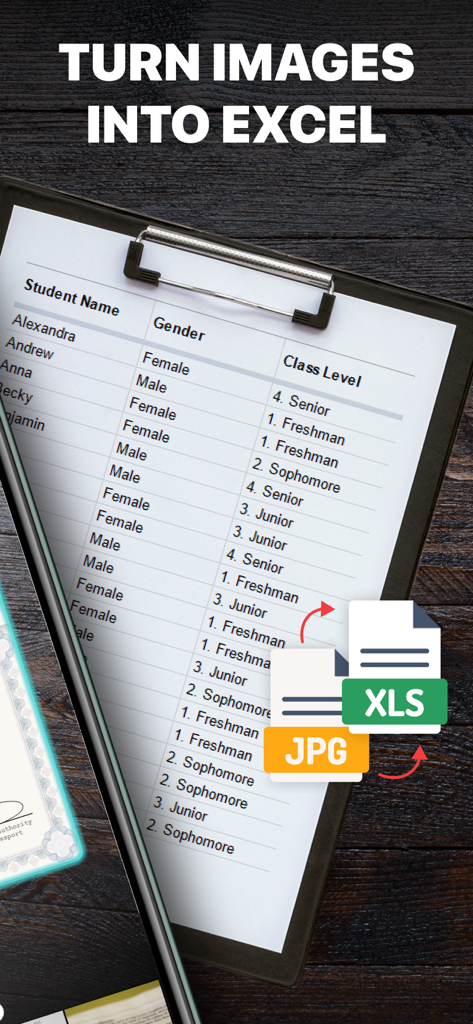
인쇄된 표를 스캔하여 Excel 스프레드시트 파일로 변환하는 스마트폰
인쇄된 표를 스캔하여 Excel 스프레드시트 파일로 변환하는 스마트폰

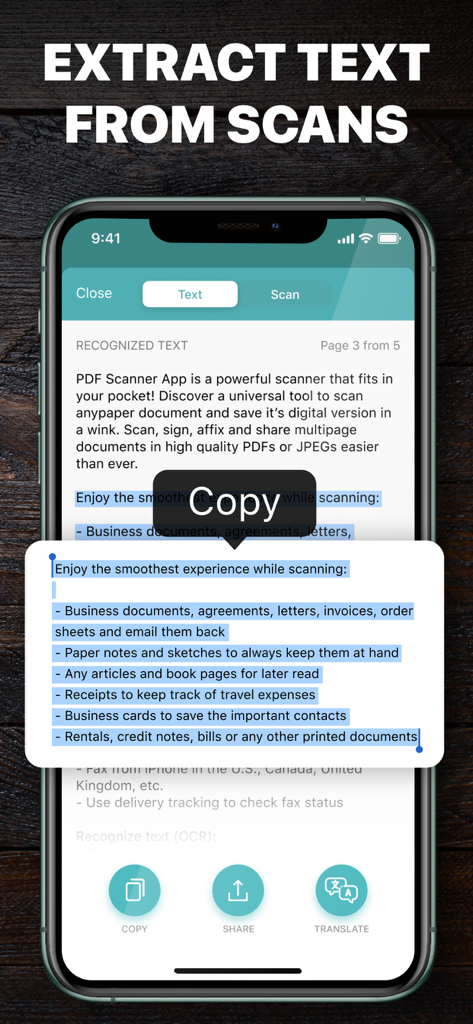
Scanner PDF 앱 화면에서 OCR 기능을 사용하여 스캔한 문서에서 텍스트를 추출하는 모습 (복사, 공유, 번역 옵션 포함)
Scanner PDF 앱 화면에서 OCR 기능을 사용하여 스캔한 문서에서 텍스트를 추출하는 모습 (복사, 공유, 번역 옵션 포함)

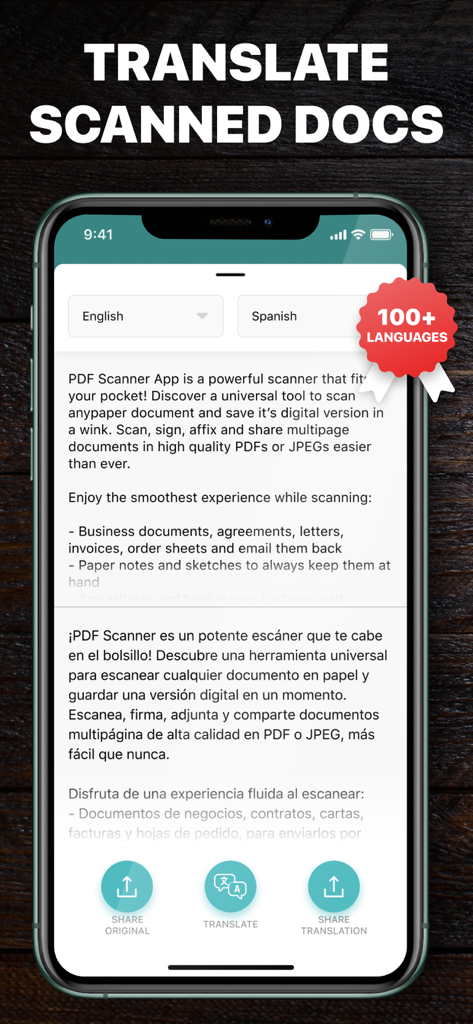
Scanner PDF 앱 인터페이스에서 스캔한 문서를 영어에서 스페인어로 번역하는 모습 (100개 이상 언어 지원 강조 배지 포함)
Scanner PDF 앱 인터페이스에서 스캔한 문서를 영어에서 스페인어로 번역하는 모습 (100개 이상 언어 지원 강조 배지 포함)

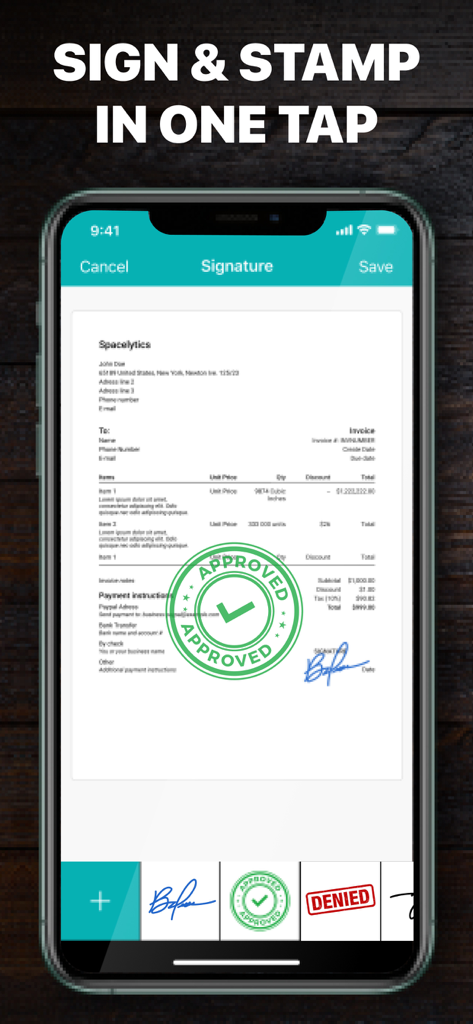
Scanner PDF 앱 인터페이스에서 송장에 서명하고 승인 도장을 찍는 모습
Scanner PDF 앱 인터페이스에서 송장에 서명하고 승인 도장을 찍는 모습

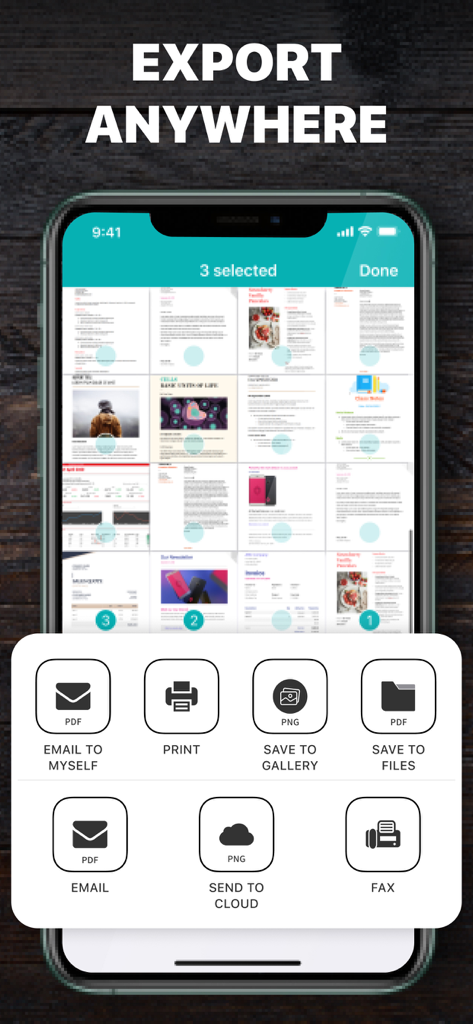
Scanner PDF 앱 인터페이스에서 이메일, 팩스, 클라우드 저장소와 같은 문서 내보내기 옵션을 보여주는 모습
Scanner PDF 앱 인터페이스에서 이메일, 팩스, 클라우드 저장소와 같은 문서 내보내기 옵션을 보여주는 모습

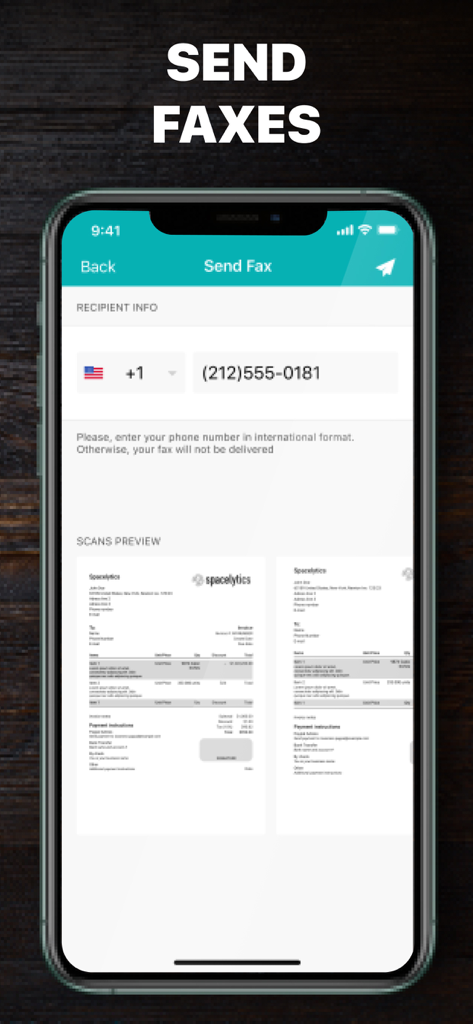
Scanner PDF 모바일 앱의 팩스 보내기 화면 (수신자 정보 및 스캔 미리보기 포함)

Scanner PDF 모바일 앱의 팩스 보내기 화면 (수신자 정보 및 스캔 미리보기 포함)

주머니 속의 전체 사무실, 재해석되다

이 앱을 돋보이게 하는 도구, 12M+ 명의 사용자가 선택.

✍️

몇 초 만에 스캔 및 서명

모든 계약서나 영수증을 전문적인 PDF로 변환하세요. 프린터 없이 즉시 법적 효력이 있는 전자 서명과 도장을 추가하여 거래를 성사시키세요.

🌐

스마트 OCR 및 글로벌 번역

AI 기반 인식으로 인쇄본 또는 손글씨 페이지에서 텍스트를 추출하세요. 100개 이상의 언어로 문서를 번역하여 글로벌 시장에서 앞서나가세요.

💼

전문 비즈니스 툴킷

스캔 그 이상을 경험하세요. 안전한 팩스를 보내고, 전문적인 송장을 생성하며, 단일하고 강력한 앱 내에서 전용 비즈니스 전화선을 관리하세요.

리뷰 분석

사용자 리뷰 인사이트.

감정 점수

33%
부정적

요약

This mobile app receives highly mixed feedback, with a strong divide between its core functionality and its billing practices. While some users praise its scanning features, describing them as functional, clear, fast, and easy to use, a predominant number of reviews express severe dissatisfaction with its subscription model. Many users report being subjected to automatic, often recurring, and significant charges without explicit consent or clear notification, frequently after a 'free trial' period. Attempts to cancel these subscriptions or obtain refunds are often reported as difficult or unsuccessful, leading to accusations of deceptive practices and fraud.

주요 테마

Deceptive Billing(28)
Lack of Transparency(17)
Scanning Quality & Speed(11)
High Cost(5)
Advertisements(3)
Privacy Concerns(2)

앱 소개

에 대해 알아야 할 모든 것 Scanner PDF – scan document.

설명

PDF Scanner App is a powerful scanner that fits in your pocket! Discover a universal tool to scan any paper document and save its digital version in a wink. Scan, sign, affix and share multipage documents in high quality PDFs or JPEGs easier than ever. Enjoy the smoothest experience while scanning: - Business documents, agreements, letters, invoices, order sheets and email them back - Paper notes and sketches to always keep them at hand - Any articles and book pages for later read - Receipts to keep track of travel expenses - Business cards to save the important contacts - Rentals, credit notes, bills or any other printed documents Recognize text on your scans with OCR: - Extract and edit text from books, bills, scans, etc. - Printed and handwritten text will be automatically recognized - Translate recognized text into 100+ languages E-sign and stamp documents right on your device: - Put one or several signatures and stamps into the app - Add them to any scanned pages in a tap Share your scans via: - Email or message documents as PDF, JPEG, or PNG, or save to Photos - Export to Dropbox, Evernote, Google Drive or open in any 3rd party application Fax directly from the Scanner App: - Take photos of documents with your camera - E-sign or stamp your faxes - Fax from iPhone in the U.S., Canada, United Kingdom, etc. - Use delivery tracking to check fax status Have all your files within Cloud Storage: - All your Scanner App files in Cloud Storage are backed up safely so you don’t lose them Keep all the important docs at your fingertips and beat back the paper clutter easy breezy! We offer a great feature for our users called Business Pack! Now you can use one subscription to access both “Scanner PDF – Scan Documents”, "Call Recorder for Me", "Second Phone Number for Me" and "Invoice Maker app" apps simultaneously. Our “Second Phone Number for Me” app gives users the ability to have one more number without an additional sim card. One phone, two numbers! "Call Recorder" helps you to record phone calls. "Invoice Maker app" is an amazing tool for invoice creating. Great for small business! Business Pack subscription gives access to "Scanner PDF - Scan Documents", "Call Recorder for Me", "Second Phone Number for Me" and "Invoice Maker app" apps simultaneously. Basic premium subscription gives access to "Scanner PDF - Scan Documents" app only. Choose from different subscription options! Business Pack subscriptions: - 1 Week Business Pack - 1 Month Business Pack - 6 Months Business Pack - 1 Year Business Pack Basic premium Scanner subscriptions: - 1 Month Subscription - 6 Months Subscription - 1 Year Subscription * Subscription with a free trial period will automatically renew to a paid subscription. * Please note: any unused portion of a free trial period (if offered) will be forfeited when you purchase a premium subscription during the free trial period. * You can cancel a free trial or subscription anytime by canceling your subscription through your iTunes account settings. This must be done 24 hours before the end of a free trial or subscription period to avoid being charged. The cancellation will take effect the day after the last day of the current subscription period, and you will be downgraded to the free service. Help Additional Subscription Information – Payment will be charged to your iTunes Account at confirmation of purchase – Your subscription will automatically renew unless auto-renew is turned off at least 24-hours before the end of the current period – Your account will be charged for renewal within 24-hours prior to the end of the current period and the cost will be identified. – Subscriptions may be managed by the user and auto-renewal may be turned off by going to the user’s Account Settings after purchase Privacy Policy: https://neosus.net/privacy-policy-page/ Terms of Use: https://neosus.net/terms-of-use/

최신 버전

2.32

크기

113.2 MB

출시일

2017년 12월 16일

휴대폰을 강력한 비즈니스 허브로 전환하세요

몇 초 만에 문서를 스캔, 전자 서명, 팩스로 보내는 1,200만 명 이상의 전문가들과 함께하세요. 무료 체험을 시작하고 지금 바로 워크플로우를 간소화하세요.

다운로드: App Store

App information, icons, screenshots, and descriptions displayed on this page are sourced from the Apple App Store and are the property of their respective developers. Download estimates and rankings are based on MWM's proprietary models and may not reflect actual figures. This page is provided for informational and analytical purposes only.

Believe this page infringes your intellectual property? File a dispute